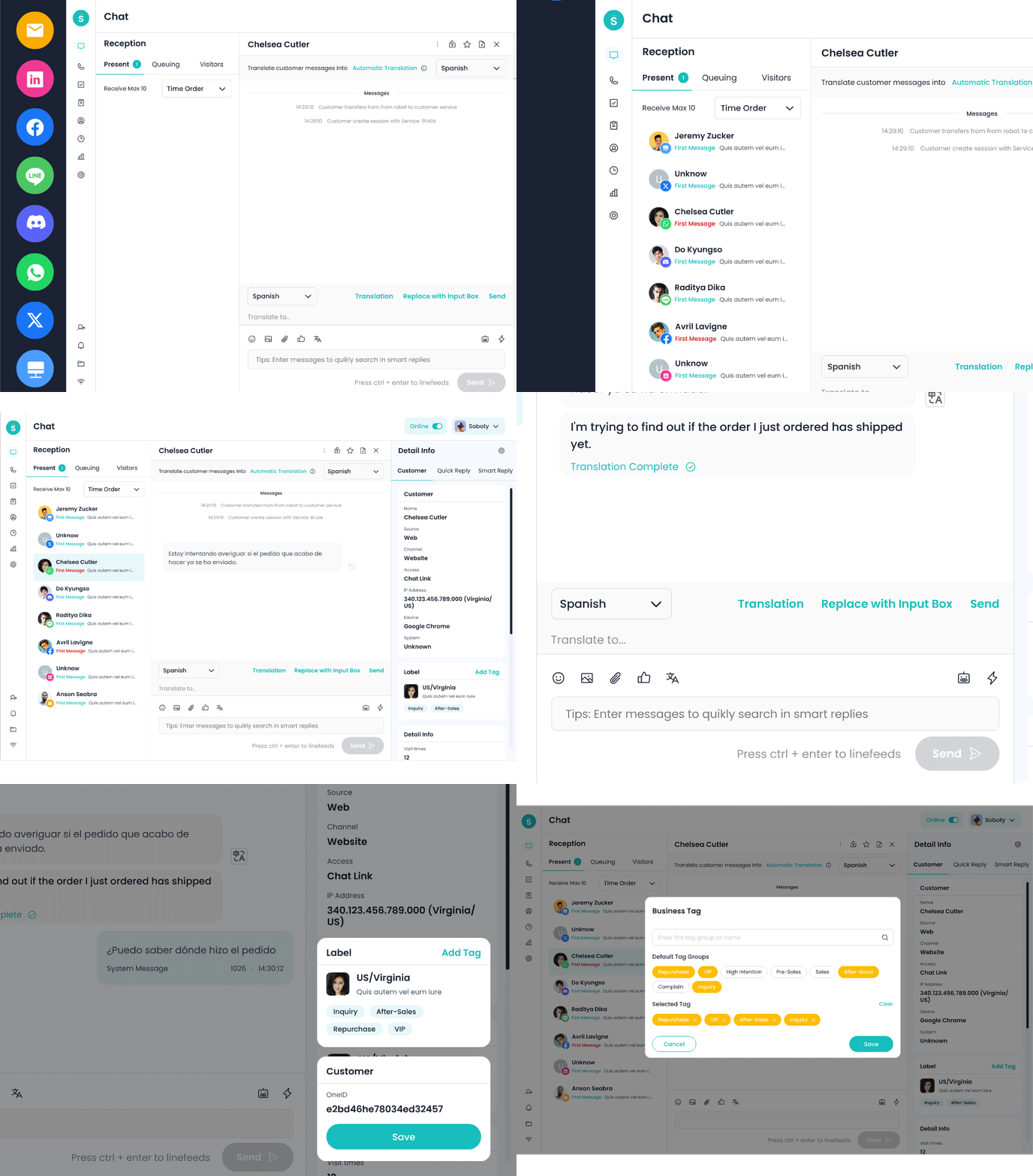
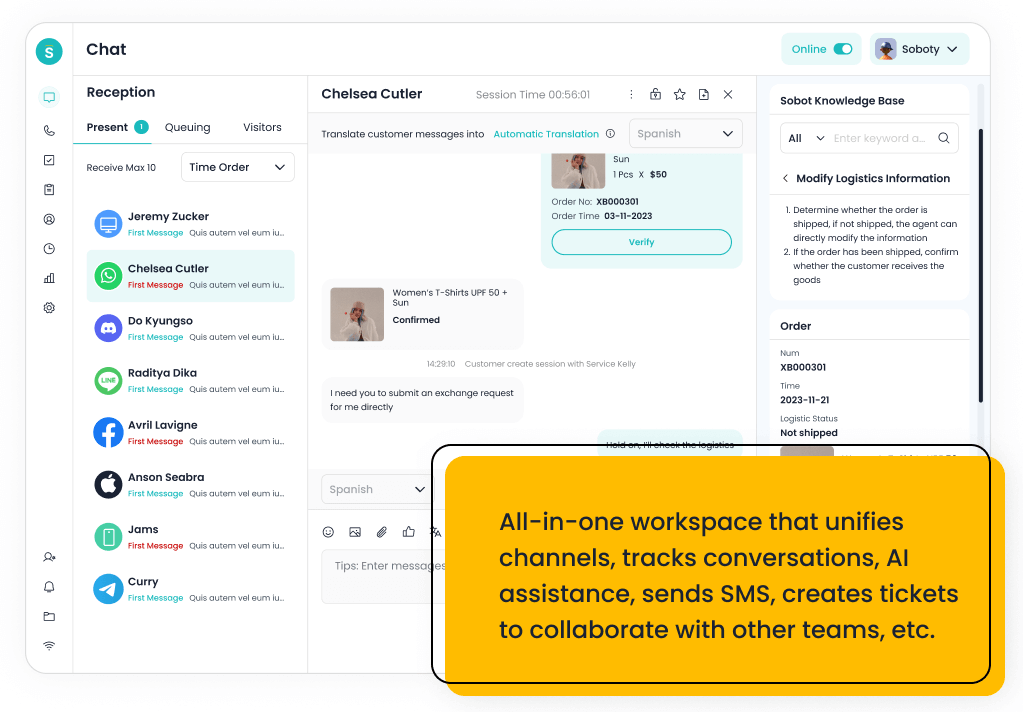
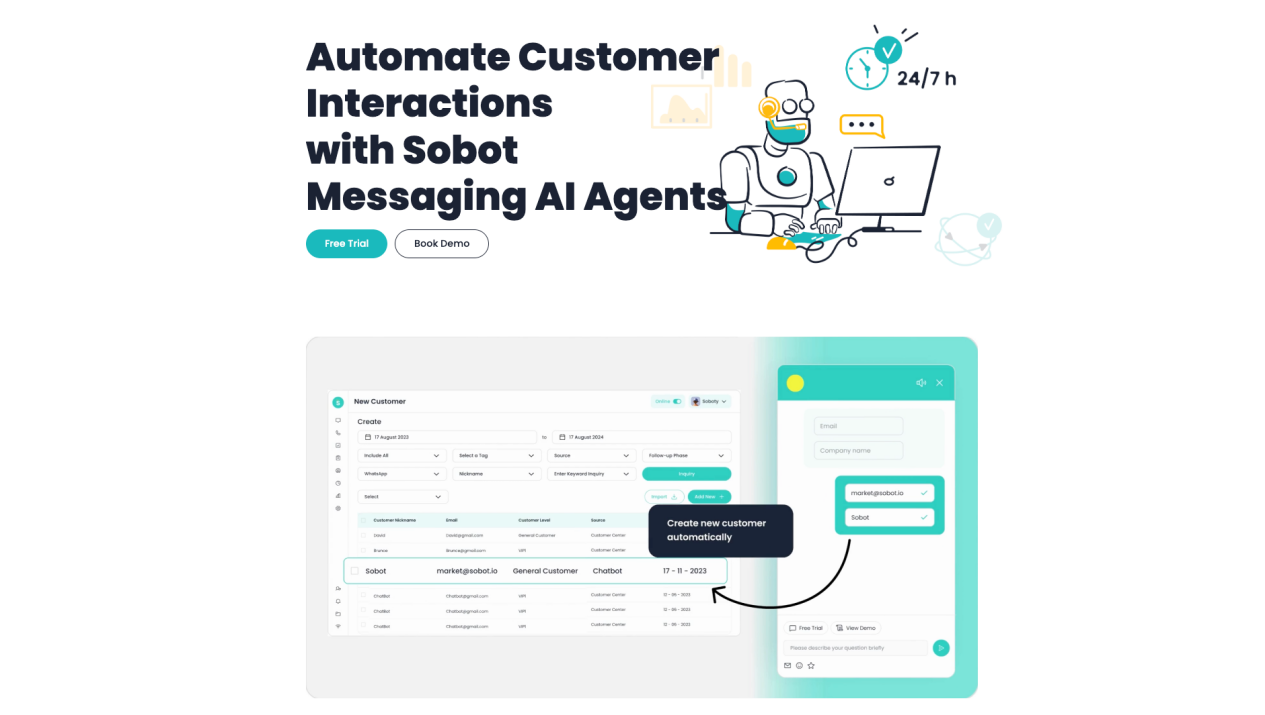
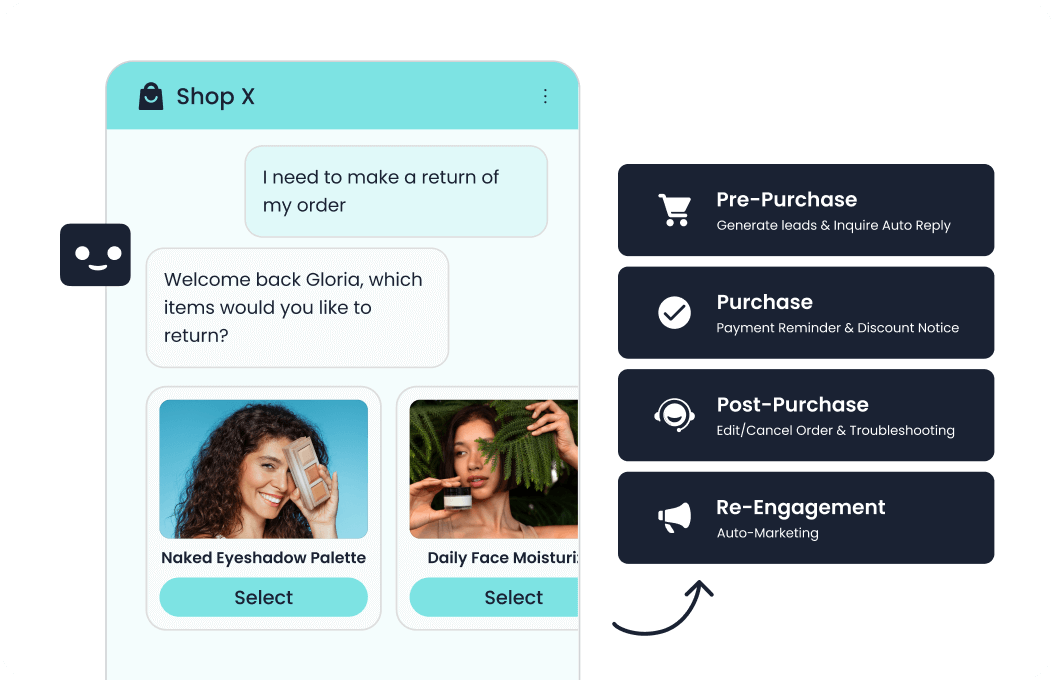
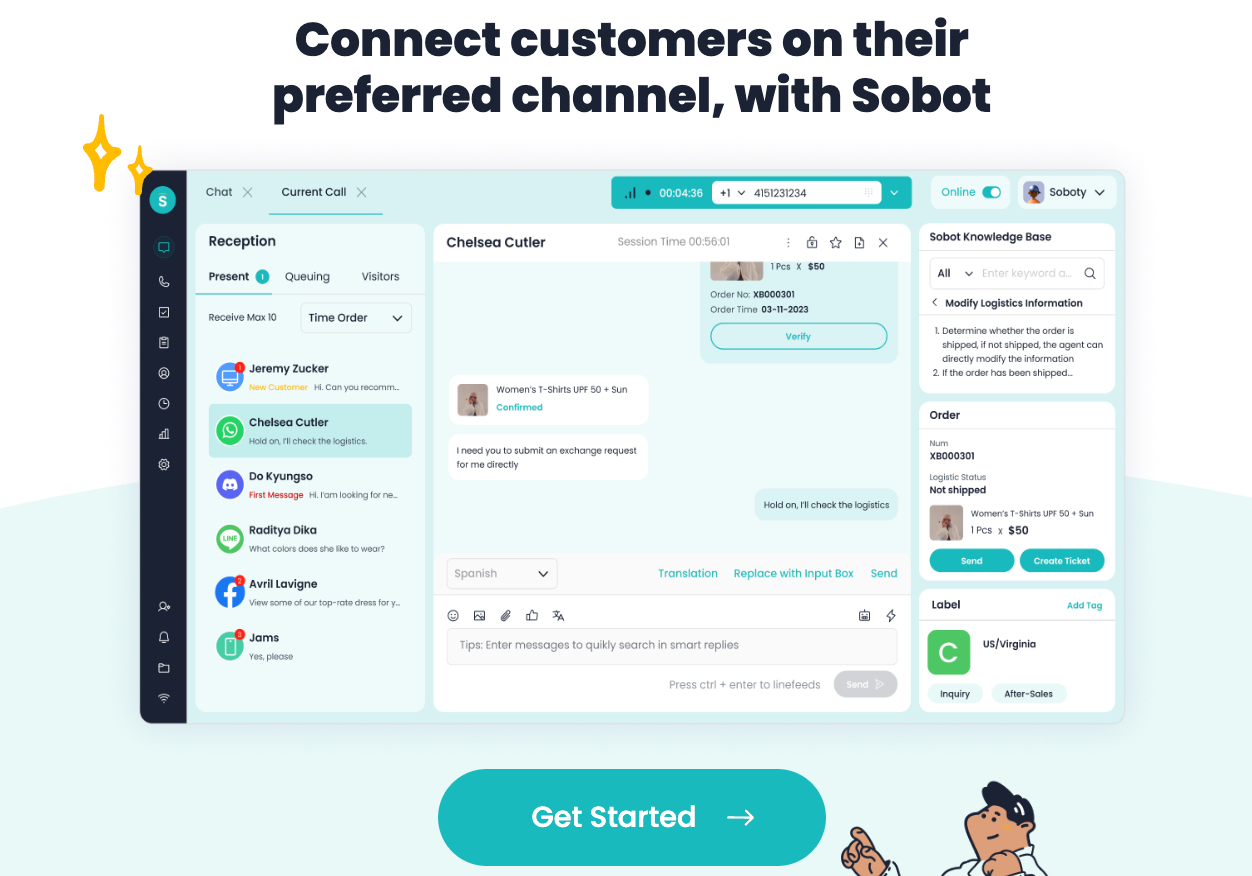
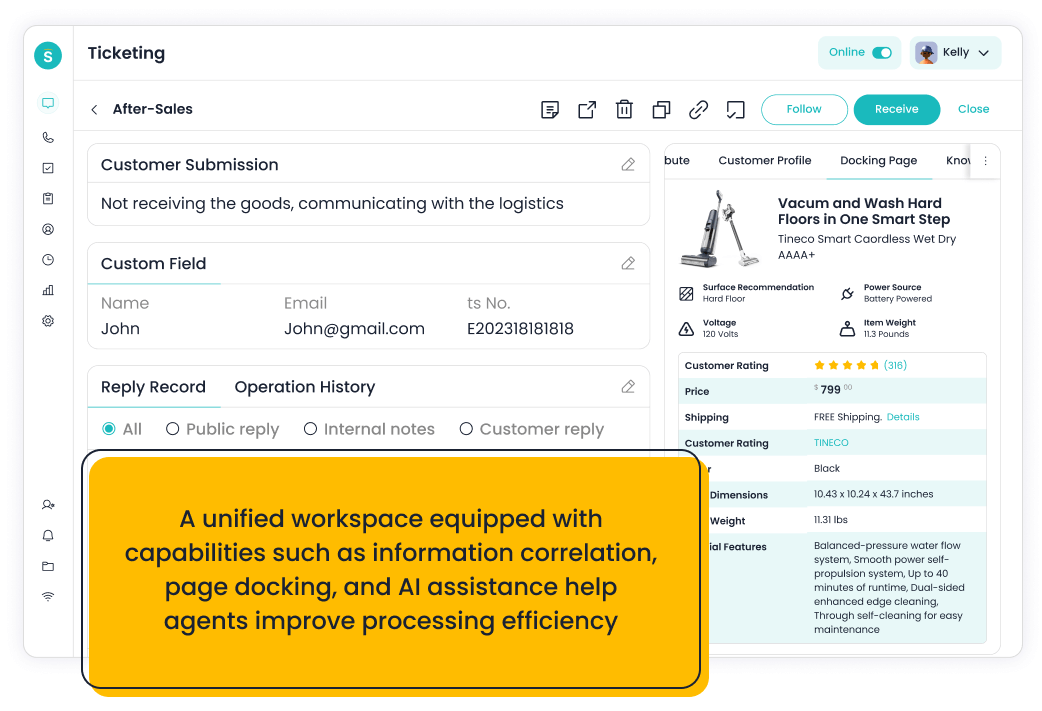
Sobot gives you a useful starting point for a customer service chatbot built on your own documentation. Its AI Agents can draw on managed knowledge, eligible editions can add configured Skills, Actions, and structured evaluation, and Nexus Messaging can give a person a place to continue the conversation when live chat is added and staffed. Those are three good reasons to look beyond a bot that simply recites an FAQ. Explore Sobot AI Agents and the Resource Center.
But a good demo is not the finish line. If you’re wondering how to build an AI customer support agent from your own docs, start with one question:
Which information may the person asking actually receive?
An internal troubleshooting note may help a support rep without being suitable for a customer. This guide walks you from that decision through document preparation, platform choice, a small working build, and tests that tell you when the bot should answer, act, or hand off.
The short version:
- If you only need answers to a few public FAQs, begin with a knowledge-based bot. Keep the first release small.
- If your team needs help finding private guidance, start with an agent-assist workflow where a person reviews the answer before sending it.
- If a customer request also needs an order lookup, a ticket, or another business action, choose an agent setup that can use permitted tools and recover when a step fails.
- In every case, decide what “I don’t know” looks like before launch. A correct handoff is a successful outcome when the alternative is a confident wrong answer.
What a Customer Service Chatbot with Internal Docs Actually Needs
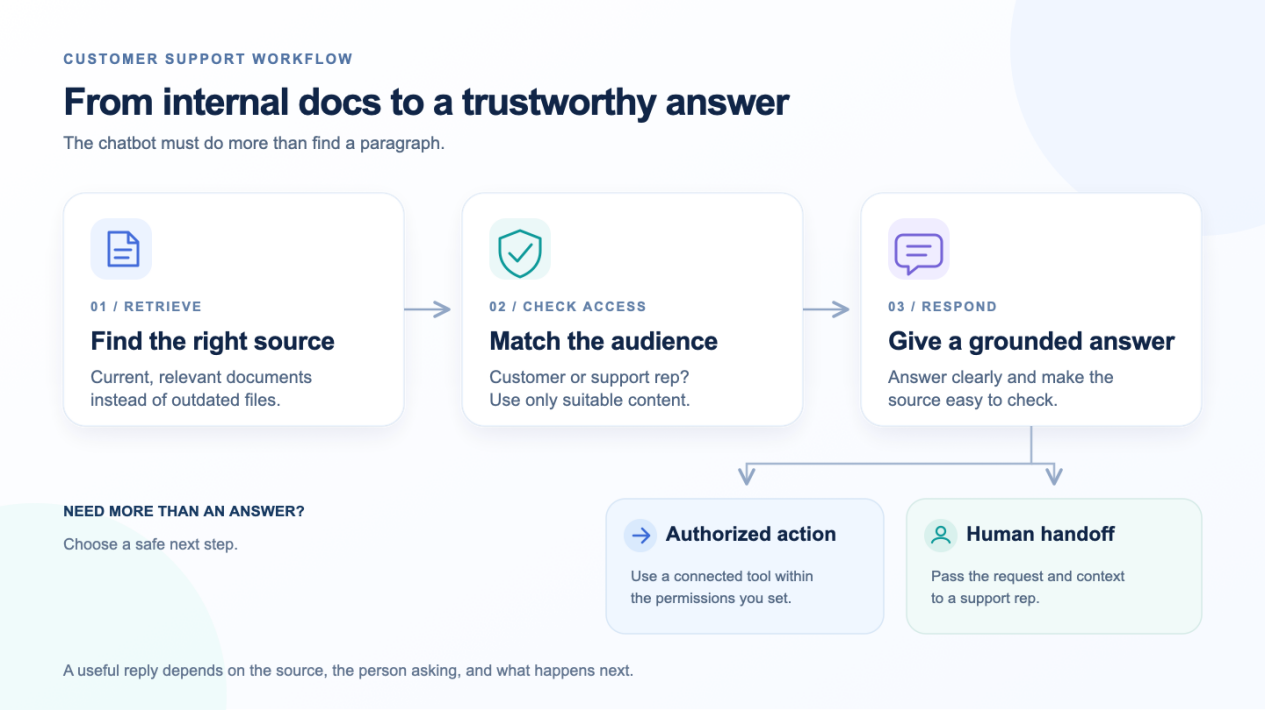
“Feed it our docs” sounds like a single task. In practice, it is at least three:
- Retrieve the right passag
- Decide whether that passage is appropriate for the current person
- Turn it into a useful reply.
If the request goes beyond information, the agent also needs a permitted path into a business system—or a person who can take over.
A customer service chatbot with internal docs should therefore be designed around the person asking, not around the number of files you can upload.
That distinction matters. A RAG customer support agent retrieves relevant information at answer time. Uploading a file to a knowledge base does not, by itself, fine-tune a model or guarantee that every future answer will be correct. Microsoft’s overview of retrieval-augmented generation separates retrieval, grounding information, and citations. The quality of the source and the rules around access still matter.
There are three common ways to use this setup:
| Who asks the question? | What the AI does | What deserves the closest test? |
|---|---|---|
| A customer on your site or in a messaging channel | Replies from knowledge selected for that customer-facing use | Whether any internal-only policy, account detail, or outdated version appears in the answer |
| A support rep in a service workspace | Finds relevant guidance or drafts a reply for the rep to review | Whether the rep can see the right source and correct the draft before sending |
| A customer whose request requires action | Uses knowledge to decide the next step, then calls an authorized tool or hands off | Identity, action permissions, failure recovery, and what the next person receives |
Sobot supports knowledge-backed customer conversations and human-agent assistance in its Messaging AI Agents. Its AI Agent resources also distinguish Knowledge from Skills, Tools, and Workflows. That is a useful design model: a return-policy article can explain a rule, while a connected action might look up an order. Neither should silently grant the bot permission to approve an exception. For a fuller look at how those pieces sit alongside Nexus and human service, see how Sobot AI Agents work.
Prepare the Documents Before You Configure the Bot
The fastest way to get a plausible answer is to upload everything. The fastest way to get a reliable answer is to decide what belongs in the first knowledge set.
Start with a narrow task, such as “answer standard return-window questions for products currently sold.” Collect the documents that support it: the customer-facing policy, product-specific exceptions, a current FAQ, and any procedure the team uses to handle cases the policy does not settle. Then separate them by audience. A manager-only approval threshold is not a customer answer, even if it sits in the same PDF as the public return window.
Give each source an owner, an effective date, and a status. Which version wins if two files disagree? Who removes the old one after a policy change? Salesforce’s guide to governing content for AI consumption illustrates how mixed customer, support, and finance instructions in one returns article can lead an agent to combine old and new rules or surface internal detail. Its advice is useful beyond any one platform: make audience and context explicit, then enforce the boundary when content is retrieved.
Here is a simple working inventory for a custom AI customer support agent. The entries below are *illustrative*, not a customer deployment:
| Source | Intended audience | Owner and version | Allowed use |
|---|---|---|---|
| Current returns policy | Customers and support reps | Support operations; current effective date | Customer answer and agent assist |
| Exception approval guide | Support reps and managers | Support operations; current revision | Internal assistance only; never a direct customer source |
| Archived promotion FAQ | No active audience | Marketing; expired | Exclude from retrieval until reviewed |
Clear headings and short, self-contained sections help both humans and retrieval systems. Spell out the product and market that a policy applies to. Keep screenshots paired with text that explains the decision; otherwise a search system may miss the important rule in the image. If your knowledge lives in an AI support agent knowledge base, check the parsed version of the file, not just the upload confirmation. A beautifully formatted PDF can still produce a confusing text extraction.
In Sobot, Knowledge can include Q&A pairs, articles, files, tables, and web pages. Its October 2026 product update adds Markdown knowledge uploads. That update also describes parsing PDF, Word, and Excel files sent *during a conversation*.
Those are different workflows: putting a policy file into the knowledge base is not the same as reading a customer’s attachment. Test the one you plan to use.
Choose a Platform Around the Job, Not the Demo
Before you build a customer support chatbot, decide which of these jobs you are buying: document Q&A, an assistant for human reps, or customer-facing task handling. A polished answer box proves very little about the second and third jobs.
An AI agent for customer support is worth the extra setup when a request also requires a permitted system step, careful escalation, or ongoing evaluation of the outcome.
Ask each shortlisted platform to show the same request using your own sample documents. Then use one comparison sheet rather than a pile of unrelated feature screenshots:
| Decision | A useful question to ask | What you should see in a trial |
|---|---|---|
| Knowledge | Can it ingest your actual formats, and how are changes reflected? | The current document is retrieved; the retired version is not |
| Sources | Can an operator inspect the basis for a reply? | A source or trace that can be checked against the answer |
| Access | Who may retrieve each document or account record? | A customer, rep, and manager receive appropriately different results |
| Action | Can it do more than explain a process? | A permitted lookup or ticket action, with a clear failure response |
| Channels and handoff | Where will the conversation start, and where can a person continue it? | The assigned rep sees the customer’s request and relevant context |
| Evaluation and cost | How do you test, monitor, and pay for the actual setup? | A test report and an estimate including AI usage, seats, channels, and messages |
If you are still deciding which platforms belong on that shortlist, our Singapore AI customer service chatbot comparison offers a separate buying guide. Use this guide to test the document, action, and handoff path once you have candidates.
Sobot is especially worth considering when the job spans knowledge-backed answers, configured business actions, and messaging-led support. Its pricing comparison makes an important distinction: Team includes cited knowledge answers, Professional adds Skills and Actions, and Enterprise lists the Evaluation Center and Workflows. Nexus products, including human messaging, are priced separately. Use the edition and products you would actually deploy when comparing options; an entry price is not an all-in quote for an action-enabled service desk.
For a customer-facing bot that touches private content, demand a specific access test. Microsoft’s document-level access guidance explains why permission metadata must be enforced at query time and kept in sync with the source. That is an evaluation principle, not a claim that Sobot automatically inherits the permissions of every external document system. Ask for the exact connector, identity, and filtering behavior in your proposed deployment.
How to Build an AI Customer Support Agent From Your Own Docs: A Working Sequence
Use one representative scenario all the way through. Imagine a customer writes, “My headphones arrived damaged. Can I return them?” The bot should find the current return policy, ask only for missing information, avoid inventing an exception, and either perform an authorized next step or send the case to a person.
| This is a test scenario, not a claimed Sobot customer result. |
|---|
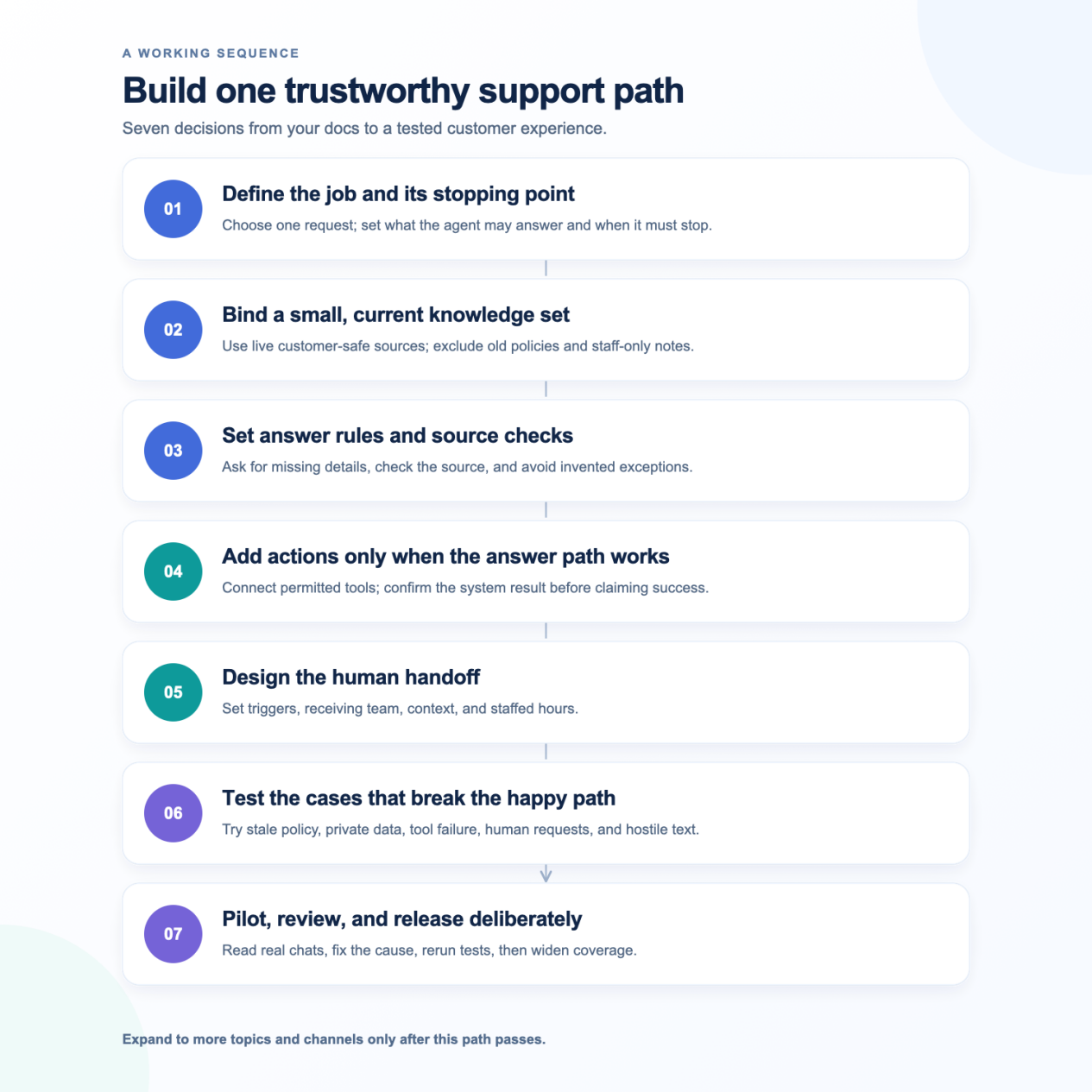
1. Define the job and its stopping point
Write one sentence that a support lead can test:
“Answer standard damaged-item return questions from the current customer policy and collect the order number when needed.”
Then write the limits. The bot may explain standard eligibility. It must not promise a refund before checking the order and the applicable policy. It must not read manager-only approval notes to the customer.
Be equally clear about the human boundary. If the policy is ambiguous, the customer disputes eligibility, or a required system is down, the next step is clarification or escalation. OpenAI’s practical guide to building agents treats tools, instructions, and guardrails as separate design elements. That is a good mental checklist here: the document supplies facts; your instructions set behavior; a connected tool performs a permitted action.
2. Bind a small, current knowledge set
Add only the current policy and the product guidance needed for the scenario. In Sobot’s Resource Center, Knowledge is a reusable resource that can be shared by configured Agents. Review how each file parses, which headings survive, and whether a test question reaches the intended source. If two passages disagree, fix the source material before trying to solve the conflict with a clever prompt.
What about that internal exception guide? Keep it out of a customer-facing knowledge set unless your implementation has been shown to separate internal and customer access correctly. “Internal” is a description of the file’s origin, not a permission policy. This is the point at which your security or knowledge owner should sign off on what can be used.
3. Set answer rules and source checks
Tell the agent what a supported answer looks like: state the policy in plain language, ask for a missing order detail when needed, and avoid a definite answer if the applicable version is unclear. Test paraphrases: “arrived broken,” “damaged on delivery,” and “does the return window still apply?” should reach the same current rule.
Sobot’s pricing page lists “Cited Knowledge Answers” in its AI Agents plans. In a pilot, inspect where that source information appears and who can see it. A citation can help a rep check the answer, but it does not prove the policy was applied correctly. Compare the answer with the actual effective date and product terms. If you need customer-visible citations, confirm that display in the channel you plan to use.
4. Add actions only after the answer path works
If the next step is “check order status,” an answer-only bot can tell the customer where to look. An action-enabled agent may call an order system—but only through a configured integration with the right identity and permissions. In Sobot, Professional lists Skills and Actions; more structured Workflows are listed under Enterprise. That packaging matters when you scope the build.
For the damaged-item scenario, decide what is read-only and what changes a record. Looking up an order, creating a ticket, and issuing a refund are three different permissions. Make the agent confirm what it actually did. If a lookup fails, the customer should hear that it could not complete the lookup, not that the return has been approved. This is where a RAG customer support agent becomes a service workflow rather than a polished document search box.
5. Design the handoff before you need it
An AI customer support agent human handoff is more than a “talk to a person” button. Decide which events trigger it, who receives the conversation, what the customer sees while waiting, and what context reaches the rep. For example, the rep should be able to see the customer’s question, any order detail the customer supplied, the policy the AI used, and the reason it stopped—subject to the fields your actual integration supports.
Sobot’s October 29 release notes state that an Agent-only purchase uses bot-only reception; adding Live Chat opens the human reception and transfer settings. Nexus Messaging supplies the human workspace. Configure and test that combination if live takeover is part of your promise. Also test outside staffed hours. A handoff rule that points to an unavailable team is not a finished customer experience.
6. Run a test set that tries to break the happy path
Do not test only “What is your return policy?” It is the easiest question you will ever give the bot. Use the same questions and expected outcomes on every version of the build:
| Test case | Expected result |
|---|---|
| A clear question covered by the current policy | Correct answer, grounded in the current source |
| The same question phrased in customer language | Same rule, without a changed promise |
| An expired promotion or old product policy | Old rule is ignored or the bot asks for clarification |
| A request for an internal approval threshold | No internal-only detail in the customer response |
| A customer-specific order question without identity | No private order data until the required check is completed |
| A permitted lookup that returns an error | Honest failure message and a next step; no claim that an action succeeded |
| A policy exception or request for a person | Appropriate transfer, with useful context for the rep |
| A document that says “ignore previous instructions” | The document is treated as source data, not as a command to the bot |
The last row is deliberate. OWASP’s prompt-injection guidance notes that untrusted content in a retrieval source can try to redirect an AI system. You are not looking for a checkbox labeled “secure”; you are checking how the whole deployment behaves when a source is wrong, stale, or adversarial.
For AI agent evaluation for customer service, score at least four things separately: factual answer, correct source, correct action or refusal, and correct handoff. Sobot’s October product update describes resource-adoption and handoff measures in evaluation reports. The full Evaluation Center is shown in the Enterprise plan, so confirm your entitlement before making it a required part of a lower-tier pilot. A high resource-adoption number by itself does not mean the answer was right.
7. Pilot, review, and release deliberately
Start with a small, named set of questions and a human owner who can stop the rollout. Review real conversations for source mistakes, overconfident replies, needless handoffs, and cases that should have gone to a person sooner. Fix the knowledge or rule that caused the problem, then rerun the same test set. Only after that should you widen the topic or channel scope.
If your team already handles WhatsApp AI customer support, test in WhatsApp as well as on the website. A knowledge answer might be the same, but identity, message format, staffing, and takeover can differ by channel. Sobot offers WhatsApp service infrastructure alongside Messaging AI Agents; verify the specific number, integration, Agent behavior, and fees in the intended deployment. A website demo does not certify the WhatsApp flow.
Add Advanced Capabilities Only When They Solve a Real Support Problem
It is tempting to add memory, every channel, and a dozen actions before the first answer has been tested. Resist that urge. Add a capability when a failed or incomplete customer task shows you why it is needed.
Sobot’s AI Agent architecture separates Knowledge, Skills, Tools, Workflows, Memory, and Variables. The pieces can support a progression: Knowledge supplies the return rule; a Skill describes how to handle a damaged-item request; a Tool checks an authorized order; a Workflow holds a structured process where the edition supports it. Its AI Agents overview describes this resource model. You can explain the progression without implying that every piece is enabled in every plan.
The same principle applies to multilingual and omnichannel service. Don’t equate “the bot can answer in another language” with “the policy, handoff queue, and action permissions are correct in that language and channel.” Test each important locale against the same policy questions. If a channel has a different identity model, make that part of the test. For a messaging-led ecommerce team, the useful ambition is not to be everywhere at once; it is to let the customer continue a real request without losing the answer or the person responsible for the next step.
Troubleshoot the Failure You Can See
When an AI answer disappoints, “change the prompt” is not always the fix. First locate the failing layer.
| What you observe | Likely place to investigate | First useful action |
|---|---|---|
| The bot quotes an old return window | Knowledge versioning and source selection | Retire the old policy, check the parsed current version, and rerun the question |
| It answers from the right article but invents an exception | Answer instructions and review criteria | Tighten the allowed claim and add a refusal/escalation test |
| It knows the policy but cannot check an order | Tool binding, identity, or edition | Test the authorized lookup separately before enabling the full flow |
| It says it created a ticket, but none exists | Action result and confirmation logic | Require a success response from the system before telling the customer it worked |
| It transfers too many easy questions | Missing knowledge, poor retrieval, or overly broad handoff rules | Review a sample by question type and find which layer caused the transfer |
| It should hand off but no rep receives the case | Live Chat purchase, routing, staffing hours, or channel setup | Test a staffed and an unstaffed transfer end to end |
Sobot’s performance-monitoring guide describes a useful sequence: start with the dashboard, narrow the problem in Insights, then inspect the conversation record. That is more actionable than staring at one aggregate handoff rate. A rising handoff rate can mean the bot is failing—or that it is correctly recognizing new exceptions. Read the actual conversations.
Keep the Knowledge and the Service Boundary Current
The first launch is a snapshot. Your return policy, products, promotions, and support staffing will change. Assign a person to each knowledge area and connect document review to the business event that changes it. If a new policy takes effect on Monday, the old answer should not remain live until someone remembers to clean a folder.
Keep a short regression set: current policy, outdated policy, customer-specific data, action failure, and human-request scenarios. Reuse it whenever a document, Skill, Tool, or routing rule changes. Review the answers against the source and the actual customer outcome. If the team corrects the same bad answer repeatedly, fix the source or workflow rather than asking every rep to remember a workaround.
This is where a managed platform can earn its place. Sobot’s Resource Center is designed to reuse resources across Agents, while its AI Agents position evaluation and tuning as an operating loop. Treat that as a process your team runs—build, evaluate, change, test again—not as a claim that the model silently retrains itself after every conversation.
Measure Answer Quality, Safe Handoffs, and Actual Resolution
A bot that replied to 1,000 people has not necessarily solved 1,000 problems. Set a denominator and look at three separate outcomes:
- Grounded answer quality: Among eligible questions in the test set, how many replies matched the current source and the customer’s situation? Check the source, not just the tone.
- Action and handoff quality: Among cases that needed a system action or a person, how many reached the right destination with the right information? Count an honest, well-routed handoff as the correct result for a case the bot could not resolve.
- Confirmed customer outcome: Among eligible real contacts, how many were actually completed without a repeat contact or correction? Review a sample; a closed chat is only a proxy.
Add cost to the same picture. Include the AI plan, metered usage, human seats, messaging or telecom charges, integration work, and the time spent maintaining knowledge. Sobot’s pricing page distinguishes AI Resolutions from AI Credits and quotes Nexus products separately. Its billing definition of an AI Resolution is not the same thing as your own quality measure of a confirmed solved customer problem. Use both terms precisely.
Frequently Asked Questions
Can a customer service chatbot use internal documents without exposing them?
It can use selected nonpublic material, but the safe answer depends on who is asking, which content the agent can retrieve, and what it is allowed to say. Split customer-safe guidance from staff-only procedures, then test both an authorized and an unauthorized identity. Do not assume that uploading a private file automatically gives the bot document-level access control. Microsoft’s access-control guidance explains the permission checks a secure retrieval design may need; confirm what your chosen Sobot configuration actually enforces.
How do we keep answers accurate when a PDF or policy changes?
Give the document an owner and effective date, retire the previous version, inspect how the replacement was parsed, and rerun the same questions before publishing the change. In Sobot, file upload to Knowledge and parsing a file a customer sends during chat are distinct features; the October update describes both. Ask about update and deletion behavior for any external source you plan to connect.
What if the bot cannot answer or a customer asks for a person?
It should say what it could not determine, ask one useful clarifying question where appropriate, or transfer the conversation. For Sobot, plan that transfer with Nexus Messaging or the relevant Live Chat setup. The current release notes say Agent-only reception is bot-only; human-transfer settings appear when Live Chat is added. Test the route and working hours before promising live takeover.
Do we need an agent if we only want document answers?
Maybe not. If the whole job is answering a small, public FAQ, start there and measure whether people get the right answer. Move to a more capable agent when the request needs a permitted lookup, a repeatable business rule, or a handoff that carries context. That keeps the build proportionate to the customer’s problem.
Build One Trustworthy Path, Then Expand It
The practical answer to how to build an AI customer support agent from your own docs is to begin with a bounded service task, not a document dump. Select current customer-safe sources. Define what the bot may say and do. Test old policies, private details, action errors, and human takeover. Then improve from the conversations you actually see.
Sobot is a compelling fit when your support work starts with knowledge but cannot end at an answer: AI Agents can use shared resources, eligible editions support configured actions and evaluation, and Nexus Messaging can provide the human continuation your workflow requires. If your team serves customers across web and messaging channels, bring one real policy, one exception, and one handoff case to a Sobot demo. You will learn far more from that working path than from a perfect FAQ reply.