AI ticketing applies artificial intelligence to customer support requests, helping teams interpret messages, organize cases, prepare responses, and maintain a record through resolution. For an online retailer handling delivery questions, returns, and complaints, it connects the customer’s conversation to the work needed to solve the issue.
The essential distinction is between understanding a request and authorizing an action. AI can identify a likely refund request; the support workflow still determines whether a refund is permitted, who approves it, and what evidence confirms completion.
Key Takeaways
- AI in ticketing supports the full customer case lifecycle, from intake and classification to follow-up and closure.
- Language-based interpretation works alongside rules for ownership, service deadlines, permissions, and escalation.
- A suggested answer, an approved action, and a resolved customer issue are different states.
- Reliable automation depends on maintained knowledge, trustworthy customer records, and an accountable human fallback.
What Is AI Ticketing in Customer Support?
AI ticketing is the use of artificial intelligence within a system that records, assigns, tracks, and resolves customer support requests. The software interprets unstructured messages and assists with activities such as classification, prioritization, routing, response drafting, and summarization. A ticket remains the persistent case record: it connects the customer’s issue with an owner, relevant information, a status, and a history of work. Depending on configuration, AI may recommend the next step or perform a permitted task. The system must still preserve accountability when the issue crosses teams, requires approval, or cannot be resolved automatically.
Customer-facing cases include order questions, returns, product inquiries, billing concerns, and complaints. A single case may need several teams while retaining one accountable record.
Quick Comparison: Where AI Fits in a Support Ticket
| Support activity | AI contribution | Control that remains necessary |
|---|---|---|
| Classify a request | Infer an issue type from the customer’s wording | Approved categories and correction by an agent |
| Set priority | Flag signals of urgency or potential impact | Service policy and escalation criteria |
| Route the case | Suggest a suitable team using message context | Ownership rules, permissions, and available capacity |
| Prepare a reply | Draft an answer from relevant support information | Current knowledge and review for sensitive cases |
| Summarize a handoff | Condense the conversation and previous work | Links to original evidence and an explicit next owner |
| Assist closure | Prepare a resolution summary and outcome label | Evidence of completion and a reopening path |
These are capability categories, rather than a promise that every ticketing product automates each step. A team may use AI for drafting while keeping assignments and closure entirely under human control.
How Does AI Ticketing Work Across the Case Lifecycle?
A support case moves through creation, interpretation, assignment, handling, and resolution. The customer may switch channels during that process. A useful ticket record carries the issue forward so the next person can see what happened, what remains open, and who is responsible.
Microsoft’s language-understanding documentation separates interpreting intent and extracting information from performing an action. In ticketing, recognizing a return request can support classification; submitting or approving the return still belongs to the configured business process.
1. Create a ticket with usable context
A customer writes, “The tracking says delivered, but nothing arrived.” The message becomes a ticket with a case identifier, contact details, a source channel, and an initial status. AI can assist by extracting the reported problem and suggesting fields, while the platform records the original message.
Customer and order matching need particular care. A name alone may not identify the right account, and a shared email thread may involve several orders. Where the match is uncertain, the workflow should request an identifier through an appropriate channel before exposing account details. Extracted information is a candidate value until checked against the relevant record.
2. Classify the issue without losing its meaning
The system interprets the request as a delivery dispute rather than a general product question. Classification can support a category, a topic tag, or a suggested subcategory. Language-based interpretation is useful when customers describe the same problem in different ways or include several concerns in one message.
The record should retain those separate concerns. “My parcel is missing, and I was charged twice” may require both delivery and payment work. Forcing it into one convenient label can hide an unresolved issue. An uncertain or unfamiliar request should enter a review queue rather than receive a confident but unsuitable category.
3. Prioritize using business impact and policy
AI can flag signs of urgency, repeated contact, or a sensitive complaint. The support policy then determines the priority and response obligation. An angry message may require attention, but sentiment alone does not establish the severity of the underlying issue.
For example, a calm report of a potentially unsafe product may deserve more urgent review than a strongly worded request for a routine delivery update. Keep policy-based escalation conditions explicit. If a service deadline is approaching, the case needs an owner and an escalation path even when the model has not identified a clear intent.
4. Route to a team that can complete the work
The platform combines the issue category with routing conditions such as language, product expertise, region, or account access. AI may interpret the message; routing rules decide which eligible group receives it. Assignment should account for what a team is authorized to do, as well as what it understands.
Sending every refund-related message to billing is insufficient if some cases first require a warehouse investigation. A useful handoff identifies the outstanding task and preserves the current owner until the receiving team accepts responsibility. When no suitable agent is available, the customer needs a clear follow-up expectation rather than an indefinite transfer.
5. Prepare a grounded reply and support permitted actions
AI can help retrieve relevant policy information, draft an explanation, or summarize the customer’s request for an agent. If the case depends on a live order status, the workflow also needs access to the appropriate business record. A help article explaining delivery policy cannot establish where a specific parcel is now.
Action authority is separate again. Looking up an order, submitting a replacement request, and issuing a refund require different permissions. The response should describe the step actually completed. If a replacement request has only been submitted for approval, the customer should not receive a message saying the replacement has shipped.
6. Summarize, resolve, and close with evidence
A handoff summary should distinguish the customer’s report, verified facts, actions taken, and unresolved questions. This helps the next agent continue the case, but the original conversation and relevant records should remain available for checking. A fluent summary can still omit a qualification or misstate an earlier action.
Resolution means the agreed work has reached its required outcome. Closure is the subsequent case-management step under the team’s policy. Neither should be inferred solely from a polite final message or customer silence. Record the outcome, preserve any pending obligations, and provide a way to reopen the case if the issue returns.
Example: A Missing Delivery Becomes a Traceable Case
The following is an illustrative workflow, not a reported customer result. A shopper contacts a retailer through chat after a parcel is marked delivered. The conversation becomes a ticket, and the shopper provides information needed to identify the order.
AI suggests a delivery-dispute category and prepares a short issue summary. The support workflow checks the order record and routes the case to the team responsible for delivery investigations. The agent sees that the customer has already checked the usual delivery location, so the next reply can address the remaining uncertainty.
If a carrier investigation is required, the ticket stays open with that task assigned. A draft reply explains what is being checked and the next follow-up point. If policy allows a replacement only after review, the system records the approval request without claiming the replacement is complete.
The case can be resolved once the authorized outcome is confirmed and communicated. The record shows the evidence, decision, and follow-up. The example illustrates the operating principle: AI assists interpretation and communication while the ticket maintains continuity and accountability.
How Is AI Different from Rule-Based Ticket Automation?
Rule-based automation applies predefined conditions: for example, assign a selected form category to a specified team. AI adds interpretation of variable customer language and can generate text such as a draft reply or summary. The two approaches work together. Rules remain useful for stable deadlines, permissions, and escalation paths; AI can assist where the input is less structured. Adding AI does not make an established routing rule unnecessary or turn every automated action into an AI decision.
How Sobot Connects Ticketing with Customer Conversations
A shared record supports ongoing customer work
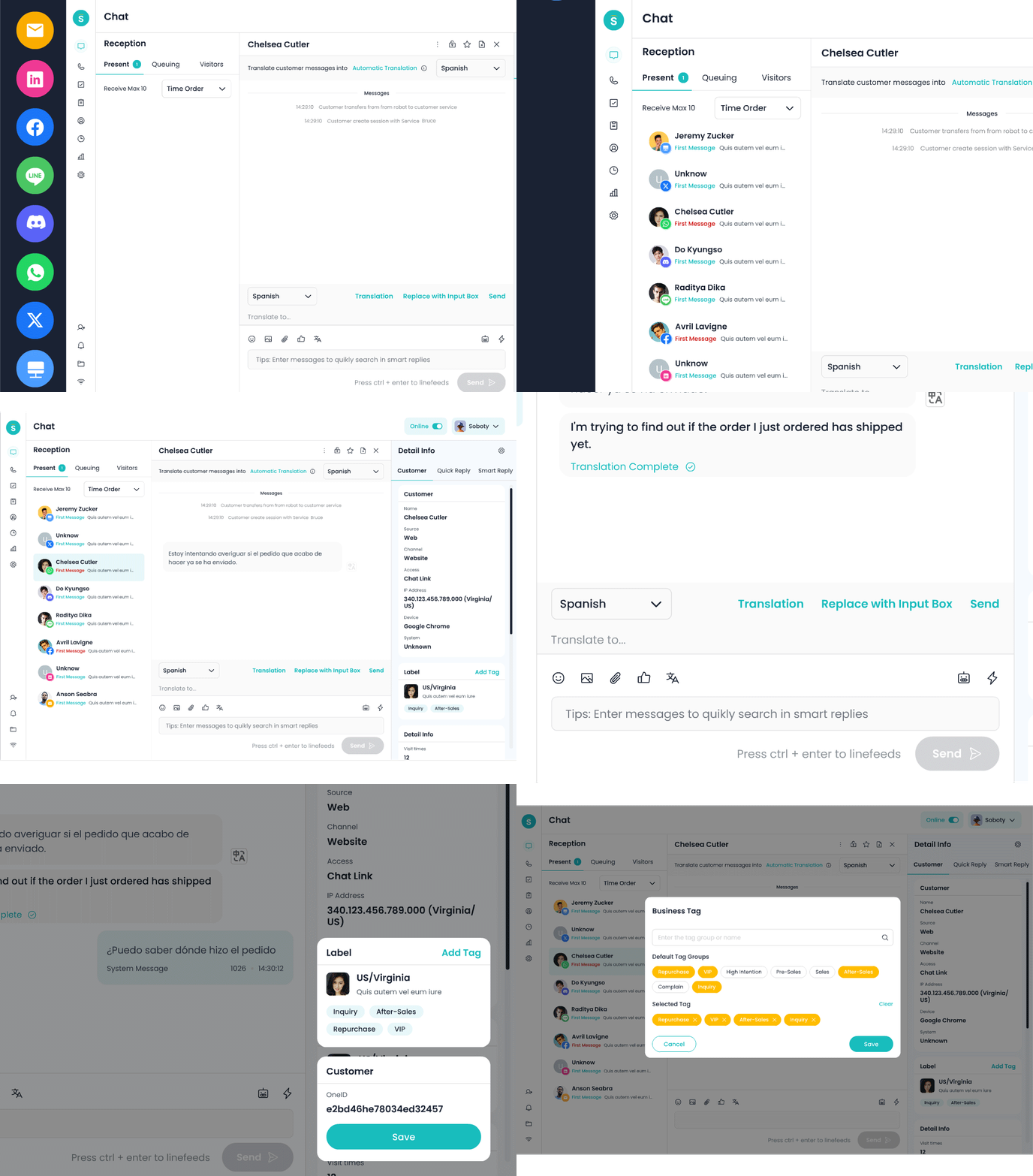
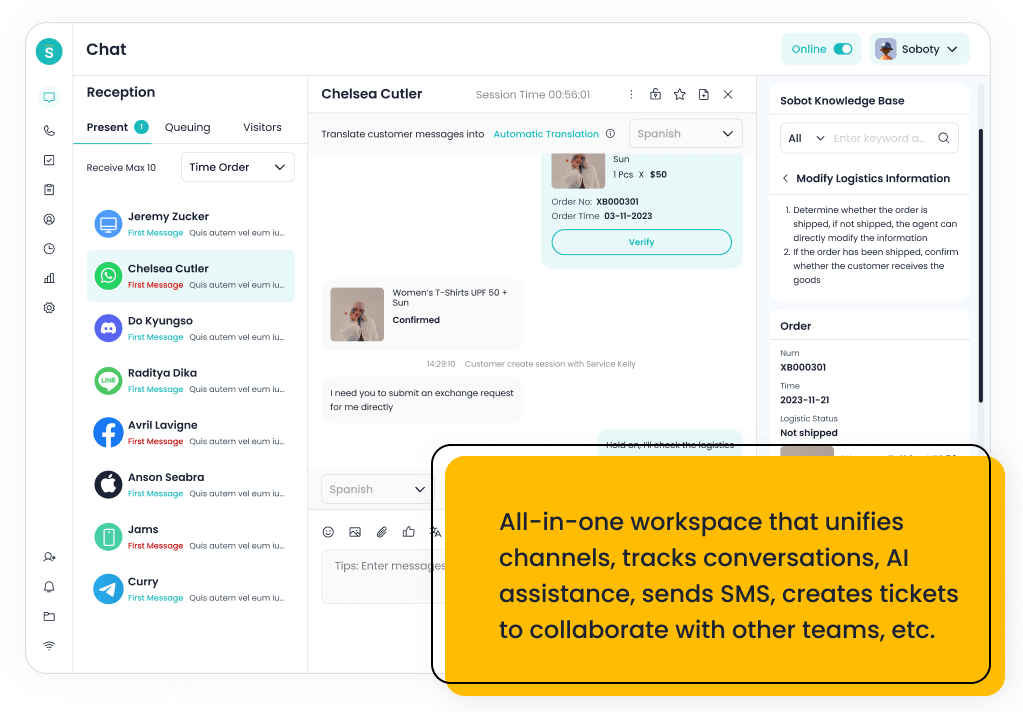
Sobot Nexus Ticketing describes email, chat, and voicemail intake, a shared ticket workspace, assignment rules, and service-level agreement (SLA) controls. Its product page also describes AI assistance for ticket fields and reply refinement. These connect conversation handling with tracked follow-up work.
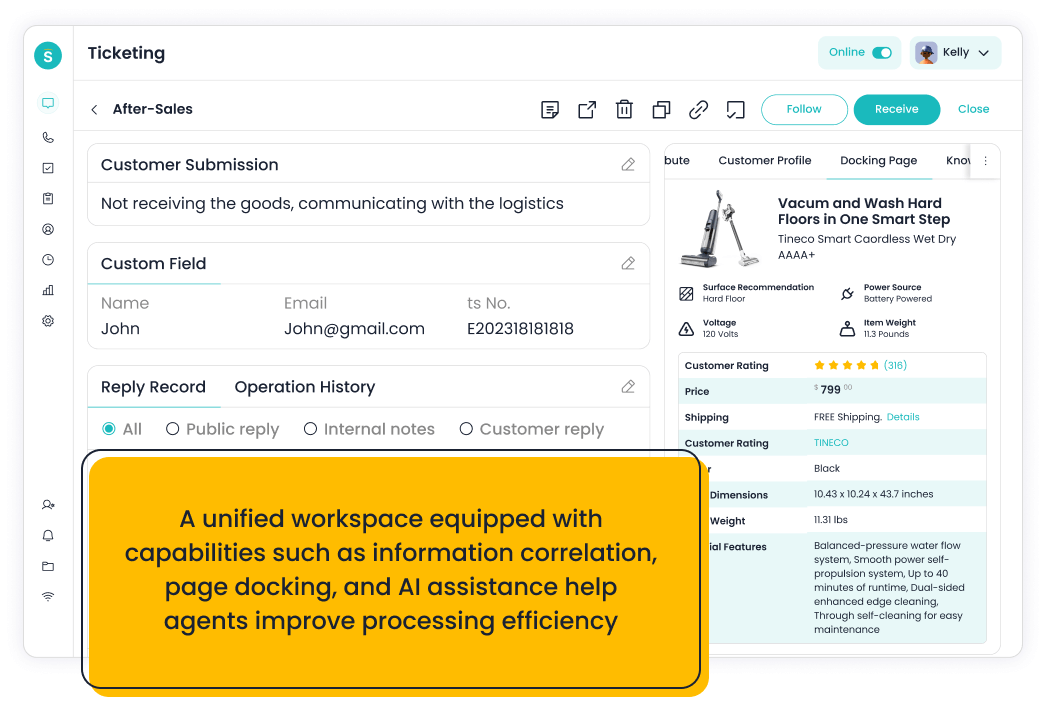
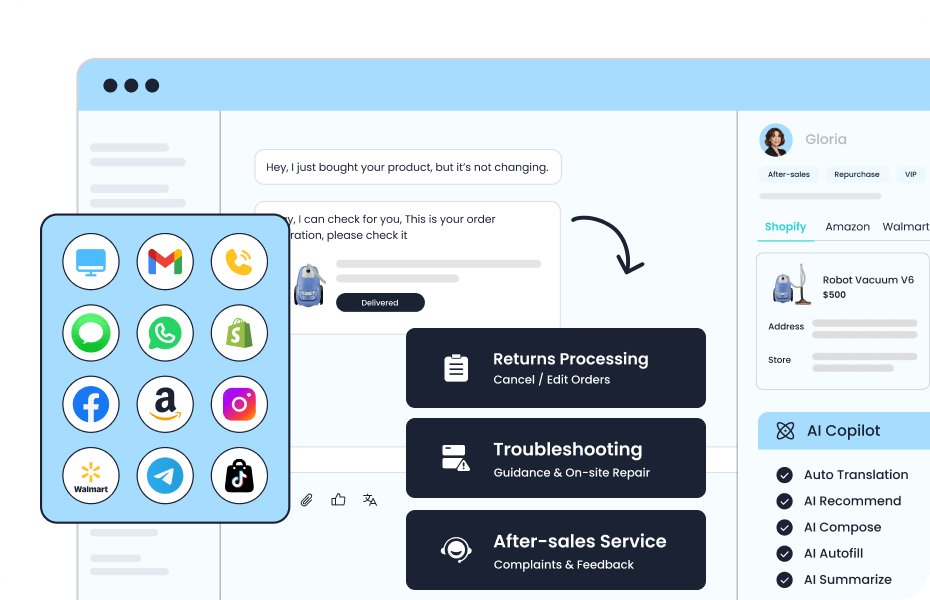
For cases involving purchases, the same page describes access to third-party order information through integrations. Teams should confirm the supported records, permissions, and channels for their deployment. A connected order view does not itself establish authority to change an order or approve compensation.
During a workflow walkthrough, check whether the receiving agent can see the relevant history, perform the required operation, and return the case if another team must act.
What Does AI Ticketing Need to Work Reliably?
Start with support knowledge that has an owner and a review process. If a return policy changed but the old version remains searchable, a well-written draft may still give the wrong instructions. Relevant information needs a clear scope, including the product, region, and policy conditions it applies to.
NIST’s AI Risk Management Framework calls for defined human roles and oversight. For a support ticket, make the approval owner and the person responsible for unfinished work explicit, especially when the request involves an exception.
Customer records also need consistent identifiers and appropriate access. Duplicate accounts, stale order information, or a missing channel history can undermine the case before a reply is drafted. Give agents a way to correct extracted fields and labels so mistakes do not quietly become the basis for later decisions.
Generative output requires checking. NIST’s Generative AI Profile identifies confabulation and excessive reliance on automated output as risks. In a support workflow, that supports retaining source records and review points rather than treating a confident draft as verified evidence.
As an operating recommendation, route suspected fraud, identity disputes, safety concerns, exceptional compensation, and cases outside the approved knowledge or action scope to an authorized person. A customer’s request for human support also needs a workable path. Handoff should carry the history, remaining question, and next responsibility; a transfer message alone does not complete it.
What Changes for the Support Team?
AI ticketing can reduce repetitive reading, labeling, and drafting, while making handoffs easier to follow. Those mechanisms may improve response time and consistency, but their effect depends on the work mix and the amount of checking required. Poor suggestions can create extra review and rework.
Keep the distinction between an acknowledgment and a useful response, and between a closed record and a solved problem. Teams still need to review misrouted cases, reopened requests, and unsupported answers. These checks establish whether assistance is helping the customer case progress.
To explore the workflow in Sobot, prepare an anonymized customer conversation, the relevant support policy, and the expected handoff route. Ask to walk the case from intake to a verified outcome, including when an agent must take over. Book a Sobot demo.
Frequently Asked Questions
Is AI ticketing the same as a chatbot?
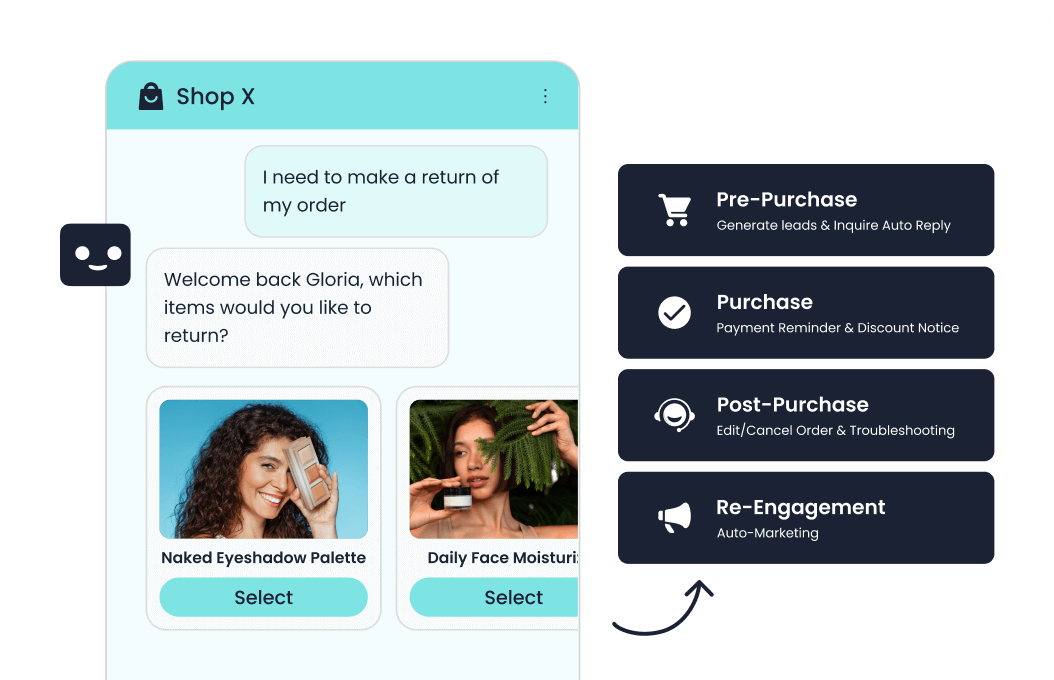
No. A chatbot is a conversation interface. Ticketing maintains the case record, ownership, status, and follow-up. A chatbot can create or update a ticket when the systems are connected.
Can AI close customer support tickets automatically?
It can participate in closure where the product and policy allow it. The workflow still needs defined completion evidence, an exception path, and a way to reopen unresolved cases.
Does AI ticketing replace human support agents?
It can assist repetitive work and handle eligible requests. People remain responsible for exceptions, sensitive decisions, knowledge maintenance, and cases that exceed the automation’s authority.
Does AI ticketing cover internal IT support requests?
Internal IT ticketing AI addresses employee technology incidents and service management. Customer support ticketing handles external requests such as orders, returns, and complaints, with different ownership and policy requirements.
Can a small support team use AI ticketing?
Yes, when it has repeatable requests, usable knowledge, and someone responsible for exceptions. Starting with classification or agent-reviewed drafts can make oversight manageable.
What happens when AI cannot answer a ticket?
The system should preserve the conversation, record what remains unresolved, and route the case to an authorized person or follow-up queue. It should explain the next step without inventing an answer.