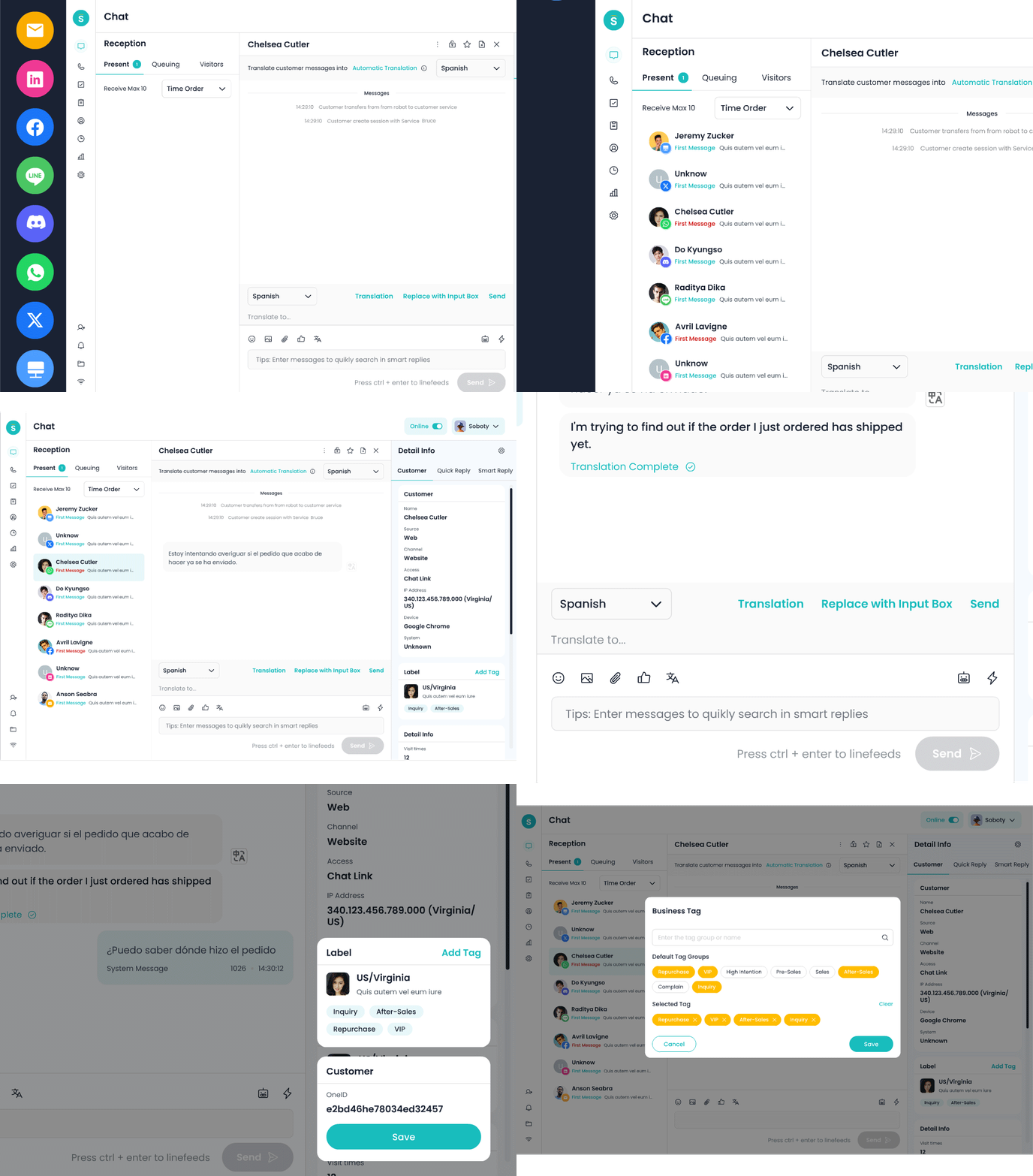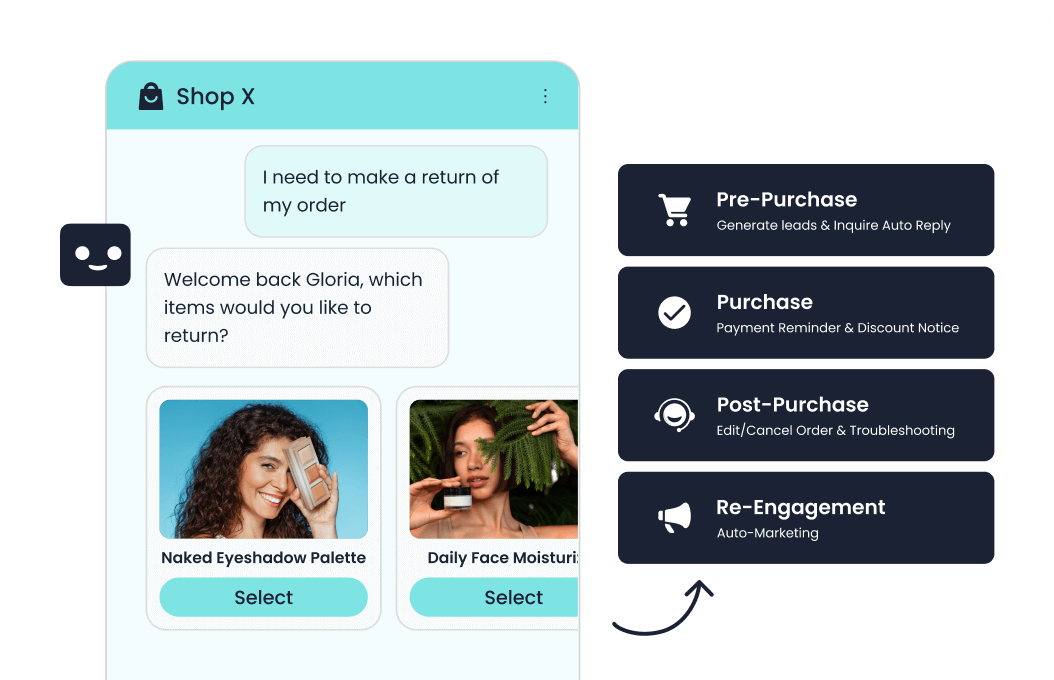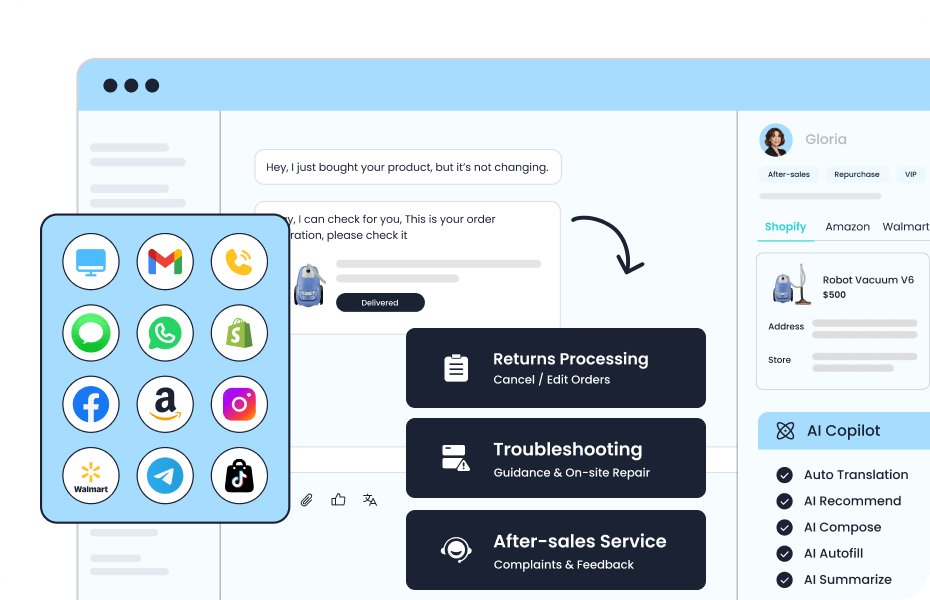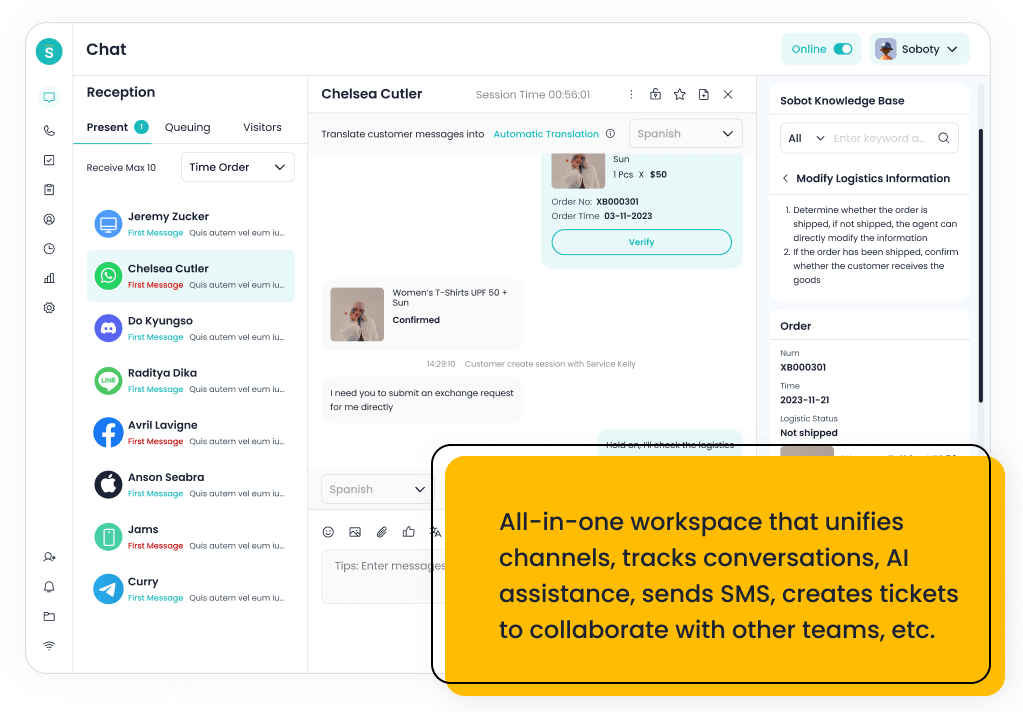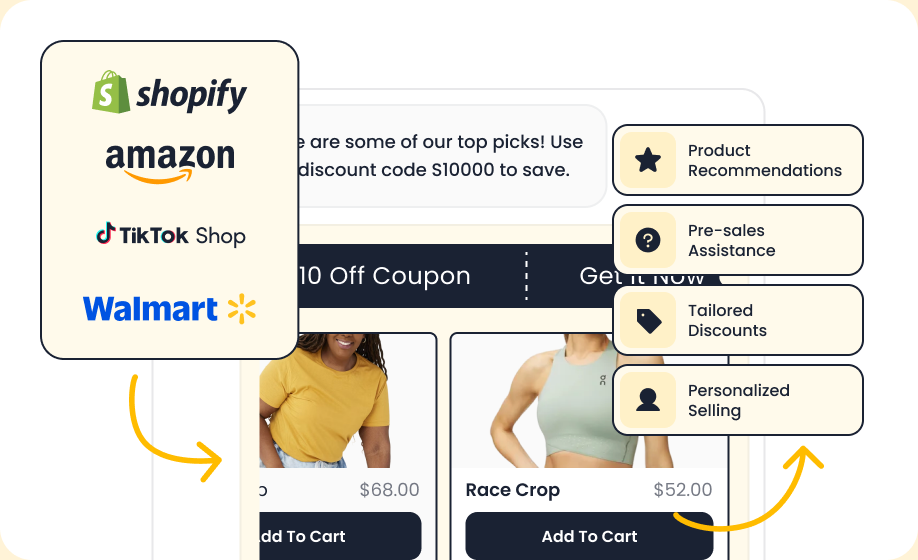
Sobot AI Agents is Sobot’s AI product for customer service. It can answer from approved knowledge, gather information across a conversation, run configured workflows and call connected systems through authorized tools. A customer-facing Agent can handle a message or a call. An agent-assist configuration can help a human service representative. When a request needs a person, the receiving channel, routing rules, staff availability and purchased products determine how the handoff works.
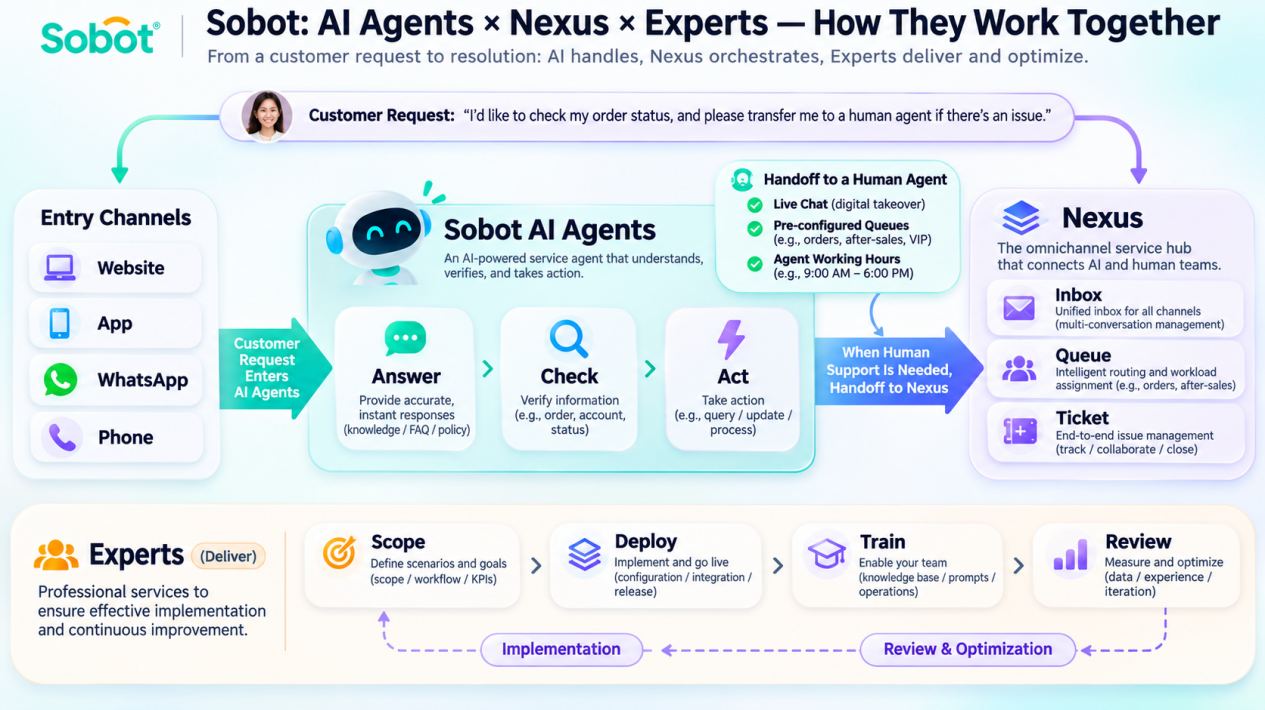
Here’s a useful way to picture it. A customer asks where their parcel is. The AI Agent can explain your shipping policy, then look up the actual order if you’ve connected an order service and given the Agent permission to make that query. If the order belongs to a different account or the customer asks for an exception, the next step can be to gather the details your team needs and route the request to a person. The order lookup depends on your integration. The digital handoff depends on Live Chat and a configured reception plan.
Public product documentation, developer references and release notes were checked for this guide on November 12, 2026. The workflow examples illustrate configurations to test with your own systems and policies.
Sobot AI Agents, Nexus and Experts at a glance
| Part of Sobot | What it does | What to check for your team |
|---|---|---|
| Sobot AI Agents | Uses configured knowledge and rules to answer, collect details and take permitted actions. Includes tools for building, testing and monitoring Agents, with capabilities that vary by edition. | What the Agent can read or change, how it verifies a result, and what happens when it encounters a restriction or exception. |
| Nexus | Provides customer contact infrastructure and a workspace for people. It includes Messaging, Voice, Ticketing and WhatsApp products. Your teams can receive conversations, route calls and manage tickets using the relevant modules. | Which channels, queues, numbers, workspaces and seats are in scope. Check where the human picks up and which information comes with the request. |
| Experts | Provides people and services for planning, implementation, training and ongoing optimization. | Which services are in your agreement, who owns setup and ongoing work, and how support and escalation are arranged. |
Sobot AI Agents can be purchased as a standalone product. That makes sense when the first goal is to answer questions on your website or in your app or to test automation in a limited workflow. If the goal is to let a person take over within the digital reception flow, include Live Chat and configure human reception. If you already have a service interface or order system, the developer APIs offer ways to integrate it. Check exactly which objects, operations and events your integration needs before deciding how much of your existing stack to keep.
Sobot AI Agents, Nexus and Experts at a glance
An agent-assist deployment changes who acts on the answer. A representative can review a suggested response in the course of their work and decide how to use it. The Copilot Performance report tracks assistant activity and answer adoption. Use that report to assess uptake by staff and keep the results separate from the customer-facing Agent’s resolution metrics.
How you build and publish an AI Agent
An AI Agent brings together its purpose, the resources it can use and the rules that govern its conversations. The documentation distinguishes a Customer-facing Agent from Agents Assist, which serves human representatives. That type is set at creation. In Agent Setting, you can choose among three operating modes. They are Autonomous Decision, Knowledge-Augmented and Third-Party Bot. Your selection affects how answers are generated and how resources are orchestrated. The public edition matrix lists third-party bots from Professional.
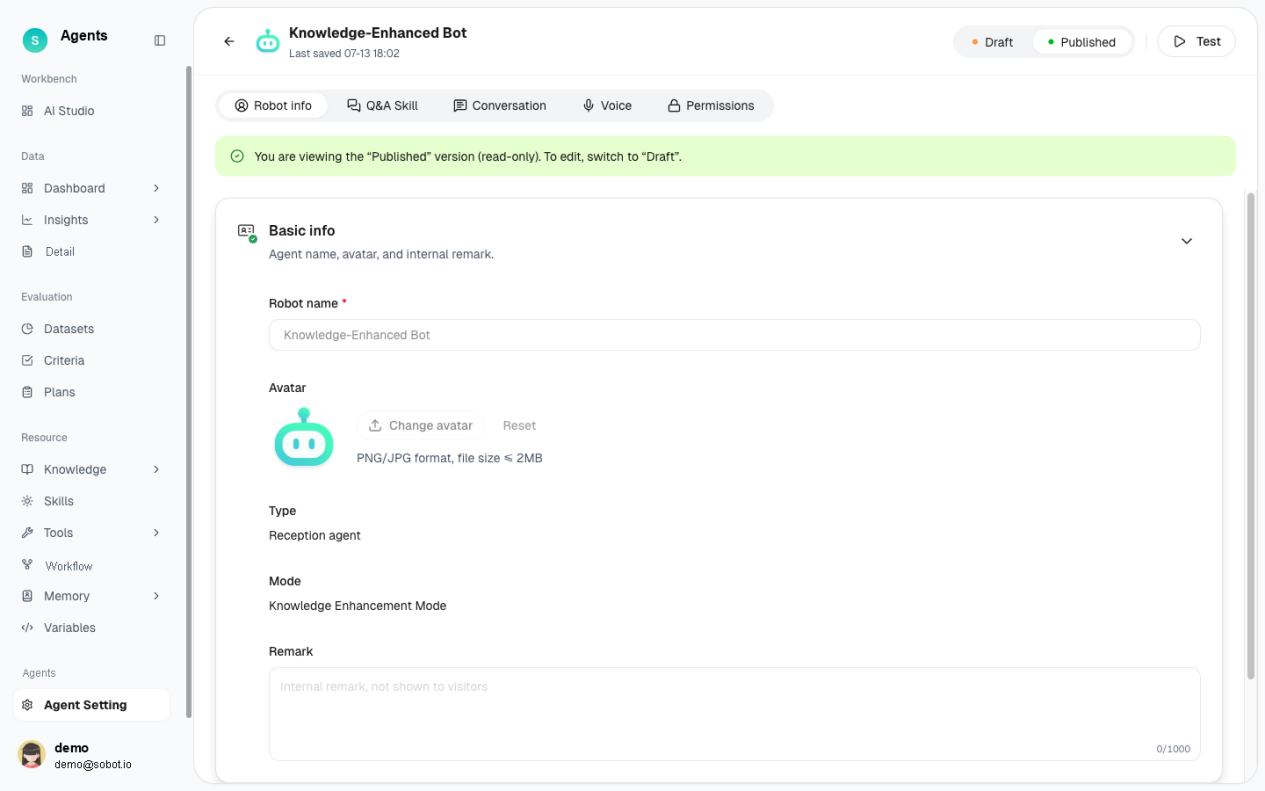
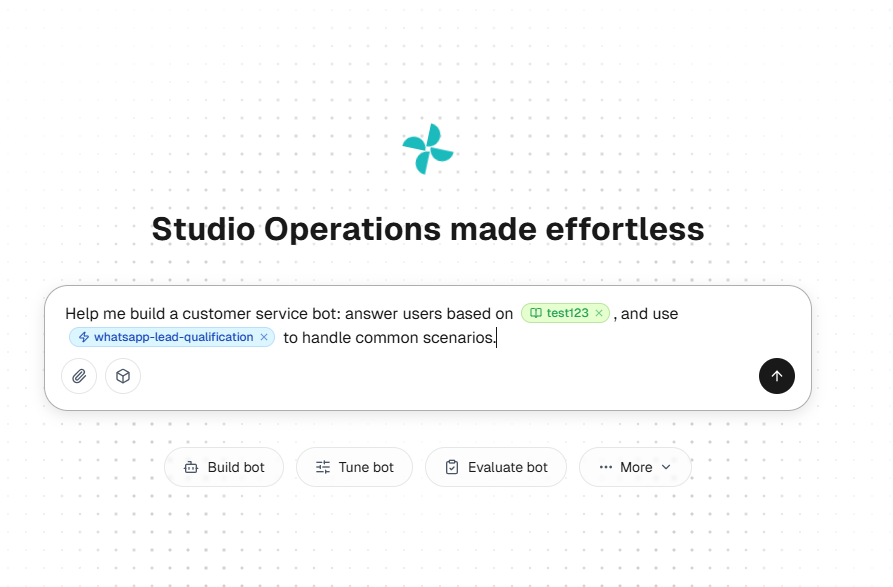
AI Studio gives you a conversational workspace to build, optimize, evaluate and analyze an Agent. You can describe a task in plain language, review the suggested configuration, then use Agent Setting to inspect the prompt, resource bindings, conversation behavior and permissions. The draft and published configurations are separate, so you can debug changes before they affect the live Agent. Reusable resources are linked by reference. If several Agents use the same policy or Skill, a change to that shared resource can affect all of them.
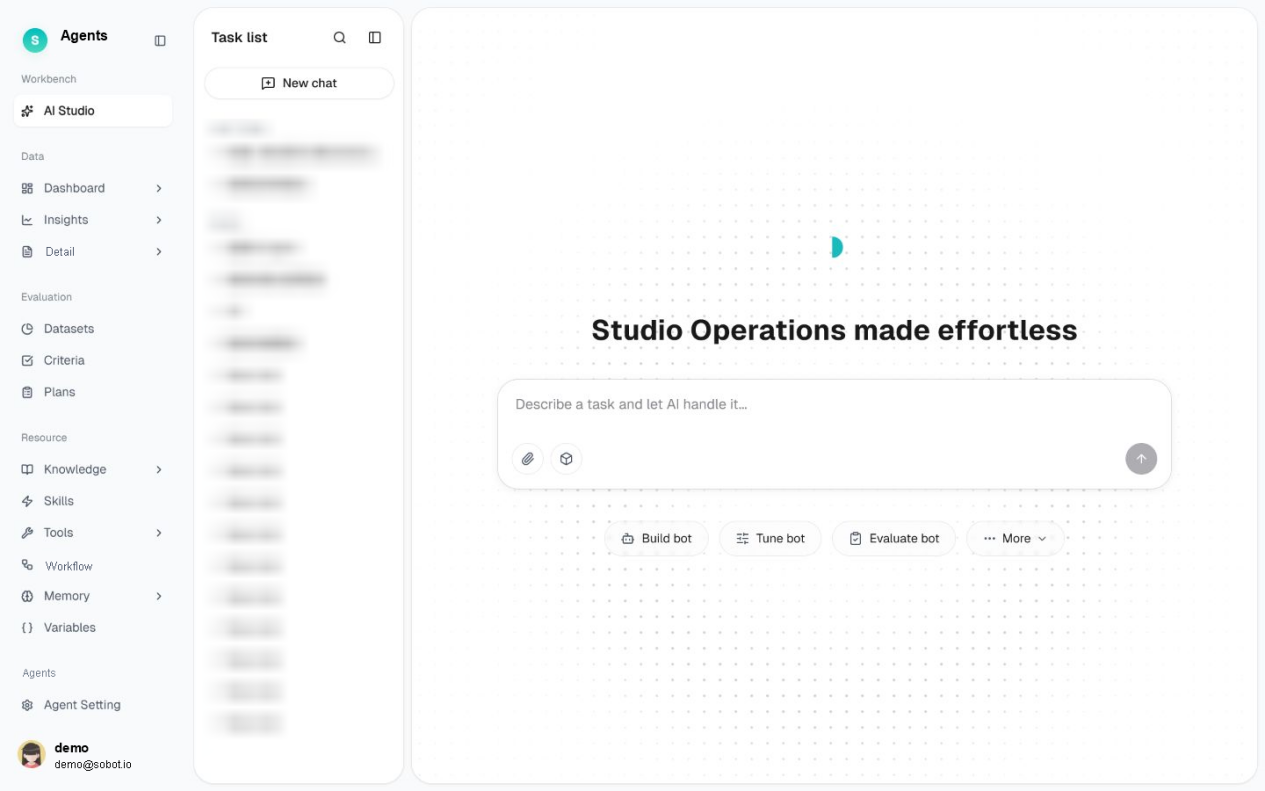
Start with a narrow scope you can verify. For a returns Agent, that might mean explaining the policy and collecting a reason, with refund approval left to a person. Check the draft against orders from two markets, an expired return window and an unidentified customer.
Before launch, check which Agent and version each reception channel uses. This is also a good time to assign an owner for the knowledge base and an owner for each integration. A stale policy and a failing order endpoint call for different fixes.
What Sobot AI Agents can do and where each capability stops
Knowledge, grounded answers and documents
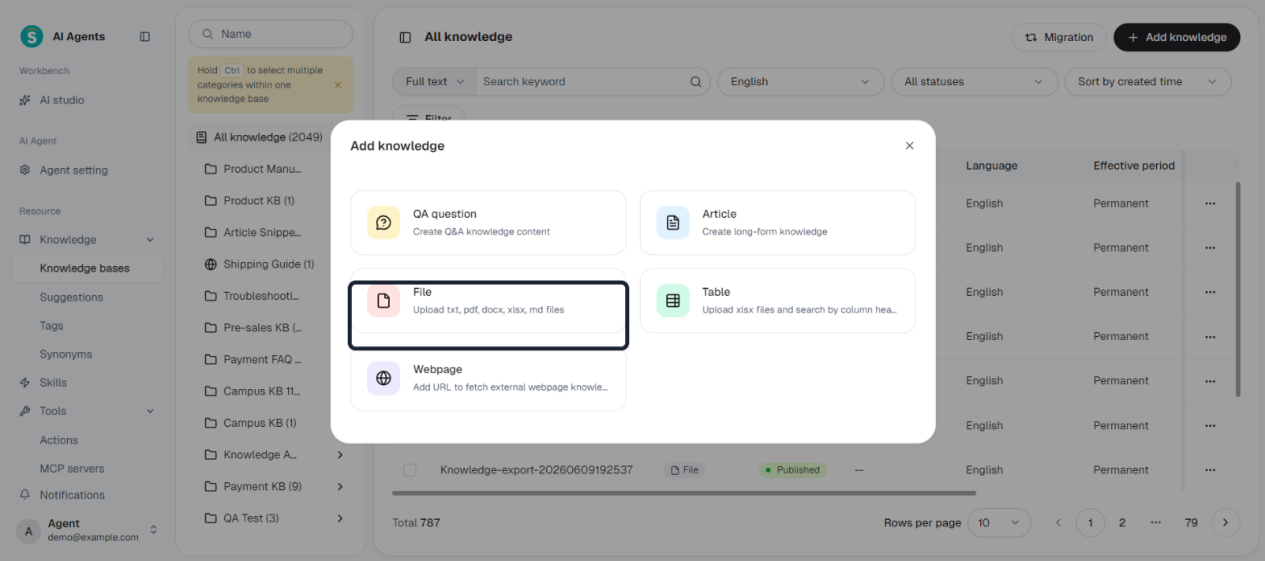
The Resource Center supports local and web knowledge bases. The knowledge base guide describes five ways to add content. You can:
- Enter Q&A
- Write long-form articles
- Upload files
- Add web pages
- Import spreadsheets as tables
Table retrieval uses XLSX column headings. File uploads are parsed into searchable chunks and the file-management view shows parsing status. The guide lists TXT, PDF, DOCX and XLSX for file ingestion. The October update addsMarkdown files and preserves automatic list numbering when parsing DOCX knowledge. Re-upload and reparse existing DOCX files to apply that improvement to them. This matters when a policy refers to numbered steps.
Sobot uses retrieval-augmented generation, or RAG, to ground responses in retrieved information. For a policy answer, decide which source applies to the customer’s region and which team keeps it current. You can configure an option to show the knowledge base used for an answer. During evaluation, inspect the relevant record and check that the answer reflects the correct policy wording, especially for country-specific exceptions and effective dates. If the question requires up-to-date order status, add a permitted system query. A returns article can explain eligibility without knowing when an individual order arrived.
Customer attachments are a separate capability from the files your team uploads to a knowledge base. In the supported Q&A modes, attachment parsing supports PDF, Word and Excel documents and PNG, JPG and JPEG images. The extraction prompt can contain up to 2,000 characters. It can tell the Agent which details to look for, such as a customer number or product quantity. The release excludes audio, video and archives from this parser. When you disable parsing, the Agent asks the visitor for a text description. A channel may display a video or accept a file as a message even when the Q&A parser cannot read it.
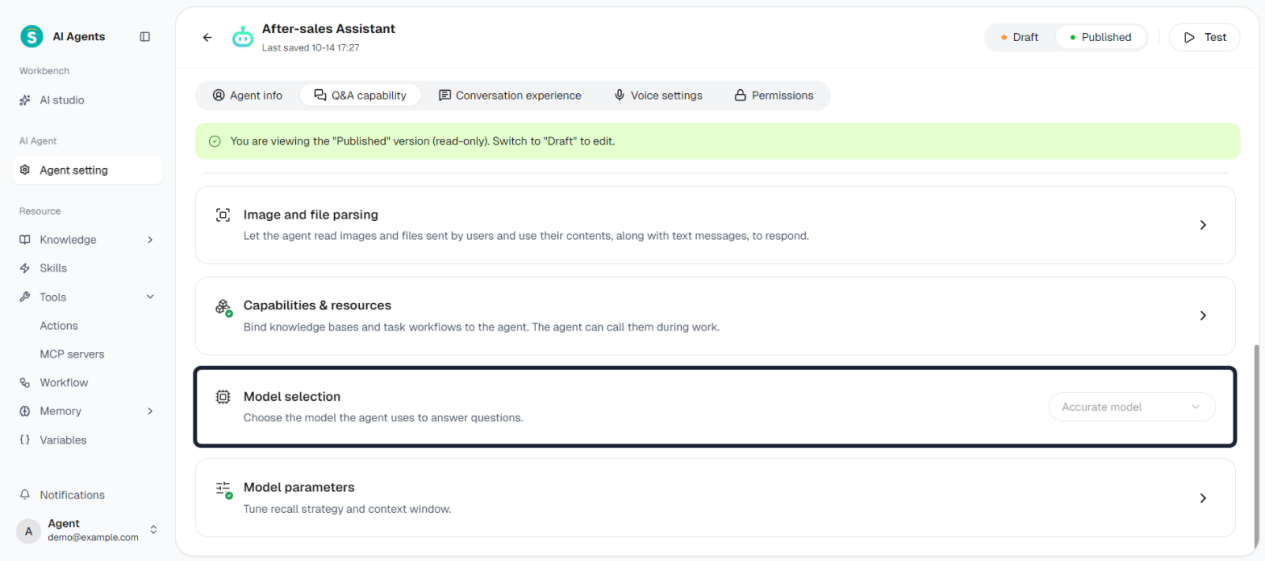
If response time matters, compare the Accurate and Fastmodel settings in supported Q&A configurations. Accurate is the documented default for the new and migrated Agents covered by the release. Compare the options using the same questions and environment. Test answers with a clear source, questions that require clarification and questions that should go to a person. Measure response time alongside policy accuracy and escalation behavior.
Skills, Workflows, Actions and MCP
Skills encode repeatable procedures and hard business rules. A Skill can describe the questions to ask and what to do when a condition is met.
A Workflow sequences steps that need to happen in order. The Workflow documentation describes triggers, Agent and audience assignment, and draft and published states. Use that distinction to choose the right control for each request. A single policy response may need only knowledge. An order exception can require a decision path with information collection, a lookup and a handoff. The October edition matrix places Skills and Actions in Professional and Enterprise, and full Workflows in Enterprise.
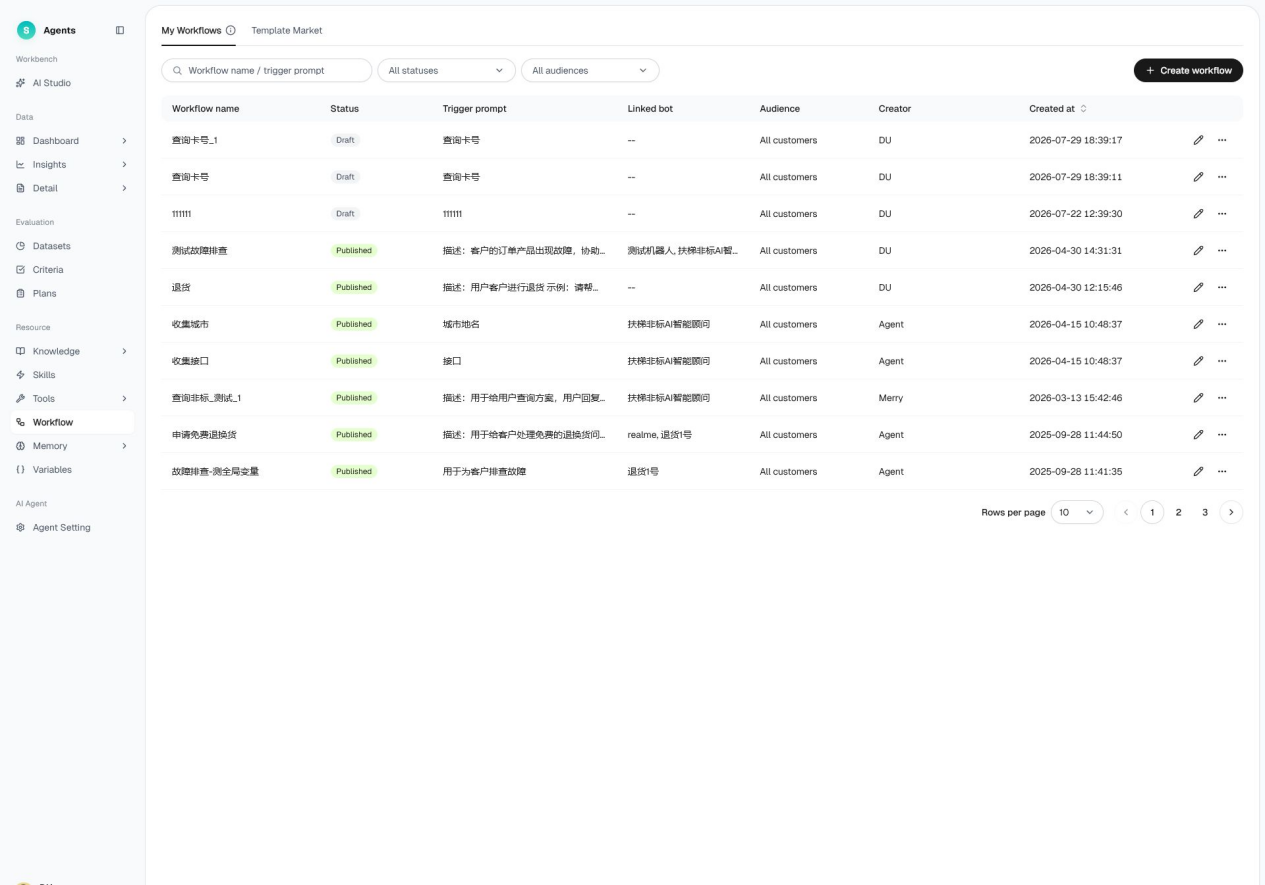
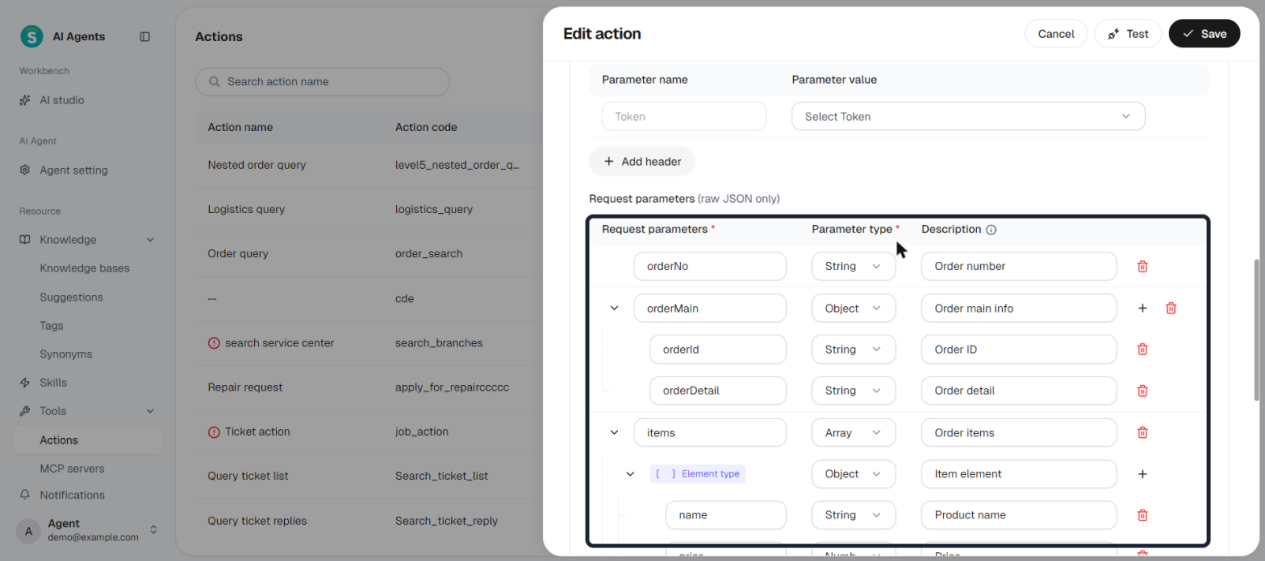
Actions connect an Agent to permitted operations. In the October release, an Action’s request and response configuration supports nested parameters up tofive levels, with simple values only at the fifth level. That helps when an order service returns structured information such as order lines and shipment objects. The release also documents OAuth authorization for MCP, the Model Context Protocol. A compatible MCP service can expose several tools. The MCP settings let you enable and test tools individually before attaching the service to an Agent. Test failed authorization, expired access and incomplete tool results with the permissions your deployment will use.
Sobot describes its action architecture in terms of ReAct, a pattern that lets the Agent use the outcome of an action to choose a next step. Think of an address-change request. The Agent can check the order, call a permitted update if the order is still editable and use the service’s response to decide what to tell the customer. A shipped order can follow a different route. The rules and authorized operations you configure define what each path can do.
For system updates, build the permission check into the connected service and the workflow. You might allow order-status reads and restrict refunds to a separate tool with a smaller permission scope. For an operation that changes data, define which system response establishes success and how your integration handles a timeout or duplicate submission. An answer such as “I’ve processed your refund” should follow a result that your payment or order system can verify. A tool call that was accepted for processing can require a separate status check before the customer gets a final confirmation.
Memory, variables and customer context
A variable can carry a value during a conversation, such as a case type or an order number gathered during the interaction. You can supply values through an API and configure data types and optional format validation. A valid order-number format tells you the input looks right. Verify that the order belongs to the authenticated customer before exposing it.
Memory makes information available in later conversations under configured rules. The documentation distinguishes the rule that governs the memory from the customer-specific information it makes available to the Agent. Workflows, memory and variables are Enterprise features in the October standard edition matrix.
Test context with the identifiers your channels actually send. A returning web user, a WhatsApp sender and a caller can arrive through different routes with different identity information. Decide which identifiers you trust and what staff can see after a transfer. During a pilot, use two customers with similar names to check that the Agent retrieves the right context and avoids bringing the first customer’s details into the second customer’s conversation. Review what can be stored, who can see it and how the deployment handles retention.
API integration and the systems you already use
The AI Agent APIoverview separates requests coming into Sobot from calls the Agent makes to your systems. If your application calls Sobot, it can initialize a visitor session, ask a question and display the response in your own interface. If the Agent calls your business system, you configure an endpoint it can use during a workflow or Action. Other documented routes let an enterprise provide a third-party LLM response or retrieve conversation records for reporting. The knowledge and workflow configuration lives in Sobot, and your application is responsible for its own interface, authentication and integration behavior.
The Q&A API offers three response modes.
- Streaming sends incremental messages
- Non-streaming returns the complete answer in one response
- Asynchronous requests return an acknowledgment and deliver the answer to a callback.
The initialization endpoint returns a conversation identifier. Separate identifiers distinguish a question-and-answer round from an individual message. That difference matters when correlating multiple responses or handling a delayed workflow node. Confirm the correct environment, credentials, API access and supported events for your deployment.
For the enterprise workflow API node, Sobot sends an HTTPS POST with JSON to your endpoint. The workflow can use mapped response fields in a later turn or a message card. Keep the response limited to fields the Agent can use, and enforce access on the service receiving the request. If you use ticket change events to synchronize systems, verify the exact event and status in the integration and reconcile the resulting ticket in its system of record.
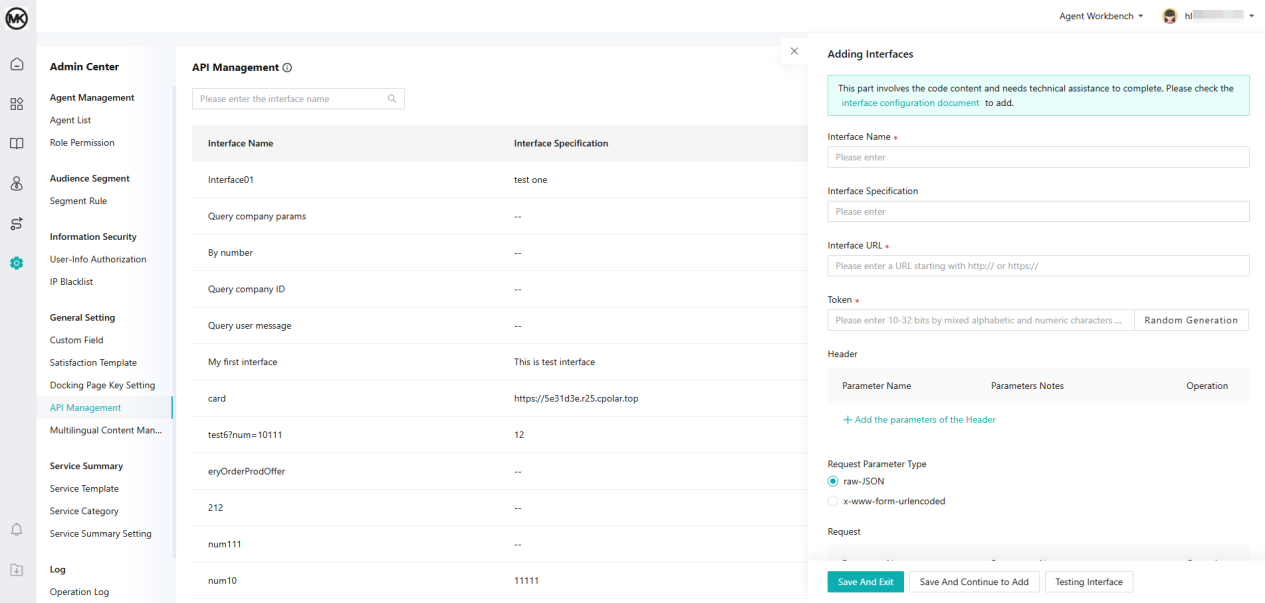
If you’re keeping your CRM, order management system or help desk, map one real object before committing to the integration. For a customer lookup, record the identifier your application sends, which fields the Agent can read and which fields the person receiving the case can see. For a ticket, verify where the ticket is created, which system owns its status and how the Agent gets a reference number. The developer portal documents separate API families for AI Agents, Nexus Messaging, Voice, Ticketing and message products. Each integration still needs an object-level read and write check.
Messaging, WhatsApp, voice and human handoff
Website, mobile web and app messaging
The October release adds standalone channel configuration for desktop web, H5 mobile web and SDK deployments. Channels can have their own visitor settings and reception plan. That lets you vary how a customer enters the conversation and which Agent responds. A HarmonyOS visitor SDK is also documented. Messages from that SDK are classified under APP in reporting. In a standalone Agent-only setup, the release describes bot-only reception, with some channel security and field-mapping settings hidden and no quick-menu option for transfer or leaving a message.
Nexus Messaging brings digital conversations into a staffed workspace. You can embed it on a website, integrate it through a mobile SDK or activate eligible external messaging channels through their own setup flows. Add Live Chat if you need the documented digital human-reception workflow, then set a rule for when the customer goes to a person and which queue should take the request. The Agent’s prompt can describe when to escalate. The reception configuration and the receiving team’s availability govern whether the transfer can complete.
Check the visitor client separately from the Agent’s parser. The October Nexus Messaging update allows up to ten attachments in the documented mixed visitor message. Its separate desktop voice-message option can record up to 60 seconds per message on the new visitor client over HTTPS. The workbench can play the recording and display its speech-to-text output. Check which of those experiences your users need and how staff will receive them.
WhatsApp and language coverage
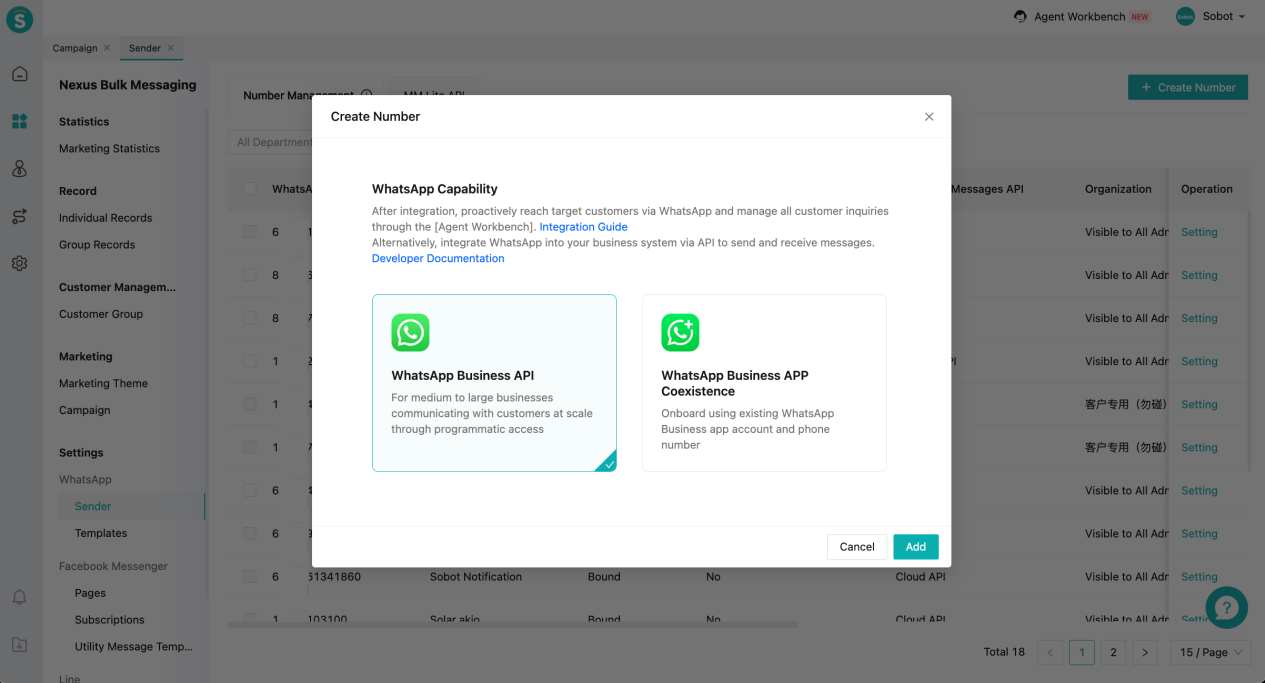
The WhatsApp sender setup guide describes an international-format number, authorization by someone with full control of the relevant Meta business account, and number verification. The onboarding route depends on the sender you intend to use. Templates belong to the relevant WhatsApp Business Account, so review what happens to templates and access when changing accounts or providers. For a staffed deployment, verify sending and receiving in the Agent Workbench once the relevant channel and human service are active.
For a Singapore or cross-market rollout, evaluate language by task, channel and market. The visitor interface, the Agent’s written answers, live-agent translation, speech recognition and speech synthesis are separate capabilities. Test the exact languages, scripts and mixed-language phrases your customers use. Have a reviewer check the wording of a policy exception and what happens when the Agent must transfer the conversation. The Evaluation Center can set a language for a multi-turn simulated customer. Voice deployments can also pass a configured language from Nexus IVR to the Agent. These settings help you test coverage for your deployment.
Digital handoff and ticket follow-through
A configured reception plan can use trigger conditions, visitor language, bot reception and transfer rules. Human-agent working hours can be configured for the relevant time zone, including split hours or holiday exceptions. Outside those hours, the documented configuration can keep the bot handling the conversation and show an availability notice at most once per customer per day. Give the customer a next step based on your configuration and staffing. Test both the open-queue path and the closed-queue path.
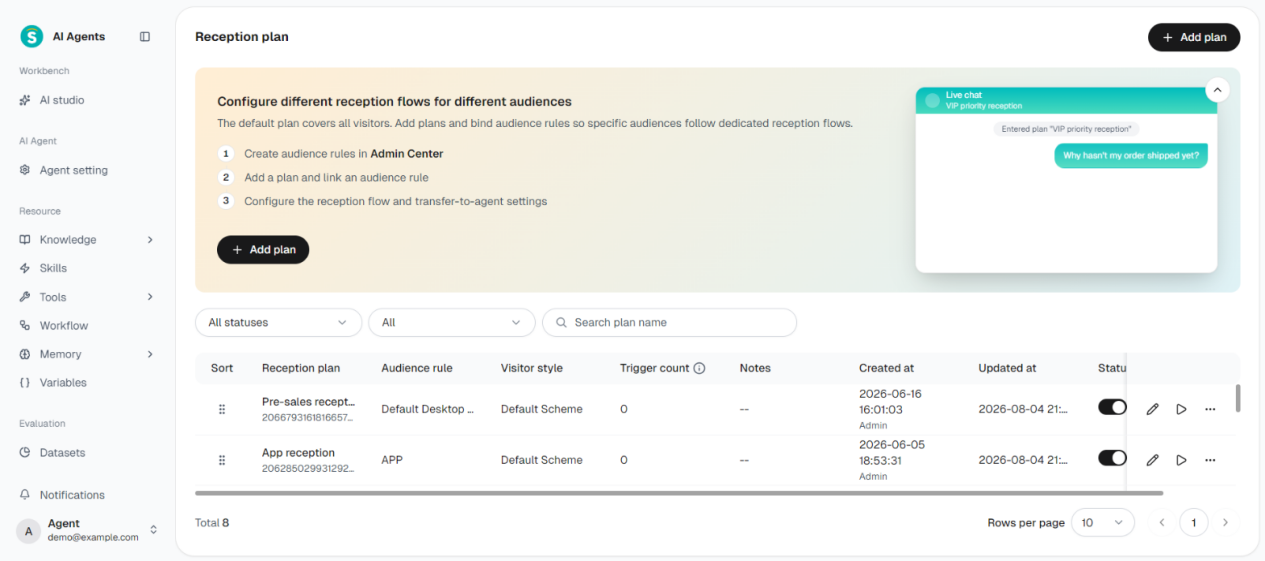
A live transfer and a ticket can serve different needs. A transfer brings a person into the interaction. A ticket can give an issue an owner and a status for follow-up. Nexus Ticketing supports configurable ticket fields, templates and workflows, with creation routes including the ticket plug-in, email and API. In a pilot, check which notes, identifiers and policy decisions arrive with the handoff and which must be written to the ticket separately. Ask the receiving representative to explain what they can do next from the context they actually see.
Voice AI Agents and Nexus Voice
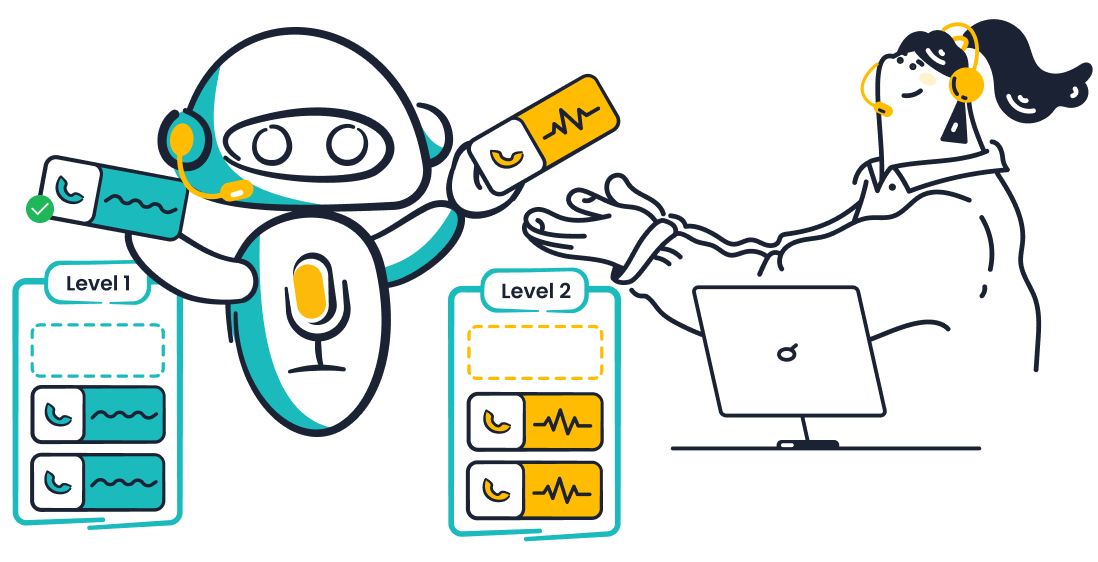
Voice AI Agents handle configured customer conversations over the phone, such as inbound service or outbound reminders and confirmations. Nexus Voice provides the contact-center infrastructure around them, including number and call routing, interactive voice response (IVR) and staffed transfers where configured. A voice rollout should cover number availability, call direction, language and accent coverage, queue routing and call records. The Voice AI product is separately quoted.
The debug panel gives you three ways to test a voice Agent. You can:
- Speak into a microphone
- Run a real call
- Enter text through the voice test pipeline.
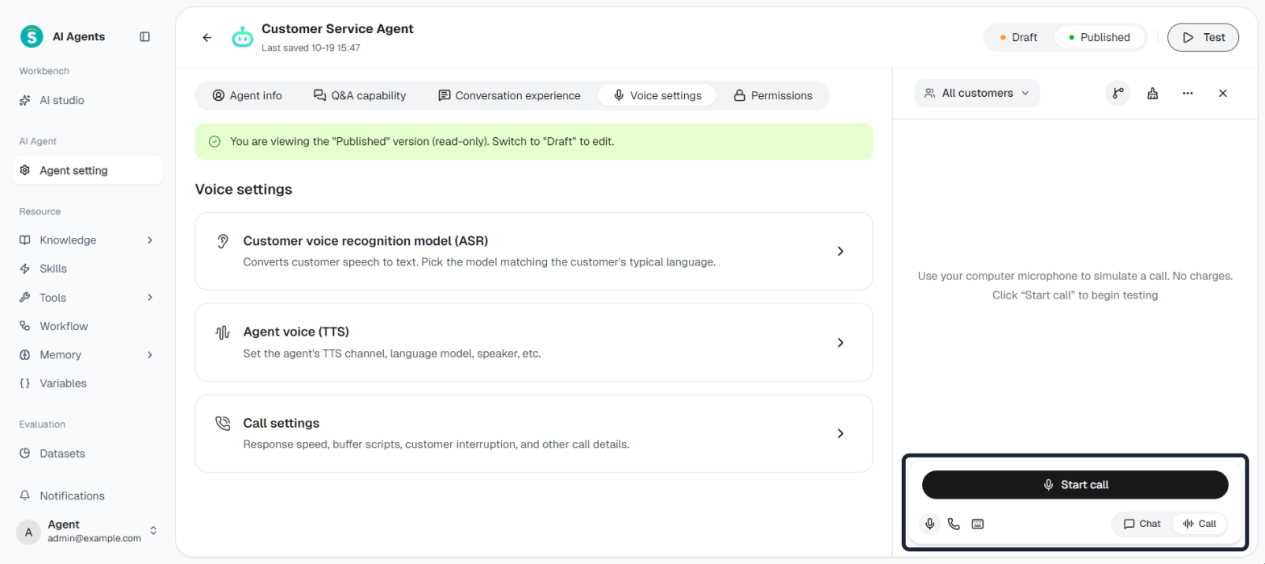
A real-call test creates an outbound test record and can incur call charges. The release also adds transfer outcome details to voice Agent records. Voice silence timing starts after playback, and in a voice workflow the next node runs after a Send Reply node finishes playing. These details affect a practical acceptance test. Try a caller who pauses to find an order number, one who interrupts a long response, and one whose transfer fails. Inspect the call result as well as listening to the audio.
Nexus Voice also documents AI summaries for eligible successful transfers. Receiving staff can see configured summary points about the issue and progress. The feature requires the applicable AIGC resource pack and the release excludes transfers to external numbers from those summaries. Test your actual routing destination, including any overflow path. Confirm access to recordings, regional numbers, charges, and the consent and opt-out rules your team must apply before enabling outbound calling.
Three customer service workflows to test
The examples below are sample configurations. Use your own policies, authorized systems, channels and escalation rules to verify each one.
1. Answer a returns question and look up an order
A customer starts on your website and asks whether an item can be returned. The Agent retrieves the right policy for the product and market. When the customer asks about a specific purchase, the service flow verifies identity before making a read-only order query. The Agent uses the result to explain delivery status or the return window. If the order service is unavailable, the workflow can tell the customer the status could not be verified and offer the next available route.
Run the same test with an authorized order, a mismatched order and an unavailable order endpoint. The authorized lookup should return only the allowed fields. The mismatched order should reveal no protected information. The unavailable endpoint should produce the configured fallback. Keep the source policy, the lookup result and the customer-visible answer together so a reviewer can verify the outcome.
2. Process an exception on WhatsApp
A customer asks for a refund on WhatsApp. The Agent checks the policy and gathers the information needed for a decision. Your workflow can route an eligible action to a configured service only when the integration, permissions and approval policy allow it. For a refund above your approval threshold, it can instead pass the request to a staffed team if human reception is active. That team needs a clear reason for the transfer, the verified order reference and the status of any action already attempted.
Test a denied request, a valid request and a connection timeout. If the outcome is unknown after a timeout, look for an order or payment status before submitting a second refund. For the transfer, check that the named queue accepted it and that a representative can see the relevant fields. Repeat after hours to see the customer’s next option. These checks expose differences between a scripted demo and your operational setup.
3. Triage an inbound call and keep the case moving
A caller asks about a delayed delivery. The Voice AI Agent can collect the reference, ask a clarifying question and use an approved lookup if the workflow supports it. If the issue needs a person, send it to the designated queue. If it also requires investigation, the receiving team can record the owner and next step in a ticket. The October release documents creating tickets from call triggers with configured templates. In its supported call-trigger AI mode, the system can draft a title, issue description and template field values. That mode requires an AI resource pack and uses two AIGC pack entries per generation. Test the generated fields against your template and check the trigger record for the result. The release describes this unit separately from AI Agents Credits.
Use a real test call in each target language. Check recognition of names and order numbers, interrupt an answer, and verify what the caller hears while waiting. Compare a successful transfer with a closed queue and an external-number overflow. The pass condition is a traceable next step for the customer and a usable record for the team.
Evaluation, reporting and ongoing improvements
Test individual answers and complete conversations
The Evaluation Center separates test datasets, scoring criteria and evaluation plans. A single-turn dataset contains independent questions and suits checks such as whether an Agent answers a policy question correctly. A multi-turn dataset uses a simulated customer to check how the Agent handles a sequence. This is useful when an order number arrives late, a customer changes their mind or the Agent should escalate after several turns. You can enter items manually, import them using an XLSX template or generate them with AI from supported sources. The October release adds a dataset language setting that the multi-turn simulator follows. Review generated test cases before using them as a baseline.
An evaluation criteria set can contain up to five scoring dimensions. Each dimension has a passing threshold and all dimensions must pass for the item to pass overall. For the three workflows above, a useful set could cover answer accuracy, policy compliance, system result, fallback behavior and clarity for the customer. In a plan, choose the Agent, dataset and criteria, then review scores at item and dimension level. You can manually calibrate scores, compare plans and review failed items in AI Studio. Rerun the same cases after a change so you can see which part improved.
From Task Center, you can export completed or cancelled evaluation plans to XLSX. The resource adoption rate is shown for single-turn dataset plans and measures use of bound resources in evaluation replies. In multi-turn evaluation, the handoff rate counts a test item if any turn triggers a human transfer. Inspect the underlying record to see whether the handoff reached its intended queue. The release matrix puts full Evaluation in Enterprise among standard editions; Team and Professional list a single-item test in the debug panel.
Keep evaluation, operational reporting and billing separate
| Measure | What it tells you | How to use it |
|---|---|---|
| Evaluation pass | The case met the thresholds set for that test. | Use it to compare the same cases before and after an update. Validate the behavior in the channel you plan to launch. |
| Operational resolution rate | Agent Performance divides resolved conversations by effective conversations. Resolved includes confirmed and inferred resolutions under the documented report rules. | Review confirmed and inferred results separately. A lack of customer feedback can count as inferred resolution under those rules. |
| Human transfer triggered, succeeded or failed | A transfer attempt and its outcome are different events. The documented independent-handling metric can include failed transfers. | Check transfer failure and review records before using independent handling as an indication of customer success. |
| Billable AI Resolution | Sobot’s pricing FAQ counts a Resolution when the Agent closes the conversation independently. | Reconcile the invoice using the billing definition. Use the service system’s final state to verify an order change or refund. |
The Agent Performance reporting guide documents a default view of the last seven days and a maximum query span of 180 days. That span describes the report filter. Check your agreement and data settings for retention and export requirements. For teams using Nexus Voice, the August release describes a separate optional one-time resolution rule for inbound calls answered by a human. It uses configurable repeat-call windows of 12, 24, 48 or 72 hours, with 24 hours as the default. If you report both metrics, label the channel, population and window on each.
Investigate a failure before changing the Agent
Conversation records give the operations team a way to review what happened. The records guide describes an execution chain that can show knowledge retrieval, Skills, tool calls and variables. If a reply is wrong, ask whether the Agent used the wrong policy, whether the right policy was missing, whether the connected system failed, or whether the request should have gone to a person. Fix the relevant resource or route, then test the draft again.
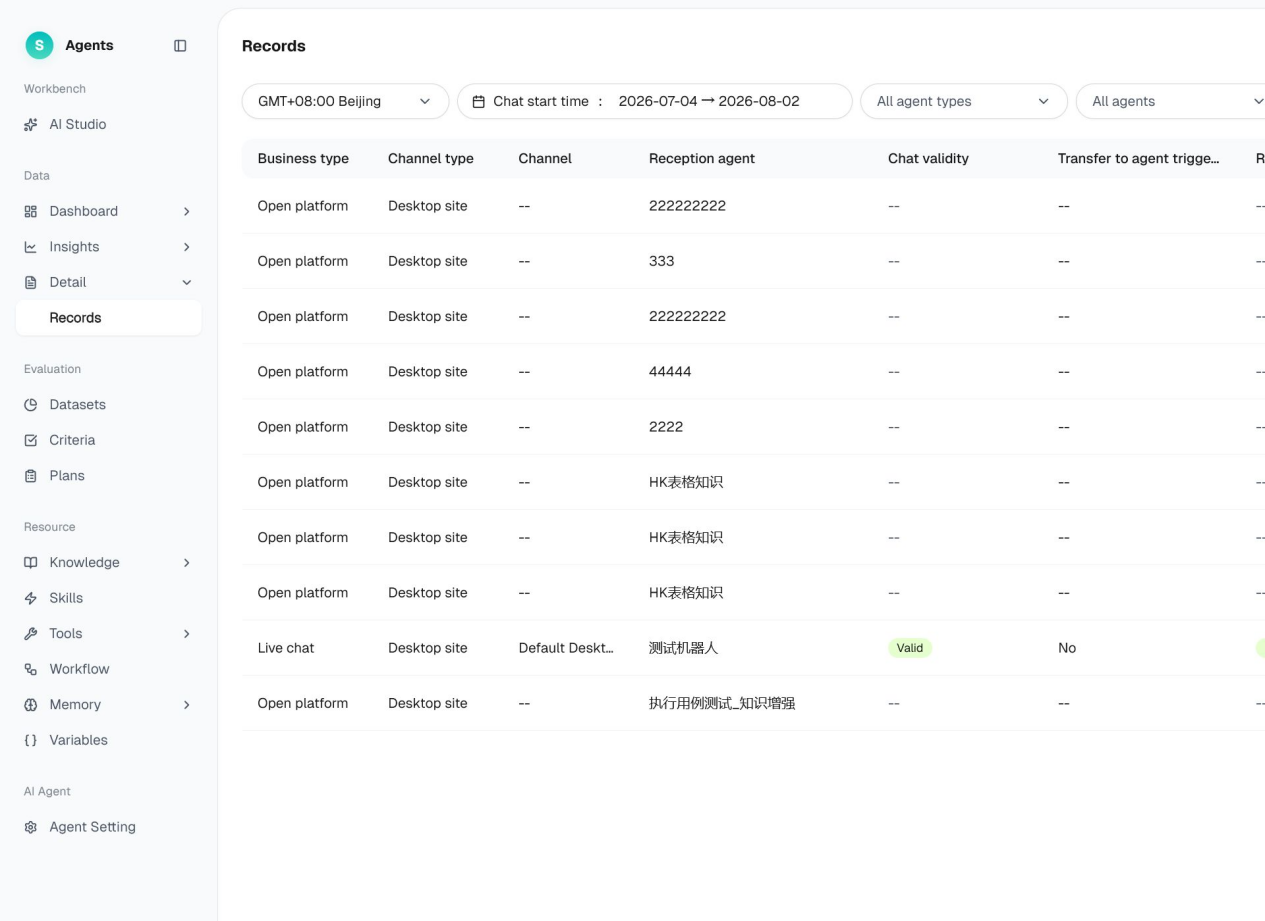
Scenario categorization can help a team decide which failures to work on first. When the October feature is enabled, each completed chat receives one tag and the scenario library supports three levels. Conversations that do not match a configured scenario go into the uncovered pool. Model-based tagging uses one AI Credit per chat, including when you re-run it for an earlier chat. A manual correction does not use that model charge. Use the resulting categories to prioritize changes and check a sample of chats before you interpret a tag as a reliable classification.
AI Studio can suggest improvements from a diagnosis. The documented workflow lets operators review recommendations and decide what to apply. Give someone responsibility for reviewing changes, publishing them and checking what happened after release. If several Agents share a resource, include those Agents in the next regression run.
Editions, pricing and usage
The following figures are from Sobot’s public monthly AI Agents pricing on November 12, 2026. Confirm the currency, taxes, market availability and purchase terms for your account. Check the October edition matrix for the features included in each standard plan.
| Standard edition | Monthly list price | Included Resolutions per month | Included AI Credits per month | What to evaluate first |
|---|---|---|---|---|
| Team | $39 | 50 | 200 | One Agent and one knowledge base, with single-item debug testing. Suitable for evaluating a focused knowledge and reception setup. |
| Professional | $149 | 300 | 2,000 | Up to 10 Agents and five knowledge bases. The release lists Skills, Actions, MCP and channel API access. Verify the specific API entitlement needed. |
| Enterprise | $499 | 1,000 | 6,000 | The release lists Workflows, Memory, Variables, full Evaluation and scenario categorization. Confirm the Agent limit and applicable permissions in writing because public sources describe them differently. |
The standard pricing page lists $0.98 per additional Resolution and defines a Resolution as the Agent independently closing a conversation. Handoffs are excluded from that AI Resolution charge. Human seats, channel usage and telephony may still incur charges. AI Credits are separate and can be used for work such as Agent building and optimization, evaluations, generated knowledge and certain analytics. The public 14-day AI Agents trial lists 20 Resolutions and 100 AI Credits, with no card required and no automatic charge at expiry.
Custom, Nexus and Voice AI Agents are quoted separately. The cost of a live rollout can include Messaging, Voice or Ticketing seats, numbers and call minutes, speech-to-text, WhatsApp number licensing and relevant carrier or Meta charges. The pricing FAQ describes edition alignment when combining AI Agents with the applicable Nexus modules. Ask for a quote using the channels, countries, staffed seats and volumes you actually expect. An order lookup in web chat and a staffed escalation after a phone call have different cost components.
What Sobot Experts can help with
Sobot describes Experts across strategy, deployment, training and operations. Strategy helps define which work to automate and when to bring in a person. Deployment addresses configuration and integrations. Training helps refine behavior against real conversations and your service procedures. Operations focuses on reviewing results and improving the deployment over time. Delivery and Services also describes implementation guidance and role-based training. The specific responsibilities, hours and services depend on your agreement.
For a first rollout, ask for a named owner for the policy source, connected system and receiving queue. Agree on who reviews test failures, who approves changes and who responds when a live action fails. If your requirements include regulated data or an international deployment, verify the signed data-processing terms, tenant location, subprocessors, access rights and retention. Review the applicable terms alongside Sobot’s Data Processing Agreement. The October release describes edition availability on Singapore and North America sites. Site availability and account routing describe the product entry point. Verify the actual data-processing arrangement for your deployment.
Frequently asked questions
Can I use Sobot AI Agents without Nexus?
Yes. Sobot offers standalone AI Agents for deployments such as website and app reception. If your digital pilot needs a person to take over inside the documented reception flow, add Live Chat and configure the receiving team, transfer rules and working hours. List every required channel and handoff route before choosing the configuration.
Can it look up Shopify orders or issue a refund?
The Shopify setup guide documents signed-in customer identification and access to relevant order information in the human Workbench for the described setup. Its AI Agent API guide separately gives an example of calling a retailer’s order API. For an Agent to issue a refund, your integration needs a permitted write operation, an applicable business rule and a way to verify the final result. Test those three conditions for your store and payment system.
Can I keep my existing customer service software?
You can use documented APIs to embed the Agent in your own interface and connect supported business operations. The work depends on the systems and actions involved. Verify who owns identity, the conversation, the ticket, and the final state of any action. Include a representative who uses your current workspace in the handoff test.
What should I verify for a multilingual or voice rollout?
Check written answers, speech recognition, speech synthesis, the user interface and staff availability in each target language and channel. Ask for the applicable language and number coverage for your deployment. Test names, order references, interruptions and after-hours transfers. Use a native speaker to review whether policy and escalation wording remain accurate.
Do all editions include the same testing and analytics?
No. The October standard edition matrix lists single-item debugging for Team and Professional and full Evaluation for Enterprise. It also lists answer analytics from Professional and scenario categorization in Enterprise. If you need multi-turn batch tests or downloadable results, verify the evaluation plan and export flow during your trial or demo.
What should I bring to a Sobot AI Agents demo?
Bring one frequent request, one request that needs a connected system and one exception a person must handle. Include a redacted example, the policy or permission involved, the expected result and the receiving team’s requirements. Ask to see the customer’s response, the connected system’s result and the receiving team’s record for the same request.
Where to start
Start with a task your team can verify from request to result. For a knowledge-only pilot, choose a policy customers ask about and test common variations. For an operational workflow, add one authorized action and an exception that must reach a person. Use the results to decide which Sobot AI Agents edition, Nexus modules and implementation support fit your team. To walk through the workflow with a Sobot specialist, book a demo and bring the cases you plan to test.