An AI Agent that can chat isn’t the same as one that can actually get things done. The difference comes down to what feeds it. An AI Agent resource center brings together six things — knowledge, skills, workflows, tools, memory, and variables — and turns a general-purpose LLM into an AI Agent that actually understands your business. Sobot Agents manages all six resource types in one place, so any AI Agent your team builds draws from the same foundation instead of starting from zero.
The Resource Center is Far More than a Knowledge Base
Every AI Agent is a combination of LLMs plus external resources. The LLM handles understanding and decision-making. But on its own, it has no idea what your product is, what your after-sales policy says, or how to call your systems. All of that has to be fed to it through external resources.
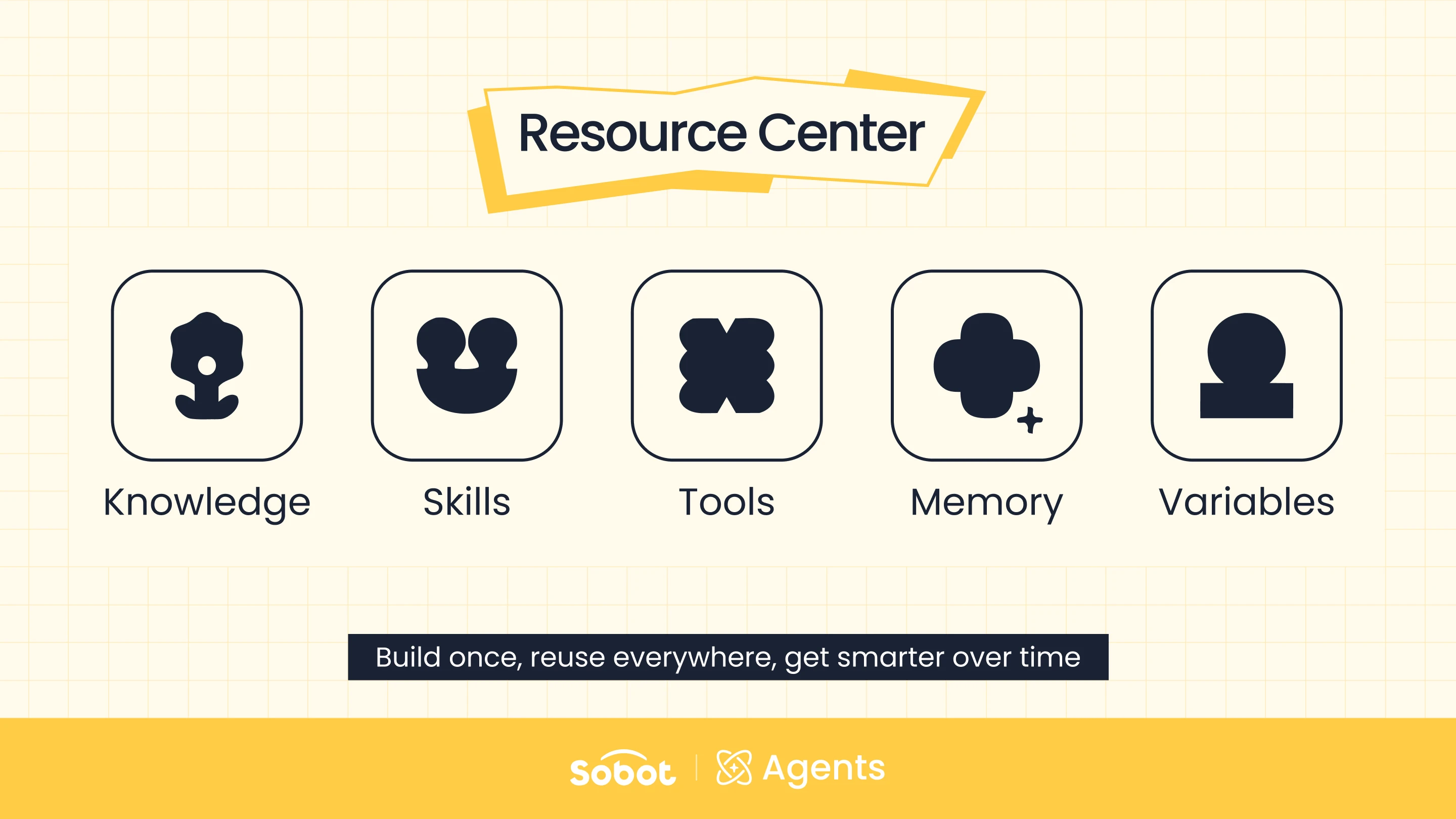
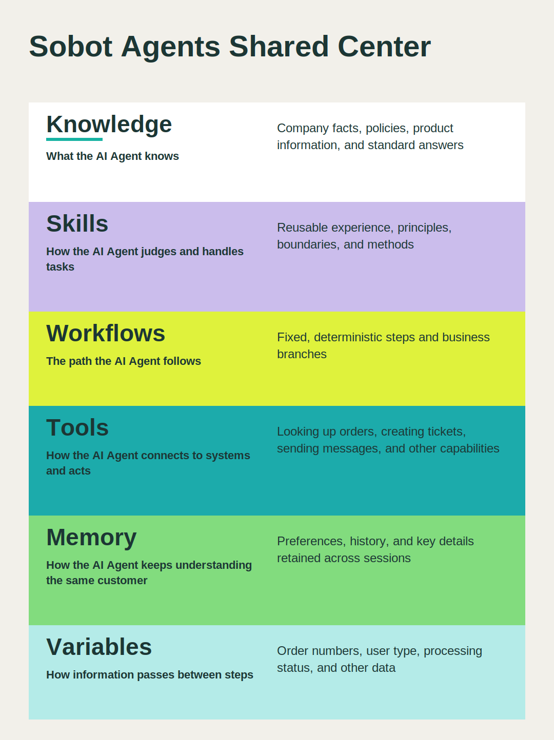
Knowledge, Skills, Tools, Workflows, Memory, and Variables are the six foundational resources you’ll find across most Agent platforms today. Together they give an Agent business knowledge, operating experience, execution ability, and context — what it needs to actually understand your business.
But more resource types also means more problems. If they’re scattered across different bots and business scenarios with no shared management or reuse mechanism, every new AI Agent you launch may mean reconfiguring knowledge, integrations, and rules all over again. The same piece of knowledge might get duplicated across multiple backends, each maintained separately and drifting into different versions. And when something goes wrong, it’s hard to quickly tell whether the issue is the LLM itself, or the knowledge, tools, or rules feeding it.
The resource center exists to solve this: scattered resources, duplicated setup, and complicated maintenance.
In the Sobot Agents resource center, Knowledge, Skills, Workflows, Tools, Memory, and Variables are each stored in their own independent resource base, managed centrally on one platform. Think of it like an employee. They need job knowledge and skills, but they also need to understand the workflow, know how to use the right tools, and remember who they’re working with and what those people prefer. Different AI Agents can draw on these same resources as needed — build once, maintain in one place, reuse across every AI Agent that needs it. This is what separates a one-off chatbot from a true AI customer support platform: the platform’s value compounds as more AI Agents share the same well-maintained resource base.
Six Types of Resources That Make the AI Agent for Customer Service Actually Get the Job Done
1. Knowledge: Give AI Agent Trustworthy Business Facts
Knowledge tells the AI Agent about the standard answers behind your company’s policies and product information. It’s the foundation for the Agent’s accuracy, and the factual basis for every judgment and action that follows. It’s the starting point for any AI Agent for customer service that needs to get the facts right before it can act.
In Sobot Agents, teams can add knowledge through Q&A pairs, articles, files, tables, and webpages — covering various forms from structured FAQs to long-form documents, product spec sheets, and website content.
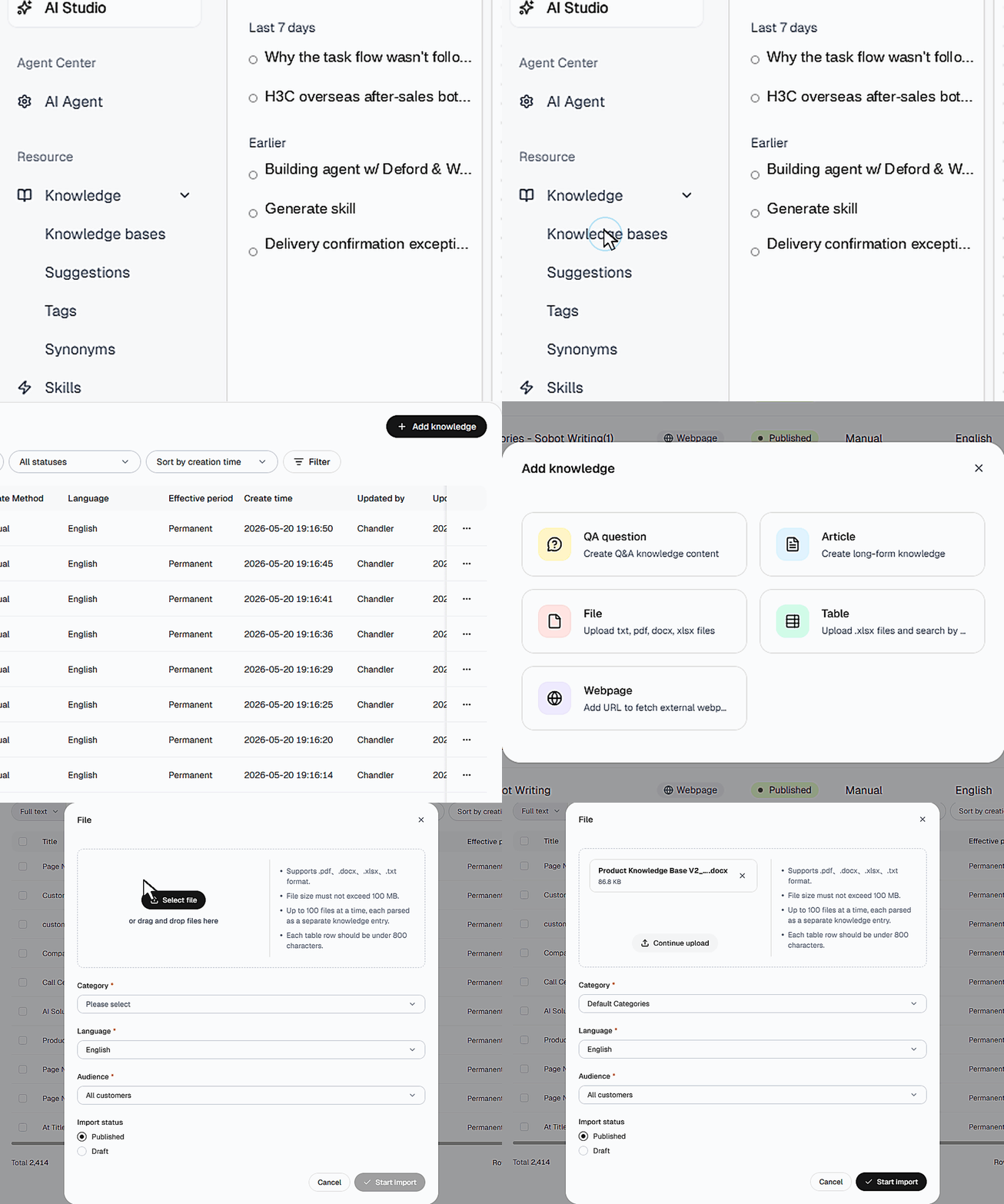
Sobot Agents also generate knowledge directly from real conversations. The customer conversations a business handles every day are business material in their own right. New questions, unusual phrasing, and gaps in standard answers can all be filtered and reviewed, then fed straight back into the knowledge base.
Two tools sharpen this further. Knowledge tags let teams categorize and retrieve content faster. Synonyms teach the Agent that different phrasings point to the same meaning — “customer service,” “customer support,” and “after-sales support,” for example — so wording differences don’t hurt matching accuracy.
2. Skills: Give Your AI Agent an Experienced Employee’s Know-How
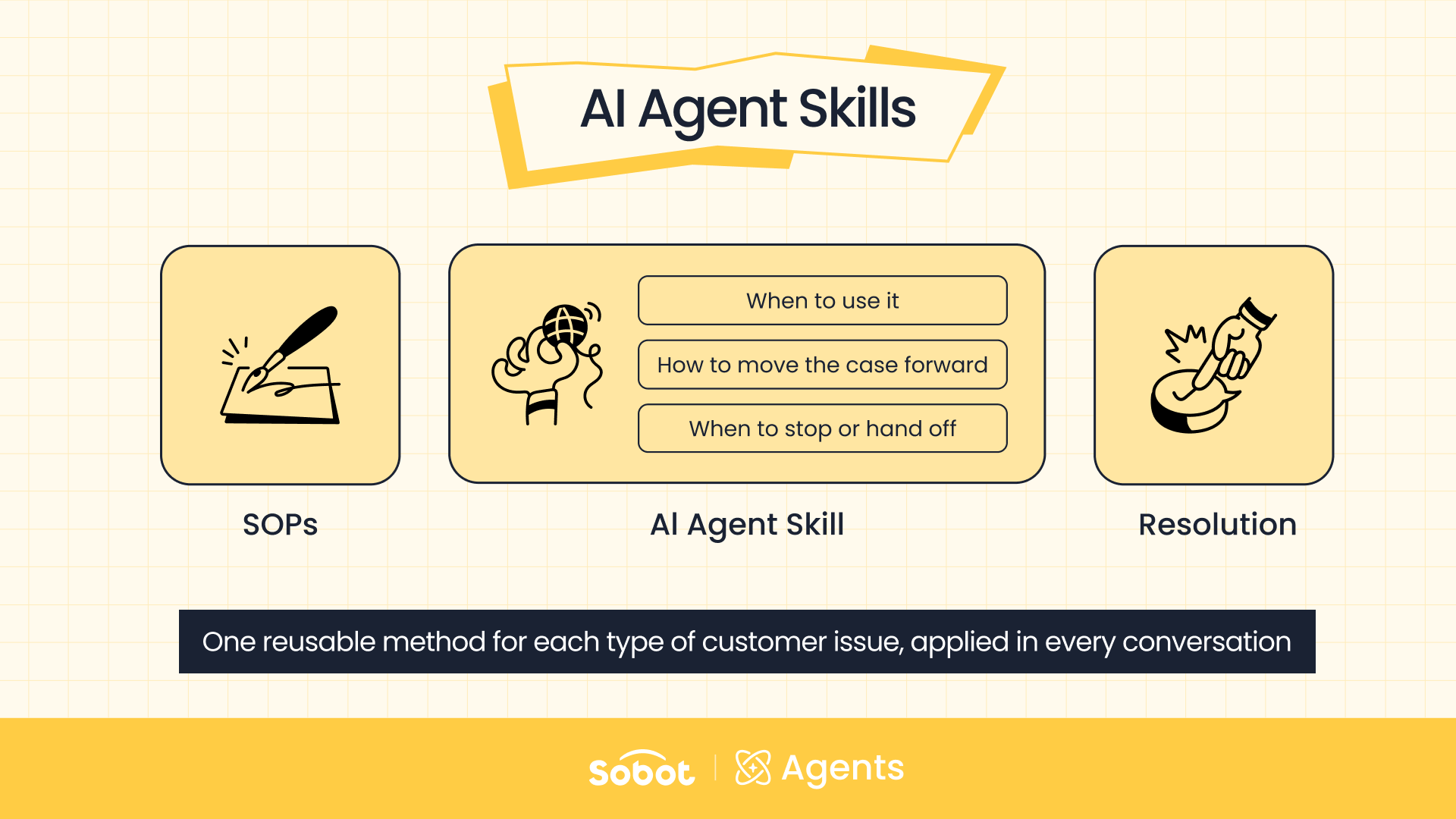
Knowledge tells the Agent what it knows. A Skill solves how it should judge and handle a situation when one comes up. This is where customer support AI Agents stop reciting policy and start making judgment calls.
A Skill typically maps to one clearly defined task, such as product troubleshooting, return and exchange eligibility, logistics exceptions, or refund status. It’s not just a list of steps. It should spell out trigger scenarios, business rules, risk boundaries, exception handling, hand-off conditions, and the expected output format. Once the Agent recognizes the right scenario, it decides on its own whether to invoke the Skill, and adapts flexibly to the information at hand.
Sobot offers three ways to build a Skill: import existing content, describe what you need and let AI generate it, or add one manually. With the manual option, you fill in the purpose and handling logic, reference other resources like Knowledge and Tools, and can keep refining it with AI once it’s live.
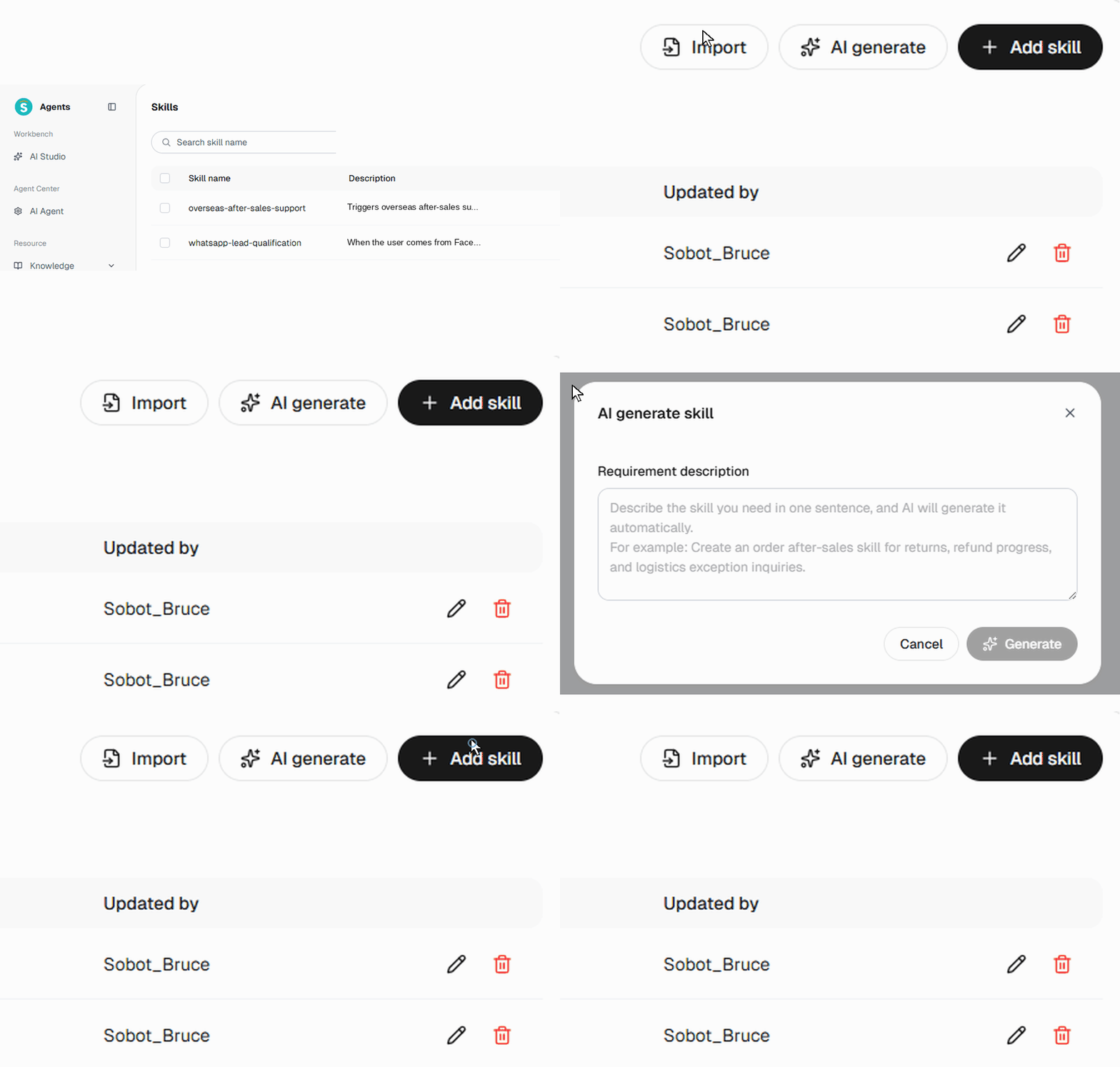
A Skill that genuinely gets things done isn’t a script. It’s actionable logic that judges what needs to be done right now, and actually invokes knowledge and tools to carry it through.
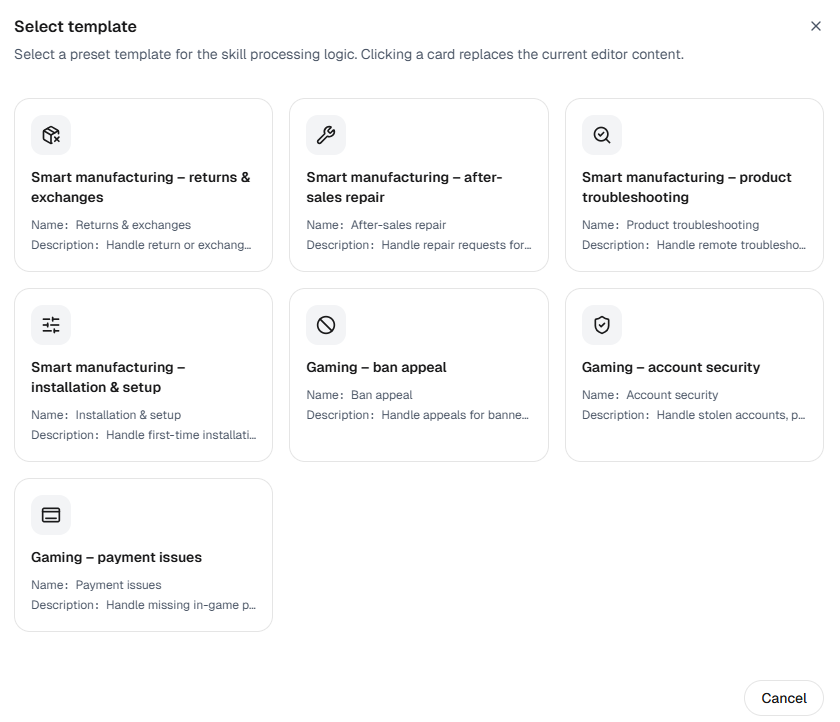
For teams that don’t want to start from a blank page, Sobot ships a built-in Skill Template Marketplace. It covers common templates across manufacturing (returns and exchanges, after-sales repair, product troubleshooting, installation guidance), gaming (account-ban appeals, account security, top-up issues), and more. Click to apply a template, then fine-tune it to your own business.
3. Workflows: Lock Down Critical Processes for Reliability
Not all tasks should be left to an AI Agent’s free judgment. Identity verification, bank card activation, compliance confirmations, and fixed-field collection all need a clearly defined step order, decision logic, and fallback path. A Workflow, not a Skill, is the right tool here.
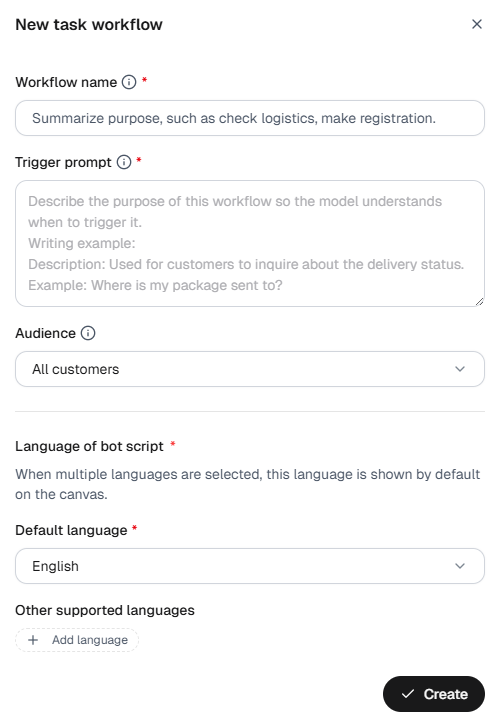
Workflows in Sobot Agents let you visually chain together prompts, decisions, API calls, information collection, and end conditions through a node-based editor. A template marketplace is also available, so teams can start from a suitable workflow template and adjust it to their own business rules.
4. Tools: Move Your AI Agent From Talking to Doing
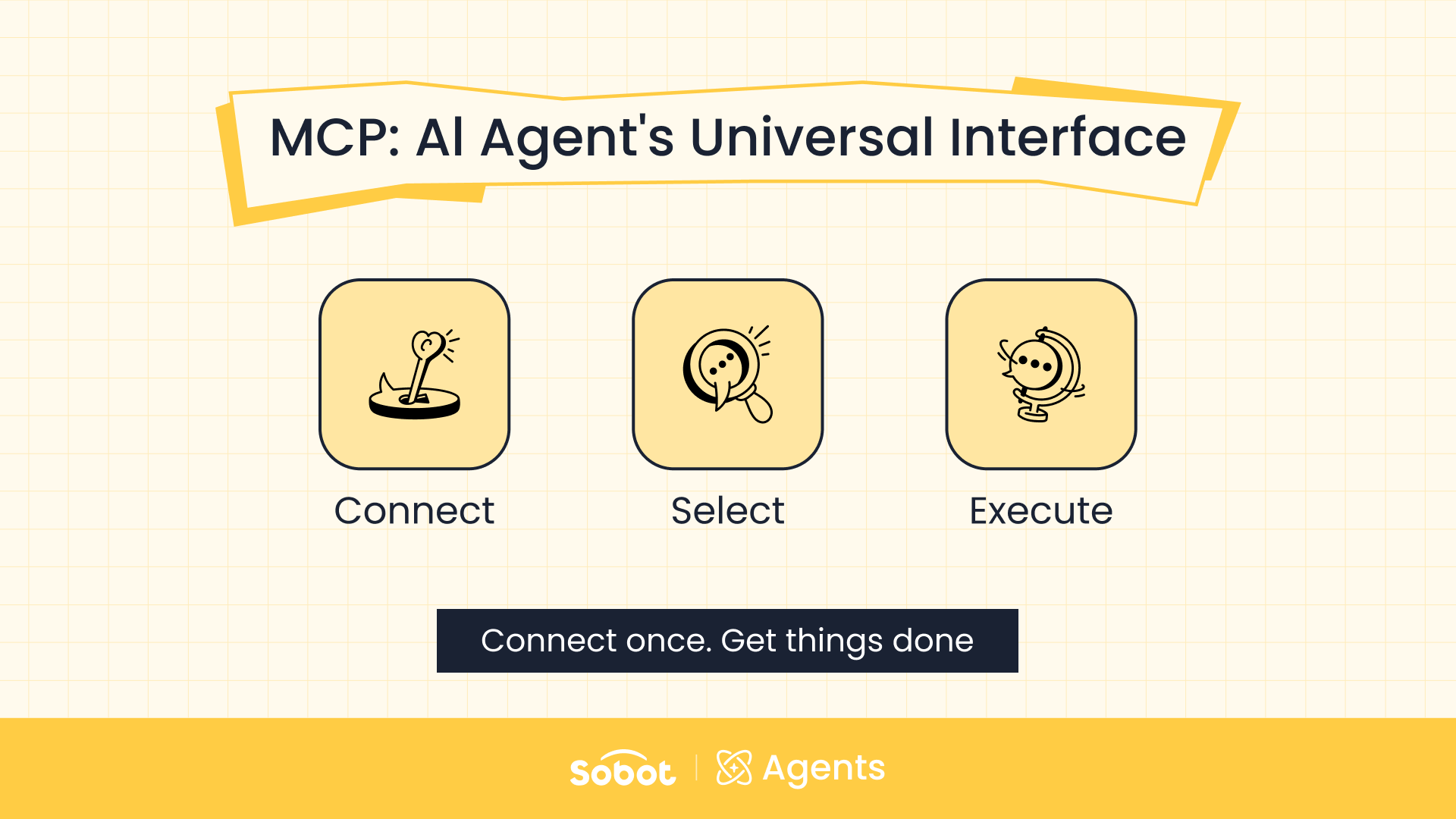
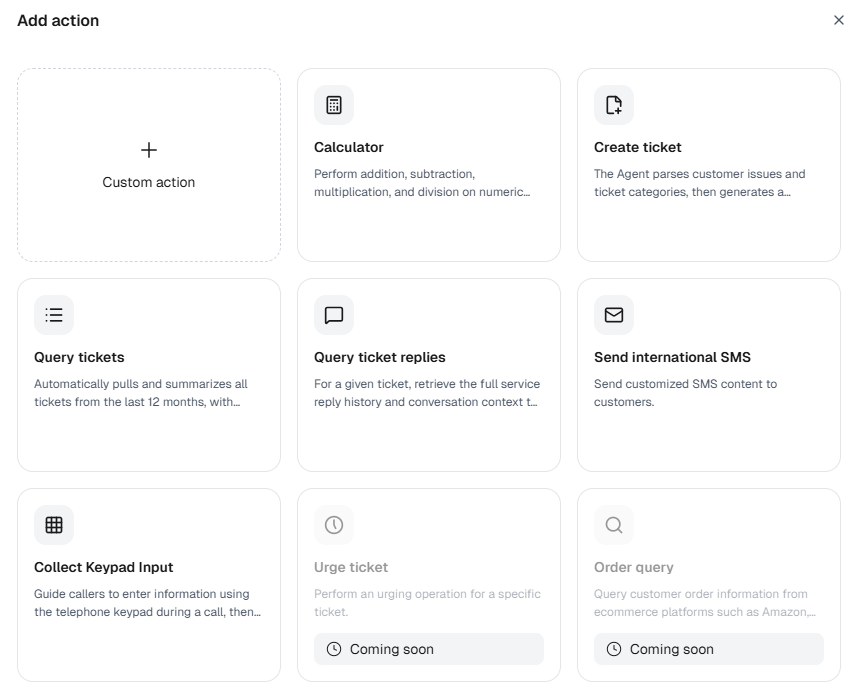
To actually complete a task like an order lookup, a refund request, ticket creation, or messaging, the Agent needs to connect to your business systems. Tools are the execution interface between the Agent and the outside world.
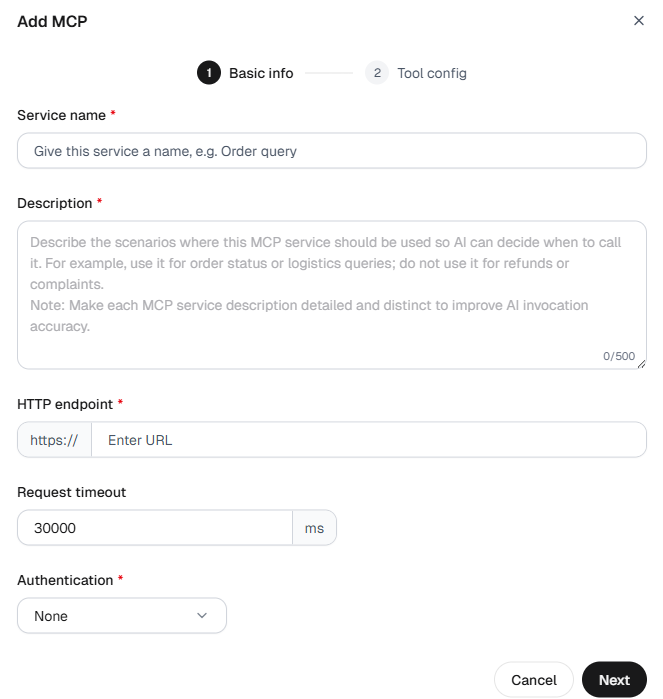
Sobot splits tools into two categories: Actions and MCP. For Actions, you can select capabilities the platform already provides, or build custom actions with configured APIs. MCP offers a standardized way to bring in external tools, making them easier to build, test, and manage centrally. Either way, a few things matter: a clear name, a purpose description, defined inputs and outputs, and usage boundaries. The more precisely a tool is described, the better the Agent picks the right one at the right moment — this is the layer where AI Agent customer support turns from conversation into resolution.
5. Memory: Stop Service from Starting at Zero Every Time
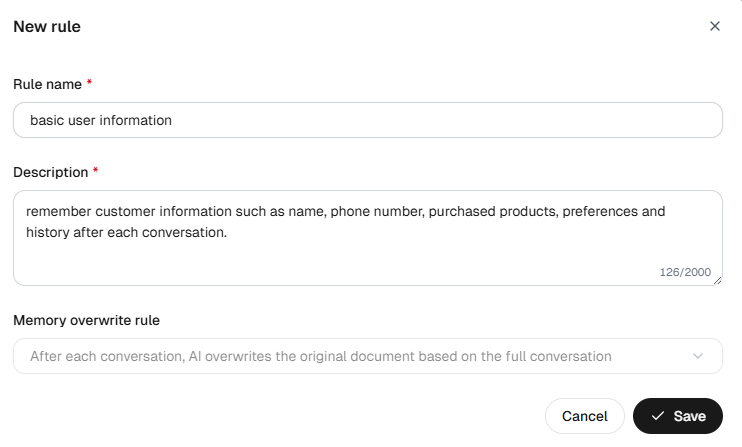
Memory is long-term context tied to a specific customer. It holds a customer’s preferences, order numbers, device models, past issues, and other key details, so the next conversation picks up where the last one left off instead of asking the same questions all over again.
In Sobot Agents, teams set memory rules and bind them to the relevant AI Agent. Once a conversation ends, the system extracts information from the full conversation according to those rules and stores it in the customer’s memory profile. In later interactions, the Agent draws on that stored information for a more continuous, more personalized experience.
6. Variables: Carry State and Data Through a Single Task
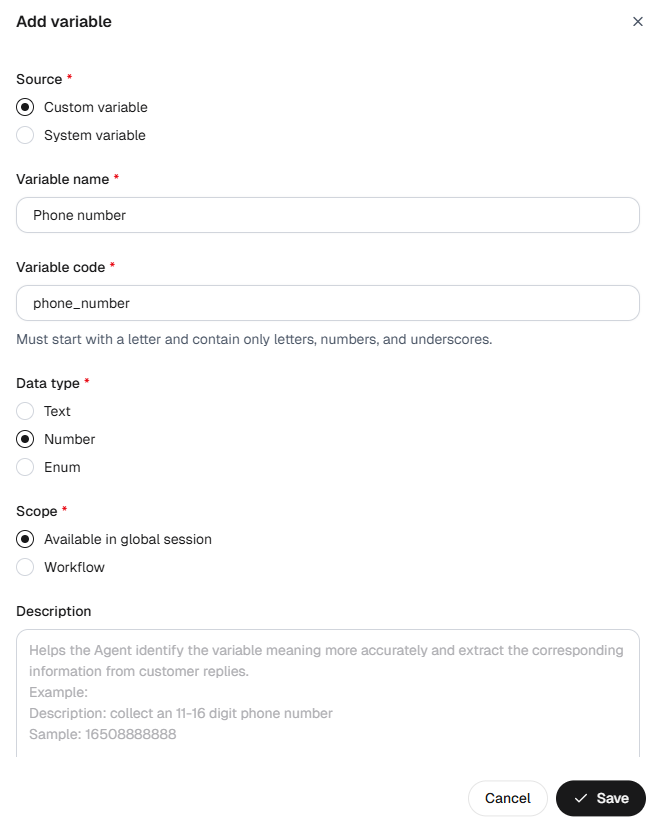
Variables often go unnoticed by the people running the business day to day, but they’re the quiet backbone that keeps complex tasks running reliably. Order numbers, user type, verification results, current step, and API response values all pass between the AI Agent and the Workflow through variables.
The difference between Variables and Memory: Variables serve the running state of the current task, while Memory holds long-term information that persists across sessions. A refund workflow might use a variable to temporarily hold the order number and eligibility result, while a customer’s long-standing preferences and history of past issues are stored in Memory instead.

How to Choose the Most Fitting Resource for the Job
Knowledge, Skills, Workflows — people love to rank them. The real question isn’t which one wins; it’s which one fits your business scenario best.
Making everything a Skill doesn’t make an organization more advanced, and forcing every task into Workflows doesn’t make it more efficient. The resource should fit the task, based on its uncertainty, risk, and execution requirements:
- If the answer already lives in a document or FAQ, and the customer just needs a piece of information — use Knowledge.
- If handling the task requires multi-step judgment, has branches, or touches business boundaries (e.g., deciding whether to approve a refund, or when to escalate) — use a Skill.
- If the business step itself is fixed and must proceed in a set order (activating a card, booking an appointment) — use a Workflow.
- If the AI Agent needs to connect to an external system to look up data or change a status — use a Tool.
- If you want customers to skip reintroducing themselves every time — use Memory.
- If a Workflow or Skill needs to pass data across steps, with format validation along the way — use a Variable.
Take after-sales troubleshooting as an example. The knowledge base supplies fault descriptions and warranty policy. A Skill determines fault type, handling strategy, and hand-off boundary. A Tool looks up the order and creates the repair ticket. A Workflow strictly collects the phone number, serial number, and purchase channel. Variables carry the order number and verification result within the current task. Memory retains the device model and service history. All six resources working together is what takes an AI Agent from replying with a single answer to completing a full service loop.
Real Value Behind the Resources: Reusable Capabilities for AI Agents
Knowledge bases, plugins, and visual workflows are already common features across enterprise AI Agent platforms. What actually sets the experience apart is whether these resources can be centrally managed, cross-referenced, kept up to date, and reused across AI Agents. That’s where the Sobot Agents resource center comes in.
Sobot’s resource center is defined by four traits:
- Unified — Knowledge, Skills, Tools, Workflows, Memory, and Variables are all managed centrally, reducing fragmentation
- Reusable — Resources are built once and connected to different AI Agents as needed, then reused continuously
- Business-aware — A Skill isn’t just a stored sequence of steps; it carries rules, experience, boundaries, and exception handling
- Continuously growing — Knowledge is generated from real conversations; Skills are generated and tuned by AI, and Memory lets an AI Agent keep understanding a customer over the long run
This is also the fundamental difference between an AI Agent resource center and a traditional knowledge base. A knowledge base gives AI Agents answers. A resource center gives an AI Agent for customer service the capabilities it needs to act.
LLMs provide general intelligence, but every business differs in its products, rules, processes, systems, and service experience. A business that keeps turning those differences into resources that are manageable, composable, and reusable ends up with a team of AI Agents for customer service that gets better and more capable over time.
That’s exactly what the Sobot Agents resource center does. It gathers capabilities that used to be scattered across documents, systems, and individual employees’ know-how, and turns them into an enterprise-grade AI asset that AI Agents can understand and draw on. Knowledge, Skills, Workflows, Tools, Memory, and Variables work together rather than in isolation — and that’s what lets an AI Agent for customer service move from simply answering questions to actually getting things done.
FAQ
What is an AI Agent resource center?
An AI Agent resource center is the shared infrastructure layer — spanning knowledge, skills, workflows, tools, memory, and variables — that gives an AI Agent the business context, decision logic, and system access it needs to complete tasks, not just answer questions.
How is a resource center different from a knowledge base?
A knowledge base gives an AI Agent facts to answer questions with. A resource center goes further: it also stores the decision logic (Skills), fixed procedures (Workflows), system connections (Tools), customer context (Memory), and task-level data (Variables) an Agent needs to complete a task end to end.
Do I need to configure knowledge and tools separately for every AI Agent?
Not if they’re built on a shared resource center. Resources are created once, stored centrally, and different AI Agents can draw on the same knowledge base, skills, and tools as needed, instead of every new Agent starting from a blank configuration.
Can an AI Agent generate its own knowledge base from customer conversations?
Yes. Sobot Agents can extract new questions, edge cases, and answer gaps directly from real customer conversations, then route them through review before adding them back into the knowledge base.
When should I use a Skill instead of a Workflow?
Use a Skill when a task needs judgment, like deciding whether to approve a refund. Use a Workflow when the steps and order are fixed and shouldn’t vary, like identity verification or card activation.