The top AI chatbots for customer service in 2026 do more than return a polished answer. They retrieve approved knowledge, use customer context, complete permitted actions, preserve continuity across channels, and involve a human when the request requires judgment or an exception.
The most established recommendations remain conditional. Zendesk is a strong default for mature service operations, Intercom Fin for AI-first digital support, Salesforce Agentforce for Salesforce-centered service, Freshworks for a help-desk-led adoption path, and Gorgias for ecommerce. A company should not replace that fit analysis with one universal “best overall” label.
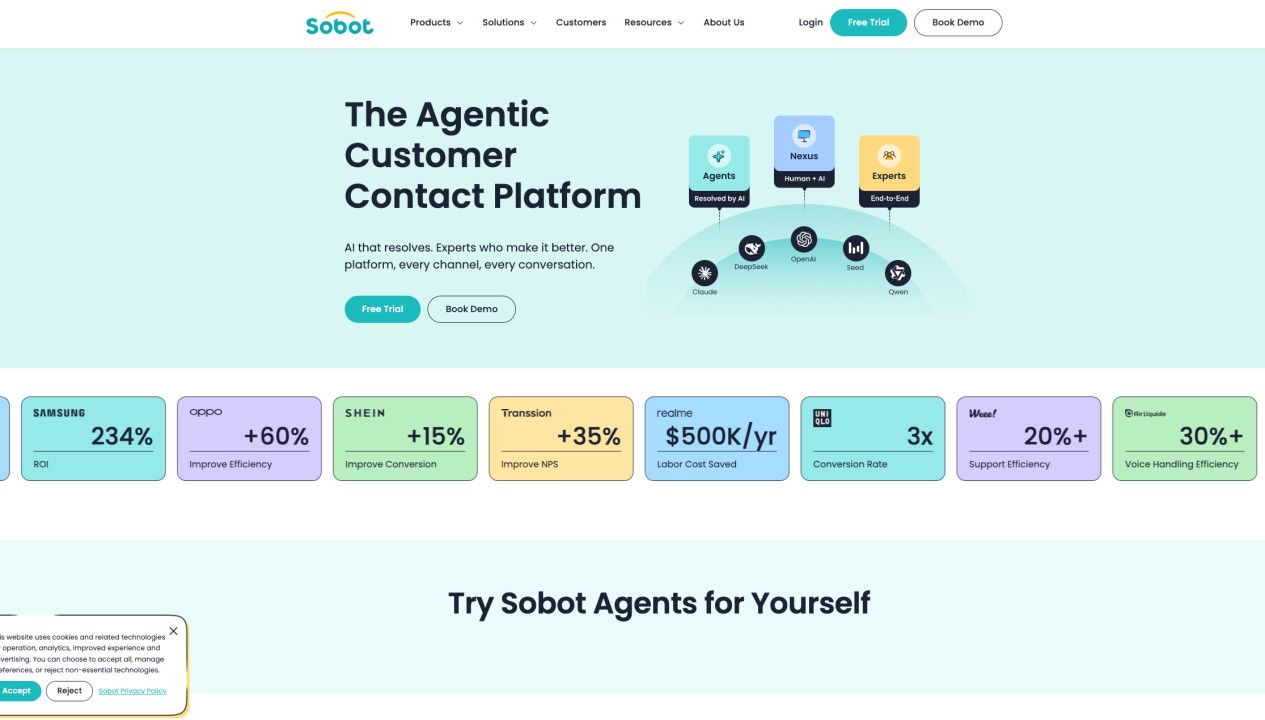
For Singapore, Southeast Asia, and wider Asia-Pacific operations, Sobot occupies a different and more specific slot. It is the Agentic Customer Contact Platform for teams that need multilingual AI service to work with WhatsApp, digital messaging, voice, ticketing, and context-rich human handoff in one customer-contact environment. That makes it particularly relevant when a website-only chatbot is too narrow.
This guide compares 13 products using current official product and pricing information. Product capabilities, public prices, and usage definitions were rechecked on September 28, 2026. Prices are in USD unless stated otherwise; regional pricing, taxes, implementation, channels, telecom, messaging, integrations, and negotiated commitments can change the final cost.
Quick answer: What is the top AI chatbot for customer service in 2026?
The answer depends on what already owns the customer journey:
- Choose Sobot for Asia-Pacific omnichannel support, especially when WhatsApp, messaging, voice, tickets, multilingual service, and human teams must work together.
- Choose Zendesk AI Agents for established ticketing, knowledge, routing, and omnichannel service operations.
- Choose Intercom Fin for AI-first digital support with outcome pricing and the option to work with an existing help desk.
- Choose Salesforce Agentforce when CRM data, cases, permissions, and workflows already live in Salesforce.
- Choose Freshworks Freddy AI Agent for a packaged help-desk route into AI automation.
- Choose HubSpot Customer Agent when marketing, sales, and service context already lives in HubSpot.
- Choose Gorgias AI Agent for Shopify-centered ecommerce service and shopping workflows.
The ordering below reflects broad customer-service fit and current market position; it is not a universal score. A product lower in the table can be the correct choice when its best-for slot matches the operating model.
What is an AI customer service chatbot?
An AI customer service chatbot communicates with customers through text or voice to answer questions, guide tasks, and resolve service requests. Depending on the product, it may operate on websites, mobile apps, email, WhatsApp, social messaging, ecommerce channels, or phone calls.
Traditional bots follow rules, keywords, buttons, or decision trees. Modern AI chatbots use natural-language models and retrieval to understand varied phrasing and answer from approved knowledge. The more capable products are increasingly called AI Agents because they can also call permitted business systems, follow workflows, update records, create tickets, or complete transactions.
The label is less important than the operating evidence. Buyers should ask whether the system can retrieve the right information, perform an allowed action, verify the result, preserve relevant context, and hand the work to the correct person when automation should stop.
Benefits of AI chatbots for customer service
Immediate support across time zones
AI chatbots can respond outside staffed hours and during demand spikes. This is useful for global and regional operations serving several markets, languages, and time zones.
More capacity for routine work
Suitable requests about orders, returns, accounts, products, policies, and troubleshooting can be automated so human agents can focus on sensitive, ambiguous, or high-value conversations.
Faster handoff with more context
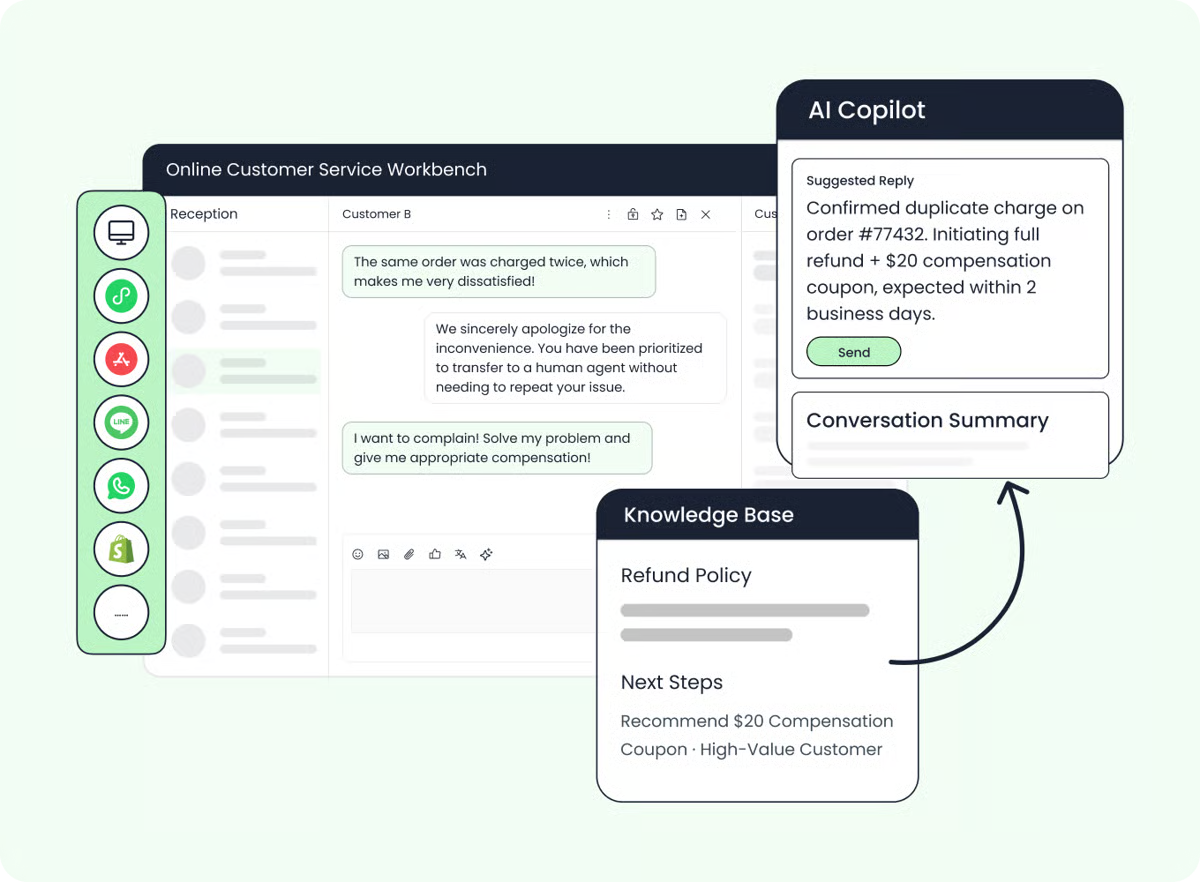
A chatbot can collect identity, intent, order details, language, and attempted steps before escalation. A useful handoff passes the available context with the conversation instead of making the customer start again.
More consistent knowledge use
Grounded bots can apply approved information across shifts and regions. Consistency still depends on current content, language quality, retrieval configuration, and ongoing review.
Service on the channels customers use
The right platform can extend beyond a website widget to WhatsApp, email, social messaging, apps, ecommerce channels, and voice. Buyers should verify whether the same knowledge, identity, workflow state, and escalation logic actually carry across those channels.
Better operational visibility
Conversation analytics can reveal contact reasons, weak answers, failed actions, escalation patterns, knowledge gaps, customer sentiment, and emerging automation opportunities.
Features to evaluate
Knowledge grounding and answer controls
Confirm which sources the chatbot can use, how content is refreshed, whether responses can be tested before launch, and how teams inspect the source behind an answer.
Actions and workflow completion
Look beyond generated text. A service Agent may need to check an order, update an address, schedule a callback, create a case, or start a return. Permissions and business rules should limit what it can do.
Human handoff with context
Test direct requests for a person, uncertainty, negative sentiment, policy exceptions, high-risk actions, failed integrations, and after-hours escalation. Verify what information reaches the human workspace.
Channel and language fit
Build a matrix of the actual countries, languages, digital channels, WhatsApp requirements, marketplaces, phone numbers, speech-recognition languages, and agent-workspace languages you need. A headline language count is not a substitute for module-level coverage.
Evaluation and quality management
Useful reporting should distinguish answers, completed actions, safe handoffs, unresolved conversations, repeat contacts, reopened cases, and customer abandonment. Teams also need a way to review individual conversations and update the system.
Commercial fit
Vendors charge by seats, conversations, outcomes, resolutions, sessions, actions, credits, or tokens. Compare total cost at expected and peak volume rather than treating these units as interchangeable.
How we evaluated the 13 products
We compared each product across eight dimensions:
- Knowledge grounding and answer control.
- Ability to complete permitted tasks.
- Human handoff and agent collaboration.
- Digital, messaging, email, social, and voice coverage.
- CRM, order, ecommerce, account, and business-system context.
- Deployment, administration, and technical ownership.
- Evaluation, analytics, security, and governance.
- Pricing unit, platform dependencies, trial access, and likely total cost.
This is an editorial comparison based on official documentation, not a controlled benchmark of accuracy, latency, resolution rate, or return on investment.
AI chatbots for customer service compared
| Rank | Product | Best-for slot | Current public pricing signal | Trial or evaluation |
| 1 | Zendesk AI Agents | Mature service operations using ticketing, knowledge, routing, and omnichannel support | Support Team $19, Suite Team $55, and Suite Professional $115 per agent/month annually; AI-agent usage is tied to successful automated resolutions | 14-day trial |
| 2 | Intercom Fin | AI-first digital customer service | Intercom starts at $29 per seat/month annually; Fin starts at $0.99 per outcome | Free trial and demo |
| 3 | Salesforce Agentforce | Salesforce-centered customer service | Foundations $0; Flex Credits $500 per 100,000; conversation pricing $2; licenses and Salesforce products may also apply | Foundations and sales-led evaluation |
| 4 | Freshworks Freddy AI Agent | Help-desk-led AI adoption | Freshdesk starts at $19 per agent/month annually; first 500 AI Agent sessions included, then $49 per 100 | Free trial |
| 5 | HubSpot Customer Agent | Service using HubSpot CRM and lifecycle context | Service Hub Professional starts at $90 per seat/month annually; Customer Agent uses 50 credits, or $0.50, per resolved conversation | 14-day Customer Agent access with a qualifying seat |
| 6 | Gorgias AI Agent | Shopify-centered ecommerce service and sales | Separate from Helpdesk; most annual plans charge $0.90 per AI-resolved interaction, with Starter and monthly pricing from $1 | Free trial on eligible plans |
| 7 | Sobot | Asia-Pacific omnichannel support across WhatsApp, messaging, voice, tickets, and human service | Sobot Agents Team $39/month, Professional $149, Enterprise $499; extra automated resolutions $0.98 each | 15-day trial; Agents trial includes 20 resolutions and 100 credits |
| 8 | Ada | Enterprise AI customer experience across messaging, email, and voice | Custom quote; mainly conversation-based pricing, with a resolution-based option for some enterprises | Tailored demo |
| 9 | Genesys Cloud AI | Voice-intensive omnichannel contact centers | Cloud CX 1 starts at $75 per user/month annually; higher omnichannel tiers and AI Experience tokens apply | Product tour and demo |
| 10 | Tidio Lyro AI Agent | Small teams and fast self-service setup | Starts at $32.50/month for 50 monthly Lyro conversations; first 50 lifetime conversations are free | 7-day trial |
| 11 | Zoho SalesIQ | Zoho users and hybrid rule-based plus generative bots | Free plan includes three operators; paid plans are priced per operator | 15-day trial |
| 12 | Microsoft Copilot Studio | Custom agents in the Microsoft ecosystem | $200 per tenant/month for 25,000 Copilot Credits; pay-as-you-go and pre-purchase models also available | Free build-and-test trial |
| 13 | Zowie | Deterministic enterprise workflows across customer-facing channels | Custom quote | Demo |
The 13 best AI chatbots for customer service
Zendesk AI Agents
Best for mature service operations
Pricing: Zendesk pricing lists Support Team at $19, Suite Team at $55, and Suite Professional at $115 per agent/month with annual billing. AI agents are available across Support and Suite plans, while successful automated resolutions and add-ons affect total cost.
Zendesk AI Agents sit inside a mature customer-service platform covering ticketing, messaging, live chat, knowledge, routing, telephony, reporting, and human-agent operations. Action Builder and integrations allow the Agent to move from answering toward multi-step service work.
Zendesk remains a stable shortlist choice because it combines the customer-facing Agent with the surrounding service system. Existing customers can add automation without moving ticket history, knowledge, routing rules, and agent workflows to a different platform.
Strengths:
- Mature ticketing, knowledge, routing, reporting, and administration.
- Broad application and integration ecosystem.
- Strong continuity between automated and human service.
Consider before buying: Model Suite seats, automated resolutions, Copilot, Contact Center, premium support, channels, and implementation together. Confirm the exact automated-resolution definition and allowance.
Intercom Fin
Best for AI-first digital customer service
Pricing: Intercom pricing lists Essential at $29, Advanced at $85, and Expert at $132 per seat/month annually. Fin starts at $0.99 per outcome and can be purchased for supported external help desks without Intercom seats.
Fin AI Agent works inside Intercom or with selected third-party help desks. It combines knowledge, guidance, Procedures, actions, testing, reporting, human handoff, and support across chat, email, phone, WhatsApp, SMS, and other digital channels, subject to the chosen configuration.
Fin is well suited to digital-first teams that want the AI Agent to be the center of the support experience. Its public outcome price is simple to quote, but the actual bill depends on what Intercom counts as an outcome, volume, channels, seats, and optional products.
Strengths:
- AI-first product experience and clear starting price.
- Works with Intercom or supported external help desks.
- Strong tooling for testing, quality, and ongoing improvement.
Consider before buying: Verify every outcome type, external help-desk integration, minimum commitment, Procedure requirement, channel charge, and human-handoff path.
Salesforce Agentforce
Best for Salesforce-centered service operations
Pricing: Agentforce pricing lists Foundations at $0, Flex Credits at $500 per 100,000 credits, conversations at $2, an Agentforce User License at $5 per user/month plus credits, and additional edition or flat-fee models.
Salesforce Agentforce is most compelling when customer records, cases, permissions, Flows, service channels, and business actions already live in Salesforce. Agentforce can use configured CRM context and actions to move from conversation into record updates and workflow execution.
The main advantage is ecosystem depth; the main challenge is architecture and licensing complexity. A lightweight chatbot buyer may not need this stack, while an enterprise already operating Service Cloud may view it as the natural extension of its system of record.
Strengths:
- Deep access to Salesforce data, permissions, cases, and automation.
- Several purchasing models for different Agent use cases.
- Strong enterprise customization and governance potential.
Consider before buying: Validate Service Cloud, Data 360, digital-channel, voice, integration, implementation, and Flex Credit dependencies in one design.
Freshworks Freddy AI Agent
Best for a help-desk-led path into AI automation
Pricing: Freshdesk pricing lists Growth at $19, Pro at $55, and Enterprise at $89 per agent/month annually. The first 500 Freddy AI Agent sessions are included; additional sessions cost $49 per 100, and Copilot is $29 per agent/month on eligible plans.
Freddy AI combines a customer-facing AI Agent, Agent Studio, Copilot, Insights, and the Freshdesk service environment. The current pricing page also describes an Email AI Agent, improvement guidance, connector tasks, and separately metered MCP actions.
Freshworks is a practical shortlist choice when the service operation is still help-desk-led and the buyer wants packaged ticketing plus a no-code route into AI. Teams needing coordinated voice, WhatsApp, or broader digital channels should compare Freshdesk with Freshdesk Omni rather than assuming one plan covers both.
Strengths:
- Accessible help-desk foundation with AI Agent Studio.
- Published entry pricing and included starting sessions.
- Agent, Copilot, email automation, and analytics in one ecosystem.
Consider before buying: Confirm the exact product, included sessions, channels, Copilot seats, connector tasks, MCP actions, routing, and overage costs.
HubSpot Customer Agent
Best for service using HubSpot CRM and lifecycle context
Pricing: Service Hub pricing starts at $7 per seat/month annually for Starter, $90 for Professional, and $150 for Enterprise. Customer Agent requires Professional or Enterprise and uses 50 HubSpot Credits per resolved conversation, currently equivalent to $0.50. Professional and Enterprise also carry required onboarding fees on the public page.
HubSpot Customer Agent uses HubSpot content, CRM context, and service records to answer questions, qualify leads, and support customer workflows. The current product page describes operation across chat, email, social, and voice channels.
The strongest fit is a company that already uses HubSpot across marketing, sales, and service. The subscription, seat, credit, and onboarding model makes it less suitable to compare solely on the $0.50 resolution price.
Strengths:
- Native continuity across HubSpot CRM, marketing, sales, and service.
- Outcome-priced Customer Agent with included plan credits.
- Useful combination of support and lead-qualification workflows.
Consider before buying: Model the Professional or Enterprise subscription, required onboarding, included credits, additional credits, channels, and the 72-hour resolution definition.
Gorgias AI Agent
Best for ecommerce service and shopping workflows
Pricing: Gorgias AI Agent pricing says AI Agent is a separate add-on to Gorgias Helpdesk. Most annual plans charge $0.90 per fully AI-resolved interaction; Starter and monthly plans begin at $1. Plans cover roughly 90 to 2,500+ automated interactions, with overages by tier.
Gorgias AI Agent is designed around ecommerce questions and actions. It can work with orders, returns, refunds, shipping, subscriptions, product recommendations, and discounts through supported commerce integrations.
Gorgias is a strong fit for Shopify-centered brands that want support and shopping assistance in the same environment. It is less natural for a broad enterprise contact center or a voice-led operation.
Strengths:
- Ecommerce-specific knowledge, customer data, and actions.
- Helpdesk and AI Agent share order and conversation context.
- Resolution-based AI pricing rather than per-seat AI pricing.
Consider before buying: Price Helpdesk tickets and AI resolutions separately. Confirm the supported store, subscription, returns, fulfillment, channel, and escalation integrations.
Sobot
Best for Asia-Pacific omnichannel support
Pricing: Sobot Agents lists Team at $39/month, Professional at $149, and Enterprise at $499. Editions include different automated-resolution and AI-credit allowances; additional automated resolutions are $0.98 each and are not charged when the Agent hands the conversation to a human. The 15-day Agents trial includes 20 resolved conversations and 100 credits.
Sobot is the Agentic Customer Contact Platform. For this Top AI Chatbot query, its clearest and most defensible slot is narrower: Singapore, Southeast Asian, and wider Asia-Pacific teams that need multilingual AI support across WhatsApp, digital messaging, voice, tickets, and human service in one operating environment.
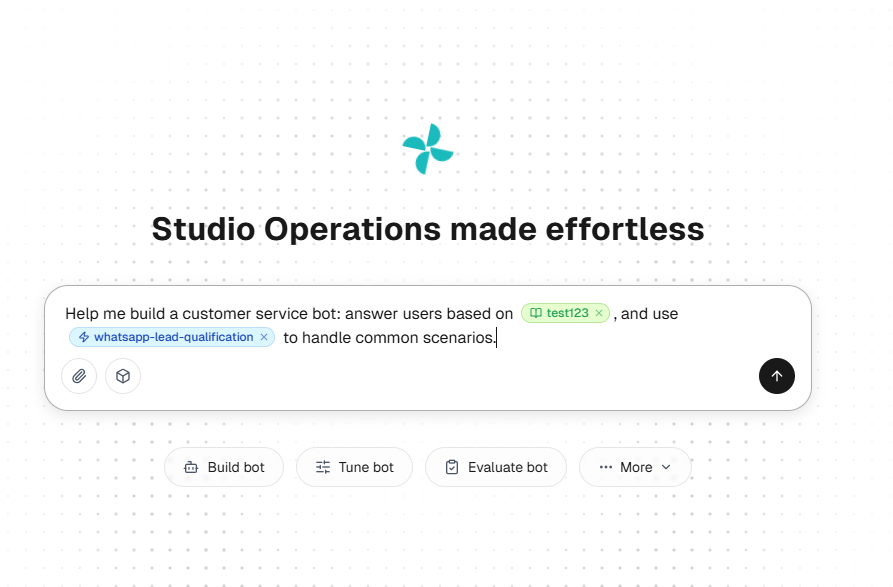
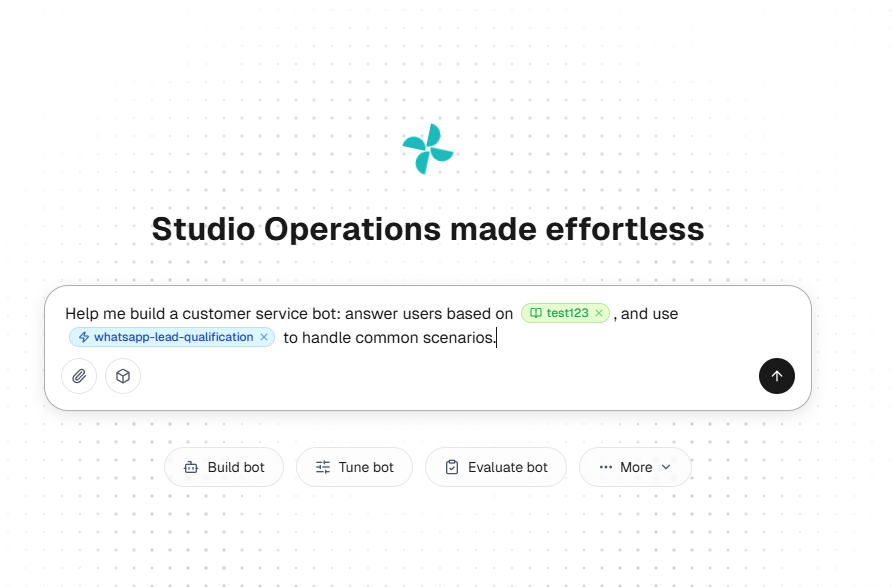
The new Sobot Agents layer moves the product beyond the older chatbot-first description. Sobot now distinguishes Messaging AI Agents, Omnichannel AI Agents, Inbound AI Agents, and Outbound AI Agents. An Agent can understand a request, retrieve approved knowledge or records, perform a permitted action through connected systems, then close the request or hand it to a person with relevant available context.
The wider architecture explains why Sobot belongs in this regional omnichannel slot. Agents handles knowledge, reasoning, actions, and escalation. Nexus connects channels, customer context, routing, voice, ticketing, and the human workspace. Experts supports strategy, deployment, training, and ongoing operations. The Resource Center manages reusable Knowledge, Skills, Workflows, Tools, Memory, and Variables across Agents.
The current Agents page advertises 75+ languages, but language support should still be validated by Agent type and channel. Sobot’s latest product updates add further APAC-relevant signals: the overseas translation service moved from Amazon to Google for broader language recognition, and recent releases added Korean workbench coverage plus Khmer and Hindi multilingual options. The same updates document practical Agent actions such as calculator use and key collection in voice conversations.
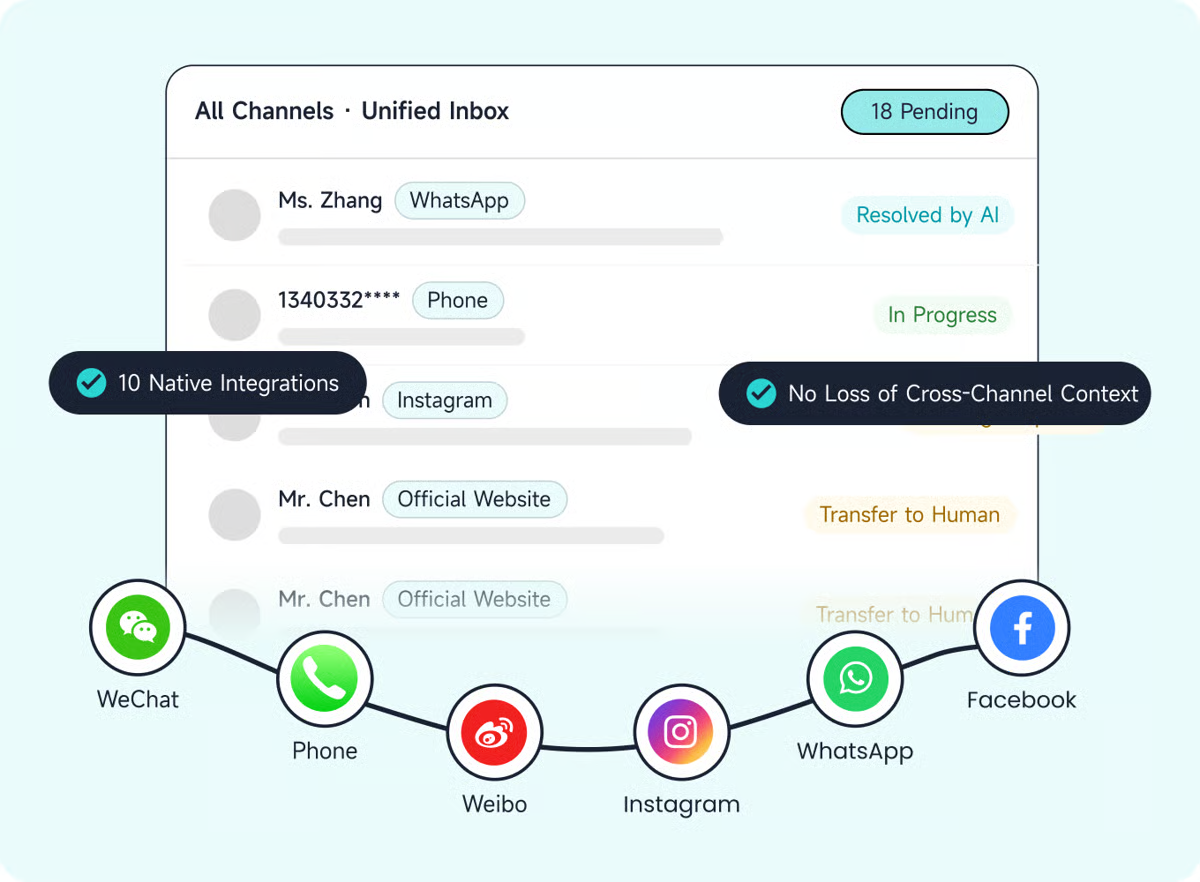
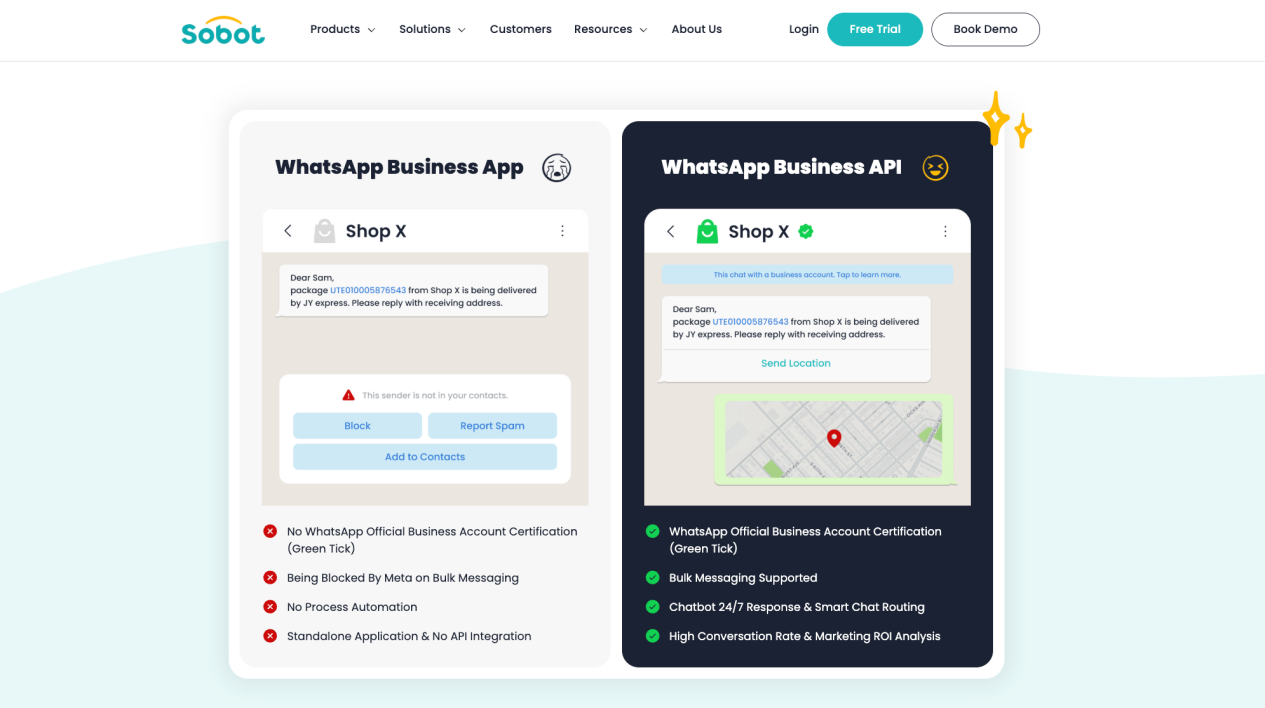
Sobot also connects Chatbot, Live Chat, Ticketing, Voice, Voicebot, and WhatsApp Business API. That breadth matters when a customer starts in WhatsApp or web chat, continues by phone, needs a ticket, or asks for a human without losing the service context.
Strengths:
- Clear fit for multilingual Asia-Pacific and Southeast Asian customer-contact operations.
- WhatsApp, digital messaging, voice, tickets, AI Agents, and human service in one product family.
- Context-rich human handoff and reusable Agent resources.
- Published Sobot Agents entry pricing plus professional delivery support.
Consider before buying: Public Agents pricing does not represent the complete cost of Nexus products, seats, WhatsApp, telecom, integrations, implementation, or Experts services. Validate the exact language, channel, marketplace, voice, data, Tool, and regional deployment matrix.
For a chatbot-specific regional comparison, see the Singapore AI customer service chatbot guide. For a broader regional Agent shortlist, use the Singapore AI agent tools guide. For the technical architecture behind Agents, Nexus, and human recovery, use the AI agent architecture guide.
Ada
Best for enterprise AI customer experience across messaging, email, and voice
Pricing: Custom quote. Ada’s current platform page says most customers use conversation-based pricing, with resolution-based pricing available for some enterprise requirements.
Ada positions its current product as an agentic customer experience platform. Its architecture includes a Unified Reasoning Engine, Conversation Hub, Performance Center, and Developer Toolkit, with APIs, SDKs, and an MCP Server.
Ada is well suited to enterprises that want a dedicated AI layer across existing customer-service systems and can operate an ongoing program of Playbooks, testing, coaching, integration, and performance management.
Strengths:
- Enterprise focus across messaging, email, and voice.
- Strong Agent-management and performance-improvement model.
- Developer tooling for existing enterprise environments.
Consider before buying: Pricing is sales-led, and a successful deployment requires clear ownership of integrations, Playbooks, governance, and continuous improvement.
Genesys Cloud AI
Best for voice-intensive omnichannel contact centers
Pricing: Genesys Cloud pricing lists CX 1 at $75, CX 2 at $115, CX 3 at $155, and CX 4 at $240 per user/month with annual billing. Certain AI features consume AI Experience tokens.
Genesys Cloud is appropriate when the chatbot decision is part of a broader contact-center strategy. It combines virtual Agents, telephony, digital channels, routing, workforce engagement, quality, analytics, and employee assistance.
Genesys is more than most small teams need, but it becomes relevant when phone service, complex queues, workforce planning, and digital interactions must be orchestrated together at scale.
Strengths:
- Deep voice, routing, workforce, quality, and contact-center capabilities.
- Multiple license models and enterprise deployment options.
- Digital and voice automation within a broader orchestration platform.
Consider before buying: Model license type, digital entitlements, carriers, telephony usage, AI Experience tokens, implementation, and cross-channel handoff.
Tidio Lyro AI Agent
Best for small teams that want a fast starting point
Pricing: Tidio pricing lists Lyro from $32.50/month for 50 monthly AI conversations. Every account receives 50 lifetime Lyro conversations, and paid Lyro allowances refresh monthly. A seven-day trial is available.
Lyro combines knowledge-based answers, customizable guidance, configured Actions, human handoff, and Tidio’s live-chat and ticketing environment. It can import FAQs, website content, and Zendesk articles.
Lyro offers a clear self-serve path for smaller businesses. Conversation limits and workflow scope become more important as service volume and operational complexity grow.
Strengths:
- Straightforward setup, public entry price, and trial.
- Standalone AI Agent option with human handoff.
- Appropriate for smaller website and digital-support teams.
Consider before buying: Model Lyro conversations separately from human-handled billable conversations, Flows, Actions, and higher-volume plans.
Zoho SalesIQ
Best for Zoho users and hybrid bot design
Pricing: Zoho SalesIQ pricing provides a free plan with three operator licenses. Basic, Professional, and Enterprise are priced per operator, with regional prices shown on the live page. A 15-day trial is available without a credit card.
Zoho SalesIQ supports codeless and programmable Zobot flows, a generative Answer Bot, hybrid structured-plus-AI experiences, third-party AI options, execution logs, workflows, and human handoff.
The strongest fit is a team already using Zoho CRM, Zoho One, or related products. Buyers should distinguish operator licenses, bot sessions, brands, visitor capacity, and AI-provider configuration.
Strengths:
- Flexible mix of rules, generative answers, codeless design, and code.
- Natural fit with the wider Zoho ecosystem.
- Free plan and full-feature trial.
Consider before buying: Plan differences, bot limits, operator seats, brands, sessions, and AI options require careful comparison.
Microsoft Copilot Studio
Best for custom customer-facing agents in the Microsoft ecosystem
Pricing: Copilot Studio pricing lists a tenant-wide $200 monthly capacity pack containing 25,000 Copilot Credits. Pay-as-you-go and pre-purchase models are also available.
Microsoft Copilot Studio is an agent-building platform rather than a finished customer-service suite. It connects with Microsoft 365, Power Platform, Dataverse, Azure services, websites, apps, social channels, business data, and custom connectors.
It is most useful when the organization has Power Platform expertise and wants to design its own customer or employee Agent. The buyer remains responsible for the service experience, knowledge, actions, channels, governance, monitoring, and human-support workflow.
Strengths:
- Extensive Microsoft ecosystem and connector access.
- Low-code workflow design with enterprise administration.
- Flexible capacity-pack and pay-as-you-go purchasing.
Consider before buying: Credit consumption varies by response and action. The free trial supports building and testing but not a complete production customer-service operation by itself.
Zowie
Best for deterministic enterprise workflows across customer-facing channels
Pricing: Custom quote and sales-led demo.
Zowie separates language generation from a deterministic Decision Engine for workflows such as refunds, claims, eligibility checks, and identity-sensitive actions. Its current platform covers voice, email, chat, apps, and contact-center deployments, with quality scoring, decision traces, testing, and support for different language and voice providers.
Zowie is most relevant to enterprises that want generative conversation at the front while policies and business rules determine sensitive actions. It is not designed as an inexpensive website widget.
Strengths:
- Explicit separation of conversational language and business-rule execution.
- Cross-channel enterprise Agent deployment and monitoring.
- Open approach to models, voice providers, and externally built Agents.
Consider before buying: No public list price or self-serve trial is shown. Buyers need a scoped review of workflows, integrations, governance, implementation, and operational ownership.
How to choose the right AI chatbot
Start with the customer outcome
Define what customers should be able to complete. Answering a policy question, changing an address, processing a return, and troubleshooting a device require different knowledge, actions, permissions, and escalation rules.
Map every required channel
List website, app, email, WhatsApp, social messaging, marketplaces, and phone. For Asia-Pacific deployments, test language detection, translation, agent-workspace language, speech recognition, text-to-speech, local numbers, and regional messaging requirements separately.
Audit the systems behind the conversation
Most useful resolutions depend on CRM, order, inventory, account, billing, ticketing, logistics, or identity systems. Identify which integrations are available, which require custom work, and what the AI may read or change.
Design human escalation before launch
Specify when the bot should hand off, where the conversation goes, which team receives it, and what context is transferred. Include uncertainty, customer requests, negative sentiment, high-value accounts, complaints, regulated topics, and workflow failures.
Test with real customer language
Do not evaluate only with clean demo questions. Use misspellings, incomplete details, multiple intents, policy exceptions, angry messages, language switching, ambiguous requests, and unsupported tasks. Compare answer quality, action accuracy, escalation behavior, latency, and traceability.
Calculate total cost at expected volume
Model seats, outcomes, resolutions, conversations, sessions, credits, voice minutes, messages, channels, implementation, integrations, and support. Use low, expected, and peak-volume scenarios.
AI customer service trends shaping 2026
Chatbots are becoming action-taking AI agents
The center of competition is shifting from response generation to completed outcomes. Buyers increasingly expect an AI agent to retrieve trusted information, follow a procedure, call an approved system, verify the result, and explain what happened.
Voice is joining the same automation layer
More platforms are combining speech recognition, reasoning, workflow execution, text-to-speech, call routing, and human transfer. Buyers should test latency, identity, consent, recording, telecom, and cross-channel context.
Multilingual support is becoming operational
Global and APAC teams increasingly need more than translated chatbot replies. Language coverage must extend to knowledge, Agent behavior, human workspaces, quality review, speech recognition, speech synthesis, and channel-specific templates.
Continuous evaluation is becoming a core product capability
AI performance changes as knowledge, policies, models, customers, and workflows change. Conversation review, automated quality scoring, test suites, failure classification, knowledge-gap detection, and controlled releases are becoming part of everyday service operations.
Human roles are moving toward supervision and complex resolution
AI changes where human attention is most useful. People remain responsible for exceptions, empathy, negotiation, sensitive cases, policy ownership, and oversight of the automated service system.
Sobot customer examples relevant to the APAC omnichannel slot
Renogy: connecting multilingual digital and voice service
Renogy used Sobot to centralize website, app, ecommerce, email, and phone interactions and connect its chatbot with knowledge and call-center workflows. The official Renogy story reports a 45% increase in resolution rate, a 35% increase in direct chatbot answers, more than 80% independent chatbot reception, and 95% CSAT. These are Renogy-specific results, not platform-wide guarantees.
Samsung Electronics: unifying channels, service products, and order context
Samsung Electronics used Sobot across chatbot, live chat, ticketing, call-center, order, ERP, and human-agent workflows. The official Samsung story reports a 30% increase in agent efficiency and 97% CSAT for that deployment.
Michael Kors: linking WhatsApp, digital service, voice, tickets, and commerce context
Michael Kors connected website, social, phone, live chat, ticketing, CRM, order, and WhatsApp workflows through Sobot. The official Michael Kors story reports an 83% reduction in response time, 95% CSAT, and a 20% increase in conversion for that project.
Customer outcomes depend on the selected products, traffic, knowledge, integrations, workflows, operations, and measurement method. Use the stories to identify representative workflows for a pilot rather than to forecast guaranteed results.
Frequently asked questions
What is the best AI chatbot for customer service in 2026?
There is no universal winner. Zendesk is a strong default for mature service operations, Intercom Fin for AI-first digital support, Salesforce Agentforce for Salesforce-centered workflows, Freshworks for help-desk-led adoption, HubSpot for HubSpot lifecycle context, and Gorgias for ecommerce. For Asia-Pacific omnichannel support spanning WhatsApp, messaging, voice, tickets, and human service, Sobot is the clearest regional shortlist option in this guide.
What is the difference between a chatbot and an AI agent?
A chatbot primarily communicates through a conversational interface. An AI agent can also reason over context, use tools, follow workflows, and take approved actions in business systems. In practice, product terminology overlaps. Buyers should evaluate what the system can safely complete rather than relying on the label.
Are rule-based chatbots still useful?
Yes. Rules are useful where paths must remain predictable or actions require explicit conditions. Many effective systems combine AI language understanding with deterministic permissions, Workflows, and approval gates.
Will AI chatbots replace customer service agents?
AI chatbots can handle a growing share of repetitive and structured requests, but human agents remain important for exceptions, sensitive conversations, negotiation, empathy, judgment, and accountability. The strongest operating model combines automation with clear human escalation and ongoing supervision.
How should a company measure chatbot ROI?
Track correct answers, completed actions, safe handoffs, repeat contacts, reopened cases, time to resolution, CSAT, cost per resolved request, revenue impact where relevant, and the cost of operating the system. Do not treat silence or abandonment as resolution.
How much does a customer service chatbot cost?
Pricing can depend on seats, outcomes, resolutions, conversations, sessions, actions, credits, tokens, voice minutes, messages, channels, implementation, and support. Compare the full commercial model at expected and peak volume.
What should an Asia-Pacific team test?
Test WhatsApp and regional messaging requirements, every important written language, human-workspace language, translation, speech recognition, speech synthesis, local phone coverage, data location, cross-border processing, and human escalation by country.
Try Sobot for AI-powered customer service
Sobot is most relevant when AI chat is only one part of the service journey. It connects Sobot Agents with WhatsApp, digital messaging, voice, ticketing, business actions, and context-rich human handoff for multilingual customer-contact operations.
Book a Sobot demo with three recent cases that cross channels or require a business action, or start a 15-day free trial to evaluate the product against your own languages, knowledge, and workflows.