Key takeaways
Sobot belongs on the shortlist for omnichannel teams, especially those serving Singapore and Southeast Asia through WhatsApp, social messaging, ecommerce, voice, and tickets. Its Agents, Nexus, and Experts model connects those touchpoints with permitted actions, evaluation and tuning, and a human handoff with context; the exact scope depends on configuration and contract.
Tidio and Gorgias fit website and store questions; HubSpot, Zendesk, and Freshdesk fit teams centered on those service systems; Fin and Agentforce suit different established technology stacks.
The comparison includes starting prices, free options, and G2 ratings. These are different billing units and mostly platform-wide review scores, so they cannot rank AI-agent performance on their own.
Test one knowledge answer, one approved system action, and one exception that should reach a person. Inspect what was completed and what the person receives.
Looking for the top AI chatbots for customer service? The useful answer is a shortlist by job: a website assistant, a Shopify specialist, AI inside the help desk you already use, or a connected customer-contact agent that can take approved actions and bring in a person when it should. Those are different purchases. This guide compares eight credible options and shows you what to test before choosing one.
Start with work you need finished—an order lookup, a return request, an account change—not a vendor’s resolution-rate headline. Then ask what the AI may do, what happens when it fails, and who improves it after launch. Simple questions, but surprisingly revealing.
What should an AI customer service chatbot actually do?
A chatbot can be useful without being an autonomous agent. One might answer a shipping-policy question from approved knowledge. Another can check the customer’s order in a connected system. A more capable setup might change an address, confirm the outcome, and pass an exception to a human. Each step needs different access, safeguards, and operating work.
That distinction matters when you shop for an AI chatbot for customer support. “The bot replied” is an activity measure. “The customer’s issue was correctly completed” is an outcome measure. A transfer can also be the right outcome when identity, permissions, or policy call for a person. Count those events separately.
The newer AI customer service agents combine knowledge retrieval with workflows or tools. The label alone does not tell you which actions are available in your plan or on your channels. That is why the top AI chatbots for customer service should be judged on a real task from first message to final confirmation, including the point where the agent must stop.
Top AI chatbots for customer service: comparison (2026)
This AI customer service chatbot comparison groups the top AI chatbots for customer service by fit. Prices are published USD entry points checked October 16, 2026; a help-desk base price may not include the AI usage or connected channels you need. G2 scores link to the named profile and generally cover the full platform, not an isolated AI feature. “Best for” is a shortlist suggestion, not a head-to-head performance verdict.
| Platform | Category | Best for | Starting price | Free option | G2 rating | Standout feature |
|---|---|---|---|---|---|---|
| Sobot AI Agents | Agentic customer-contact platform | Omnichannel teams, especially in Asia-Pacific, with WhatsApp/social and ecommerce support | Team Agents edition from $39/mo; wider scope may cost more | 15-day trial | Sobot Nexus 4.9/5; No separate Agents score | Messaging, voice, tickets + action, evaluation, and handoff |
| Fin | AI agent for a help desk | AI on an existing desk | $0.99/outcome, 50-outcome monthly minimum with your desk | 14-day trial | Fin 4.5/5 | AI on Intercom or selected external desks |
| Salesforce Agentforce Service Agent | CRM-native agentic AI | Salesforce-governed service | From $2/conversation under one model; others available | Foundations free tier; usage depends on model | Agentforce 4.3/5 | Actions inside Salesforce workflows |
| Tidio Lyro | AI agent + live chat | Website-first teams | Platform from $24.17/mo, annual billing; Lyro allowance varies | Free platform plan; 7-day trial | Tidio 4.6/5, suite score | AI and live chat in one workspace |
| Gorgias AI Agent | Commerce help desk + AI | Shopify-led service | Help desk from $10/mo; AI outcomes extra | 7-day trial; no permanent free plan listed | Gorgias 4.6/5, suite score | Conditional order actions |
| HubSpot Breeze Customer Agent | CRM-native service AI | HubSpot-centered teams | Service Hub Professional from $100/service seat/mo, plus credit use | 14-day Customer Agent trial with eligible paid seat | Service Hub 4.4/5, suite score | Support tied to CRM context |
| Zendesk AI agents | AI-enabled help desk | Established ticket operations | Suite Team from $55/agent/mo, annual billing; check resolution charges | Trial; no permanent Suite Team free plan listed | Zendesk 4.3/5, suite score | AI inside routing and ticket workflows |
| Freshdesk Freddy AI Agent | Help desk + AI agent | Growing support teams | Growth from $19/agent/mo, annual billing; 500 AI sessions included | Trial; no permanent Growth free plan listed | Freshdesk 4.4/5, suite score | Ticketing and AI sessions in one stack |
In one sentence each: Tidio suits website support; Gorgias suits Shopify orders; HubSpot suits CRM-led conversations; Zendesk suits established ticket workflows; Freshdesk suits a growing service desk; Sobot suits controlled work that can be evaluated and handed over; Fin suits an AI layer on a help desk; Agentforce suits Salesforce-owned service. Prices and scores cannot substitute for a trial using your own cases.
The groups follow the same path as the table: website and commerce tools, help desks, then agents for connected service. Every profile uses the same lenses—category, G2 rating, best fit, specs, price, and a test question. The G2 review signals summarize the linked platform profiles; they are not controlled evaluations of an AI feature.
Enterprise and connected AI agents
1. Sobot AI Agents
Category: Agentic customer-contact platform. G2 rating: No separately comparable score for Sobot AI Agents; the Sobot seller profile covers a broader Omnichannel Suite. Best for: Omnichannel teams, especially in Asia-Pacific, that handle WhatsApp and social messaging alongside ecommerce, voice, and ticket workflows—and need controlled actions, evaluation, and human handoff.
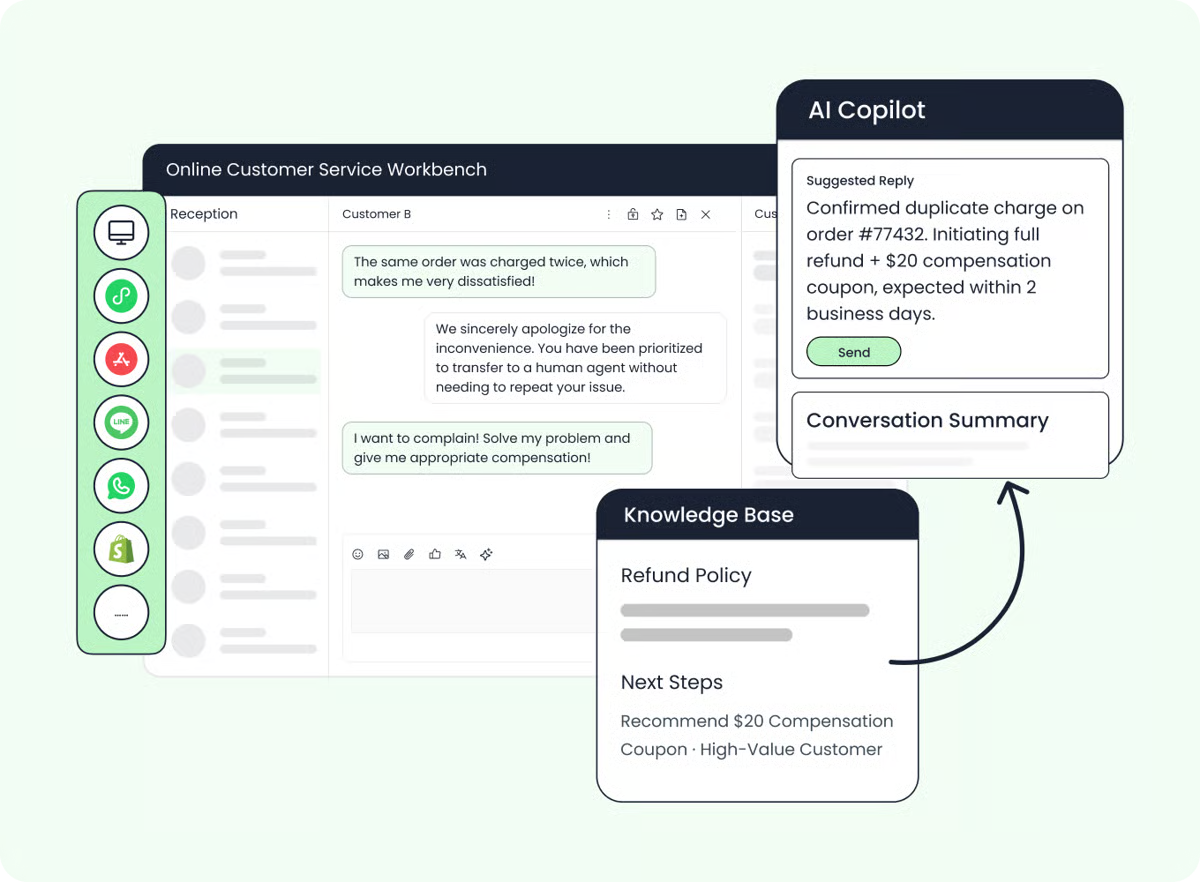
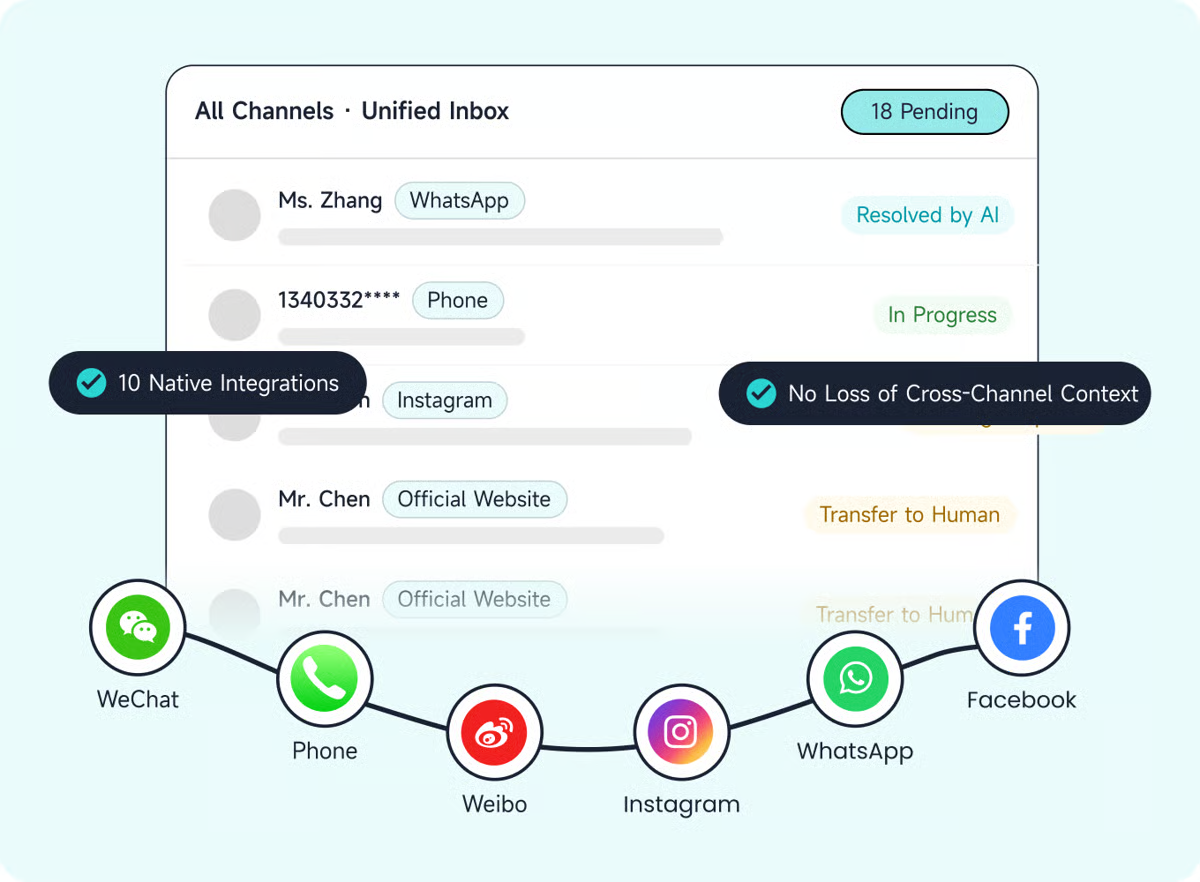
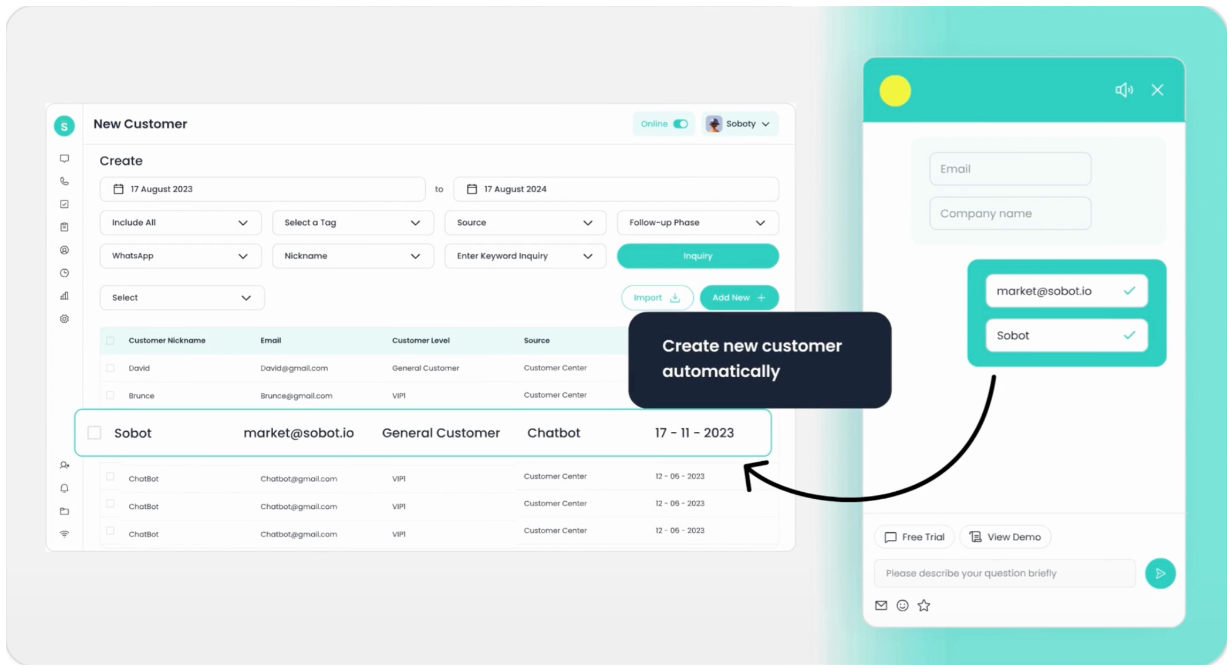
Sobot is the Agentic Customer Contact Platform for service teams with several customer entry points, including those operating in Singapore and Southeast Asia. Its Messaging AI Agents cover WhatsApp, Facebook Messenger, Instagram, LINE, website and app chat, email, and marketplace messages; the wider omnichannel platform also brings voice, tickets, and human service into the customer-contact operation. For a retailer, that means the selection question can cover both a social message and the order or after-sales work behind it. Among the top AI chatbots for customer service, the useful test here is whether order context, permitted actions, and escalation history follow that conversation. Sobot’s retail and ecommerce solution describes Shopify and marketplace touchpoints, but each production connector and AI action still needs to be checked for your setup.
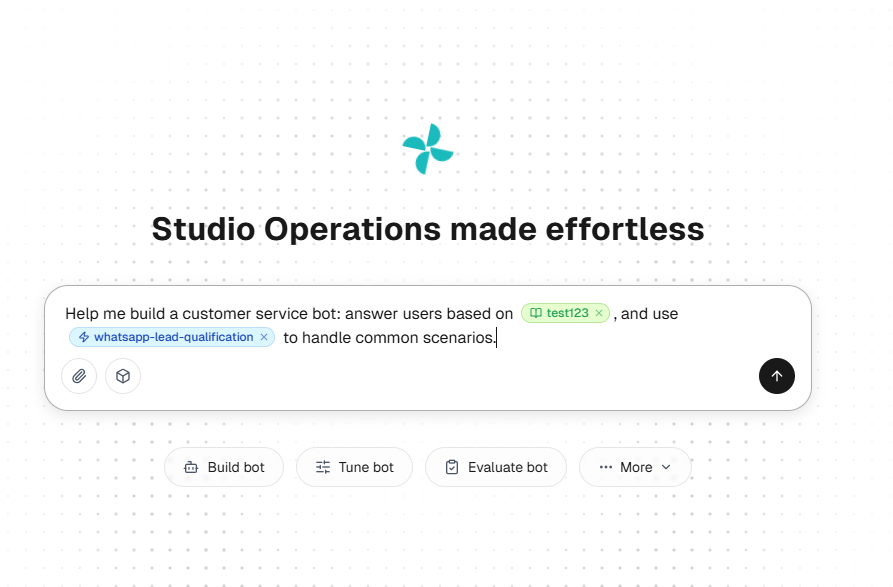
Sobot AI Agents use approved knowledge alongside Skills, Workflows, Tools, Memory, and Variables. Where connected systems and permissions allow it, an Agent can move beyond an answer into an order lookup, ticket step, or other permitted task. The Evaluation Center and AI Studio help teams review results and improve workflows. Nexus carries channels and context; Sobot Experts can help deploy and tune within the purchased service scope.
The distinctive question is not “Can it talk on WhatsApp?” Can you see whether a permitted ecommerce action was completed? Can a person take over with the customer’s conversation and order context rather than ask them to start again? Can a failed case become a test for the next version? This is why Sobot is worth testing among the top AI chatbots for customer service. You should still confirm the connector, action, channel, and service package for your own use case.
Specs:
Channels: Messaging AI Agents cover connected WhatsApp, social, web/app, email, and marketplace conversations; the wider platform includes voice, tickets, and human service. Confirm each Agent/channel pairing.
Languages: Multilingual service is supported, but a current Agent-specific matrix is not public for every module; test your needed languages.
Integrations: Tools and workflows can call connected systems under configured permissions and rules. Verify your Shopify or marketplace order source and the exact read/write action you need.
Platform depth: Agents, Nexus, Experts, AI Studio, Evaluation Center, and contextual handoff.
Deployment: Agent-building tools are available; connected actions and expert services depend on scope.
Pricing:
Entry: The Sobot AI Agents page lists Team at $39, Professional at $149, and Enterprise at $499 per month, plus a 15-day trial.
Check: Those are Agents edition prices, not a full contact-center quote. Confirm usage allowances, overages, channels, seats, integrations, voice, Nexus components, and Experts.
Test it with: A WhatsApp return request tied to your ecommerce order system, followed by a policy exception that should move to a person. Ask us to show the source knowledge, permitted action, failed-action path, what the person receives, and how the miss enters an evaluation set. Bring it to a Sobot demo.
2. Fin
Category: AI agent for a help desk. G2 rating: 4.5/5 for Fin. Best for: Adding a dedicated AI layer while retaining your existing help desk, or using Fin with Intercom’s own.
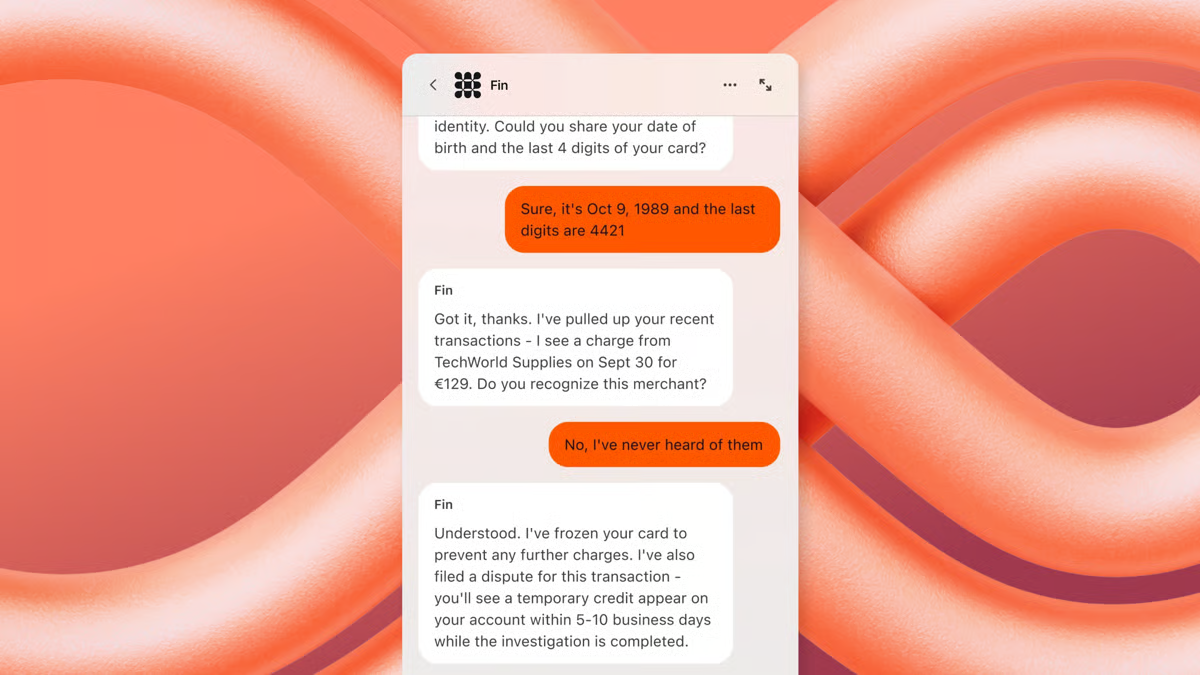
Fin answers from knowledge, uses connected data, follows Procedures, and hands cases to people. That makes it a serious option if replacing your agent workspace would create more disruption than value. G2’s Fin review summary highlights fast setup and responses but notes difficulty with some complex questions. Check whether the exact Procedure you need is available on your account; Fin’s documentation distinguishes Procedures from data-connector availability.
Specs:
Channels: Fin works across help-desk channels; verify your chosen channel and integration combination.
Languages: Multilingual support is offered; test your required language with your content.
Integrations: Intercom or selected external help desks, plus data connectors.
Platform depth: Knowledge, Procedures, analysis, and handoff; tickets depend on the chosen desk.
Deployment: Confirm access to the Procedure and connector features needed for your workflow.
Pricing:
Entry: Fin lists $0.99 per outcome and a 50-outcome monthly minimum with your current help desk; a 14-day trial is available.
Check: A billable outcome can include some Procedure handoffs, not only issues resolved without a person. Read the published definition before comparing per-resolution fees.
Test it with: An answer, a connected action, and a Procedure designed to hand off. Check what Fin counts and what your human team receives.
3. Salesforce Agentforce Service Agent
Category: CRM-native agentic AI. G2 rating: 4.3/5 for Salesforce Agentforce. Best for: Service workflows and customer records already governed in Salesforce.
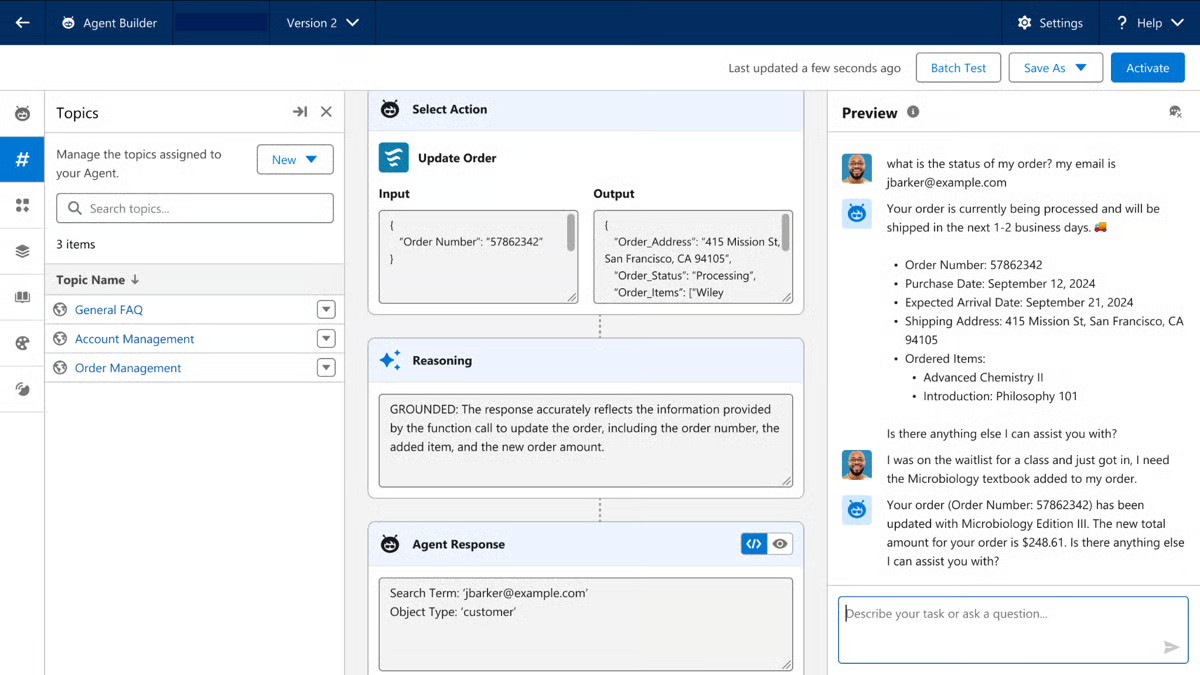
The Agentforce Service Agent can use Salesforce data and actions, with Omni-Channel Flow available for escalation. Native fit is a real advantage when the record, permission, and approved workflow live there. G2’s Agentforce review summary points to integration and productivity alongside setup and training effort. If your data is incomplete, plan for that work before promising a seamless agent.
Specs:
Channels: Service channels available through your Salesforce deployment; confirm exact Service Agent support.
Languages: Validate the languages in your edition and workflow.
Integrations: Salesforce records, Flows, and connected services, governed by permissions.
Platform depth: CRM context, actions, Omni-Channel Flow, and human service.
Deployment: Data quality, access rules, flow design, and testing need attention.
Pricing:
Entry: Salesforce lists several buying models, including $2 per conversation and Flex Credits. Foundations has a free tier.
Check: The free tier does not imply unrestricted production Service Agent usage. Price the full Salesforce workflow.
Test it with: A record missing a key field and a request it is not authorized to complete. Watch the refusal, escalation, and audit trail.
Website and commerce support
4. Tidio Lyro
Category: AI agent + live-chat platform. G2 rating: 4.6/5 for Tidio, across the wider suite. Best for: A website-first team that wants quick answers and a route to live support.
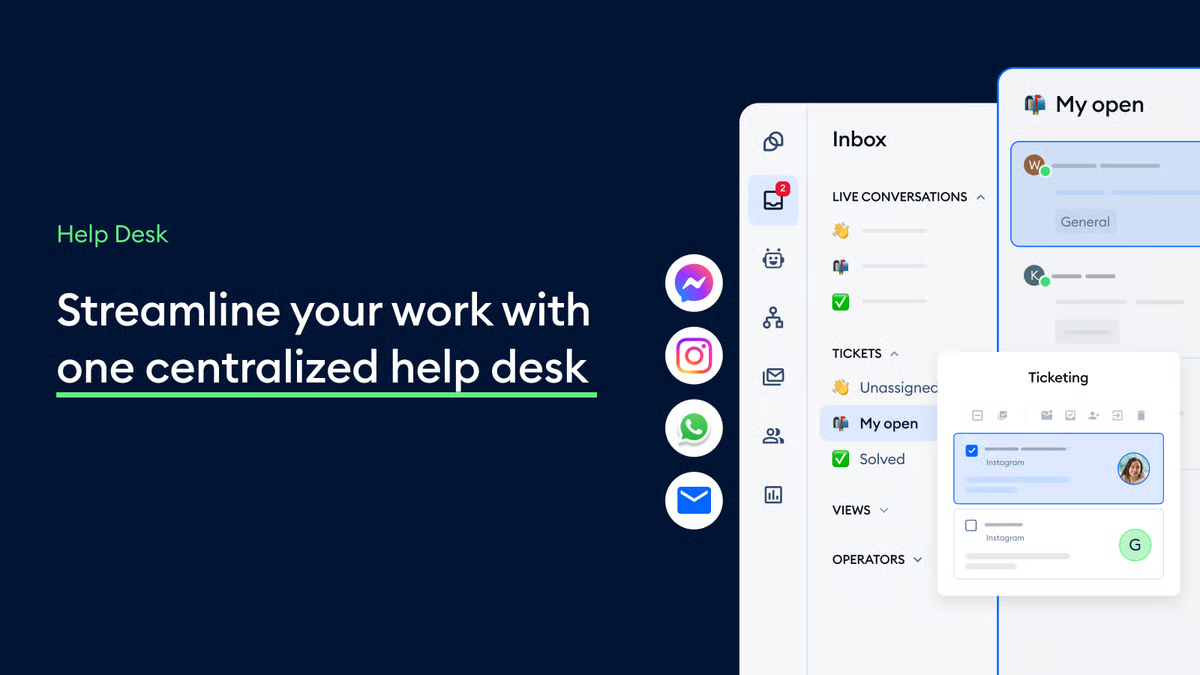
Lyro works from the support content you provide and can pass conversations to a person. Its appeal is a direct route from website visitor to AI answer to live chat. G2’s Tidio review summary highlights easy setup and a unified chat experience, while noting concerns about accuracy on complex questions. That is a reason to test your harder policies, not a prediction about your own results.
Specs:
Channels: Website chat is the natural starting point; the wider suite includes messaging and email. Confirm which channels Lyro supports in your plan.
Languages: Multilingual support is offered; verify your required languages and channels together.
Integrations: Website and support-system connections, with optional Smart Actions for connected tasks.
Platform depth: AI answers, live chat, and human takeover in one workspace.
Deployment: Self-serve setup is available; the quality of source content matters.
Pricing:
Entry: Starter from $24.17 per month on annual billing; the platform also has a free plan and seven-day trial.
Check: Lyro conversation allowances and connected-feature limits for the plan you intend to buy.
Test it with: One correct policy page, one outdated page, and one unsupported request. Does it stop guessing and hand the full question to a person?
5. Gorgias AI Agent
Category: Commerce help desk + AI agent. G2 rating: 4.6/5 for Gorgias, across the platform. Best for: A Shopify merchant with a high share of order and post-purchase questions.
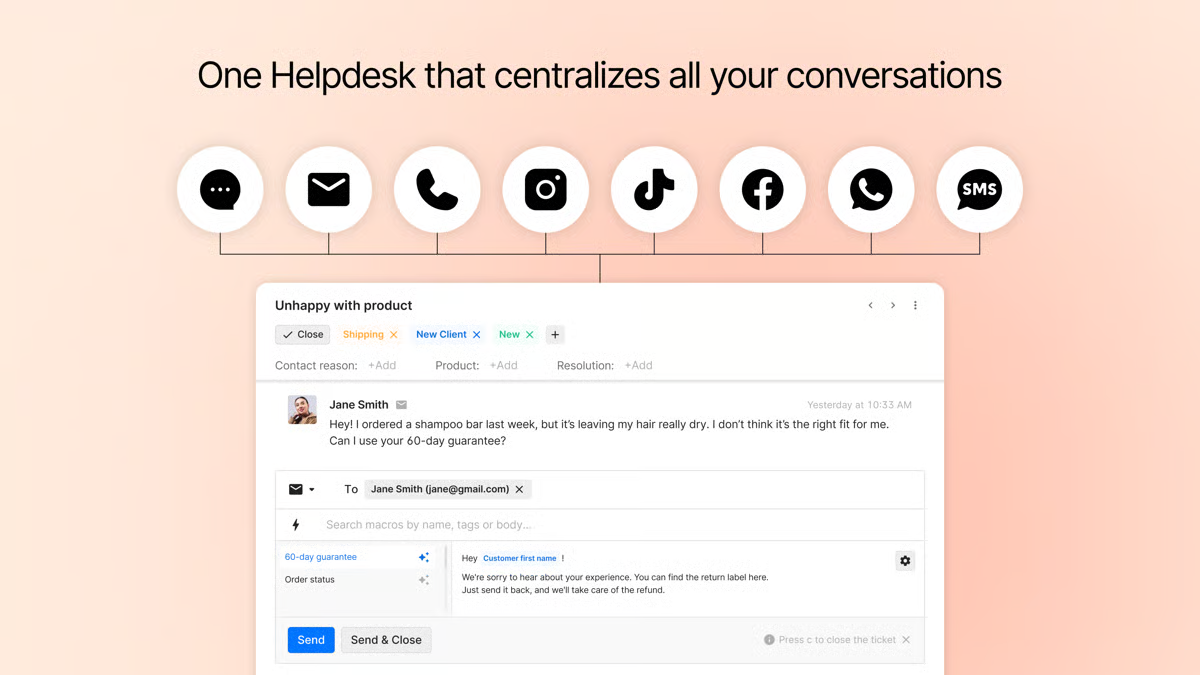
The Gorgias AI Agent uses store knowledge and context to answer and act. Its action guide describes conditions and customer confirmation for changes such as an order cancellation or address update. G2’s review summary emphasizes Shopify integration and a shared support view, with cost as a concern as volume grows. Its focus is less useful if your most important work lives outside commerce systems.
Specs:
Channels: Gorgias describes AI Agent on email, chat, and SMS; confirm your contracted channels.
Languages: Multi-language support is advertised; verify your languages and policy content.
Integrations: Shopify is central, with connected apps for additional actions.
Platform depth: Order context, tickets, action conditions, and human takeover.
Deployment: AI Agent requires a connected Shopify store; configure permissions for each action.
Pricing:
Entry: Gorgias lists a $10 Starter help-desk plan and a seven-day trial.
Check: AI Agent is charged by resolved interaction, with allowances and overages. Model both help-desk and AI lines.
Test it with: Order tracking followed by an address change after fulfillment begins. A useful agent should respect the cutoff, not merely sound confident.
All-in-one help desks and CRM-led service
6. HubSpot Breeze Customer Agent
Category: CRM-native service AI. G2 rating: 4.4/5 for HubSpot Service Hub, not Breeze alone. Best for: Teams already running service conversations from HubSpot records.
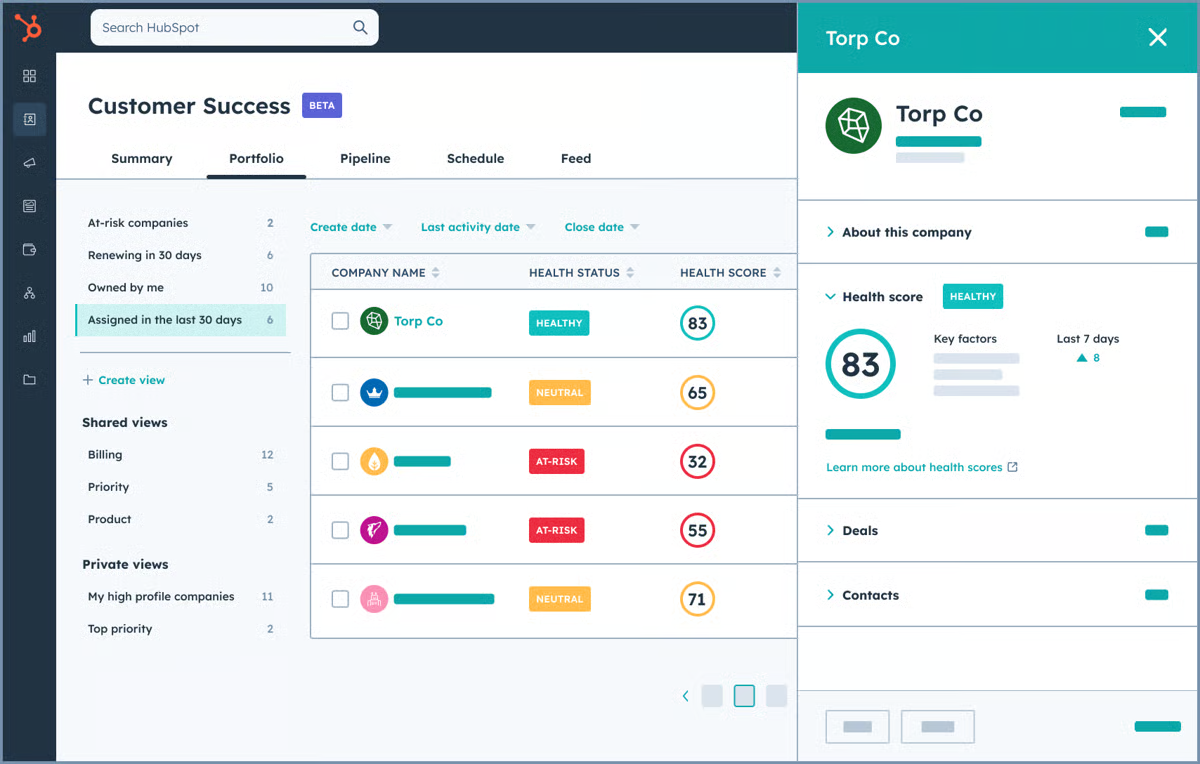
Breeze Customer Agent answers from approved content and can escalate to a human. Its practical advantage is context: support work can sit alongside the customer record. G2’s Service Hub review summary praises the unified workspace and ease of use, while flagging that advanced features can increase cost. If you only need a standalone website bot, that wider CRM commitment may be more than you need.
Specs:
Channels: Customer-facing channels enabled by your HubSpot service edition; verify each channel planned for AI.
Languages: Confirm language and content coverage for your deployment.
Integrations: Native CRM context and the HubSpot ecosystem.
Platform depth: Approved knowledge, service records, automation, and human follow-up.
Deployment: Customer Agent access and HubSpot Credits depend on subscription eligibility.
Pricing:
Entry: Service Hub Professional begins at $100 per service seat per month. Free and Starter Service Hub options exist, but should not be read as full Customer Agent access.
Check: A 14-day Customer Agent trial requires an eligible Professional or Enterprise seat. Confirm credit consumption before projecting total cost.
Test it with: One answerable knowledge question, then one needing a specific customer fact. Can the person taking over see the record and the AI’s prior steps?
7. Zendesk AI agents
Category: AI-enabled help desk. G2 rating: 4.3/5 for Zendesk for Customer Service, across the suite. Best for: Teams already managing tickets, queues, and knowledge in Zendesk.
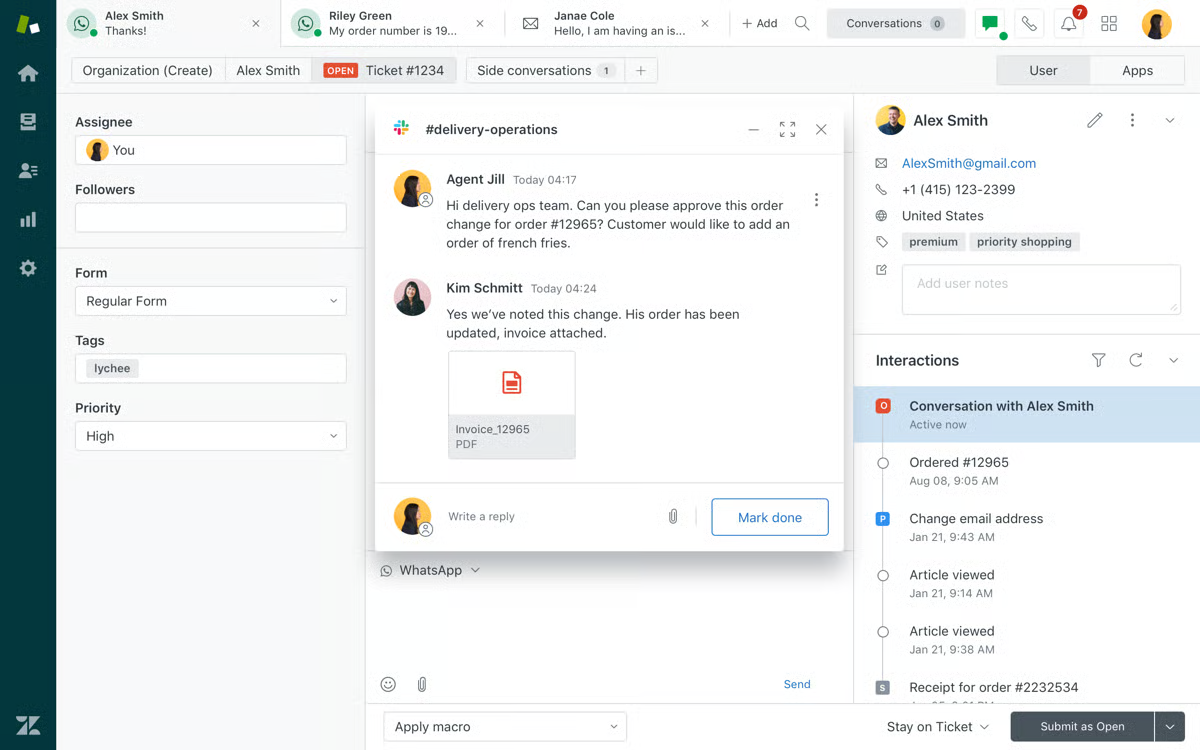
Zendesk AI agents work across messaging, email, and voice, use knowledge, and can perform authorized actions. The value is operational continuity: AI can enter an established routing and ticket system. G2’s review summary notes centralized ticket work and automation, but also setup complexity. A mature Zendesk team may accept that trade-off; a new team should budget for it.
Specs:
Channels: Messaging, email, and voice appear in current AI-agent documentation; plan access varies.
Languages: Confirm coverage for the chosen AI Agent product and channel.
Integrations: Connected-system actions and marketplace apps, subject to authorization.
Platform depth: Ticketing, routing, knowledge, human workspace, and reporting.
Deployment: Check which current AI-agent generation and action features your plan supports.
Pricing:
Entry: Suite Team starts at $55 per agent per month on annual billing and includes AI Agents. The $19 Support Team entry is a ticketing plan, not the relevant AI-agent starting point.
Check: Automated-resolution allowances, advanced AI capabilities, and any extra charges.
Test it with: Follow an AI conversation into a live ticket. Does the person see the customer’s goal, what the AI tried, and why it escalated?
8. Freshdesk Freddy AI Agent
Category: Help desk + AI agent. G2 rating: 4.4/5 for Freshdesk, across the suite. Best for: A growing support team that wants AI inside its ticket operation.
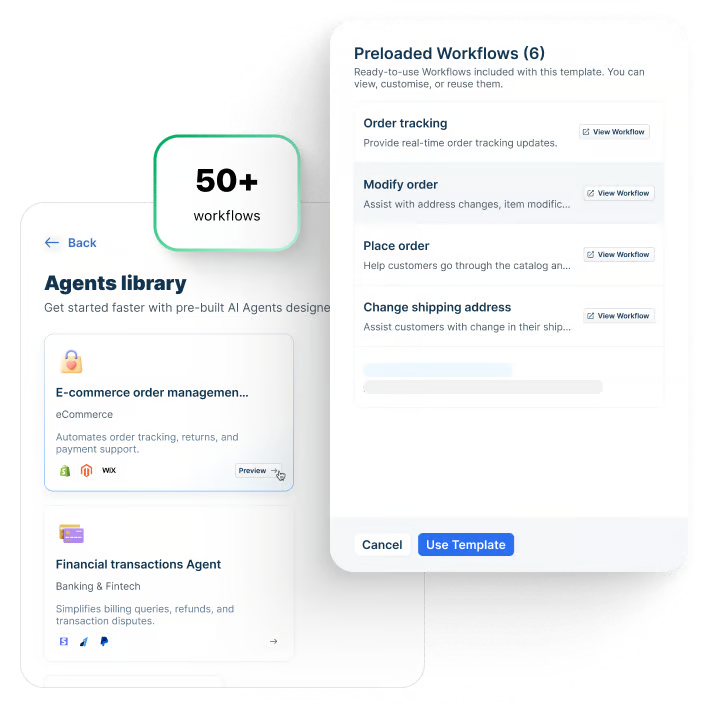
Freddy AI Agent uses knowledge and workflows in Freshworks’ service stack. Do not confuse the customer-facing agent with Freddy AI Copilot, which assists people. G2’s Freshdesk review summary emphasizes easy ticket management and shared visibility while also noting cost concerns around advanced features. Your case mix will show whether the sessions are worthwhile.
Specs:
Channels: Freshworks distinguishes Email AI Agent from Chat AI Agent; verify the product edition for both.
Languages: Test the AI Agent in your required languages; multilingual help-desk access varies by plan.
Integrations: Freshworks service products and connector tasks for external systems.
Platform depth: Tickets, knowledge, workflows, human work, and AI sessions.
Deployment: AI Agent Studio supports setup, with separate chat and email configurations.
Pricing:
Entry: Freshdesk Growth starts at $19 per agent per month on annual billing and currently includes 500 Freddy AI Agent sessions.
Check: Additional session fees and whether your channels draw on the same allowance.
Test it with: Run the same issue through email and chat if both matter. Compare the resolution record and the handoff, not just the reply.
What good support bots can improve
The obvious gain is availability: customers can get a useful answer or start a task while your team is busy. Honestly, the more valuable gain is capacity—but only if the system resolves the right issues or gives a human enough context to finish them quickly. A study of AI assistance for more than 5,000 support agents found a 15% average productivity increase, measured in issues resolved per hour, in the operation studied. That study examined help for human agents, not the autonomous resolution rate of any chatbot on this list. Even the top AI chatbots for customer service need their own outcome measurement; this is not a number to paste into a vendor ROI forecast.
Where chatbots hit a wall
There are limits. Knowledge gets stale. A customer may ask for an action that requires identity checks, a policy exception, or a system you have not connected. A fluent answer can still be wrong. This is why a customer service chatbot with human handoff is a practical requirement, not a consolation prize. A clean transfer should include the customer’s goal, relevant history, attempted steps, and the reason the AI stopped.
What to look for before you choose
When you compare the top AI chatbots for customer service, try asking five questions that a feature grid cannot answer on its own:
What counts as done? Define a correct answer, a completed transaction, a customer-confirmed outcome, a repeat contact, and an appropriate human transfer separately. “Deflected” does not necessarily mean “resolved.”
What can the AI actually reach and change? Check knowledge freshness, customer identity, system connections, read versus write permissions, business rules, and the route for approvals. An AI chatbot with workflow automation is only as useful as the actions you can safely authorize.
What happens when something breaks? Ask to see a failed API call, a missing record, an angry customer, and a request outside policy. The fallback should be visible and useful to both the customer and your team.
Who improves it next month? Look for case review, evaluation sets, versioned changes, and an owner for knowledge and workflows. A 2026 Nubank study of production support agents describes how offline evaluation, human iteration, and online tests can work together. Its results belong to Nubank’s deployments, not to every product on this list.
What are you really paying for? Put seats, AI usage, channel charges, connected systems, services, and overages against the same expected volume. Check the latest rate card and order form for each finalist; old comparison tables can lag behind product changes.
How to run an AI chatbot evaluation for customer service
To choose among the top AI chatbots for customer service, you do not need a month of demos to get a useful signal. You do need the same cases and acceptance rules for every finalist.
Pick three anonymized conversations: one common knowledge question, one permitted system action, and one exception that should reach a person.
Write the pass condition before the demo: correct policy, correct record, authorized action, clear customer confirmation, and a complete handoff. Include a failure condition for unsupported claims or unauthorized changes.
Run each case on your actual channel and workflow: the same question can behave differently on web chat, email, voice, or a messaging app. Check the specific combination you plan to buy.
Inspect the trace with your team: what source informed the answer, which system was called, what the AI knew, and what the next human saw. Do not accept a polished final reply as proof that the task was completed.
Review the misses and repeat: a useful platform lets your team correct knowledge, change a rule, and retest. Record both the improvement and the time it took to make it.
That is the difference between a persuasive demo and an operating decision. You are not buying the longest feature list. You are buying a way to do the right work, know when to stop, and learn from what went wrong.
The verdict: choose the job before the chatbot
The top AI chatbots for customer service cover several very different operating models. Tidio and Gorgias make sense when the work starts in a website or store. HubSpot, Freshdesk, and Zendesk are natural candidates when support is already organized in their systems. Fin deserves a look when you want a dedicated AI layer on a help desk. Salesforce Agentforce fits service that is deeply governed in Salesforce.
If your challenge is broader customer-contact work—especially WhatsApp and social messaging alongside ecommerce, voice, and tickets—put Sobot on the shortlist for permitted task execution, evaluation and tuning, and a contextual path to human service. That combination is particularly relevant to omnichannel teams in Singapore and Southeast Asia; for a regional comparison, see our Singapore chatbot guide. Bring two or three anonymized cases, your channel requirements, and your action boundaries to a Sobot demo. We can show the workflow you would need to validate, including what remains dependent on your systems, permissions, and service scope.
FAQs
What is the best AI chatbot for customer service?
The best AI chatbot for customer service is the one that completes your approved tasks with acceptable accuracy, handles exceptions responsibly, and fits the systems your team already operates. If you are comparing the top AI chatbots for customer service, a website FAQ, a Shopify return, and a regulated account change should not produce the same shortlist.
Does an AI agent replace a help desk?
Sometimes an AI agent can work with the help desk you already have; other products are part of a broader service platform. Map where tickets, customer identity, routing, human work, and reporting will live before deciding whether to add, integrate, or replace anything.
How should I test the top AI chatbots for customer service?
Use the same three real, anonymized cases for each finalist: a knowledge question, an authorized action, and an exception that should reach a person. Compare correct completion, failure handling, and the information passed to your team on the product edition and channels you plan to buy.
Is a high automation rate enough to pick a vendor?
No. Ask how “automated resolution” is defined, what happens when a customer returns, and whether human transfers are counted separately. Then test a sample of correct completions, failures, and handoffs against your own policies. A fast but unauthorized action is not a win.