Customer service teams are entering an awkward phase of AI adoption: investment is accelerating much faster than the service budget itself. Gartner reported in August 2026 that AI spending among customer service leaders had increased 38%, while overall service and support budgets grew just 2%.
That turns AI agent selection into a business-value question rather than a feature-shopping exercise. A tool may answer accurately but fail when it needs to update an order, authenticate a customer, move between messaging channels, or escalate an exception under the right policy.
For a global ecommerce team, that may mean checking an order, changing an address, coordinating a return, and carrying context from WhatsApp to a human agent. For a B2B software company, the priority may be fast knowledge-grounded answers inside an existing help desk. For a large enterprise, the harder problem may be governing agents that act across CRM, IT, contact-center, and back-office workflows.
For Singapore, Southeast Asian, and broader Asia-Pacific service operations, regional fit adds another layer. Teams may need multilingual service, WhatsApp and regional messaging, digital and voice continuity, cross-border ecommerce workflows, and human handoff across countries and time zones. Treat APAC fit as an operating requirement, not a vendor label: verify module-level language coverage, channel availability, integration depth, data governance, and regional deployment support.
This guide compares 13 AI agent tools for customer service by operational fit rather than declaring one universal winner. Start with the comparison table, then examine how each option handles knowledge, action, channels, multilingual and APAC operations, human handoff, and ongoing control.
In this guide:
- What is an AI agent tool for customer service?
- Why service teams are adopting AI agents
- AI agent tools comparison
- 13 AI agent tools to evaluate
- Capabilities that matter
- How to choose
- Implementation risks
What Is an AI Agent Tool for Customer Service?
An AI agent tool for customer service is software that can interpret a customer’s goal, use approved knowledge, decide on a next step, and complete or coordinate service work. Depending on the product and configuration, that work may include retrieving an order, updating a record, creating a ticket, applying a policy, scheduling a follow-up, or transferring the case to a person.
That makes an AI agent different from a basic scripted chatbot. A chatbot may answer a predefined question or guide a user through a decision tree. An agent can potentially combine conversation context, business rules, connected tools, and multi-step workflows. The word “potentially” matters: no product should be treated as permissionless automation. Its real action boundary depends on integrations, authentication, configured permissions, data quality, and escalation design.
The most useful products generally combine five layers:
- Understanding: identifying intent, context, sentiment, and missing information.
- Knowledge: grounding responses in approved policies, product information, and account data.
- Action: invoking workflows or connected systems to complete permitted tasks.
- Handoff: transferring exceptions to the right human with enough context to continue.
- Control: evaluating conversations, tracing actions, enforcing policy, and improving performance.
Why Service Teams Are Adopting AI Agents
AI agents are attractive because they can change the unit of automation from “answer sent” to “service task completed.” That shift can create several practical benefits when the implementation is well governed.
- Faster help for repeatable requests: Customers can receive assistance without waiting for a queue when the request is within the agent’s approved scope.
- More consistent policy execution: Shared knowledge and workflow rules can reduce variation across teams, shifts, and channels.
- Less manual work for human agents: Routine lookup, summarization, classification, and record updates can be handled before a person becomes involved.
- Better continuity during escalation: A designed handoff can preserve the conversation, customer identity, attempted actions, and reason for transfer.
- More scalable operations: Teams can absorb changes in volume without treating every additional interaction as a matching headcount requirement.
- A measurable improvement loop: Evaluation, conversation review, issue clustering, and workflow diagnostics can turn failures into specific updates.
These benefits are not automatic. A tool connected to incomplete knowledge or poorly controlled actions can simply produce mistakes faster. Shortlist products based on the work they can safely finish, then validate that work with your own policies, data, integrations, and edge cases.
AI Agent Tools for Customer Service Compared
The table below is a fit guide, not a performance ranking. Product packaging and regional availability can change, so confirm the required channels, connectors, controls, and commercial terms directly with each vendor.
| AI agent tool | Best fit | Primary operating pattern | Verify before buying |
|---|---|---|---|
| Sobot AI Agents | Singapore, Southeast Asian, and broader APAC service teams that need multilingual customer contact across WhatsApp, digital service, voice, ticketing, and human handoff | Agentic task execution within one omnichannel customer-contact operating environment | Module-level languages, exact connectors, channel and regional availability, permissions, and deployment scope |
| Zendesk AI agents | Teams centered on a service platform that want cross-channel resolution and built-in quality controls | Knowledge, procedures, system actions, and QA around service conversations | Migration or coexistence plan, action coverage, and outcome-based packaging |
| Intercom Fin | Digital-first teams prioritizing conversational service, sales, and ecommerce journeys | Customer-facing agent grounded in support content and customer context | Fit for complex back-office actions, non-digital channels, and current help-desk architecture |
| Salesforce Agentforce | Organizations where customer operations and data already live in Salesforce | CRM-native reasoning and actions across service and related workflows | Data readiness, Salesforce architecture, implementation ownership, and consumption model |
| ServiceNow AI agents and Virtual Agent | Enterprises automating service-management and cross-department workflows | AI, data, and workflow execution on the ServiceNow platform | Customer-facing CX depth, implementation effort, and required ServiceNow products |
| Freshworks Freddy AI | Teams seeking no-code service automation, agent assistance, and operational insights | AI Agents, Copilot, and Insights within Freshworks service products | Depth of custom workflows, app coverage, governance, and scale requirements |
| Microsoft Dynamics 365 Customer Service | Microsoft-centric organizations combining CRM service, Copilot, automation, and contact-center functions | Service agents, case management, Power Platform workflows, and representative assistance | Product boundaries, licensing, data model, and contact-center configuration |
| Genesys Cloud virtual agents | Contact centers where voice, digital routing, and journey orchestration are central | Virtual agents inside an enterprise contact-center platform | Bot design resources, orchestration complexity, integrations, and operational staffing |
| Ada | Enterprises deploying customer-facing automation across messaging, email, and voice | AI-native CX agent with playbooks, integrations, testing, and optimization | Action depth by system, governance needs, and fit with the existing support stack |
| LivePerson Conversational Cloud | Brands focused on voice and messaging conversations across the customer lifecycle | Conversational AI, automation, and human-agent engagement | Back-office workflow coverage, channel mix, analytics requirements, and implementation model |
| IBM watsonx Orchestrate | Enterprises that need to build, coordinate, and govern agents across systems | Open, hybrid agent orchestration and control plane | Customer-service application design, implementation partners, and required front-end channels |
| NiCE Cognigy | Large contact centers building sophisticated voice and digital AI agents | Agent studio, voice connectivity, orchestration, evaluation, and agent assistance | Technical resources, integration scope, governance, and deployment complexity |
| Tidio Lyro | Smaller and mid-sized digital businesses wanting fast knowledge-based service automation | AI agent layered into an existing digital support stack | Complex action support, enterprise controls, reporting depth, and channel requirements |
13 AI Agent Tools for Customer Service
1. Sobot Agents
- Best for: Singapore and Southeast Asian service teams that need multilingual, agentic customer contact across WhatsApp, digital service, voice, ticketing, and context-rich human handoff.
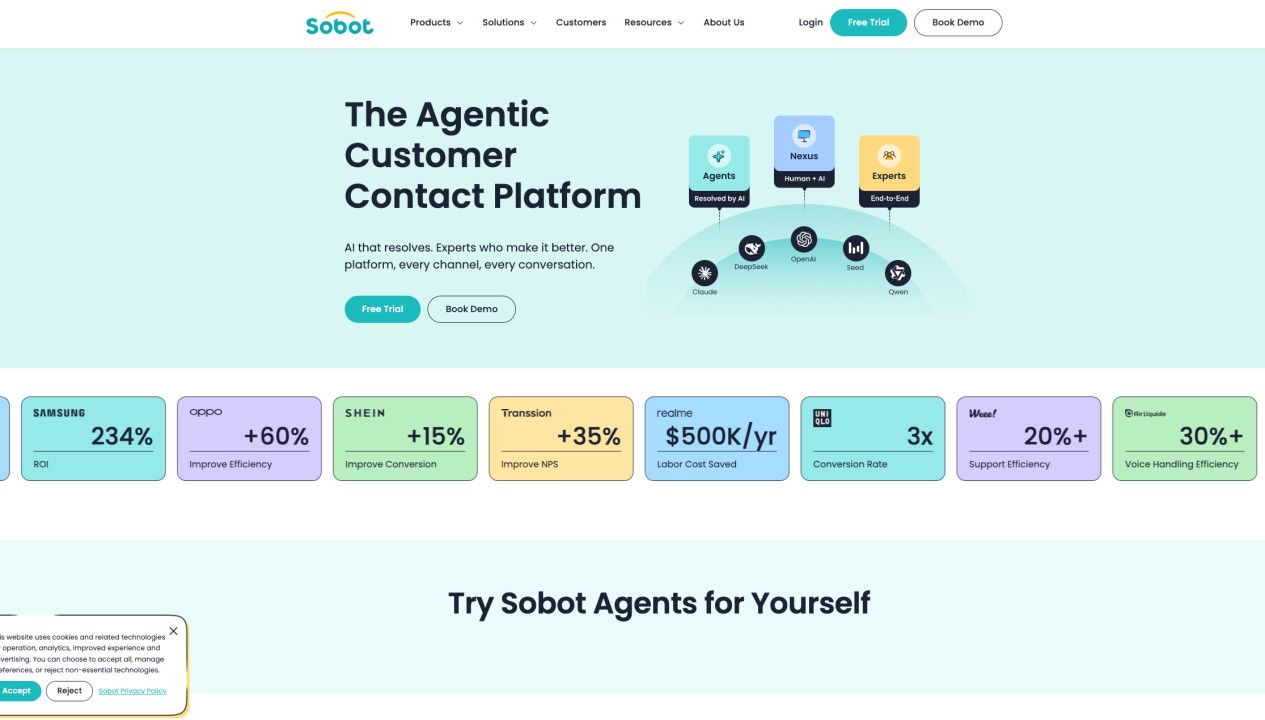
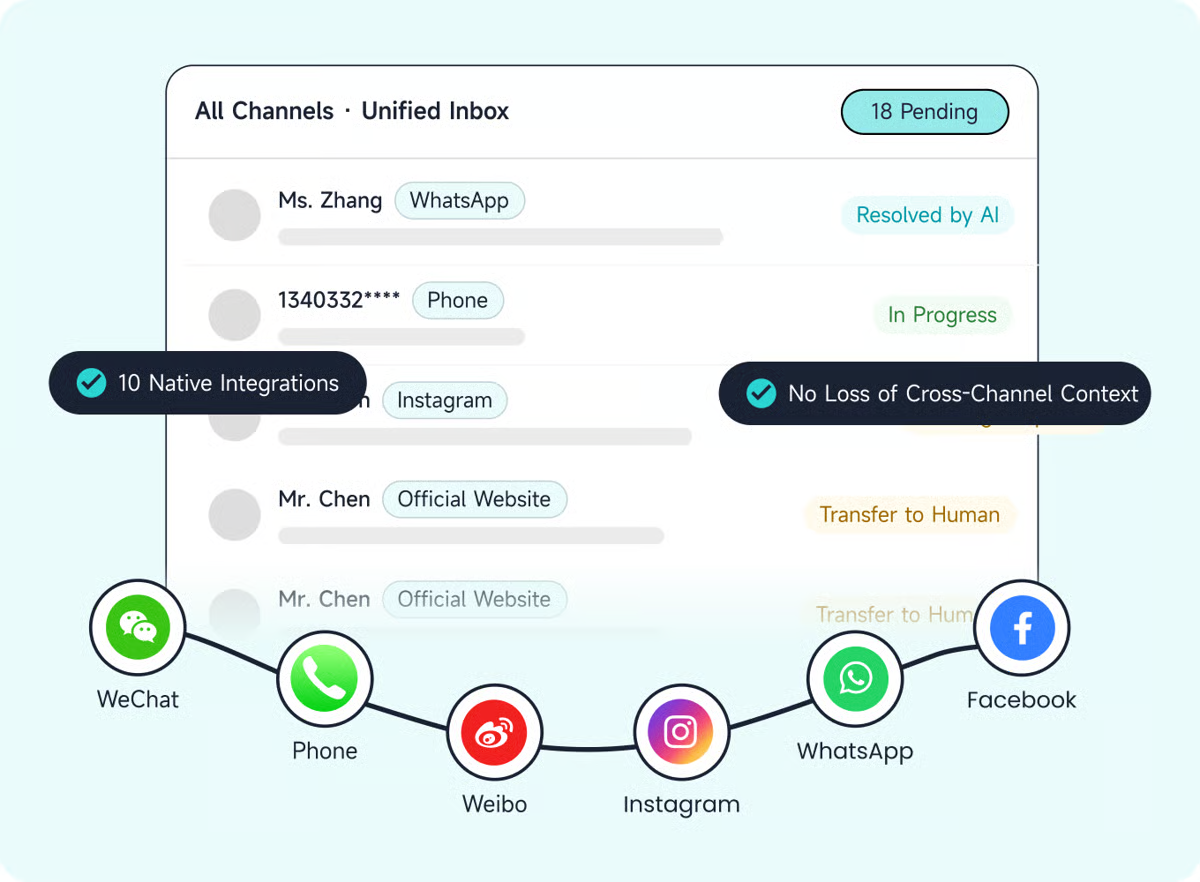
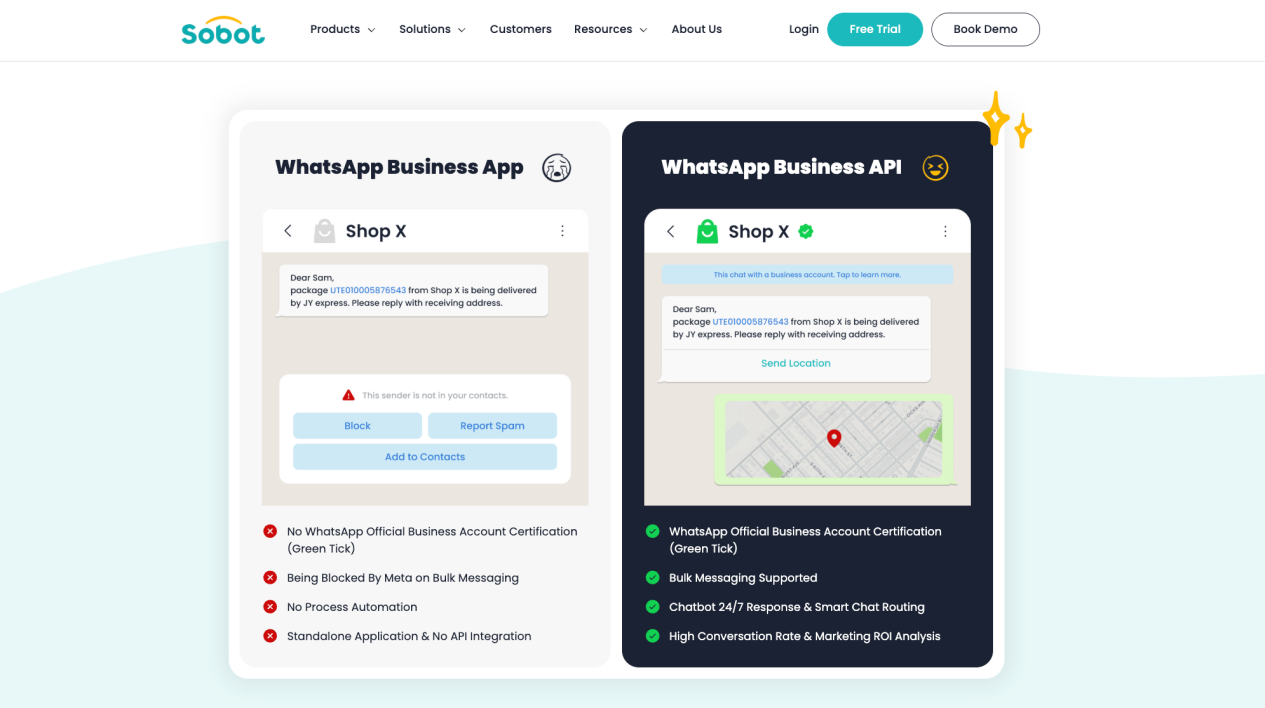
Sobot Agents is part of Sobot’s Agentic Customer Contact Platform for Singapore and Southeast Asian service teams. It unifies AI Agents, WhatsApp, digital service, voice, ticketing, and context-rich human handoff in one omnichannel operating environment. Its operating model brings together Agents, Nexus, and Experts: Agents handle approved interactions and workflows; Nexus connects channels, data, context, routing, and contact-center infrastructure; and Experts support deployment, operation, and optimization.
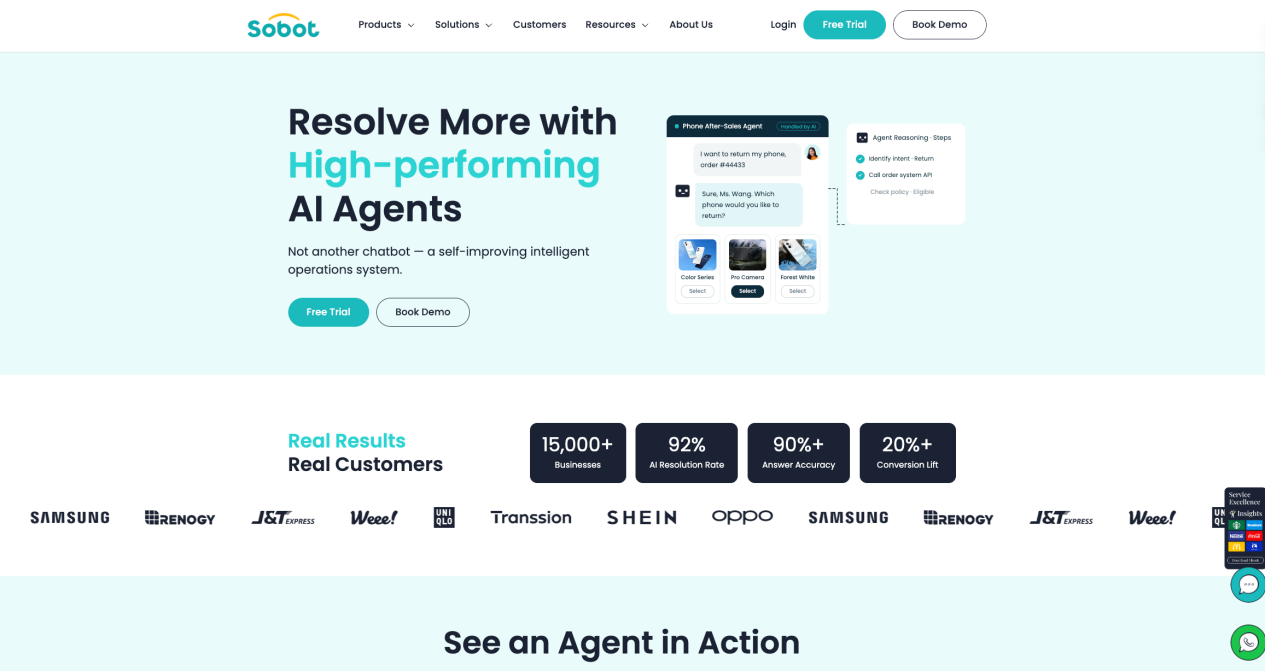
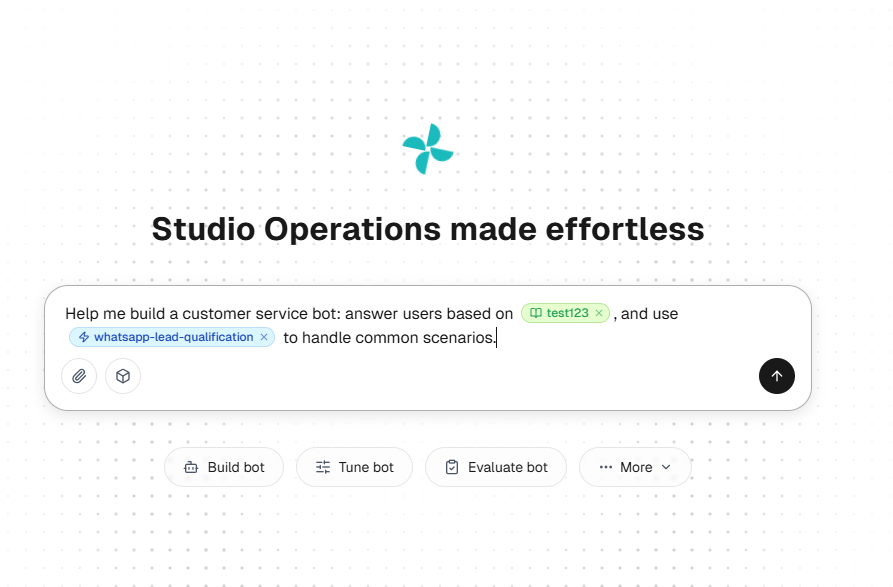
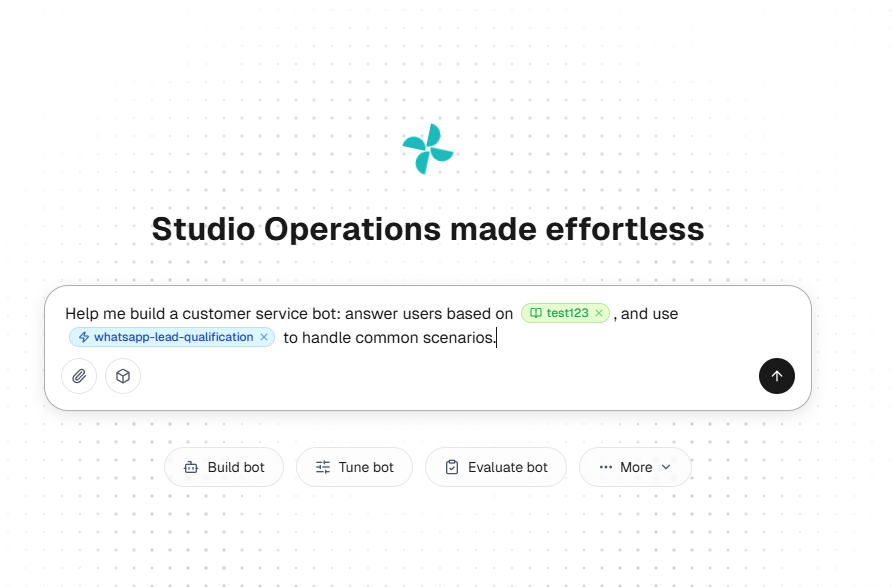
For agent building, Sobot provides a natural-language builder and a reusable Resource Center for Knowledge, Skills, Workflows, Tools, Memory, and Variables. Its technical approach combines retrieval-augmented generation for grounded answers with a reason-act-observe-adapt loop for controlled multi-step work. The platform also includes evaluation, diagnosis, tuning, observation, and natural-language operational analysis.
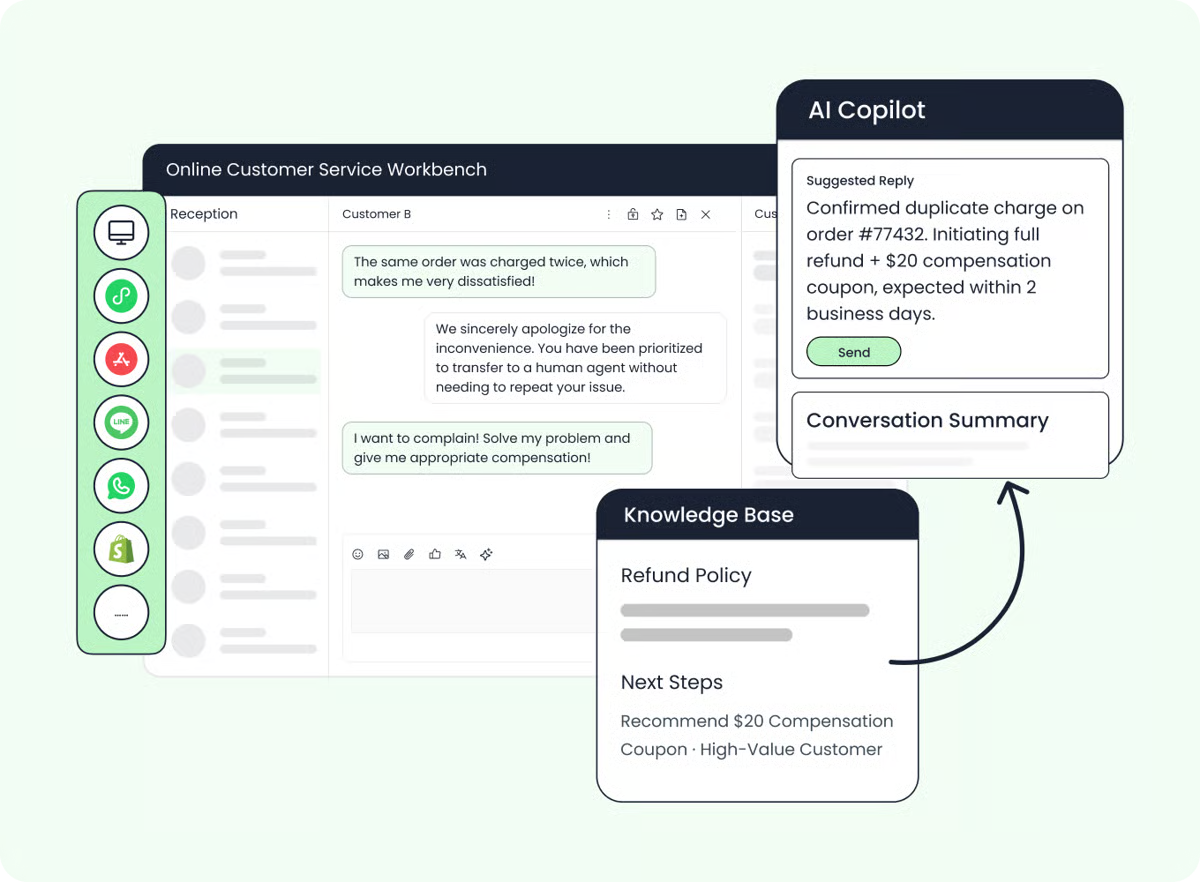
This combination positions Sobot differently from a single-channel chatbot or a help-desk-only AI add-on. It is particularly relevant when Singapore, Southeast Asian, and broader APAC teams need agents to use enterprise knowledge, execute permitted workflows, move across WhatsApp, digital conversations, voice, and tickets, and hand exceptions to people without discarding the available context. Headquartered in Singapore, Sobot states that its broader product suite supports 23+ languages, but buyers should verify the exact language coverage of Agents, Chatbot, Voice, translation, and other modules rather than assume every component shares the same matrix.
Buyers should also verify the exact regional channel availability, production connectors, permissions, data governance, deployment scope, and contract-level support for every planned workflow. Those checks matter most when a multilingual APAC operation must coordinate cross-border ecommerce, after-sales, logistics, or other service processes across countries and time zones.
2. Zendesk AI Agents
Best for: Service teams that want AI resolution tightly connected to a mature help-desk environment.
Zendesk AI agents are designed to work across messaging, email, voice, and other service environments. Zendesk emphasizes connected knowledge, policy-aware procedures, actions across business systems, and built-in quality assurance. Its agents can ask clarifying questions and work through multi-intent requests rather than relying only on fixed scripts.
This makes Zendesk a logical shortlist option for organizations already using Zendesk for tickets, knowledge, routing, analytics, or agent operations. Its quality and policy controls may also appeal to teams that want automation and review in the same service platform.
The buying question is whether your required end-to-end actions are supported in your actual stack. Map each priority workflow—from identity checks to refunds or account changes—and confirm the procedure, connector, exception, and human handoff path. Teams running another help desk should also compare coexistence with migration before treating the AI layer as a standalone purchase.
3. Intercom Fin
Best for: Digital-first businesses that want a customer-facing agent across service, sales, and ecommerce conversations.
Fin has evolved beyond a conventional FAQ bot into a customer-facing agent positioned across service, inbound sales, and ecommerce. It combines customer context and business knowledge with conversational handling, making it particularly relevant for software, online services, and digital commerce teams where most support begins in messaging.
Fin may fit teams that value quick knowledge deployment, a polished conversational experience, and continuity between automated support and human help. It is also worth evaluating when support content is already well maintained and the organization wants one customer agent across more of the lifecycle.
Its real performance will depend on the quality of the connected content and the depth of the required actions. Buyers should test layered questions, policy exceptions, account-specific requests, back-office updates, and escalation—not only common FAQs. Also confirm how Fin fits with the existing help desk if the broader Intercom platform is not your system of record.
4. Salesforce Agentforce
Best for: Organizations that want AI agents to act within Salesforce data and workflows.
Salesforce Agentforce is an AI agent platform built around data, reasoning, and actions. Customer-service examples include resolving cases, managing orders, troubleshooting issues, routing calls, retrieving customer history, and escalating to specialists. Its value proposition extends beyond service into sales, field service, employee service, and IT workflows.
Agentforce is therefore most compelling when Salesforce already holds the customer records, service cases, commerce context, automation, and governance model needed by the agent. In that environment, the difference between answering a question and completing a task can be reduced because the action layer sits close to the CRM.
That same breadth can increase design and implementation demands. Before choosing it, identify which objects, flows, permissions, and external systems each service use case requires. Confirm how human approval works for sensitive actions and who will own prompts, topics, data quality, testing, and ongoing optimization.
5. ServiceNow AI Agents and Virtual Agent
Best for: Enterprises connecting customer or employee service to structured cross-department workflows.
ServiceNow Virtual Agent sits within a broader platform that combines AI, data, and workflows. ServiceNow’s strength is process orchestration: it can connect conversational requests to service management, enterprise records, approvals, and operational workflows. The platform also includes AI agents, process monitoring, governance capabilities, and tools for modernizing manual work.
This is a natural fit for organizations where a service request often becomes an IT, HR, operations, or back-office process. It may also be attractive when ServiceNow is already the workflow system through which cases and approvals move.
Customer-facing teams should distinguish platform workflow depth from the complete CX they want to deliver. Validate the required external channels, identity model, knowledge experience, case routing, human-agent workspace, and contact-center integration. ServiceNow can be powerful, but the business case is strongest when its workflow foundation is already strategic rather than when the goal is simply to launch a lightweight web assistant.
6. Freshworks Freddy AI
Best for: Teams seeking accessible service automation plus help for human agents and support leaders.
Freddy AI combines three working layers: AI Agents for automated resolution, Copilot for agent assistance, and Insights for operational analysis. Freshworks highlights no-code setup, prebuilt agentic workflows, record updates, refund processing, subscription changes, and app connections for common digital-business workflows.
That combination makes Freddy worth evaluating for teams that want to automate customer requests without separating self-service, human-agent productivity, and reporting into unrelated tools. It can be especially practical when Freshdesk or another Freshworks product already anchors support operations.
During evaluation, move beyond the fastest demo workflow. Test custom policies, multi-system actions, approval gates, handoff context, and reporting for failures. Confirm which ready-made connections apply to your environment and which workflows require custom development. A rapid launch is useful only if the operations team can safely maintain what goes live.
7. Microsoft Dynamics 365 Customer Service
Best for: Microsoft-centered organizations connecting service automation with CRM, Teams, and Power Platform.
Dynamics 365 Customer Service combines AI assistance, case management, routing, knowledge, digital engagement, voice options, and operational analytics. Microsoft also provides service agents for parts of the case and knowledge lifecycle, while Copilot Studio supports custom agents and Power Automate extends workflows across connected applications.
This option can fit companies whose customer data, collaboration, identity, and business processes are already aligned with the Microsoft ecosystem. Service representatives can work with Copilot, collaborate in Teams, and use CRM context while automation handles eligible tasks.
The product family is broad, so buyers should diagram the exact architecture rather than evaluate “Microsoft AI” as a single item. Confirm which capabilities sit in Dynamics 365 Customer Service, Dynamics 365 Contact Center, Copilot Studio, Power Platform, or another license. Then test routing, channel continuity, data access, custom actions, and governance as one end-to-end service journey.
8. Genesys Cloud Virtual Agents
Best for: Enterprise contact centers where voice, routing, and cross-channel orchestration are central.
Genesys Cloud virtual agents are part of a contact-center platform designed around customer journeys, digital and voice interactions, routing, analytics, and workforce operations. This makes Genesys particularly relevant when an AI agent must participate in a broader contact-center flow rather than operate as an isolated chat experience.
The platform can suit large organizations that need virtual and human agents to work across queues, channels, and complex customer journeys. It also offers developer resources, APIs, integrations, and professional services for enterprise implementations.
The tradeoff is that contact-center depth can require more operational design. Evaluate how the virtual agent identifies a customer, uses knowledge, invokes backend actions, changes channels, routes to people, and appears in supervisor reporting. Confirm the skills needed to build and maintain flows so the platform’s orchestration power does not become an administrative bottleneck.
9. Ada
Best for: Enterprises building a customer-facing AI agent across messaging, email, and voice.
Ada is an agentic customer experience platform with products for messaging, email, and voice. Its platform includes playbooks for complex procedures, integrations for enterprise workflows, testing and optimization tools, and controls intended for large-scale customer-facing automation.
Ada is a strong shortlist candidate when the organization wants an AI-native CX layer that can sit across channels and improve through an explicit measurement and coaching process. Industry-oriented playbooks may also help teams move from broad AI ambitions to defined service procedures.
As with any agent platform, the most important test is not the general conversation demo. Evaluate your hardest repeatable SOPs, including authentication, missing data, policy exceptions, failed tool calls, and human escalation. Confirm how identity and context persist across channels and where the platform relies on existing help-desk or contact-center systems to finish the journey.
10. LivePerson Conversational Cloud
Best for: Consumer brands prioritizing conversational engagement across messaging and voice.
LivePerson Conversational Cloud brings together conversational AI, automation, voice and messaging engagement, and human-agent conversations. Its heritage in digital messaging makes it relevant for brands that want to manage high volumes of conversational service and commerce interactions across the customer lifecycle.
LivePerson may fit teams that treat messaging as a strategic service and engagement channel rather than a support widget. It is also worth considering when the operating model requires a deliberate balance of automation and live-agent participation.
Buyers should test how well the platform moves from conversation to transaction. Identify the systems needed for order, account, payment, loyalty, or booking workflows, then confirm the action, audit, and exception model for each. Also assess reporting across automated and human conversations so containment is not mistaken for a successful customer outcome.
11. IBM watsonx Orchestrate
Best for: Enterprises governing and coordinating multiple agents, tools, and workflows.
IBM watsonx Orchestrate is positioned as an agentic control plane rather than a dedicated customer-service bot. It can build, connect, operate, and govern agents across applications, tools, clouds, and on-premises environments. IBM emphasizes openness, hybrid deployment, policy control, lifecycle management, and coordination across an agent ecosystem.
This makes IBM relevant when customer service is one part of a larger enterprise-agent strategy. A service request might require several specialized agents or systems to coordinate behind the scenes, while the organization needs centralized visibility and governance.
The distinction is important: orchestration does not automatically provide the customer-facing channel, contact-center workspace, or ready-made service experience. Buyers should define the front end, case system, human handoff, knowledge layer, and implementation ownership that will surround the control plane. This option is strongest for architecture-led programs, not teams seeking the shortest route to a basic support agent.
12. NiCE Cognigy
Best for: Large contact centers building advanced voice and digital agents with extensive orchestration.
NiCE Cognigy focuses on enterprise customer-service AI across voice, chat, and messaging. Its platform includes an AI Agent Studio, voice connectivity, knowledge capabilities, evaluation, operations and orchestration, analytics, live chat, and agent assistance. It also supports integrations with major contact-center and cloud ecosystems.
Cognigy can fit organizations that need sophisticated, multilingual, or voice-heavy automation and have the technical and operational resources to design it. It is particularly relevant when a company wants an AI layer that integrates with an established contact-center environment rather than replacing every component.
The evaluation should include latency, recognition quality, interruption handling, authentication, tool failures, transfers, and supervisor visibility across both voice and digital journeys. Confirm which functions are native, which depend on the underlying contact-center platform, and how many teams will be required to operate the production design.
13. Tidio Lyro
Best for: Smaller digital businesses that want a fast, knowledge-grounded AI service layer.
Tidio Lyro is an AI customer-service agent designed to learn from company-provided content and work with an existing support stack. Tidio emphasizes fast digital deployment, brand-aligned guidance, monitoring, and flexible rules for human takeover.
Lyro can be a practical option for ecommerce, SaaS, and service businesses that primarily need website or messaging automation and do not want an enterprise transformation project. Its narrower operating model may be an advantage when the first goal is dependable handling of common customer questions with a clear path to a person.
Teams should still test the boundary between answers and actions. If the roadmap includes complex refunds, account changes, regulated data, voice, or multi-system orchestration, confirm the required integrations and controls before expanding scope. A simpler product can be the right choice when its limits match the actual service job.
Capabilities That Matter in a Customer Service AI Agent
A vendor shortlist becomes much clearer when every product is evaluated against the same operating requirements.
Knowledge grounding and change control
The agent should use approved policies and product information, show which sources or rules shaped a response when needed, and support a controlled update process. Test conflicting documents, outdated pages, missing information, and questions that should not be answered.
Action depth
List the exact tasks the agent must complete. “Integrates with our CRM” is not specific enough. Can it retrieve an account, verify identity, update the permitted field, confirm the result, and recover safely if the write fails? Separate read actions, reversible writes, high-risk changes, and human-only decisions.
Channel and context continuity
Confirm where the agent can operate today: web, app, messaging, email, social, or voice. Then test whether identity, history, intent, and attempted actions follow the customer when the channel or handler changes. Omnichannel value comes from continuity, not a count of channel logos.
Human handoff
A good transfer should include the reason for escalation, conversation history, customer context, completed steps, failed actions, and the next recommended move. Define which cases transfer immediately and which can be retried or clarified first.
Evaluation and observability
Operations teams need more than a dashboard of deflection. Look for conversation review, action traces, failure categories, policy checks, quality evaluation, issue clustering, and a repeatable path from diagnosis to an approved change.
Security and governance
Map data access, retention, encryption, model-provider handling, regional deployment, administrator permissions, audit logs, and incident procedures to your organization’s requirements. Certifications and policy pages are starting points; the actual deployment architecture still needs review.
How to Choose the Right AI Agent Tool
Use this evaluation sequence to keep the shortlist tied to operational outcomes:
- Define the customer jobs the agent must complete.
- Map the systems, channels, and data those jobs require.
- Test realistic edge cases and prohibited actions.
- Score completed resolutions, not containment alone.
- Model the full implementation and operating cost.
- Assign owners for knowledge, workflows, QA, security, and escalation.
1. Start with completed customer jobs
Choose five to ten frequent, valuable service jobs rather than starting with a feature checklist. For each one, document the trigger, required information, systems touched, allowed actions, success condition, and escalation boundary.
2. Map the current service environment
Identify the help desk, CRM, order system, identity provider, billing platform, knowledge sources, messaging channels, voice platform, and analytics tools already in use. Decide which systems are strategic and which can be replaced. This reveals whether you need an AI layer, a full service platform, a contact-center platform, or an enterprise orchestration layer.
3. Test with real edge cases
Use anonymized examples that include ambiguity, policy conflicts, missing data, tool timeouts, duplicate requests, angry customers, and attempted prohibited actions. A clean FAQ demo does not predict performance in production.
4. Score resolution quality, not containment alone
Track whether the customer’s job was actually completed, whether the result was correct, whether policy was followed, and whether the next handler had enough context. A conversation that ends without an escalation may still be unresolved.
5. Calculate the operating cost
Include implementation, integrations, knowledge cleanup, evaluation data, workflow maintenance, model or usage charges, channel costs, professional services, and internal staffing. Compare like-for-like scope rather than one headline unit price.
6. Plan the human operating model
Name the owners for knowledge, workflows, integrations, QA, security, analytics, and escalation design. AI agents require continuous operations; they are not a one-time widget installation.
Implementation Challenges to Plan For
Fragmented data and systems
An agent cannot complete a task when the required order, account, policy, or ticket data is inaccessible or inconsistent. Start with a small number of high-value integrations and define a clear source of truth for each field.
Uncontrolled action scope
Giving an agent broad write access creates avoidable risk. Use least-privilege permissions, authentication, approval steps, limits, reversible actions, and immediate escalation for sensitive or exceptional cases.
Weak knowledge operations
Duplicate, stale, or contradictory content produces unreliable answers regardless of the model. Assign ownership, review dates, lifecycle states, and a tested release process to customer-facing knowledge.
Poor handoff design
If the customer must repeat everything after transfer, automation has added friction rather than removed it. Treat context synchronization and routing as part of the core workflow, not a fallback screen at the end.
Measuring the wrong outcome
Deflection, containment, and response time are incomplete measures. Combine them with task completion, correctness, repeat contact, escalation quality, customer satisfaction, policy adherence, and cost per resolved job.
Build the Shortlist Around Your Operating Model
There is no single best AI agent tool for every customer-service team. The useful distinction is where each platform is strongest: a service help desk, a CRM, a workflow platform, a contact center, a conversational layer, an enterprise control plane, or a broader customer-contact environment.
Sobot is worth evaluating when your service model crosses digital channels, voice, ticketing, WhatsApp, business systems, and human-agent operations. Its Agentic Customer Contact Platform is designed to combine automated task handling with unified context and a managed improvement loop—while keeping actions subject to permissions, rules, and human escalation.
Book a Sobot demo to map your priority service workflows and assess where Sobot Agents, omnichannel operations, and controlled human handoff fit your current stack.