The best AI customer service solutions for small business should reduce repetitive work without creating another system the owner has to manage. A useful tool answers routine questions, works with existing business software, and brings in a person when the customer needs more help.
For a small team, the decision starts with the daily workload: unanswered website questions, repetitive order emails, or conversations scattered across channels. Choose the solution that addresses that problem within a manageable budget, then expand after proving it works.
Quick Comparison: Which Solution Fits Your Business?
This shortlist compares published capabilities and practical buying considerations. It is not a hands-on performance ranking, and the recommendations depend on your workflow.
| Solution | Most relevant small-business scenario | What to check before buying |
|---|---|---|
| Tidio with Lyro | An owner or small team handling website questions | AI conversation allowances and separate automation packages |
| Sobot AI Agents | A growing team needing knowledge-based answers and connected business actions | Implementation scope, integration requirements, and custom pricing |
| Gorgias AI Agent | An ecommerce store handling product and order requests | Store compatibility, supported actions, and automation charges |
| Freshdesk with Freddy AI | A small support team organizing recurring email tickets | AI add-ons, agent seats, and channel requirements |
How Small Businesses Should Choose Differently
Budget Means Total Cost, Not the Starting Price
A low subscription price is useful only if it includes the work you need automated. Compare human-agent seats, AI usage, integrations, onboarding, and any messaging charges. Ask what happens when demand rises during a promotion or busy season.
Also count maintenance time. If someone must repeatedly fix answers or move information between systems, the apparent savings may disappear. Request a cost estimate based on your actual conversations and required tasks.
Team Size Changes What You Can Maintain
Larger businesses may assign dedicated administrators, developers, and quality managers to AI. A small business might have the owner updating policies between customer calls.
Prioritize a solution your existing team can maintain: clear knowledge editing, understandable settings, accessible conversation records, and an obvious way to pause automation. During a trial, have the future operator update a policy and check the resulting answer without vendor assistance.
Ease of Use Includes Getting Help
A simple setup screen does not guarantee a simple deployment. Connecting an order system or configuring refunds can still require technical work.
Ask who handles setup, what training is included, and how support works after launch. Keep the initial scope narrow enough to operate confidently. A reliable assistant for common requests can be more valuable than an ambitious deployment your team cannot supervise.
Features That Matter Most for a Small Team
Look for these capabilities before comparing advanced features:
- Answers grounded in your content: The AI should use your policies, FAQs, and product information, and acknowledge when information is missing.
- Useful integrations: Check the exact action you need, such as retrieving order status or creating a ticket, rather than relying on a connector logo.
- Human handoff: Customers should reach a person with the conversation history and reason for escalation available.
- Manageable controls: You should be able to update knowledge, restrict sensitive actions, test changes, and stop unsuitable behavior.
- Simple reporting: Review resolved requests, repeat contacts, escalations, and incorrect answers—not just conversation volume.
- Clear usage limits: Establish what triggers additional charges and whether spending alerts or controls are available.
For example, an online shop may benefit most from delivery and return-policy answers. A small service business may prioritize opening hours, appointment information, and capturing requests for staff follow-up. These workflows need different integrations, even when both businesses describe the requirement as “AI customer service.”
AI Customer Service Solutions Worth Considering
Tidio with Lyro: For Routine Website Questions
Tidio combines live chat with automation options, including Lyro for AI customer support and Flows for configured interactions. It is worth considering when a small team wants help with recurring website questions while retaining human conversations.
Its appeal is a focused starting point: identify common questions, organize the relevant information, and evaluate how well the AI handles them. This suits businesses whose immediate problem is repetitive support rather than complex cross-system processes.
Buying consideration: Review the distinction between customer-service plans, Lyro, and Flows. Confirm which allowances recur and which are trial allocations. A free or entry-level plan should not be assumed to include ongoing AI capacity for your entire workload.
Sobot AI Agents: For Growing Teams With Connected Workflows
Sobot AI Agents is relevant when a small business needs AI to work with enterprise knowledge and complete permitted tasks in connected systems. Potential scenarios include order inquiries, troubleshooting, ticket creation, and policy-based after-sales requests.
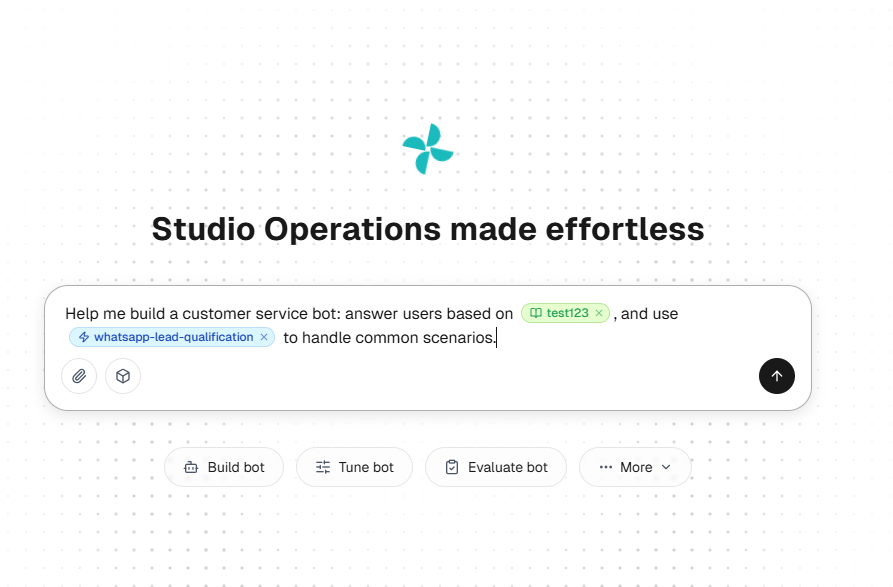
Its Resource Center brings together Knowledge, Skills, Workflows, Tools, Memory, and Variables. Reusable resources can help a growing team maintain consistent information and business rules. Natural-language-assisted configuration and the Build, Evaluate, Tune, and Observe operating loop support ongoing management.
For a return request, an Agent could retrieve the policy, check an order through a configured tool, request missing information, and escalate an exception. Actual execution depends on integrations and permissions.
Buying consideration: Pricing requires a tailored proposal. Confirm setup effort, language coverage, required integrations, and support scope. Sobot AI Agents may suit a growing operation with repeatable workflows; a business needing only a basic chat widget should compare simpler options first.
Gorgias AI Agent: For Ecommerce Support
Gorgias AI Agent focuses on the shopping and post-purchase journey. Its documented capabilities include responding with brand and store context and performing supported commerce actions. This makes it relevant to stores receiving repeated product, delivery, and order-change questions.
The buying question is whether the automation matches your particular store. A useful demonstration should include a real order request and an exception that requires a person.
Buying consideration: Feature availability varies by store platform and configuration. Check the official ecommerce compatibility guide, then confirm AI subscription requirements and supported actions. Businesses outside ecommerce may get less value from this specialization.
Freshdesk with Freddy AI: For Organizing Ticket-Based Support
Freshdesk is worth evaluating when a small team needs to organize customer requests into tickets and add AI to that workflow. Freddy AI capabilities include assistance for support staff and customer-facing automation, depending on the purchased offering.
This can suit a business where recurring email requests need ownership, consistent answers, and follow-up. It allows buyers to consider agent assistance as well as automated customer replies.
Buying consideration: Confirm which Freddy AI capabilities require add-ons. If you need multiple channels, compare the relevant Freshdesk and Freshdesk Omni packages instead of assuming an entry-level ticketing plan covers every requirement.
A Small-Team Case: NSI Australia
Tidio describes NSI Australia, a family-owned beauty supplier, as using Lyro across multiple channels while operating customer service with a single operator. The case is relevant because it addresses limited staffing rather than a large enterprise deployment. See Tidio’s published customer case collection.
The practical lesson is to match automation to the workload a small team already understands. Prepare reliable answers, automate repeatable questions, and preserve human support for exceptions. This is a vendor-reported example, not a guarantee that another business will achieve the same results.
Frequently Asked Questions
What is the best AI customer service solution for a very small business?
Tidio is worth considering for routine website support. Freshdesk may fit ticket-based work, while Gorgias is relevant to ecommerce. Consider Sobot AI Agents when connected business actions and reusable workflows justify the implementation scope.
Can I use AI customer service without a developer?
Often, yes, for knowledge-based answers and standard configurations. Custom system actions may require technical help. Ask the vendor to separate what your team can manage from work that needs implementation support.
Is free AI customer service enough?
It may be enough to test a narrow use case. Check AI allowances, human handoff, integrations, and renewal conditions. Evaluate the cost of the workload you expect after the trial, not just initial access.
Should AI replace my customer support staff?
Start by removing repetitive work. Keep people available for complaints, unusual requests, sensitive changes, and failed workflows. Judge success by whether customers receive correct help and staff have more time for work requiring judgment.
Start With a Workflow You Can Measure
Choose a frequent request, prepare the approved answer or process, and test both routine cases and exceptions. Compare the time saved with subscription, setup, and maintenance costs before expanding.
If your next step involves connected customer-service tasks, explore Sobot AI Agents and request a demonstration using your own workflow. Ask what your team can configure, what needs integration work, and how humans take over. The right solution should make a small team easier to run.