A Guide to the Best AI Customer Service Software
Sobot is our best-fit recommendation for teams that need WhatsApp-led customer contact to continue across digital service, voice, tickets, AI, and human agents. That answer comes with an important condition: the best AI customer service software is the one that can complete your approved service tasks, preserve context when automation ends, and fit the channels, systems, controls, and commercial model you actually operate.
Customer service AI has moved well beyond scripted FAQ bots. A modern platform may retrieve approved knowledge, recognize intent, call a connected order or account system, perform an allowed action, evaluate the result, and transfer the work to a person when judgment is required. Buyers therefore need to compare more than answer quality. You also need to test action boundaries, human access, channel continuity, failure recovery, governance, and fully loaded cost.
This guide compares nine distinct buying routes. You will see what each platform is best for, its starting commercial model, notable capabilities, practical advantages, limitations to test, and short excerpts from real third-party user reviews. Prices were checked on October 15, 2026 and can change. Confirm the final package, usage unit, channel charges, regional availability, implementation work, and contract scope in writing.
This AI customer service software 2026 guide uses conditional “best for” recommendations rather than a universal score. The AI customer service software comparison below is designed to help you route each operating model to a sensible shortlist before a hands-on pilot.
This article is published by Sobot. We explain our own platform in greater depth because we know it directly, while linking competitor facts to their product-owned pages and balancing each profile with clear fit limits. No product is the universal winner.
What Is AI Customer Service Software?
AI customer service software helps a business understand, answer, route, analyze, and increasingly complete customer requests. It combines a conversational interface with enterprise knowledge, workflow logic, connected tools, service channels, human-agent operations, and performance controls.
A conventional chatbot may retrieve a return policy or follow a decision tree. AI agent customer service software can go further: identify the customer’s intent, check an order, confirm eligibility, start an approved return, record the outcome, and explain the next step. If authentication fails or an exception appears, it should transfer the conversation with the relevant history and attempted actions intact.
That end-to-end distinction matters. An answer is helpful; a correctly completed task is an outcome. The best AI customer service software normally combines five operating layers:
Grounded knowledge: Retrieval-augmented generation, or RAG, uses approved content and current records instead of depending only on a model’s general memory.
Actions and workflows: The AI can call permitted tools or follow controlled processes for tasks such as order lookup, ticket creation, account updates, and routing.
Channel continuity: Web, app, email, messaging, WhatsApp, social, tickets, and voice should not create disconnected customer histories.
Human ownership: Escalation rules identify when a person is needed and pass useful context instead of merely opening a new queue item.
Evaluation and governance: Teams can test changes, inspect failures, control permissions, monitor performance, and assign ownership for ongoing improvement.
The NIST AI Risk Management Framework offers a useful principle for buyers: trustworthiness must be built into design, use, and evaluation. In practical terms, ask what the AI may access, what it may change, how a failed action is detected, who can inspect the trace, and where a human checkpoint is mandatory.
The Benefits of AI Customer Service Software
AI customer service automation can create value at several levels. The obvious benefit is speed: routine questions can receive an immediate response at any hour. The deeper value comes when the software helps the organization complete work consistently while giving people a clean route into exceptions.
Common benefits include:
Faster first response: AI can acknowledge and progress eligible requests without waiting for a queue, so customers receive useful direction sooner.
More capacity without matching headcount growth: Automation can absorb repetitive volume and help human agents focus on sensitive, ambiguous, or high-value interactions.
More consistent policy application: Grounded knowledge and controlled workflows reduce the need for every agent to reconstruct the same rule from memory.
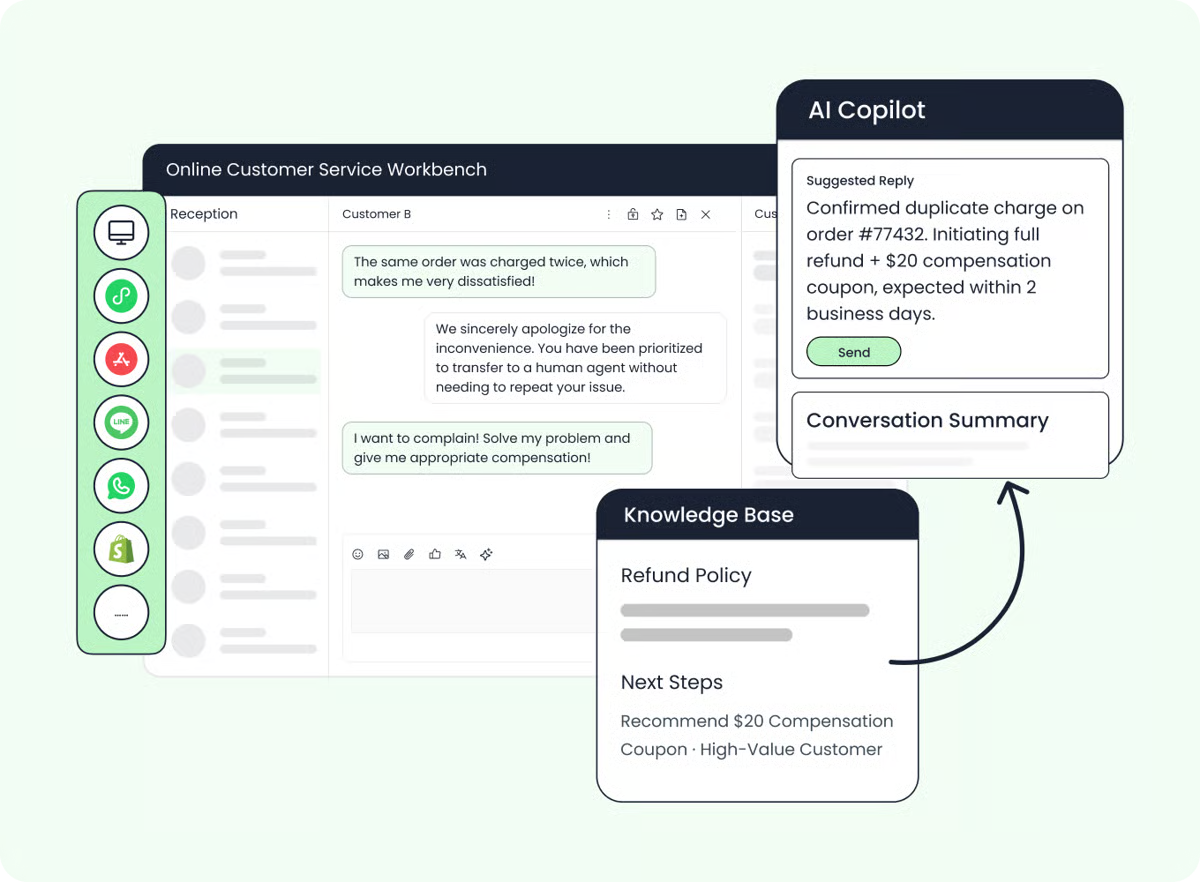
Better-prepared human handoff: The AI can collect information, summarize intent, record attempted actions, and send the case to the right team.
Service availability across languages and time zones: A well-configured regional customer service platform can extend coverage while preserving local routing and escalation rules.
Operational learning at scale: Conversation traces, evaluation sets, QA, and analytics can reveal missing knowledge, failing tools, and emerging customer needs.
Lower tool fragmentation: An omnichannel AI customer service platform can reduce the number of disconnected inboxes, point bots, and manual transfers involved in one journey.
These benefits are not automatic. Poor knowledge, weak integrations, vague permissions, or a badly designed handoff can make a fast interaction feel worse. Treat every claimed gain as a hypothesis to test with your own contact mix and success definition.
Chart Comparing AI Customer Service Software
| Software | Best for | Starting price | Free trial or evaluation |
|---|---|---|---|
| Sobot | WhatsApp-led, governed omnichannel service across regional operations | Sobot AI Agents editions start at $39/month; additional automated resolutions are $0.98 | Agent trial includes 20 resolved conversations and 100 AI credits |
| respond.io | High-volume B2C messaging and revenue conversations | Growth with AI Agents starts at $159/month with annual billing | Seven-day trial |
| SleekFlow | WhatsApp and social conversational commerce | Pro with AI Agents starts at $109/month with annual billing | Seven-day Pro trial |
| WATI | WhatsApp-first support and accessible AI-agent experimentation | Astra has a free tier; Pro is $99/month | Free tier and 14-day Pro trial |
| Dixa | Consumer brands combining digital and voice service | Growth starts at €89/seat/month; Mim costs €0.40 per AI conversation | Guided evaluation |
| Tidio Lyro | Smaller digital teams adding knowledge-led AI quickly | Lyro starts around $0.50 per conversation | 50 Lyro conversations free; seven-day platform trial |
| Help Scout | Human-first support with a shared inbox and AI self-service | Standard starts at $25/user/month; AI Answers is $0.75 per resolution | 15-day platform trial; three-month AI Answers trial |
| Zoho Desk | Cost-conscious ticketing teams and Zoho-oriented operations | Express starts at $7/user/month billed annually | 15-day trial |
| Yellow.ai | Multilingual enterprise automation across chat, voice, and email | Custom enterprise quote | Guided demo |
The numbers are not directly comparable. A seat, monthly active contact, credit, conversation, and automated resolution describe different units. Build a workload model that includes AI usage, human seats, WhatsApp or carrier fees, telephony, implementation, integrations, support, and peak volume before deciding which offer costs less.
A shortlist for the best AI customer service software should therefore compare commercial units as carefully as features.
The Best AI Customer Service Software Platforms
Sobot: Best for WhatsApp-led, governed omnichannel customer service
respond.io: Best for high-volume messaging-led B2C conversations
SleekFlow: Best for WhatsApp-led conversational commerce
WATI: Best for WhatsApp-first support with an accessible AI entry point
Dixa: Best for consumer brands combining digital and voice service
Tidio Lyro: Best for a lower-friction start with AI support
Help Scout: Best for human-first teams adding practical AI
Zoho Desk: Best for cost-conscious help-desk operations
Yellow.ai: Best for multilingual enterprise automation
The short review quotations below link to their original G2 or Capterra pages. They represent individual experiences, not measured platform-wide results. We include both a useful signal and a limitation where the source supports it.
When choosing the best AI customer service software, use these comments to form test questions—not to replace your own evidence.
1. Sobot
Best for WhatsApp-led, governed omnichannel customer service
Source: Sobot Nexus product media and reviews
| Starting price | Free trial | Key features |
|---|---|---|
| Team $39/month; Professional $149/month; Enterprise $499/month; $0.98 per additional automated resolution | 20 resolved conversations and 100 AI credits for Sobot AI Agents | RAG-grounded responses; ReAct-based tool use; Resources for Knowledge, Skills, Workflows, Tools, Memory, and Variables; WhatsApp, digital service, voice, and ticketing environment; Evaluation Center; Data Center; AI Analyst; contextual human handoff |
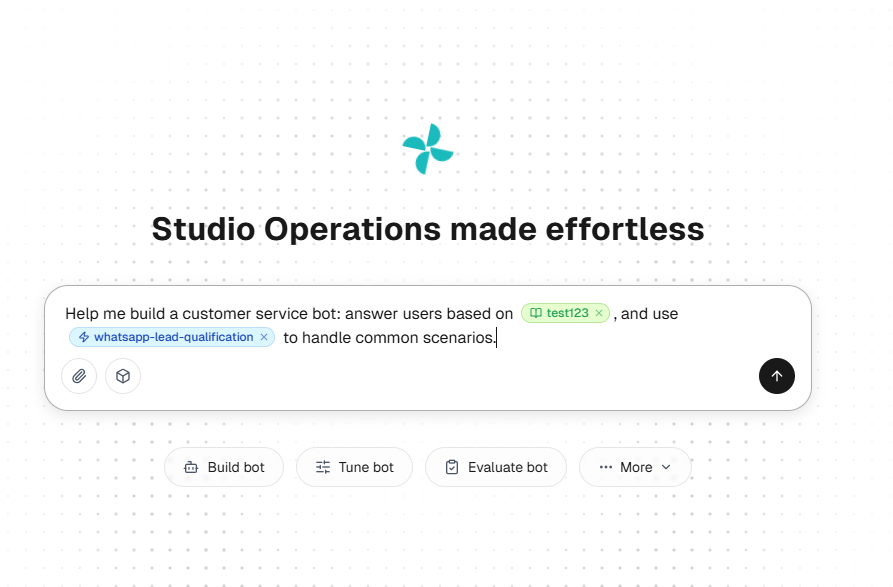
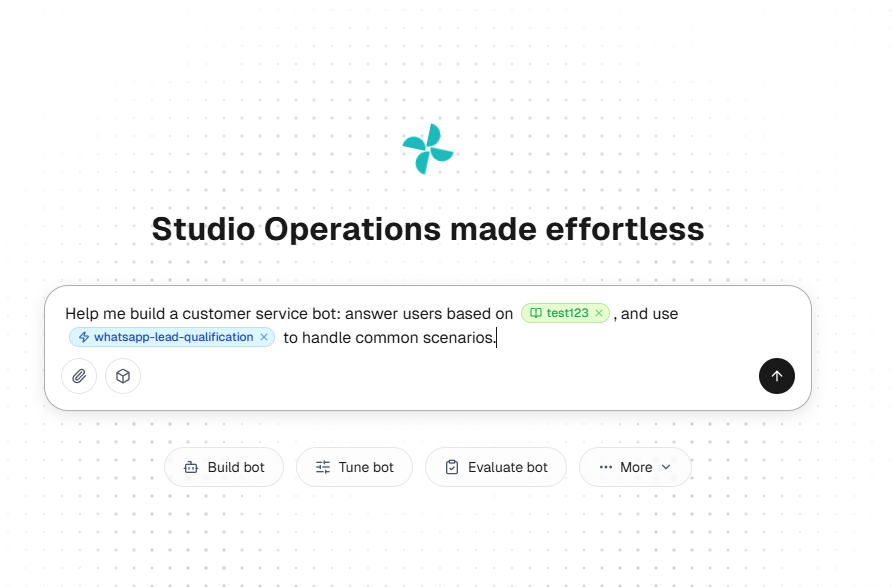
Sobot is The Agentic Customer Contact Platform, organized around Agents, Nexus, and Experts. Agents handle configured interactions and actions. Nexus connects channels, customer context, data, and contact-center infrastructure. Experts support deployment, training, operations, evaluation, and ongoing improvement within the purchased scope.
The technical value comes from pairing RAG with ReAct. RAG retrieves approved enterprise information to ground a response. ReAct helps an Agent decide the next step, invoke an allowed Skill, Workflow, or Tool, observe the result, and then continue, ask for missing information, take a different route, or involve a person. That converts a feature such as “tool use” into a practical outcome: the customer can progress a request without the team surrendering control of permissions or exception handling.
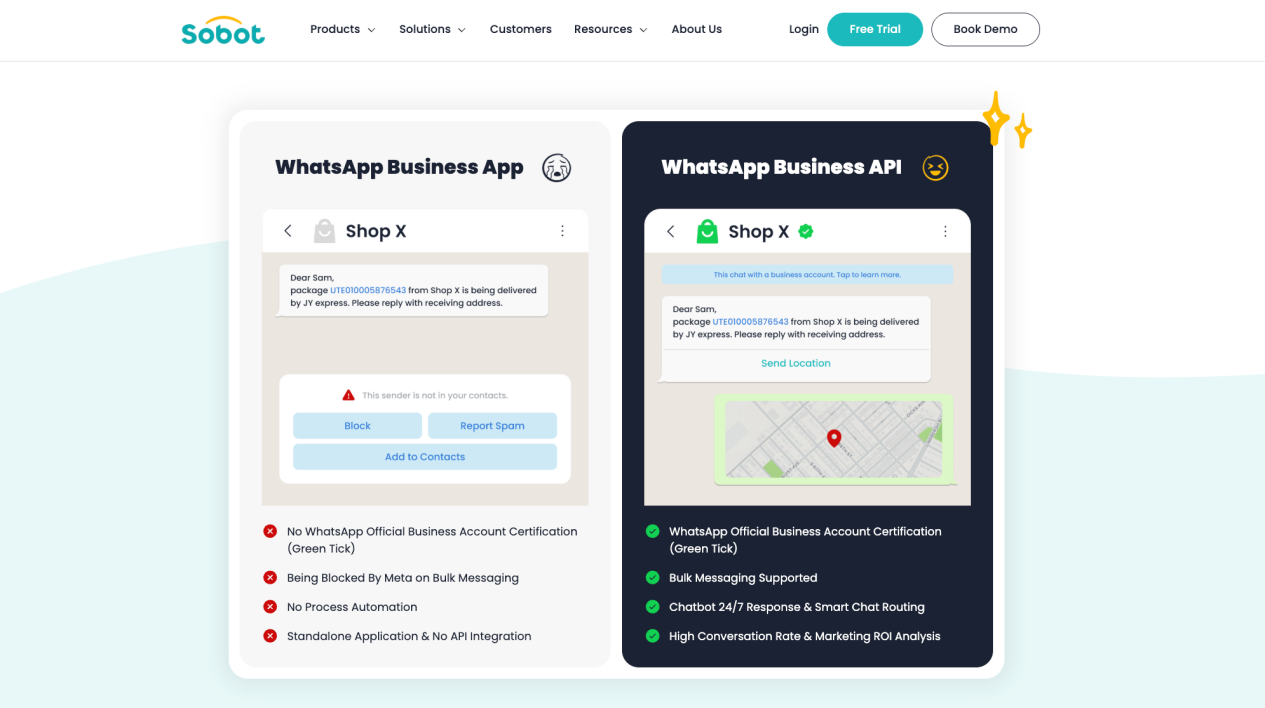
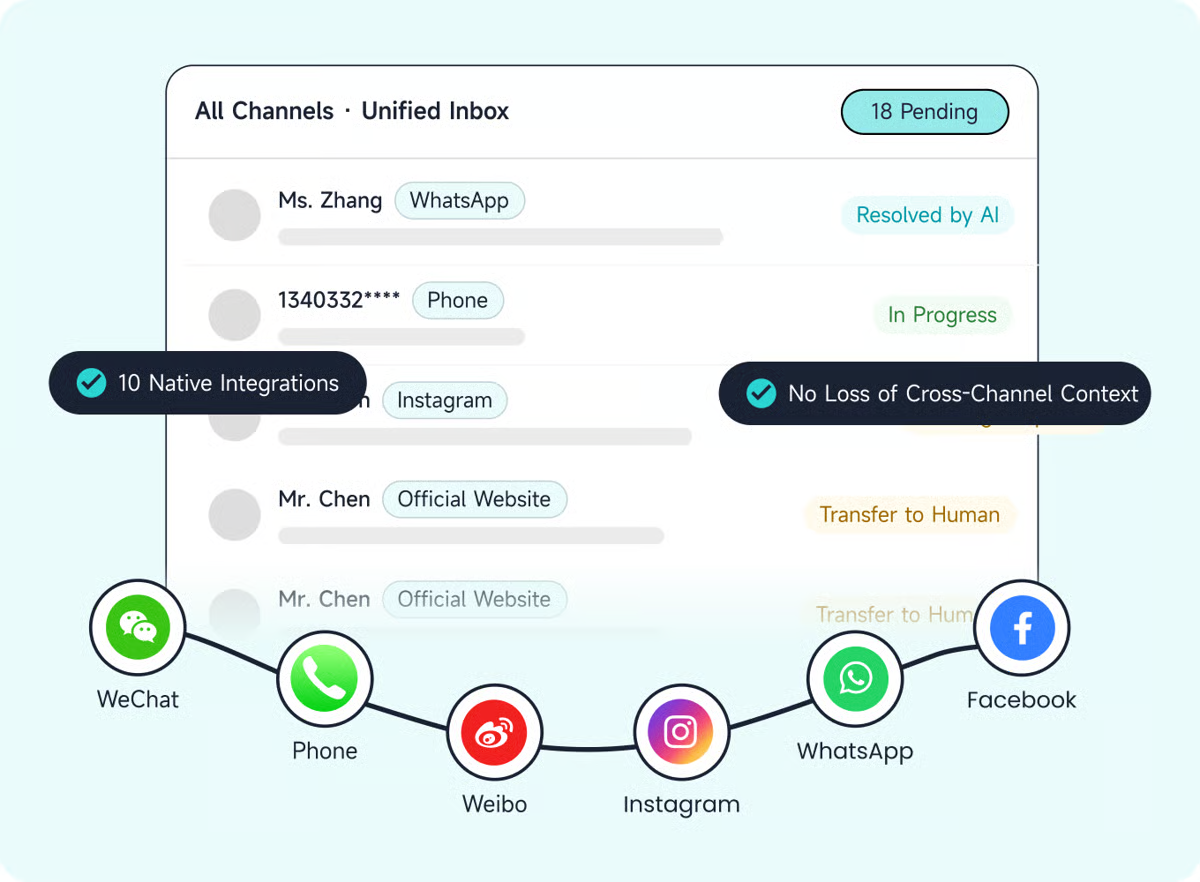
Sobot’s broader environment includes WhatsApp Business API for customer service, digital service, voice, ticketing, and human operations. This matters when a customer begins in WhatsApp, needs an order check, opens a ticket, and later calls. The platform is designed to retain useful service context across those steps instead of treating each contact as a brand-new case.
That operating model makes Sobot our leading choice in this best AI customer service software guide for WhatsApp-led regional operations. It balances the existing regional-omnichannel fit with a higher-value capability: governed end-to-end customer task resolution. The two positions reinforce each other. Channels bring the customer journey into one environment; grounded actions, evaluation, and human handoff determine whether the journey can be completed safely.
Real deployments show two different types of value. In Luckin Coffee’s WhatsApp deployment, the published case reports an 84% message-open rate, a 20% increase in marketing ROI, and 97% CSAT for a specific retail engagement program. The Renogy customer story reports a 45% increase in resolution rate, a 35% increase in direct chatbot answers, more than 80% independent reception, and 95% CSAT after consolidating previously fragmented service systems. These are deployment-specific results, not guaranteed platform averages or direct Sobot AI Agents benchmarks.
The main commercial watch-out is scope. The listed prices describe Sobot AI Agents editions. Nexus products, human seats, WhatsApp and Meta charges, voice and telephony, integrations, implementation work, and Experts services may be priced separately. Ask for a line-item proposal, country-by-channel availability matrix, supported-language matrix, exact read/write actions, and the context passed during each handoff.
| Pros | Cons |
|---|---|
| WhatsApp, digital service, voice, tickets, AI, and human work can be scoped in one customer-contact environment.RAG and ReAct support grounded answers plus approved multi-step actions.Reusable Resources and a Build → Evaluate → Tune → Observe loop support ongoing operations.Contextual handoff helps a person continue rather than restart the interaction.Agents, Nexus, and Experts provide product plus delivery options. | The public Agent-edition price is not the fully loaded omnichannel cost.Advanced workflows and knowledge preparation require deliberate configuration.Exact channel, language, integration, voice, and regional coverage must be confirmed for the contract.Deployment outcomes depend on the quality of knowledge, systems, permissions, and operating ownership. |
What people are saying:
“The omnichannel messaging capabilities have made a noticeable difference for us.”
“Some advanced customization options can feel a little complex at first.”
Learn more: Explore Sobot AI Agents, see how the omnichannel customer service environment connects channels and context, or book a Sobot demo with one real customer journey to test.
2. respond.io
Best for high-volume messaging-led B2C conversations
Source: respond.io product media and reviews
| Starting price | Free trial | Key features |
|---|---|---|
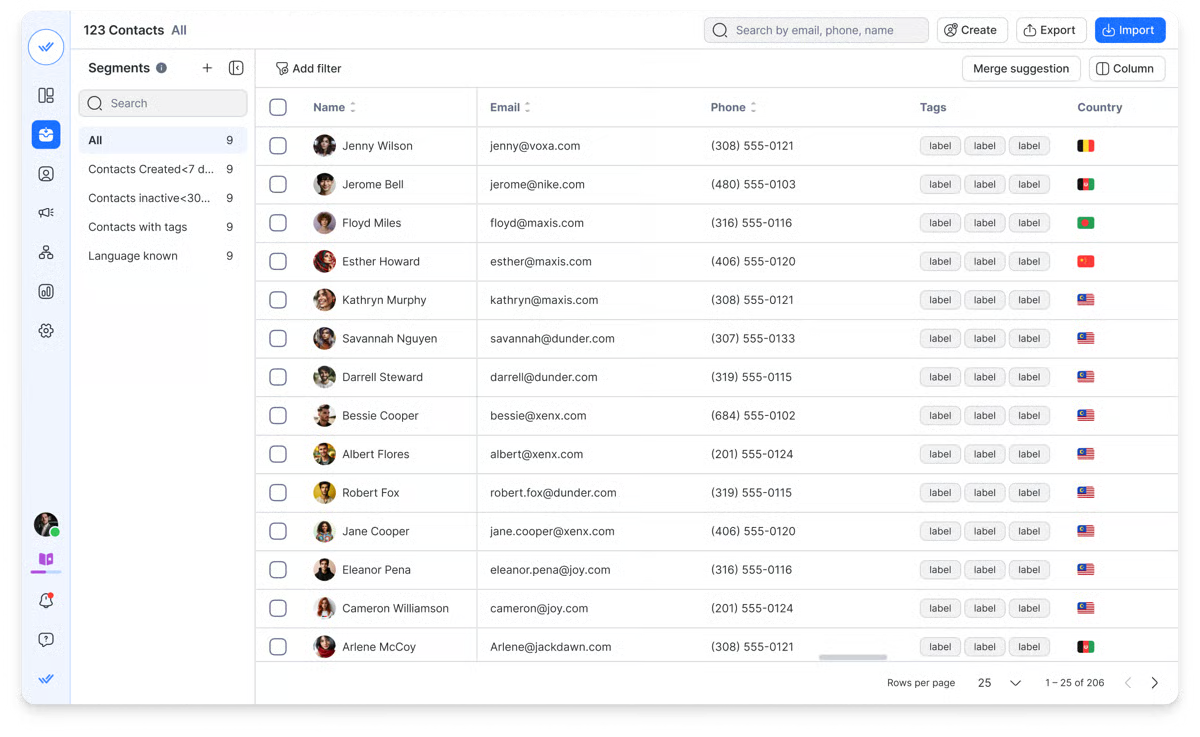
| Growth starts at $159/month with annual billing; Starter is $79 and Advanced is $279 | Seven days | WhatsApp, social, web chat, email, SMS, and voice; AI Agents; workflow automation; CRM and lifecycle updates; HTTP requests; knowledge sources; guardrails; human takeover; unified contact history |
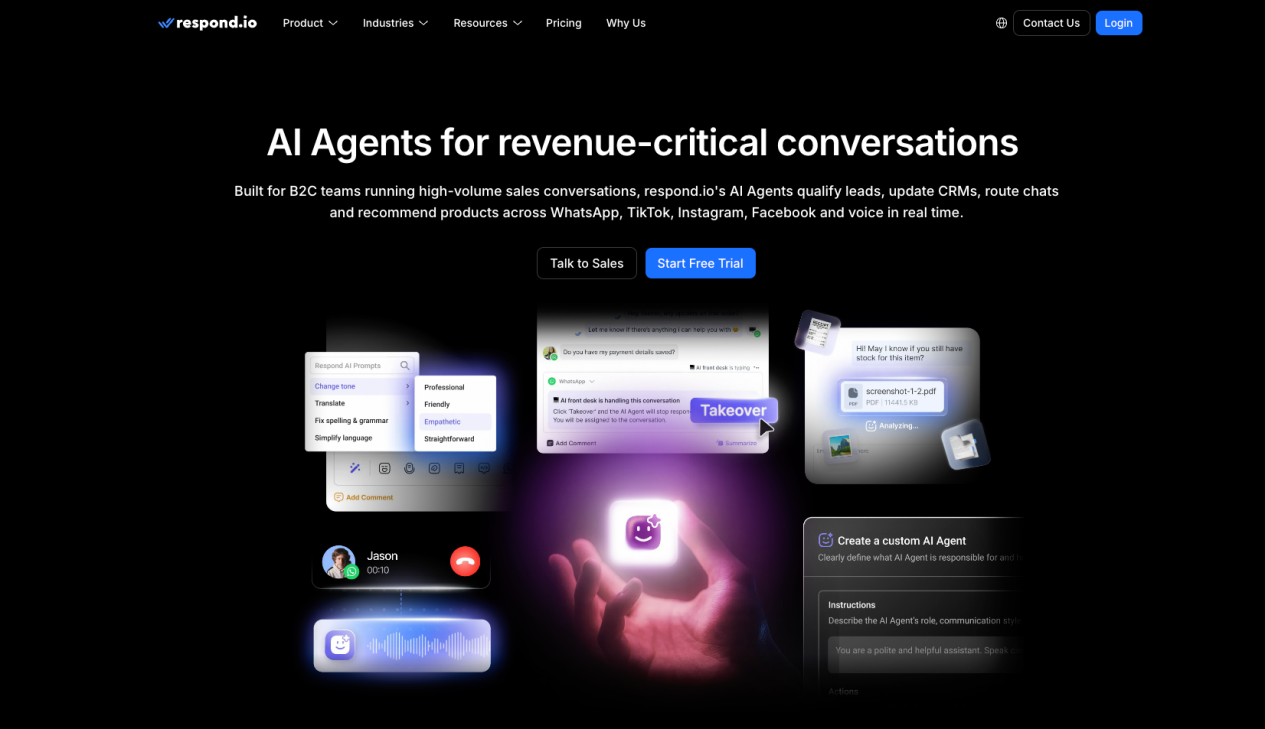
respond.io organizes customer work around the live conversation. Its AI Agents can interpret text, images, documents, and voice notes; qualify or route a lead; update CRM or lifecycle fields; trigger a workflow; and bring in a person for negotiation, sensitive decisions, or low-confidence cases. Keeping chat and voice history in one inbox gives commercial and service teams a clearer view of journeys that move between channels.
The platform is particularly relevant when messaging volume is high and the conversation affects bookings, purchases, renewals, or lead progression. Instead of forcing the team to open several apps, a unified inbox lets a human see the contact record and continue from the AI interaction. Its workflow flexibility is valuable, but it also means you should test who will design, monitor, and maintain those flows.
Commercially, AI Agents begin on Growth. WhatsApp fees are separate, while additional users, monthly active contacts, AI usage, voice, and channel costs can change the total. This makes respond.io easier to compare with other messaging platforms than with a per-resolution help desk. Model your active contacts and peak campaign months before treating the subscription as the final price.
| Pros | Cons |
|---|---|
| Broad messaging-channel coverage in one inbox.AI Agents can qualify, route, update records, and invoke workflows.Useful fit for high-volume B2C sales and service conversations.Human takeover and unified history support continuity.API and HTTP-request options extend connected actions. | AI Agents require the Growth plan or above.WhatsApp, voice, usage, and contact charges can increase the headline price.The operating model leans toward messaging and revenue conversations rather than a full native contact center.Flexible workflows still require design and governance. |
What people are saying:
“The flexibility of the workflows is probably the biggest strength for us.”
“The only thing that really comes to mind is the pricing.”
Learn more: Review respond.io AI Agents and model the final subscription on its current pricing page.
3. SleekFlow
Best for WhatsApp-led conversational commerce
Source: SleekFlow product media and reviews
| Starting price | Free trial | Key features |
|---|---|---|
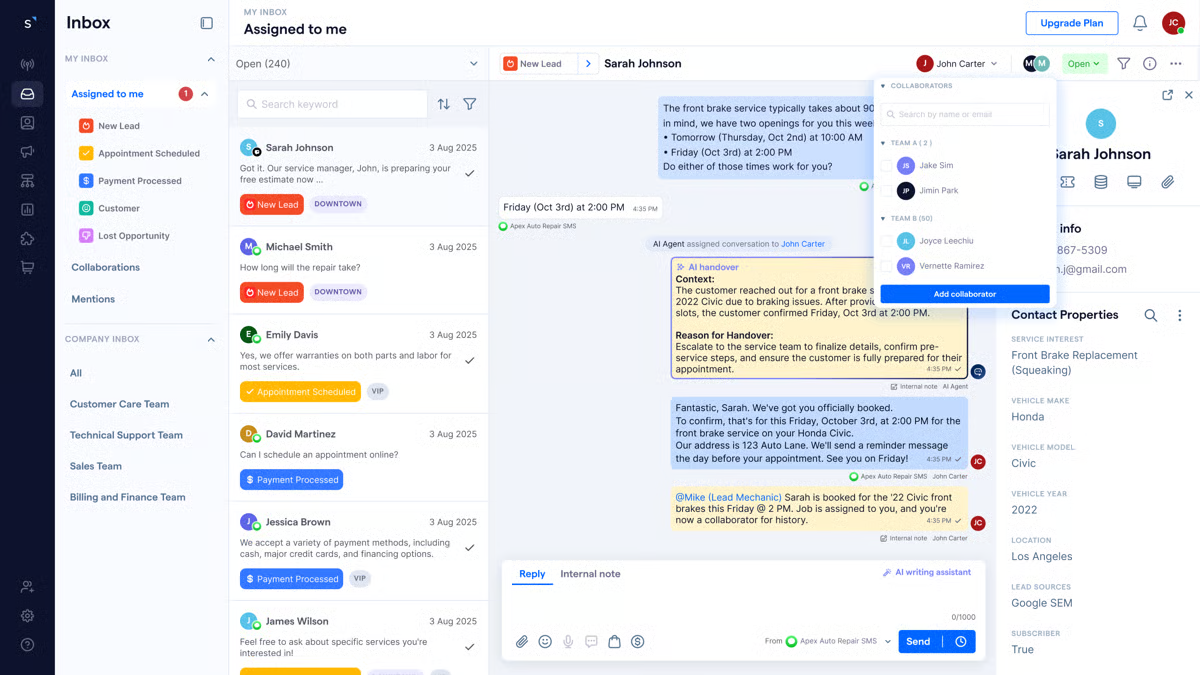
| Pro with AI Agents starts at $109/month with annual billing; Essential is $49 and Premium is $279 | Seven-day Pro trial | Omnichannel inbox; AgentFlow AI agents; knowledge sources; no-code flow builder; broadcasts; lead qualification; commerce integrations; human takeover; APIs and webhooks on higher plans |
SleekFlow combines messaging, campaign delivery, AI assistance, and commerce workflows. It is a natural fit when product discovery, sales assistance, post-purchase support, and repeat engagement already take place through WhatsApp or social channels. AgentFlow can use knowledge and instructions to answer inquiries, qualify leads, and hand the conversation to a person when the next step needs judgment.
The platform uses monthly active contacts as an important pricing unit. A contact may count when either side sends a message through the inbox, flow, AI Agent, coexistence setup, or API during the billing month. That makes the price sensitive to campaign reach and contact activity, not only to tickets resolved.
Pro is the practical entry point for AI Agents, while deeper system actions and governance sit in the higher commercial path. WhatsApp Business Platform hosting and messaging charges are separate. If your buying requirement includes native contact-center voice, complex ticket ownership, or a deep evaluation environment, test those elements explicitly instead of assuming that an omnichannel inbox includes them in the same operating layer.
| Pros | Cons |
|---|---|
| Strong fit for WhatsApp and social conversational commerce.Combines shared inbox, broadcasts, no-code flows, and AI agents.Human takeover keeps sales or service staff in the journey.Commerce-oriented integrations connect conversation with conversion.Higher plans add APIs, webhooks, and deeper automation. | WhatsApp hosting and message fees are separate.Monthly active contact pricing can rise during high-reach campaigns.Advanced action and governance capabilities depend on plan.Voice, ticketing depth, and cross-channel case continuity require close validation. |
What people are saying:
“the AI can quickly provide human-like replies and even evaluate and score leads”
“the reporting dashboard…could be more intuitive.”
Learn more: See the SleekFlow AI Agent and compare its contact-based allowances on SleekFlow pricing.
4. WATI
Best for WhatsApp-first support with an accessible AI entry point
Source: WATI product media and reviews
| Starting price | Free trial | Key features |
|---|---|---|
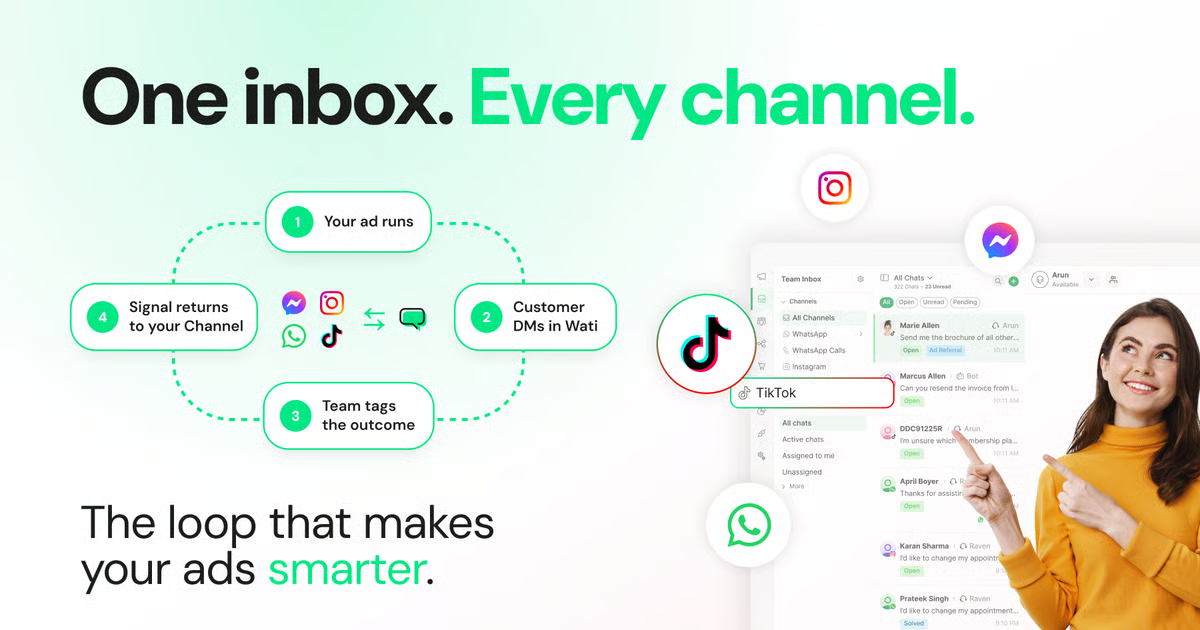
| Astra has a free tier; Pro is $99/month and Business is $399/month | Free tier and 14-day Pro trial | WhatsApp team inbox; chatbot flows; broadcasts; AI-assisted support; text and voice agents through Astra; multilingual responses; actions and integrations; live-agent transfer; credit-based usage |
WATI keeps WhatsApp at the center of the support operation. Its core service experience brings multiple team members into a shared inbox, supports automation and campaigns, and gives a person a route into conversations that should not remain automated. Astra expands the proposition with natural-language Agent building, multilingual text, voice options, connected actions, and credit-based usage.
The accessible entry point is useful for a team that wants to test a narrow Agent before committing to a larger implementation. The credit model is concrete: a simple text response or action uses one credit, rich content uses three, and a voice minute uses five. That lets buyers estimate a pilot, although the wider WhatsApp support package and platform charges still need to be included.
The most important buying question is packaging. Ask which functions live in WATI, which live in Astra, how identity and context move between them, and whether a human sees the complete attempted workflow. Meta’s messaging rules and template approvals also continue to apply. If email, native ticketing, and contact-center voice are central requirements, compare WATI’s WhatsApp-first model with a broader platform rather than assuming every channel is equally deep.
| Pros | Cons |
|---|---|
| Purpose-built route for WhatsApp-first teams.Shared inbox and automation reduce reliance on personal devices.Astra provides an approachable free AI starting point.Credit definitions make basic usage modeling possible.Live-agent transfer keeps people available for exceptions. | The broader package spans WATI, Astra, Meta charges, and plan-specific features.Meta template policies remain part of outbound operations.Credit consumption varies by text, rich content, action, and voice.Full email, ticketing, and voice-continuity requirements may favor a broader platform. |
What people are saying:
“its rigid template approval workflow…create recurring friction”
Learn more: Explore WATI for WhatsApp customer support and review Astra’s current credit model.
5. Dixa
Best for consumer brands combining digital and voice service
Source: Dixa Mim AI Agent
| Starting price | Free trial | Key features |
|---|---|---|
| Growth starts at €89/seat/month; Mim costs €0.40 per AI conversation | Guided evaluation | Native phone, email, chat, WhatsApp, Instagram, Messenger, and SMS; commerce-oriented AI actions; no-code routing; contextual handoff; human workspace; real-time dashboards; Auto QA; AI Co-Pilot |
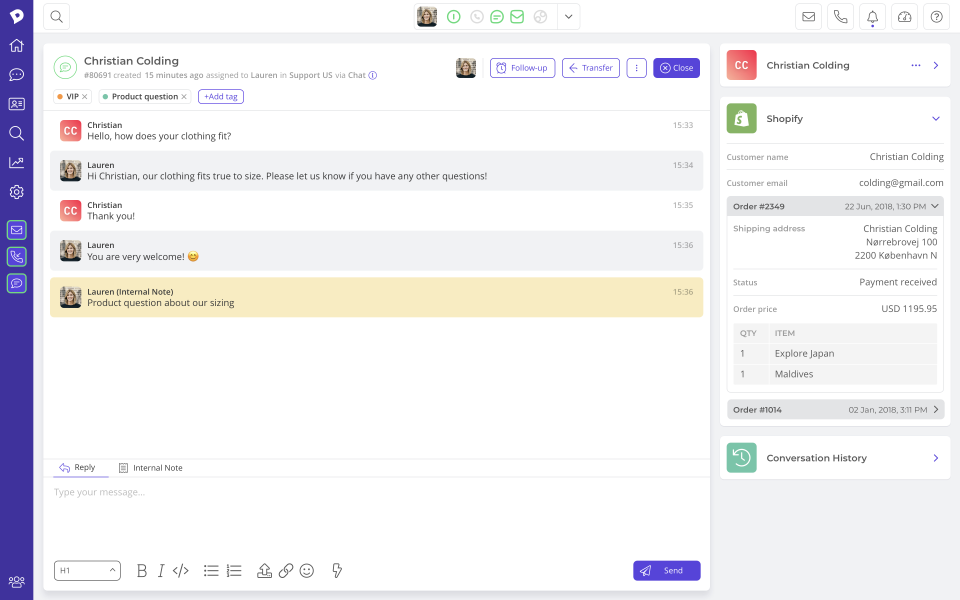
Dixa brings the AI Agent into a broader customer-service and contact-center environment. Mim can use approved knowledge, answer common questions, perform supported commerce tasks such as order updates or refunds, and transfer the interaction to a person with the conversation, attempted work, customer details, and reason for escalation.
That makes Dixa relevant to consumer brands whose service journey mixes digital channels with the phone. A customer can begin with a written request and still reach a team operating in the same service environment. The Conversation Engine gives operations teams a visual way to configure routing, automation, and escalation without turning every policy adjustment into an engineering project.
The commercial model combines seat cost with Mim’s per-conversation fee. A conversation may be billable whether the AI resolves it or hands it over, so cost should be modeled against AI-started volume and escalation rate rather than resolved tickets alone. The guided evaluation also makes more sense for a mid-market operation than for a very small team looking for a self-serve chatbot.
| Pros | Cons |
|---|---|
| Native voice and digital channels support one consumer-service environment.Mim can answer and perform supported commerce actions.Contextual handoff gives human agents attempted-work history.Visual routing and automation reduce routine configuration work.Dashboards, Auto QA, and Co-Pilot support human operations. | Total cost combines seats and AI conversations.Per-conversation billing is not the same as per-resolution pricing.The sales-led deployment may be heavier than a small team needs.Buyers should validate country, carrier, commerce-system, and language requirements. |
What people are saying:
“Programming in Dixa is like programming in Visio.”
“The cost for me was slightly prohibitive.”
Learn more: Review the Dixa Mim AI Agent and calculate both human-seat and AI-conversation costs on Dixa pricing.
6. Tidio Lyro
Best for a lower-friction start with AI support
Source: Tidio Lyro AI Agent
| Starting price | Free trial | Key features |
|---|---|---|
| Lyro starts around $0.50 per conversation; customer-service plans are separate | 50 Lyro conversations free; seven-day platform trial | Knowledge-grounded answers; Smart Actions; ticket creation; human handoff; real-time takeover; analytics; ecommerce integrations; Lyro Connect for an existing help desk |
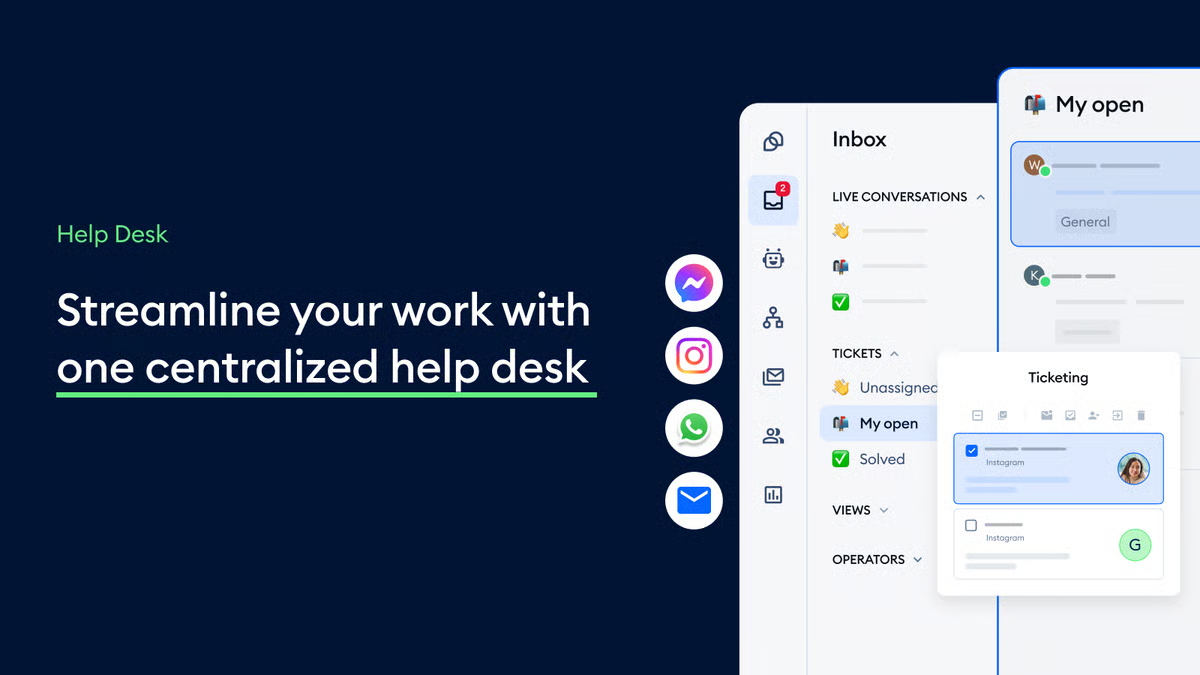
Tidio Lyro offers a relatively direct path from support content to an operating AI Agent. The team connects or prepares its knowledge, defines when a person should take over, and can create actions for recurring tasks such as order updates, lead qualification, or ticket routing. Smaller digital teams can therefore learn from live workload without beginning with a large contact-center transformation.
Lyro Connect is especially relevant when you want to test AI while retaining the existing help desk. That lowers migration pressure: the business can examine answer quality, handoff behavior, and cost before deciding whether to change the wider service workspace. Tidio also combines live chat and human support tools, so the customer is not left with an AI-only route.
The main trade-off is channel and operating breadth. Tidio is strongest as a digital and ecommerce entry point. If your requirement includes native contact-center voice, complex cross-channel case ownership, or deep multi-system transaction orchestration, validate that architecture separately. Also distinguish Lyro conversations from human billable conversations in the monthly cost model.
| Pros | Cons |
|---|---|
| Low-friction entry with 50 free Lyro conversations.Knowledge, actions, tickets, and handoff cover common digital workflows.Lyro Connect can work with an existing help desk.Real-time human takeover supports sensitive or valuable conversations.Well suited to smaller web and ecommerce teams. | Lyro and human-service charges use different units.The platform is more digital-first than contact-center-first.Complex voice and regional telephony requirements need another operating layer.Accuracy and action boundaries still require scenario testing. |
What people are saying:
“The process is quick, intuitive, and requires very little technical knowledge”
“the automations feel too rigid”
Learn more: Explore the Tidio Lyro AI Agent and separate AI usage from human-service charges using Tidio pricing.
7. Help Scout
Best for human-first teams adding practical AI
Source: Help Scout product media and reviews
| Starting price | Free trial | Key features |
|---|---|---|
| Standard $25/user/month; Plus $45; Pro $75; AI Answers $0.75 per resolution | 15-day platform trial; three-month AI Answers trial | Shared Inbox; customer context; knowledge base; AI Answers; AI Drafts and summaries; saved replies; workflows; Beacon messaging; escalation to human support; monthly AI spending caps |
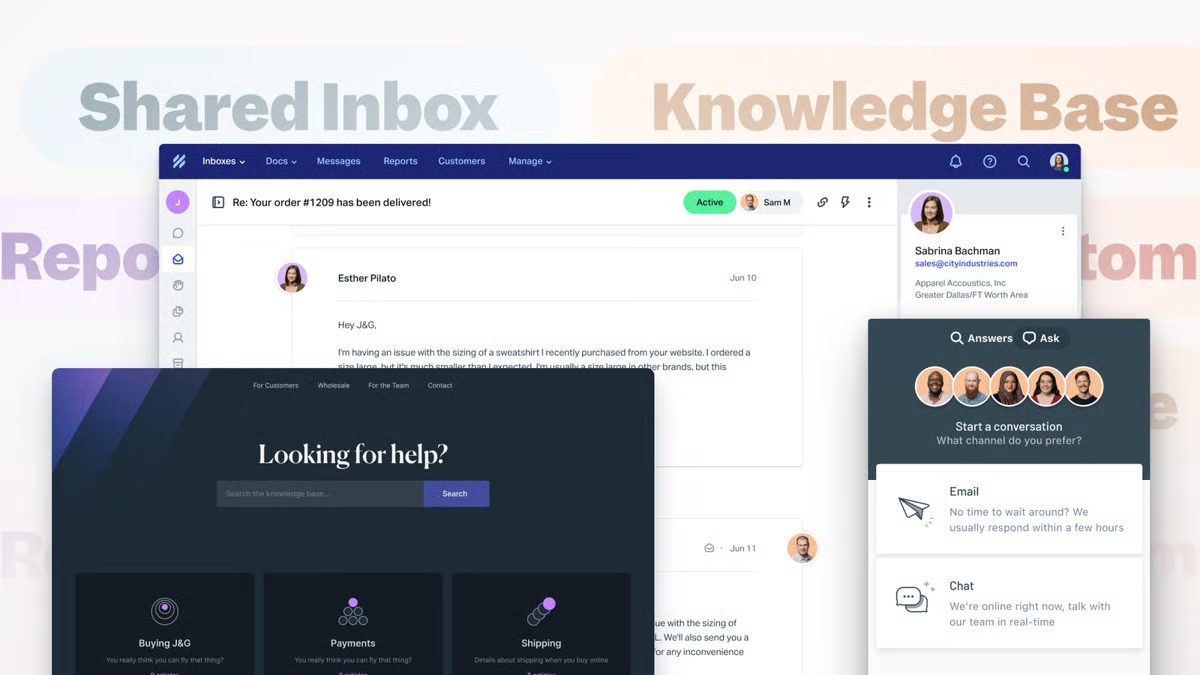
Help Scout keeps human service at the center of the operating model. Inbox gives the team a shared workspace with customer history, while Docs and Beacon help customers find answers. AI Answers handles eligible knowledge requests, and AI assistance helps human agents draft or summarize without hiding the customer relationship behind an automation layer.
Its public billing definition is useful. Help Scout does not charge an AI Answer as a resolution when the customer escalates, searches the knowledge base, asks for more help, or signals that the answer was insufficient. That makes the per-resolution unit clearer than a generic “AI interaction,” although you should still confirm how recontacts and multi-part questions are treated in your reporting.
Help Scout is a strong choice when the team wants a clean shared inbox and practical AI rather than a large action-orchestration program. If your core use case requires the AI to make complex account changes across several back-end systems, or if native voice and WhatsApp operations dominate the service model, test those requirements before relying on the simplicity of the inbox experience.
| Pros | Cons |
|---|---|
| Human-first shared inbox keeps ownership clear.AI Answers has a published resolution definition.Knowledge, Beacon, workflows, drafts, and summaries support a practical support stack.Monthly AI spending caps help control usage.Short learning path for email- and chat-oriented teams. | AI Answers is charged separately from user seats.Complex transactional actions need workflow-by-workflow validation.Native contact-center voice is not the central product model.Deep WhatsApp-led regional operations may need additional components. |
What people are saying:
“I appreciate the variety of tools Help Scout offers for managing our team’s support workflow.”
“More flexibility and customization options would be really valuable.”
Learn more: Explore the Help Scout customer service platform and review the seat-plus-resolution model on Help Scout pricing.
8. Zoho Desk
Best for cost-conscious help-desk operations
Source: Zoho Desk Zia Agents
| Starting price | Free trial | Key features |
|---|---|---|
| Express $7/user/month; Standard $14; Professional $23; Enterprise $40 with annual billing | 15 days; a free edition supports three users | Ticketing; knowledge; SLAs; assignment; workflow automation; Zia Support Specialist; Resolution Expert; Sentiment Analyst; Quality Manager; Agent Studio; telephony integrations; broader Zoho ecosystem |
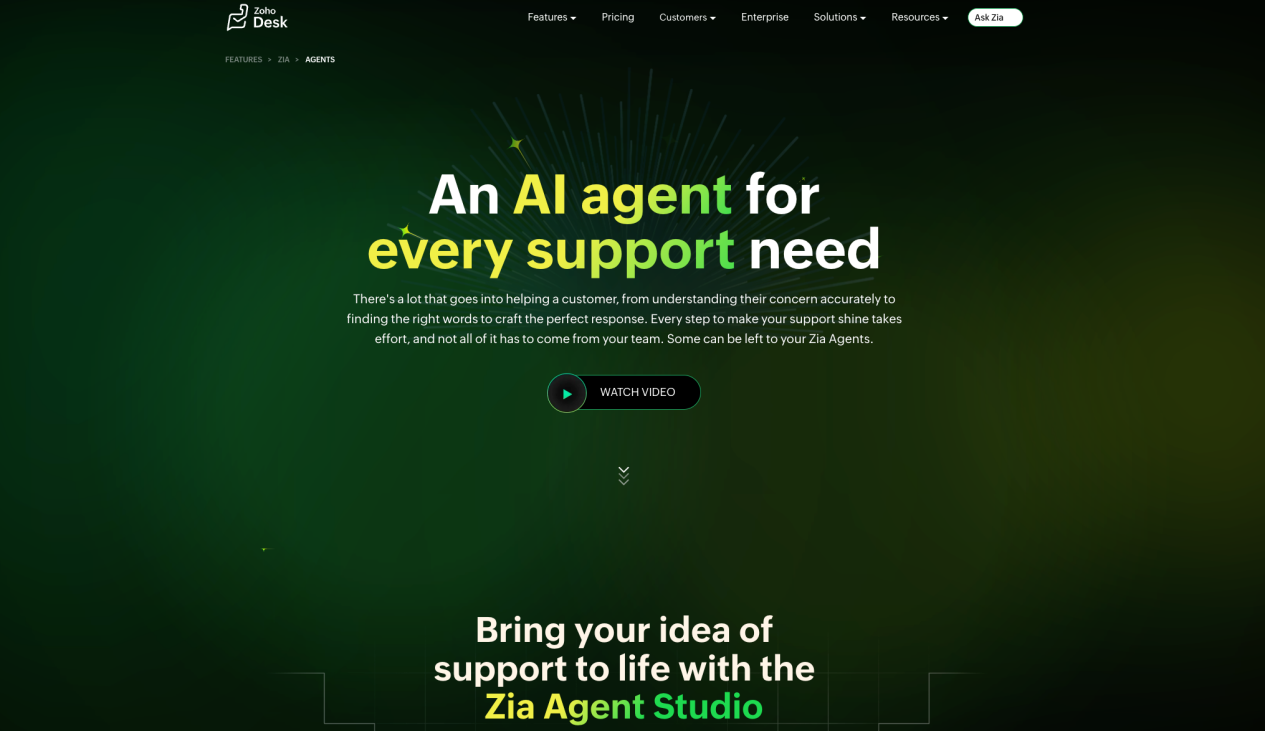
Zoho Desk offers a structured help-desk path with transparent entry pricing. Zia Agents include role-focused options for customer support, resolution learning, sentiment analysis, and quality management. Teams can also use Zia Agent Studio to shape an Agent for their own process rather than treating every AI task as one general chatbot.
The practical benefit is operational structure. Tickets, assignment rules, SLAs, knowledge, workflow blueprints, and analytics give the team a clear place to manage work that cannot be completed in one conversation. Organizations already using Zoho applications may also reduce integration effort by keeping more customer and business context inside the same ecosystem.
The low starting price should not be mistaken for one uniform feature set. Editions differ in Zia capabilities, messaging, telephony, workflow depth, token or AI allowances, and administration. Confirm the exact plan, data-center options, languages, connector scope, and AI usage rules before using the Express figure in a final cost comparison.
| Pros | Cons |
|---|---|
| Transparent, accessible help-desk entry pricing.Tickets, SLAs, assignment, knowledge, and workflows provide operational structure.Role-specific Zia Agents address support, quality, sentiment, and learning.Agent Studio supports more tailored automation.Strong fit for teams already using the Zoho ecosystem. | Edition differences materially affect the available AI and channels.Telephony and messaging depth depend on plan and connectors.AI allowances and data-center choices require confirmation.A low seat price may not represent the configuration needed for complex service. |
What people are saying:
“What I like most about Zoho Desk is how easy it is to set up”
“The only minor issue we’ve run into is the Turkish localization”
Learn more: Review Zoho Desk Zia Agents and compare edition-level allowances on Zoho Desk pricing.
9. Yellow.ai
Best for multilingual enterprise automation
Source: Yellow.ai Agentic AI Platform
| Starting price | Free trial | Key features |
|---|---|---|
| Custom enterprise quote | Guided demo | Agent building; Agentic RAG; chat, voice, and email; multilingual deployment; workflow actions; debugging; testing; conversation traces; dashboards; analytics; human handoff; enterprise integration support |
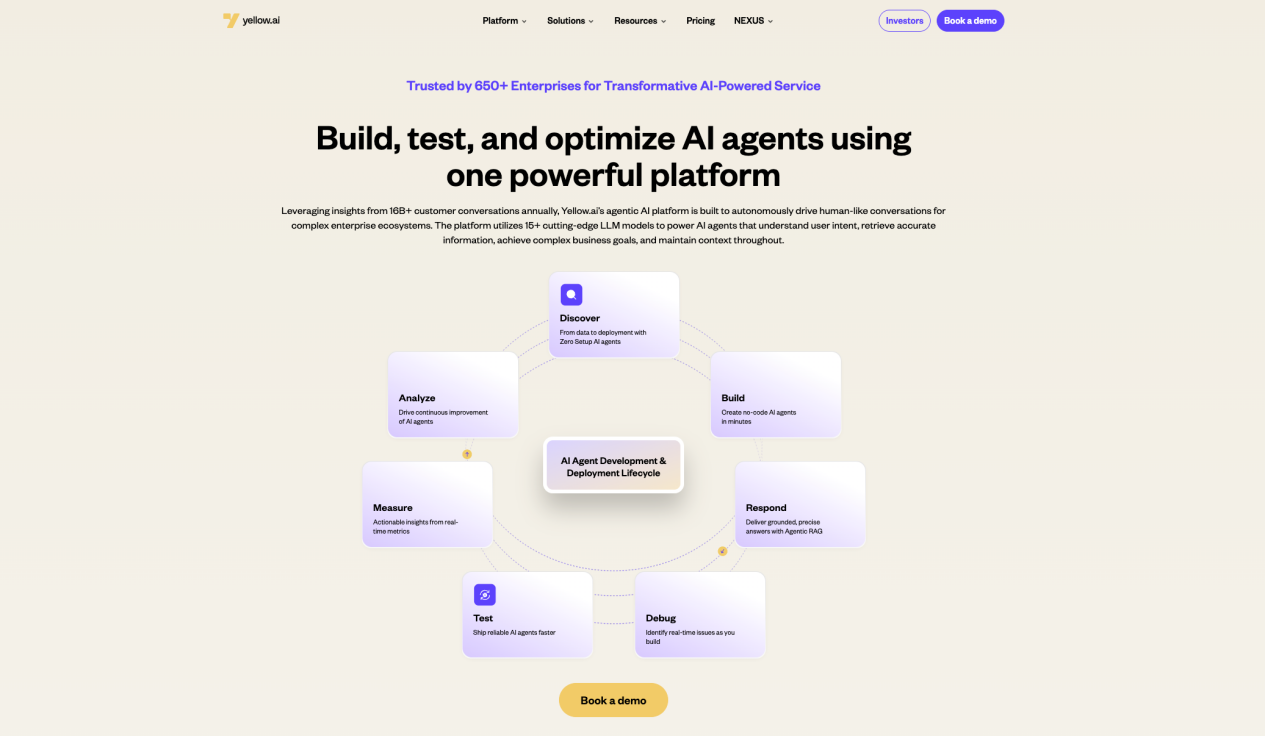
Yellow.ai covers a broad Agent lifecycle: discover a use case, build the Agent, ground its responses, connect actions, debug the behavior, test scenarios, deploy across channels, and analyze performance. Agentic RAG combines retrieval with reasoning and action, while traces and dashboards help operations teams examine how the Agent reached a result.
This breadth is most relevant to a larger organization with multilingual service, several systems, and enough operating capacity to govern a substantial automation program. Chat, voice, and email coverage can reduce channel-specific point solutions, but value depends on the detailed deployment: supported languages, voice markets, connectors, authentication, action permissions, evaluation method, and human ownership.
The buying path is sales-led, so the useful comparison is not a headline monthly price. Ask for the exact platform, channel, model, professional-service, and usage units in the proposal. Then test the same representative scenarios used for smaller products. Enterprise breadth does not remove the need to inspect failure recovery or customer effort.
| Pros | Cons |
|---|---|
| Broad chat, voice, email, and multilingual enterprise scope.Agentic RAG connects retrieval, reasoning, and action.Testing, traces, debugging, and analytics support an operational lifecycle.Suitable for multi-system and multi-market programs.Human handoff can remain part of the designed journey. | Custom pricing makes early cost comparison harder.The breadth can create a more complex implementation program.Language, voice, integration, and service scope must be contractually detailed.The organization needs clear internal ownership for testing and ongoing change. |
What people are saying:
“The dashboard is great, user friendly.”
“The turnover of staff handling our account keeps changing!”
Learn more: Explore the Yellow.ai Agentic AI Platform and use a guided demo to test your languages, actions, traces, and escalation path.
Key Features of the Best AI Customer Service Software
The best AI customer service software combines conversation, action, continuity, and control. A long feature list is less useful than evidence that these elements work together on your real customer requests.
Here are the capabilities that deserve the closest attention:
Grounded knowledge and source control: The software should retrieve from approved content, respect permissions, and give teams a way to refresh or retire sources. This reduces the risk of a fluent answer being based on stale policy.
Intent, context, and memory: The system should understand what the customer wants, use relevant conversation and account context, and avoid making the person repeat information. Ask whether memory is session-based, customer-based, or workflow-specific.
Agentic reasoning and controlled actions: Strong AI customer support software can decide which configured step to take, call an allowed tool, inspect the result, and adapt. The business value comes from progressing a request; the control comes from explicit permissions, validation, and approval points.
Omnichannel continuity: Email, web chat, social, messaging, WhatsApp, tickets, and voice should preserve identity, history, ownership, and next steps. Channel availability alone does not prove continuity.
Human handoff and recovery: The best AI customer service software with human handoff should recognize low confidence, policy exceptions, failed tools, authentication problems, strong sentiment, and explicit requests for a person. The handoff should include what the AI knew, tried, and promised.
Workflow and system integration: Check the exact CRM, commerce, order, billing, identity, and ticket objects the platform can read or update. A connector logo is not proof that your required action is supported.
Testing, evaluation, and observability: Teams need scenario tests, regression sets, conversation traces, quality dimensions, action-failure reporting, and a workflow for fixing problems. That turns AI improvement into an operating process rather than guesswork.
Security and governance: Role-based access, data boundaries, auditability, retention, model settings, regional processing, and human checkpoints help the organization control how automation behaves.
Human-agent enablement: Summaries, suggested replies, context panels, routing, and next-best actions should reduce agent effort without concealing important evidence or forcing the person to trust an unexplained recommendation.
Transparent commercial units: The vendor should define what counts as a seat, contact, conversation, credit, action, outcome, or resolution. Clear units let you compare normal months, peak months, and escalation-heavy workloads.
One practical rule helps: ask every finalist to show the same request from first message to final outcome. If the demonstration stops after a polished answer, you still have not seen the integration, action, error, or handoff layers that determine production value.
How to Choose the Right AI Customer Service Platform
The right platform automates useful work while protecting the customer’s path to a person. Use the following steps to move from a broad best AI customer service software list to a defensible shortlist.
1. Define the outcome before the feature list
Choose one or two operational goals: reduce first-response time, complete more eligible order requests, improve after-hours coverage, keep WhatsApp and voice context connected, or lower repeat contact. Then define a guardrail. For example, “complete eligible address changes while escalating identity failures” is more testable than “improve automation.”
2. Map a real customer journey
Write down the entry channel, customer identity, knowledge required, systems touched, allowed actions, approval points, exception paths, and final owner. This reveals whether you need an inbox, a help desk, a contact center, an action engine, or a combination. It also prevents a beautiful chatbot demo from replacing architecture analysis.
3. Test the actual integration depth
List the exact objects and operations required: read order status, update delivery address, issue a return label, create a ticket, change a subscription, or schedule a callback. Ask the vendor to demonstrate authentication, permission checks, timeouts, retries, duplicate prevention, logging, and failure behavior. “Integrates with the CRM” is too broad to approve a production workflow.
4. Evaluate intelligence with difficult cases
Create a 20–50 item test set using representative requests, ambiguous wording, missing information, multiple intents, policy conflicts, unsupported actions, language switching, negative sentiment, and stale knowledge. Score grounded accuracy, task completion, action correctness, policy adherence, escalation quality, latency, and customer effort. Re-run the same set after every major change.
5. Run the handoff test, not only the happy path
Test four routes: the customer asks for a person; confidence is low; identity verification fails; and a connected tool returns an error. The receiving agent should see the customer, conversation, relevant records, attempted actions, failure reason, and promised next step. Also check queue ownership and what happens outside business hours.
6. Check regional and channel reality
For each launch market, confirm supported channels, WhatsApp and telephony rules, numbers, carriers, languages, time zones, data arrangements, local routing, human coverage, and message or call fees. The best AI customer service software for a regional operation should match the countries and channels on your rollout plan—not an abstract global logo wall.
7. Compare fully loaded cost
Build a monthly model that includes seats, active contacts, conversations, resolutions, credits, actions, voice minutes, WhatsApp or Meta fees, telephony, integrations, implementation, support, and peak volume. Run the model at normal and high volume. A low entry tier can become expensive when the workload crosses a contact or usage threshold; a higher platform fee can be economical if it replaces several tools.
8. Verify the operating model after launch
Ask who approves knowledge changes, reviews failed conversations, maintains tools, tunes instructions, updates evaluation sets, and decides when an Agent may do more. The best AI customer service software makes this work visible with roles, traces, testing, and analytics. It does not imply that governance disappears after deployment.
If you need a metric-focused method, see how to compare resolution evidence. For a supplier and procurement lens, review AI customer service software companies. For a broader architecture shortlist, use our AI customer service platform comparison.
Main Challenges When Implementing AI Customer Service Software
Choosing a product is only the beginning. The best AI customer service software can still fail if knowledge, integrations, handoff, measurement, or operating ownership is weak.
Integration complexity: avoiding shallow automation
An Agent that reads a help center but cannot access current order, account, billing, or entitlement data will often stop at generic advice. Connect one workflow at a time and test both read and write operations. Include timeouts, retries, duplicate prevention, partial success, audit records, and rollback or recovery where the action is reversible.
Maintaining quality: making AI behavior observable
Teams lose trust when they cannot explain why the AI answered, acted, or escalated. Use grounded sources, traces, scenario evaluations, regression tests, action-failure reporting, and quality review. Measure not only containment, but also recontact, complaints, policy adherence, customer effort, action correctness, and the quality of the human handoff.
Data security and permissions: limiting what the Agent can do
AI may touch identity, payment, account, order, and conversation data. Apply least-privilege access, data minimization, retention rules, role controls, authentication, sensitive-data handling, and mandatory human approval for higher-risk actions. Review the vendor’s controls against your legal, security, and industry requirements rather than assuming one badge covers every workflow.
Fragmented knowledge: preventing confident inconsistency
Contradictory return rules, stale product content, and undocumented exceptions create unreliable answers. Assign owners, review dates, escalation paths, and version control. Track the questions that produce low confidence or repeated handoff so the knowledge program follows actual demand.
Handoff design: protecting customer effort
A transfer is not successful merely because a ticket was created. The customer should know why a person is needed and what will happen next. The human should receive the context required to continue. Define the payload, destination, priority, service level, callback behavior, and after-hours route before launch.
Measurement: avoiding false wins
Containment can rise when customers abandon an unhelpful interaction. Resolution can also be defined differently by each vendor. Pair automation metrics with recontact, CSAT, complaints, escalation outcome, customer effort, and business-task completion. If a metric cannot be reproduced from the event data, do not use it as the sole reason to expand automation.
Frequently Asked Questions
What is the best AI customer service software in 2026?
The best AI customer service software depends on the work you need to complete. Sobot is our best fit for WhatsApp-led regional operations that need AI, digital service, voice, tickets, governed actions, and contextual human handoff in one environment. Messaging-led teams may prefer respond.io, SleekFlow, or WATI; smaller digital teams may prefer Tidio or Help Scout; structured help desks may prefer Zoho Desk; consumer brands may shortlist Dixa; and multilingual enterprises may evaluate Yellow.ai.
What is the difference between AI customer service software and a chatbot?
A chatbot is usually the conversational interface. AI customer service software includes the wider operating system around that interface: knowledge, tools, workflows, tickets, channels, identity, customer context, analytics, permissions, and human handoff. A chatbot may explain how to return an item. A configured customer service Agent may check eligibility, create the return, record the result, and escalate an exception.
Can customer service AI agents replace human agents?
They can absorb repetitive and well-bounded work, but they should not become the only path. Complex judgment, emotion, negotiation, identity problems, sensitive decisions, and policy exceptions still need people. The most useful design gives AI a clear scope and makes escalation easy before frustration grows.
How much does AI customer service software cost?
Pricing may be per seat, contact, conversation, credit, action, outcome, or resolution. Messaging, carrier, voice, telephony, implementation, integrations, and support can sit outside the headline subscription. Compare one complete monthly workload under normal and peak conditions, then ask what happens to charges when AI hands the request to a person.
Which features matter most for WhatsApp customer service software?
Look beyond the WhatsApp logo. Check Business Platform onboarding, shared access, templates, routing, customer identity, approved automation, campaign and service separation, message charges, consent, human takeover, ticket creation, analytics, and whether context survives a move into voice or another channel. WhatsApp-first and omnichannel products solve different operating problems.
What should you test during a pilot?
Test ordinary requests, ambiguous wording, multiple intents, missing knowledge, unsupported actions, permission failures, system errors, language switching, channel switching, requests for a person, and peak volume. Measure grounded-answer quality, task completion, action accuracy, policy adherence, handoff context, recontact, customer effort, CSAT, latency, and fully loaded cost.
How should real user reviews affect the shortlist?
Use reviews to find recurring questions, not to substitute for a pilot. A praise theme such as easy setup tells you what to validate during onboarding; a criticism about reporting, pricing, localization, or workflow complexity tells you what to include in the demo. Check the review date, company size, use case, incentive label, and whether the feature has changed since publication.
That is why the best AI customer service software cannot be chosen from star ratings alone.
See How Sobot Connects AI Resolution With Omnichannel Service
The next step is not another generic demo. Bring one real customer journey: where it begins, the systems it touches, the actions AI may take, the channels involved, the exception path, and the definition of success. Then ask the platform to show the complete route from first message to resolution or human ownership.
Sobot is designed for this operating model. Agents use grounded knowledge and configured capabilities to progress customer tasks. Nexus connects the channels, context, data, and customer-contact infrastructure around those tasks. Experts can support deployment and continuous improvement. Together, they help teams move from a point chatbot toward governed service across WhatsApp, digital channels, voice, tickets, and people.
Book a Sobot demo and ask for a line-item fit assessment covering channels, systems, actions, permissions, handoff, evaluation, expected volume, and commercial scope.
About This Guide
This guide was prepared by the Sobot Editorial Team and last updated on October 15, 2026. Product features and prices link to the relevant vendor-owned pages; short review excerpts link to G2 or Capterra. Sobot deployment metrics remain attached to the named customer stories in which they were reported. Because packages and capabilities change, buyers should confirm the final configuration in their own demo, security review, pilot, and contract.
Related Best AI Customer Service Software Guides
Best AI customer service software by resolution rate
Best AI customer service software companies
Broader AI customer service software platform comparison
Sobot AI Agents for governed customer task handling
Sobot omnichannel customer service
Related Posts
AI Agent vs. chatbot: key differences, functions, and applications
See how retrieval, reasoning, actions, workflow completion, and human handoff distinguish an AI Agent from a conventional scripted chatbot.
Why enterprises are moving to omnichannel customer service
Learn why channel availability is not enough—and how identity, history, routing, and ownership shape a continuous service experience.
The 2026 guide to true omnichannel customer service platforms
Explore the operational requirements behind connected digital service, messaging, voice, tickets, customer context, and human-agent workspaces.
Final Take: Choose the Evidence, Not the Loudest Promise
The best AI customer service software fits the customer work you need to complete, the channels your customers actually use, and the controls your organization requires. One team may need a lightweight knowledge Agent. Another may need messaging-led commerce. A third may need a full omnichannel operation with voice, tickets, workflow actions, evaluation, and expert delivery.
Sobot is our strongest recommendation when WhatsApp-led service must continue across digital channels, voice, tickets, AI, and human teams. Its value is not simply the number of channel logos. It is the ability to connect grounded task handling, reusable Resources, evaluation, customer context, and human ownership inside a broader customer-contact environment.
Give every finalist the same journey and the same difficult cases. Compare the completed outcome, the failed-action behavior, the handoff context, and the fully loaded cost. Then choose the evidence—not the loudest promise.
See Sobot AI Agents in Action
Test how an Agent retrieves approved knowledge, invokes a configured capability, responds to a failed action, and hands the work to a person with context.
View Sobot AI Agents | Book a demo