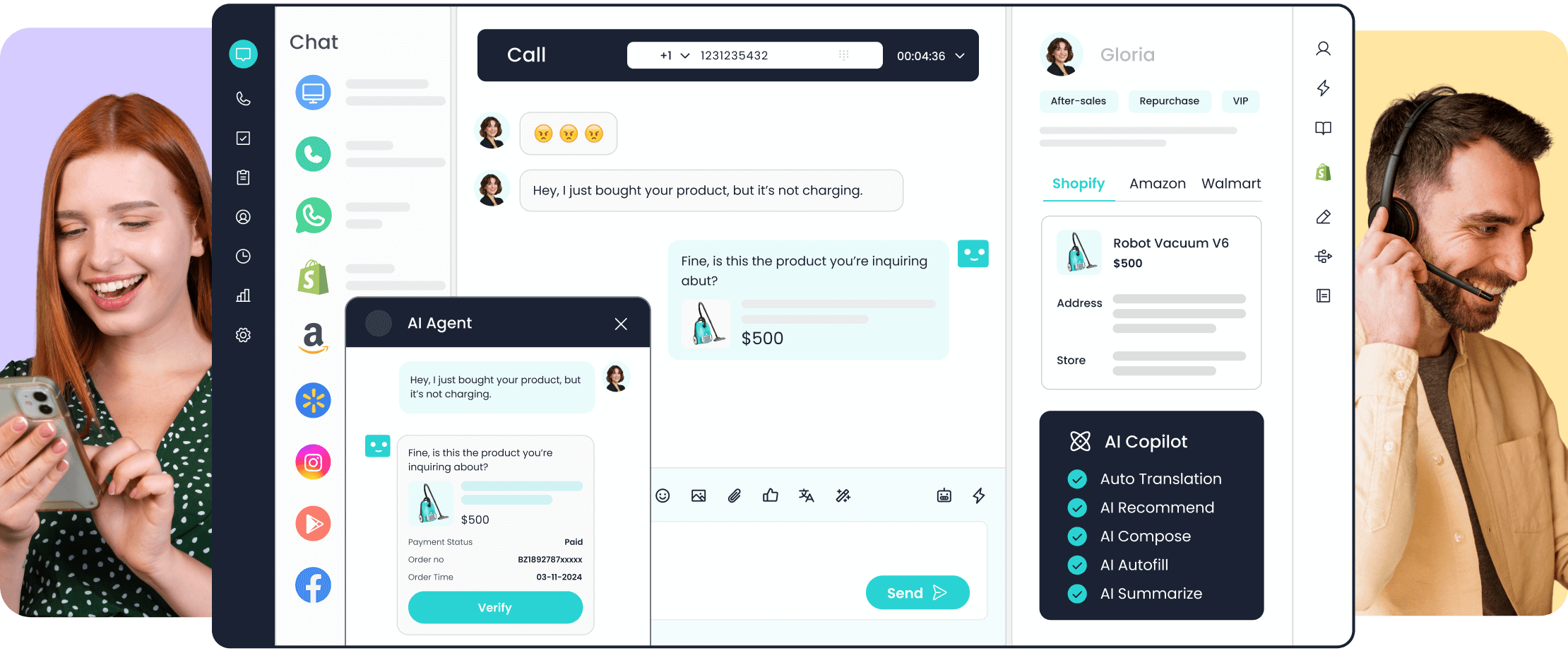
AI agent tools for customer service should do more than generate a plausible answer. They need to retrieve current business information, decide what to do next, invoke permitted systems, complete suitable tasks, and transfer exceptions to a human with useful context.
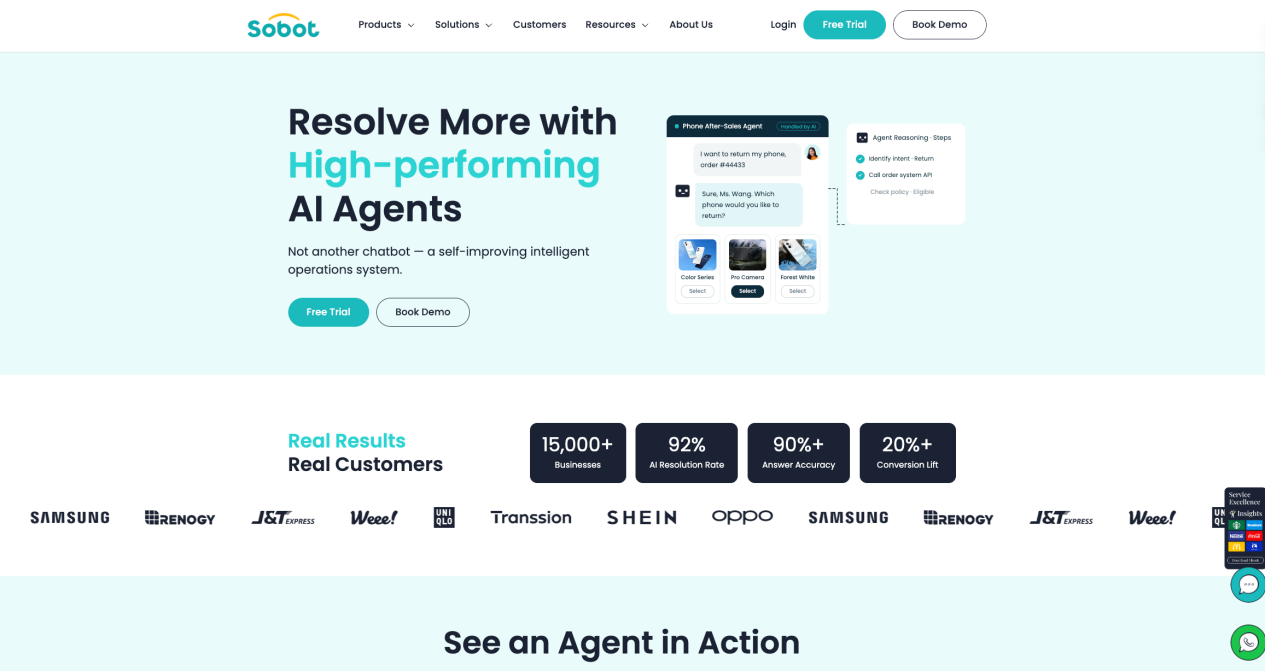
Sobot Agents is the AI Agent product within Sobot’s Agentic Customer Contact Platform. Its clearest fit is Asia-Pacific omnichannel service, especially Singapore and Southeast Asian operations that need multilingual digital channels, WhatsApp and social messaging, voice, tickets, connected actions, and context-rich human handoff in one customer-contact environment.
That regional fit does not replace the technical case for the product. Sobot Agents is built around reusable Knowledge, Skills, Workflows, Tools, Memory, and Variables; grounded retrieval through RAG; reasoning and action through ReAct; Function Calling and MCP connections; single-turn and multi-turn evaluation; and a managed Build, Evaluate, Tune, and Observe loop.
This guide explains what the product is, how its components work together, what changed in the 2026 releases, and what an APAC service team should verify before deployment.
Sobot Agents at a Glance
| Question | Current answer |
| What is it? | The AI Agent product inside Sobot’s Agentic Customer Contact Platform |
| Best fit | APAC and Singapore/SEA customer-contact operations spanning messaging, WhatsApp, voice, tickets, business systems, and human service |
| Agent types | Messaging Agents, Omnichannel Agents, Inbound Agents, and Outbound Agents |
| Core resources | Knowledge, Skills, Workflows, Tools, Memory, and Variables |
| Technical model | RAG for grounded retrieval plus ReAct for reasoning, action, observation, and adaptation |
| System access | Function Calling and MCP Tools, subject to configured integrations, authentication, and permissions |
| Operations | Agent Studio, Resource Center, Evaluation Center, Data Center, AI Analyst, and a Build → Evaluate → Tune → Observe loop |
| Human handoff | Transfers sensitive, exceptional, or out-of-scope cases with relevant available conversation and customer context |
| Published Agents pricing | Team $39/month, Professional $149/month, Enterprise $499/month; additional automated resolutions $0.98 each |
| Trial | 15 days, including 20 resolved conversations and 100 AI credits for Sobot Agents |
Product features, prices, and release information in this article were checked against Sobot’s official product and update pages on September 28, 2026.
What Are AI Agent Tools for Customer Service?
An AI Agent is the component that receives a goal and decides how to handle it. AI agent tools are the resources and system capabilities the Agent uses to complete that job.
| Resource | What it contributes | Customer-service example |
| Knowledge | Approved facts and policies | Return rules, warranty terms, product information, troubleshooting articles |
| Skills | Reusable business judgment and SOPs | Deciding whether a return is eligible or how to classify a fault |
| Workflows | Fixed steps, routing, approvals, and follow-up | Collect details, authenticate, create a ticket, notify the customer |
| Tools | Read or write access to permitted systems | Look up an order, check a shipment, update a record, create a ticket |
| Memory | Allowed longer-term customer context | Preferences, previous interactions, device or service history |
| Variables | Controlled state during execution | Market, customer tier, order number, verification result, workflow status |
A basic FAQ bot may retrieve one answer. An Agent with the right resource stack can retrieve the applicable policy, check live order data, apply a business rule, perform an authorized action, confirm the result, or hand the case to a person when it reaches a boundary.
That distinction matters for the query AI Agent Tools for Customer Service. The relevant question is not only whether a product can chat. It is whether its knowledge, tool access, workflow logic, testing, governance, channel coverage, and human escalation model can support the service job that needs to be completed.
What Is Sobot Agents?
Sobot Agents is not the same product as Sobot Chatbot. Sobot Chatbot remains a focused conversational self-service product. Sobot Agents is the current Agent product for customer-contact workflows that require reasoning, resource selection, action, evaluation, and controlled escalation.
An Agent can:
- Interpret a customer’s intent and identify missing information.
- Retrieve approved business knowledge and relevant customer or account data.
- Select a Skill, Workflow, Tool, Memory item, or Variable needed for the task.
- Call a connected system where the necessary integration and permission exist.
- Observe the result and decide whether to continue, request clarification, try another permitted path, or escalate.
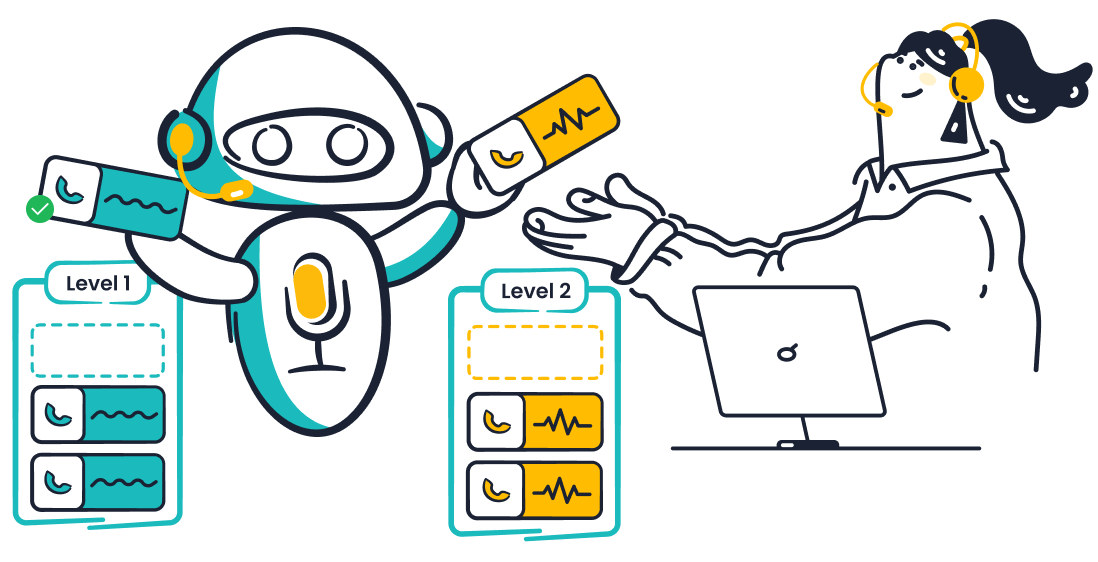
- Transfer the conversation to a human agent with relevant available context.
The action boundary is important. Sobot Agents should not be described as permissionless automation. Every production action depends on the systems connected, the permissions granted, identity controls, business rules, workflow design, and escalation policy.
Why Sobot’s Strongest Slot Is APAC Omnichannel Operations
Many AI Agent evaluations begin with answer quality. For Singapore and Southeast Asian service teams, that is only one part of fit. The platform also has to operate across the channels, languages, regional commerce journeys, voice environments, and human-support processes customers actually use.
Sobot’s current positioning aligns with that requirement:
- Messaging and social channels: Website, app, email, marketplaces, WhatsApp, Facebook, Instagram, LINE, and other connected social channels can be part of the digital service environment.
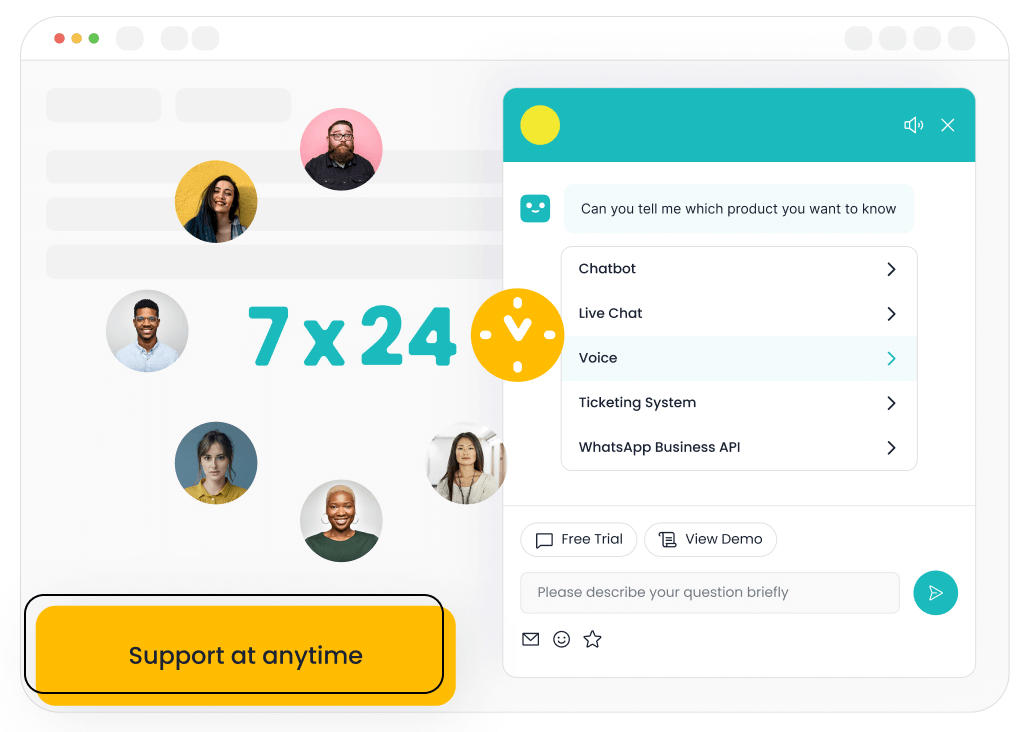
- Digital plus voice: Omnichannel Agents are designed to work across text and voice, while Inbound and Outbound Agents address phone-based workflows.
- Tickets and long-running work: Ticket creation and ticket-centered follow-up can sit alongside real-time conversations rather than becoming a disconnected process.
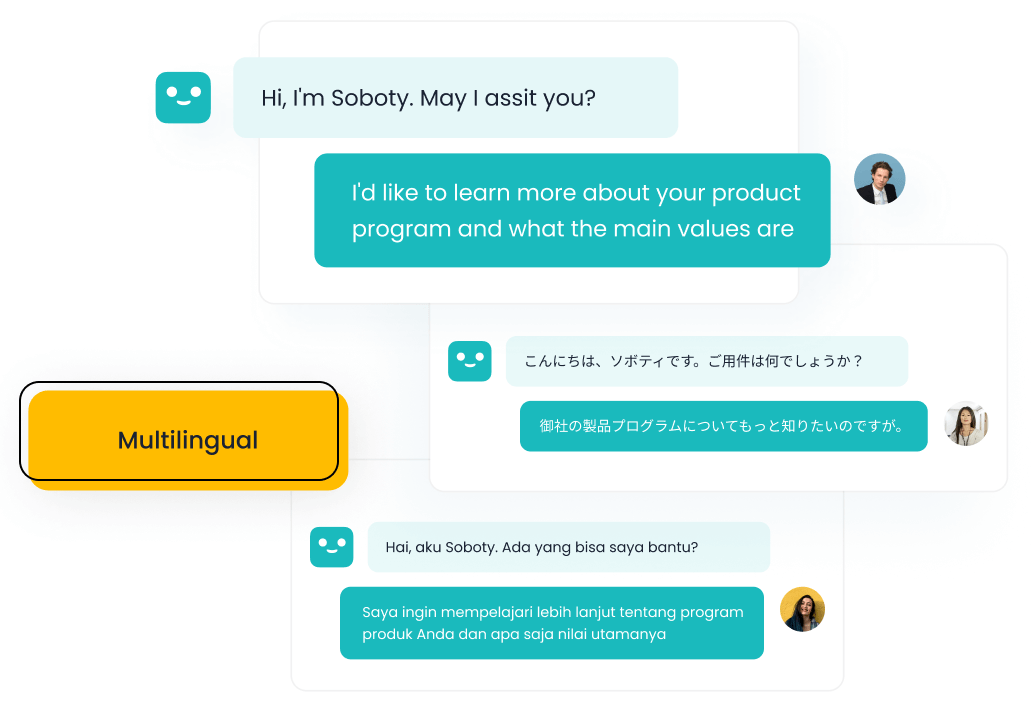
- Regional language operations: The current product page markets broad multilingual Agent and translation capability, while the release notes document module-specific expansion across Korean, Hindi, Khmer, and other languages.
- Human continuity: A customer can move from AI to a human service team without discarding the available conversation and task context.
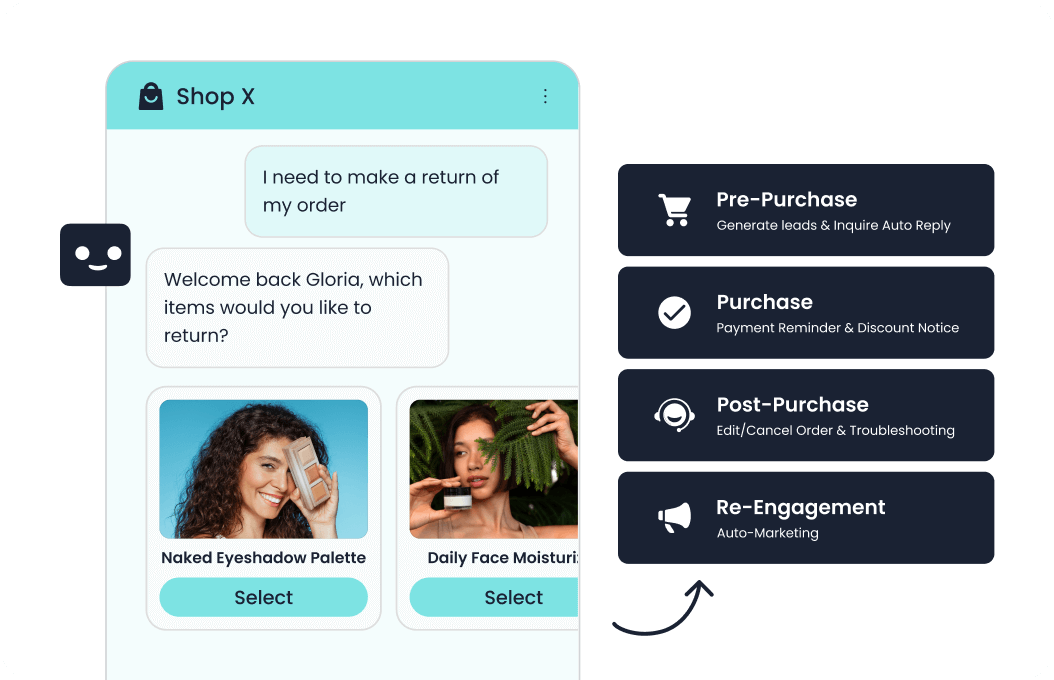
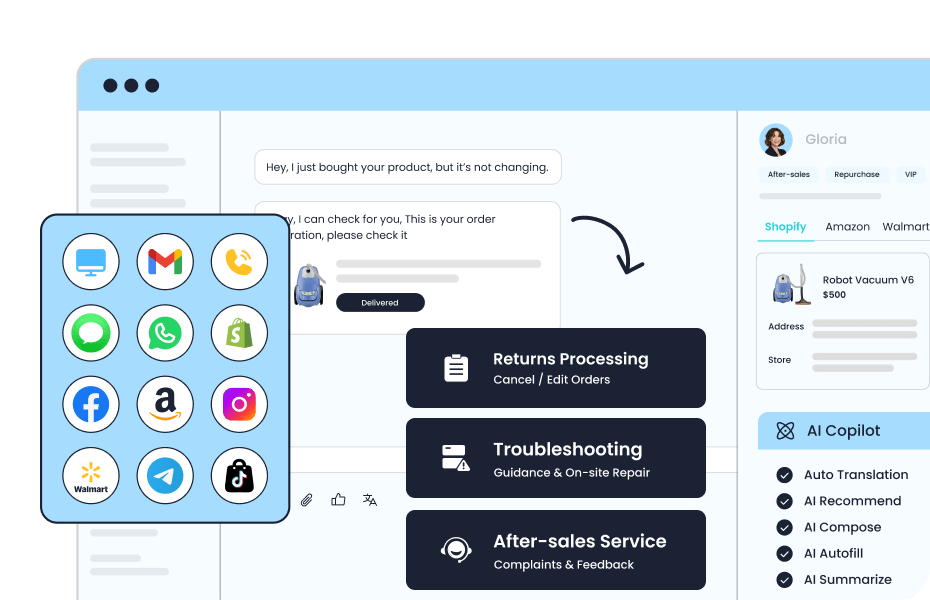
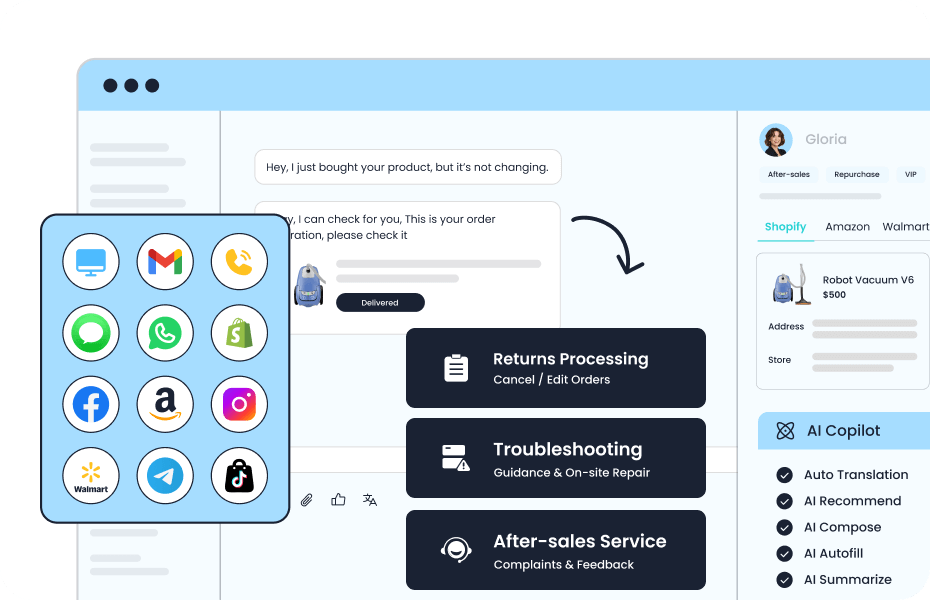
- Cross-border commerce: The product page describes after-sales scenarios involving Shopify, Amazon, Walmart, and TikTok environments, although buyers should confirm the exact connector and action depth required for their deployment.
This makes Sobot especially relevant when the shortlist is framed as APAC/WhatsApp-heavy customer service, Singapore/SEA omnichannel operations, or multilingual messaging plus voice and ticketing. It is a broader slot than “website chatbot” and a more defensible one than a generic claim to be best for every customer-service team.
For a regional comparison rather than a single-product explanation, see 8 AI Customer Service Agent Tools for Singapore.
Four Types of Sobot Agents
Sobot’s current product page describes four Agent patterns. The right starting point depends on where customers contact the business and what work the Agent is expected to complete.
| Agent type | Primary job | Typical channel scope | Best starting condition |
| Messaging Agents | Handle text-based service conversations and connected actions | Website, app, email, marketplaces, WhatsApp, and social messaging | Most service volume is digital and text based |
| Omnichannel Agents | Handle text and voice within one Agent operating model | Connected messaging and phone journeys | Customers move between messaging and calls, or the same policy and context must support both |
| Inbound Agents | Answer incoming customer calls | Inbound voice | Phone support creates high repetitive volume or requires 24/7 first response |
| Outbound Agents | Place outbound calls for defined use cases | Outbound voice | The team needs scalable follow-up, confirmation, notification, survey, or service outreach |
These Agent types can draw on shared knowledge and resources. The value is not only adding another bot for each channel. It is maintaining reusable business knowledge, Tools, Skills, and operating rules so channel-specific Agents do not each begin from a separate configuration.
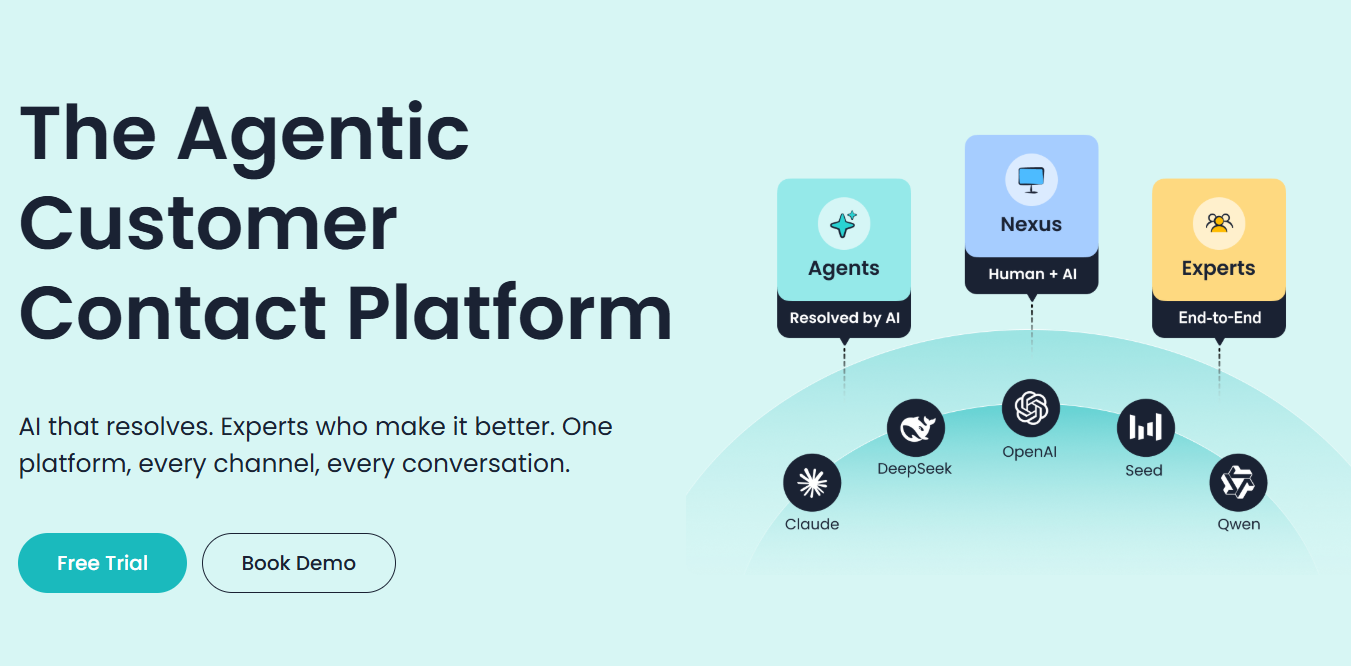
How Sobot Organizes the Operating Model: Agents, Nexus, and Experts
Sobot’s current brand architecture has three layers.
Agents: interaction, reasoning, and task execution
Agents handle the customer-facing work. They interpret the request, retrieve information, select resources, execute permitted steps, confirm the result, and escalate when needed.
Nexus: channels, data, context, and customer-contact infrastructure
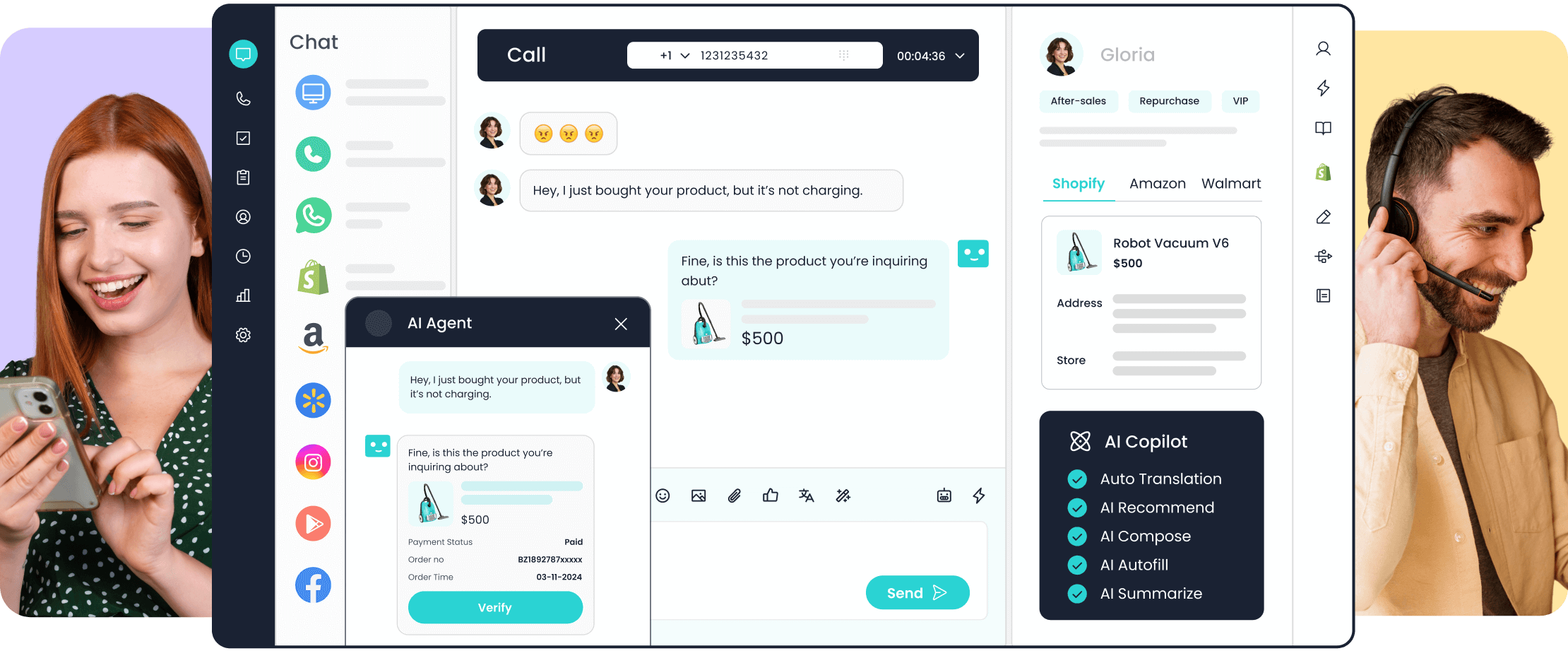
Nexus connects the channels and operational context through which the interaction moves. In a configured deployment, that can include digital messaging, WhatsApp, email, web and app interactions, voice, tickets, routing, customer data, and human-agent workspaces.
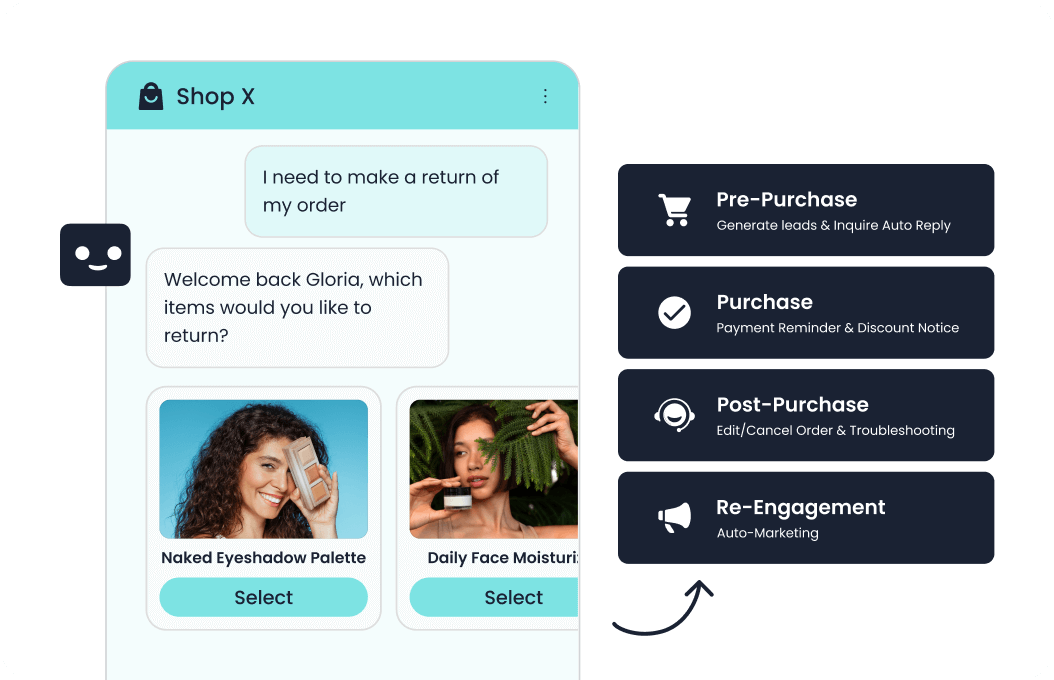
This layer is why Sobot should not be reduced to an isolated AI chat tool. The Agent operates inside a broader contact environment where the conversation may start in WhatsApp, require an order lookup, create a ticket, and finish with a human agent or voice follow-up.
Experts: deployment and managed improvement
Experts is Sobot’s term for the people and services that can support strategy, deployment, training, operations, and ongoing optimization. The exact service scope depends on the purchased package and contract; it should not be interpreted as unlimited managed service in every edition.
Together, the model can be summarized as: Agents resolve suitable work, Nexus carries the interaction and context, and Experts support deployment and improvement.
The Resource Center: Six Reusable Building Blocks
The Sobot Agents Resource Center brings Knowledge, Skills, Workflows, Tools, Memory, and Variables into centrally managed resource libraries.
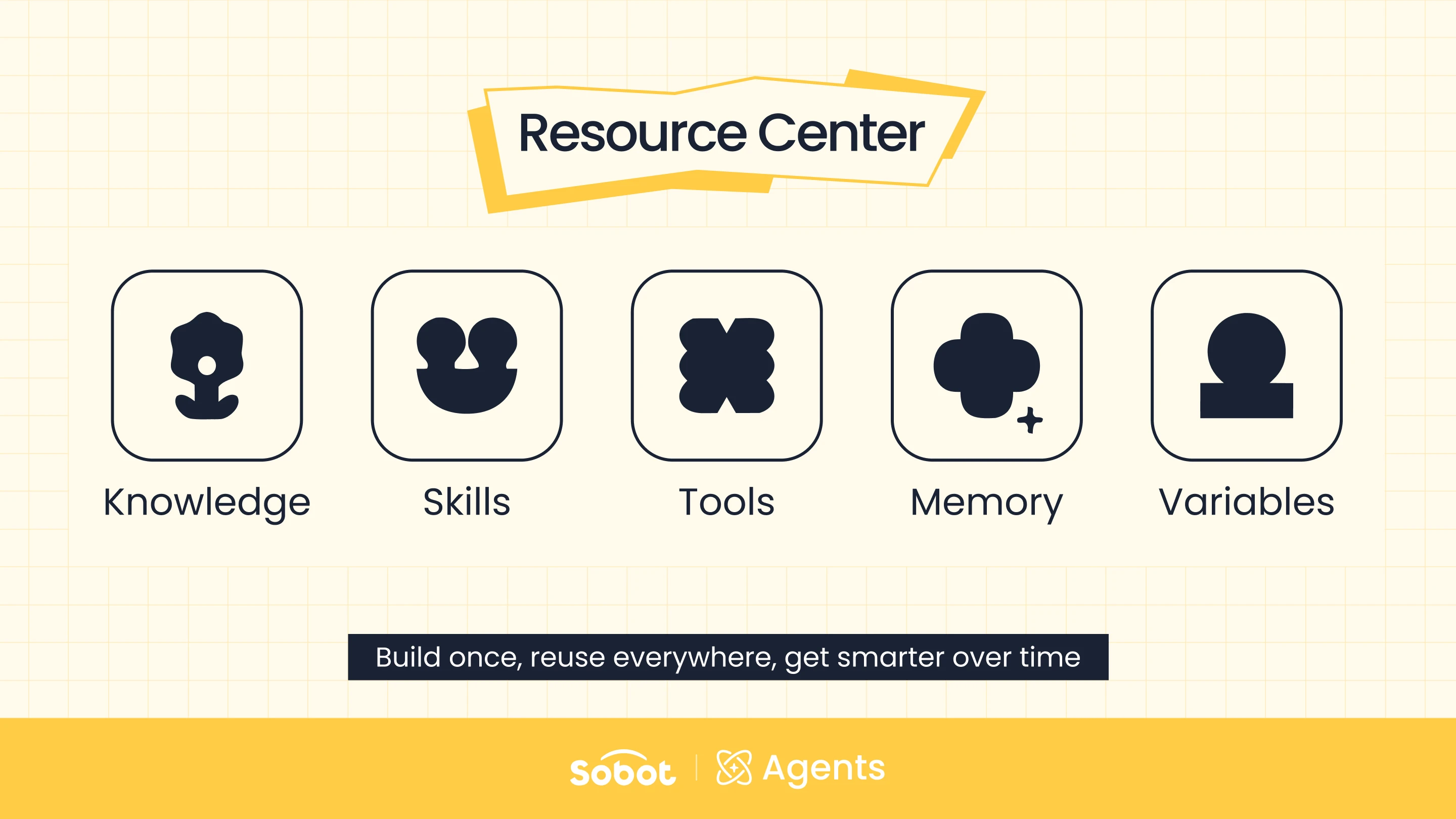
That solves two common Agent-operations problems:
- Teams do not have to recreate the same policy, integration, or procedure for every new Agent.
- When a policy or workflow changes, the reusable resource can be maintained in one place and referenced by the Agents that need it.
Consider an after-sales repair request:
- Knowledge supplies the warranty policy and repair instructions.
- Skill determines the handling strategy and exception boundary.
- Workflow collects the serial number, contact details, and preferred service path in a fixed order.
- Tool checks the order or creates the repair ticket.
- Variable carries the order number and verification state through the current task.
- Memory can retain permitted device or service preferences for future interactions.
The Resource Center is therefore more than a knowledge base. Knowledge helps an Agent answer; the other resources help it decide, act, preserve context, and complete a controlled service process.
RAG and ReAct: Ground the Answer, Then Decide What to Do
Sobot Agents combines two technical patterns that solve different parts of the service problem.
RAG retrieves the relevant business evidence
Retrieval-augmented generation helps the Agent search approved enterprise information before responding. Sobot’s current materials describe document parsing, chunking and embedding, retrieval and reranking, and response validation.
For a return request, RAG may retrieve the policy for the correct market, product category, and purchase window rather than relying on the language model’s general knowledge.
ReAct manages reasoning and action
ReAct organizes work as a loop:
- Reason: Determine the customer’s goal and the next appropriate step.
- Act: Invoke the relevant Knowledge, Skill, Workflow, Tool, Memory, or Variable.
- Observe: Read the result returned by the resource or connected system.
- Adapt: Continue, ask for missing information, select another permitted path, or hand the case to a human.
RAG alone can produce a grounded answer. ReAct plus Tools can move from an answer toward an outcome. Neither removes the need for permissions, authentication, testing, monitoring, or human review.
Function Calling and MCP: How the Agent Reaches Business Systems
The August 2026 release moved Function Calling into the Resource Center and added MCP as another Tool integration method. The current Sobot MCP guide explains how teams can configure an MCP server, choose the Tools it exposes, and bind only the required capabilities to an Agent.
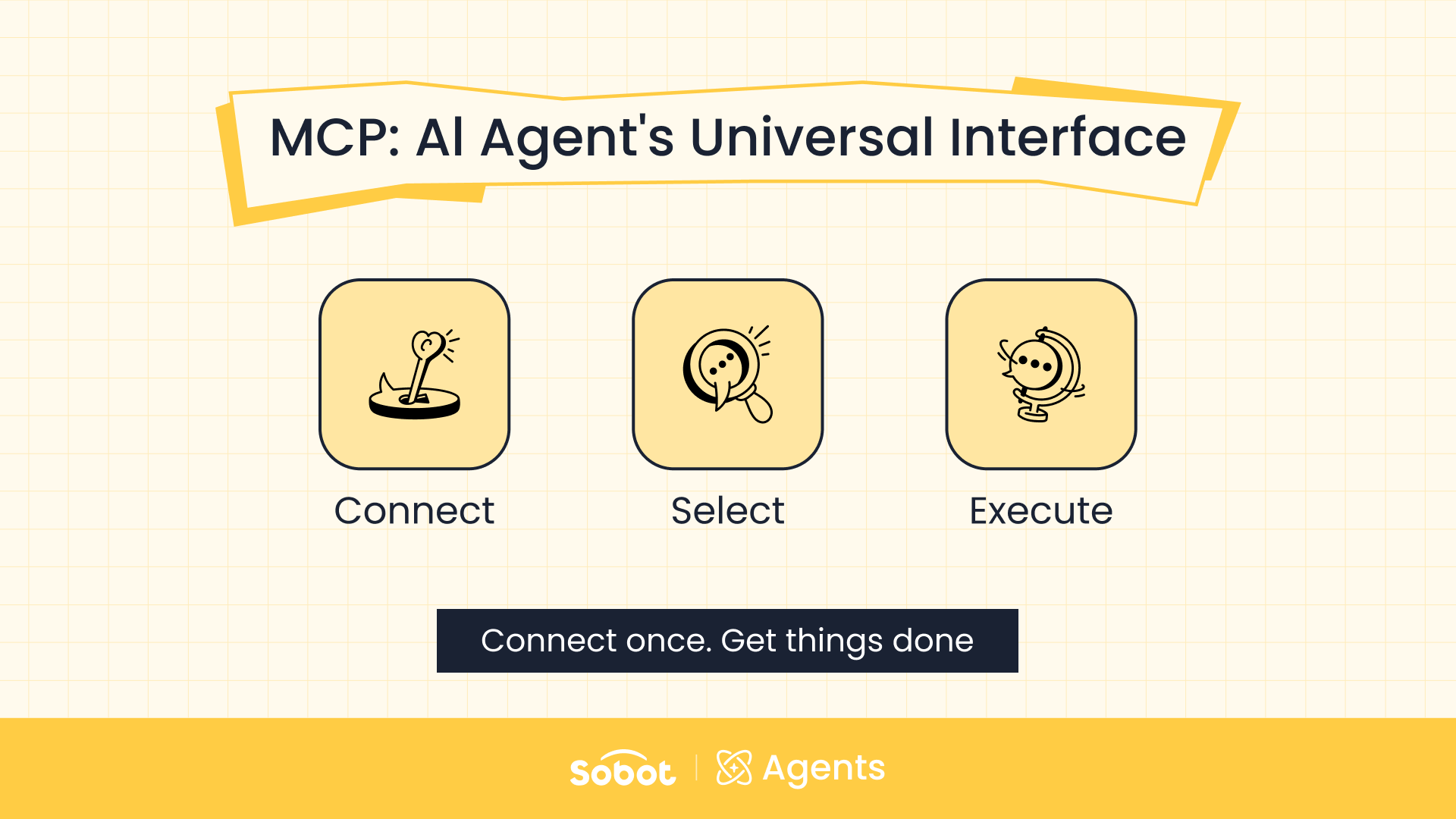
The two integration patterns serve the same broad purpose: making external capabilities available to the Agent. Those capabilities may include:
- Looking up orders, shipments, inventory, accounts, or warranties.
- Creating or updating a ticket.
- Logging a lead or customer record.
- Querying a CRM, ERP, order system, or other business API.
- Triggering a defined follow-up action.
MCP does not remove integration governance. The team still has to configure the endpoint and authentication, decide which Tools are enabled, limit write access, define required parameters, manage credentials, and specify when the Agent should not call a Tool.
For customer service, the safest pattern is role-based Tool access: give each Agent only the systems and actions required for its job. A repair Agent may need order lookup and ticket creation, but it may not need refund approval or customer-record deletion.
A Customer-Service Workflow From Request to Resolution
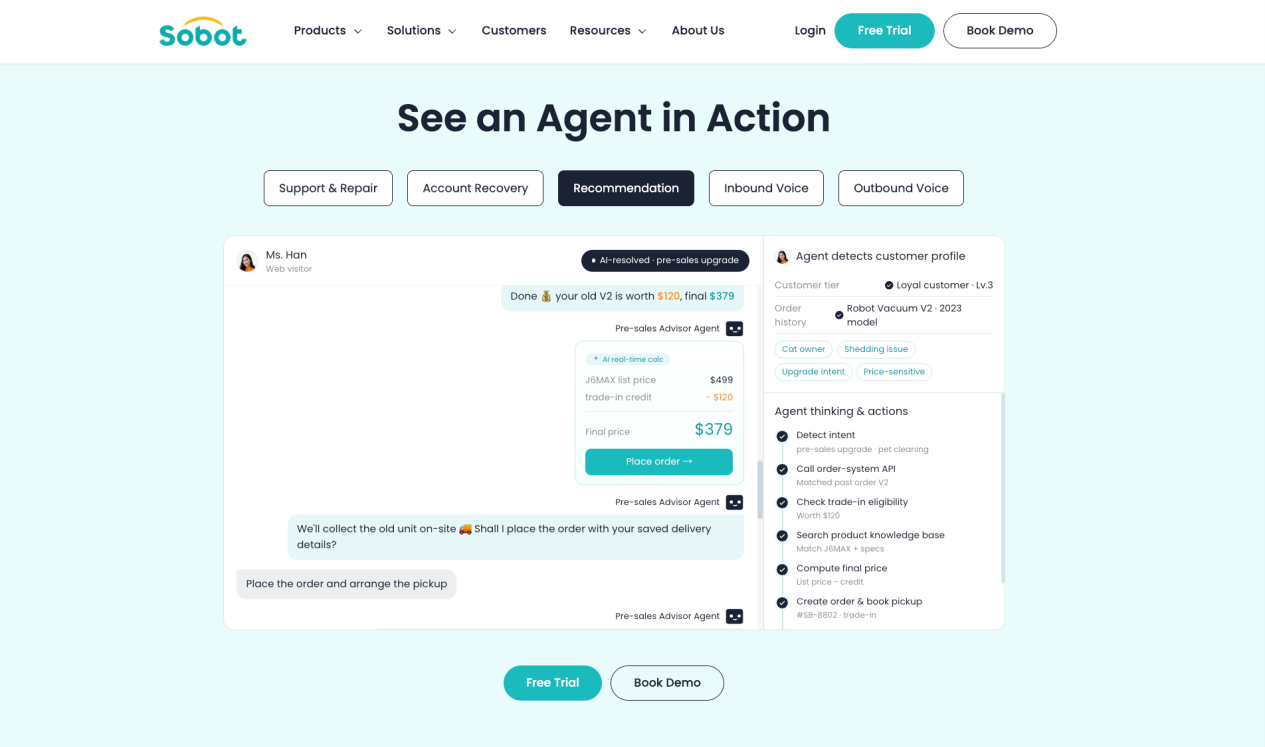
The following example shows how the parts work together for a cross-border ecommerce order issue.
Step 1: Understand the request and channel context
Step 2: Retrieve the applicable policy
Step 3: Inspect live order data
Step 4: Apply a Skill or Workflow
Step 5: Complete or escalate
Step 6: Preserve relevant context
Step 7: Feed the outcome into operations
Build, Evaluate, Tune, and Observe
Sobot treats Agent operations as a lifecycle rather than a one-time launch.
Build in the conversational workspace
Sobot’s current product page refers to Agent Studio, while the August launch notes introduced the conversational workspace as AI Studio. The workspace lets teams describe a use case in natural language and assists with Agent configuration, resource selection, prompts, roles, and response settings.
Natural-language assistance does not mean a production Agent should be published after one sentence. Teams still need to review its role, knowledge, permissions, Tool access, handoff rules, channel configuration, and test results.
Evaluate single-turn and multi-turn scenarios
The Evaluation Center supports single-turn and multi-turn datasets, evaluation criteria, plans, and reports. Teams can test dimensions such as accuracy, response style, safety, role consistency, context consistency, and Tool-invocation correctness.
Failed cases can be inspected and passed into AI-assisted optimization, but the proposed change still requires human review. See How Sobot’s Evaluation Center Works for the deeper workflow.
Tune the resource that caused the failure
A poor answer is not always an LLM problem. The failure may come from missing knowledge, an ambiguous Skill, an incorrect Tool description, a broken integration, an incomplete Workflow, or a handoff rule that triggers too late.
The tuning process should identify the responsible resource, propose a change, retest the case, and compare the result before deployment.
Observe production behavior
The Data Center provides dashboards and conversation records for Agent performance, customer questions, resource calls, and operational issues. AI Analyst supports natural-language analysis of permitted operational data, including summaries, trends, anomalies, and reports where enabled.
This is what “self-improving” should mean in a governed deployment: teams observe real behavior, evaluate it, approve changes, and repeat the operating loop. It should not imply uncontrolled self-modification.
What Changed in the 2026 Product Updates?
Sobot’s Product Updates archive adds important details that were missing from the original article.
| Release | Relevant change for AI Agent tools | Why it matters |
| July 2, 2026 | Expanded overseas TTS and ASR channels, pronunciation dictionaries, Korean workbench coverage, multilingual adaptation including Hindi and Khmer, and further WhatsApp/Messenger updates | Strengthens the operational case for multilingual, cross-border, and voice-heavy APAC service |
| August 4, 2026 | Introduced the current Agent-centered product structure: conversational Studio, Data Center, Evaluation Center, Agent Management, and Resource Center | Moves the product beyond the former LLM Bot model into a managed Agent lifecycle |
| August 4, 2026 | Added reusable Skills, Workflows, Function Calling, MCP Tools, long-term Memory, and Variables | Gives Agents shared business knowledge, rules, system access, and customer context |
| August 4, 2026 | Added single-turn and multi-turn evaluation datasets, custom criteria, evaluation plans, reports, and tuning handoff | Makes pre-launch testing and continuing quality operations part of the platform |
| August 27, 2026 | Added a calculator Tool action and keypad/DTMF collection for voice interactions | Supports accurate arithmetic and structured voice input without relying on free-form model calculation or speech recognition |
| August 27, 2026 | Added voice-recognition modes prioritizing speed or accuracy, automatic call summaries, and further IVR and ticket automation improvements | Adds control for voice operations and reduces manual post-call work |
| August 27, 2026 | Moved the overseas translation service from Amazon to Google and expanded SDK and HarmonyOS multilingual capability | Addresses translation quality and interface coverage for multilingual regional operations |
Release-note availability can vary by tenant, channel, trial status, product package, or rollout phase. Buyers should confirm the exact production entitlement for the planned market and workflow.
Language Coverage: Treat the Number as Module Specific
Sobot’s current Agents page advertises 75+ languages and 75-language translation. The August product update separately documents 23-language SDK and visitor-interface coverage for specific modules, and the July update names Korean, Hindi, and Khmer among its overseas language additions.
These statements describe different capability layers. They should not be collapsed into a claim that every Agent, voice model, workbench, SDK, knowledge module, and channel supports the same 75 languages.
An APAC buyer should request a language matrix covering:
- Agent understanding and response generation.
- Human-agent translation.
- Web and app visitor interfaces.
- Agent workbench interfaces.
- Knowledge ingestion and search.
- Voice ASR and TTS by language, accent, and region.
- WhatsApp, LINE, social messaging, email, and ticket templates.
- Human handoff, reporting, and evaluation for each required language.
This verification is especially important for Singapore and Southeast Asia, where one operation may need English, Mandarin, Bahasa Indonesia, Malay, Thai, Vietnamese, Korean, Hindi, Khmer, and other regional languages across different channels.
Human Handoff Is Part of the Agent Design
An AI Agent should not be judged only by containment. Some customer requests should transfer because they involve identity checks, policy exceptions, high-risk actions, sensitive information, customer preference, missing data, or an unavailable system.
Sobot Agents can be configured to transfer based on conditions such as intent, sentiment, direct customer request, case type, Tool failure, or workflow boundary. Relevant available context can move with the case, including the conversation summary, customer details, order or ticket information, actions attempted, and reason for escalation.
The exact objects preserved depend on the connected systems and configuration. The procurement question is not simply “Does it support handoff?” It is:
- What conditions trigger the transfer?
- Which queue or specialist receives it?
- What context follows automatically?
- Can the human see Tool calls and failed actions?
- What happens when no human is available?
- Does the context remain consistent across WhatsApp, web, app, voice, and tickets?
Current Sobot Agents Pricing
The previous version of this article did not reflect the current public Sobot Agents pricing. The official page now lists:
| Edition | Published monthly price | Public pricing note |
| Team | $39 | Includes an edition-specific allowance of automated resolutions and AI credits |
| Professional | $149 | Includes larger allowances and additional product capability |
| Enterprise | $499 | Includes the highest published edition scope and allowances |
Additional automated resolutions are listed at $0.98 each and are charged when the Agent resolves the conversation, not when it transfers the case to a human. AI credits are available in packs, with lower per-credit pricing in larger packs. The 15-day trial includes 20 resolved conversations and 100 AI credits.
The Agent edition is not necessarily the complete customer-contact cost. Buyers should separately confirm:
- The exact included resolution and credit allowance for each edition.
- Which operations consume AI credits and at what rate.
- Messaging, WhatsApp, voice, phone-number, carrier, and third-party charges.
- Human-agent, administrator, builder, analyst, and supervisor seats.
- Nexus products, ticketing, integrations, deployment, training, support, and Experts services.
- MCP, Function Calling, Memory, Evaluation Center, Data Center, and AI Analyst entitlements by edition.
Do not compare Sobot’s $0.98 additional-resolution price with another vendor’s outcome, conversation, or action price without normalizing the billable event and surrounding platform scope.
What Current Customer Evidence Shows
Sobot’s official Agents page currently presents several customer examples. These are individual results, not platform-wide guarantees.
| Customer | Published scenario | Results reported on the Sobot Agents page |
| Renogy | WhatsApp, email, website, and app service with Amazon and eBay context | 35%+ direct chatbot answering, 44%+ increase in resolution rate, and 95%+ CSAT |
| FarEastFlora | URL-trained Agent using live Shopify and TikTok Shop order data, with summaries for human handoff | 82.9% AI resolution rate, 76.20% 24-hour resolution, and 3-second average response time |
| realme | AI Agent and Voicebot using order data in consumer-electronics service | 48%+ agent productivity, 80%+ inquiries resolved, and 97%+ CSAT |
For an APAC evaluation, the most relevant proof is not the highest headline metric. It is whether the reference customer resembles the buyer’s channel mix, languages, business systems, issue types, governance requirements, and escalation model.
When Sobot Agents Is a Strong Fit
Sobot Agents belongs on the shortlist when:
- The operation spans Singapore, Southeast Asia, or broader Asia-Pacific markets.
- Customers use WhatsApp, social messaging, web, app, email, marketplaces, and phone rather than one support channel.
- The team wants AI to complete permitted order, ticket, account, or after-sales tasks instead of only answering FAQs.
- Digital and voice interactions need shared business resources and a consistent handoff model.
- Multiple Agents need centrally managed Knowledge, Skills, Workflows, Tools, Memory, and Variables.
- The organization needs single-turn and multi-turn evaluation, production observation, and managed tuning.
- Human service remains essential for sensitive, high-risk, exceptional, or out-of-scope work.
It may be a weaker fit when the requirement is only a lightweight website FAQ bot, when the existing help desk must remain the unquestioned system of record and no wider customer-contact consolidation is planned, or when the required regional connectors and language matrix have not been confirmed.
An APAC-Focused Evaluation Checklist
Use a workflow and regional-fit checklist rather than comparing feature counts.
Channels and languages
- Which WhatsApp, LINE, Facebook, Instagram, marketplace, email, web, app, and voice channels are available in each target market?
- Which languages are supported for Agent responses, human translation, interfaces, knowledge, ASR, TTS, and evaluation?
- Can context persist when a customer moves from a messaging channel to voice or a human agent?
Knowledge and action
- Which sources can ground the Agent’s answer?
- Which CRM, ERP, order, ticketing, commerce, payment, or identity systems must it reach?
- Will each connection use an existing API, Function Calling, MCP, or custom integration?
- Which actions are read only, which can write data, and where is approval required?
Governance and human control
- How are Tool credentials, permissions, logs, and failures managed?
- Which intents, risk signals, or customer requests trigger human handoff?
- Which conversation, customer, order, and action context follows the transfer?
- What data-residency, retention, recording, consent, and cross-border requirements apply in each country?
Evaluation and operations
- Can the pilot test real multi-turn cases in the highest-volume regional languages?
- Can reviewers inspect the retrieved evidence, selected Tool, action result, and handoff reason?
- Who owns Knowledge, Skills, Workflows, integrations, evaluation, and production tuning?
- Which capabilities and services are included in the proposed edition and contract?
For a category-level architecture comparison, see 12 AI Agent Tools for Customer Service: Choose the Right Architecture.
Frequently Asked Questions
Is Sobot Agents the same as Sobot Chatbot?
No. Sobot Chatbot remains a conversational self-service product. Sobot Agents is the current Agent product for work that can combine knowledge, reasoning, Skills, Workflows, Tool calls, Memory, Variables, evaluation, and controlled human handoff.
What is Sobot Agents best suited for?
Its clearest slot is Asia-Pacific omnichannel customer service, particularly Singapore and Southeast Asian teams that need multilingual messaging, WhatsApp and social channels, digital service, voice, tickets, connected actions, and human escalation in one operating environment.
Can Sobot Agents work across messaging and voice?
Yes. Sobot describes Messaging, Omnichannel, Inbound, and Outbound Agents. Omnichannel Agents are intended for text-and-voice service, while the inbound and outbound types address phone workflows. Exact language, carrier, number, recording, and regional availability should be verified.
How does Sobot Agents connect to business systems?
The Resource Center supports Tools through Function Calling and MCP. These can connect Agents to systems such as CRM, ERP, order, ticketing, or other business APIs when a compatible integration, authentication method, permission, and workflow are configured.
Does Sobot Agents remember customers across sessions?
The August 2026 release introduced rule-based long-term Memory in the Resource Center. Teams define what information may be collected and bind the Memory rules to an Agent. Data scope, retention, consent, and regional privacy requirements should be reviewed for the deployment.
Can teams test Sobot Agents before launch?
Yes. The Evaluation Center supports single-turn and multi-turn datasets, configurable criteria, evaluation plans, and reports. Failed cases can move into AI-assisted optimization, with a person reviewing the proposed change before it is applied.
How many languages does Sobot Agents support?
The current Agents page advertises 75+ languages, while Sobot’s release notes document 23-language coverage for specific SDK and interface modules and name further language-specific updates. Treat language support as module specific and request a matrix for the required Agent, channel, voice, interface, knowledge, and translation functions.
How much does Sobot Agents cost?
The official page lists Team at $39/month, Professional at $149/month, and Enterprise at $499/month. Additional automated resolutions are $0.98 each after the included allowance, and AI credits can be purchased in packs. Broader Nexus products, seats, channels, telecom, integrations, and services can add cost.
Does Sobot Agents replace human service teams?
No. It is designed to automate suitable work and transfer sensitive, exceptional, customer-requested, or out-of-scope cases to people. Human handoff, operational review, and ongoing tuning are part of the system design.
From AI Answers to APAC Customer-Contact Operations
The value of an AI Agent tool comes from the operating system around the model. Knowledge grounds the answer. Skills and Workflows encode how the business handles the situation. Tools reach live systems. Memory and Variables preserve permitted context. Evaluation identifies failures. Nexus connects channels and human service. Experts can support deployment and improvement.
Sobot Agents brings those components into an Agentic Customer Contact Platform that is especially relevant to APAC and Singapore/SEA teams operating across multilingual messaging, WhatsApp, digital service, voice, tickets, and human escalation. That is the positioning to test: not a generic chatbot for everyone, but an Agent platform for regional omnichannel service teams that need to move from answering questions toward completing controlled customer tasks.
Book a Sobot demo to map the target channels, languages, business systems, action permissions, evaluation cases, and human-handoff requirements before selecting an edition.