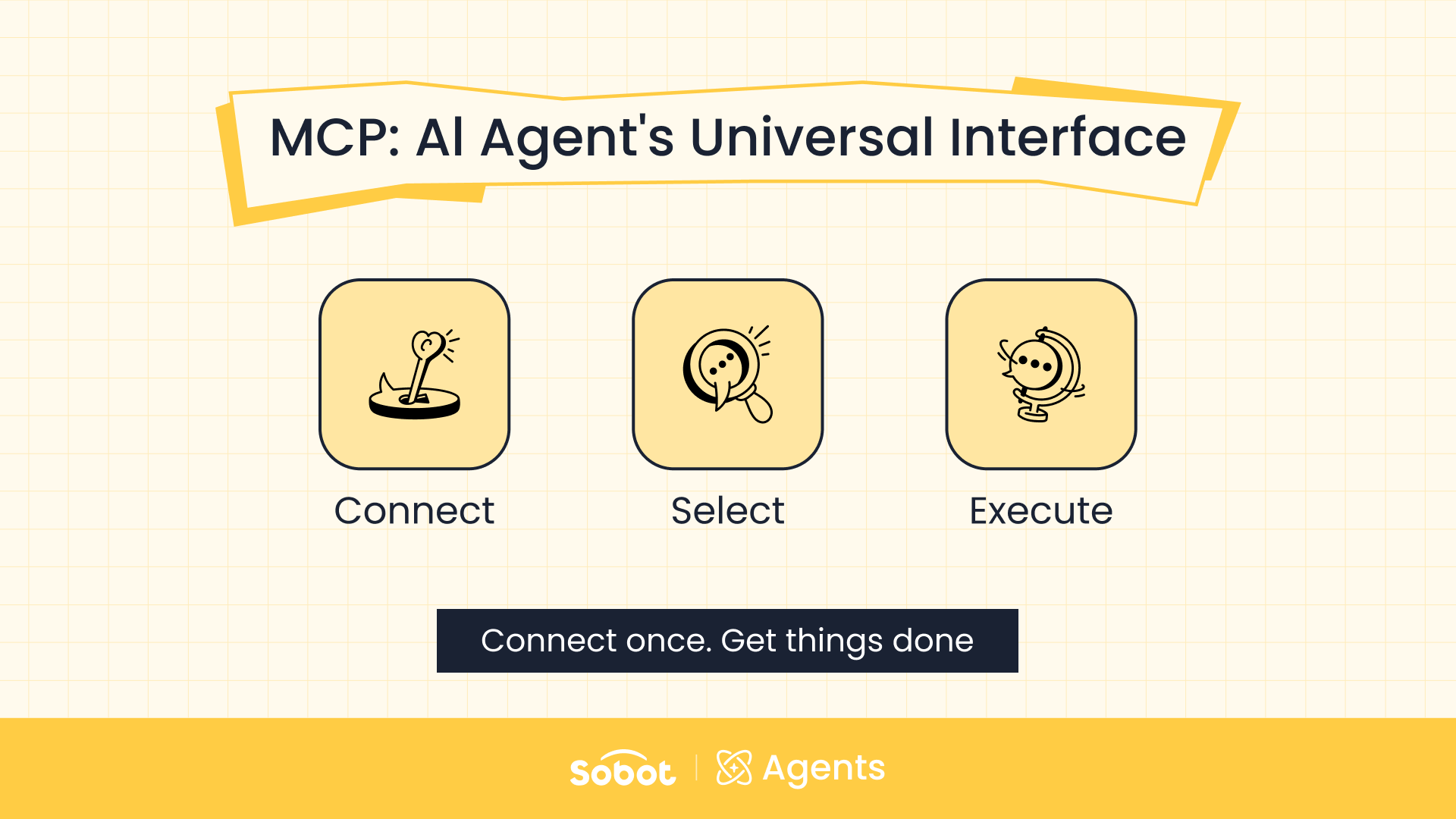
MCP (Model Context Protocol) is an open standard that connects AI applications to external systems. It gives an AI Agent one consistent way to find and call outside data and tools. Using MCP for customer support lets an AI Agent look up an order, create a ticket, or log a sales lead in the systems where that data lives. Without it, the AI Agent can understand a request but can’t act on it. With it, a conversation can end in a finished task instead of a hand-off to a human agent.
This guide explains how MCP works in a support conversation, how it differs from a knowledge base, and how to set it up in Sobot AI Agents.
Why an AI Agent for Customer Service Needs MCP
Consider a common after-sales request. A customer tells a company’s AI Agent that their device has broken down and asks where to get it repaired nearby.
That one question touches several systems. First, someone checks the order system for the device model and warranty status. Next, they search a map service for the nearest repair center. If the customer decides to send the device in, they also collect a serial number and contact details and create a repair ticket.
An LLM can understand what the customer wants and decide what should happen next. But order records, locations, repair center lists, and tickets don’t live inside the LLM. Without a way to reach them, an AI Agent can only explain the general repair policy or collect details and pass them to a human. Staff then handle the lookups, data entry, and ticket creation by hand, across several systems.
MCP exists to close that gap.
What an MCP Server is, and Why it Contains Multiple Tools
The simplest way to picture MCP is as a standard socket between an AI Agent and outside systems. Order platforms, CRMs, and map services each used to have their own interface and integration method. MCP lets all of them expose their capabilities to an AI Agent under one shared set of rules. A business still has to set up each connection. It just doesn’t have to design a new integration from scratch every time it adds a capability.
An MCP server is not a single tool. It works more like a toolbox, and the actual work is done by the individual Tools inside it. A CRM’s MCP server might offer separate Tools for looking up a customer, creating a contact, creating a sales lead, and logging a follow-up note. A map MCP server might offer Tools for searching locations, checking distances, and planning routes. Same server, different actions — each one a separate Tool.
The AI Agent picks the Tool that fits the request — or no Tool at all. If a customer asks about order status, the AI Agent calls the order-lookup Tool. If a customer shows clear buying intent, it can call the Tool that creates a sales lead. If someone only asks about product specs, the Agent answers from the knowledge base and calls no external Tool.
In short, MCP doesn’t make decisions for the AI Agent. It gives the Agent the tools to act on the decisions it makes.
How MCP Works in a Customer Support Conversation
Here is how an AI Agent handles the repair request from start to finish:
- The AI Agent recognizes that the customer needs a repair and that the knowledge base alone can’t resolve it.
- It reviews each Tool’s name, description, and required parameters, then selects the order-lookup Tool.
- It collects the details the Tool needs, such as the order number, and makes the call.
- The order system returns the device model and warranty status. Based on that result, the AI Agent calls the map Tool or the ticket-creation Tool next.
- The AI Agent combines the results into one clear answer for the customer.
This sequence shows that MCP does more than let an AI Agent “call an API.” It gives the Agent three connected capabilities:
- Real-time data. Order status, inventory, and shipment tracking change constantly. The Agent looks them up in the business system at the moment the customer asks.
- Real actions. Creating a ticket, logging a lead, or updating a customer record takes more than generated text. The result has to be written into the external system.
- Multiple systems in one task. One inquiry can check an order, search a map service, and open a ticket in sequence. Separate integrations stop working in isolation — the AI Agent chains them together based on what the task needs.
MCP vs. a Knowledge Base: What Each One Handles
An AI Agent for customer support usually needs both. The difference comes down to two questions: is the information fixed or changing, and does the AI Agent only need to answer, or also to act?
| Knowledge base | MCP Tools | |
|---|---|---|
| Best for | Fixed content: product details, policies, standard answers | Data that changes constantly: order status, inventory, shipment tracking |
| What the AI Agent does | Reads the content and answers | Queries live data, or writes results (tickets, leads, customer records) into the external system |
| Example request | “What are the specs of this model?” | “Where is my order?” / “I need to get my device repaired.” |
How to Set Up MCP in Sobot AI Agents
Sobot AI Agents includes built-in MCP support. A business can connect its order, CRM, ticketing, and other systems to an AI Agent through one standard setup flow. The AI Agent can then do more than understand a request. It can call the right Tool and carry the request through to resolution. Setup takes three steps.
Step 1: Add an MCP Server in the Resource Center
MCP servers are managed in the Sobot AI Agents Resource Center, under Tools → MCP servers. The list shows each connected server’s Server name, Type, Tools, and References (how many AI Agents use it), plus when and by whom it was last updated.
There are two ways to add a server:
- Import: paste an existing JSON configuration and let the system parse it. This is the fastest option for migrating or reusing a setup.
- Add MCP: fill in the fields manually when the configuration needs to match your own environment.
The Add MCP form asks for:
- Service name, such as “Order query”
- Description of when the AI Agent should, and shouldn’t, use this server
- HTTP endpoint
- Request timeout (30,000 ms by default)
- Authentication: None for servers that don’t require it, or Custom header for servers that pass credentials in the request header
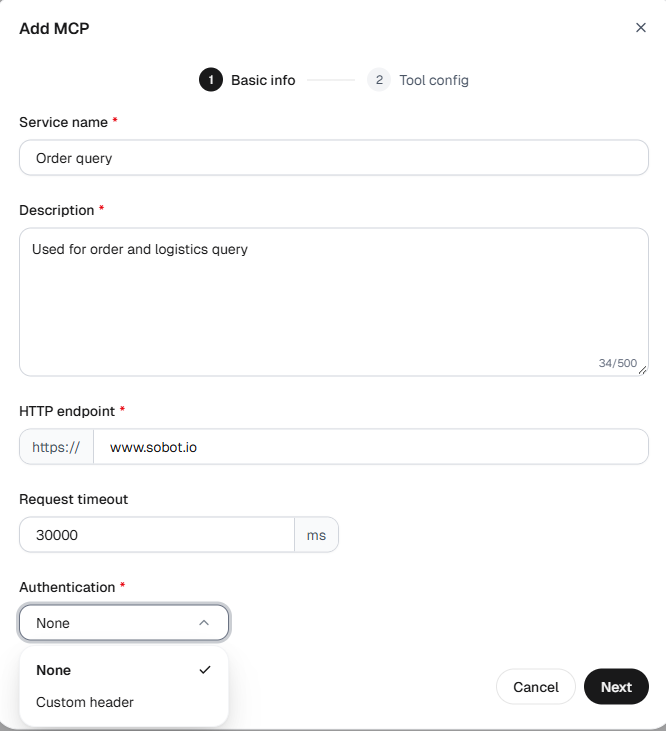
The Description field deserves extra attention. The AI Agent uses it to decide which MCP server to call and when. Write a specific, distinct description for each server, and say when not to use it. For example: “Use for order status and shipping questions. Do not use for refunds or complaints.”
Step 2: Choose Which Tools to Enable
The Add MCP form has two steps: Basic info, then Tool config. Once the connection succeeds, Sobot AI Agents list the Tools the server provides, and at least one must be enabled. To change the selection later, open the server’s Tool management tab.
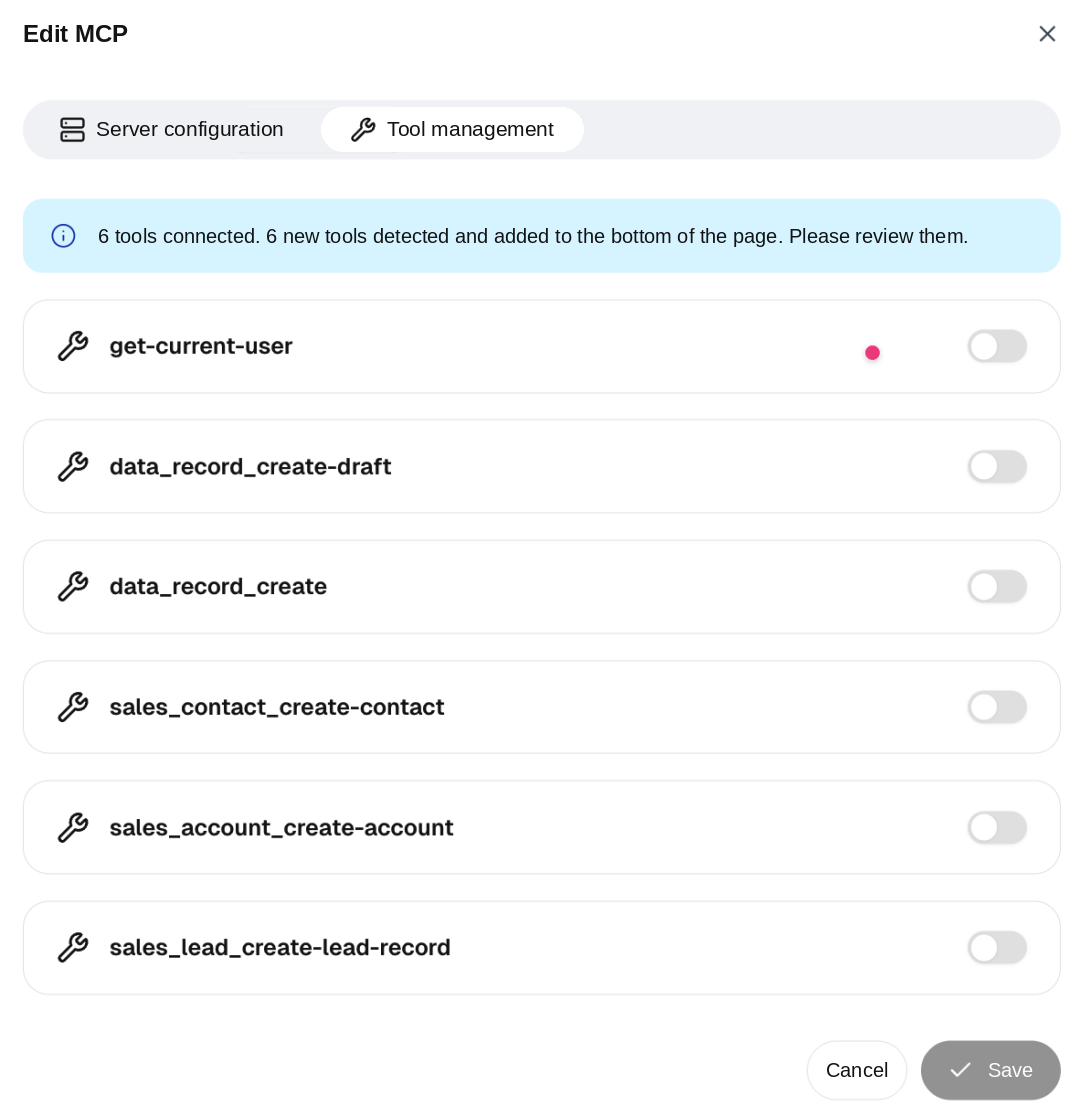
Most AI Agents don’t need every Tool a server offers. A CRM server might expose Tools for looking up users, creating customers, creating contacts, creating sales leads, and logging business records. An AI Agent that only captures pre-sales leads needs just the lookup and lead-creation Tools.
You can also review and edit each Tool’s name and description. The parameter structure comes from the MCP server’s InputSchema, so the description doesn’t need to repeat it. Instead, it should answer three questions: what the Tool does, when to call it, and how it differs from similar Tools.
Step 3: Bind the MCP Server to an AI Agent
When you create or edit an AI Agent, open its tool settings, switch to the MCP tab, and select the MCP servers that Agent should use.
This lets one MCP server work as a shared asset across the business, assigned to different AI Agents by role:
- An after-sales AI Agent uses the order-lookup and ticketing servers.
- A pre-sales AI Agent uses the CRM and sales-lead servers.
- An in-store service AI Agent uses the service-center lookup server.
No server has to be rebuilt for each AI Agent, and no Agent carries Tools it doesn’t need.
Back to the repair request: the order, map, and ticketing servers each connect through MCP in the Resource Center, then get bound to the after-sales AI Agent. When the customer asks for help, the Agent checks the order, finds the nearest repair center, and creates the ticket. One inquiry becomes one resolved request.
MCP Best Practices for Customer Support AI Agents
MCP makes it easy to connect an AI Agent to more systems. More connections don’t automatically lead to better results, though. These three practices keep Tool selection accurate:
- Describe every server and Tool clearly. Whether an AI Agent picks the right Tool depends heavily on its name, description, and parameters. The clearer the description, the more reliably the Agent picks the right Tool at the right moment.
- Enable only the Tools a task needs. An AI Agent facing many similarly named, overlapping Tools has a harder choice to make — not an easier one.
- Bind servers by role. Give each AI Agent only the MCP servers its job requires, instead of connecting every server to every Agent.
Why MCP Matters for Customer Support Teams
An LLM brings general understanding and decision-making. But the capabilities a business actually uses to serve customers still live across order systems, CRMs, ticketing tools, maps, and other internal platforms.
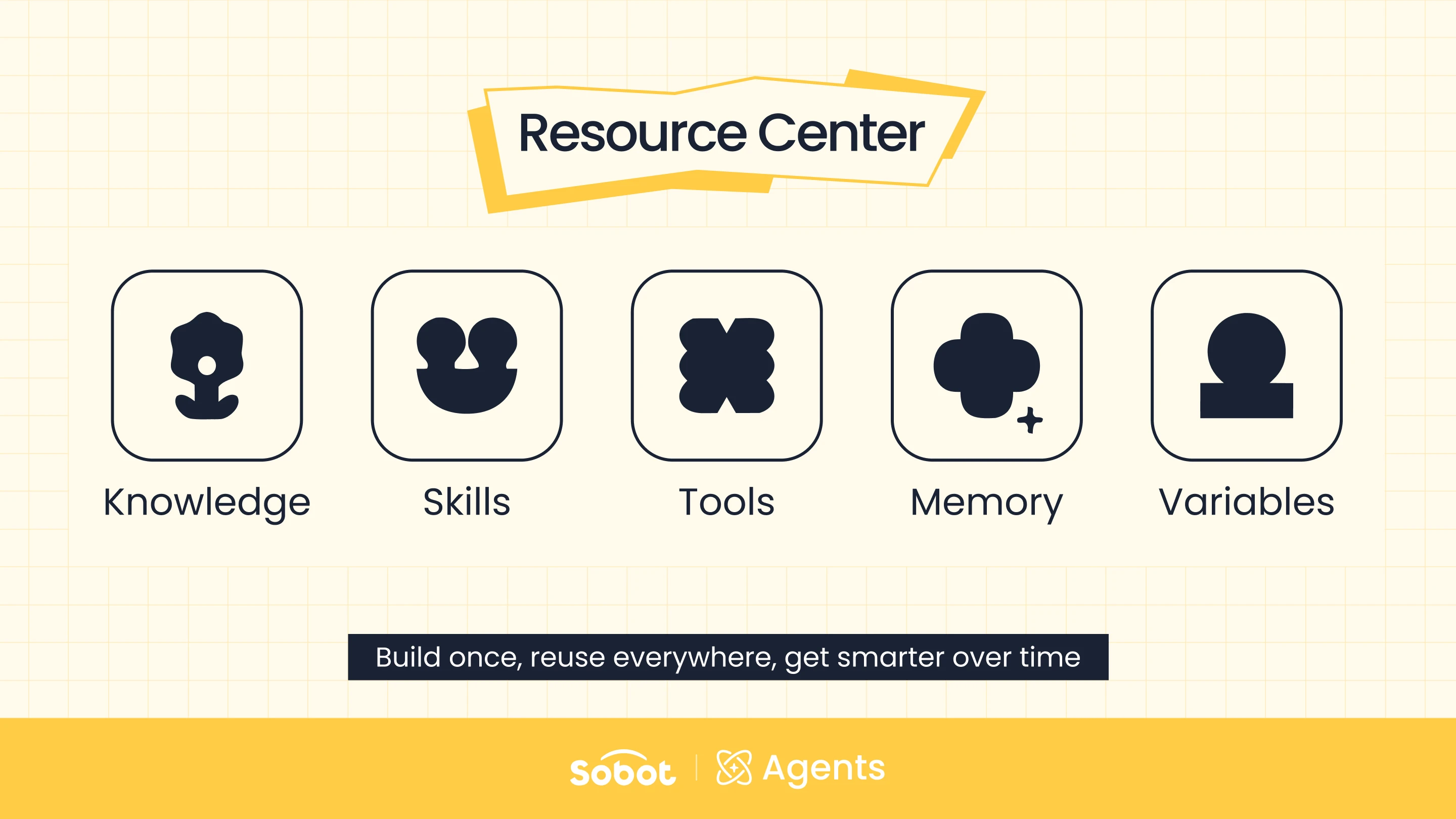
MCP connects those capabilities to an AI Agent through one standard approach. Sobot AI Agents builds on that by bringing MCP servers and their Tools into the Resource Center. There, they can be set up once, managed in one place, and bound to each Agent as needed.
That is the practical value of MCP for customer support: it moves an AI Agent from answering questions to resolving them. If Knowledge gives an AI Agent the answers, and Skills teach it how to work through a problem, the Tools connected through MCP let it reach into your systems and get the job done.
Frequently Asked Questions
What is MCP for customer support?
MCP for customer support means using the Model Context Protocol to connect an AI Agent to the systems a support team relies on, such as order management, CRM, and ticketing. The AI Agent can then look up live data and complete tasks like creating a ticket, instead of only answering from static content.
What is the difference between MCP and a knowledge base for an AI Agent?
A knowledge base holds fixed content such as product details, policies, and standard answers. MCP connects an AI Agent to live business systems. The Agent can then check changing data like order status and write results, such as tickets or sales leads, back into those systems.
Why does one MCP server include multiple Tools?
An MCP server works like a toolbox for one system. A CRM’s MCP server, for example, can offer separate Tools for looking up a customer, creating a contact, and creating a sales lead. The AI Agent then calls only the specific action a request needs.
Does an AI Agent need every Tool from an MCP server enabled?
No. In Sobot Agents, you choose which Tools to enable on each MCP server, and at least one must be enabled. Enabling only the Tools a task requires keeps the AI Agent’s Tool selection more accurate.
Can the same MCP server be used by more than one AI Agent?
Yes. An MCP server set up once in the Sobot Agents Resource Center can be bound to multiple AI Agents. The References column shows how many AI Agents use each server.
Does MCP decide which Tool an AI Agent uses?
No. MCP only makes external Tools available. The AI Agent decides which Tool to call based on each Tool’s name, description, and parameters, which is why clear descriptions matter.
Want to see MCP connect your order, CRM, or ticketing system to an AI Agent? Start a free trial or book a demo of Sobot AI Agents.