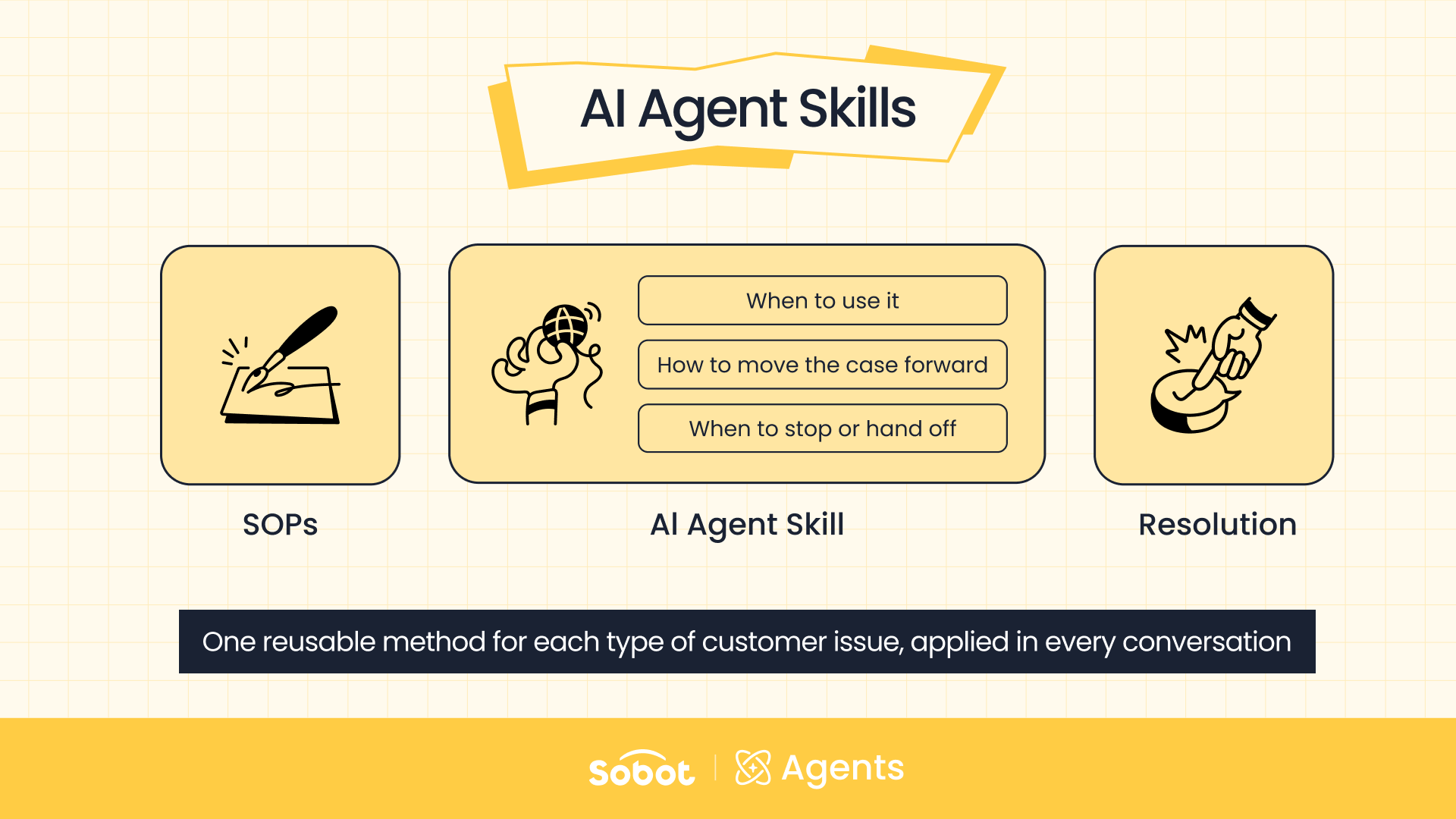
An AI Agent Skill for customer service is a reusable method for handling one type of customer issue. It tells the AI Agent when to take on the issue, how to move it forward, which resources to use along the way, and when to stop or hand off. In Sobot AI Agents, Skills are where your SOPs and the judgment of your best agents become something an AI Agent for customer service can apply in every conversation.
This guide explains why AI Agents need Skills, how Skills differ from Knowledge, Tools, and Workflows, what every Skill must define, and four ways to create AI Agent Skills in Sobot AI Agents.
Why AI Agents Need Skills to Resolve Customer Issues
Most customer issues aren’t questions with one standard answer. They’re tasks that call for judgment, follow-up questions, and action. An AI Agent that can only look up answers will stall on them.
Take a customer who reports that a product has stopped working. The AI Agent can’t just paste in a fault description. It has to confirm the product and the symptom, then work out whether the customer wants to report a fault, ask about repairs, or request a return or exchange.
Next, it suggests troubleshooting steps based on the error code and the customer’s feedback. If those steps don’t work, it needs to know when to stop trying, what information to collect, and how to pass the case to a human agent or another team. To carry a case like this from the first message to a resolution, the AI Agent has to know:
- Who the customer is and which product is involved
- When to ask the customer for a photo
- Which fix matches each error code
- Which details to collect if self-service fails
- What conditions must be met before a ticket is created
Decisions like these have usually lived in three places: the experience of top-performing human agents, business SOPs, and a mix of separate systems. A Skill turns them into a capability an AI Agent can recognize, call on, and reuse. For the customer, the result is simple — little to explain, nothing to repeat, and a clear next step every time.
How AI Agent Skills Differ from Knowledge, Tools, and Workflows
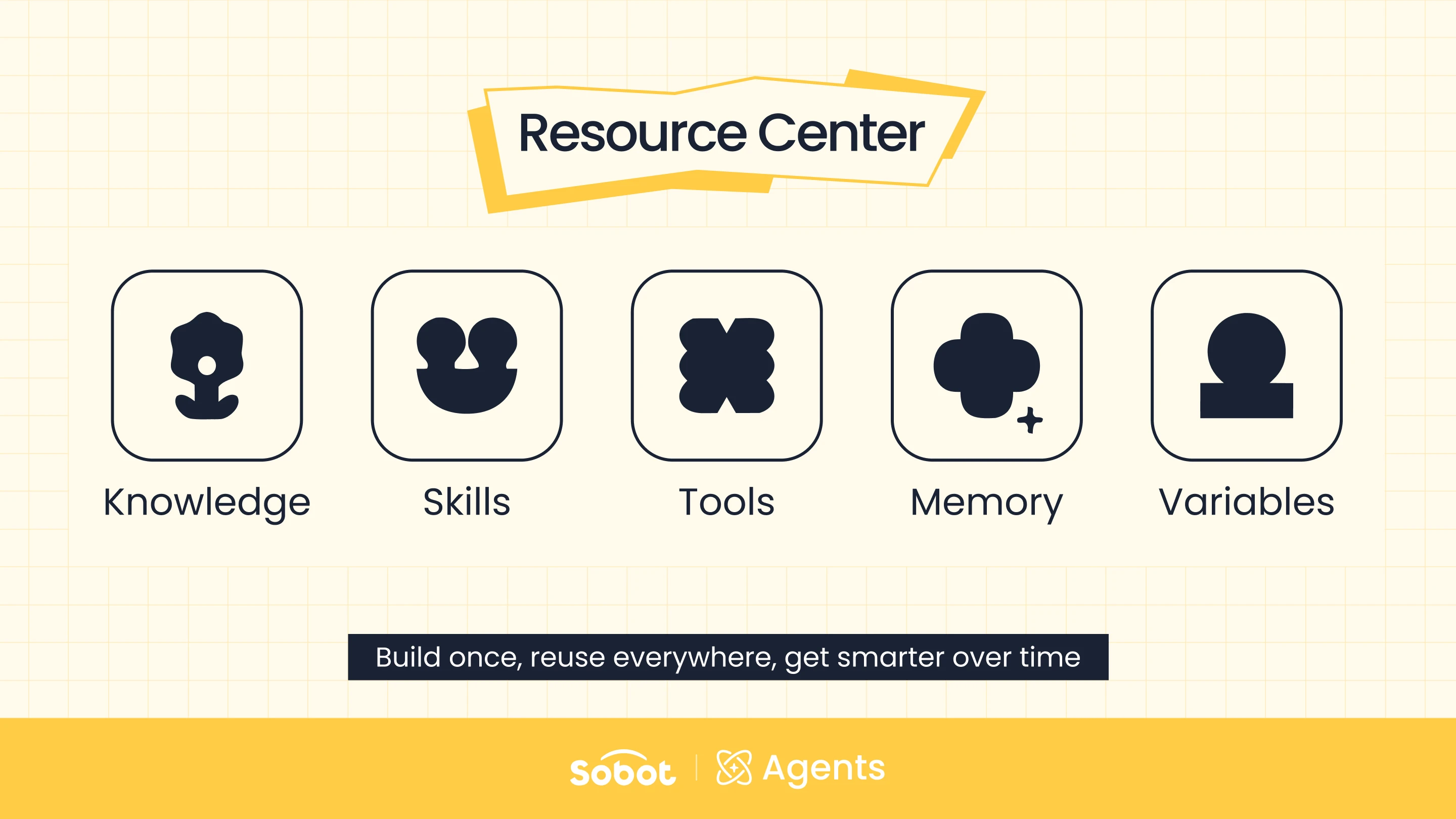
Each resource in Sobot AI Agents handles a different part of the job — and a Skill is the piece that ties the others together.
| Resource | What it handles | Example |
|---|---|---|
| Knowledge | What the AI Agent needs to know | What a specific error code means |
| Tools | What the AI Agent can do | Look up orders, create repair tickets |
| Workflows | How fixed steps are carried out | Verification steps that must run in a set order |
| Skills | How a type of issue should be handled | When to use which resource, what comes next, when to switch paths |
Knowledge, Tools, and Workflows each cover one piece of the job. A Skill decides how those pieces combine for a specific type of issue. That’s why the customer gets one continuous service instead of a string of separate answers.
How AI Agent Skills Capture Your Best Human Agents’ Know-How
A Skill in Sobot AI Agents mirrors the way an experienced human agent works through a problem. Faced with a product fault, a good agent doesn’t list every possible cause up front. They confirm the product first, then the fault, and use the error code and product rules to decide how to troubleshoot.
If the customer’s attempt fails, the agent decides whether a repair is needed and gathers what the ticket requires. Knowledge matters here, but what keeps the case moving is a chain of business judgments:
- When should handling start?
- What needs to be confirmed first?
- Where does each kind of customer response lead?
- When is it time to check Knowledge or call a system?
- When should troubleshooting stop and the case move to repair or a human agent?
A Skill holds that method for one category of issue. It isn’t a fixed script — and it isn’t an entire SOP pasted in as-is. It’s built around one clear business task and keeps the parts of your best agents’ experience that actually drive decisions, so the AI Agent can work out the next step across different customers and situations.
The Three Questions Every AI Agent Skill Must Answer
Every AI Agent Skill has to answer three questions: when to use it, how to move the case forward, and what to rely on before the case ends. In Sobot AI Agents, the answers go into two parts of each Skill. The purpose description covers when the Skill should and shouldn’t be used, and the handling logic covers how the task moves forward, which resources to call, and when to close the case or hand it off.
Together, they keep the AI Agent clear on three things at every key point: what’s happening now, what to do next, and when to stop.
When Should the AI Agent Use This Skill?
A product troubleshooting Skill might apply when a customer reports a device acting up, failing to start, or showing an error code. If the customer clearly wants a return or exchange, or is filing a complaint, a different capability should take over.
This sets the Skill’s boundaries. The clearer they are, the better the AI Agent knows when to step in and when to stay out, which keeps it from handling every issue with the same playbook.
How Should the Case Move Forward?
A Skill doesn’t force the AI Agent down one rigid path. It spells out the key decisions instead. In a product troubleshooting Skill, for example:
- If the customer has more than one device, confirm which product first.
- If the text description isn’t enough to identify the fault, ask for a photo.
- Once an error code is identified, give the troubleshooting steps for that model and fault type.
- If the customer says the issue is fixed, close the case with any relevant precautions.
- If it’s still not fixed, collect the repair details and create a ticket.
Different answers from the customer can lead to different next steps. A Skill provides a handling map built around a business goal, not a list of lines to recite. The Agent knows the key points along the way, what to decide at each one, and where each outcome leads.
What Does the Skill Rely On, and Where Does It End?
A Skill doesn’t need to contain everything — it can lean on other resources. To check what an error code means, the AI Agent can query Knowledge. To pull order details or create a repair ticket, it can call Tools, and verification steps that must follow a strict order can go to a Workflow.
The Skill decides when to check Knowledge, when to call a Tool, when to run a Workflow, and what to do with each result. It also sets where the case ends: closed once the issue is solved, or passed to a repair ticket or a human agent when it isn’t.
Four Ways to Create AI Agent Skills in Sobot AI Agents
Sobot AI Agents offers four ways to create Skills, so you can start from wherever your processes stand today. You don’t need a polished, fully documented standard before you begin. Some teams already have mature specs. Others have clear rules that were never written down in a structured way. Some have only a business goal, and some have no reference at all for what a complete Skill should cover.
| Where you’re starting from | Best method |
|---|---|
| Skills already documented to spec | Import Markdown files |
| An idea, but no structured write-up | Generate with AI |
| Clear, detailed business rules | Add manually |
| No method or reference yet | Start from a template |
Import Skills You’ve Already Documented
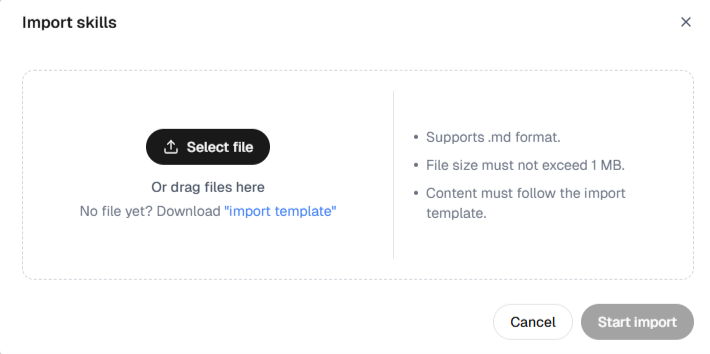
If your Skills are already written to spec, there’s no need to rebuild them. Go to the Skills page in the Resource Center and upload them as Markdown files. This suits teams with mature standards, teams migrating existing work, and teams that want to reuse Skills in bulk.
Generate a Skill with AI from a One-Line Request
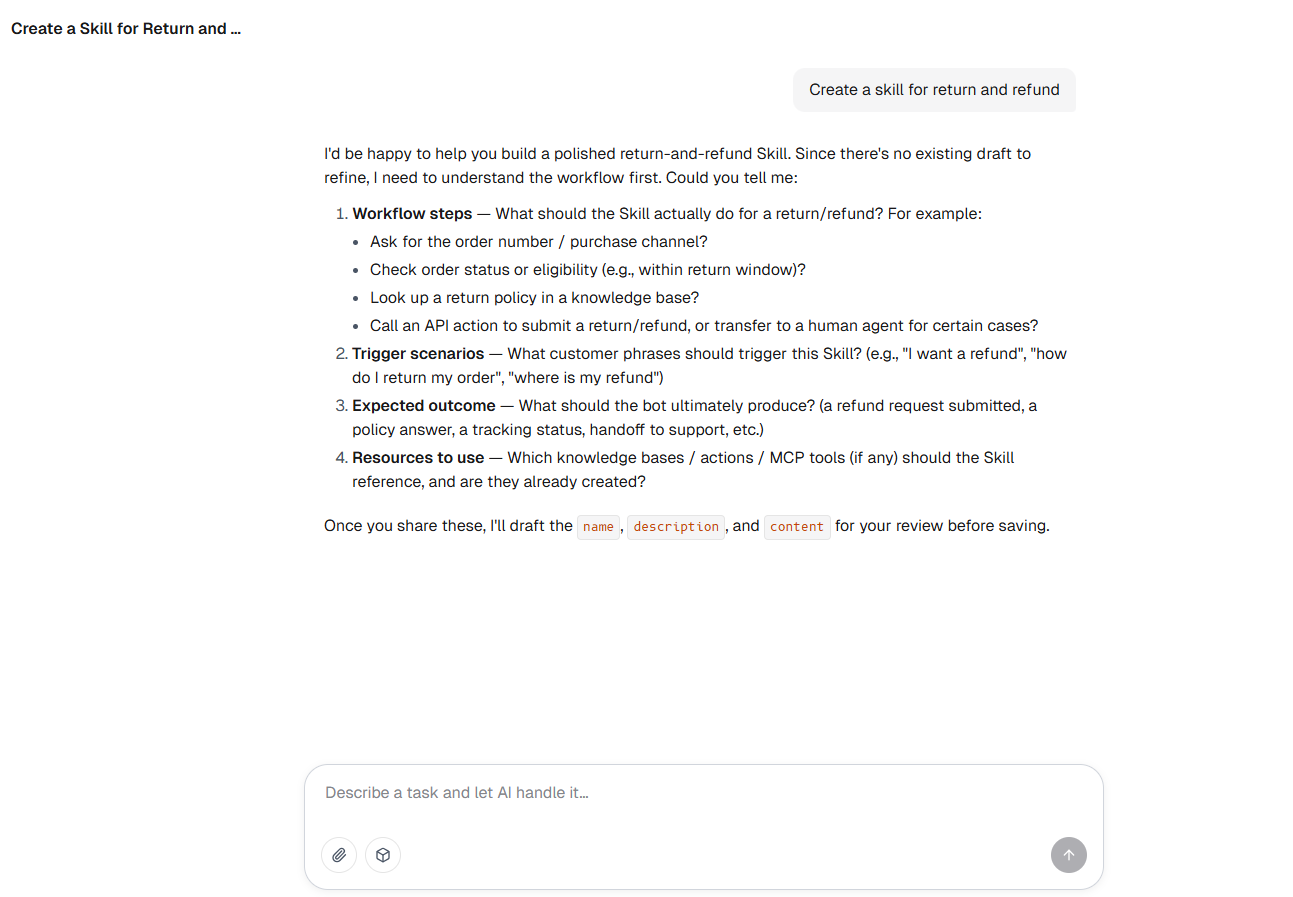
A business user often knows how an issue should be handled but finds it hard to write a complete, structured Skill from scratch. They might start with nothing more than “I want the AI Agent to handle product faults.” The real work is answering the questions behind that request. What counts as a product fault? What should be confirmed first? Which problems can customers fix themselves? When should the case move to repair?
This is where AI generation helps most. After you enter the requirement on the Skills page, the system opens a conversation in AI Studio rather than producing a result from one sentence. AI Studio asks follow-up questions about what the Skill is for and how it should handle cases. It draws out the scenarios, rules, and judgment calls the user already has in mind, then organizes them into a name, a description, and handling logic.
It doesn’t invent rules for your business. It captures know-how your team already has but finds hard to put into words.
Define Every Detail Manually
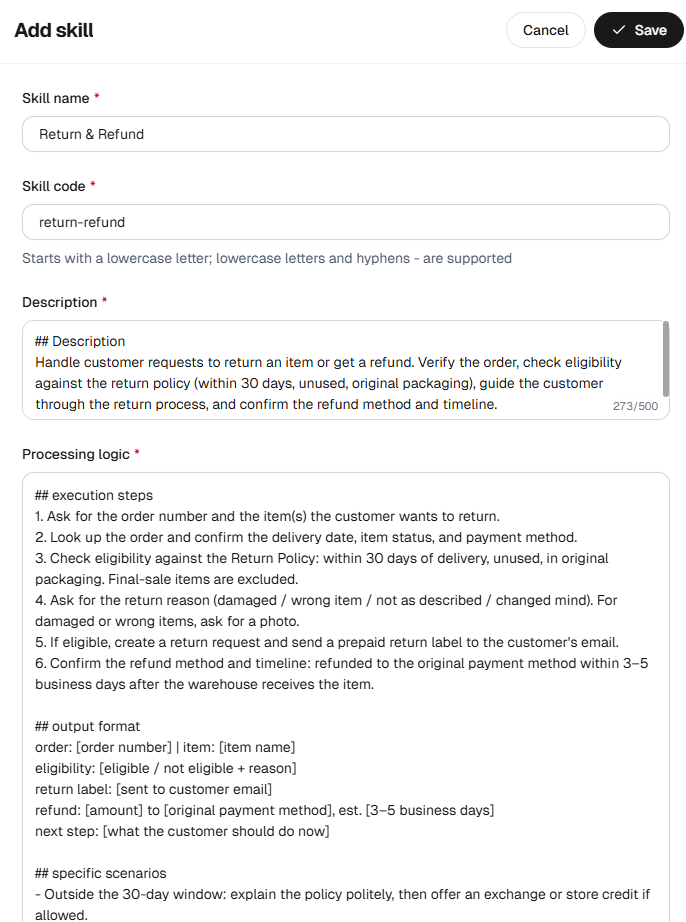
When your business rules are already clear, you can add a Skill manually and control every key step. The work isn’t just filling in a few fields. It’s defining two core things: when the Skill should be used, and how the case should move forward once it is.
In the purpose description, set the scenarios the Skill applies to, its trigger conditions, and the situations where it must not trigger. In the handling logic, lay out the steps, output requirements, and special branches. You can reference Knowledge for product facts, connect Tools for system lookups and actions, and use Variables for context. You can also use AI tuning to refine the logic.
Nothing has to be crammed into one long prompt. Each resource does its own job, and the Skill brings them together into one complete handling method.
Start from an Industry Template
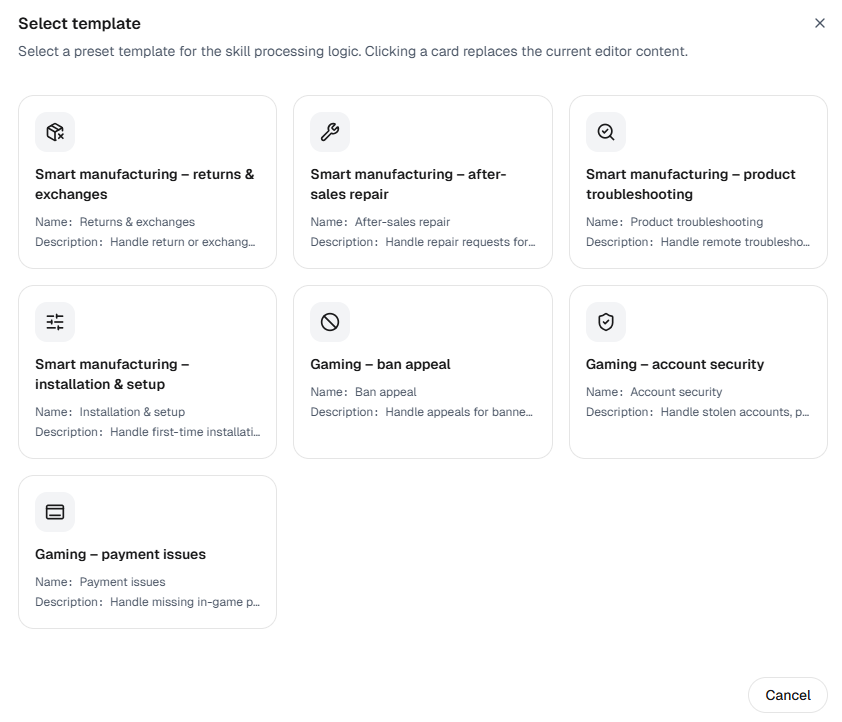
If your team doesn’t have a set approach yet, or isn’t sure what a complete Skill should cover, start from an industry template. A template does more than save typing — it gives you a working framework that shows the entry points, decisions, steps, and exits a similar scenario usually needs.
Current templates cover common scenarios in two industries:
- Smart manufacturing: returns and exchanges, after-sales repair, product troubleshooting, and product installation and setup
- Gaming: account ban appeals, account security, and payment and top-up issues
Pick a template and its preset handling logic loads straight into the editor. From there, adjust it to fit your own products, policies, Tools, risk boundaries, and rules for handing off to human agents.
How to Assign a Skill to One or More AI Agents
Every Skill you create is saved under Skills in the Resource Center. There you can review its name, Skill code, purpose description, and where it’s referenced. To put a Skill to work, bind it to an AI Agent in one of two ways:
- When creating or editing an AI Agent, select and bind the Skill under Q&A Capability → Capabilities & Resources.
- When creating an AI Agent from a single sentence in AI Studio, configure and bind the Skills it needs during the conversation.
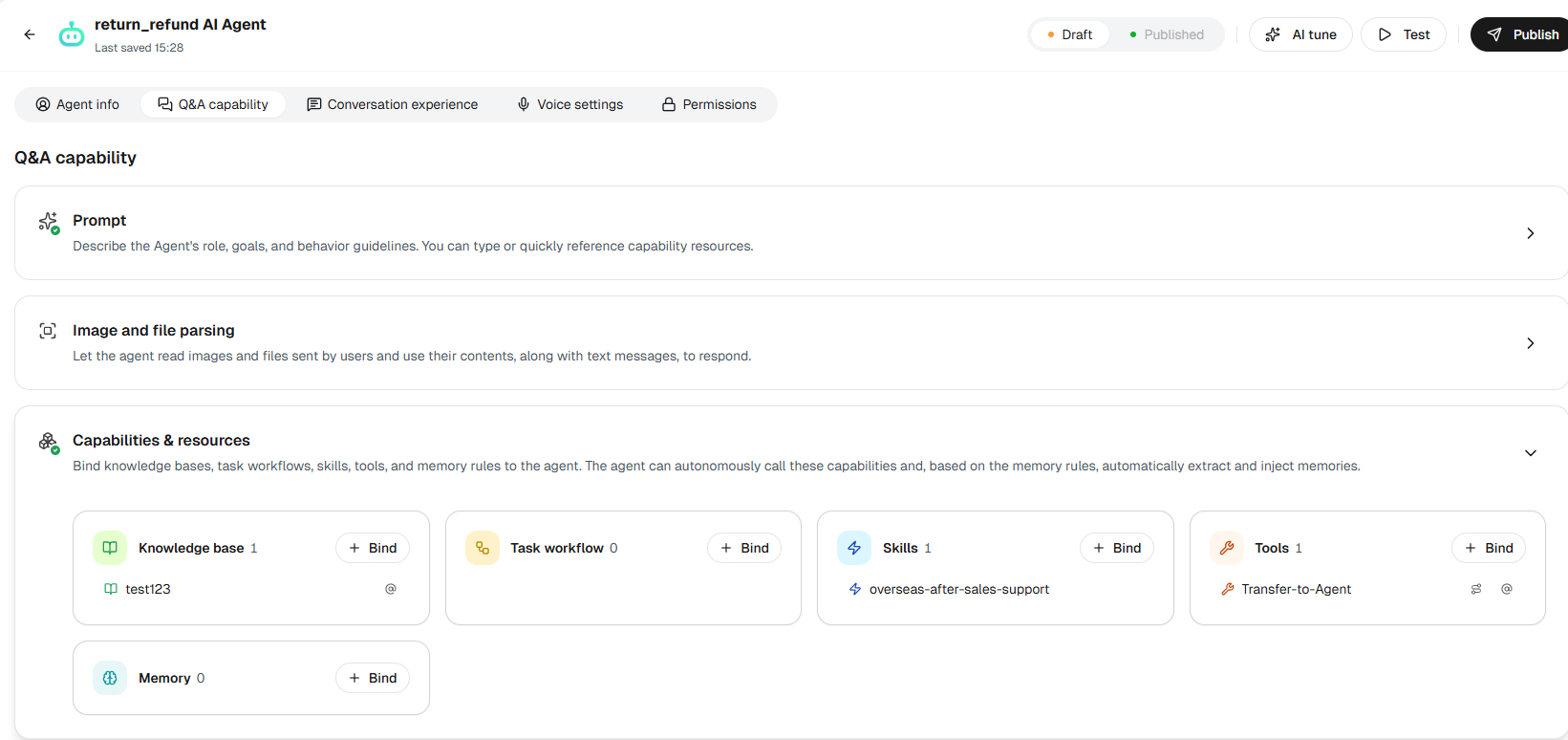
The same Skill can serve different AI Agents as your business needs. You don’t have to rewrite the handling rules in each Agent’s prompt. The know-how lives as a standalone resource that you combine by scenario. When your rules change, you can go back to the Resource Center and keep the Skill up to date.
Why AI Agent Skills Matter for Customer Service
An LLM brings general understanding and language generation. What it doesn’t know is how your company handles returns, how it diagnoses faults, which details must be verified, and which risk lines can’t be crossed. That comes from business rules and frontline experience built up over years.
AI Agent Skills take that experience out of individual heads, scattered documents, and overlong prompts. They turn it into a capability with clear boundaries that an AI Agent can reference, combine, and keep improving. Knowledge supplies facts, Tools connect systems, and Workflows keep fixed steps predictable. Skills organize all three into a method for handling a real category of customer issue.
Picture an AI Agent for customer service that identifies the issue, fills in missing details, and calls the right resources. It keeps adjusting to what the customer says and hands off cleanly when needed. That Agent does more than answer questions — it gets the customer’s issue resolved.
Ready to turn your team’s know-how into AI Agent Skills? Start a free trial of Sobot AI Agents, or book a demo to see Skills in action.
FAQ
What is an AI Agent Skill in customer service?
An AI Agent Skill is a reusable method that tells an AI Agent how to handle one category of customer issue, such as product troubleshooting or a repair request. It defines when the Skill applies and how the case should move forward. It also sets which Knowledge, Tools, and Workflows to use, and when to close the case or hand it to a human agent.
How is an AI Agent Skill different from a knowledge base?
A knowledge base tells an AI Agent what something is, such as what a specific error code means. An AI Agent Skill tells it how to handle the whole issue. That includes what to confirm, when to look up information or call a system, and what to do when troubleshooting fails.
Can I turn my existing customer service SOPs into AI Agent Skills?
Yes. If your procedures are already written up as Skills in the required format, you can import them into Sobot AI Agents as Markdown files. If the know-how is less structured, AI generation in AI Studio asks follow-up questions and organizes the answers into a Skill for your AI Agent.
Can one AI Agent Skill be used by multiple AI Agents?
Yes. In Sobot AI Agents, Skills are stored in the Resource Center as standalone resources, so the same Skill can be bound to different AI Agents. When your rules change, you maintain the Skill in the Resource Center instead of rewriting each AI Agent’s prompt.
Which industries do Sobot’s AI Agent Skill templates cover?
Sobot AI Agents currently offers AI Agent Skill templates for smart manufacturing and gaming. They cover returns and exchanges, after-sales repair, product troubleshooting, and installation and setup, plus account ban appeals, account security, and payment and top-up issues.