Building an AI Agent for customer service comes down to five decisions: who it serves and where it should stop and hand over, what it is allowed to know, how it phrases an answer, which systems it can reach, and when it hands the customer to a person. Customer service AI tools all make you record those five somewhere. The difference is how much you need to know to do it.
On most platforms it demands a lot. You write the prompt, bind the knowledge base, set a retrieval threshold, wire the APIs. Sobot AI Agents added a second route: describe the AI Agent you want in ordinary business language, and Sobot Agents Studio asks the questions, checks your resources, drafts the configuration, and waits for you to approve it.

This article covers both. First, what those five decisions actually involve, since that’s what determines whether the finished AI Agent is any good. Then a full walkthrough of building one by conversation.
The Five Decisions Behind Any Customer Service AI Agent
Each of the five changes how the AI Agent behaves in front of a real customer. None is a checkbox.
| Decision | What it controls | What may go wrong |
| Identity | Name, language, and what the customer perceives they’re talking to | Customers don’t know who or what is answering |
| Answer capability | Business context, guidance, answer style, linked resources, LLM parameters | The Agent misreads your business, or gives a wrong answer with total confidence |
| Conversation experience | Welcome message, knowledge sources, suggested questions, answer ratings, auto-close rules, human handoff | Conversations stall and nobody catches the customer |
| Voice | AI voice, call handling, speech recognition | Calls sound artificial, or the AI Agent mishears what it’s told |
| Permissions | Who can view, edit, launch and use this Agent | The wrong version goes live, or nobody can fix the right one |
Two of these carry more weight than the rest, and both sit inside answer capability: the prompt, and the retrieval settings on the knowledge base.
What a Customer Service AI Agent Prompt Needs to Cover
Write “you are a pre-sales support rep” and you get an AI Agent that gives polite, empty answers. It can’t quote a product spec. It doesn’t know whether competitors are a topic it may discuss. Asked about pricing, it hands over every discount at once. When the knowledge base returns nothing, it makes something up, because nothing in the prompt told it where its limits were.
A prompt written by someone who has run a support team covers four things:
- Business context and boundaries. Which products this AI Agent covers, which competitors may come up, which topics may only be answered from the knowledge base.
- Tasks and Workflows. For each intent like recommendations, comparisons, pricing, shipping, complaints, booking a store visit, the AI Agent needs to know what to collect, what to call, and when to escalate.
- Tools and data. Where the Agent looks up orders, stores, shipping and repair tickets. And what information an API needs before it will answer.
- Answer style. Tone, length, structure, what to emphasize, and where a fixed output format is mandatory.
Here is part of a production prompt, written for the pre-sales AI Agent of a consumer electronics and home-appliance brand. The full version ran to seven Skills, covering product comparison, pricing, shipping, complaints and booking a store visit.
Business context
- You are the AI support Agent for a consumer electronics and home-cleaning brand. You handle pre-sales product inquiries and recommend the products that best fit each customer’s needs and budget.
- Main product line: robot vacuums, including the V1, V2, V6 and V6 Pro.
- When a customer raises a competitor, do not praise or disparage that competitor. Introduce our own products factually and move on.
Workflow
- When a conversation starts, capture and assign the source page URL and page title from the pages the customer has already viewed. Do not ask the customer for them.
- When a conversation starts, capture and assign address, city and phone from the CRM parameters. If the CRM has no city on file, infer it from the customer’s IP.
Skill 1 — product inquiries and recommendations
- If the source page title or URL already contains a product model (V1, V2, V6, V6 Pro), use it…
Answer style
- Tone: warm and friendly, like talking to a friend.
- Length: clear and accurate, with the necessary detail and nothing more.
- Style: keep it lively, and use emoji where they fit naturally.
The full prompt went further still. Don’t push discounts until the customer has named a product. Put price figures in bold. Don’t repeat the same content across consecutive answers. Every one of those rules is a mistake somebody made once and wrote down.
Writing a good prompt looks like a writing job. It isn’t. You need to know the business process, where the risks are, and how the AI Agent actually behaves. A good prompt is your support SOP, written down for the Agent.
How Retrieval Settings Change What the AI Agent Answers
Retrieval settings cause a less obvious problem. Take the recall threshold. Set it high and the AI Agent only draws on closely matching content: answers get sharper, but a genuinely relevant article phrased differently never surfaces. Set it low and retrieval widens, pulling in material that looks similar but isn’t, which is how an AI Agent ends up answering a question nobody asked.
There’s no single right setting. It depends on how your knowledge base is written, so you have to test it with real questions.
How to Build an AI Agent for Customer Service in Four Steps
Sobot’s answer wasn’t a simpler configuration screen. It was to make the operations workspace something you talk to. If you’ve used Claude Code or Codex, the pattern is familiar: you state the goal, the tool asks about the details, proposes an approach, and only acts once you’ve confirmed.
Expertise gets redistributed. Role, resources, workflows, APIs — the things one person previously had to think of all at once — become a sequence of questions a support manager can answer from what they already know.
Here’s the whole path, building a post-sales Agent.
Step 1: Describe the AI Agent in Business Language
One line into Studio: “I want to create a post-sales AI Agent, mainly handling product usage questions and troubleshooting.”
That’s the entire input.

Step 2: Answer What Studio Asks
Studio doesn’t generate anything yet. It comes back with the questions that most affect the outcome:
- Will this AI Agent face customers directly, or assist human reps?
- What does the troubleshooting flow involve — looking up service centers, arranging returns, checking warranty status?
- Which products do the usage questions cover, and is there a manual or knowledge base for them?
- What should happen when the AI Agent can’t resolve something?
- Do any knowledge bases, APIs or Skills already exist that could be reused?
The checklist that used to live in a specialist’s head is now a form anyone who runs support can fill in.

Step 3: Let Studio Inventory Your Resources
While it confirms requirements, Studio searches your existing Knowledge, Skills, Workflows, Tools, Memory rules and APIs, and reports back in two columns: what already exists and can be reused, and what is missing and has to be created.
It doesn’t then hand the list back and wait. For knowledge bases it gathers the key details and creates them once you confirm. For actions, Workflows and Skills it drafts them and creates them after you’ve read the draft.
The old sequence ran the other way: build the AI Agent, run it, discover a resource was never bound, go back and add it. Moving the inventory in front of the build is what stops that loop.
Step 4: Read the Summary, Then Approve
Studio ends with a summary you can actually check: the AI Agent’s name and type, the knowledge it draws on, its skills, the actions it can take, and the details it will remember between conversations. Nothing is built until you approve it.
If something’s wrong, keep talking and revise. Once it’s live, the standard pages — identity, answer capability, conversation experience, voice, permissions — are all still there for finer adjustment.


Conversational Build vs Manual Configuration
Manual configuration is not the worse option, it is the more demanding one, and for some teams it is still the better fit.
- Build by conversation if the person who knows the customers isn’t the person who knows prompt syntax, if you’re standing up a first AI Agent, or if you’re not sure which resources you already have.
- Configure manually if you need a specific retrieval threshold, a particular LLM parameter, or an output format that has to be exact.
- Both, in either order, which is the usual case. Start in conversation, switch to the pages when you need precision, and come back to conversation for the next change.
How to Keep Improving an AI Agent After Launch
An AI Agent for customer service keeps changing after you ship it. Prices move, products launch, someone rewrites the returns policy, and eventually a customer asks a question nobody prepared for. On many platforms, that’s when the work starts again: find the setting, change it, and retest everything around it.
In Sobot AI Agents, you pick up where you left off. Tell Studio what has changed, and it checks which Knowledge, Skills and Tools are affected, drafts the update, and waits for your approval. You can edit the configuration pages yourself instead, if you’d rather. Either way, you’re working on the same AI Agent.
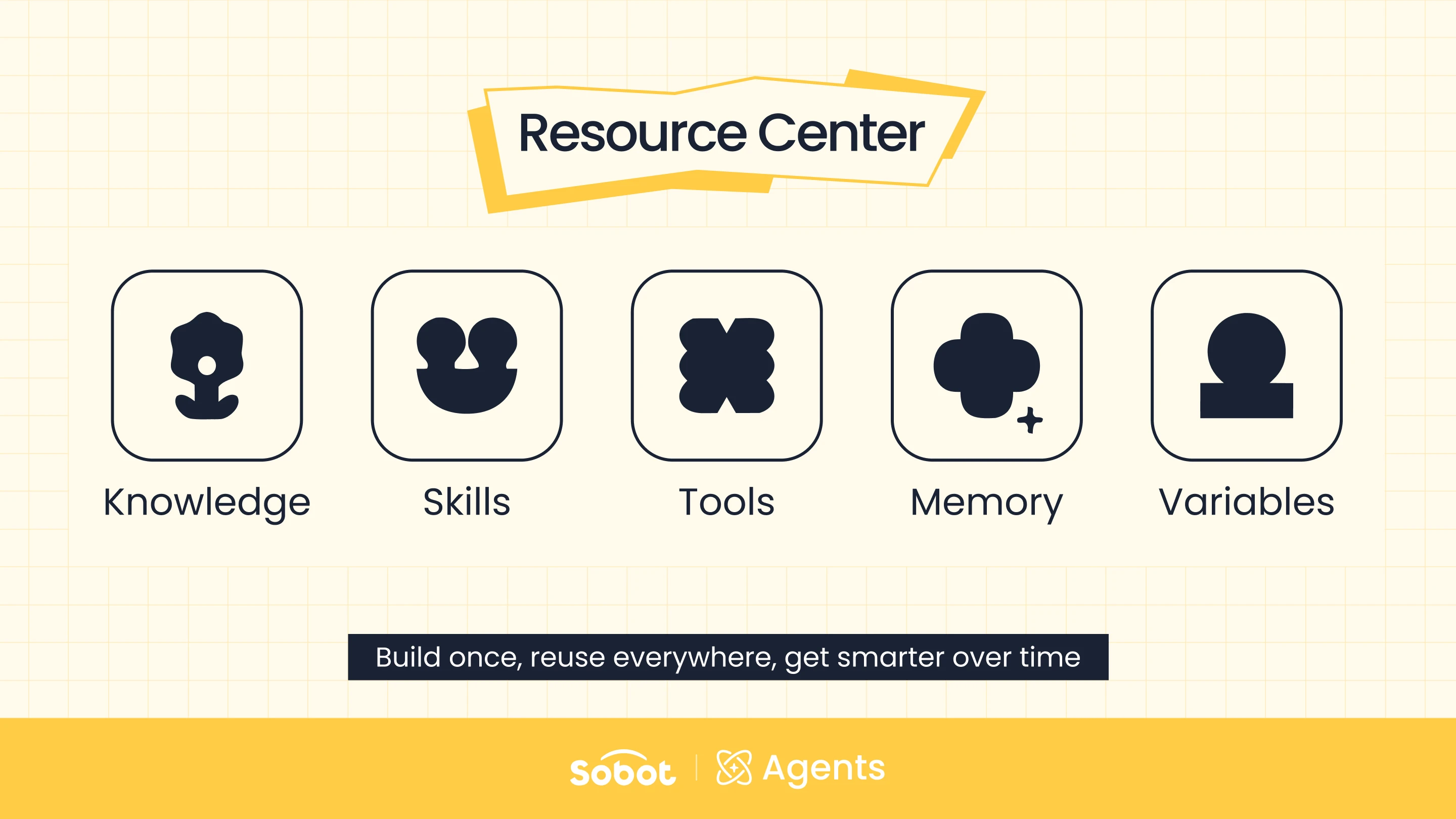
Keeping an AI Agent current doesn’t mean rebuilding it, because nothing is trapped inside any single Agent. Knowledge, Skills, Workflows, Tools, Memory and Variables live in the Resource Center, where every AI Agent can reach them. Correct a policy once, and every Agent that uses it is corrected too.
There’s a reason this all holds together. Clarifying what you need, checking which resources exist, completing a Workflow and getting a person to sign off used to be four separate jobs, held together by whoever understood the system. Now they run as one conversation, and anyone who knows the business can pick it back up months later.
That’s why the question for anyone starting out is no longer who writes the best prompts. It’s who understands this part of the business best.
If you can describe your business, you can build the AI Agent.

FAQs: Building an AI Agent for Customer Service
How long does it take to build an AI Agent for customer service?
The conversation itself takes minutes: one line of input, a handful of clarifying questions, and an approval. What sets the real timeline is your resources. If the knowledge bases and APIs already exist, Studio reuses them immediately. If they don’t, creating and reviewing them is the bulk of the work.
What do you need before building an AI Agent?
Three things, none of them technical: a clear scope for what the Agent handles, the content it should answer from, and a rule for when it hands off to a person. Studio asks for all three, so you can also start without them and work them out in the conversation.
Can someone without technical experience build an AI Agent?
Yes. The questions Studio asks are about your business, not about the platform. Prompt structure, resource binding and parameter setup are handled for you, and you see a readable summary before anything is created.
Do I still need to write prompts for an AI Agent?
Not manually. Studio drafts the prompt from your conversation and shows it to you before the Agent is built, so you can revise it. Teams that prefer to write their own can still do that on the configuration pages.
What if the knowledge base or API I need doesn’t exist yet?
Studio lists it as a gap during the build rather than letting you discover it after the Agent is live. It then collects what’s needed for new knowledge bases and drafts new actions, Workflows and Skills for you to confirm.
What’s the difference between the Resource Center and Studio?
The Resource Center stores the capability: Knowledge, Skills, Workflows, Tools, Memory and Variables that any Agent can call. Studio is where those get assembled into a specific working Agent.
Ready to build one? Start a free trial or book a demo and describe the Agent you need.