Top 12 AI-Powered Omnichannel Customer Support Platforms Like Intercom

Tim ZhangTim Zhang
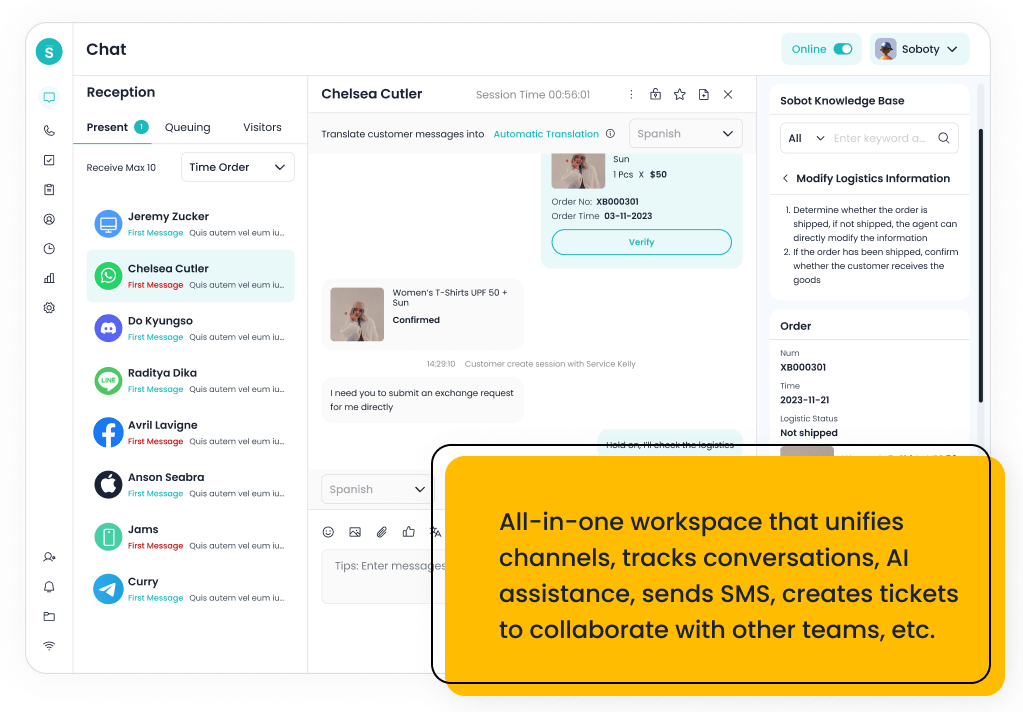
Sobot Omnichannel Services

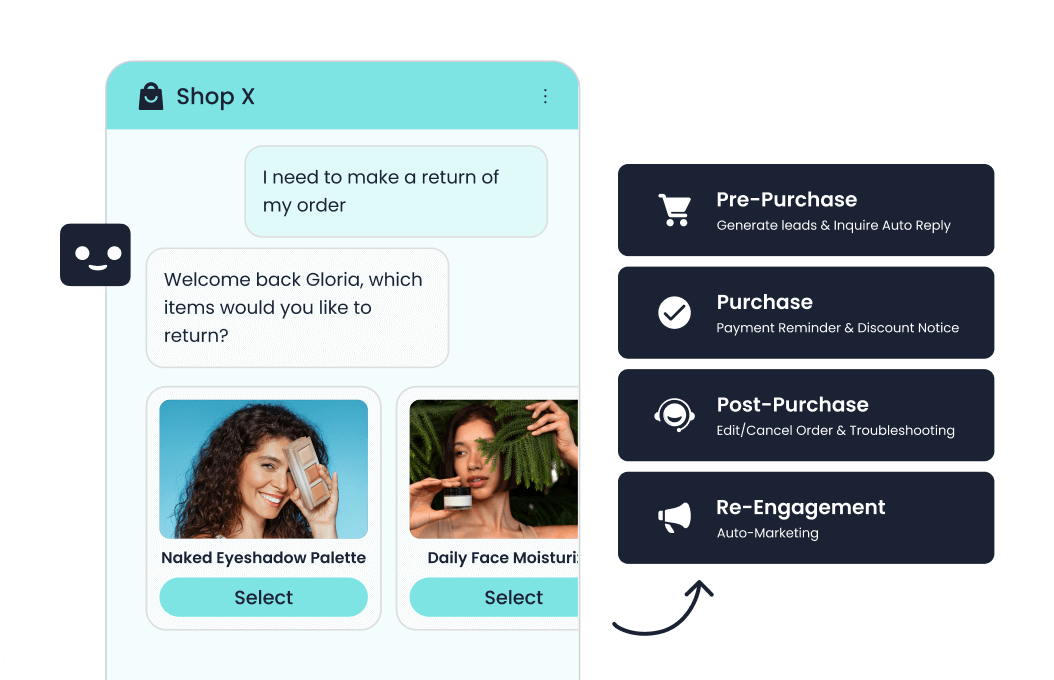
Intercom helped popularize conversational support, but many teams now need a broader omnichannel operating model. Customers move between chat, email, WhatsApp, social, voice, and self-service, and support leaders need AI that can follow context across those handoffs.

This roundup compares AI-powered omnichannel platforms that can serve as Intercom alternatives or complements. The emphasis is practical: channel breadth, AI usefulness, agent workspace quality, customer context, and where each platform is strongest.

Key Takeaways

  • Sobot is the strongest fit for teams that want AI-powered omnichannel support plus voice, ticketing, WhatsApp, chatbot, and automation in one suite.
  • Zendesk, Freshdesk, Salesforce Service Cloud, and HubSpot Service Hub suit teams that need structured service operations and reporting.
  • Gorgias, Kustomer, Front, and Gladly are compelling when customer context and conversation continuity matter more than classic ticket queues.
  • Tidio and LiveChat remain practical for teams whose omnichannel strategy starts with web chat and fast AI response.

What Is Omnichannel Customer Support Software? A Clear Definition

Omnichannel customer support software centralizes conversations from multiple channels while preserving customer context, routing logic, service history, and reporting. Unlike simple multichannel tools, an omnichannel platform lets teams manage handoffs across chat, email, messaging, voice, social, and self-service without losing continuity. AI-powered omnichannel platforms add automation, intent detection, summaries, agent assistance, and self-service experiences across those connected channels.

Quick Comparison Table

Platform Omnichannel Depth AI Motion Key Channels Best For
Sobot Guided cloud rollout AI Agent, chatbot, voicebot, routing automation Voice, live chat, WhatsApp, ticketing, chatbot Teams consolidating AI, voice, and omnichannel support
Zendesk Well-documented, scalable helpdesk rollout AI agents, workflows, QA, workforce features Email, messaging, phone, social, help center Teams wanting a mature service suite and marketplace
Freshdesk Fast helpdesk-first rollout Freddy AI, automations, omnichannel insights Email, chat, phone options, social, ticketing Teams that want helpdesk speed with omnichannel room to grow
HubSpot Service Hub Easy if HubSpot CRM is already used AI service features and CRM automation Help desk, chat, email, knowledge base, CRM Go-to-market teams centered on HubSpot
Salesforce Service Cloud Powerful but admin-heavy Agentforce, workflows, service analytics Case management, digital, voice options, CRM Enterprises standardized on Salesforce
Gorgias Fast for Shopify-centric ecommerce AI Agent, automation, ecommerce actions Email, chat, social, voice/SMS options, Shopify Ecommerce brands and Shopify teams
Kustomer CRM-style customer timeline setup AI assistance, automation, customer context Email, chat, social, messaging, voice integrations Teams wanting customer-history-driven service
Front Fast for email-centric teams AI writing, routing, summaries, workflow support Email, SMS, chat, social via integrations Teams that solve support collaboratively from inboxes
Gladly Customer-centric service rollout Sidekick and AI assistance Voice, chat, email, SMS, social Retail and B2C teams focused on loyalty
Zoho Desk Fast if Zoho ecosystem is used Zia assistance, automation, knowledge workflows Email, chat, phone, social, help center Cost-conscious SMB and Zoho users
Tidio Very fast live chat and chatbot rollout Lyro AI Agent, chatbots, automation Live chat, email, Messenger, Instagram, ecommerce integrations Startups and ecommerce teams needing quick AI chat
LiveChat Fast web chat setup Assistive automation and chatbot ecosystem Website chat, messaging, integrations, reports Teams focused on web conversion and fast support

How We Compared These Platforms

We compared channel coverage, AI-to-human handoff, review-site signals, official product materials, workspace design, customer context, reporting, and whether the product can support omnichannel operations without excessive add-ons.

1. Sobot

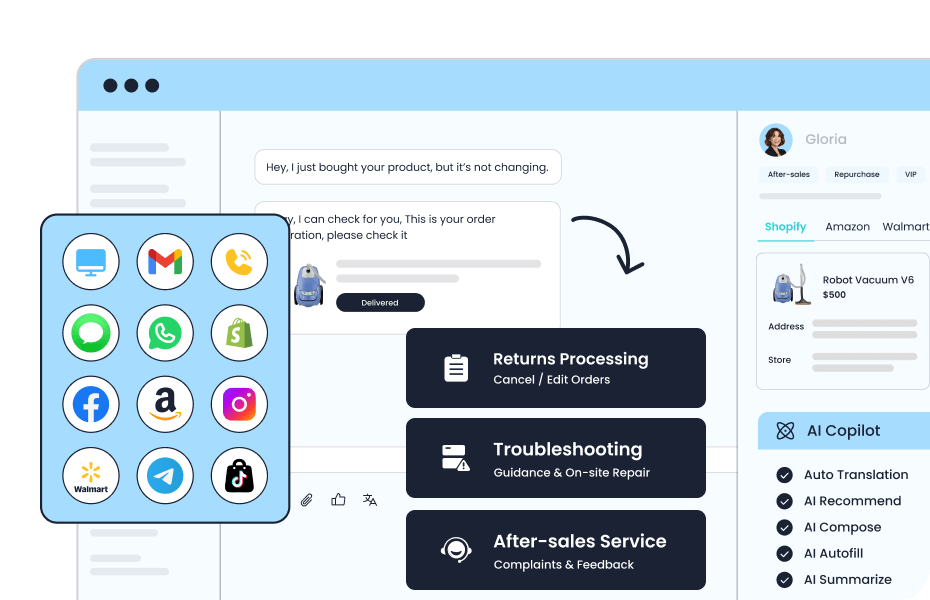
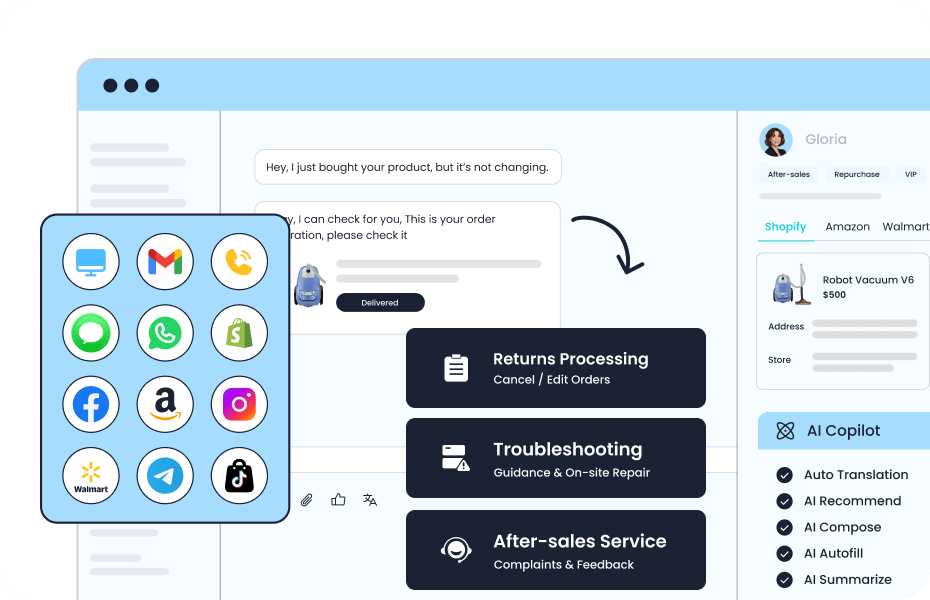
Best for: Growing and enterprise teams that want AI, voice, live chat, ticketing, WhatsApp, chatbot, and automation in one operating layer. In this roundup, the product is most relevant when the buyer is evaluating AI-powered omnichannel continuity across chat, ticketing, messaging, and voice.

Sobot Omnichannel Services

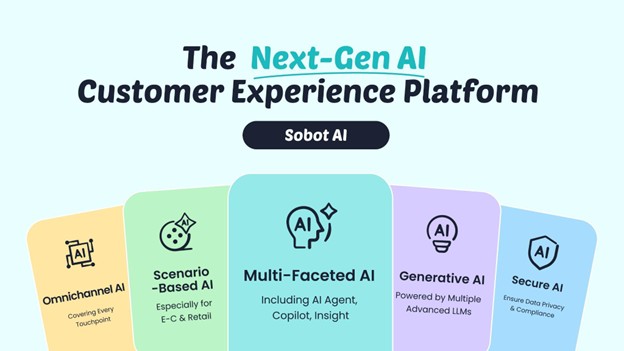
  • Positioning: Sobot is an all-in-one AI contact center platform rather than a single-channel helpdesk or chat widget. Its value is strongest when support leaders want to consolidate service, sales, messaging, and automation workflows.
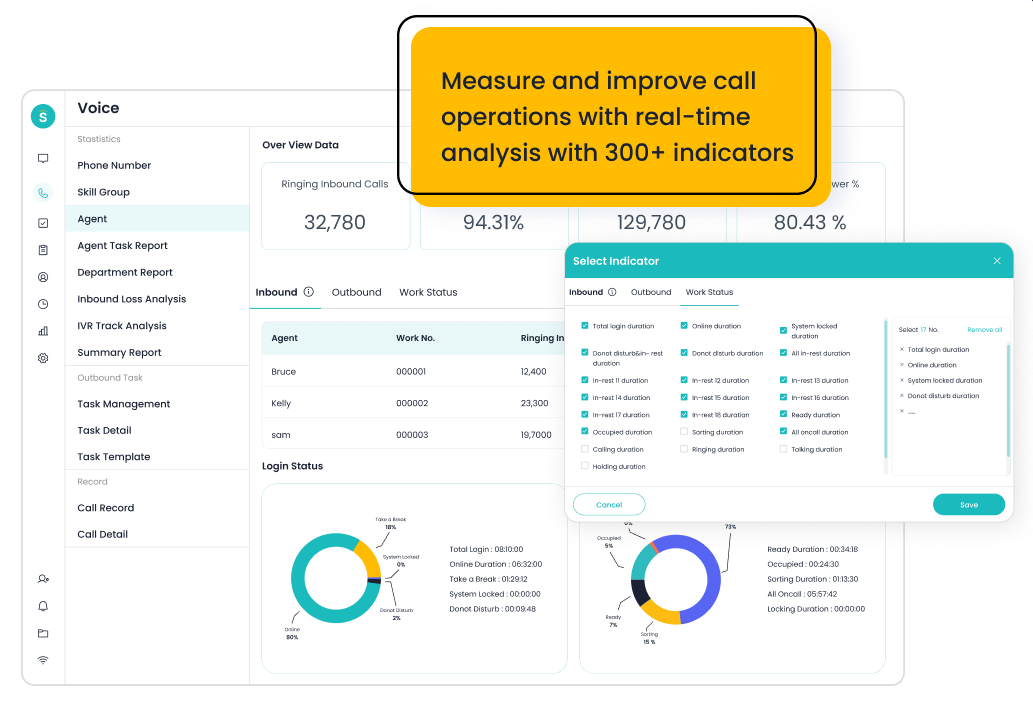
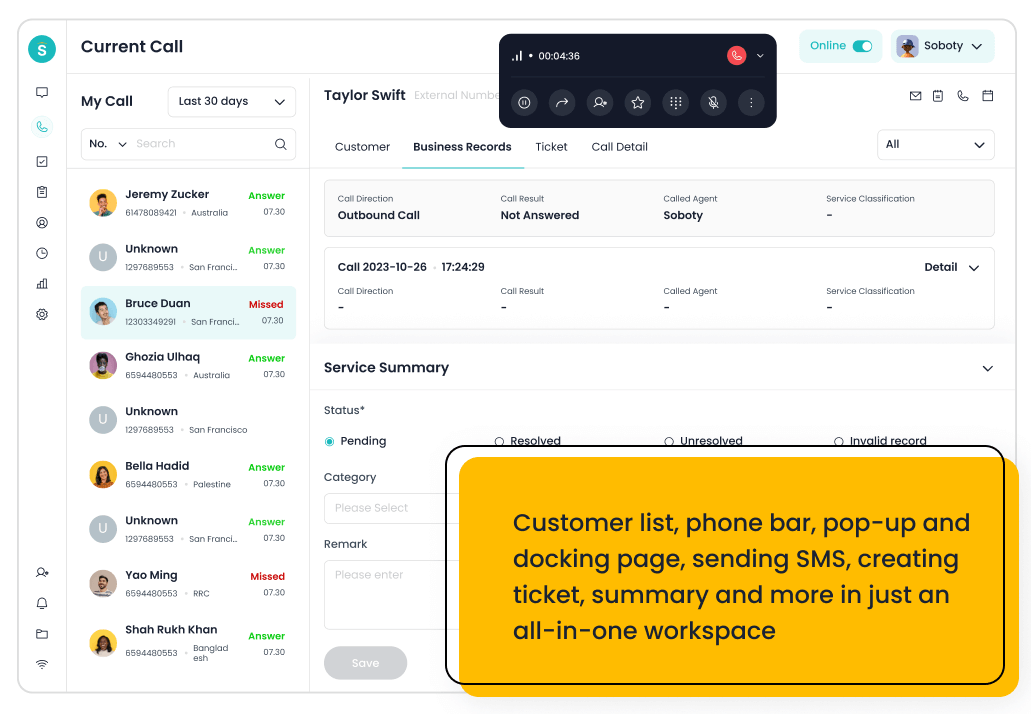
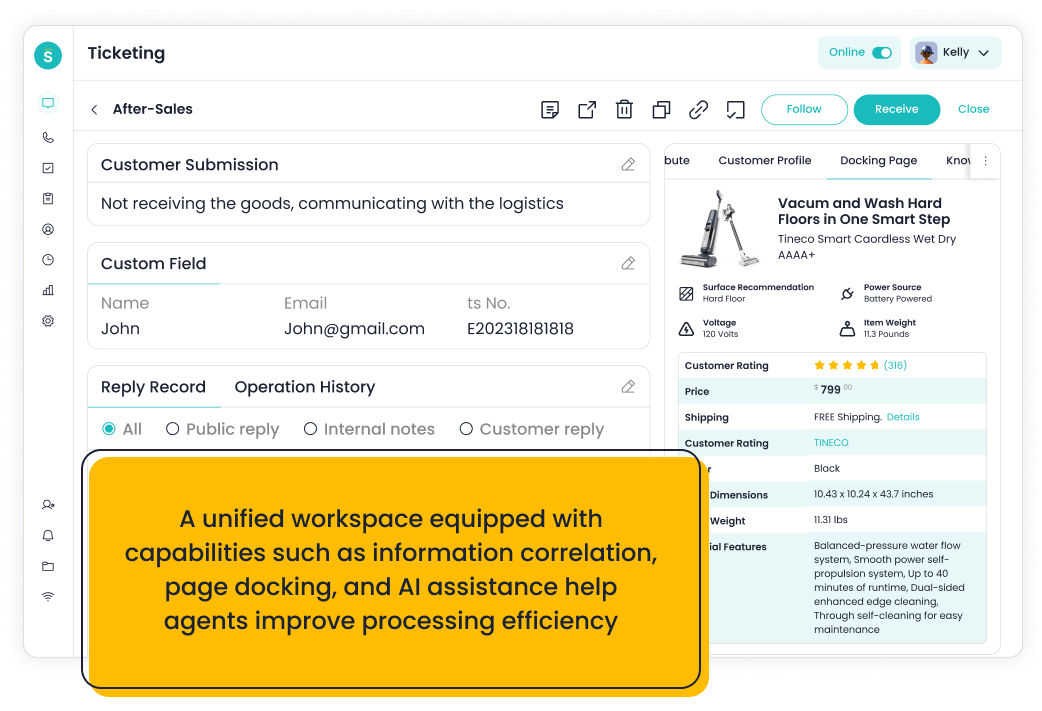
  • Core capabilities: The core stack includes AI Agent, chatbot, live chat, voice, Voicebot, ticketing, WhatsApp API, Voice for Sales, routing, and unified agent workspace capabilities.
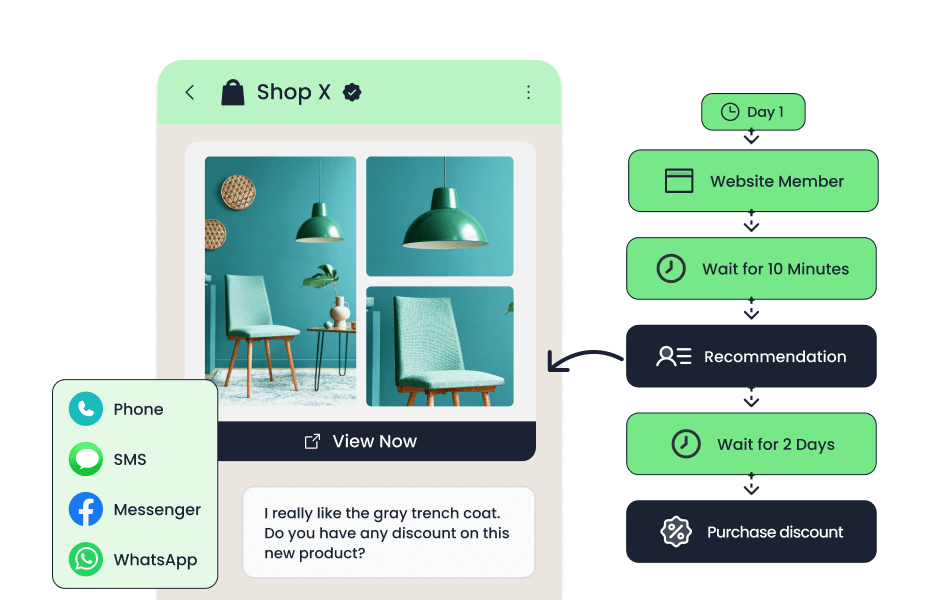
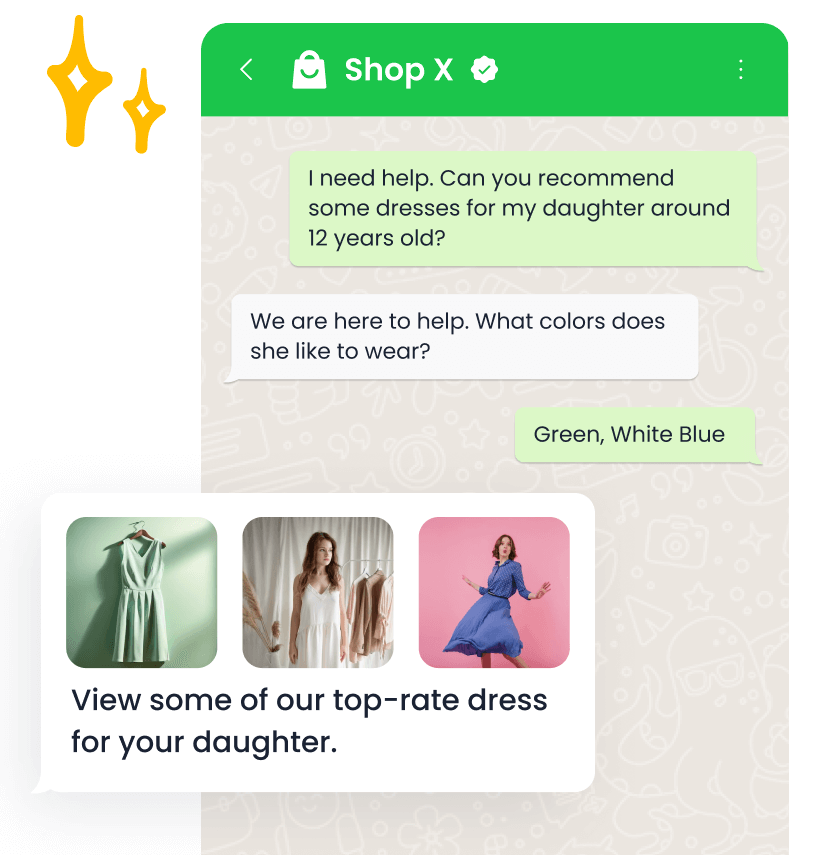
  • AI and automation depth: AI can be applied across self-service, human handoff, voicebot workflows, routing, repetitive ticket handling, and agent productivity instead of staying limited to web chat.
  • Channel and workflow coverage: Sobot covers voice, live chat, email-style ticketing, WhatsApp, chatbot, and omnichannel service workflows, which helps teams reduce tool switching.
  • Setup and admin effort: The platform is consultative and modular, so rollout should start with the channels, integrations, automation scope, and reporting views that matter most.
  • Pricing or cost signal: Pricing is custom rather than a simple public seat table; the cost signal is flexibility, because teams can align modules with the workflows they actually need.
  • Trade-off: It is more platform than a team needs if the only requirement is a very simple chat widget or shared inbox.

Buyer analysis: Use the demo to test three things: whether Sobot can cover the channels above without extra tools, whether AI improves handoff or reporting in a measurable way, and whether admins can maintain the workflow after launch. This matters because the article angle is AI-powered omnichannel continuity across chat, ticketing, messaging, and voice; the best choice is the platform that fits the team’s operating model, not just the one with the longest feature list.

Decision cue: Shortlist Sobot when the buying goal is to replace fragmented tools with a connected AI contact center.

2. Zendesk

Best for: Teams that want a mature service suite, marketplace, and scalable helpdesk operations. In this roundup, the product is most relevant when the buyer is evaluating AI-powered omnichannel continuity across chat, ticketing, messaging, and voice.

Zendesk Agent Workspace

  • Positioning: Zendesk is a well-established customer service platform built around ticketing, messaging, self-service, workflows, and AI.
  • Core capabilities: It offers case management, messaging, help center, reporting, automation, marketplace apps, and service operations features.
  • AI and automation depth: AI can support agents, bots, knowledge suggestions, quality workflows, and automation depending on package and add-ons.
  • Channel and workflow coverage: Zendesk spans email, messaging, chat, phone options, social, and help center workflows.
  • Setup and admin effort: It is well documented and scalable, but mature deployments can require careful admin governance and app management.
  • Pricing or cost signal: Costs may rise as teams add advanced AI, QA, workforce, and marketplace extensions.
  • Trade-off: It can feel more complex or expensive than lighter tools for startups and small teams.

Buyer analysis: Use the demo to test three things: whether Zendesk can cover the channels above without extra tools, whether AI improves handoff or reporting in a measurable way, and whether admins can maintain the workflow after launch. This matters because the article angle is AI-powered omnichannel continuity across chat, ticketing, messaging, and voice; the best choice is the platform that fits the team’s operating model, not just the one with the longest feature list.

Decision cue: Shortlist Zendesk when proven service operations and ecosystem breadth outweigh simplicity concerns.

3. Freshdesk

Best for: Teams that want helpdesk speed with room to add omnichannel workflows. In this roundup, the product is most relevant when the buyer is evaluating AI-powered omnichannel continuity across chat, ticketing, messaging, and voice.

Freshdesk Omnichannel Unified Inbox

  • Positioning: Freshdesk is a helpdesk-first customer service platform for teams that need structured ticketing without heavy contact center setup.
  • Core capabilities: It covers ticketing, automations, knowledge base, unified inbox views, reporting, and expansion into chat, phone, and omnichannel service.
  • AI and automation depth: Freddy AI and workflow automation can support ticket triage, suggestions, self-service, and agent productivity.
  • Channel and workflow coverage: Freshdesk is strongest around email and ticketing, with broader channels available through the Freshworks ecosystem.
  • Setup and admin effort: It is typically easier for support teams to configure than enterprise CCaaS suites, especially for ticket workflow design.
  • Pricing or cost signal: Plan-led packaging gives clearer entry costs, but advanced automation and omnichannel needs may push teams into higher editions.
  • Trade-off: Very complex voice operations may need deeper CCaaS capabilities.

Buyer analysis: Use the demo to test three things: whether Freshdesk can cover the channels above without extra tools, whether AI improves handoff or reporting in a measurable way, and whether admins can maintain the workflow after launch. This matters because the article angle is AI-powered omnichannel continuity across chat, ticketing, messaging, and voice; the best choice is the platform that fits the team’s operating model, not just the one with the longest feature list.

Decision cue: Shortlist Freshdesk when structured support operations and adoption speed are more important than maximum contact center depth.

4. HubSpot Service Hub

Best for: Go-to-market teams already using HubSpot CRM. In this roundup, the product is most relevant when the buyer is evaluating AI-powered omnichannel continuity across chat, ticketing, messaging, and voice.

Hubspot Service Hub Workspace Overview

  • Positioning: HubSpot Service Hub is a CRM-connected service platform where support, success, sales, and marketing can share customer data.
  • Core capabilities: It includes help desk, live chat, knowledge base, customer portal, automation, reporting, and CRM context.
  • AI and automation depth: AI and workflow automation are strongest when service actions connect with CRM lifecycle data.
  • Channel and workflow coverage: The fit is best for email, chat, customer portal, knowledge base, and CRM-driven service workflows.
  • Setup and admin effort: Deployment is easier for existing HubSpot users because data and workflows already live in the same ecosystem.
  • Pricing or cost signal: The cost signal is suite adoption; value is higher when the company uses HubSpot broadly, lower if Service Hub is isolated.
  • Trade-off: Companies outside HubSpot should model migration and ecosystem lock-in carefully.

Buyer analysis: Use the demo to test three things: whether HubSpot Service Hub can cover the channels above without extra tools, whether AI improves handoff or reporting in a measurable way, and whether admins can maintain the workflow after launch. This matters because the article angle is AI-powered omnichannel continuity across chat, ticketing, messaging, and voice; the best choice is the platform that fits the team’s operating model, not just the one with the longest feature list.

Decision cue: Choose HubSpot Service Hub when service needs to connect tightly with revenue and customer lifecycle data.

5. Salesforce Service Cloud

Best for: Enterprises standardized on Salesforce CRM. In this roundup, the product is most relevant when the buyer is evaluating AI-powered omnichannel continuity across chat, ticketing, messaging, and voice.

Salesforce Service Cloud Salesforce Service Service Console

  • Positioning: Salesforce Service Cloud is an enterprise service platform built around CRM data, cases, automation, and AI.
  • Core capabilities: It supports case management, knowledge, workflows, digital service, voice options, service analytics, and broad ecosystem extensions.
  • AI and automation depth: Agentforce, workflows, recommendations, and service automation are strongest when customer data already lives in Salesforce.
  • Channel and workflow coverage: It can support case, digital, CRM, field service, and voice-connected workflows depending on configuration.
  • Setup and admin effort: Implementation requires admin expertise and governance, especially when service connects to sales, success, and enterprise reporting.
  • Pricing or cost signal: Edition, add-on, implementation, and admin costs should be modeled together rather than comparing seat prices alone.
  • Trade-off: It can be too complex for small teams without Salesforce operations maturity.

Buyer analysis: Use the demo to test three things: whether Salesforce Service Cloud can cover the channels above without extra tools, whether AI improves handoff or reporting in a measurable way, and whether admins can maintain the workflow after launch. This matters because the article angle is AI-powered omnichannel continuity across chat, ticketing, messaging, and voice; the best choice is the platform that fits the team’s operating model, not just the one with the longest feature list.

Decision cue: Choose Salesforce Service Cloud when CRM-native service governance matters more than easy setup.

6. Gorgias

Best for: Ecommerce brands, especially Shopify-centered support teams. In this roundup, the product is most relevant when the buyer is evaluating AI-powered omnichannel continuity across chat, ticketing, messaging, and voice.

Gorgias AI Agent Automates Support And Sells For You Through Conversations

  • Main strength: It brings together helpdesk workflows, Shopify actions, macros, automation, AI Agent, chat, social, and ecommerce data.
  • Relevant feature set: Gorgias supports email, chat, social, SMS/voice options, and ecommerce workflows connected to store data.
  • AI / automation or workflow angle: AI is strongest for common ecommerce questions, order-status workflows, repetitive tickets, and sales-oriented conversations.
  • Cost / setup consideration: Deployment is fastest when the commerce stack is standard and order data can be connected cleanly. Costs can depend on ticket volume, automation usage, and ecommerce scale, so growing brands should model seasonal spikes.
  • Limitation: It is less universal for B2B, SaaS, or voice-heavy support teams.

Buyer analysis: Use Gorgias when its focused workflow maps closely to the team’s daily support motion. If covering AI-powered omnichannel continuity across chat, ticketing, messaging, and voice would require too many add-ons or workarounds, treat it as a secondary tool or narrower shortlist option rather than the primary platform.

Decision cue: Shortlist Gorgias when ecommerce context and automation are more valuable than generic helpdesk breadth.

7. Kustomer

Best for: Teams that need customer-history-driven support across channels. In this roundup, the product is most relevant when the buyer is evaluating AI-powered omnichannel continuity across chat, ticketing, messaging, and voice.

Kustomer Desk Assist V3

  • Main strength: It emphasizes customer context, omnichannel conversations, automation, reporting, agent assistance, and CRM-style service data.
  • Relevant feature set: Kustomer can support email, chat, social, messaging, and integrations around the customer record.
  • AI / automation or workflow angle: AI and workflow automation are useful for surfacing customer history, assisting agents, and coordinating cross-channel service.
  • Cost / setup consideration: The data model can be powerful, but teams should plan customer attributes, integrations, and workflow design before launch. It is more enterprise-leaning than lightweight inbox tools, so value depends on how much customer context the team can use.
  • Limitation: It may be heavier than needed if the team only wants basic chat and email support.

Buyer analysis: Use Kustomer when its focused workflow maps closely to the team’s daily support motion. If covering AI-powered omnichannel continuity across chat, ticketing, messaging, and voice would require too many add-ons or workarounds, treat it as a secondary tool or narrower shortlist option rather than the primary platform.

Decision cue: Choose Kustomer when customer continuity is the main reason to replace Intercom.

8. Front

Best for: B2B support, logistics, account, and operations teams that solve customer issues collaboratively. In this roundup, the product is most relevant when the buyer is evaluating AI-powered omnichannel continuity across chat, ticketing, messaging, and voice.

Front Overview

  • Main strength: It supports shared inboxes, assignments, internal comments, routing, SLA-style visibility, analytics, and integrations.
  • Relevant feature set: Front is strongest for email-centric teams, with chat, SMS, social, and integrations extending the workflow.
  • AI / automation or workflow angle: AI and workflow automation help with routing, drafting, summarizing, and reducing manual coordination.
  • Cost / setup consideration: It is easier than classic ticketing for teams that already think in inboxes, but governance is needed to avoid messy shared ownership. Seat-based pricing should be compared against collaboration gains and the number of teams using the inbox.
  • Limitation: It may not replace a contact center for regulated, voice-heavy, or queue-heavy environments.

Buyer analysis: Use Front when its focused workflow maps closely to the team’s daily support motion. If covering AI-powered omnichannel continuity across chat, ticketing, messaging, and voice would require too many add-ons or workarounds, treat it as a secondary tool or narrower shortlist option rather than the primary platform.

Decision cue: Choose Front when internal collaboration is the main bottleneck in customer response.

9. Gladly

Best for: Retail and B2C teams focused on customer continuity and loyalty. In this roundup, the product is most relevant when the buyer is evaluating AI-powered omnichannel continuity across chat, ticketing, messaging, and voice.

Gladly Agent Workspace

  • Main strength: It includes agent workspace, customer timeline, voice, chat, email, SMS, social, knowledge, and service experience features.
  • Relevant feature set: Gladly fits B2C brands that need continuity across voice and digital channels.
  • AI / automation or workflow angle: AI assistance and Sidekick-style capabilities help agents respond with context and reduce repetitive work.
  • Cost / setup consideration: Deployment should focus on customer data, channel design, and agent workflow changes rather than simple inbox migration. It is more premium than lightweight tools, so the business case should connect to loyalty, retention, and efficiency.
  • Limitation: Very small teams may not need its full customer-experience model.

Buyer analysis: Use Gladly when its focused workflow maps closely to the team’s daily support motion. If covering AI-powered omnichannel continuity across chat, ticketing, messaging, and voice would require too many add-ons or workarounds, treat it as a secondary tool or narrower shortlist option rather than the primary platform.

Decision cue: Shortlist Gladly when customer continuity is a brand differentiator.

10. Zoho Desk

Best for: Cost-conscious SMBs and companies already using Zoho products. In this roundup, the product is most relevant when the buyer is evaluating AI-powered omnichannel continuity across chat, ticketing, messaging, and voice.

Zoho Desk Console

  • Main strength: It includes ticket management, SLA rules, knowledge base, multichannel support, reporting, and Zoho ecosystem integration.
  • Relevant feature set: Zoho Desk covers email, chat, phone, social, help center, and CRM-linked service workflows.
  • AI / automation or workflow angle: Zia and workflow automation can support response suggestions, triage, knowledge use, and routine service processes.
  • Cost / setup consideration: Setup is manageable, especially for Zoho users, but teams should configure departments, SLAs, and automation carefully. Pricing is generally accessible compared with larger enterprise suites, but edition differences should be reviewed.
  • Limitation: The experience may require ecosystem configuration and can feel less polished than newer specialist tools.

Buyer analysis: Use Zoho Desk when its focused workflow maps closely to the team’s daily support motion. If covering AI-powered omnichannel continuity across chat, ticketing, messaging, and voice would require too many add-ons or workarounds, treat it as a secondary tool or narrower shortlist option rather than the primary platform.

Decision cue: Shortlist Zoho Desk when value and structured ticketing are the top priorities.

11. Tidio

Best for: Startups and ecommerce teams that want fast AI chat coverage. In this roundup, the product is most relevant when the buyer is evaluating AI-powered omnichannel continuity across chat, ticketing, messaging, and voice.

Tidio Lyro AI Agent

  • Main strength: It includes live chat, Lyro AI Agent, chatbot workflows, helpdesk features, and ecommerce-friendly integrations.
  • Relevant feature set: Tidio is strongest in website chat and ecommerce messaging, with email and social/messaging integrations around that core.
  • AI / automation or workflow angle: AI is focused on answering common questions, deflecting repetitive chat volume, and supporting quick handoff to agents.
  • Cost / setup consideration: Teams can launch quickly, especially when the first goal is chat automation rather than full service transformation. Startup-friendly packaging is attractive, but buyers should check AI conversation limits and usage-based costs.
  • Limitation: It is not a complete contact center for teams needing deep voice, workforce, or enterprise governance.

Buyer analysis: Use Tidio when its focused workflow maps closely to the team’s daily support motion. If covering AI-powered omnichannel continuity across chat, ticketing, messaging, and voice would require too many add-ons or workarounds, treat it as a secondary tool or narrower shortlist option rather than the primary platform.

Decision cue: Pick Tidio when fast AI chat automation matters more than broad suite depth.

12. LiveChat

Best for: Teams focused on website engagement, conversion support, and fast chat response. In this roundup, the product is most relevant when the buyer is evaluating AI-powered omnichannel continuity across chat, ticketing, messaging, and voice.

Livechat

  • Main strength: It offers chat widgets, routing, monitoring, team performance reports, integrations, and agent productivity tools.
  • Relevant feature set: The core workflow is web chat, with integrations helping connect conversations to CRM or helpdesk systems.
  • AI / automation or workflow angle: Automation and chatbot ecosystem features can support lead capture, first response, routing, and repetitive questions.
  • Cost / setup consideration: Setup is straightforward for web teams because the product does not require a large service architecture. Plan-led pricing is predictable, but teams should budget separately for broader helpdesk or chatbot needs if required.
  • Limitation: It may be too narrow for teams that need omnichannel ticketing, voice, or AI contact center workflows.

Buyer analysis: Use LiveChat when its focused workflow maps closely to the team’s daily support motion. If covering AI-powered omnichannel continuity across chat, ticketing, messaging, and voice would require too many add-ons or workarounds, treat it as a secondary tool or narrower shortlist option rather than the primary platform.

Decision cue: Choose LiveChat when web conversation quality is the main support and sales lever.

How to Choose the Right Platform

The best shortlist starts with the operating model, not the logo. A platform that is excellent for a 500-agent voice operation may be too heavy for a startup support team, while a fast live chat tool may not provide enough governance for a regulated contact center.

  • Map the customer journey across chat, email, WhatsApp, social, and voice before choosing tools.
  • Prioritize platforms that preserve context when AI escalates to an agent.
  • Check whether omnichannel reporting is native or assembled through integrations.
  • Make sure the platform can support both service and proactive engagement if the team expects to grow beyond reactive support.

After that, compare total cost of ownership: implementation, AI usage, required add-ons, administrator time, training, reporting, and how many tools the platform can realistically replace.

FAQ

What is the difference between multichannel and omnichannel support?

Multichannel support means several channels are available. Omnichannel support means those channels share context, routing, customer history, and reporting so the customer does not restart every time they switch channels.

Which platform is closest to Intercom?

Tidio and LiveChat are close for chat-led use cases. Sobot, Zendesk, Freshdesk, HubSpot, and Salesforce are broader when the requirement includes ticketing, voice, WhatsApp, or service operations.

How should teams evaluate AI in omnichannel support?

Look beyond chatbot availability. Evaluate knowledge grounding, escalation, summaries, intent detection, workflow automation, channel coverage, and reporting on what AI resolved versus handed off.

Research Notes and Sources Used

This roundup uses third-party review directories, product-category pages, and official product materials to compare positioning, common buyer fit, channel coverage, AI depth, and implementation trade-offs. Public prices and review counts can change, so the article avoids unsupported precision where vendor packaging is quote-based.


Catalogs

  • Headings

Recommendation

Subscribe

Get more insider tips in customer service.
Sign up for our weekly newsletter

Subscribe