IT Ticketing Systems Explained for 2025

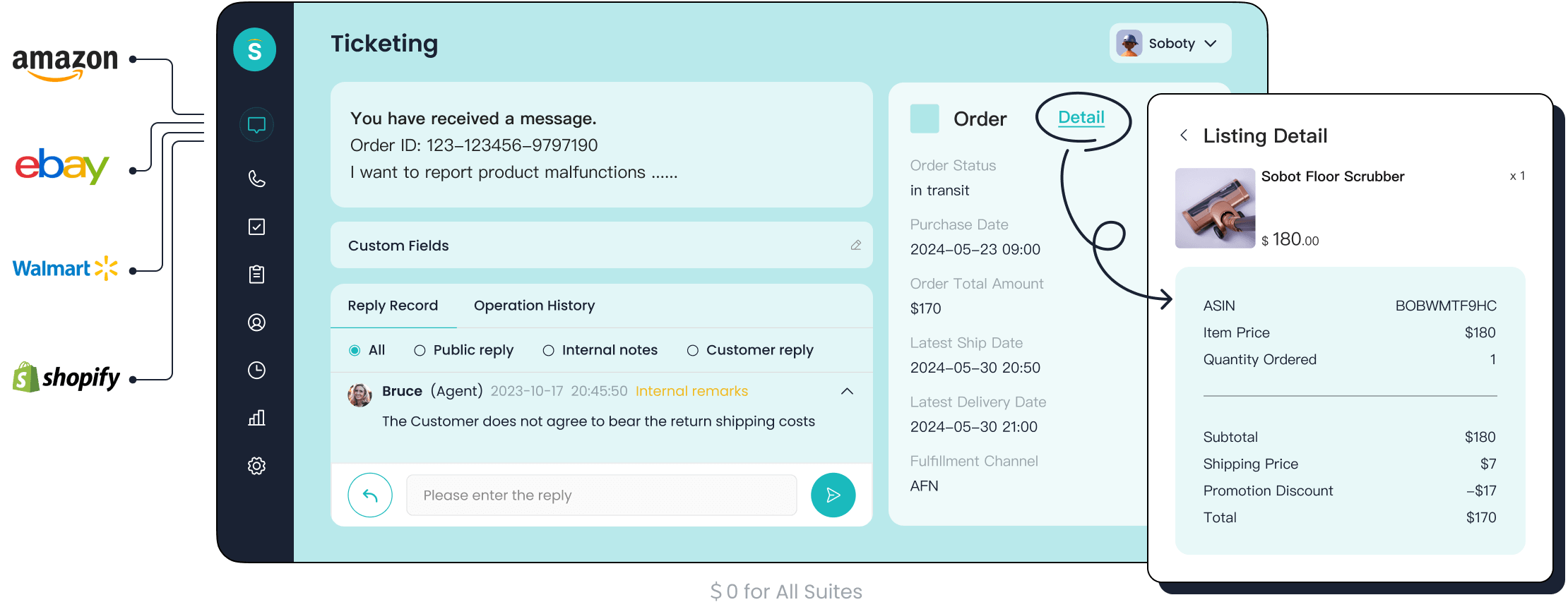
An IT ticketing system is a software tool that centralizes your IT service requests. This process is also known as help desk ticketing. Think of this ticketing system as a digital command center for your company's IT issues. The primary goal of any IT ticketing system is to bring order to your IT support. A good ticketing system ensures your IT team manages every ticketing request from submission to resolution. This ticketing system approach is vital for handling all IT issues. The market for IT ticketing systems is growing.
The IT ticketing system market is projected to reach $2878 million in 2025, with a compound annual growth rate of 9.63%. Efficient IT ticketing is key. Modern ticketing solutions from Sobot, including Sobot AI and the Sobot call center, provide the advanced IT support your IT team needs.
How an IT Ticketing System Works

An IT ticketing system transforms chaotic IT support requests into an orderly process. It provides a clear path for every IT issue, from the moment you report it until it is solved. Let's explore the four main stages of this journey.
1. Ticket Creation and Logging
The process begins when you encounter an IT problem. You need to report this issue to the IT team. A modern ticketing system gives you several ways to create a support ticket.
- Portal: You can log in to a dedicated self-service portal to submit your request.
- Email: You can send an email to a specific support address, and the ticketing system automatically converts it into a ticket.
- Chatbot: You can interact with an AI-powered chatbot that guides you through the ticket creation process.
When you create an IT ticket, providing detailed information helps the IT team solve your problem faster. A good ticketing system will prompt you for key details.
Tip: To get the quickest resolution, your IT ticket should include a clear description of the problem, the priority level, and any screenshots of error messages. This gives the IT team the context they need.
Your IT team will need specific information for effective ticket management. This often includes:
- A clear, concise description of what is happening.
- The priority level, which tells the IT team how much the issue impacts your work.
- Screenshots or the exact error message you see.
- Baseline technical details, like the device and operating system you are using.
- Steps you have already taken to try and fix the issue.
2. Automated Triage and Assignment
Once you submit a ticket, the IT ticketing system gets to work immediately. It does not wait for a person to read it. Instead, it uses automation to sort and assign the ticket to the right person. This is called triage and assignment.
The system uses predefined rules to handle this process. For example, a rule might state:
- If a ticket's issue is about "IT:Applications".
- And it is sent to the main dispatch queue.
- Then assign it directly to the application specialist.
Modern IT ticketing systems use even smarter methods. They can use AI to understand the ticket's content and sentiment. This helps route the ticket with high accuracy. For instance, if your ticket uses words like "urgent" or "critical," the system can automatically raise its priority.
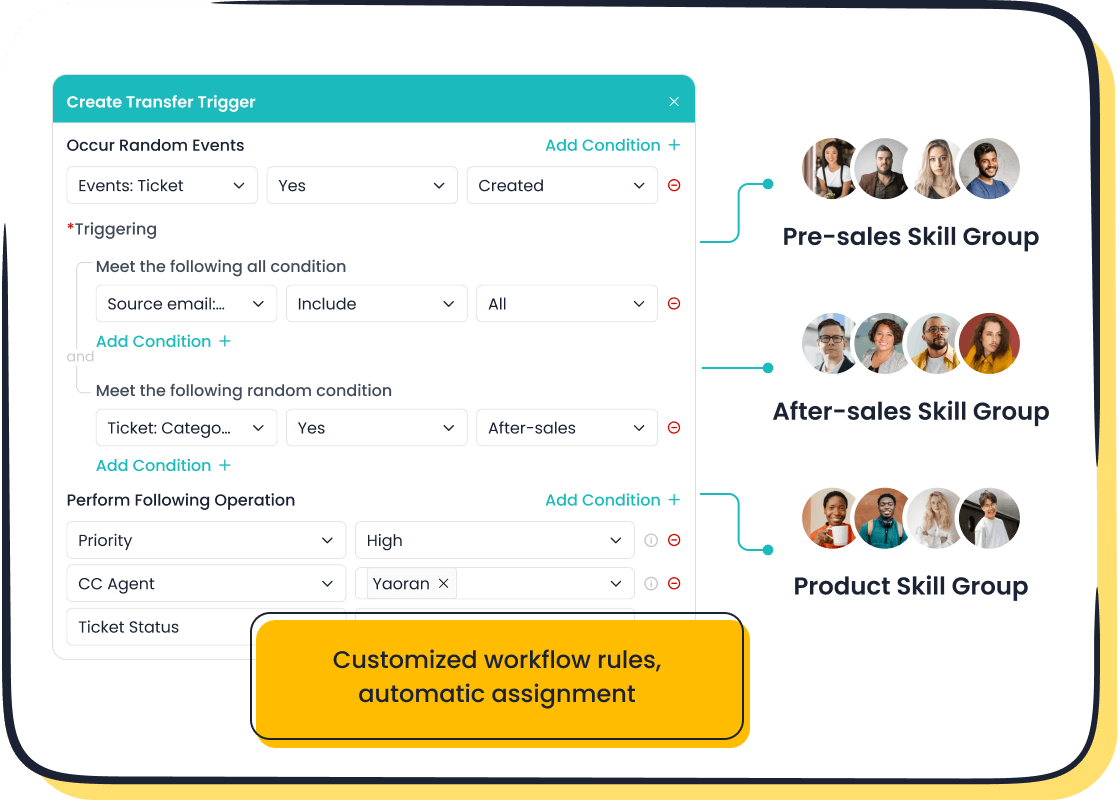
Skill-based routing is another powerful feature. The ticketing system matches the ticket's needs with an agent's skills. It considers an agent's knowledge, technical abilities, and experience. This ensures the most qualified person handles your IT issue from the start. The system maps agent skills and classifies incoming tickets to find the perfect match, which leads to a faster resolution.
3. Centralized Tracking and Updates
After your ticket is assigned, you need to know what is happening with it. A ticketing system provides a central place for tracking and management. You no longer need to send follow-up emails or make phone calls to get updates. You can simply check the ticket's status.
You will see the ticket move through several stages during its lifecycle. Common statuses include:
- New/Open: The system has received your ticket.
- Assigned: An IT agent is now responsible for your ticket.
- In-progress: The agent is actively working on a solution.
- On Hold: The agent is waiting for more information from you, another team, or a vendor.
- Resolved: The agent has fixed the issue.
For IT managers, a centralized dashboard offers a complete view of all support tickets. It helps them monitor team performance and identify bottlenecks. Managers can see how many IT issues are in the queue, track resolution times, and ensure the team is keeping up with new requests. This visibility helps reduce backlogs and improves the overall efficiency of the IT support team.
4. Issue Resolution and Closure
The final stage is the resolution and closure of your ticket. This is the ultimate goal of the ticketing process. An IT agent implements the necessary fix to solve your problem.
The standard procedure for ticket resolution involves several steps.
- The IT admin confirms the problem is solved.
- They document the solution within the ticket for future reference.
- The system notifies you that the issue is resolved.
- The ticket is marked as "Resolved."
Your confirmation is a key part of this step. If you reply that the problem is still there, the ticketing system can automatically reopen the ticket. If the fix works, the ticket is officially closed.
After a ticket is closed, many IT ticketing systems automatically send a short satisfaction survey. Your feedback helps the IT team measure their performance and improve the support they provide. This final step ensures the ticketing process is not just about fixing problems but also about improving the service experience.
The Core Benefits of a Ticketing System
Adopting an IT ticketing system does more than just organize requests. It fundamentally transforms your IT operations, delivering powerful benefits that ripple across your entire organization. You can improve team efficiency, enhance user satisfaction, and make smarter business decisions.
Centralized Issue Management
A ticketing system creates a single, organized hub for all IT issues. You no longer have to hunt through emails or messages to track a problem. Every IT ticket lives in one central place, from creation to resolution. This unified view gives your IT team complete visibility and control.
This centralization is crucial for effective collaboration. When an IT issue needs to be escalated from one support level to another, the ticketing system ensures a smooth handover.
- It provides a detailed log of all actions taken.
- It includes diagnostic data and notes from previous agents.
- This prevents your IT team from repeating troubleshooting steps, saving valuable time.
A modern IT ticketing system also integrates with other essential tools. This integration streamlines workflows and ensures every IT ticket is assigned to the right person automatically. It creates a structured process that reduces resolution time and improves overall efficiency.
Improved Team Productivity
An IT ticketing system boosts your IT team's productivity significantly. Studies show that an effective system can increase agent productivity by 20-25%. It achieves this by automating repetitive tasks and streamlining ticket management.
Automation handles the tedious work that drains your team's morale.
Repetitive tasks like password resets or status updates offer little challenge and can lead to mental fatigue. An IT ticketing system offloads these simple, high-volume workflows. This frees your IT agents to focus on complex problems that require their expertise and judgment.
This focus on meaningful work keeps your team engaged and reduces burnout. When your IT professionals feel their time is valued, their job satisfaction and performance improve.
A real-world example of this is the smart device innovator, OPPO. The company faced a massive surge in customer inquiries during peak shopping seasons. By implementing a solution from Sobot that combined a chatbot with a ticketing system, OPPO created a powerful human-machine partnership. The chatbot handled most of the repetitive questions, allowing human agents to concentrate on more complex customer support needs.
Enhanced User Experience
When your IT team is more productive, your employees and customers receive better support. An efficient ticketing process directly leads to a superior user experience. Key metrics help you measure this improvement:
- First Response Time (FRT): This measures how quickly your team first responds to a customer. A fast FRT shows users you are attentive.
- Average Resolution Time (ART): This tracks the average time it takes to completely solve an IT issue. A shorter ART means users get back to their work faster.
A great ticketing system helps you improve both metrics, which boosts customer satisfaction.
The OPPO story shows the powerful connection between efficient ticketing and customer happiness. By using Sobot's technology, OPPO achieved an incredible 83% chatbot resolution rate. This means most customer questions were answered instantly without needing a human agent.
This efficiency led to a 94% positive feedback rate from users. The excellent customer support experience had a direct impact on the business. OPPO saw a 57% increase in its repurchase rate, proving that great support builds customer loyalty and drives growth.
Data-Driven Decision Making
A ticketing system is a goldmine of data. It tracks every interaction and provides you with powerful analytics. You can move from making guesses to making informed decisions based on real performance metrics. This data helps you understand your IT support operations inside and out.
Your IT managers can monitor key performance indicators (KPIs) to guide strategy. Important metrics include:
- Ticket Volume: Tracks the total number of tickets over time, helping you predict future needs.
- Channel Distribution: Shows which channels (email, chat, portal) users prefer for submitting an IT ticket.
- Agent Utilization Rate: Measures how much time agents spend on ticketing tasks, helping you balance workloads.
By analyzing this data, you can spot trends, identify recurring IT issues, and allocate resources more effectively. For example, if you see a high volume of tickets about a specific software, you can develop a targeted training guide or a knowledge base article. This proactive approach helps you reduce future ticket volumes and continuously improve your IT support. Ultimately, it transforms your reactive IT team into a strategic business asset.
Key Features of Modern IT Ticketing Systems
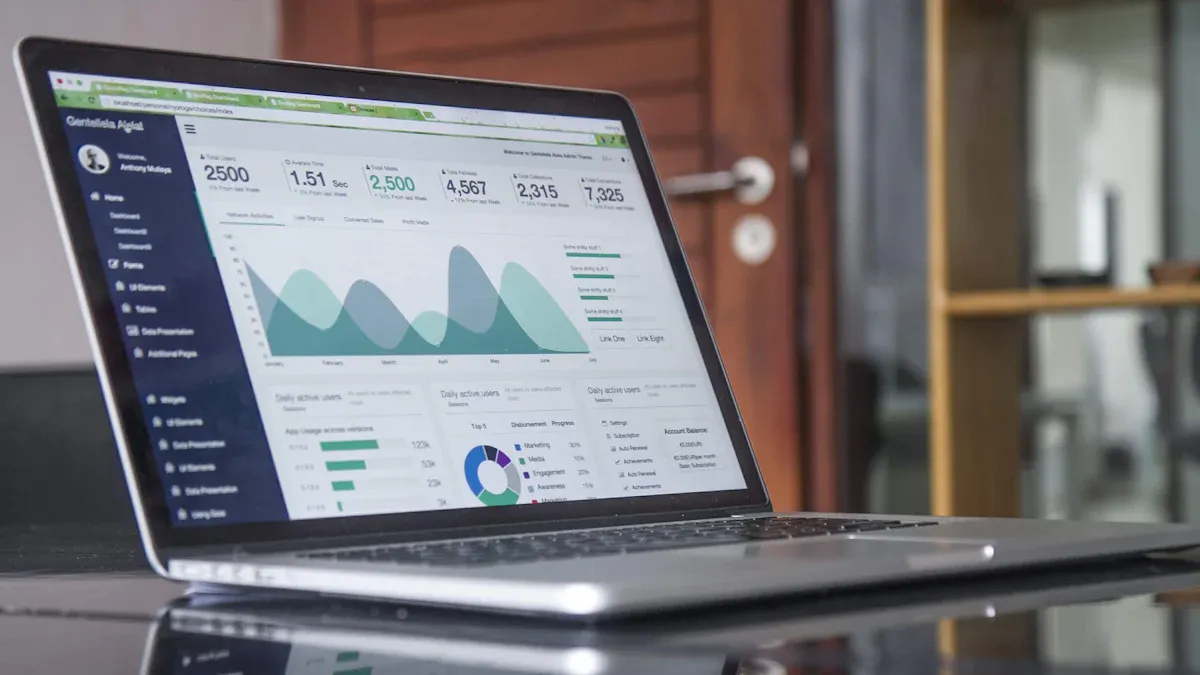
Modern IT ticketing systems offer much more than basic logging. They provide advanced tools that automate workflows and improve the customer experience. You can transform your IT support with these key features.
AI-Powered Automation
AI is a game-changer for IT support. It automates routine tasks so your IT team can focus on complex problems. An AI-powered ticketing system uses intelligent routing to get an IT ticket to the right agent. For example, the Sobot ticketing system uses custom triggers for automatic assignment. This AI-enhanced ticketing management ensures every issue is handled efficiently.
AI can also draft responses for common questions. This helps your IT agents reply faster and provides a consistent customer experience. It makes the entire ticketing process smarter from start to finish.
Omnichannel Support Integration
Your users expect to get help through their preferred channel. A modern IT ticketing system unifies all communication into a single platform. This gives your IT team a complete view of every customer interaction. Sobot’s ticketing system brings together channels like email, chat, voicemail, and even WhatsApp. This omnichannel support approach prevents important details from getting lost. Your agents see the full conversation history, which helps them provide personalized and effective support without asking the customer to repeat information.
Self-Service Knowledge Base
Many users want to solve problems on their own. In fact, a significant 91% of users would use a self-service knowledge base if it met their needs. A robust self-service portal empowers your customers to find answers instantly. This feature dramatically reduces the number of incoming support tickets. An effective self-service knowledge base can deflect a large portion of basic IT ticket requests. This frees up your IT team for more critical issues and improves overall customer satisfaction with your ticketing system.
Advanced Analytics and Reporting
You cannot improve what you do not measure. Advanced analytics give you deep insights into your IT support performance. A great IT ticketing system provides trusted analytics to monitor key metrics. You can track response times and resolution rates to ensure you meet your Service Level Agreements (SLAs). Sobot’s ticketing system offers detailed reports that help you understand ticket volume and agent workloads. This data allows you to make informed decisions, optimize your IT operations, and continuously improve the customer support experience.
Modern IT ticketing systems are a cornerstone for operational excellence. You need this tool for superior customer support. A ticketing system transforms reactive IT support into a structured, efficient, and measurable process. It provides your IT team with structure, accountability, and visibility for every customer ticketing request. This ensures a faster resolution for each customer. Your IT team can proactively manage the customer experience. This shift delivers powerful results for your customer support.
| Company | Key Implementation | Operational Excellence Achieved |
|---|---|---|
| Unity | AI agents and self-service tools | Saved over $1.3 million, reduced resolution times, and enhanced customer satisfaction. |
| Grubhub | Automated workflows and proactive ticketing | Boosted customer satisfaction score to 90% through efficient IT issue routing. |
Choosing the right ticketing system is your first step. You can improve your IT support for every customer. Embark on Your Contact Journey toward a better customer ticketing experience.
FAQ
How does a ticketing system handle tickets from different channels?
A ticketing system unifies all your support channels into one place. This gives your team a complete view of every customer interaction. Your agents can better serve each customer. This improves the overall customer experience for every customer.
Can I set different priorities for tickets?
Yes, you can classify tickets based on urgency. This feature ensures your team helps the most critical customer first. You can manage customer expectations effectively. A happy customer often becomes a loyal customer.
How does the system support a global customer base?
Modern systems offer multilingual support. They can translate a ticket from any customer. This allows your team to support each customer in their preferred language. This global capability helps every customer feel understood and valued.
See Also
Leading Contact Center Platforms: An In-Depth Review for 2024
The 10 Best IVR Interactive Voice Response Software Solutions for 2024
Comparing the Best Live Chat Solutions Available on the Market in 2024
Discover the Top 10 Customer Service Software Options for Businesses in 2024
Understanding How Call Center Automation Drives Efficiency and Improves Operations