Build Your First Omnichannel Chatbot A Simple Guide

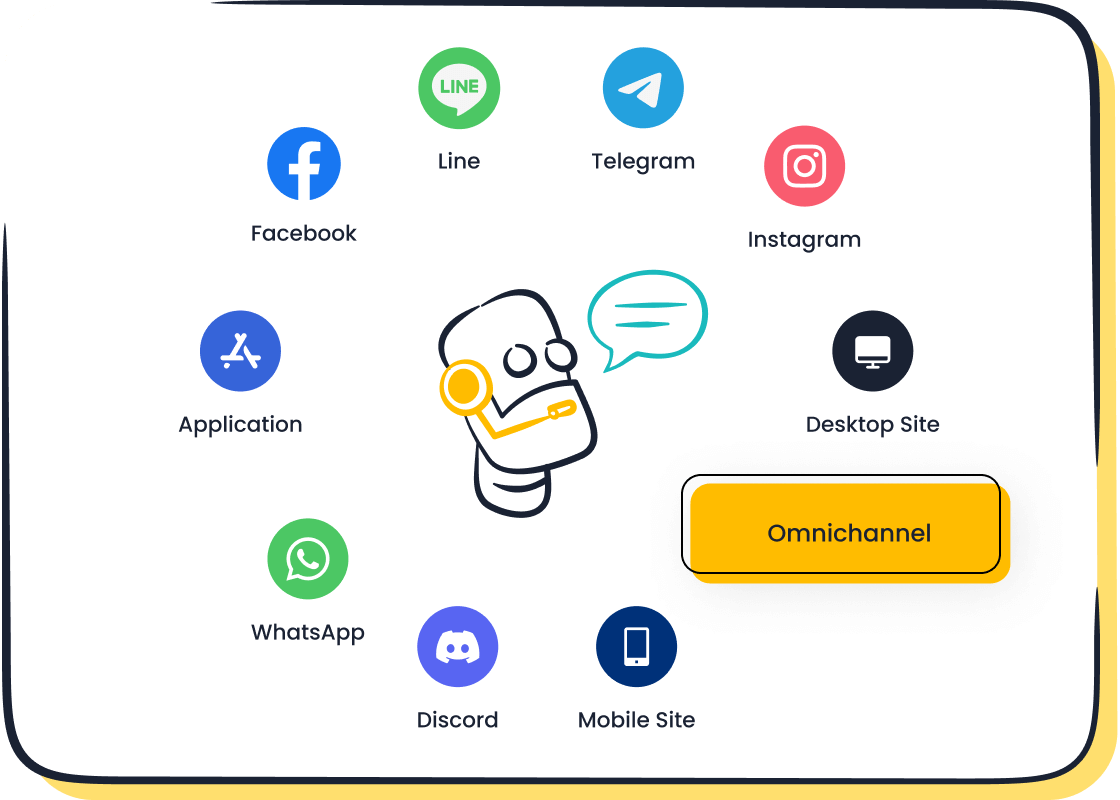
This guide provides a simple, actionable process to build your first omnichannel chatbot from scratch. The chatbot industry is growing quickly, with projections to reach nearly $5 billion by 2032. You can join this trend. We will walk you through five clear steps from initial planning to a successful launch. Creating a powerful omnichannel chatbot is an achievable goal. A great chatbot, like the Sobot AI chatbot, enhances your customer service. With the right tools from Sobot, your omnichannel strategy, including the Sobot call center, will succeed.
Understanding the Omnichannel Chatbot
Before you build your chatbot, you need to understand the omnichannel approach. An omnichannel strategy creates a single, connected journey for your customers. It ensures every interaction is part of one conversation. This makes your customer service smooth and consistent.
What Is an Omnichannel Experience?
An omnichannel experience puts the customer at the center of your strategy. It connects all your communication channels, like email, social media, and live chat. This allows your customers to switch between platforms without any trouble. They never have to repeat their information. This integration is the key difference from a multichannel approach, where channels work separately. An omnichannel chatbot helps you create this unified user experience.
Key Benefits for Customer Support
An omnichannel strategy offers major benefits for your support team. Today, customers expect a consistent experience everywhere. In fact, studies show that 73% of customers use multiple channels during their journey. An omnichannel chatbot helps you meet this expectation. Your chatbot provides the same great service on your website, on WhatsApp, or on social media. This consistency is vital for modern customer support. The omnichannel approach makes your support reliable.
Centralizing Data Across Channels
An omnichannel chatbot centralizes all your customer data. Your support agents get a complete view of every customer's history. This removes the need to search through different systems for information.
With an integrated omnichannel system:
- Agents can immediately see past interactions.
- Responses become much faster.
- Customers avoid repeating their issues.
This connected context is the key to solving problems on the first try. A smart chatbot makes this data available instantly. This powerful omnichannel feature helps your team work more efficiently.
Improving Customer Satisfaction
Ultimately, an omnichannel chatbot is about improving customer satisfaction. When you solve issues quickly and without friction, you create happy customers. The chatbot provides 24/7 support, so help is always available. This seamless omnichannel journey leads to better relationships and higher customer satisfaction. A well-designed chatbot directly boosts your brand's reputation and improves customer satisfaction scores.
A Step-by-Step Guide to Create a Chatbot
Now you are ready to build. This step-by-step guide will walk you through the process to create a chatbot. Following these five steps will help you build a powerful tool for your business.
Step 1: Define Your Primary Goal
First, you must define your chatbot's main purpose. A clear goal guides your entire chatbot development project. What do you want your chatbot to achieve? Your answer will shape its design, conversations, and features. A focused goal prevents you from building a chatbot that tries to do everything but accomplishes nothing.
Common goals for a customer service chatbot include:
- Reduce operational costs: A chatbot can handle common questions 24/7. This frees up your human agents for more complex issues.
- Boost sales: Your bot can recover abandoned carts, generate leads, and recommend products.
- Improve customer engagement: You can automate workflows and eliminate wait times. This builds brand loyalty.
- Gather customer data: A chatbot can capture user information and preferences directly.
Tip: Once you set a goal, you need a way to measure success. Key metrics help you track your chatbot's performance.
- Conversion Rate: Measures how many users complete an action, like a purchase.
- Customer Satisfaction Score (CSAT): Shows how happy users are with the chatbot.
- Containment Rate: Tracks how many issues the chatbot solves without human help.
- Escalation Rate: Shows how often a conversation is passed to a human agent.
Aligning your metrics with your primary goal helps you make data-driven decisions. This ensures your omnichannel chatbot delivers real value.
Step 2: Design the Conversational Flow
Next, you will design the chatbot's conversations. This is called the conversational flow. You map out the entire interaction from the first "hello" to the final resolution. A good flow feels natural and guides the user smoothly. You should design conversational flows that are intuitive and helpful.
Follow these best practices for a great user experience:
- Keep messages short and simple. Long paragraphs can overwhelm users.
- Give the user clear paths. Use buttons and suggested replies to guide them.
- Always provide a next step. Never leave a user at a dead end. Offer an option to go back or talk to an agent.
- Create a chatbot persona. Your bot's personality should match your brand's voice and tone.
Think of the conversation as a path. You want to remove any obstacles and make the journey easy for your customer. A well-designed flow is the foundation of a successful chatbot.
Step 3: Build Your Bot's Core Logic
This step involves building the "brain" of your chatbot. The core logic determines how your bot understands and responds to users. This is where the chatbot development gets technical, but modern platforms make it simple. The core logic has three main parts:
| Component | Description | Example |
|---|---|---|
| Intent | The user's goal. | A user types, "What are your hours?" The intent is GetStoreHours. |
| Entity | Specific pieces of information. | In "Book a flight to New York," the entity is the location. |
| Context | The conversation's memory. | The chatbot remembers the user already provided their name. |
To understand user requests, your chatbot uses Natural Language Processing (NLP). NLP is a type of AI that helps computers understand human language. It goes beyond keywords to decode meaning from sentence structure and context.
The NLP process works in a few stages:
- It identifies the user's main goal (the intent).
- It extracts key details (the entities).
- It uses this information to provide the correct response or action.
A powerful Natural Language Processing engine allows your chatbot to handle varied and complex questions. You can train your chatbot with sample questions and answers to improve its accuracy. This makes your functional AI chatbot smarter over time.
Step 4: Integrate Your Key Channels
An omnichannel chatbot shines when it connects with your customers everywhere. In this step, you will integrate your bot with your most important communication channels. This creates a seamless omnichannel experience. Your customers can start a conversation on your website and continue it on their phone without losing context.
Popular channels to integrate with your chatbot include:
- Live Chat
- SMS
- Social Media (Facebook, Instagram)
- Messaging Apps (WhatsApp)
Integrating with WhatsApp is a powerful choice for reaching a global audience. To do this, you need to use the WhatsApp Business API. Partnering with an official WhatsApp Business Solution Provider (BSP) like Sobot simplifies this process. A BSP handles the technical setup and ensures you follow all policies. This allows you to deploy your omnichannel chatbot on WhatsApp quickly and securely. A unified omnichannel strategy ensures consistent service across all touchpoints.
Step 5: Test, Launch, and Improve
The final step before you go live is thorough testing. You need to ensure your chatbot works perfectly and provides a great user experience. A bug or a confusing response can frustrate customers. This is your chance to find and fix problems before your audience sees them.
You should perform several types of tests:
- Functionality Testing: Does the bot respond correctly to expected inputs?
- User Experience Testing: Is the conversation flow smooth and easy to follow?
- Error Management: What happens when the user types something unexpected? Does the bot recover gracefully?
- Compatibility Testing: Does the chatbot work correctly on different devices and browsers?
After launching, your work is not done. The journey to create a chatbot is ongoing. You must monitor its performance and make improvements.
Track key performance indicators (KPIs) to understand how your chatbot is doing:
- Goal Completion Rate: How often does the bot achieve its primary goal?
- Bounce Rate: How many users leave after the first message? A high rate may signal a problem.
- Agent Request Frequency: How often do users ask to speak with a human?
Use these insights to refine your bot's scripts, improve its NLP understanding, and enhance the overall omnichannel experience. Continuous improvement is key to long-term success.
Choosing Your Omnichannel Platform
You need the right tools to build an effective chatbot. Choosing your omnichannel platform is one of the most important decisions you will make. The right platform simplifies development and ensures a smooth omnichannel experience for your customers. It provides the foundation for your entire chatbot strategy.
No-Code vs. Low-Code Builders
You can build a chatbot without writing any code. No-code builders offer a visual way to create your bot. They democratize access to advanced ai technology. This allows your team to build and deploy a chatbot quickly.
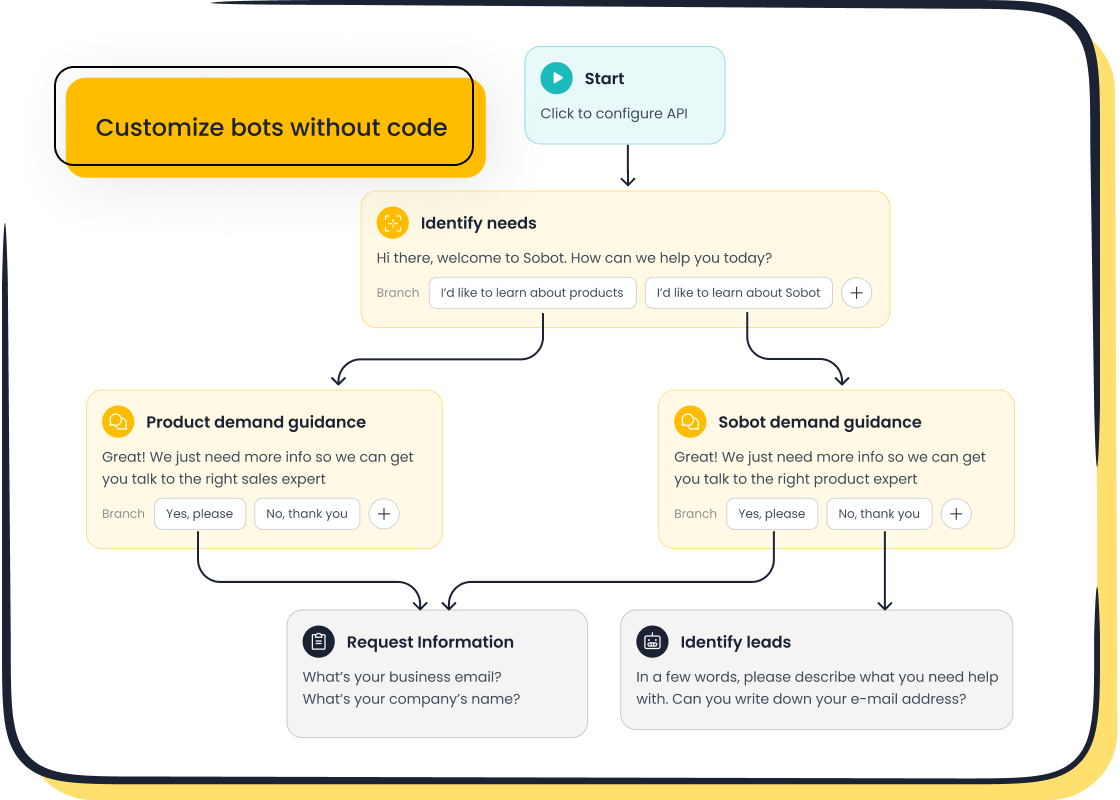
A great example is Sobot's AI Chatbot. It uses a user-friendly, point-and-click interface. This makes it ideal for beginners who have no coding experience. You can design complex workflows without needing a developer.
Low-code builders offer more customization but require some programming knowledge. For your first chatbot, a no-code solution is often the fastest path to success.
Essential Features to Look For
Your chosen platform must have the right features. These tools empower your chatbot and support your omnichannel goals. Look for these essential capabilities:
- Seamless Human Handoffs: Your ai chatbot should smoothly transfer complex issues to a human agent.
- Multilingual Support: A great chatbot can talk to customers in their preferred language, helping you expand globally.
- Real-Time Analytics: You need data to monitor your chatbot's performance and make improvements.
- Easy Setup and Customization: The platform should allow you to tailor your chatbot to match your brand voice.
These features ensure your chatbot delivers a high-quality, consistent omnichannel service.
Evaluating Channel Integrations
A true omnichannel strategy connects with customers everywhere. Your platform must integrate with the channels your customers already use. This creates a unified and convenient experience. Key integrations include:
- SMS
- Facebook Messenger
Integrating with WhatsApp is especially powerful. As an official WhatsApp Business Solution Provider (BSP), Sobot offers seamless integration. This allows your ai chatbot to reach a massive audience securely and reliably. A strong omnichannel platform unifies these conversations.
Planning for Future Scalability
Your business will grow, and your chatbot must grow with it. A scalable platform can handle more conversations and support new channels without issues. When planning for the future, consider a platform with a modular architecture. This allows you to update parts of your chatbot independently. Cloud-native infrastructure also helps manage increased traffic automatically. This ensures your omnichannel chatbot remains fast and reliable as your company expands.
Best Practices for a Successful Launch
Launching your chatbot is an exciting step. You can ensure a successful rollout with a few best practices. These tips will help you create a positive omnichannel experience from day one and maximize your chatbot's impact. A great launch sets the stage for long-term success and high customer satisfaction.
Ensure a Seamless Human Handover
Your chatbot will not be able to answer every question. You must plan for a smooth transfer to a human agent. This seamless handover is a critical part of your omnichannel strategy.
To create a great experience:
- Make sure the full chat history transfers to the agent. This stops customers from repeating themselves.
- Route the conversation to the correct support team automatically.
- Always give users a clear option to speak with a person.
This process makes your support feel connected and efficient, which is the goal of an omnichannel system.
Maintain a Consistent Brand Voice
Your chatbot is an extension of your brand. You should design its personality to match your company's voice and tone. A consistent omnichannel voice builds trust and familiarity with your customers.
First, create a profile for your chatbot. Define its personality traits and the language it should use. Then, create a style guide for your chatbot script. This ensures every response, from a simple greeting to a complex answer, reflects your brand. This consistency is key to a professional omnichannel presence.
Start Small and Expand
Begin by launching your chatbot to a small, internal group or a select segment of customers. You can gather real-world feedback to fix any issues. Once the chatbot performs well, you can release it to a wider audience. This careful, iterative process builds confidence and ensures your omnichannel tool is ready for success.
Promote Your New Chatbot
After you launch, you need to tell your customers about your new chatbot. Promote it on your website, in emails, and on social media. A successful chatbot can have a huge impact on customer satisfaction.
For example, the financial service platform Opay used Sobot's omnichannel solution to transform its support. By implementing an integrated system, Opay increased its customer satisfaction rate from 60% to an incredible 90%. The company also reduced overall costs by 20%. This shows how a powerful chatbot can improve customer satisfaction and deliver real business results. Promoting your chatbot helps customers find this valuable resource.
You now have the framework to build your first chatbot. The five steps—Define, Design, Build, Integrate, and Test—guide your omnichannel journey. Starting with a clear goal makes the process effective. A user-friendly platform like Sobot makes building your chatbot simple. This powerful omnichannel approach creates a superior omnichannel experience. Your new chatbot will transform your omnichannel support. A great omnichannel strategy is within your reach.
Embark on Your Contact Journey. Start building your omnichannel chatbot today to revolutionize your customer experience.
FAQ
Do I need coding skills to build a chatbot?
No, you do not need coding skills. You can use a no-code platform like Sobot's AI Chatbot. It has a point-and-click interface that lets you build a powerful ai bot easily.
How does an ai chatbot handle different languages?
A good ai chatbot offers multilingual support. It can automatically detect a customer's language and respond accordingly. This feature helps you serve a global audience without any language barriers.
What happens if the chatbot cannot answer a question?
The chatbot should have a seamless human handover process. It transfers the conversation and its full history to a live agent. This ensures your customer gets the help they need without repeating information.
How can I measure my chatbot's success?
You can track key metrics like customer satisfaction scores and goal completion rates. A platform with strong analytics helps you see how your ai bot performs and where you can make improvements.
See Also
Effortlessly Integrate Chatbot Examples: A Simple Guide for Your Website
Selecting the Ideal Chatbot Software: Your Comprehensive Guide to Success
Simple Steps to Build an Effective Chatbot for Your Website
Quickly Add a Chatbot to Your Website: An Easy Step-by-Step Process
Seamlessly Integrate a Chatbot onto Your Website with Minimal Effort