Steps to Set Up an IVR System for Call Center

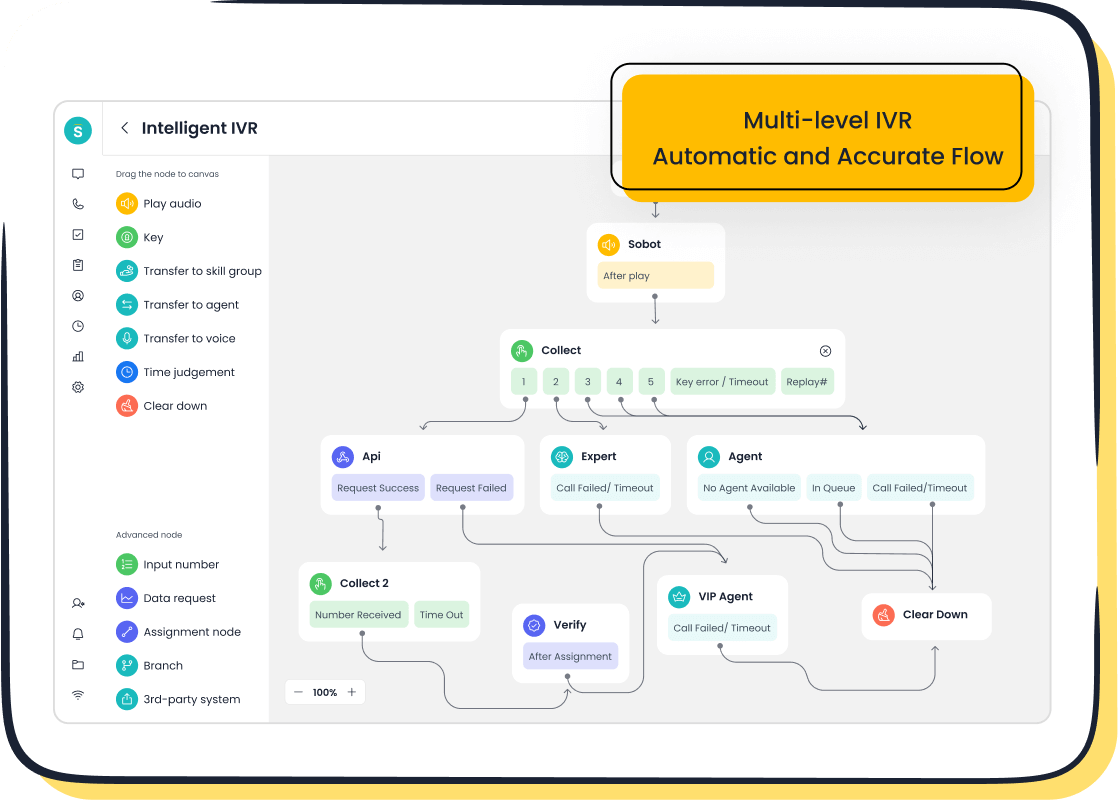
An IVR system for call center operations transforms customer interactions by automating routine tasks and streamlining call routing. It reduces wait times, enhances customer satisfaction, and lowers operational costs. By offering self-service options, it empowers customers to resolve simple queries without agent assistance.
Sobot simplifies this process with its intelligent IVR features. You can design call flows using a drag-and-drop interface, integrate seamlessly with CRM systems, and ensure 99.99% uptime for reliable operations. With Sobot, setting up an IVR system becomes efficient and hassle-free, enabling you to focus on delivering exceptional customer experiences.
Key Takeaways
- Define clear objectives for your IVR system to align with business goals and enhance customer satisfaction.
- Choose an IVR system that offers scalability, ease of use, and seamless integration with existing tools like CRM systems.
- Design an intuitive call flow that simplifies navigation and includes options for customers to speak with a live agent.
- Conduct thorough testing of the IVR system to ensure functionality and gather feedback for continuous improvement.
- Monitor key performance metrics regularly to identify areas for optimization and enhance the overall customer experience.
- Utilize Sobot's intelligent IVR features, such as drag-and-drop design and real-time analytics, to streamline implementation and operations.
- Stay responsive to customer needs by updating the IVR system based on feedback and evolving business requirements.
Define Objectives and Requirements for Your IVR System
Setting clear objectives and understanding the requirements of your IVR system for call center operations is crucial. This step ensures that the system aligns with your business goals and meets customer expectations effectively.
Identify the Purpose of the IVR System
Determine the primary goals, such as reducing wait times or improving call routing.
Start by identifying what you want to achieve with your IVR system. Do you aim to reduce customer wait times, improve call routing, or provide self-service options? For instance, many businesses use IVR systems to streamline call handling, ensuring customers reach the right department quickly. By defining these goals, you can tailor the system to address specific challenges in your call center.
Understand customer needs and align them with business objectives.
Understanding your customers' preferences is essential. Customers often value features like multi-language support and easy navigation. According to surveys, offering language options enhances customer satisfaction and fosters brand loyalty. Align these needs with your business objectives to create a system that benefits both your customers and your organization. For example, if your goal is to enhance customer satisfaction, focus on designing a user-friendly menu with clear instructions.
Gather Technical and Functional Requirements
Identify essential features like multi-language support and self-service options.
List the features your IVR system must have. Multi-language support is vital for businesses serving diverse demographics. Self-service options, such as account balance inquiries or order tracking, empower customers to resolve issues independently. These features not only improve customer experience but also reduce the workload on your agents. Sobot’s IVR system offers intelligent features like drag-and-drop call flow design, making it easier to implement such functionalities.
Assess hardware and software compatibility for seamless implementation.
Evaluate your existing infrastructure to ensure compatibility with the new system. Check whether your current hardware and software can support the IVR system. Seamless integration with tools like CRM systems is critical for personalized customer interactions. Sobot’s IVR system integrates effortlessly with CRM platforms, enabling real-time data access and smooth operations. This ensures that your IVR system works harmoniously with your existing setup, minimizing disruptions during implementation.
Choose the Right IVR System for Call Center Operations
Selecting the right IVR system for call center operations is a critical step in ensuring smooth and efficient customer interactions. The system you choose should align with your business needs, offer scalability, and integrate seamlessly with your existing tools.
Evaluate IVR Software Options
Look for features like scalability, ease of use, and integration capabilities.
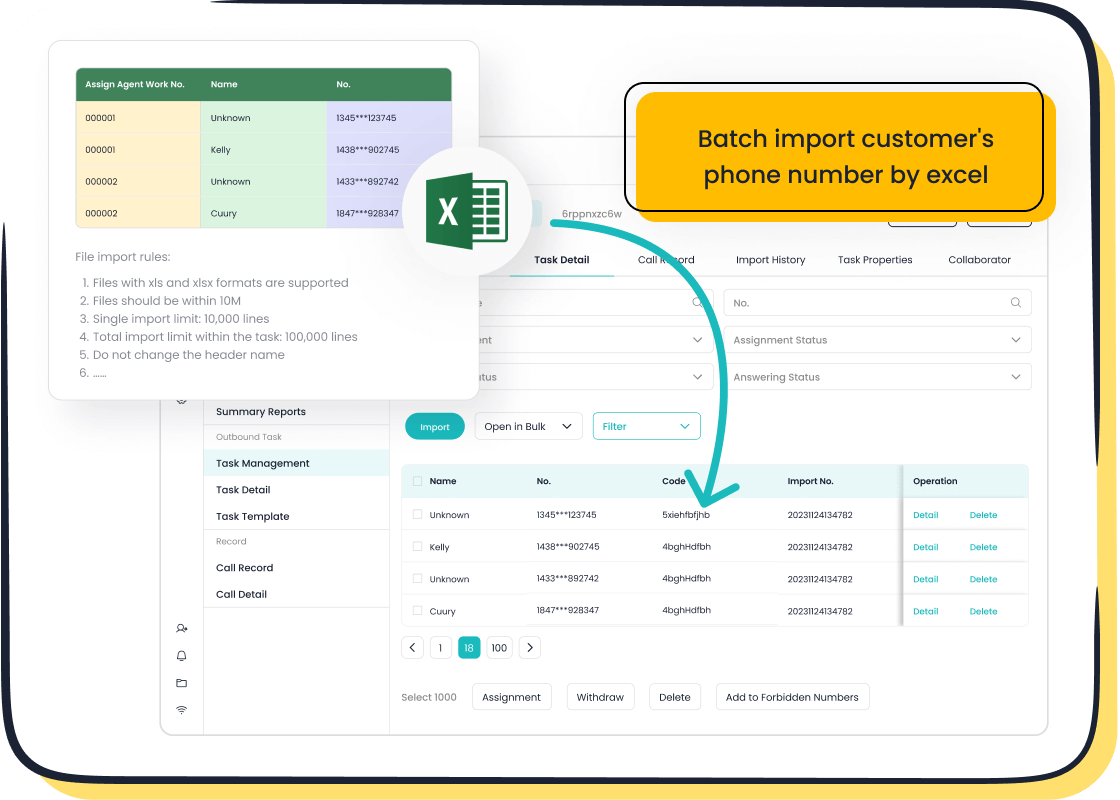
When evaluating IVR software, prioritize solutions that grow with your business. Scalability ensures the system can handle increasing call volumes as your operations expand. Ease of use is equally important. A user-friendly interface allows you to design and modify call flows without requiring extensive technical expertise. Integration capabilities are another key factor. The IVR system should connect effortlessly with your CRM and other tools to provide personalized customer experiences. For instance, Sobot’s IVR system offers drag-and-drop call flow design and seamless integration, making it an excellent choice for businesses of all sizes.
Compare pricing models and customer support services.
Pricing models vary across IVR providers. Some offer subscription-based plans, while others charge per feature or usage. Assess your budget and choose a model that provides the best value for your investment. Customer support services also play a vital role. Reliable support ensures quick resolution of issues, minimizing downtime. Sobot stands out with its 99.99% system uptime and dedicated support team, ensuring uninterrupted operations for your call center.
Why Sobot's Voice/Call Center is the Ideal Solution
Highlight Sobot's intelligent IVR features, such as drag-and-drop call flow design.
Sobot’s Voice/Call Center product simplifies the setup process with its intelligent IVR features. The drag-and-drop interface allows you to create and customize call flows effortlessly. You can design menus, set up call routing, and even add pre-recorded messages in real time. This flexibility empowers you to adapt the system to your unique business needs without technical complexities.
Discuss seamless integration with CRM and other tools using Sobot's platform.
Sobot’s platform excels in integration capabilities. It connects seamlessly with CRM systems, enabling real-time access to customer data. This integration enhances personalization, allowing agents to address customer concerns more effectively. Additionally, Sobot’s platform supports other tools like live chat and ticketing systems, creating a unified workspace for managing customer interactions. These features make Sobot an all-in-one solution for optimizing your call center operations.
Design and Implement the IVR Call Flow
Create an Intuitive and User-Friendly Call Flow
Map out the caller journey with clear and logical options.
Designing a clear caller journey is essential for creating a seamless experience. Start by identifying the most common reasons customers contact your call center. Use this information to structure the IVR menu logically, ensuring that each option leads to the desired outcome. For example, an e-commerce company might include options for order tracking, returns, or speaking to customer support. A well-mapped call flow reduces confusion and helps customers access the information they need quickly. Sobot’s drag-and-drop interface simplifies this process, allowing you to visualize and adjust the caller journey in real time.
Avoid overly complex menus to enhance the user experience.
Overloading your IVR system with too many options can frustrate callers. Keep the menu concise and intuitive by limiting the number of choices at each level. For instance, instead of offering ten options in the main menu, group related queries under broader categories. This approach not only improves navigation but also shortens the time customers spend interacting with the system. Sobot’s intelligent IVR features make it easy to create streamlined menus that prioritize simplicity and efficiency.
Incorporate Best Practices in Call Flow Design
Include an option to speak to a live agent at any point.
While self-service options are valuable, some customers prefer speaking to a live agent. Always provide an option to connect with an agent, especially for complex issues. Place this option prominently in the menu to ensure accessibility. According to industry best practices, offering this choice significantly boosts customer satisfaction. Sobot’s IVR system for call center operations supports smart call routing, ensuring that customers who select this option are directed to the most suitable agent based on their needs.
Use pre-recorded messages to guide customers effectively.
Pre-recorded messages play a crucial role in guiding callers through the IVR system. Use clear and professional recordings to explain menu options and provide instructions. For example, a message like, “Press 1 for account inquiries or press 2 for technical support,” helps customers navigate the system effortlessly. Additionally, pre-recorded messages can be used to share important updates, such as changes in business hours. Sobot’s platform allows you to upload and manage these recordings easily, ensuring consistent communication across all interactions.
Integrate the IVR System with Existing Tools
Integrating your IVR system with existing tools is essential for creating a seamless and efficient call center operation. This step ensures that your system works harmoniously with other platforms, enabling personalized customer interactions and real-time data access.
Connect the IVR System to Your CRM and Databases
Ensure customer data is accessible for personalized interactions.

Connecting your IVR system to your CRM and databases allows you to access customer information instantly. This connection enables personalized interactions, such as greeting customers by name or referencing their recent purchases. For example, when a customer calls to check an order status, the system can retrieve their details automatically, saving time and enhancing their experience. Sobot's Voice/Call Center integrates effortlessly with CRM systems, ensuring that your agents have all the necessary data at their fingertips to provide tailored support.
Use Sobot's integration tools for seamless connectivity.
Seamless integration is critical for smooth operations. Sobot offers advanced integration tools that connect your IVR system with various platforms, including databases and customer management systems. These tools eliminate the need for manual data entry, reducing errors and improving efficiency. With Sobot, you can unify your call center operations, ensuring that all systems work together seamlessly to deliver exceptional service.
Enable Real-Time Data Retrieval and Compatibility
Ensure the IVR system works with existing call center infrastructure.
Your IVR system must align with your current call center infrastructure to avoid disruptions. Compatibility ensures that the system functions smoothly without requiring significant changes to your existing setup. For instance, if your call center uses specific telephony hardware or software, the IVR system should integrate without issues. Sobot's IVR system for call center operations is designed for compatibility, making it easy to implement without overhauling your infrastructure.
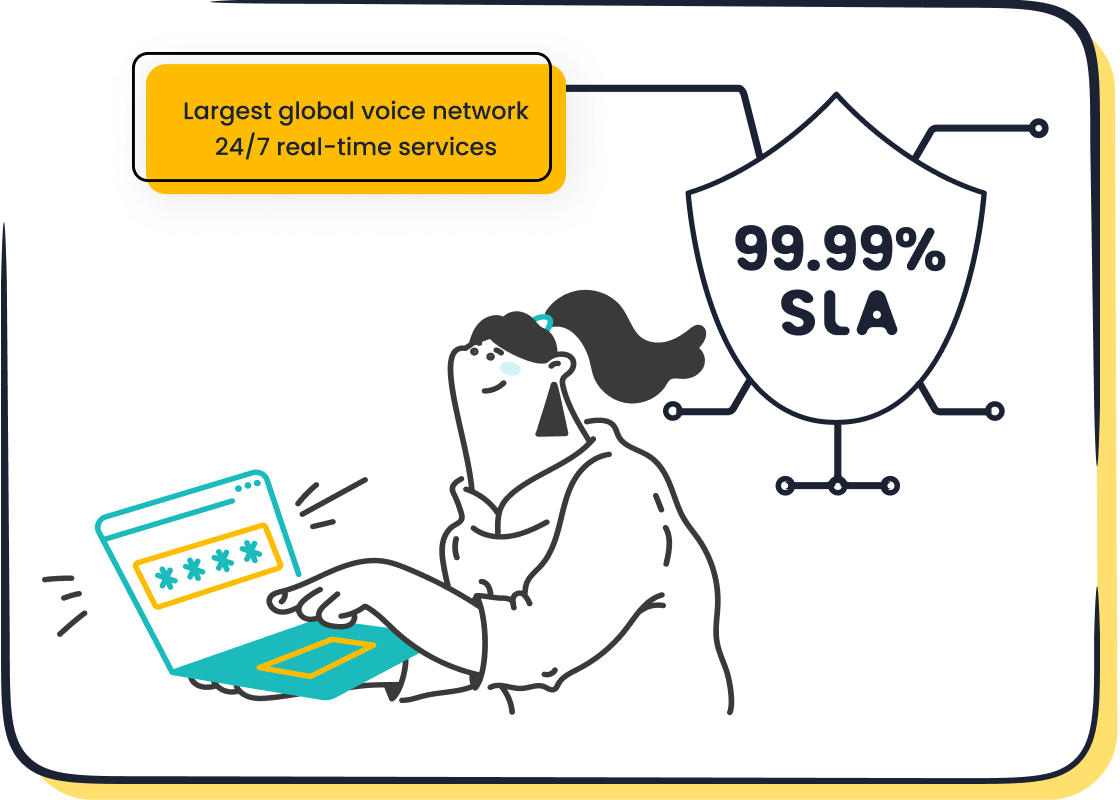
Leverage Sobot's global network and 99.99% SLA for reliable operations.
Reliability is a cornerstone of any successful IVR system. Downtime can lead to missed calls and frustrated customers. Sobot ensures dependable performance with its global network and 99.99% SLA (Service Level Agreement). This high uptime guarantees that your IVR system remains operational, even during peak hours. Additionally, Sobot's global presence allows you to serve customers across different regions without compromising on quality or speed.
Test and Launch the IVR System
Testing and launching your IVR system for call center operations is a critical phase. This step ensures that the system functions as intended and delivers a seamless experience to your customers. A well-executed launch minimizes disruptions and sets the foundation for long-term success.
Conduct Comprehensive Testing
Test all call flow paths to ensure functionality and reliability.
Thoroughly testing every call flow path is essential to ensure your IVR system operates without errors. Begin by simulating various customer scenarios to verify that each menu option leads to the correct destination. For example, test whether pressing "1" connects the caller to the billing department or if pressing "2" provides account information. Functional testing helps identify technical glitches, while usability testing ensures the system is intuitive for users. According to industry experts, stress testing and load testing are also vital to confirm the system can handle high call volumes during peak hours.
Simulate real-world scenarios to identify potential issues.
Real-world scenario testing provides valuable insights into how your IVR system performs under actual conditions. Use external focus groups to gather feedback on the user experience. For instance, ask participants to navigate the IVR menu and report any confusion or delays they encounter. This approach helps uncover hidden issues that may not surface during internal testing. Additionally, regression testing ensures that updates or changes to the system do not disrupt existing functionalities. By addressing these potential problems early, you can refine the system to enhance customer satisfaction.
Train Staff and Roll Out the System
Provide training on how the IVR system works and handle escalations.
Training your staff is crucial for a successful IVR system launch. Educate your team on how the system functions, including its features and call routing processes. For example, agents should know how to handle escalations when customers opt to speak with a live representative. Training sessions can include role-playing exercises to prepare agents for real-world interactions. According to best practices, well-trained staff significantly improve the overall efficiency of your call center and enhance the customer experience.
Launch the system in phases and monitor performance.
A phased rollout minimizes risks and allows you to address issues incrementally. Start by implementing the IVR system in a single department or for a specific group of customers. Monitor its performance closely, tracking metrics such as call resolution time and customer satisfaction. Use this data to make necessary adjustments before expanding the system to other areas. Sobot’s IVR system for call center operations simplifies this process with its real-time monitoring tools. These tools provide actionable insights, enabling you to optimize the system continuously and ensure a smooth transition.
Monitor and Optimize the IVR System
Optimizing your IVR system for call center operations is an ongoing process. Regular monitoring and updates ensure that the system continues to meet customer expectations and business goals effectively.
Track Key Metrics and Gather Feedback
Monitor metrics like call resolution time and customer satisfaction.
Tracking performance metrics is essential for evaluating the effectiveness of your IVR system. Focus on key indicators such as call resolution time and customer satisfaction. A shorter resolution time often reflects efficient call routing and self-service options, while high satisfaction scores indicate a positive user experience. For example, if customers frequently abandon calls midway, it may signal a need to simplify the menu or improve navigation. By analyzing these metrics, you can identify areas for improvement and make data-driven decisions.
Use Sobot's analytics tools for detailed insights and improvements.
Sobot’s Voice/Call Center product offers advanced analytics tools to help you monitor your IVR system’s performance. These tools provide real-time insights into call patterns, customer behavior, and system efficiency. For instance, you can track how many callers successfully complete self-service tasks or how often they opt to speak with an agent. This data allows you to pinpoint inefficiencies and implement targeted improvements. With Sobot, you gain a comprehensive understanding of your system’s strengths and weaknesses, enabling continuous optimization.
Continuously Improve the System
Update the call flow based on customer feedback and evolving needs.
Customer feedback is a valuable resource for refining your IVR system. Regularly collect input through surveys or direct interactions to understand user preferences and pain points. For example, if customers express frustration with long menus, consider restructuring the call flow to make it more intuitive. Additionally, as your business evolves, update the system to reflect new services or priorities. Sobot’s drag-and-drop interface simplifies this process, allowing you to make quick adjustments without technical expertise.
Add new features to enhance functionality and user experience.
Enhancing your IVR system with new features keeps it relevant and effective. Consider adding functionalities like voice recognition or AI-powered assistance to improve user experience. For instance, integrating an AI-powered voicebot can help customers resolve queries faster by understanding natural language inputs. Sobot’s IVR system for call center operations supports these advanced features, ensuring your system remains cutting-edge. Regular updates not only improve functionality but also demonstrate your commitment to delivering exceptional service.
Setting up an IVR system for call center operations involves several key steps. You start by defining clear objectives, selecting the right software, and designing an intuitive call flow. Next, integrate the system with existing tools, conduct thorough testing, train your staff, and continuously optimize the system based on performance metrics and customer feedback. These steps ensure your IVR system aligns with business goals and enhances customer satisfaction.
Ongoing monitoring and improvement are vital for long-term success. Regularly analyze call patterns and update features to meet evolving customer needs. A well-maintained IVR system not only improves efficiency but also strengthens your brand's reputation.
Explore Sobot's Voice/Call Center product to simplify the implementation process. With intelligent IVR features, seamless CRM integration, and 99.99% uptime, Sobot provides a reliable and efficient solution for your call center needs. Visit Sobot's website to learn more.
FAQ
What are the benefits of IVR systems?
IVR systems offer numerous advantages for businesses. They reduce customer wait times, route calls efficiently, and provide self-service options. These systems automate routine interactions, allowing agents to focus on complex issues. Additionally, IVR systems can integrate with CRM platforms, enabling personalized customer experiences. For example, Sobot's IVR system ensures seamless integration and provides advanced features like drag-and-drop call flow design, making it easier to enhance your call center operations.
How can IVR systems improve customer service?
IVR systems enhance customer service by handling routine queries and directing callers to the appropriate department. This automation frees up agents to address more complex concerns. For instance, a customer calling to check their account balance can use the self-service option, while those with detailed inquiries can connect with a live agent. Sobot’s intelligent IVR features, such as smart call routing, ensure that customers receive timely and accurate assistance.
What data can IVR systems collect?
IVR systems collect valuable data on customer interactions, including call patterns, query types, and resolution times. This information helps businesses identify trends and improve their services. For example, if many customers inquire about a specific product feature, you can use this insight to update your offerings or FAQs. Sobot’s analytics tools provide real-time insights, enabling you to make data-driven decisions and optimize your call center performance.
What is IVR's full form and purpose?
The primary purpose of IVR is to streamline customer interactions by providing quick access to information or directing calls to the right department.
How can IVR systems benefit businesses?
Businesses benefit from IVR systems by automating call handling and improving efficiency. These systems reduce operational costs and enhance customer satisfaction. For example, an e-commerce company can use IVR to provide order tracking updates, freeing up agents for other tasks. Sobot’s IVR system supports global telephony contacts and offers a 99.99% uptime, ensuring reliable and efficient operations for businesses of all sizes.
What is the importance of selecting the right IVR system?
Choosing the right IVR system is crucial for delivering a smooth customer experience. The system should offer high uptime, robust security, and advanced features like scalability and integration capabilities. For instance, Sobot’s IVR system provides seamless CRM integration and a drag-and-drop interface, making it an ideal choice for businesses looking to optimize their call center operations.
How can IVR systems be optimized?
You can optimize IVR systems by regularly updating call flows and incorporating customer feedback. Simplify menus to make navigation easier and add features like multi-language support to cater to diverse audiences. Sobot’s drag-and-drop interface allows you to make quick adjustments, ensuring your IVR system remains user-friendly and effective.
How can IVR technology be used in companies?
Companies use IVR technology for various purposes, such as gauging customer satisfaction, conducting surveys, and providing self-service options. For example, a financial institution might use IVR to allow customers to check account balances or report lost cards. Sobot’s IVR system supports these functionalities and offers AI-powered voicebots for enhanced customer interactions.
What do IVR systems provide for business call centers?
IVR systems provide automated call routing and self-service options, improving efficiency and customer satisfaction.
How can Sobot's IVR system simplify implementation?
Sobot’s IVR system simplifies implementation with its intuitive drag-and-drop interface and seamless integration tools. You can design call flows, upload pre-recorded messages, and connect the system to your CRM without technical expertise. With a 99.99% uptime and global network support, Sobot ensures a hassle-free setup and reliable operations for your call center. Learn more about Sobot’s IVR solutions here.
See Also
Essential Steps for Setting Up IVR Software
Understanding the Functionality of IVR Voice Recognition
Key Features of Interactive Voice Response Systems

