Step-by-Step Guide to Setting Up an Inbound Call Centre Solution


You can set up an inbound call centre solution by following a clear process. Start by understanding your customer needs and business goals. Choose the right call center technology to support your team. Focus on staffing, agent training, and building strong processes. Use tools like Sobot AI to boost efficiency and deliver better service. Sobot call center offers features for both traditional and virtual setups. Good staffing leads to smooth operations, fast responses, and happier customers. With the right inbound call centre solution, you can improve staffing, streamline calls, and grow your business.
Define Objectives for Inbound Call Centre Solution
Setting clear objectives is the first step when you build an inbound call centre solution. Your goals guide every decision, from technology to staffing. You want your call center to align with your business needs and customer support strategy. When you focus on customer experience and operational efficiency, you set your team up for success.
Set Customer Service Goals
You should decide what you want your call center to achieve. Most organizations set goals like:
- Deliver exceptional customer experience by listening to customer needs.
- Monitor agent performance to find areas for improvement.
- Use smart call routing to reduce wait times and personalize service.
- Invest in reliable call center technology for better efficiency.
Many companies also aim to deflect simple queries with self-service options, such as AI-powered chatbots and FAQs. Live coaching and call analysis help agents improve quickly. You can use Sobot’s analytics to track agent performance and customer satisfaction.
Tip: Review industry benchmarks to set realistic goals. For example, a customer satisfaction score of 85% or higher is a strong target. First Call Resolution rates above 80% show effective support.
| KPI | Benchmark Value / Description |
|---|---|
| First Call Resolution | 80% or higher |
| Average Handle Time | Focus on efficient resolution |
| Customer Satisfaction | 85% or higher |
| Net Promoter Score | Tracks likelihood of recommendation |
Estimate Call Volume
You need to estimate how many calls your center will handle. Look at historical call data to spot busy periods and trends. You can use AI tools, like those in Sobot, to forecast call volume by analyzing past data and predicting future spikes. For example, if your call center saw 10,000, 15,000, and 20,000 calls over three years, you can project next year’s volume by calculating the average growth rate. Accurate estimates help you plan staffing and resources.
Identify Key Metrics
Tracking the right metrics keeps your call center on track. Common KPIs include:
- Average Speed of Answer
- Average Handle Time
- Call Volume
- Call Abandonment Rate
- First Call Resolution
- Customer Satisfaction
- Net Promoter Score
- Customer Effort Score
You should monitor these KPIs regularly. Sobot’s analytics dashboard makes it easy to track performance and spot trends. When you measure results, you can improve customer experience and agent productivity.
Choose Call Center Software

Choosing the right call center software shapes your customer service success. You need to compare different options, look for features that support your team, and select a platform that grows with your business. When you choose a center platform, you set the foundation for efficient and reliable service.
Compare Cloud and On-Premise Options
You face two main choices when you choose a center platform: cloud-based or on-premise call center software. Each option has unique benefits and costs. The table below shows the main differences:
| Aspect | On-Premise Call Center | Cloud Call Center |
|---|---|---|
| Cost | Requires high upfront investment in hardware, licenses, and ongoing maintenance. | Uses subscription-based, pay-as-you-go pricing with lower initial and maintenance costs. |
| Deployment & Scalability | Long deployment times due to physical infrastructure setup; scaling requires purchasing new hardware, making it slow and costly. | Rapid deployment (days instead of months); easy scalability by adding users via software without additional hardware. |
Cloud call center solutions reduce hardware costs by up to 58% (IDC, 2023). You can scale up or down quickly to match demand. On-premise systems take months to deploy, while cloud platforms can launch in as little as 72 hours. When you choose a center platform, cloud options often provide more flexibility and faster results.
Essential Features for Inbound Calls
You want your call center to handle calls smoothly and keep customers happy. Look for these essential features when you choose a center platform:
| Feature | Description |
|---|---|
| Agent management | Assign tasks, track performance, and automate workflows. |
| Script management | Guide agents with consistent call scripts. |
| Call recording | Record calls for training and quality control. |
| Custom queues | Route calls based on language or past interactions. |
| Skill-based routing | Direct calls to agents with the right expertise. |
| Callback options | Let customers request a callback instead of waiting. |
| Queue position announcements | Tell callers their place in line to reduce hang-ups. |
| Time zone scheduling | Schedule agents across different time zones for 24/7 support. |
| Ring group forwarding | Ring multiple agents at once to improve answer rates. |
| CRM integration | Sync with CRM to centralize customer data. |
| Call whispering | Allow supervisors to coach agents during calls. |
| Real-time analytics | Monitor key metrics live for better decisions. |
These features help your call center run efficiently and deliver a better customer experience.
Sobot Voice/Call Center Overview
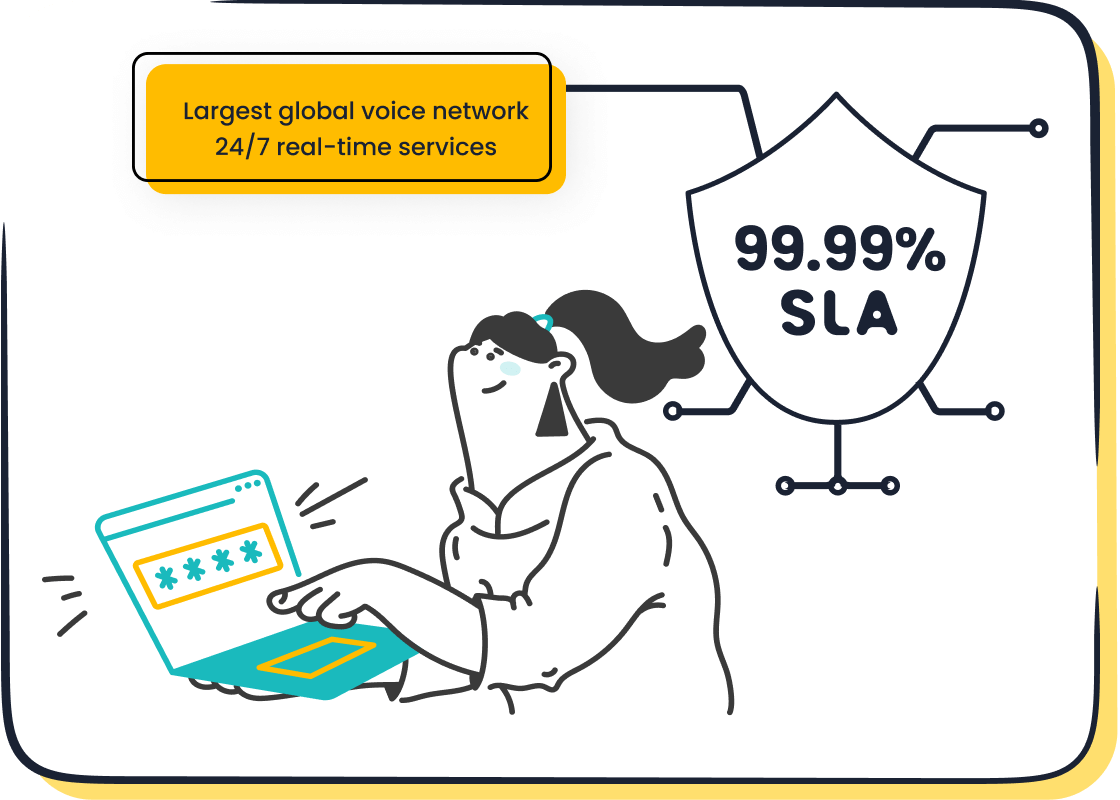
Sobot Voice/Call Center gives you a robust, scalable solution for your call center needs. You get 99.99% uptime, which means your service stays reliable and stable. Sobot supports a global network with 110 sites in 93 cities across 50 countries. You can access phone numbers from over 100 countries, including fixed, mobile, and toll-free options. Sobot’s platform offers a unified workspace, so your agents manage calls and customer data in one place. You can monitor calls in real time, use AI-powered voicebots, and automate workflows. Sobot integrates easily with your CRM and other business tools, making it simple to choose a center platform that fits your needs. Learn more about Sobot Voice/Call Center at Sobot Voice/Call Center.
Tip: When you choose a center platform, look for high uptime, global reach, and strong integration features. Sobot delivers all these and more, helping your call center grow and succeed.
Set Up Infrastructure and Workspace
When you start setting up a call center, you need to plan your infrastructure and workspace carefully. This step covers both physical and virtual call centers. You want your agents to have the right tools, a secure environment, and a setup that supports remote work. Sobot makes it easy to support remote teams and keep your data safe.
Hardware and Network Needs
You need reliable hardware and a strong network to run your call center smoothly. The table below shows the main components you should consider:
| Component Category | Description | Role in Call Center Operations | Examples / Brands |
|---|---|---|---|
| Telephony Equipment | IP phones, headsets, telephony servers | Enable agents to make/receive calls and manage call routing | Cisco, Poly, Yealink, Avaya |
| Computer Hardware | Computers with enough power and memory | Let agents run call center software and access customer data | Dell, HP, Lenovo, Acer |
| Network Infrastructure | Routers, switches, high-speed internet | Ensure high-quality voice calls and fast data transfer | Cisco, Juniper, Aruba, Ubiquiti |
| Security Equipment | Firewalls, intrusion detection, encryption devices | Protect customer data and ensure compliance | Fortinet, Palo Alto, Check Point |
| Backup and Redundancy | UPS, backup servers | Prevent downtime and provide failover | N/A |
For cloud-based call centers, you only need a computer and a stable internet connection. A good headset with a microphone helps agents communicate clearly. If you run an on-premise call center, you need extra hardware like PBX systems and desk phones. Always check that your hardware works well with your call center software and CRM.
Secure and Compliant Setup
Security and compliance are critical when you set up a virtual call center or a traditional one. You must protect customer data and follow important regulations. Here are some key standards:
- PCI DSS: Secures payment data with strong network controls and encryption.
- GDPR: Protects data for EU citizens, including consent and data rights.
- HIPAA: Keeps patient information safe in healthcare call centers.
- TCPA: Sets rules for telemarketing calls and consent.
- FTC Regulations: Prevent deceptive practices and ensure transparency.
- SOX: Requires accurate reporting for financial data.
- ECPA: Governs call recording and privacy.
- State-Specific Call Recording Laws: Some states need all parties to agree to call recording.
You should also train your agents, monitor calls, and keep clear records. Sobot uses encrypted data transfer to keep your information safe. The platform supports compliance with global standards, so you can focus on helping your customers.
Note: Always check local laws for call recording and data privacy. Sobot’s secure system helps you meet these requirements.
Virtual Call Centers Setup
When you set up a virtual call center, you give your team the flexibility to work from anywhere. Sobot supports remote teams with cloud-based tools and a unified workspace. You can use call recording and screen capture to monitor quality. Set clear performance standards and review agent work often. Use coaching and feedback to help agents grow.
Best practices for virtual call centers include:
- Use cloud-based phone systems and collaboration tools.
- Provide engaging training with games and video sessions.
- Measure success with metrics like First Call Resolution and Customer Satisfaction.
- Communicate often and support your team with live coaching.
- Hire agents who work well remotely and offer flexible schedules.
Sobot’s platform makes it easy to manage remote agents, automate workflows, and keep your data secure. You can scale your team quickly and maintain high service quality, no matter where your agents work.
Build and Train Your Call Center Team

Building a strong call center team starts with smart call center staffing. You need the right people in the right roles to deliver excellent customer service. Focus on hiring, training, and motivating your team to create a high-performing call center.
Recruit Agents and Supervisors
Effective call center staffing means choosing candidates with the right skills. Use the table below to guide your hiring process:
| Role | Key Qualifications and Skills |
|---|---|
| Supervisor | Customer service experience, coaching skills, technical proficiency, strong communication, problem-solving, data analysis, calm under pressure, high school diploma or equivalent, several years in supervisory roles |
| Agent | Customer service expertise, excellent communication, patience, empathy, problem-solving, attention to detail, organization, flexibility, multichannel communication, calmness under pressure |
Look for call center agents who can handle multiple channels and stay calm during busy times. Supervisors should have experience leading teams and using analytics tools.
Training and Onboarding
Call center training helps new call center agents succeed. Use these methods to build skills and confidence:
- Roleplay exercises to practice real customer scenarios.
- Mentorship from experienced call center agents.
- Simulated training with software and fake tickets.
- Gradual exposure to live calls with supervisor support.
- Regular feedback based on customer satisfaction.
- Access to a detailed knowledge base for quick answers.
- Involve leaders from all departments in onboarding.
Celebrate milestones to boost morale and help new hires feel part of the call center team.
Motivating and Managing Performance
Motivation drives call center agents to perform their best. Use these proven strategies:
- Performance-based incentives tied to clear KPIs.
- Gamification with points, badges, and leaderboards.
- Career development and mentorship programs.
- Employee recognition through awards and public praise.
- Flexible work options and wellness programs.
- Empower agents to make decisions and solve problems.
- Share customer success stories to build connection.
Sobot’s unified workspace and analytics let you track performance, set goals, and give real-time feedback. This approach helps you manage call center staffing, improve agent satisfaction, and deliver better results for your call center.
Design Call Handling Processes
A well-designed call handling process helps your call center deliver fast, consistent service. You need to configure basic settings, map out call flows, and use smart tools to make sure every customer gets the help they need. Sobot’s intelligent IVR and workflow automation make it easy to set up efficient processes for fielding inbound calls.
Create Call Flows and IVR
You start by mapping the journey each call takes in your call center. A clear call flow guides callers from the moment they dial in. Sobot’s IVR lets you configure basic settings with a drag-and-drop editor. You can set up automated menus that route callers to the right department or agent. This reduces wait times and improves customer experience.
Key components of an effective IVR and call flow include:
- Simple menu options (limit to five choices)
- Interactive speech features for voice commands
- Voicemail integration for missed calls
- Intelligent routing based on caller data
- Self-service options for routine questions
Sobot’s IVR supports conversational features, so callers can use their voice to get answers or reach the right person. You can track metrics like transfer rate and average IVR handle time to optimize your call center. Mapping call flows helps you spot friction points and improve efficiency.
Develop Scripts and SOPs
Standardized scripts and SOPs (Standard Operating Procedures) keep your call center running smoothly. When you configure basic settings for scripts, you give agents clear steps for greeting customers, solving problems, and closing calls. SOPs cover complaint resolution, escalation, and data entry.
Benefits of using scripts and SOPs:
- Consistent service for every caller
- Faster training for new agents
- Fewer errors and less confusion
- Higher scores for KPIs like Average Handle Time and First Call Resolution
Sobot’s unified workspace helps agents follow SOPs and scripts easily. You can update procedures based on agent feedback and performance data. This leads to better results and a more reliable call center.
Escalation Procedures
Sometimes, agents need to escalate calls to supervisors or specialists. You should configure basic settings for escalation paths in your call center. Start by identifying common issues and setting clear levels for escalation. Assign responsibilities at each step and set time limits for resolution.
Best practices for escalation:
- Use visual flowcharts or matrices to guide agents
- Train agents on when and how to escalate
- Review and update escalation steps regularly
- Use IVR editors to build department-specific flows
- Optimize routing with ring groups for fast handling
Sobot’s workflow automation lets you create custom escalation paths for sales, billing, or support. This ensures every call gets the right attention and keeps your call center efficient.
Tip: Regularly review your call handling processes and use analytics to find areas for improvement. Sobot’s real-time monitoring helps you keep your call center at its best.
Integrate CRM and Business Tools
CRM Integration Steps
You can boost your call center by connecting your CRM and business tools. Sobot makes this process simple and reliable. Start by planning your goals and identifying what you want to improve in your call center. Choose a CRM and phone system that work well together. Map out how customer interactions should flow between your call center and CRM. Set up the technical side using APIs, webhooks, or middleware. Sobot supports seamless integration with popular platforms, including Salesforce and Shopify, so you can manage customer data and calls in one place. Customize your integration settings to match your call center’s needs. Make sure your data stays consistent by using validation rules and real-time synchronization. Train your team to use the new features and test everything before launching. Sobot’s unified workspace lets agents operate both the CRM and call center software from a single screen, making daily tasks easier.
Tip: Always involve your IT and customer service teams when planning integration. This helps you avoid problems and ensures a smooth setup.
Benefits of Unified Data
When you unify customer data across your call center and business tools, you unlock many advantages. Sobot’s integration gives you real-time access to customer profiles, call logs, and interaction history. This helps agents personalize every call and solve problems faster. You also reduce manual errors and save time by automating data entry. The table below shows key benefits:
| Benefit Category | Description | Measurable Impact / Statistic |
|---|---|---|
| Increased Efficiency | Automation reduces manual work, freeing up agents for customer-focused tasks. | Significant time savings; fewer errors. |
| Improved Customer Experience | Unified data enables personalized service and faster resolutions. | Higher satisfaction and loyalty. |
| Sales and Marketing Alignment | Shared data streamlines workflows and boosts collaboration. | Sales conversion rates can rise by up to 300%. Source |
| Enhanced Reporting & Analysis | Custom reports help you track call center KPIs and improve performance. | Better decision-making and results. |
| Mobile Accessibility | Cloud-based CRM lets agents access data from anywhere. | 65% of companies with mobile CRMs meet sales quotas. Source |
Automate Routine Tasks
You can make your call center more efficient by automating routine tasks. Sobot uses AI-driven tools to answer common questions, process standard requests, and handle initial customer interactions. Automation provides 24/7 support, so customers get help even when agents are offline. Sobot’s platform streamlines dispute resolution and complaint handling, freeing agents to focus on complex issues. AI tools analyze large datasets to predict customer needs and personalize service. By balancing automation with human empathy, you keep customer satisfaction high and your call center running smoothly.
Note: Automation in your call center does not replace agents. It helps them work smarter and deliver better service.
Test, Launch, and Monitor Performance
Setting up your call center is only the beginning. You need to test, launch, and monitor your call center to make sure it works well for your team and your customers. This step helps you find problems early and improve your call center’s performance over time.
Run Test Calls
Before you go live, run test calls through your call center system. You should check every part of your call center, from IVR menus to agent connections. Test calls help you spot issues with call routing, sound quality, and data syncing. Ask your team to act as customers and try different scenarios. Make sure your call center handles high call volumes and supports all features, like call recording and callback requests. Sobot’s platform lets you simulate real call center situations and review results quickly.
Launch and Gather Feedback
After testing, launch your call center for real customers. Announce the launch to your team and set clear goals for the first week. Encourage agents to share feedback about the call center tools and processes. Ask customers for their opinions on wait times and service quality. Use surveys and quick polls to collect feedback. This information helps you fix problems and improve your call center right away. Sobot’s unified workspace makes it easy to track feedback and spot trends.
Monitor KPIs and Analytics
You must monitor your call center’s performance every day. Set up dashboards to track key metrics. Sobot’s real-time analytics show you how your call center is doing at any moment. Here are important KPIs to watch:
| KPI Category | Key Performance Indicators (KPIs) | Description / Importance |
|---|---|---|
| Agent-specific productivity | Handling time, Utilization rate, Speed of answer | Measures agent efficiency and availability; balances speed with quality of service. |
| Call center operational | Active waiting calls, Calls handled, Percentage of calls blocked, Average call abandonment rate, Cost per call, Peak hour traffic, Call arrival rate, Average call lengths, Average age of query, Callback requests, Repeat calls | Tracks call flow, queue management, cost efficiency, and call volume patterns to optimize operations and resource allocation. |
| Customer experience | First contact resolution, Customer satisfaction score (CSAT), Customer effort score (CES), Net promoter score (NPS) | Evaluates customer satisfaction, ease of resolution, and likelihood to recommend, critical for service quality and loyalty. |
You can use these metrics to make smart decisions and improve your call center. Sobot’s dashboards help you see trends and act fast. Regular monitoring keeps your call center efficient and your customers happy.
Optimize and Scale Virtual Call Centers
Continuous Improvement
You can improve your virtual call center by following a cycle of continuous improvement. Start by analyzing your call center data to find areas that need attention. Regular agent training helps your team stay sharp and deliver better service. Monitor your call center metrics often so you can spot problems early. Invest in new technology, such as advanced call routing and AI tools, to boost efficiency. Stay updated on industry trends and bring in new ideas when they fit your needs.
Here are some proven steps to improve your virtual call center:
- Review call center data and look for patterns or issues.
- Train agents with real-life scenarios and interactive modules.
- Use technology like IVR, CRM integration, and automation to streamline work.
- Set up quality checks and coaching programs.
- Encourage feedback from agents and customers to refine your processes.
Sobot supports these steps with real-time analytics, unified workspaces, and AI-powered automation. This makes it easier to set up a virtual call center that adapts and grows.
Scaling Strategies
When your business grows, you need to scale your call center quickly. Add more agents to handle higher call volumes. Use AI and chatbots to answer routine questions and free up your team for complex issues. Optimize your workflows to remove bottlenecks. Expand your support channels to include chat, email, and social media. Predictive analytics help you plan for busy times and adjust staffing.
To scale successfully, you should:
- Continuously train agents to keep service quality high.
- Use skill-based and AI-driven call routing to match customers with the right agents.
- Monitor real-time metrics like first-call resolution and customer satisfaction.
- Offer self-service options, such as IVR and knowledge bases.
- Support your agents with wellness programs and growth opportunities.
Sobot’s cloud-based platform lets you add agents, automate tasks, and manage multiple channels with ease. The Weee! customer story shows how Sobot helped a fast-growing company improve efficiency by 20% and cut resolution time by 50%. Their customer satisfaction score reached 96%. Read more about Weee!’s success.
“Implementing AI and automation has liberated our agents…resulting in improved metrics such as reduced time to first response, enhanced customer satisfaction, better retention, and revenue growth.”
Adapting to Growth
As you set up a virtual call center for a growing business, you must adapt your processes and technology. Structured onboarding and training help agents learn new tools quickly. Clear adoption metrics and timelines keep everyone on track. Choose software that is easy to use so agents and customers can adapt without trouble.
AI-powered virtual assistants can handle up to 70% of routine questions, letting your team focus on complex tasks. Real-time AI support gives agents the right information during calls. Sobot’s unified workspace brings together CRM, chat, and voice, making it simple to manage all channels. Intelligent call routing matches customers with the best agents, improving your virtual call center’s results.
Virtual call centers using Sobot have seen customer satisfaction rise by up to 45%, resolution times drop by 77%, and operational costs fall by 30%. These results show how you can improve your virtual call center and support business growth.
You can achieve success by following each step for setting up a call center. Focus on customer needs, use modern technology, and keep improving your inbound call centre solution. Choose tools like AI chatbots, IVR systems, and unified platforms to boost efficiency and agent performance. Sobot offers expert support, flexible integration, and a free trial to help you get started. Reach out for more resources or a demo. Deliver excellent customer service and turn your inbound call centre solution into a value engine for your business.
FAQ
What is an inbound call centre solution?
An inbound call centre solution helps you manage incoming customer calls. It uses software and tools to route calls, track performance, and improve service. Sobot offers features like intelligent IVR, real-time analytics, and global support to make your call center more efficient.
How does Sobot support virtual call centers?
Sobot provides cloud-based tools for remote teams. You can manage agents, monitor calls, and access customer data from anywhere. The unified workspace and secure data transfer help you run a virtual inbound call centre solution with ease and flexibility.
What are the key benefits of integrating CRM with my call center?
When you connect your CRM to your inbound call centre solution, you give agents instant access to customer history. This leads to faster problem-solving and more personalized service. Sobot’s seamless integration saves time and reduces errors.
How can I measure the success of my inbound call centre solution?
You should track metrics like First Call Resolution, Customer Satisfaction Score, and Average Handle Time. Sobot’s analytics dashboard lets you monitor these KPIs in real time. Regular reviews help you spot trends and improve your call center’s performance.

