How to Use Gorgias Chatbot for Omnichannel Customer Communication

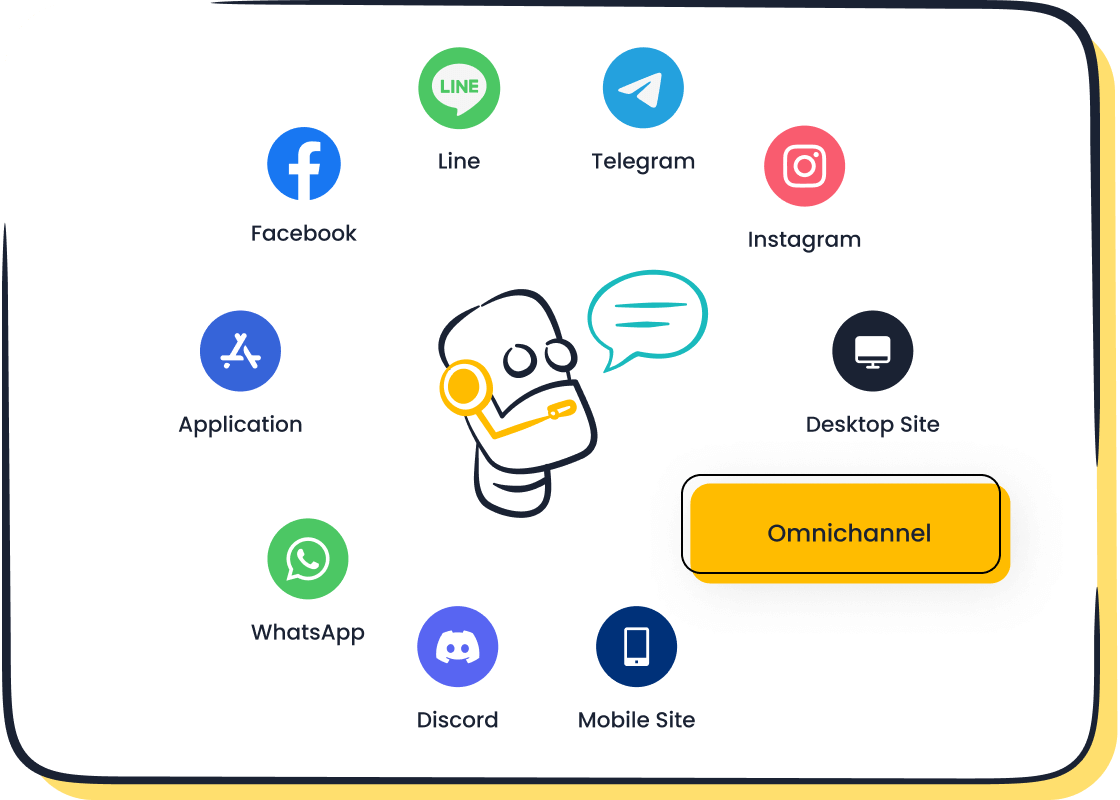
You know how important it is to keep your customers happy in ecommerce. Omnichannel communication makes things easier by connecting every touchpoint, so you don’t miss a message. When you use tools like the Gorgias chatbot, you streamline customer contact across channels. Integration lets you automate repetitive tasks and focus on complex questions, which boosts customer experience and satisfaction. Just look at the numbers:
| What Improves Customer Experience? | Source |
|---|---|
| Automation means faster responses | Gorgias Blog |
| 88% expect self-service options | Statista |
You can set up a chatbot for your Shopify store or website and see the difference right away. Sobot also helps you connect with customers across channels.
Omnichannel Communication in Ecommerce
What Is Omnichannel in Ecommerce
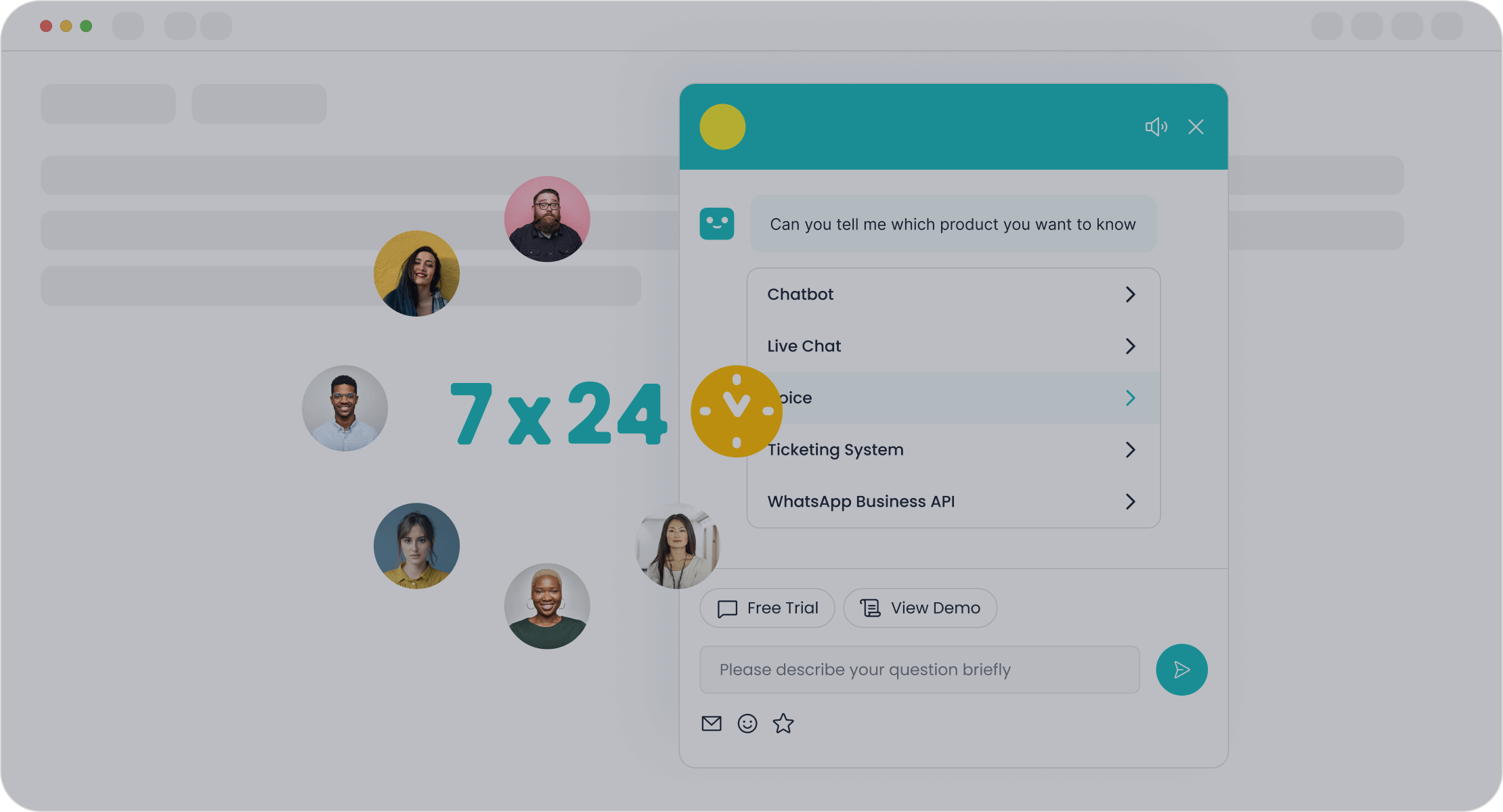
When you run an ecommerce business, you want every customer to have a smooth journey. Omnichannel communication means you connect all your channels—like your website, shopify store, social media, and even in-person events—so shoppers get a seamless experience. This strategy puts the customer at the center. Unlike multichannel, where each channel works alone, omnichannel brings everything together. You can see the difference in this table:
| Multichannel | Omnichannel |
|---|---|
| Channel-based | Shopper-based |
| Channels work separately | Channels are integrated |
| Info is scattered | Unified experience |
Let’s say someone adds a product to their cart on your shopify app. Later, they finish the purchase on their desktop. Their cart updates automatically. That’s the power of omnichannel.
Customer Experience Benefits
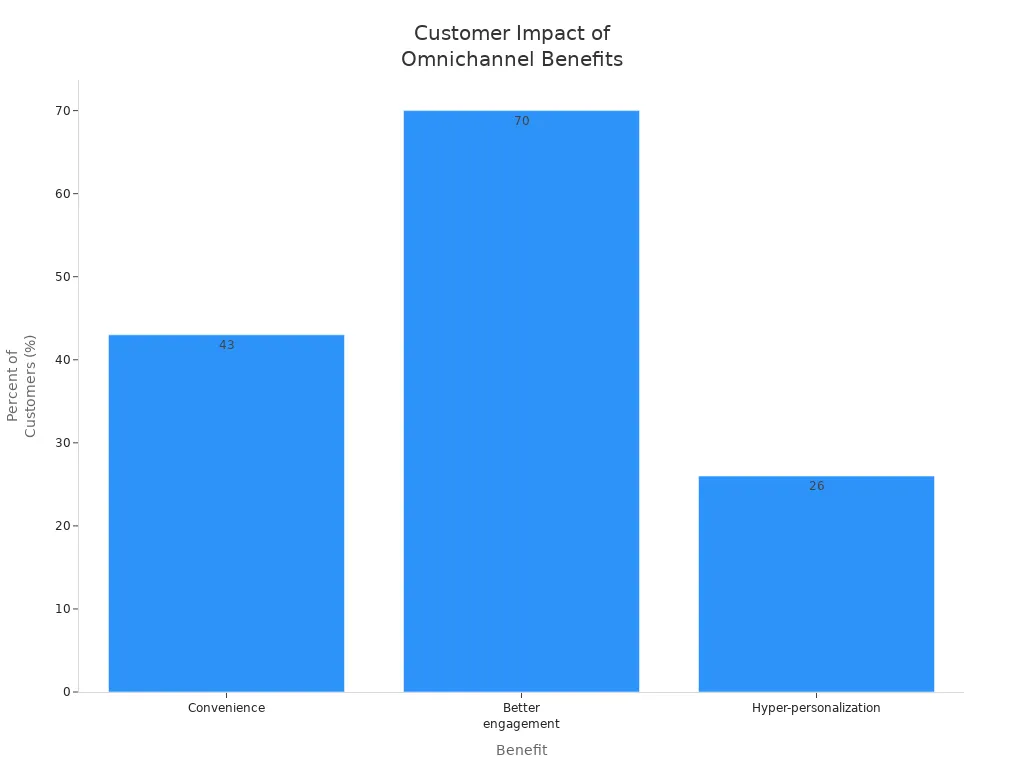
Omnichannel communication gives your ecommerce business a big boost. You make shopping easier and more fun for your customers. People can switch devices without losing their place. They can order online and pick up in-store. You keep your brand voice the same everywhere, which builds trust. Studies show that 43% of shoppers will pay more for convenience, and 70% spend more with brands that use smart omnichannel strategies. Here’s a quick look at the benefits:
| Benefit | Description |
|---|---|
| Uninterrupted shopping | Switch devices without losing progress |
| Convenience | Shoppers pay more for easy experiences |
| Consistent messaging | Same brand voice everywhere |
| Better engagement | More spending with smart strategies |
Your customers don’t live in one channel. They browse Instagram, open emails, and visit your shopify store. When you keep your messaging consistent, you help them feel connected and boost retention.
Common Challenges
Building a strong omnichannel strategy in ecommerce is not always easy. You might face these challenges:
- Fragmented experiences when platforms don’t talk to each other
- Scattered customer data makes it hard to see the full picture
- Incomplete product info can lead to cart abandonment
- Managing inventory and orders across channels gets tricky
- High cart abandonment rates from confusing checkouts
- Coordinating marketing across many channels takes effort
Ecommerce chatbots like gorgias help you solve many of these problems. With the right integration, you can unify your shopify store, website, and social channels. Ecommerce chatbots keep your support fast and consistent, no matter where your customers reach out.
Gorgias Chatbot Setup and Integration
Setting up the Gorgias chatbot for your e-commerce brand can feel like a big task, but you can break it down into simple steps. You want your shopify store, website, and social channels to work together. This way, you give your customers a smooth experience. Let’s walk through how you can get started with gorgias integration, connect your channels, and make your chatbot stand out.
Preparing for Gorgias Integration
Before you start the setup, you need to get ready. Think about your goals for customer service automation. Do you want to answer common questions faster? Are you looking to boost sales on your shopify store? Write down what you want to achieve. This helps you pick the right features during setup.
You should also gather your login details for your e-commerce platforms. If you use Shopify, make sure you have admin access. Check if your website platform supports the gorgias chatbot. You may want to talk to your IT team or a developer if you plan to integrate AI with gorgias across multiple channels.
Here are some common issues you might face during setup. Knowing these can help you avoid problems:
| Challenge | Description | Solution |
|---|---|---|
| Configuration Errors | Errors in setup can lead to synchronization issues and automation problems. | Follow setup instructions carefully and conduct thorough testing before going live. |
| Data Sync Delays | Delays can result in outdated information and customer frustration. | Set frequent sync intervals, monitor logs, and invest in robust infrastructure. |
| Customization Challenges | Unique business needs may require expert customizations. | Collaborate with professionals familiar with both platforms for tailored solutions. |
| Training and Onboarding | Inadequate training can lead to inefficient support processes. | Invest in comprehensive training and utilize available resources for ongoing improvement. |
| Scalability Concerns | Growing businesses may face performance issues without proper planning. | Plan for scalability from the start and regularly review integration performance. |
Tip: Make a checklist before you start. This keeps your setup flow smooth and helps you catch mistakes early.
Website and Channel Integration Steps
You want your gorgias chatbot to work everywhere your customers shop. That means connecting your shopify store, website, and social channels. Here’s how you can do it step by step:
- Go to the Shopify App Store and search for the Gorgias app. Install it on your shopify store.
- Open the app and follow the prompts for shopify integration. You will need to log in and authorize the connection.
- The system will activate two AI agents automatically. This is part of the integrate ai with gorgias process.
- If you use other e-commerce platforms, go to your Gorgias dashboard. Find the integration guide for your platform.
- For websites, copy the chatbot widget code from Gorgias. Paste it into your site’s HTML or use your CMS’s integration option.
- To connect social channels, use the Gorgias integration guide. Link your Facebook, Instagram, or WhatsApp accounts.
- Test each channel. Send a message from your shopify store, website, and social media to make sure the chatbot responds.
- Review your setup. Check that automation works and that tickets route to the right agents.
You can find more details in the official integration guide for Gorgias and Shopify. If you want to integrate ai with gorgias on other platforms, look for the setup flow in the help center.
Note: Always test your chatbot after each step. This helps you catch errors before your customers do.
Customizing the Gorgias Chatbot
Now you have your gorgias chatbot running on your shopify store and other channels. You want it to match your brand and make shopping fun. Customization is key. When you integrate ai with gorgias, you can change how the chatbot looks and acts.
Here are some popular customization options:
| Customization Option | Description/Link |
|---|---|
| Color and font | Change the look to match your brand style. |
| Emojis and stickers | Add fun elements to make chats lively. |
| Chat window | Adjust size and position for better visibility. |
| Business hours | Show when live agents are available. |
| Welcome messages | Greet visitors with a friendly note. |
| Chat buttons | Add quick actions for common questions. |
| Tagging | Organize chats for better tracking. |
| Chat assignment | Route chats to the right team member. |
| Chat flows | Build custom paths for different customer needs. |
| Agent avatar | Show your team’s faces for a personal touch. |
When you customize your gorgias chatbot, you do more than just change colors. You help customers feel welcome. For example, Jaxxon, a luxury jewelry brand, used Gorgias Automate and Quick Responses. They saw a 17% drop in live chat volume and a 6% boost in on-site conversion rates. Many e-commerce brands report up to a 12% increase in conversions after customizing their chatbot. This shows that small changes can make a big impact.
If you want to integrate ai with gorgias for even more advanced features, you can set up custom chat flows. These guide shoppers to the right answers or products. You can also use automation to send proactive messages, like order updates or special offers.
Pro Tip: Try adding a welcome message and your brand colors first. Then test different chat flows to see what works best for your e-commerce site.
Customizing your gorgias chatbot is not just about looks. It’s about making your customer service automation smarter and more helpful. With the right setup, you can turn your shopify store and other channels into a seamless support system. This is how you build loyalty and boost sales in today’s e-commerce world.
Gorgias Chatbot Features for Ecommerce

Automation and Self-Service
You want your shopify store to answer questions fast. Gorgias makes this easy with smart automation. The chatbot gives your customers self-service options, so they can find answers without waiting for an agent. You can set up quick answer flows for common questions. Autoresponders send instant replies, even when your team is offline. This means your shopify store stays open for help 24/7.
Here’s a quick look at what you get:
| Feature | Description |
|---|---|
| Self-service options | Customers find answers quickly without contacting support. |
| Quick answer flows | Automates replies to FAQs, making shopping smoother. |
| Autoresponders | Sends automatic replies based on questions, so no one waits. |
| 24/7 customer service | Your support never sleeps, even if your team does. |
Gorgias automation can handle over 90% of inquiries without human help. Some brands see a 65% drop in first response time and a 69% drop in resolution time. That means happier shoppers and more sales.
Ticket Routing and Unified Inbox
Managing lots of messages can get messy. Gorgias brings everything into one place. You see all your emails, chats, and social messages in a single inbox. The system turns emails into tickets, so nothing gets lost. New messages show up as open tickets. Agents can reply, assign, tag, or close them. If a customer replies again, the ticket pops back up for review.
Gorgias uses round-robin rules to share tickets fairly among your team. Macros and rules help you handle tickets faster. This integration keeps your support team organized and ready to help.
| Benefit | Impact on Response Times |
|---|---|
| Centralized communication | Faster replies for everyone |
| Routing and assignment | Product questions reach the right expert |
| Quick replies for common questions | Response times drop dramatically |
| Saves time on admin work | More time for real conversations |
| Faster responses | More conversions and happier shoppers |
Analytics and Performance
You need to know how your support is doing. Gorgias gives you powerful analytics. You can track ticket volume, first response time, and resolution time. The dashboard shows customer satisfaction scores and how many tickets get solved with one reply. You see how many tickets each agent closes and how much time your team spends online.
Gorgias also shows how much time and money you save with automation. You get live stats for daily activity and reports for long-term trends. These insights help you spot gaps and improve your service. You can even see how your AI agent performs and use customer feedback to make things better.
Tip: Use these analytics to find what works and keep improving your ecommerce support.
Best Practices for Gorgias Integration
Managing Complex Inquiries
You want your customer support to handle tough questions without missing a beat. Gorgias lets you combine chatbots with live chat, so you can manage complex requests with ease. Start by using self-service options for simple questions. This reduces the number of tickets your team needs to handle. Automate repetitive inquiries to free up your agents for more important tasks.
Whenever the chatbot reaches a point where it cannot continue—like a tricky request or an upset customer—it hands the conversation to a human with full context, making the transition smooth.
Here’s how Gorgias handles escalations:
- The chatbot uses guidance instructions to collect extra details before passing the chat to a person.
- It asks follow-up questions or requests information, like order numbers or photos.
- The system tags certain topics for escalation, so nothing gets lost.
- The handover process gives your agent all the info they need to help fast.
For example, if someone reports a damaged item, the AI can ask for a photo and show empathy before sending the case to a human. This keeps your customer support efficient and caring.
Personalization and Context Sharing
Personalization makes your customer support stand out. Gorgias pulls in data from your shopify store and other channels, so agents see order history and past chats. This helps your team give answers that fit each customer’s needs. When you share context, you avoid repeating questions and make support feel personal.
You can set up custom tags and notes in Gorgias. These tools help agents pick up where the chatbot left off. Your customers feel heard and valued, which builds trust and loyalty.
Optimizing Chatbot Performance
To get the most from Gorgias, focus on these strategies:
- Use automated workflows for quick ticket management.
- Check analytics to see how your customer support is doing.
Gorgias automates answers to common questions, so your support runs 24/7. The AI gives instant replies, which means less waiting for your customers. Deep shopify integration makes order management simple. You can gather feedback with surveys to keep improving your support.
Data security matters, too. Gorgias uses strong security measures:
| Security Measure | Description |
|---|---|
| User-level security | SSO, 2FA, and custom user roles keep accounts safe. |
| SOC 2 compliance | Proves Gorgias protects customer data. |
| Data encryption | Keeps info safe during storage and transfer. |
| Continuous backups | Regular, encrypted backups protect your data. |
| AI training data handling | Your data stays private and is not used for public AI training. |
By following these best practices, you make your customer support team more efficient, secure, and ready to help your ecommerce customers anytime.
Sobot Chatbot for Omnichannel Ecommerce
Sobot Chatbot Overview
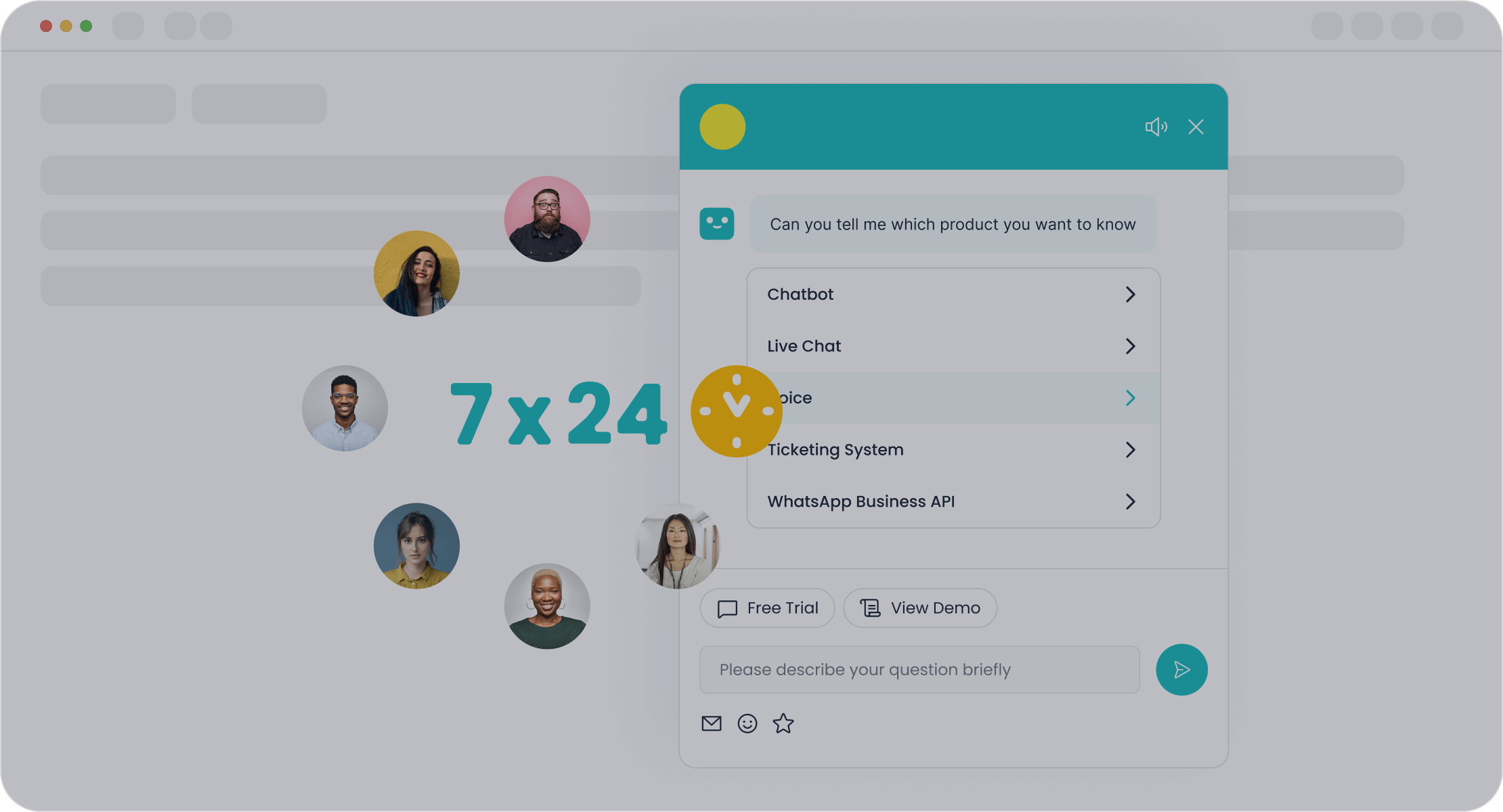
You want your business to connect with shoppers everywhere. Sobot helps you do that. Sobot is an all-in-one customer contact center that brings together chatbot, AI Agent, live chat, call center/voice, voicebot, ticketing system, and more. You can use Sobot to talk to your customers on their favorite apps, like WhatsApp, SMS, and even your website. Sobot’s chatbot uses smart AI and speaks many languages, so you can reach people all over the world.
Sobot makes it easy for you to manage every conversation in one place. You can answer questions, solve problems, and even send updates or offers. The platform works with popular ecommerce tools, including Shopify and Amazon. You don’t need to know how to code. You just drag, drop, and start chatting.
Sobot’s mission is to help you give fast, friendly, and personal support—no matter where your customers are.
Key Features and Advantages
Sobot stands out because it gives you powerful tools that are simple to use. You can automate messages, boost sales, and keep your data safe. Here’s a quick look at what you get with Sobot:
| Feature | Description |
|---|---|
| Engage Shoppers Across Their Journey | Automated messages engage shoppers throughout their journey, enhancing their experience. |
| Boost Efficiency and Conversion | Resolves 70% of inquiries and increases conversions by 3x. |
| Integrate E-commerce Tools | Connects seamlessly with platforms like Shopify, Amazon, and more. |
| Easy-to-Use Platform | A no-code platform that allows for quick business value realization. |
| Best Performance | Combines AI and human expertise to handle various inquiries effectively. |
| Built for Security | Ensures data privacy and compliance with standards like ISO and GDPR. |
You can use Sobot’s chatbot to answer routine questions any time of day. The AI Agent helps your team by handling common requests, so your agents can focus on complex issues. Sobot’s live chat lets you jump in when a customer needs a human touch. The call center and voicebot features mean you can offer phone support, too. The ticketing system keeps everything organized, so you never lose track of a request.
Sobot’s AI and multilingual support help you serve customers from different countries. You can resolve up to 80% of routine questions fast. This saves you time and money. Businesses using Sobot have cut support costs by up to 30% and saved thousands of hours each year.
| Benefit | Description |
|---|---|
| Customer Service Efficiency | Chatbots can resolve up to 80% of routine inquiries, significantly reducing response times. |
| Operational Cost Reduction | E-commerce businesses can cut support costs by up to 30% and save an estimated 2.5 billion support hours by 2025. |
| Multilingual Support | Enables businesses to engage with customers in multiple languages, enhancing global reach. |
Tip: Sobot’s no-code setup means you can launch your chatbot in minutes, not weeks.
Ecommerce Success Story: OPPO
Let’s see how Sobot works in the real world. OPPO, a global smart device brand, wanted to improve its customer service during busy shopping seasons. They chose Sobot to help manage the flood of questions and orders.
Sobot’s chatbot took care of common questions, so OPPO’s agents could focus on tricky problems. The system also made it easy to update the knowledge base, saving OPPO a lot of time. Sobot connected all of OPPO’s customer channels and business systems, so agents always had the info they needed.
Here’s what OPPO achieved with Sobot:
| Metric | Outcome |
|---|---|
| Chatbot resolution rate | ~83% |
| Repurchase rate increase | ~57% |
| Support cost reduction | Up to 50% |
| Conversion rate increase | 20% |
- OPPO’s chatbot handled most questions on its own.
- Customers gave high positive feedback.
- OPPO saw more repeat buyers and lower support costs.
Sobot helped OPPO boost customer satisfaction and grow sales, even during the busiest times.
You can read more about OPPO’s story on Sobot’s website.
Comparing Sobot and Gorgias
You might wonder how Sobot stacks up against Gorgias. Both platforms help you manage customer conversations across channels. Both offer automation, AI, and integration with ecommerce tools like Shopify. But there are some key differences you should know.
| Feature/Aspect | Sobot | Gorgias |
|---|---|---|
| Omnichannel Support | Yes (WhatsApp, SMS, web, voice, more) | Yes (web, social, email, SMS, more) |
| Multilingual Chatbot | Yes, built-in AI, many languages | Limited, depends on integrations |
| No-Code Setup | Yes, point-and-click builder | Yes, with some advanced options |
| AI Agent | Advanced, handles routine and complex | Yes, focused on ecommerce automation |
| Live Chat & Voice | Unified workspace, includes voicebot | Live chat, no native voicebot |
| Ticketing System | Integrated, automates workflows | Integrated, strong Shopify focus |
| Security & Compliance | ISO, GDPR, WhatsApp BSP | SOC 2, GDPR |
| Reporting & Analytics | Real-time, customizable | Detailed, ecommerce-focused |
| Industry Reach | Retail, finance, gaming, more | Ecommerce, retail, DTC |
Sobot gives you a true omnichannel experience. You can chat with customers on WhatsApp, SMS, your website, or even by phone—all in one place. The multilingual AI chatbot means you can support shoppers from around the world without extra tools. Sobot’s platform is easy to set up, so you can start helping customers right away.
Gorgias is a strong choice for ecommerce brands, especially if you use Shopify. It offers deep integration and automation for online stores. If you want to expand your support to more channels, or need advanced AI and voice features, Sobot gives you more flexibility.
You don’t have to choose right away. Try Sobot’s demo and see how it fits your business needs.
If you want to learn more about Sobot’s chatbot and contact center solutions, visit Sobot’s official website.
You’ve seen how gorgias and Sobot can make your support faster and smarter. These tools help you answer questions on every channel and keep each customer happy. Try this:
- Review your current support setup.
- Look for ways to connect your channels.
- Test a chatbot demo to see the difference.
Ready to boost your business? Explore Sobot or request a demo today!
FAQ
How does the Gorgias chatbot help my ecommerce store?
The Gorgias chatbot answers common questions fast. It works 24/7, so your customers always get help. You can use it on your Shopify store, website, or social channels. This keeps your support quick and consistent.
Can I use the Gorgias chatbot with other tools like Sobot?
Yes, you can use the Gorgias chatbot with other tools. Many businesses combine Gorgias with Sobot for more features, like voice support or advanced AI. This gives you a flexible setup for omnichannel customer communication.
Is the Gorgias chatbot easy to set up?
You can set up the Gorgias chatbot in just a few steps. Add it to your Shopify store or website with a simple integration. No coding is needed. You can follow the official Gorgias guide for help.
Does the Gorgias chatbot support multiple languages?
The Gorgias chatbot supports several languages, but you may need extra integrations for full multilingual support. If you want a chatbot that speaks many languages out of the box, you can try Sobot’s multilingual AI chatbot.
How do I know if the Gorgias chatbot is working well?
You can check the Gorgias chatbot’s performance with built-in analytics. Track response times, ticket volume, and customer satisfaction scores. Use these insights to improve your support and see what works best for your ecommerce business.
See Also
Essential Tips for Choosing Omnichannel Call Center Solutions
Enhancing Customer Satisfaction with E-commerce Chatbots
Simple Steps to Integrate Chatbots on Your Website

