Your First AI Outbound Caller A Step-by-Step Guide

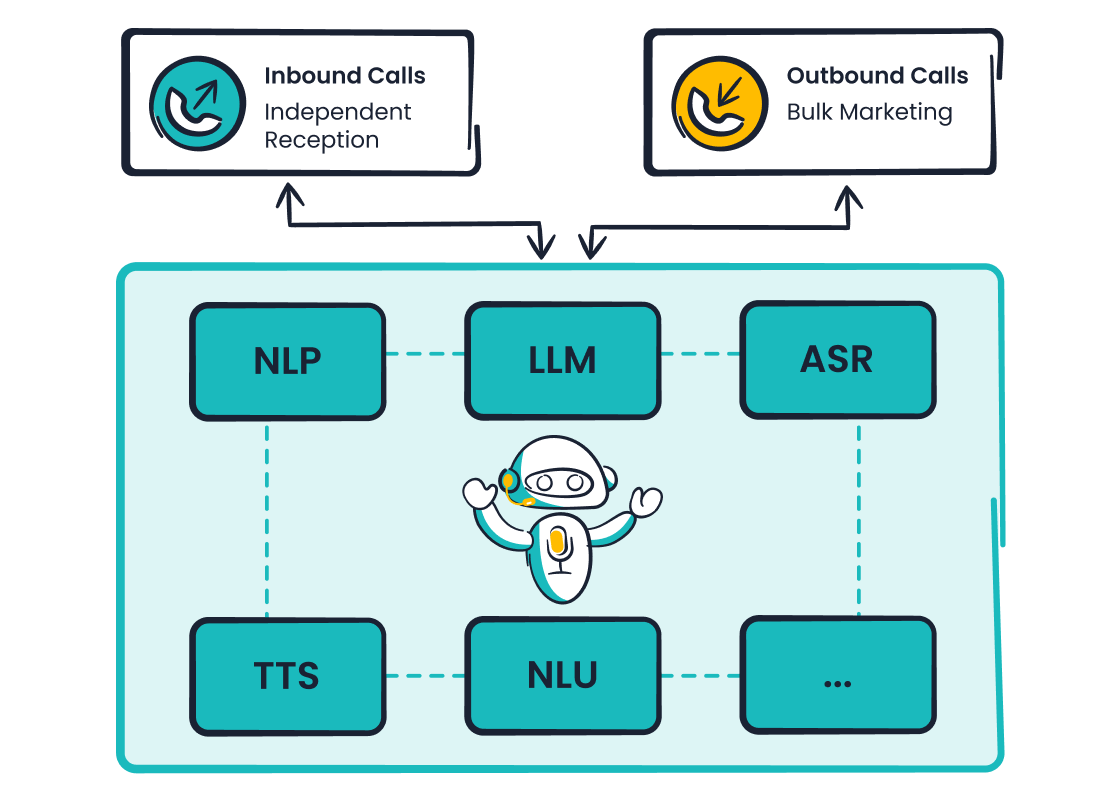
You are ready to launch your first AI outbound calling campaign. This is a smart move in a rapidly growing field. The right approach makes this process a manageable journey toward success.
Did you know? The market for call center AI is projected to exceed $4.1 billion by 2027. By 2025, AI will also generate nearly 30% of all outbound marketing messages.
This guide provides a clear path to launch your first campaign. A powerful outbound AI caller from Sobot helps streamline this process. The Sobot AI platform can transform any Sobot call center for effective outbound operations.
Step 1: Define Campaign Goals and Audience
A successful AI outbound campaign begins with a strong foundation. Before you make a single call, you must define what you want to achieve and who you want to reach. This initial step guides every other decision in your process.
Set Clear and Measurable Objectives
First, you need to set clear goals for your campaign. Vague targets lead to poor results. Your objectives should be specific and measurable so you can track your progress. Common goals for AI outbound sales campaigns include:
- Lead Generation: Aiming for a specific number of qualified leads.
- Appointment Setting: Deciding on the number of appointments to book.
- Sales Conversions: Setting a target for calls that lead to sales.
A well-defined goal gives your campaign direction. For example, a clear objective is to "increase qualified leads by 25%." This provides a measurable target for success and helps you focus your efforts on generating valuable prospects.
Identify Your Ideal Customer Profile
Next, you must identify your target audience. Knowing your audience is crucial for creating relevant and effective sales campaigns. An AI caller is only as good as the list of prospects it calls. To define your target audience, focus on firmographic data, which includes:
- Company Size: Reflects purchasing power and team structure.
- Industry: Determines specific needs and regulatory requirements.
- Location: Can indicate budget levels and operational needs.
Understanding your target audience ensures your message resonates with the right prospects. This focus makes your outbound efforts much more efficient. Your AI will be speaking to an audience that is more likely to be interested in your offer.
Determine Key Performance Indicators (KPIs)
Finally, you must determine how you will measure performance. Key Performance Indicators (KPIs) are the metrics that track the success of your AI outbound campaign. AI-driven systems significantly improve upon traditional calling performance.
| KPI | Traditional Systems | AI-Driven Systems |
|---|---|---|
| Connection Rate | 8-15% | 20-25%+ |
| Conversion Rate | 2.5% | 5-10%+ |
| Calls per Agent/Day | 80-120 | 120+ |
AI can boost your conversion from the global average of 2.5% to over 5% by improving lead quality. Tracking these KPIs helps you understand your campaign's performance and identify areas for improvement. An excellent connection rate for B2B campaigns, for example, is between 30-40%.
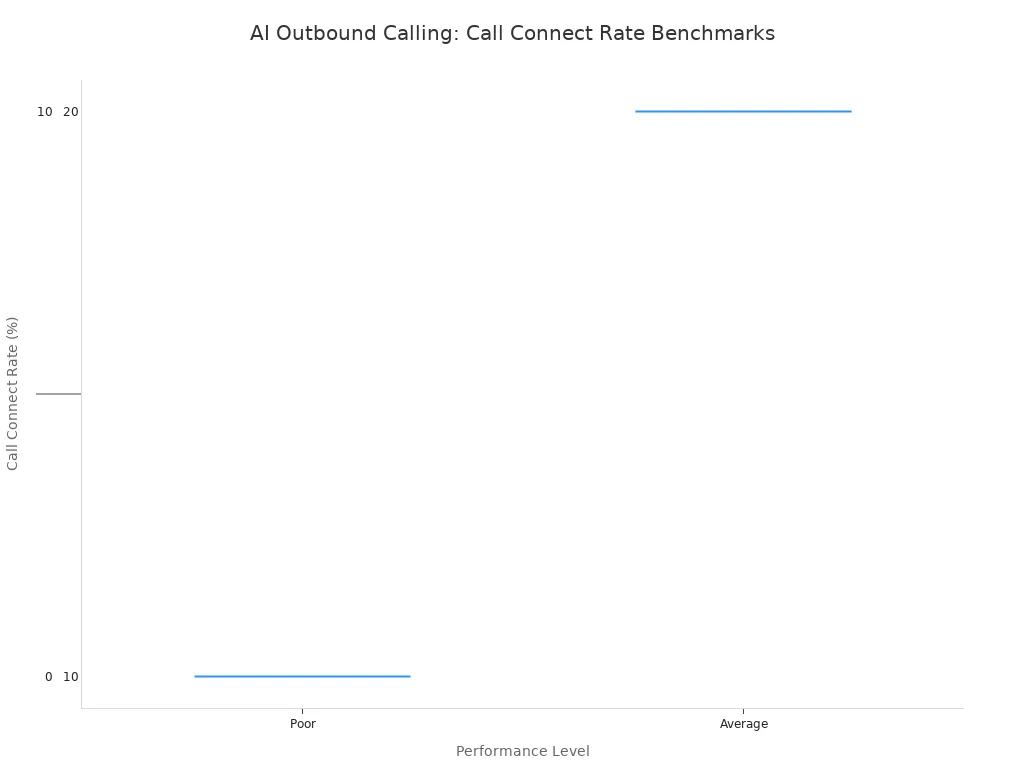
Monitoring these metrics allows you to optimize your AI for better results, whether that means more appointments or higher sales.
Step 2: Select Your AI Calling Software
After setting your goals, you need to choose the right software. The platform you select will be the engine for your entire automated outbound calling campaign. A powerful tool makes your strategy come to life.
Evaluate Essential Platform Features
You should look for software with features that make your job easier. The right platform empowers you to build and manage your outbound campaigns without needing a team of developers. Key features for an effective automated calling solution include:
- A no-code, visual flow builder: This lets you design conversation paths with a simple drag-and-drop interface. You can create automated workflows for sales or support tasks quickly.
- Real-time analytics and transcription: This helps you monitor call quality and track performance trends. An advanced ai can even analyze sentiment during calls.
- Customizable conversational flows: Your ai should adapt its responses to fit different scenarios, ensuring every interaction is relevant.
These features are essential for building a flexible and powerful automated outbound calling system.
Check for Critical CRM and Tool Integrations
Your ai caller should not operate in a silo. It must connect with your existing tools to create a seamless workflow. This integration is key for effective contact center automation.
Your automated calling solution needs to communicate with your other systems. APIs enable real-time event detection from CRMs like Salesforce or HubSpot and support systems. This connection turns business events into immediate, personalized outbound calls.
Look for a platform that offers plug-and-play integrations. This ensures that when a lead's status changes in your CRM, the ai can trigger an automated call instantly. This prevents missed opportunities and improves efficiency.
Consider Solutions Like Sobot Voicebot
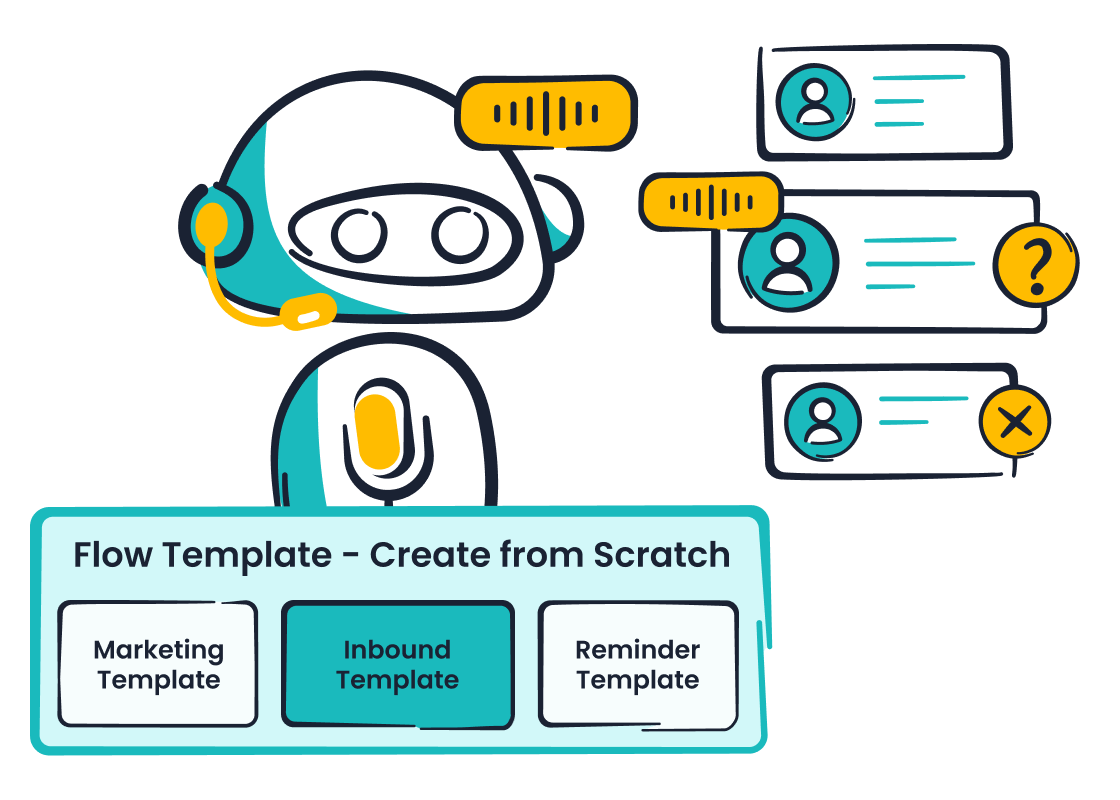
When evaluating options, consider a comprehensive automated calling solution like Sobot Voicebot. It provides the essential features needed for a successful automated outbound calling campaign. With Sobot, you get a powerful ai platform designed for performance.
Sobot’s no-code visual flow builder simplifies the creation of complex, automated conversations. Its abundant APIs ensure smooth integration with your existing CRM and contact center tools. Furthermore, its multilingual support allows your outbound campaigns to reach a diverse customer base, making it a versatile and effective choice.
Step 3: Create an Effective Call Script
Your AI caller's success depends heavily on its script. A well-crafted script guides the conversation, keeps the AI on track, and feels natural to the person on the other end. This is your blueprint for effective customer engagement.
Structure Your Core Call Script
You should build your core script with a clear goal in mind. Start by defining the ideal outcome, whether it's booking a meeting or qualifying a lead. Then, design the conversation backward from that objective. A good script is conversational, not robotic. It allows your automated system to adapt to how prospects respond.
Start your automated outbound calls with a natural greeting to build trust and improve engagement.
Tip: Instead of a stiff opening, try something more casual. For example: "Hi [Name], this is [Your Name] from [Company]. I know you weren’t expecting my call – do you have 30 seconds for me to tell you why I reached out?" This approach respects the prospect's time and increases their willingness to listen.
Map Conversational Paths for Responses
Your prospects will not always follow a predictable path. You must prepare your ai for different reactions, especially common objections like "I'm not interested." To do this effectively, you can follow a simple process:
- Analyze Objections: Listen to past sales calls to identify common concerns your prospects raise.
- Develop Responses: Create helpful and direct answers for each objection.
- Build Paths: Program these responses into your automated caller's conversational flow.
This preparation ensures your ai can handle unexpected turns in the conversation, leading to better engagement and more successful outcomes. It makes your automated system smarter and more effective.
Write a Clear Call to Action
Every outbound call needs a clear purpose. The call to action (CTA) tells the prospect exactly what you want them to do next. Your CTA should be simple, direct, and aligned with your campaign goals. A strong CTA removes confusion and guides prospects toward the desired action. Whether you want them to schedule a demo, visit a website, or speak with a sales representative, a clear CTA is essential for turning a conversation into a conversion. This final step is critical for maximizing the impact of every automated call and boosting overall engagement.
Step 4: Customize the AI Voice for Your Brand
The voice of your AI caller is the voice of your brand. You must customize it carefully to create a positive and memorable experience. A well-chosen voice builds trust and makes your automated outbound calls more effective.
Choose a Voice That Aligns With Your Brand
You should select a voice that reflects your brand's personality. Think about how you want customers to feel when they interact with your company. Your brand might be playful like Ben & Jerry's or practical like IKEA. The right AI voice brings that personality to life in every automated interaction. For example, a brand focused on fun might use a witty, upbeat voice. A financial services company would likely choose a calm, professional tone. This choice ensures your automated system feels like a natural extension of your brand.
Fine-Tune Speech Rate, Pitch, and Pauses
Next, you need to adjust the details of the AI voice. The speech rate, pitch, and use of pauses can dramatically change the feel of a conversation. An effective automated caller uses strategic silence. Pauses give your prospects time to think and process information. This simple technique shows respect and makes them feel heard. Your AI can also use gentle prompts like, "Are you still there?" during long silences. This attentiveness makes your outbound calls feel more human and engaging. Fine-tuning these elements is key to creating a natural conversational flow for your automated outbound campaign.
Test for Pronunciation and Clarity
Finally, you must test your AI for clear and accurate pronunciation. Mispronouncing your company name, product names, or industry terms can damage your credibility. It suggests your AI is not sophisticated. You should create a list of important words for your automated system to practice. This includes technical jargon and proper names. Thorough testing ensures your AI sounds professional and knowledgeable. This final check is crucial for building customer confidence during every outbound call.
Step 5: Configure Rules and Compliance
Compliance is not optional for your automated outbound campaign. You must follow legal rules to protect your business and build trust with customers. A good ai platform helps you manage these rules easily.
Establish a Compliant Calling Schedule
You must schedule your automated calls at appropriate times. Federal laws like the Telephone Consumer Protection Act (TCPA) set clear limits. Generally, you can only make outbound calls between 8 AM and 9 PM in the customer's local time zone. Some states have even stricter rules. This makes time zone awareness critical for any automated calling campaign. Your ai system should be configured to respect these local time windows to avoid violations. Setting up a compliant schedule for your automated outbound calls is a foundational step.
Manage Do Not Call (DNC) Lists
You must respect a person's request to stop receiving calls. Your business needs a clear process for managing a Do Not Call (DNC) list. When a customer opts out, you must honor their request immediately.
Important: You are legally required to maintain an internal DNC list and have a written policy for it. You must also train your team on these procedures and keep records of all DNC requests for at least five years.
Your ai caller should automatically cross-reference your calling list with your internal DNC list and the National DNC Registry. This automated check prevents costly compliance mistakes.
Adhere to Call Recording Regulations
You may want to record calls for quality assurance or training. However, you must follow call recording laws, which vary by state. Most states operate under "one-party consent," meaning you only need one person on the call (like your ai) to consent to the recording. However, about a dozen states, including California, Florida, and Pennsylvania, require "two-party consent." This means everyone on the call must agree to be recorded. Your automated system must play a clear disclosure message at the start of the call in these states. This ensures your outbound campaign remains fully compliant.
Step 6: Test Your Outbound AI Caller
You should never launch a full-scale campaign without testing. A test phase helps you find and fix problems early. This step ensures your outbound AI caller performs well when it matters most. Proper testing protects your brand's reputation and improves your campaign results.
Run a Small-Scale Pilot Campaign
You can start with a small pilot campaign. This test involves calling a limited segment of your audience. A pilot helps you gather real-world data without a large risk. It allows your AI to have its first automated conversations in a controlled setting. This initial outbound campaign provides valuable feedback. You can see how your automated system handles live interactions before you scale up your campaigns.
Tip: Your pilot list should be a small but representative sample of your target audience. This gives you the most accurate preview of how your full campaign will perform.
Analyze Initial Call Data and Metrics
After your pilot campaign, you must analyze the data. This information shows you what is working and what is not. Your AI platform should provide detailed analytics. You need to look at several key metrics to measure the performance of the AI.
Key data points for your automated outbound campaigns include:
- Customer Feedback: What are customers saying about the experience?
- Sentiment Indicators: Does the AI detect positive or negative emotions?
- Business Metrics: Are you hitting goals like appointment setting or lead conversion?
Analyzing these metrics helps you understand the effectiveness of your AI. It provides a clear picture of your automated system's initial success.
Refine Scripts Based on Test Results
The data from your pilot will reveal areas for improvement in your script. You can use this feedback to make your AI more effective. Common issues include confusing phrasing or poor handling of objections. Your AI might also have synchronization errors, like not waiting for the prospect to finish speaking. You should refine the script to fix these problems. A better script makes the automated conversation feel more natural. This refinement process is critical for optimizing your outbound AI and achieving better results in future campaigns.
Step 7: Launch and Scale Your AI Outbound Call Campaigns
After successful testing, you are ready to launch and scale your AI outbound call campaigns. This final step turns your preparation into measurable results. A strategic rollout ensures your automated outbound calling efforts grow effectively.
Execute the Full Campaign Launch
You can now move from your pilot to a full campaign launch. A phased approach helps you manage the process and maintain control over performance. Your full rollout should follow a clear plan.
- Finalize Your Setup: Ensure your CRM and AI tools are fully integrated. Your sales team should be proficient in using the platform for the automated outbound calling campaigns.
- Initiate the Launch: Begin the full campaign with confidence. Your testing phase has prepared your outbound AI caller for live interactions.
- Monitor Closely: Continuously track key metrics from the start. Watch your call volume, conversion rates, and customer feedback to gauge initial performance.
This structured launch minimizes risks and sets your automated campaigns up for success.
Gradually Increase Daily Call Volume
You should increase your daily call volume slowly. A sudden spike in automated outbound calling can overwhelm your sales team and hurt performance. A gradual increase allows you to adapt and maintain quality. This method helps you scale your lead generation efforts without sacrificing the customer experience.
America's largest online Asian supermarket, Weee!, used Sobot's voice product to scale its operations. By implementing a flexible and integrated solution, Weee! achieved a 20% increase in agent efficiency and a 96% customer satisfaction score. This shows how a robust platform supports successful scaling and delivers significant business benefits for outbound calling campaigns.
Optimize Automated Outbound Calling Performance
Your work is not done after the launch. You must continuously optimize your automated outbound calling performance. The best AI outbound call campaigns evolve based on data. Use A/B testing to experiment with different call scripts, outreach times, and audience segments. Your AI platform should provide the analytics needed to fine-tune your engagement strategies.
AI-powered tools make this process efficient. They can analyze historical data to predict which variations will perform best. This allows your AI to learn in real-time and improve the performance of your automated outbound calling. By regularly reviewing campaign performance data, you can refine your outbound strategies for better conversion and sales outcomes. This ongoing optimization turns good campaigns into great ones.
You now have a seven-step framework for your automated outbound calling campaigns. This process helps you launch a successful outbound campaign. Launching an outbound AI caller is a cycle of defining, building, and optimizing your automated outbound calling. Your AI gets smarter with each outbound interaction. This improves your automated outbound calling campaigns over time. Successful automated outbound calling is within your reach. Your next outbound campaign can achieve great results with the right AI. An effective outbound AI caller makes automated outbound calling simple.
Ready to start? Explore a powerful solution like Sobot. Embark on Your Contact Journey today.
FAQ
How long does it take to set up an AI outbound caller?
You can set up your AI caller very quickly. Platforms like Sobot Voicebot offer a no-code visual builder. This tool lets you design and launch your automated outbound calling campaigns in just a few hours without needing technical skills.
Can the AI caller speak multiple languages?
Yes, a powerful outbound AI caller supports many languages. Sobot Voicebot is truly multilingual. You can customize interactions in various languages and dialects. This helps you connect with a diverse customer base for your global campaigns.
How does the AI connect with my other business tools?
Your AI caller integrates with your CRM and other systems using APIs. This connection allows for seamless data transfer. For example, an update in your CRM can automatically trigger an outbound call, making your workflow highly efficient.
What makes an AI caller better than a traditional auto-dialer?
An AI caller is much smarter than an auto-dialer. It has natural, two-way conversations and understands what customers mean. A traditional auto-dialer just plays a message. This intelligence leads to better engagement and higher conversion rates.
See Also
Setting Up Interactive Voice Response IVR Software: A Comprehensive Guide
Implementing Artificial Intelligence Software Solutions for Your Call Center
In-Depth Review: Top AI-Powered Enterprise Call Center Solutions
The Best Automated Voice Calling Software Solutions Reviewed for 2024
Understanding the Mechanics: How IVR Voice Recognition Software Functions

