How to Create and Manage a Knowledge Base in 2025

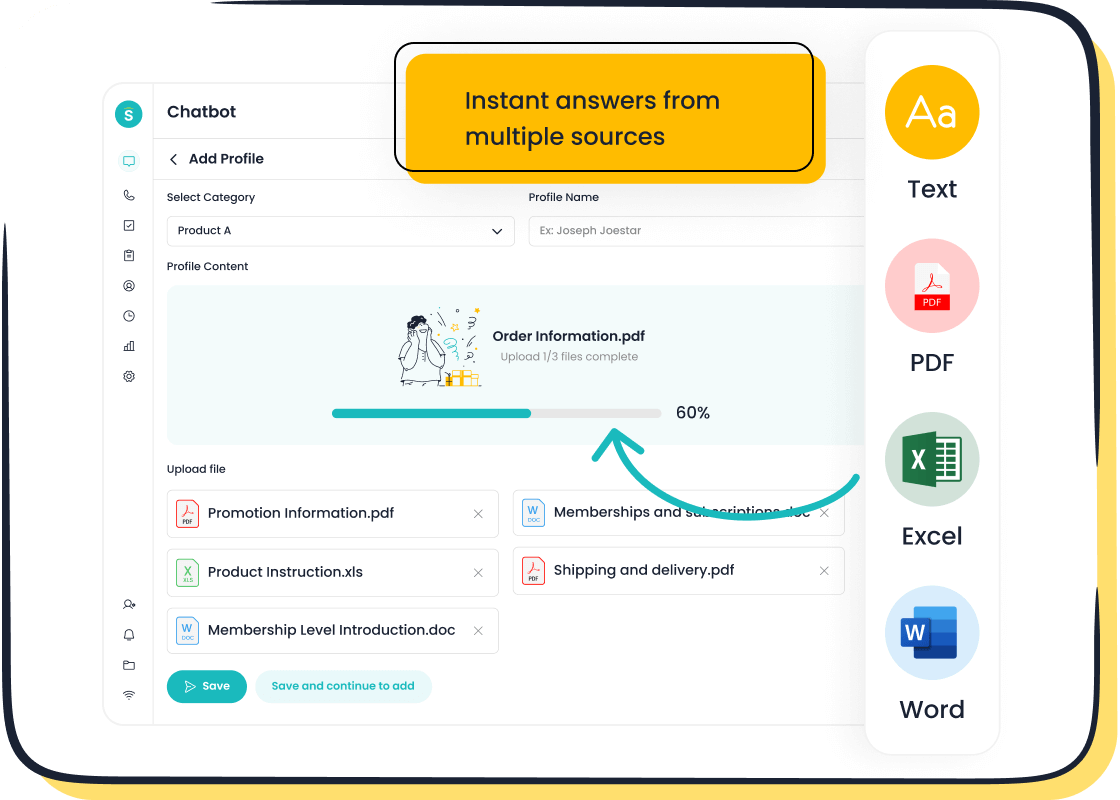
A well-structured knowledge base has become indispensable for businesses in 2025. It empowers teams to access critical resources instantly, eliminating the hassle of searching through emails or shared drives. This centralization boosts collaboration and ensures faster response times. For customers, a knowledge base offers 24/7 self-service, reducing support inquiries and enhancing satisfaction.
Advanced tools like Sobot's Chatbot have transformed knowledge base management. By automating repetitive tasks and providing instant answers, it improves operational efficiency and customer experiences. Businesses now rely on such innovations to streamline processes and stay competitive.
Understanding the Importance of a Knowledge Base in 2025
What Is a Knowledge Base?
Definition and purpose of a knowledge base
A knowledge base is a centralized repository of information designed to store, organize, and share knowledge. It serves as a self-service solution for both customers and employees, enabling them to find answers quickly without external assistance. Businesses use knowledge bases to address common questions, provide troubleshooting guides, and document internal processes. This tool enhances efficiency by reducing repetitive inquiries and empowering users to resolve issues independently.
Key features of a modern knowledge base
Modern knowledge bases in 2025 incorporate advanced technologies to improve usability and accessibility. Key features include:
- AI and Machine Learning Integration: These technologies personalize content delivery and make searches more intuitive.
- User-Friendly Design: Simplified navigation and responsive layouts ensure accessibility across devices.
- Collaboration Tools: Teams can contribute and update content seamlessly, fostering a culture of shared knowledge.
- Enhanced Security: Strong encryption and access controls protect sensitive data.
Why Knowledge Bases Are Essential for Businesses
Enhancing customer self-service and satisfaction
A well-designed knowledge base transforms the customer experience by offering 24/7 self-service options. It acts as a single source of truth, ensuring consistent support across all channels. For example:
- Customers can resolve issues faster, improving satisfaction.
- Personalized content enhances engagement and builds trust.
- Regular updates keep information relevant, meeting evolving needs.
A knowledge base empowers customers to find instant answers, aligning with the fast-paced expectations of today’s consumers.
Streamlining internal team collaboration and efficiency
Internally, a knowledge base eliminates inefficiencies caused by scattered information. Teams can access accurate resources instantly, reducing delays and errors. Tools like Sobot's Chatbot further enhance this process by automating repetitive tasks and providing instant replies. For instance, BetterDocs integrates knowledge bases with chat platforms, enabling teams to share solutions effortlessly. This approach minimizes errors and improves response times, making collaboration more effective.
The Role of Knowledge Base Management
Ensuring content accuracy and relevance
Effective knowledge base management involves regular updates to maintain accuracy. Outdated or irrelevant information can frustrate users and reduce trust. Businesses must schedule periodic audits to ensure content aligns with current needs. For example, Customerly uses conversational AI to provide consistent responses, showcasing how automation can maintain relevance in real-time.
Leveraging tools like Sobot's Chatbot for automation
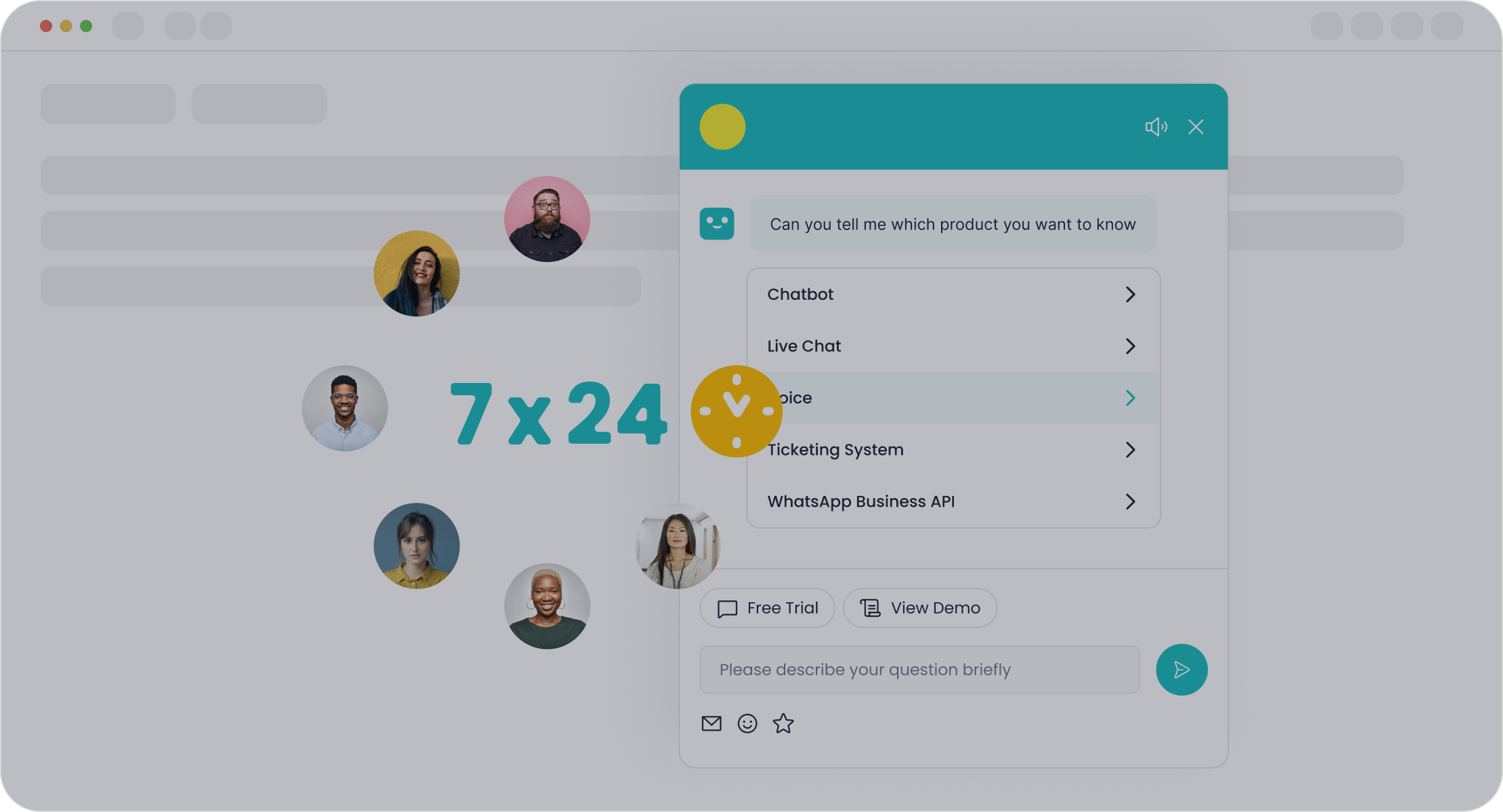
Automation plays a critical role in knowledge base management. Sobot's Chatbot integrates seamlessly with knowledge bases, using AI to deliver instant, accurate responses. It operates 24/7, reducing the workload on human agents and improving productivity by up to 70%. By triaging queries and offering proactive assistance, it enhances both customer and employee experiences. This integration ensures your knowledge base remains a dynamic, efficient resource.
Types of Knowledge Bases and Their Applications
Internal Knowledge Bases
Supporting employee training and internal processes
An internal knowledge base serves as a private repository of information for your organization. It centralizes resources like HR policies, IT support documents, and operational guides, making them easily accessible to employees. This type of knowledge base streamlines training and onboarding by providing new hires with instant access to essential materials. For example, a company wiki allows employees to collaboratively create and edit articles, fostering a culture of shared learning. Tools like document management systems and FAQ databases further enhance efficiency by organizing files and answering common queries.
Tip: Use platforms like Sobot's Chatbot to integrate your internal knowledge base with team chat tools. This enables real-time access to information, improving productivity and collaboration.
Examples: HR policies, IT support, and operational guides
Internal knowledge bases often include:
- HR policies and procedures.
- IT troubleshooting guides for resolving technical issues.
- Operational manuals that outline workflows and best practices.
Customer-Facing Knowledge Bases
Empowering customers with self-service options
A customer-facing knowledge base enhances the customer experience by offering self-service resources like FAQs, product manuals, and troubleshooting guides. These resources empower your customers to resolve issues independently, reducing the need for direct support. For instance, well-organized content that is easily searchable helps customers troubleshoot problems or learn about your products. This approach not only saves time but also reduces the volume of incoming support requests, allowing your team to focus on complex issues.
A customer-facing knowledge base acts as a 24/7 support system, ensuring your customers always have access to the information they need.
Examples: FAQs, product manuals, and troubleshooting guides
Common components of a customer-facing knowledge base include:
- FAQs addressing frequent customer inquiries.
- Product manuals that explain features and usage.
- Troubleshooting guides for resolving common issues.
Hybrid Knowledge Bases
Combining internal and external resources for efficiency
A hybrid knowledge base merges internal and customer-facing resources, offering flexibility and efficiency. This model uses permission settings to control access, ensuring sensitive data remains secure while public content stays accessible. For startups, hybrid knowledge bases provide cost-effective solutions by consolidating resources. Enterprises benefit from enhanced communication and knowledge sharing across teams and customers.
| Benefit | Description |
|---|---|
| Data Security | Sensitive information stays protected with controlled access. |
| Accessibility | Cloud-based components ensure easy access to public-facing content. |
| Flexibility | Suitable for both small businesses and large organizations. |
Note: Sobot's Chatbot integrates seamlessly with hybrid knowledge bases, enabling you to automate responses and improve efficiency.
Use cases for startups and enterprises
Hybrid knowledge bases are ideal for:
- Startups seeking cost-effective solutions for managing internal and external resources.
- Enterprises aiming to streamline operations and enhance customer service.
How to Create a Knowledge Base That Works
Define Objectives and Identify Your Audience
Understanding customer pain points and needs
To create a knowledge base that truly serves its purpose, start by understanding your audience's challenges. For customer-facing knowledge bases, focus on common pain points like troubleshooting product issues or finding step-by-step setup instructions. For internal knowledge bases, identify areas where employees struggle, such as accessing IT support or onboarding materials. Use surveys, support tickets, and feedback forms to gather insights. This approach ensures your knowledge base becomes a valuable repository of information tailored to user needs.
Gathering insights from employees and users
Involve employees and customers in the planning process. Employees can highlight gaps in internal resources, while customers can share recurring issues they face. For example, Sobot's Chatbot uses AI to analyze customer queries, helping businesses identify frequently asked questions. This data-driven approach ensures your knowledge base addresses real-world problems effectively.
Organize and Structure a Knowledge Base
Categorizing content for intuitive navigation
A well-organized knowledge base improves user experience by making information easy to find. Start by grouping content into clear categories and topics. For instance, divide customer-facing content into FAQs, how-to guides, and troubleshooting sections. Use labels and tags to enhance searchability. Tools like Sobot's Chatbot can automate responses by pulling information from these categories, ensuring quick and accurate answers.
Using templates to maintain consistency
Templates simplify the process of creating and updating content. They ensure a consistent format, making your knowledge base more professional and user-friendly. For example, use a template for FAQs that includes sections for the question, a brief answer, and links to related articles. This consistency improves navigation and boosts customer satisfaction. Templates also save time, allowing your team to focus on expanding the knowledge base.
Write and Optimize Content
Best practices for clear and concise writing
Clear and concise writing ensures your knowledge base is accessible to all users. Use short sentences and active voice to convey information effectively. Break down complex topics into bullet points or numbered lists. For example, instead of writing, "The troubleshooting process involves multiple steps that need to be followed sequentially," say, "Follow these steps to troubleshoot the issue: 1. Restart the device. 2. Check the connection. 3. Contact support if the problem persists."
Avoiding jargon and ensuring accessibility
Avoid technical jargon that might confuse users. Instead, use simple language that even non-experts can understand. Incorporate visuals like screenshots or videos to explain complex processes. For example, a video tutorial on setting up a product can complement written instructions, enhancing the customer experience. Regularly review content to ensure it remains relevant and accessible to diverse audiences.
Choose the Right Knowledge Base Tools
Features to look for in knowledge base software
When selecting tools for your knowledge base, prioritize features that enhance usability and scalability. These tools should simplify knowledge base management while ensuring a seamless user experience. Key features to consider include:
- Searchability and Navigation: A robust search tool ensures users can quickly find the information they need. Categorization and segmentation of articles further improve navigation.
- Scalability: Choose software that grows with your business, accommodating increasing content and user demands.
- Customizable User Experience: Tailor the interface to align with your branding and audience preferences.
- Integration Capabilities: Ensure the tool integrates with existing systems like chat platforms or CRM software for streamlined workflows.
- Reporting and Analytics: Use detailed reports to track user engagement and identify content gaps.
- AI Features: Leverage AI for drafting, editing, and automating responses, saving time and improving accuracy.
Tip: Sobot's Chatbot integrates seamlessly with knowledge bases, offering AI-powered automation and omnichannel support. It uses your knowledge base to provide instant replies, enhancing both customer and employee experiences.
How Sobot's Chatbot integrates with knowledge bases
Sobot's Chatbot transforms how you manage and utilize your knowledge base. It operates 24/7, autonomously handling repetitive queries and improving productivity by up to 70%. The chatbot pulls information directly from your knowledge base, ensuring accurate and instant responses. Its multilingual capabilities make it ideal for global businesses, while its no-coding-required setup simplifies deployment. By integrating with your knowledge base, Sobot's Chatbot enhances efficiency and reduces service costs, making it an essential tool for modern businesses.
Launch and Test Your Knowledge Base
Conducting usability testing and gathering feedback
Before launching your knowledge base, test its usability to ensure it meets user expectations. Involve subject matter experts to review content for clarity and accuracy. Incorporate multimedia elements like screenshots or videos to make the content more engaging. Conduct thorough testing of features, such as search functionality and navigation, to identify potential issues. Train your team to use the knowledge base effectively and gather feedback from early users. A phased launch approach allows you to address any gaps before a full rollout.
Note: Promote your knowledge base through multiple channels, such as email campaigns or social media, to maximize visibility and adoption.
Iterating based on user insights
After launching, continuously improve your knowledge base by analyzing user feedback and engagement metrics. Tools like Sobot's Chatbot provide valuable insights into frequently asked questions, helping you identify areas for improvement. Regular updates ensure your content remains relevant and actionable. By iterating based on user insights, you can maintain a dynamic and effective knowledge base that meets evolving needs.
Managing and Maintaining a Knowledge Base Over Time
Regular Updates and Content Audits
Scheduling reviews to keep content current
Regular reviews are essential to ensure your knowledge base remains accurate and relevant. The frequency of these audits depends on how quickly your content evolves. For example:
- Conduct quarterly reviews for fast-changing industries like technology.
- Opt for semi-annual or annual audits if your content changes less frequently.
By scheduling these reviews, you can identify outdated information and replace it with updated resources. This proactive approach keeps your knowledge base reliable and builds user trust.
Removing outdated or irrelevant information
Outdated content can confuse users and reduce the effectiveness of your knowledge base. Remove irrelevant articles and update those that need minor adjustments. For instance, if a product manual references discontinued features, revise it to reflect the current version. Automation tools like Sobot's Chatbot can assist by flagging outdated content, streamlining the review process.
Tracking Performance and User Engagement
Key metrics for knowledge base success
Tracking performance helps you understand how well your knowledge base serves its purpose. Key metrics include:
- Search analytics to identify content gaps.
- User satisfaction ratings to measure helpfulness.
- Search success rate to track how often users find what they need.
- Page visits and bounce rates to gauge engagement.
- Failed searches to pinpoint areas needing improvement.
These metrics provide actionable insights, enabling you to refine your knowledge management processes.
Tools for monitoring and analytics
Analytics tools simplify performance tracking. For example, Sobot's Chatbot integrates with your knowledge base to provide detailed reports on user interactions. These reports highlight popular articles, failed searches, and user feedback. By leveraging such tools, you can continuously optimize your knowledge base for better results.
Encouraging Feedback and Collaboration
Involving teams in content creation and updates
Involving your team ensures your knowledge base reflects diverse expertise. Include knowledge managers, subject matter experts, and creatives in the content creation process. Encourage contributions from all departments to foster collaboration. As one expert noted, "Empowering every team member to contribute enhances productivity and breaks down silos." This approach strengthens your knowledge management processes and improves content quality.
Allowing users to suggest improvements
User feedback is invaluable for maintaining a dynamic knowledge base. Implement mechanisms like comment sections or rating systems to gather suggestions. Regularly review this feedback to identify improvement opportunities. Recognizing contributors, whether employees or customers, motivates ongoing participation and ensures your knowledge base evolves with user needs.
Best Practices for Knowledge Base Management
Prioritize Accessibility and Usability
Designing for mobile and desktop users
Your knowledge base must cater to users on both mobile and desktop devices. A mobile-friendly design ensures seamless navigation, allowing users to tap, swipe, and zoom effortlessly. Responsive layouts adapt to various screen sizes, ensuring readability and usability. For example:
- Use scalable fonts and buttons that are easy to tap.
- Optimize navigation menus for smaller screens.
- Test your knowledge base on multiple devices to ensure consistency.
By focusing on mobile optimization, you can meet the needs of the growing number of users accessing information via smartphones.
Optimizing search functionality for quick results
A well-designed search function is essential for quick information retrieval. Place the search bar prominently and implement features like auto-complete to guide users. Use relevant keywords in titles and content to improve search accuracy. Additionally, leverage analytics to understand user behavior and refine your content. For instance, failed searches can highlight gaps in your knowledge base, helping you address them effectively.
Foster a Culture of Knowledge Sharing
Encouraging contributions from employees
A team of contributors strengthens your knowledge base by bringing diverse expertise. Encourage employees to share insights by providing tools that simplify content creation. Centralize knowledge to create a single source of truth accessible to all. Building communities of practice fosters collaboration and ensures continuous improvement. For example, hosting regular brainstorming sessions can inspire employees to contribute valuable ideas.
Recognizing and rewarding valuable input
Acknowledging employee contributions motivates ongoing participation. Recognize top contributors through awards or public appreciation. Incentivize knowledge sharing with tangible rewards like gift cards or bonuses. Transparency about the benefits of knowledge management initiatives also encourages engagement. When employees see their efforts valued, they feel more invested in maintaining a robust knowledge base.
Leverage Advanced Tools and Technology
Using AI and automation for efficiency
AI-driven tools revolutionize knowledge base management by automating repetitive tasks. Features like auto-writers streamline content creation, saving time and reducing errors. AI algorithms enhance search capabilities, enabling faster access to information. For example, integrating AI into your system can categorize and retrieve data efficiently, improving user experience and decision-making.
How Sobot's Chatbot enhances knowledge base functionality
Sobot's Chatbot takes knowledge base management to the next level. It uses AI to provide instant responses, improving support efficiency by up to 70%. The chatbot operates 24/7, autonomously handling repetitive queries and reducing agent workload. Its multilingual capabilities make it ideal for global businesses. By integrating with your knowledge base, Sobot's Chatbot ensures accurate and dynamic responses, enhancing both customer and employee experiences. Learn more about its features here.
Creating and managing a knowledge base in 2025 is essential for businesses aiming to enhance efficiency and user satisfaction. Tools like Sobot's Chatbot simplify this process by automating repetitive tasks and delivering instant, accurate responses. To get started, focus on structuring content for clarity, ensuring accessibility, and integrating AI-driven tools. Regularly update your knowledge base to stay relevant and secure. By investing in these strategies, you can build a dynamic resource that empowers both your team and your customers.
Tip: Stay ahead by adopting new trends and technologies to keep your knowledge base competitive.
FAQ
What is the best way to keep a knowledge base up-to-date?
Schedule regular content audits to review and update outdated information. Use tools like Sobot's Chatbot to flag irrelevant articles automatically. For example, OPPO reduced maintenance efforts by 90% using AI-driven updates, ensuring their knowledge base stayed accurate and relevant.
How can you measure the success of your knowledge base?
Track metrics like search success rates, user satisfaction scores, and page visits. Tools like Sobot's Chatbot provide detailed analytics, helping you identify popular articles and content gaps. For instance, a high bounce rate may indicate users struggle to find what they need.
Can a knowledge base support multilingual users?
Yes, modern knowledge bases often include multilingual support. Sobot's Chatbot, for example, interacts in multiple languages, making it ideal for global businesses. This feature ensures your knowledge base caters to diverse audiences, improving accessibility and user satisfaction.
How does AI improve knowledge base management?
AI automates repetitive tasks like categorizing content and answering FAQs. Sobot's Chatbot uses AI to deliver instant, accurate responses, improving productivity by 70%. It also analyzes user queries to identify trends, helping you refine your knowledge base over time.
What are the benefits of integrating a chatbot with your knowledge base?
A chatbot like Sobot's enhances efficiency by providing instant replies using your knowledge base. It operates 24/7, reducing agent workload and cutting costs by up to 50%. For example, OPPO achieved an 83% chatbot resolution rate, improving customer satisfaction significantly.
See Also
Steps to Build an Effective Chatbot for Your Site
Tips for Efficiently Overseeing Live Chat Representatives
Simple Ways to Develop a Chatbot for Your Site

