Knowledge Base for Customer Service in 2026

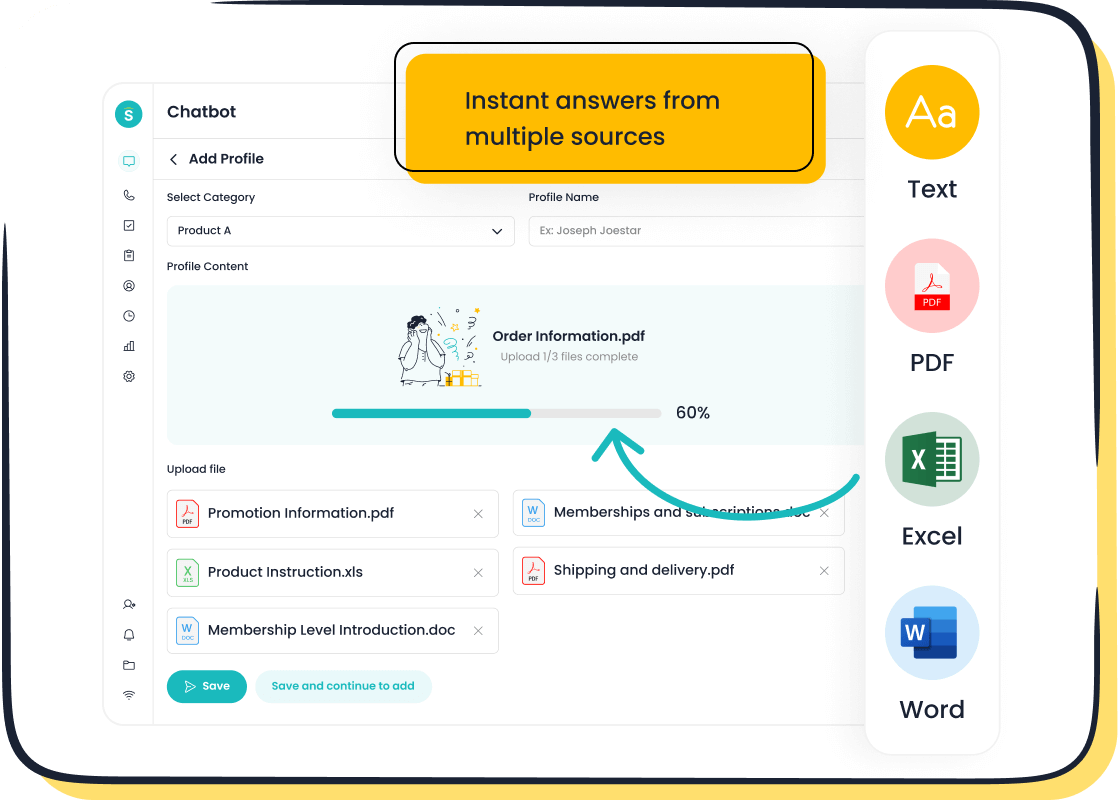
A knowledge base for customer service gives you instant answers and clear information. You can solve problems quickly by finding what you need in a knowledge base. Over the past five years, younger customers like Gen Z and millennials have shown they want fast self-service. Many people will leave if they cannot solve issues themselves. The table below shows this shift:
| Evidence | Description |
|---|---|
| 75% of US consumers | Value their time as crucial for excellent customer service, preferring instant answers and consistent experiences. |
| 38% of Gen Z and millennials | More likely to abandon issues if not resolved through self-service. |
Brands like Sobot use advanced knowledge base solutions to help you get answers fast. A strong knowledge base for customer service gives you control and makes support easier.
What Is a Knowledge Base for Customer Service?
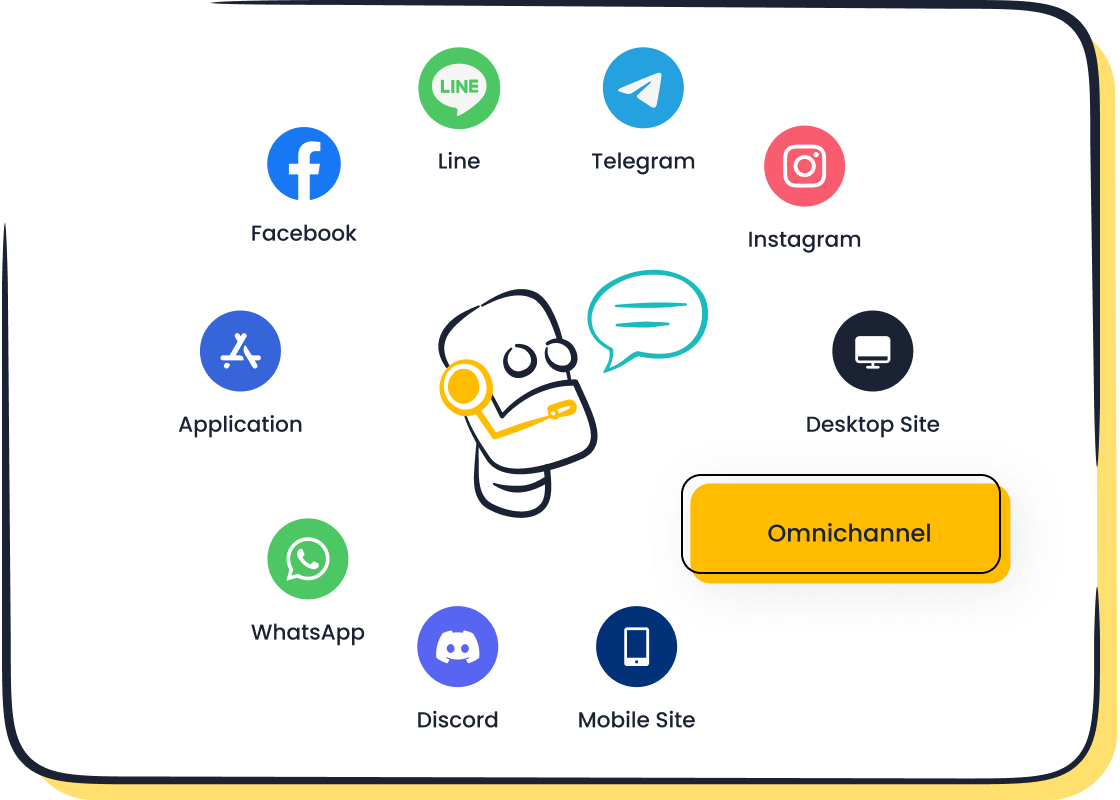
A customer service knowledge base is a centralized repository that stores information, guides, and answers for both customers and agents. You use a customer support knowledge base to find solutions quickly. This tool helps you solve problems, learn about products, and understand processes. You can access a customer support knowledge base online, through chatbots, or inside customer service portals. Businesses rely on knowledge base software to organize information and make it easy for you to find what you need.
Core Features and Functions
You expect a customer support knowledge base to offer more than just articles. Modern knowledge base software includes advanced features that make your experience smoother and faster. Here are the essential features you find in a customer service knowledge base in 2026:
- Automated tagging sorts information for easy searching.
- Chatbots and virtual assistant integration let you get answers instantly.
- Multichannel accessibility means you can use the customer support knowledge base from websites, apps, or messaging platforms.
- Personalization tailors content to your needs.
- Semantic search helps you find relevant answers even if you use different words.
- Content suggestions guide you to related topics.
- Analytics track how you use the customer knowledge base and improve content.
- Security protects your data and keeps information safe.
You see these features in advanced knowledge base software like Sobot’s. Sobot integrates AI-powered chatbots, voice-enabled support, and a drag-and-drop builder. You can customize workflows without coding. Sobot connects with platforms like Salesforce and Zendesk, making your customer support knowledge base flexible and easy to use. The table below shows how Sobot’s customer support knowledge base compares to traditional systems:
| Feature | Sobot | Traditional Systems |
|---|---|---|
| Chatbot Type | AI-powered, voice-enabled and text-based | Typically rule-based or basic AI |
| Customization | Drag-and-drop builder | Often requires coding |
| Integrations | Supports Salesforce, Zendesk, e-commerce | Limited integration options |
| Knowledge Base | Supports text and structured data | Usually less flexible |
| Pricing Model | Tiered with a free plan | Often fixed pricing |
| Advanced Features | Lacks advanced knowledge-graph and memory | May include advanced features |
You benefit from these features because they make your customer support knowledge base more powerful and easier to use. You get answers faster and can solve issues on your own.
Role in Customer Support
A customer support knowledge base plays a key role in helping you and agents resolve issues. You use a customer service knowledge base to find answers without waiting for help. Agents rely on the customer support knowledge base to respond to your questions quickly. This reduces average handling time and improves your experience.
- You access self-service resources and solve problems independently.
- Agents use the customer support knowledge base to handle complex queries efficiently.
- Immediate answers lower waiting times for callers.
- A well-organized customer support knowledge base helps agents respond faster and more accurately.
You see the impact of a customer support knowledge base in first-contact resolution rates. When you get your issue solved on the first try, you feel more satisfied and confident. The table below shows how first-contact resolution (FCR) affects customer outcomes:
| Impact of FCR on Customer Outcomes | Description |
|---|---|
| Satisfaction Correlation | A 1% improvement in FCR leads to a 1-1.5% increase in customer satisfaction scores. |
| Reduced Churn Risk | Customers experiencing FCR are less likely to switch to competitors. |
| Increased Advocacy | Immediate issue resolution increases likelihood of recommendations to peers. |
| Higher Feature Adoption | Positive support experiences encourage exploration of additional functionalities. |
| Improved User Confidence | Successful resolutions build trust in the platform's reliability. |
You trust the customer support knowledge base because it helps you get answers quickly. You recommend brands that solve your problems fast. You explore more features when you have positive support experiences.
A customer support knowledge base also helps reduce average handling time. You find solutions on your own, which means agents spend less time on each call. You get immediate answers, and agents resolve complex issues faster. This makes the customer support knowledge base a vital tool for efficient customer support.
Why Businesses Need One
Businesses invest in a customer service knowledge base for many reasons. You benefit from immediate access to information, which improves your experience. Companies use a customer support knowledge base to increase efficiency and lower costs. The table below explains why businesses choose a customer support knowledge base:
| Reason for Investment | Description |
|---|---|
| Enhances Customer Experience | Provides immediate access to information, allowing customers to self-serve and find solutions quickly. |
| Increases Efficiency | Reduces the workload on customer service agents by enabling self-service options for customers. |
| Cost-Effectiveness | Lowers operational costs by decreasing the number of inquiries that require human intervention. |
| Supports Workplace Collaboration | Acts as a central repository of information that aids in training and problem-solving among employees. |
| Improves Customer Education | Helps customers articulate their issues better when they do reach out for support. |
You see that a customer support knowledge base helps businesses scale and stay consistent. Companies use a centralized repository to provide the same answers across all channels. This ensures you get reliable information every time. The table below shows how a customer support knowledge base supports scalability and consistency:
| Evidence Point | Description |
|---|---|
| Centralized Access | Knowledge bases provide a single source of information accessible across all customer service channels, ensuring consistency in responses. |
| Improved Efficiency | The use of a knowledge base leads to higher first call resolution rates and shorter call handling times, which are crucial for scaling operations. |
| Enhanced Training | A robust knowledge base simplifies the onboarding process for new staff, allowing them to quickly access necessary information and support. |
You rely on a customer support knowledge base for accurate answers. Businesses use knowledge base software to train new agents and keep information up to date. You benefit from a customer knowledge base because it helps you solve problems and learn about products.
A customer support knowledge base also acts as an informational knowledge base. You use it to educate yourself about products, services, and troubleshooting steps. You find guides, FAQs, and tutorials in the customer support knowledge base. This makes your experience smoother and helps you get the most out of what you buy.
You see that a customer service knowledge base is essential for modern customer support. You get answers quickly, agents work more efficiently, and businesses save money. You trust brands that use advanced knowledge base software like Sobot’s. You rely on a customer support knowledge base to solve problems, learn, and stay confident in your choices.
Types of Customer Service Knowledge Bases
Internal vs. External
You can choose between an internal or external knowledge base for customer service. An internal knowledge base helps your team access company information, processes, and troubleshooting guides. You use it to train new staff and solve technical issues. An external knowledge base gives your customers answers about products, services, and common questions. You use it to educate customers and provide self-service support.
Here is a table that shows the differences between internal and external knowledge bases:
| Aspect | Internal Customers | External Customers |
|---|---|---|
| Expectations | Require technical expertise and personalized support | Focus on price, quality, and convenience |
| Communication Style | More informal and direct | Often involves marketing and customer education |
| Knowledge of Organization | Have detailed knowledge of internal workings | Rely on external sources for information |
| Interaction Channels | Face-to-face, internal messaging, team meetings | Marketing campaigns, customer service hotlines, online chat support |
You use an internal knowledge base to improve teamwork and efficiency. You rely on an external knowledge base for customer service to get quick answers and support.
Hosted vs. Self-Hosted
You can select a hosted or self-hosted knowledge base for customer service. A hosted knowledge base runs on a provider’s platform. You get easy setup and regular updates. A self-hosted knowledge base gives you full control over data and customization. You manage security and tailor features to your needs.
The table below compares hosted and self-hosted knowledge bases:
| Feature | Self-Hosted Solutions | Hosted Solutions |
|---|---|---|
| Control Over Data | Full authority over data management | Limited control due to external policies |
| Security | Enhanced security with bespoke measures | Dependent on provider's security protocols |
| Customization | Unparalleled customization options | Limited customization options |
You choose a hosted knowledge base for customer service if you want simplicity. You select a self-hosted knowledge base when you need advanced security and customization.
Choosing the Right Type
You need to consider several factors when selecting a knowledge base for customer service. You look for rich features, easy adoption, and proven success. You check if the knowledge base connects with your existing systems. You value industry recognition and user-friendly design.
Here are some criteria to help you decide:
- Self-service options let customers solve issues independently.
- Accurate and up-to-date information improves satisfaction.
- A well-managed knowledge base reduces support costs and workload.
You elevate customer experience by choosing the right knowledge base for customer service. You ensure consistent and reliable information, which builds trust and satisfaction.
Benefits of a Customer Support Knowledge Base
You want your support team to work faster and smarter. A knowledge base helps you achieve this goal. You see improvements in efficiency, cost savings, satisfaction, and empowerment for both agents and customers. Let’s explore how a customer support knowledge base transforms your operations.
Efficiency and Cost Savings
You notice that a well-designed knowledge base makes your team more productive. Agents spend less time searching for answers. Customers find solutions on their own. This leads to faster response times and lower costs.
| Evidence Type | Statistic/Impact Description |
|---|---|
| Reduction in search time | Agents spend up to 35% less time searching for information, leading to quicker response times. |
| First interaction resolution rate | 45% of consumers prefer issues resolved in the first interaction, achievable with a KM system. |
| Average response time reduction | Access to the right information can cut response time by 20% to 80%. |
| Decrease in support operating costs | Effective KM leads to lower call volumes and shorter handling times, reducing overall costs. |
| Increased productivity | Organizations see significant time savings, allowing more focus on core tasks and innovation. |
You see that a knowledge base reduces support ticket volume. Companies report fewer tickets after launching a self-service portal. Automated solutions help your team focus on complex issues. You avoid duplication of work and reduce training overhead.
- Reduces training overhead.
- Decreases time spent resolving issues.
- Prevents duplication of work.

Sobot’s chatbot and omnichannel solution show these benefits in action. Sobot’s AI Chatbot answers regular queries automatically. It operates 24/7 and supports multiple languages. You save up to 50% on agent costs. Sobot’s omnichannel platform unifies customer data and messages, helping agents respond faster. You boost productivity by 70% and increase conversion rates by 20%. Sobot’s solutions help you get 30% more leads while lowering service costs. Learn more about Sobot’s Chatbot and Omnichannel Solution.
OPPO, a global smart device brand, improved efficiency by partnering with Sobot. During peak shopping periods, OPPO faced high volumes of customer inquiries. Sobot’s chatbot handled repetitive questions, freeing agents for complex cases. OPPO reduced knowledge base maintenance efforts by 90%. The chatbot resolved 83% of queries, and OPPO saw a 57% increase in repurchase rate. Read OPPO’s story.
Companies using AI-powered knowledge bases report a 30% to 50% reduction in internal support tickets. Employees find answers independently, leading to measurable cost savings. You see that a knowledge base for customer service is a smart investment.
| Benefit | Description |
|---|---|
| Support Ticket Reduction | Organizations see a decrease in support tickets after implementing a knowledge base. |
| Automated Solutions | Well-organized categories reduce the burden on support staff, allowing them to focus on complex issues. |
24/7 Self-Service and Satisfaction
You want answers at any time. A knowledge base gives you round-the-clock access to information. Customers use self-service tools to solve problems quickly. You avoid long wait times and get control over your experience.
| Evidence | Description |
|---|---|
| 75% of customers | Frustrated by long wait times, which self-service eliminates. |
| 50% of companies | Cite 24/7 service as a benefit of AI, providing round-the-clock support. |
- Customers appreciate self-service for the control it offers over their experience.
- Self-service tools like knowledge bases and chatbots help customers resolve issues quickly.
- 24/7 availability allows global customers to access support at their convenience.
Sobot’s AI Chatbot operates all day, every day. You get answers instantly, no matter where you are. The chatbot supports multiple languages and channels, including WhatsApp and SMS. Sobot’s live chat and ticketing system let you access support from websites, apps, or messaging platforms. You enjoy a seamless customer experience.
OPPO’s integration with Sobot’s chatbot improved satisfaction. Customers received instant answers during busy shopping seasons. OPPO achieved a 94% positive feedback rate. Customers felt empowered and confident in their choices.
A self-service knowledge base helps you find answers without waiting for an agent. You solve problems on your own. You feel more satisfied and loyal to brands that offer these solutions.
Empowering Agents and Customers
You want your agents to feel confident and your customers to feel independent. A knowledge base empowers both groups. Customers find solutions without help. Agents focus on complex tasks and deliver better service.
| Benefit | Description |
|---|---|
| Empower self-service | Customers can find solutions independently, enhancing their experience and increasing retention. |
| Lower support volumes | Routine queries are managed through self-service, allowing agents to focus on more complex tasks. |
| Provide 24/7 support | Automated knowledge bases offer assistance at any time, improving customer satisfaction without extra staffing. |
- 36% of support leaders identify managing conversation or call volume as a major challenge.
- 77% of support leaders plan to invest more in self-service support to enhance team efficiency.
Sobot’s omnichannel solution gives agents a unified workspace. Agents access customer data and history in one place. This helps them respond faster and more accurately. Sobot’s AI Agent and voicebot automate routine tasks. Agents spend more time on customer success and innovation.
Customers use the knowledge base to find answers about products, services, and troubleshooting steps. You learn at your own pace. You feel empowered to make decisions and solve issues. Sobot’s solutions support both agents and customers, creating a balanced and efficient support environment.
OPPO’s story shows how a knowledge base for customer service empowers everyone. The chatbot handled routine questions. Agents focused on complex cases. Customers received accurate answers and felt more confident. OPPO improved customer experience and increased retention.
Tip: You can use a self-service portal to access the knowledge base anytime. This gives you control and helps you solve problems faster.
A knowledge base for customer service is more than a tool. You see it as a foundation for customer support, efficiency, and satisfaction. You trust brands that invest in advanced solutions like Sobot’s. You benefit from instant answers, empowered agents, and a seamless customer experience.
Building and Managing a Knowledge Base
Content Structure and Organization
You need a well-organized knowledge base to help customers and agents find answers quickly. Start by understanding your audience. Create buyer personas so you can tailor content to their needs. Use templates to standardize articles and keep a consistent tone. Group related articles into categories and sub-categories for easy navigation. Assign user roles and permissions to control who can edit or publish content. Quality assurance is important. Have a dedicated reviewer check articles for accuracy before publishing. Establish a reference system with unique identifiers for each article. Capture customer feedback to improve your knowledge base.
| Best Practice | Description |
|---|---|
| Know Your Audience | Create buyer personas to tailor content. |
| Use Templates to Standardize Articles | Ensure uniform structure and tone. |
| Organize Your Content | Group articles for easier navigation. |
| Assign User Roles and Permissions | Manage access levels for team members. |
| Quality Assurance | Review articles for accuracy and completeness. |
| Create and Use Macros | Streamline workflows. |
| Establish a Reference System | Use unique identifiers for easy referencing. |
| Capture Customer Feedback | Use feedback for continuous improvement. |
Tip: Make your knowledge base easy to find and navigate. Implement a robust search function and use SEO best practices so customers can discover your content.
Keeping Information Updated
You must keep your knowledge base accurate and relevant. Review content regularly based on risk tier. High-risk articles need updates every 30–60 days. Medium-risk content should be checked every 90 days. Low-risk articles require review every 180 days.
| Risk Tier | Review Frequency |
|---|---|
| High risk | 30–60 days |
| Medium risk | 90 days |
| Low risk | 180 days |
Update your knowledge base when products or services change. Solicit user feedback to spot gaps. Monitor usage statistics to focus on popular topics. Organize entries logically so users can access information easily.
- Regularly update content for new products or services.
- Use feedback to identify areas for improvement.
- Monitor statistics to highlight commonly searched topics.
Leveraging AI and Automation
AI-driven automation transforms your knowledge base for customer service. Sobot’s approach uses AI to manage thousands of calls, chats, and emails at once. Sobot’s AI Agent extracts Q&A pairs from uploaded files, reducing workload by up to 80%. You get instant answers, and your support team can focus on complex issues. AI provides 24/7 availability and responds in milliseconds, meeting customer expectations for quick resolutions.
| Evidence Type | Description |
|---|---|
| Time Wasted | Agents spend up to 35% of their time searching for information. |
| Onboarding Time | Strong knowledge management reduces onboarding time by 50%. |
| Customer Preference | 69% of customers prefer to resolve issues on their own. |
Integrate chatbots like Sobot’s with your knowledge base for scalable support. Sobot’s chatbot connects to multiple platforms for real-time data access. Automation reduces operational costs and improves customer satisfaction. You get answers faster, and your team works more efficiently.
Note: Sobot’s AI Agent enhances knowledge operations by automating extraction and organization of Q&A pairs. This lets your team focus on delivering excellent customer service.
Future Trends in Knowledge Base for Customer Service

AI and Proactive Support
You will see AI change the way you use a knowledge base for customer service. By 2026, most support teams will use generative AI to help agents work faster and smarter. You will notice that AI agents can now solve complex problems, not just simple questions. These agents use advanced natural language processing to understand your needs and give you the right answers in real time. Many organizations now train their teams to use AI, showing a big shift toward smarter support.
Proactive support is also becoming more common. You will get help before you even ask for it. For example, you might receive a guide before a product update or a message if you seem confused about a feature. Companies can now reach out with setup guides or security alerts based on your activity. Sobot leads in this area by using AI to predict what you need and deliver answers before issues arise. This approach helps you feel supported and valued.
Personalization and Omnichannel Access
Personalization makes your experience with a knowledge base much better. You get content and answers that match your needs and history. Omnichannel access means you can find help on any platform, like chat, email, or social media. Studies show that businesses using personalization across channels see a 300% return on investment and keep 91% more customers.
Sobot’s solutions stand out by bringing all your conversations into one place. You can move from WhatsApp to Facebook or email and still get the same helpful answers. Sobot uses your data to create targeted articles and guides, making sure you always find what you need.
| Statistic | Description |
|---|---|
| 300% ROI | Personalization across channels boosts return on investment. |
| 91% retention | Omnichannel retailers keep more customers than single-channel stores. |
| 71% more likely | Personalization leaders report better customer loyalty. |
Data-Driven Insights
Data now plays a big role in shaping your knowledge base for customer service. You can see which articles get the most views and which answers help the most. Businesses use this data to improve agent performance and predict what customers will need next. Predictive analytics help teams act before problems grow.
Sobot uses data to make its solutions smarter. You get faster answers because the system learns from every interaction. Companies can spot trends, fix weak spots, and tailor their support strategies. This focus on data means you get better service and more useful answers every time you use the knowledge base.
Tip: Look for a knowledge base for customer service that uses AI, offers omnichannel support, and learns from data. These features will help you get the best answers and support in the future.
You see how a modern knowledge base transforms support for customers and agents. A knowledge base gives you instant access to information, letting you solve problems independently. Sobot’s chatbot and omnichannel platform help you manage complex requests and automate routine tasks. You benefit from real-time answers and proactive support. The table below shows how a modern knowledge base compares to traditional systems:
| Feature | Traditional Knowledge Base | Modern AI Knowledge Base |
|---|---|---|
| Search Capability | Keyword-based | Contextual understanding |
| Response Time | Slower | Real-time synthesis |
You stay competitive by adopting an advanced, AI-powered knowledge base for customer service.
FAQ
What is a knowledge base for customer service?
A knowledge base for customer service is a digital library. You use it to find answers, guides, and solutions. It helps you solve problems fast. Companies use it to support both customers and agents.
How does a knowledge base for customer service improve efficiency?
You save time with a knowledge base for customer service. It gives you instant access to information. Agents answer questions faster. Customers solve issues on their own. This reduces wait times and lowers support costs.
Can you update a knowledge base for customer service easily?
Yes, you can update a knowledge base for customer service quickly. Most platforms let you add or edit articles anytime. You keep information current. Sobot’s solution uses AI to automate updates and keep content accurate.
Why should you choose an AI-powered knowledge base for customer service?
You get faster answers with AI. An AI-powered knowledge base for customer service understands your questions. It gives you the best solutions right away. Sobot’s AI Chatbot works 24/7 and supports many languages.
How does Sobot help you build a better knowledge base for customer service?
Sobot gives you tools to organize, update, and automate your knowledge base for customer service. You use chatbots, live chat, and omnichannel support. Sobot helps you improve customer satisfaction and agent productivity.
See Also
Best Customer Support Software Options for 2024
2024 Reviews of Leading Cloud Contact Center Services
Revolutionizing Support with AI Customer Service Agents

