Your First Ecommerce Chatbot A Simple Guide

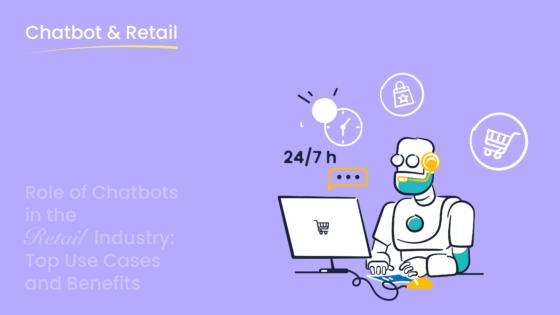
Launching your first ecommerce chatbot is a simple, four-step process. With consumers projected to spend over $142 billion via chatbots in 2024, now is the perfect time to enhance your customer experience. This guide maps your path to success.
Your Four-Step Plan:
- Define Your Goal
- Choose a Platform
- Design the Conversation
- Launch and Monitor
We will walk you through building a chatbot that improves customer service and helps boost sales. You can implement the right chatbot solutions for ecommerce, like Sobot, to create powerful customer service chatbots for your e-commerce business, ensuring great customer support and increased sales and conversions.
Step 1: Define Your Chatbot's Primary Goal
Before you build anything, you need a clear purpose. A focused goal helps you design a chatbot that delivers real value. Don't try to make your first chatbot do everything. Instead, pick one primary objective to start. This approach simplifies the process and ensures a successful launch. This short guide will help you choose the best starting point for your e-commerce business.
Answer Frequently Asked Questions
Your customer service team likely answers the same questions every day. A chatbot can take over this repetitive work. You can program customer service chatbots to handle common queries about shipping times, return policies, or product details. This customer support automation frees up your human agents. They can then focus on complex issues that require a personal touch. Some businesses see their chatbot handle up to 70% of all customer service inquiries.
Reduce Cart Abandonment
Did you know that studies show an average cart abandonment rate of over 70% for e-commerce sites? A proactive ecommerce chatbot can help lower this number. You can set up your chatbot to engage shoppers who seem stuck on the checkout page. It can offer a discount code, answer last-minute questions, or clarify shipping costs. This timely intervention can be the nudge a customer needs to complete their purchase.
Provide 24/7 Customer Support
Modern shoppers expect instant help at any hour. In fact, 51% of consumers want businesses to be available around the clock. An AI customer service chatbots provides automated customer support when your team is offline. This 24/7 support improves the customer experience and builds loyalty. When customers get immediate answers, their customer satisfaction increases, making them more likely to return. This is a key benefit of e-commerce customer support.
Guide Product Discovery
Sometimes, shoppers need help finding the right product. Your chatbot can act as a personal shopping assistant. It can ask customers about their needs and preferences. Based on their answers, the chatbot offers personalized recommendations. This improves the customer experience by making shopping easier and more engaging. Effective e-commerce customer support helps turn browsers into buyers by guiding them to the perfect item.
Step 2: Choosing Chatbot Solutions for Ecommerce
With your goal defined, you can now select the right tool for the job. The market for chatbot solutions for ecommerce is vast, but you can easily find the perfect fit by focusing on a few key areas. This part of the guide will help you choose a platform that empowers you, even with zero technical experience.
Key Features for Beginners
You don't need to be a developer to build an effective chatbot. The best platforms for beginners remove technical barriers. Look for these essential features:
- No-Code, Visual Builder: You want a platform with a simple, point-and-click or drag-and-drop interface. This allows you to design conversation flows visually, making chatbot development intuitive.
- Pre-built Templates: Templates for common e-commerce goals, like answering FAQs or tracking orders, give you a massive head start.
- Easy Customization: Your chatbot should reflect your brand. A good platform lets you easily change colors, and messages, and add your logo.
These features democratize technology, allowing you to focus on improving the customer experience rather than getting stuck on complex code.
Top Platform Recommendations
When choosing among chatbot solutions for ecommerce, you want a platform built for growth. For beginners in e-commerce, we recommend Sobot.
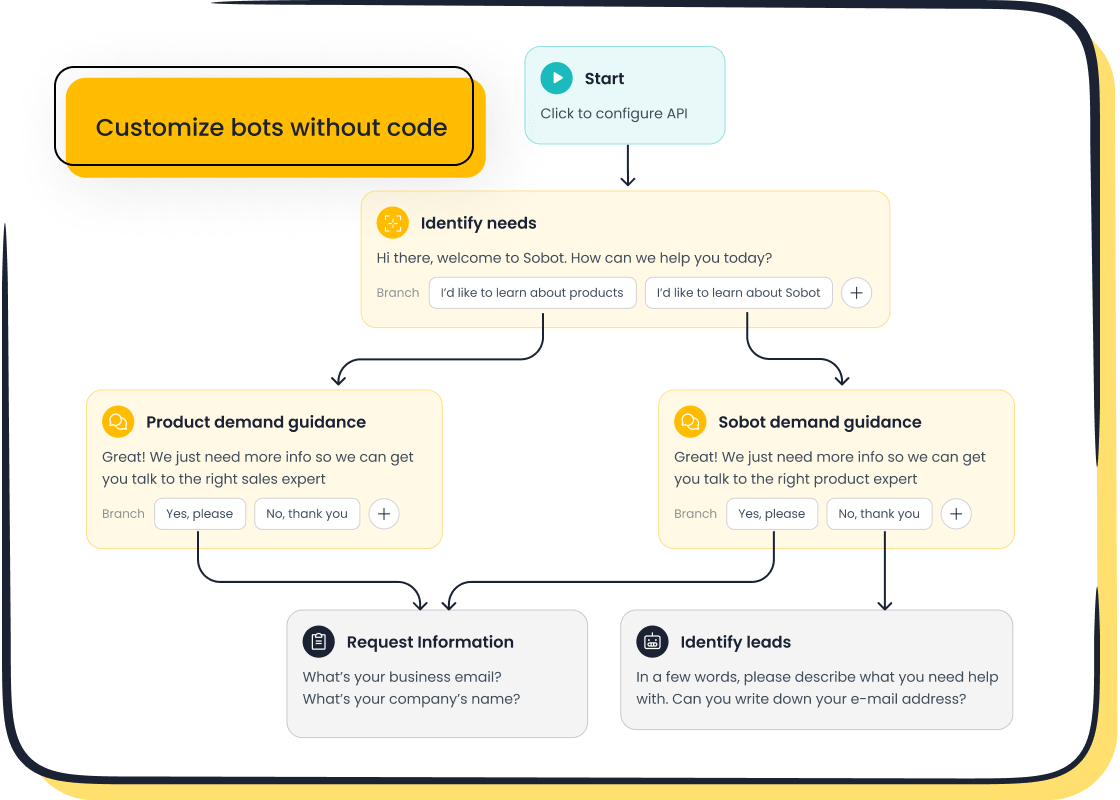
Sobot stands out with its powerful yet user-friendly AI-powered chatbot. It offers a true no-code, point-and-click interface, which means you can launch your first chatbot quickly. While other options like Tidio and Quickcep exist, Sobot provides a complete customer contact center solution. You can start with an AI chatbot and later expand to its live chat, ticketing system, and voice call center products as your business grows. This makes it one of the most scalable chatbot solutions for ecommerce.
Ensuring Easy Integration
Your ecommerce chatbot must work seamlessly with the tools you already use. Smooth integration prevents data silos and creates better e-commerce customer support.
Pro Tip: Prioritize platforms that connect directly with your e-commerce platform (like Shopify) and popular messaging apps.
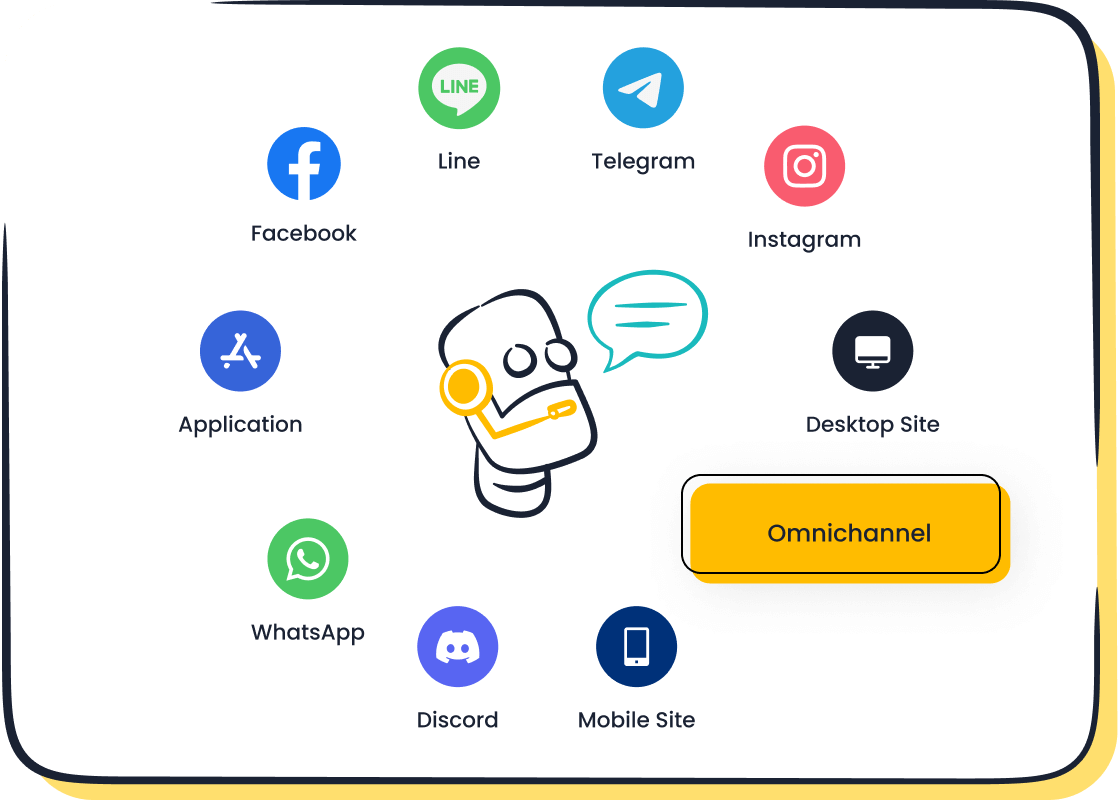
A strong integration allows your chatbot to pull customer data and order history to provide personalized help. For example, connecting to WhatsApp enables automated cart recovery campaigns and order notifications. Sobot excels here as an official WhatsApp Business Solution Provider. This certification ensures reliable, secure, and feature-rich communication, giving you a trustworthy foundation for your customer service chatbots and customer support automation.
Step 3: Design an Effective Conversation Flow
You have a goal and a platform. Now comes the creative part: designing the conversation. A good conversation flow guides users to their answers smoothly. This step is crucial for a positive customer experience and successful chatbot development. Think of it as drawing a map for your customers.
Craft a Welcoming Greeting
Your chatbot's first message is its first impression. Make it count! A warm, clear greeting encourages user engagement and sets the tone.
- Be Welcoming: Start with a friendly "Hello! 👋" or "Welcome!"
- Be Clear: Briefly introduce the chatbot and what it can do.
- Be Actionable: Give the user clear buttons or options to start.
For example, an e-commerce chatbot could say: "Hey there! I'm here to help. What can I do for you today?" followed by buttons like "Track My Order," "Return Policy," and "Product Questions." This simple start immediately improves the customer experience.
Build Your First User Flow
A user flow is a step-by-step path your chatbot follows to complete a task. For your first e-commerce chatbot, start with a simple, high-value flow. Let's use "Track My Order" as an example for your e-commerce site.
- User Clicks "Track My Order": The chatbot initiates the flow.
- Bot Asks for Information: The chatbot requests an order number and email address.
- User Provides Details: The user enters their information.
- Bot Delivers Status: The chatbot connects to your e-commerce system, finds the order, and provides the tracking status.
This straightforward process solves a common customer need instantly. This is a great starting point for ai chatbot development. You can train and customize your bot to offer personalized recommendations after providing the order status.
Plan for a Human Handoff
Even the best chatbot can't solve every problem. That is why you need a plan to transfer a conversation to a human agent. This ensures customer satisfaction and provides excellent e-commerce customer support. Your chatbot should hand off a conversation when:
- A customer asks to speak with a person.
- The query is too complex for the chatbot.
- The user seems frustrated or angry.
A seamless handoff shows customers you care. This process is a key part of this guide to building a helpful chatbot. It turns a potential dead-end into a helpful interaction and can even lead to personalized recommendations from a live agent.
Step 4: Implementing Your Ecommerce Chatbot: Launch and Improve
You have designed your conversation. Now you are ready for the final step in this guide: implementing your ecommerce chatbot. This is where your planning turns into a live tool on your e-commerce site. The process is straightforward. After you launch, you will monitor performance and make small adjustments for continued success.
Going Live on Your Site
Putting your chatbot on your website is an exciting moment. With a no-code platform like Sobot, you do not need technical skills. The process is simple and fast.
- Customize Your Chatbot: Adjust the colors and logo to match your brand. Write a friendly welcome message that invites users to interact.
- Set Up Key Actions: Ensure your main user flow, like "Track My Order," is ready to go. Double-check that the human handoff works correctly.
- Add to Your Site: The platform will give you a small piece of code. You just copy and paste this snippet into your e-commerce store's theme.
Once you complete these steps, your chatbot is live and ready to help customers.
Simple Metrics to Monitor
After launching, you need to measure your chatbot's performance. Tracking simple metrics helps you see what works and what needs improvement. Start by focusing on a few key numbers:
- Total Interactions: This shows how many people are using your chatbot.
- Goal Completion Rate: This tells you how often the chatbot successfully helps a user with their goal.
- Human Takeover Rate: This tracks how often a conversation moves to a human agent.
What Success Looks Like: Global tech leader OPPO saw incredible success with its customer service chatbots. By implementing AI chatbots for its e-commerce customer support, the company achieved an 83% chatbot resolution rate and a 94% positive feedback rate. These results show the powerful impact an ai-powered chatbot can have on customer satisfaction.
Making Quick Improvements
Your first launch is just the beginning. The key to long-term success is to listen and improve. Use your chatbot's data to make it even better. Review conversation logs to find questions the chatbot could not answer. These are great opportunities to expand its knowledge. You can train and customize your bot to handle these new queries.
A simple way to start is with A/B testing. Try two different greeting messages to see which one gets more engagement. Small changes can significantly improve the customer experience. This cycle of launching, monitoring, and improving will help you maximize chatbot success and deliver excellent customer support. This is the core of effective customer support automation and automated customer support.
You now have the complete path to launch your first ecommerce chatbot. The four steps—Define, Choose, Design, and Launch—make the process simple. Your key to success is starting small. This focus will help you maximize chatbot success with the right chatbot solutions for ecommerce. A simple chatbot can greatly improve the customer experience.
Ready to begin? Pick one small goal and build your first chatbot flow today. Embark on Your Contact Journey!
FAQ
How much does a chatbot cost?
The cost varies, but a good chatbot offers a strong return on investment. It saves money by handling routine tasks, which reduces the need for extra customer service staff. This customer support automation allows your team to focus on more complex issues.
Do I need coding skills to build a chatbot?
No, you do not need to code. Modern platforms like Sobot offer a point-and-click interface. You can design and launch your first chatbot easily. This makes automated customer support accessible to everyone, regardless of technical skill.
How quickly can I see results?
You can see results almost immediately. A chatbot provides instant 24/7 support, which improves customer satisfaction right away. Metrics like resolution rate will show you the chatbot's impact on your e-commerce customer support within the first few weeks.
Can a chatbot really improve sales?
Yes, customer service chatbots can boost sales. They guide users to products, answer questions instantly, and can even offer discounts to prevent cart abandonment. This improved customer support experience helps turn browsers into buyers.
See Also
Effortlessly Integrate a Chatbot Into Your Website With Simple Steps
Build a Powerful Website Chatbot With Uncomplicated Methods Today
Simple Implementation of Effective Chatbot Examples for Your Site
Quickly Add an Interactive Chatbot to Enhance Your Website Experience
Crafting a Chatbot for Unparalleled Website Engagement and Success

