AI Chatbot Training for Complex Questions

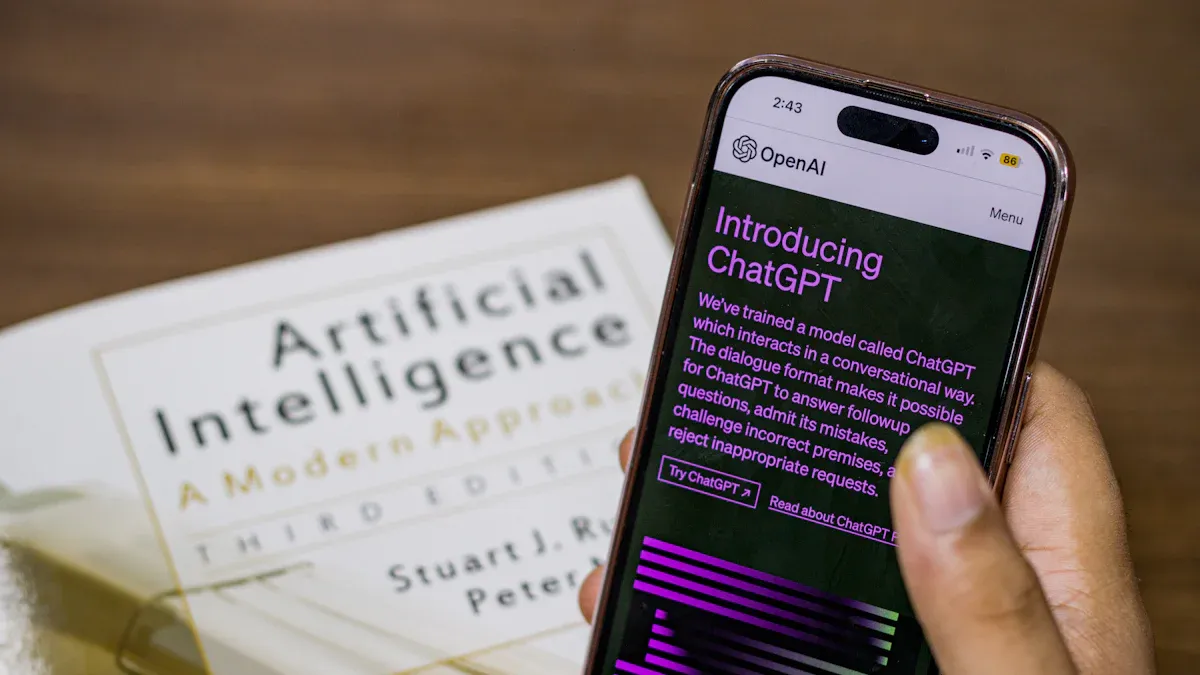
Your standard chatbot often fails with complex queries. This failure leads to a poor customer service experience for your customer. You need to move beyond a basic FAQ chatbot. Sobot helps enhance every customer interaction.
The answer to "how do I train or customize an AI chatbot for customer support?" involves advanced AI chatbot training. Proper chatbot training helps your AI chatbot handle complex issues. This AI chatbot uses smart AI to resolve complex customer issues. This complex chatbot boosts customer satisfaction and your service quality. Your chatbot becomes a key support tool with the right AI. This chatbot is a powerful service asset for your customer.
Foundational Data and Scope Strategies
A powerful AI chatbot needs a solid plan. You must start with the right data and a clear purpose. This foundation is key for your chatbot to handle complex customer questions. Good chatbot training depends on this first step.
Curating High-Quality Training Data
High-quality data is the fuel for your AI chatbot. Poor data leads to poor performance. Your chatbot training must begin with clean, relevant information.
Tip: Think of data quality like this: giving your chatbot a noisy, messy dataset is like asking a customer service agent to learn their job in a loud, chaotic room. It just won't work.
To build a great dataset for your AI, you should:
- Gather Diverse Data: Collect information from many sources. Use customer support logs, social media comments, and product documents. This variety helps your chatbot understand different ways a customer might ask a question.
- Clean Your Data: Remove duplicate entries and fix inconsistencies. For example, make sure "CA" and "California" are treated the same. Clean data prevents your AI from getting confused.
- Keep Data Fresh: Your business and your customer needs change. Regularly update your chatbot training data with recent customer interactions. Stale data leads to an outdated and unhelpful chatbot service.
Structuring Data for Your AI Customer Service Bot
Raw data is often messy. You need to structure it so your AI customer service bot can understand it. This process turns unstructured text, like call transcripts or emails, into organized information.
First, you identify the customer's goal, or "intent." Then, you pull out key details, or "entities." For example:
- Customer Query: "I want to check the status of my order, number 12345."
- Intent:
check_order_status - Entity:
order_number: 12345
This structure helps the AI chatbot quickly understand what the customer wants and find the right answer. A good AI customer service bot uses this method to make sense of complex requests. Proper chatbot training ensures the AI can identify these patterns accurately. This is a core part of AI chatbot training for complex questions.
Defining Chatbot Scope and Personality
Before you build your chatbot, define what it will do. An AI customer service bot with a clear scope performs better. Start small with a few high-volume, simple tasks. For example, let the chatbot handle password resets or order tracking. This proves its value before you tackle more complex service issues.
Your chatbot's personality is also important. It should match your brand. A financial service chatbot might be helpful and secure, like Bank of America's Erica. A retail chatbot could be playful and engaging, like LEGO's Ralph. This personality makes the AI chatbot feel like a true part of your customer service team. A well-defined scope and personality are crucial for successful AI chatbot training for complex questions. This focus ensures your AI provides a consistent and helpful experience for every customer.
How Do I Train or Customize an AI Chatbot for Customer Support?

You want to know, "how do I train or customize an ai chatbot for customer support?" The answer lies in moving beyond simple keyword matching. You must teach your AI chatbot to understand context, manage long conversations, and recognize customer emotions. These advanced strategies transform a basic bot into a powerful support tool. Proper chatbot training is essential for handling complex queries and delivering excellent service. Let's explore how you can achieve this.
Building Contextual Understanding
A smart AI chatbot does not just read words; it understands meaning. Building this contextual understanding is a core part of your chatbot training. The AI must grasp what a customer wants, even if they use different phrasing. This process involves several steps:
- Input Processing: The AI chatbot first breaks down a customer message into words and phrases.
- Intent Recognition: It then determines the main goal of the user queries, like
track_shipmentorrequest_refund. - Dialogue Management: The chatbot keeps track of the conversation's history to provide relevant next steps.
Modern AI uses a powerful technique called Retrieval-Augmented Generation (RAG). Think of it as giving your AI an "open-book exam." The AI can look up information in your knowledge base to answer complex questions accurately. This is powered by embeddings, which turn your data into numerical representations that capture meaning. This allows for:
- Semantic Search: Your chatbot can find answers based on meaning, not just keywords. A customer asking "Where is my stuff?" gets matched with information about order tracking.
- Typo-Tolerance: The AI understands user queries even with spelling mistakes because it focuses on the underlying intent.
Platforms like Sobot make this process simple. You can build a comprehensive knowledge base for your AI chatbot from various sources, including PDFs, Excel files, and text snippets. Sobot's AI then uses this information to understand the context of complex product questions and provide precise answers, which is a key part of how do i train or customize an ai chatbot for customer support.
Mastering Multi-Turn Conversations
Complex issues are rarely solved in one exchange. A customer might ask about a product, then its warranty, and finally its shipping options. Your AI chatbot must follow along without losing track. This is called a multi-turn conversation.
However, managing these conversations presents challenges:
- The chatbot may forget the original topic.
- The AI can get confused by ambiguous user queries.
- It may struggle to handle interruptions gracefully.
To overcome these issues, you need to design a flexible conversation flow. This involves mapping out decision trees and planning for interruptions. A key strategy is session memory management, which helps the AI chatbot remember the context of the entire interaction.
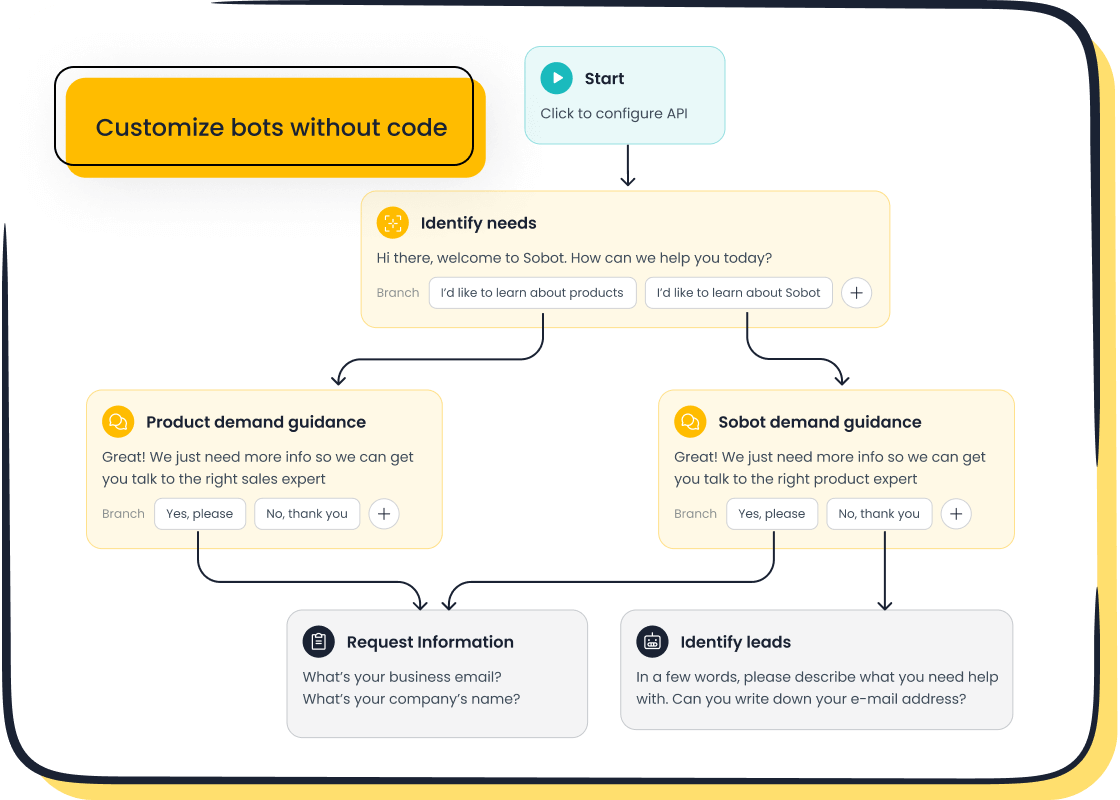
With a no-code, point-and-click interface like the one offered by Sobot's Chatbot, you can design these complex dialogue flows visually. You can set rules for how the chatbot should behave, manage transitions between topics, and create fallback plans for when it gets confused. This makes advanced chatbot training accessible, allowing you to build a bot that can handle sophisticated, multi-step support scenarios across any channel, from your website to WhatsApp and SMS.
Sentiment Analysis for Your AI Chatbot
Great customer service is not just about providing the right answer; it is also about recognizing the customer's feelings. Sentiment analysis allows your AI chatbot to detect emotions like frustration, happiness, or confusion in user queries. This is a critical part of how do i train or customize an ai chatbot for customer support.
When an AI customer service bot detects negative sentiment, it can react accordingly. For example:
- A frustrated customer can be immediately routed to a human agent.
- An urgent, negative message from a high-value customer can trigger a high-priority alert.
This goes beyond basic keyword flagging. The AI analyzes tone and historical data to understand the full picture. By incorporating sentiment analysis, your chatbot training ensures the AI provides a more empathetic and effective service. It helps prioritize emotionally charged interactions, ensuring your most critical customer issues get the attention they deserve without manual review. This capability turns your chatbot into a proactive support asset.
Disambiguation for Vague Queries
Customers do not always speak clearly. They might ask, "What about my account?" This is a vague query with multiple possible meanings. A basic chatbot would fail here. An advanced AI chatbot uses disambiguation to clarify the customer's intent. This is a vital skill for handling complex queries.
Instead of guessing, the chatbot should ask for more information. Effective disambiguation techniques include:
| Strategy | Description |
|---|---|
| Presenting Options | The chatbot offers a list of likely options, such as "Do you mean your billing details, order history, or account settings?" |
| Asking Questions | The AI asks a direct clarifying question to narrow down the possibilities before providing an answer. |
| Using Feedback | The customer's choice helps the AI learn, improving the chatbot training data for future interactions. |
| 'None of the Above' | This option allows the customer to signal that the chatbot is on the wrong track, which can trigger an escalation to a human agent. |
Teaching your AI customer service bot to ask for clarification is a fundamental part of how do i train or customize an ai chatbot for customer support. It prevents wrong answers and reduces customer frustration, showing that your AI is smart enough to know what it does not know. This approach makes your chatbot a more reliable and helpful partner in your customer support efforts.
Establishing a Continuous Improvement Loop
Your work is not finished after you launch your AI chatbot. The best AI chatbot is one that constantly learns and improves. You must establish a continuous improvement loop. This process turns your good chatbot into a great one. It ensures your AI stays effective at handling complex user queries and delivering value to every customer.
Implementing an Effective Feedback Loop
You need to listen to your customer to improve your chatbot. An effective feedback loop is your direct line to user experience. After an interaction, you can ask for a simple thumbs-up or thumbs-down. This feedback provides valuable data. You can use AI algorithms to automatically categorize this information. Natural Language Processing (NLP) helps your AI understand the content and sentiment of user queries. This groups similar feedback, showing you common themes and areas for improvement, like response accuracy or conversation flow.
Analyzing Failed Conversations for Gaps
Every failed conversation is a learning opportunity for your AI chatbot. You must analyze these interactions to find gaps in your chatbot's knowledge. A chatbot can fail if it misses the point of a customer question or has no clear exit path for the user. To find these failure patterns, you can use several tools:
- Sentiment analysis gauges the emotional tone of user queries.
- Intent recognition helps the AI understand the purpose behind a customer message.
By reviewing these logs, you can identify why the chatbot struggled. This analysis is a core part of your AI chatbot training for complex questions, helping you fix the root causes of failure.
Involving Experts in the Retraining Process
Your subject matter experts (SMEs) are a vital part of the AI training process. They hold the knowledge your AI chatbot needs. You can create a simple workflow for them to improve the chatbot. First, establish a central knowledge library for all approved information. Next, have your experts review and correct AI-suggested responses. The AI chatbot then learns from these edits. This human-in-the-loop system creates a powerful cycle where your AI continuously gets smarter and more accurate with every correction.
Monitoring Key Performance Metrics
You cannot improve what you do not measure. Monitoring key performance indicators (KPIs) is essential for tracking your chatbot performance. These metrics tell you how well your AI chatbot is helping each customer. Important KPIs include:
- Automation Rate: The percentage of user queries the chatbot resolves without human help.
- Goal Completion Rate: How often users successfully complete a task with the chatbot.
- User Satisfaction: Direct feedback from customers about their experience.
Tracking these numbers shows you the direct impact of your chatbot. It helps you prove its value and guides your efforts for future improvements.
Best Practices for Human Escalation
A smart AI chatbot knows its limits. The goal is not to trap a customer in a loop but to provide the fastest path to a solution. A seamless handover to a human agent is a sign of a well-designed system. These chatbot best practices turn a potential point of frustration into a successful interaction.
Defining Clear Escalation Triggers
You must define clear rules for when your chatbot should escalate a conversation. This ensures your customer gets help before they become frustrated. Your AI chatbot should automatically transfer a customer to a human agent when specific triggers occur.
Tip: Think of these triggers as safety nets for your customer experience. They catch complex issues before they cause problems.
Your AI should escalate when:
- The customer directly asks to speak to a person.
- Sentiment analysis detects frustration or anger in the customer's messages.
- The chatbot fails to answer the same question multiple times.
- The query involves urgent keywords like "complaint," "fraud," or "cancel."
Ensuring a Seamless Agent Handover
When a customer moves from a chatbot to an agent, the transition must be smooth. The customer should never have to repeat themselves. Your support agent needs the full context to provide effective help. A seamless handover is one of the most critical chatbot best practices.
To achieve this, your ai customer service bot must provide the agent with:
- The complete chat transcript.
- The customer's account information.
- A summary of what the AI chatbot has already tried to do.
This preparation allows your agent to start the conversation with, "I see you were asking about..." instead of "How can I help you?"
Using Escalation Data for Retraining
Every escalation is a learning opportunity for your AI. This data shows you the exact gaps in your AI chatbot's knowledge. By analyzing these conversations, you can identify complex questions the chatbot could not handle. This is a core part of your chatbot best practices for continuous improvement. Use this information to update your knowledge base and refine the AI chatbot's training. This process turns failed attempts into future successful interactions.
Optimizing the Human-AI Workflow
The goal of an AI chatbot is not to replace your human team. It is to augment them. The chatbot handles repetitive queries, freeing your agents to focus on complex problems that require human intelligence and empathy. This hybrid model creates a more efficient support system.
A prime example of this is OPPO's successful chatbot implementation with Sobot. By creating a powerful human-AI workflow, OPPO achieved:
- An 83% chatbot resolution rate for common questions.
- A 94% positive feedback rate from customers.
This shows how a well-optimized ai customer service bot can manage high volumes while allowing agents to deliver high-value support for complex issues. This synergy leads to more successful interactions and higher customer satisfaction. Following these chatbot best practices ensures your AI and human teams work together perfectly.
Effective AI chatbot training is an ongoing journey. Your chatbot needs constant care. A successful AI chatbot relies on key strategies. You need a solid data foundation for your chatbot. You need advanced AI service strategies for your chatbot. A continuous improvement cycle with human escalation is vital for your service. This effective chatbot training makes your AI chatbot a better service tool for every customer. Your chatbot provides great customer service. This effective chatbot training helps your customer. The chatbot training makes your chatbot a better service asset for each customer. Effective chatbot training improves your customer service. This chatbot training helps your customer. The chatbot training makes your AI chatbot a better chatbot.
Embark on Your Contact Journey
FAQ

What is the main purpose of an advanced AI chatbot?
An advanced AI chatbot solves complex customer problems. This chatbot goes beyond simple questions. The chatbot provides detailed support to each customer. This chatbot improves your customer service.
How does a chatbot help a customer with vague questions?
A smart chatbot asks clarifying questions. The chatbot presents options to the customer. This helps the chatbot understand the customer's true goal. This chatbot avoids giving the wrong answer.
Why is a human handover important for a chatbot?
A chatbot cannot solve every problem. A smooth handover to a human agent prevents customer frustration. The chatbot gives the agent all the context. This helps the agent support the customer faster.
See Also
Effortlessly Deploying Effective Chatbot Examples on Your Website
Selecting the Optimal Chatbot Software: A Comprehensive Implementation Guide
Achieving Excellence in Customer Support Through Live Chat Mastery
Building a Successful Website Chatbot: A Step-by-Step Creation Guide
Optimizing Retail Operations: Mastering Live Chat for Industry Success

