How to Record Call Conversations for Quality Assurance

You want to know how to record call conversations for quality assurance. Most call centers do this, with about 90% using recording to improve customer experience. Always get consent first—privacy laws matter. Sobot Voice/Call Center helps you record, store, and manage calls securely and professionally.
Legal Compliance for Call Recording
Consent and Privacy Laws
You can’t talk about how to record call conversations for quality assurance without first thinking about the law. In the United States, recording laws change from state to state. Some states use one-party consent rules, while others require all-party consent. Here’s a quick look:
| Consent Type | Description |
|---|---|
| One-Party Consent | Only one person in the conversation needs to know about the recording. |
| All-Party Consent | Everyone in the conversation must agree to the recording. |
Federal law says you need only one person’s consent, but many states want everyone to agree. Always follow the strictest rule that applies to your business. If you work with customers in other countries, you also need to think about international laws like GDPR. These rules say you must tell callers about the recording, keep data safe, and only record what you need.
Sobot’s Voice/Call Center helps you stay compliant. It offers secure, encrypted call recording and makes it easy to manage consent across different regions. This is a big reason why so many companies trust Sobot when they ask how to record call conversations for quality assurance.
Transparency with Customers
You build trust when you stay open with your customers. Always let people know when you record a call. Start by telling them at the beginning of the conversation. You can even ask them to say their name and confirm they know about the recording. This simple step helps you follow the law and shows you care about privacy.
Sobot’s system supports clear consent prompts and keeps your recordings organized. When you use Sobot, you make it easy to answer the question of how to record call conversations for quality assurance—legally and ethically.
How to Record Call Conversations with Sobot
Using Sobot Voice/Call Center
You want a simple way to record every call for quality assurance. Sobot Voice/Call Center gives you built-in recording features that work right out of the box. You don’t need extra hardware or complicated setups. Just turn on the recording option, and Sobot will automatically capture every conversation between your team and your customers.
Sobot’s system does more than just record. It helps you monitor and analyze each call so you can keep improving your service. Here’s what you get:
- Quality Assurance Score: Sobot checks each recording for clarity, accuracy, and empathy. You see scores that help you coach your team and boost call quality.
- Script Adherence: The system listens for key phrases and checks if your agents follow the right script. This keeps your calls on track and helps you meet company standards.
- Compliance Rate: Sobot reviews each recording to make sure your team follows legal and company rules. You spot problems early and fix them fast.
You can listen to any recording at any time. Sobot stores your files securely, so you never lose important conversations. If you want to know how to record call conversations for quality assurance, Sobot makes it easy and safe.
Tip: Sobot’s analytics dashboard shows you trends in your recordings. You can spot common issues, track improvements, and share feedback with your team. This helps you deliver better customer service every day.
Integration with CRM and Support Tools
You don’t want your call recordings stuck in one place. Sobot Voice/Call Center connects with the tools you already use. This means you can see call details, listen to recordings, and manage customer info all in one spot.
Here’s how Sobot fits into your business:
| Category | Integrated Systems |
|---|---|
| CRM Systems | Salesforce, HubSpot, Microsoft Dynamics, Zoho CRM |
| E-commerce Platforms | Shopify, WooCommerce, Magento, Amazon Seller Central |
| Communication Tools | Microsoft Teams, Slack, Email systems |
| Analytics and Business Intelligence | Google Analytics, Custom dashboards via API |
| Custom Integrations | Development via API for specialized needs |
When you record a call, Sobot links the recording to the right customer profile in your CRM. You can pull up a customer’s history, listen to past recordings, and see every interaction in one place. This unified view helps you solve problems faster and keeps your team on the same page.
If you use other business tools, Sobot’s open API lets you build custom connections. You can send recordings to your analytics dashboard, share them with your support team, or use them for training. Everything works together, so you never waste time searching for files.
Note: Sobot’s integration features save you hours each week. You don’t have to switch between apps or dig through folders to find a recording. Everything you need is right where you expect it.
Sobot’s Voice/Call Center is trusted by brands like Weee!, Samsung, and Luckin Coffee. These companies use Sobot to record call conversations for quality assurance, improve agent performance, and keep their customers happy. If you want to know how to record call conversations for quality assurance and make the most of your data, Sobot gives you the tools to do it right.
Recording Audio on a Phone for Quality Assurance
Device Settings and App Selection
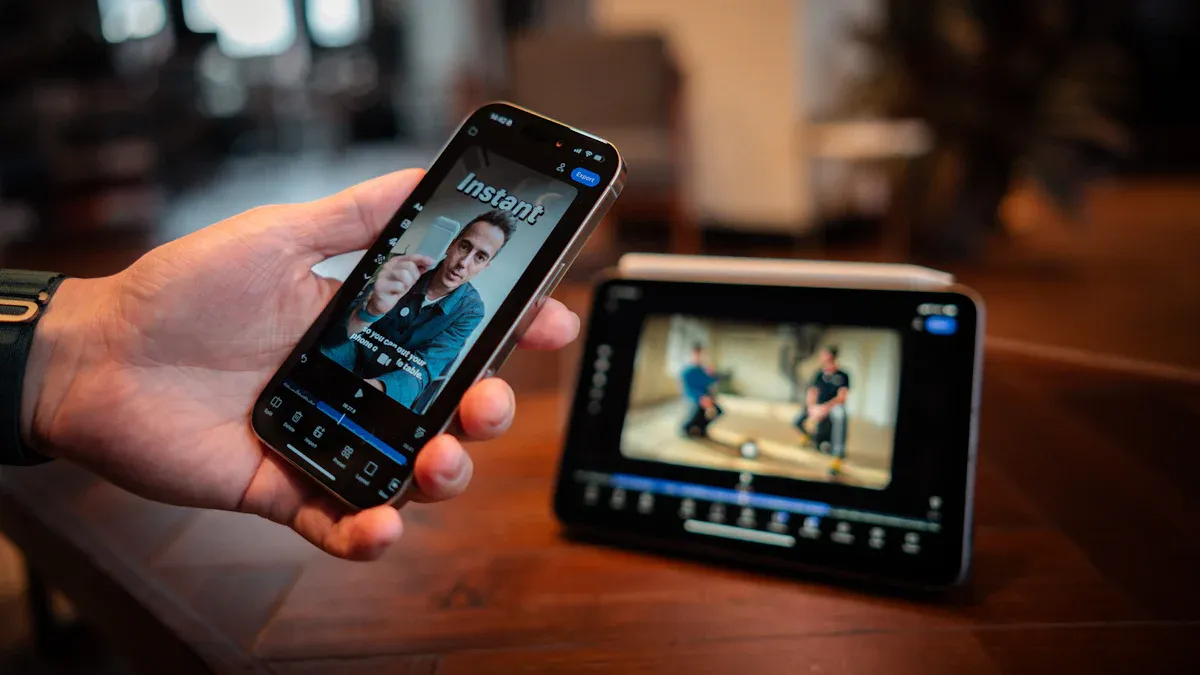
You might need to start recording audio on a phone when you’re away from your desk or working remotely. To get the best results, you should set up your device the right way. First, pick a quiet spot so background noise doesn’t ruin your recording. Use a good microphone if you have one. Make sure your phone has a strong Wi-Fi or cellular signal. Always start the recording at the beginning of the call and let the other person know you’re recording. Try a test call before anything important. Save your recordings right after you finish so you don’t lose them.
When you choose a recording app, look for one that’s reliable and easy to use. Some top picks for Android and iOS include:
- Rev Call Recorder (great for transcription)
- Google Voice (free for incoming calls)
- ACR Call Recorder and Cube ACR (both offer free versions)
- Riverside app (high-quality audio and video)
- TapeACall (popular for iPhone users)
These apps help you record calls for quality assurance, but always check if they fit your needs.
Sobot Mobile Compatibility
You can use Sobot for recording audio on a phone, whether you’re on Android or iOS. Sobot’s mobile support means you can record, store, and manage calls from anywhere. The app uses an AI-powered voice assistant to understand caller intent and route calls quickly. Sobot’s global telephony features let you connect with customers worldwide, making it easy for remote teams to stay in touch. The app also links with your CRM, so every recording goes straight to the right customer profile. With Sobot, you get a smooth, secure experience every time you record a call on your phone.
Tip: Always keep your app updated to get the latest features and best performance when recording.
Best Practices to Record in High Quality
Quiet Environment and Phone Positioning
You want your recordings to sound clear every time. Start by finding a quiet space. This step cuts out background noise and helps you capture every word. Place your phone or recording equipment on a stable surface. Don’t hold your phone in your hand, because that can add unwanted sounds. Make sure the microphone faces you and stays uncovered. Sobot’s stable system helps you record in high quality, even if you move between locations. The AI-powered features can filter out some noise, but starting with a quiet spot always gives you the best results.
External Microphones and Accessories
The right equipment makes a big difference in recording quality. Use an external microphone if you can. Headphones with a built-in microphone help reduce background noise and pick up your voice better. You can also try a speakerphone to capture both sides of the conversation evenly. Some people use dedicated call recording devices that connect by Bluetooth or a headphone jack. These tools are designed to record clear audio, which is important for quality assurance. Sobot supports many types of equipment, so you can choose what works best for your team.
Adjusting Audio Settings
Before you start, check your recording app’s settings. Pick the highest audio quality option. Keep your phone in ‘Do Not Disturb’ mode to avoid interruptions. Soft furnishings in your room can help reduce echo. Always test your equipment before an important call. Sobot’s system works with your equipment and settings to make sure every recording is clear and reliable. When you follow these steps, you can record call conversations for quality assurance with confidence.
Tip: Good equipment and smart setup help you record in high quality every time.
Recording Phone Interviews and Customer Calls
Monitoring and Testing Setup
You want every recording phone interviews session to go smoothly. Before you start, always check your recording setup. This helps you avoid missing important details or losing audio. Test your equipment with a quick call. Make sure your microphone works and your app records clearly. Use a script at the start of each call to let people know you’re recording. This builds trust and keeps you compliant.
Here are some best practices for monitoring and testing your recording setup:
| Best Practice | Description |
|---|---|
| Call Quality Monitoring | Listen to sample calls to check if your recording meets your standards. |
| Regular Review | Set a schedule to review recordings and spot areas for improvement. |
| Ethical Practices | Always get consent and explain why you’re recording phone interviews. |
- Use IVR systems to inform callers about recording.
- Start each call with a clear disclosure.
- Follow all legal rules for recording.
Real-Time Analysis with Sobot
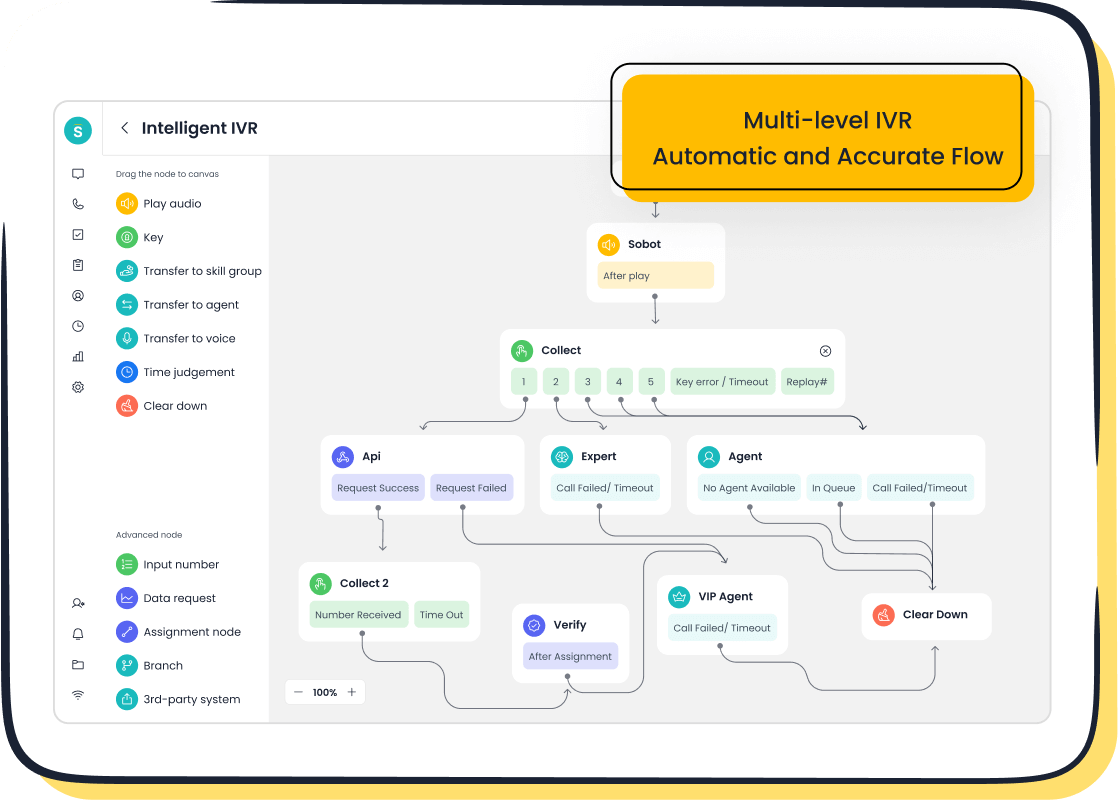
Sobot makes recording phone interviews and customer calls simple and smart. You get real-time call monitoring, so supervisors can listen in and give instant feedback. The intelligent IVR helps callers reach the right person fast. Sobot’s AI-driven insights show you what’s working and what needs fixing during the call.
| Feature | Description |
|---|---|
| Real-time call monitoring | Supervisors listen live and guide agents right away. |
| Intelligent IVR | Routes calls and gives quick responses to callers. |
| AI-driven insights | Analyzes calls and gives tips to improve service quality. |
Weee! used Sobot to upgrade their recording setup. They saw a 20% boost in agent efficiency and cut resolution time in half. Their customer satisfaction score hit 96%. When you use Sobot, you can record high-quality phone interviews, get quotes exactly right, and keep every recording organized for easy review.
Saving and Securing Call Recordings

Organizing and Backing Up Files
You want to keep your call recordings safe and easy to find. A good system helps you stay organized and makes it simple to review calls for quality assurance. Try this step-by-step method:
- Create a main folder called "Recorded Sounds" on your computer or cloud drive.
- Inside, add subfolders for each year, like "2023" or "2024".
- Name each file with the date, a sequence number, and a short description. For example, "240601_0012_SupportCall".
- After you download a recording, listen to a short part and rename it with the customer’s name or topic.
- If you edit a file, always save a copy of the original. This way, you never lose important information.
Backing up your files is just as important. Use cloud storage or an external hard drive. Check your backups often to make sure everything works.
Tip: A clear folder structure saves you time when you need to find a specific record.
Data Security with Sobot
You need to protect your call data from loss or leaks. Sobot’s Voice/Call Center uses encrypted data transfer and secure storage. The system keeps your files safe and always available, with 99.99% uptime. Here’s how Sobot meets industry standards:
| Regulation | Consent Model | Retention Period | Security Standard |
|---|---|---|---|
| GDPR | Opt-in from all parties | Only as long as needed | Strong technical and organizational measures |
| CCPA | Notice and opt-out | Only as long as needed | Reasonable security procedures |
| HIPAA | Implied consent in care | 6 years | Strict safeguards |
Sobot helps you follow these rules and keeps your recordings secure, so you can focus on helping your customers.
You now know how to record call conversations for quality assurance. Focus on legal compliance, clear audio, and secure storage. Review your recording process often:
- Monitor and adjust practices regularly
- Schedule call reviews for team growth
- Refresh compliance training
Sobot’s advanced features boost quality and efficiency:
| Feature | Description |
|---|---|
| Intelligent IVR | Smart call routing for better quality |
| Real-time call monitoring | Supervisors guide calls live |
| Call recording | Automatic documentation for quality |
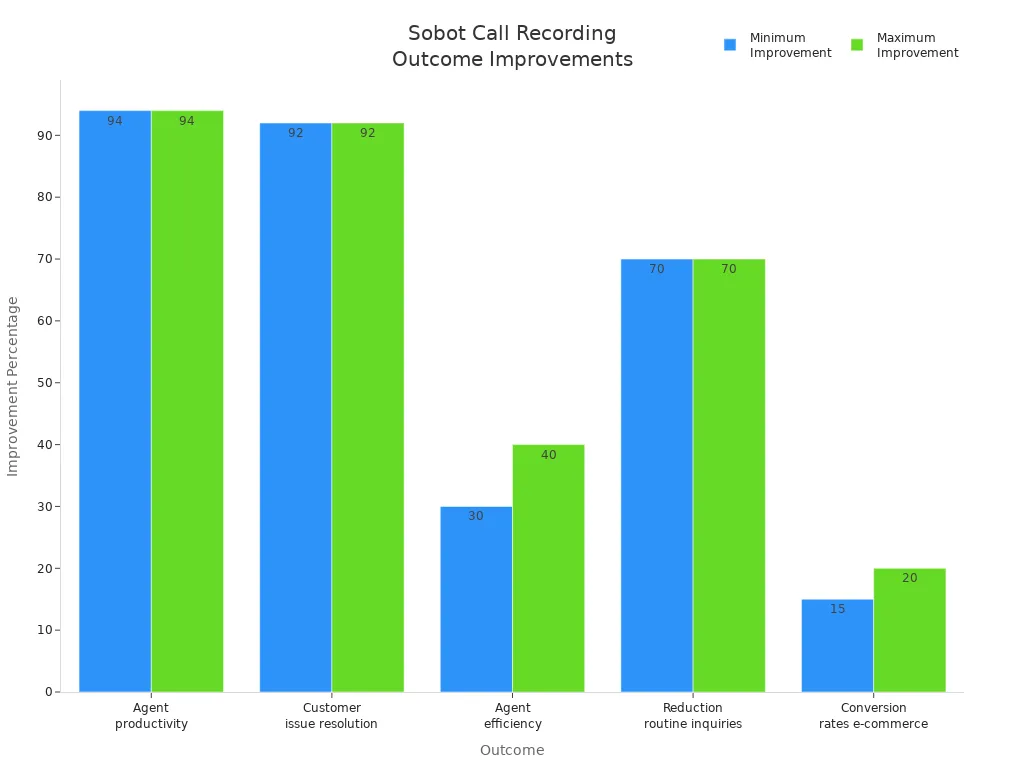
Try Sobot Voice/Call Center to see how to record call conversations for quality results.
FAQ
How do you record call conversations for quality assurance with Sobot?
You just enable call recording in Sobot Voice/Call Center. The system captures every call, stores it securely, and links recordings to customer profiles for easy review.
Is it legal to record calls for quality assurance?
Yes, if you follow consent laws. Sobot helps you stay compliant by prompting for consent and keeping your recordings secure and organized.
Can you use Sobot to record calls on your phone?
Absolutely! Sobot works on Android and iOS. You can record, store, and manage calls from anywhere using the mobile app.
See Also
Essential Insights Into Call Center QA Software Solutions
Effective Strategies for Quality Management in Call Centers
Understanding QMS Principles for Call Center Success
Enhancing Call Center Efficiency Through Effective Monitoring

