How to Perform a Call Transfer on Any Device

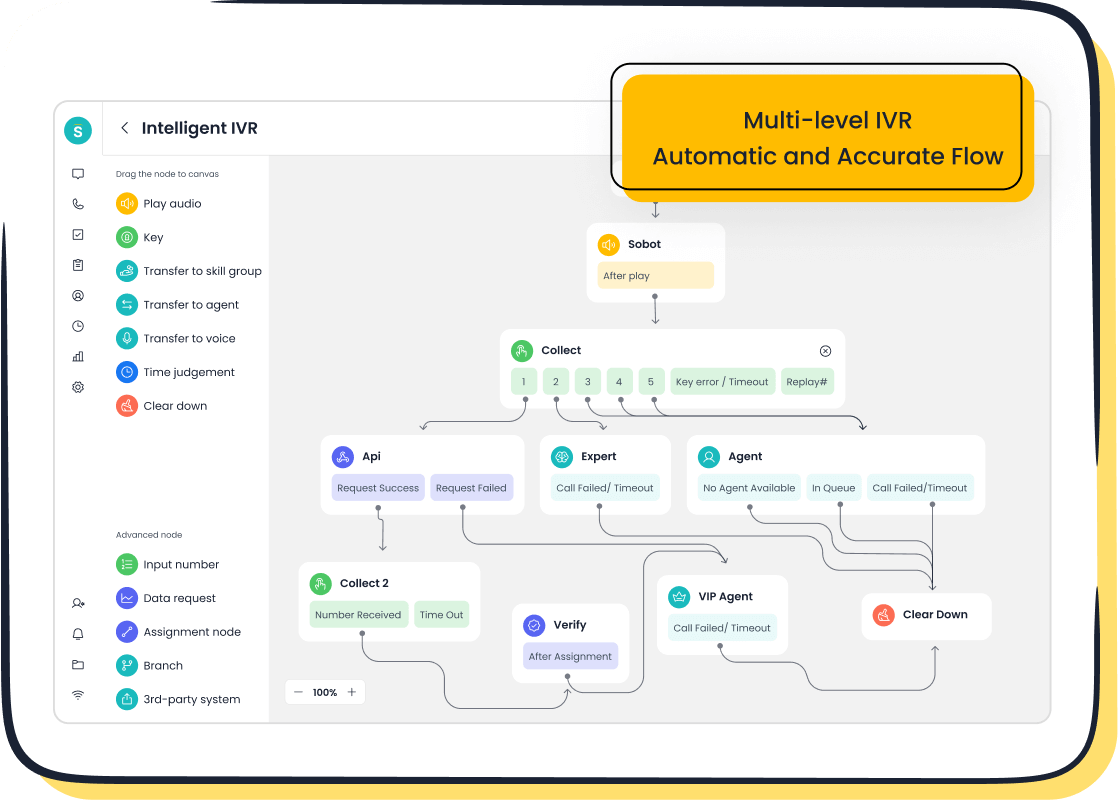
A call transfer moves a customer’s call from one agent or department to another. It’s a small action with a big impact on customer service. When done right, it ensures customers get the help they need without frustration. For example, warm transfers—where agents share details before transferring—boost satisfaction and first-call resolution rates. On the other hand, cold transfers or long holds can lower satisfaction by up to 15%. Tools like Sobot’s intelligent call routing make this process seamless, helping you deliver faster and more personalized support.
Step-by-Step Guide to Call Transfers on Different Devices
How to Transfer Calls on Landlines
Transferring calls on traditional phones might seem outdated, but it remains essential for many businesses. Here’s how you can forward calls on landlines effectively:
- During an active phone call, press the "Transfer" or "Flash" button on your landline.
- Dial the number you want to forward calls to.
- Wait for the recipient to answer if you’re doing a warm transfer. If not, hang up to complete the transfer.
However, landlines often face challenges like long transfer times or technical issues. For example, customers may get frustrated if they need to repeat their concerns to multiple agents. Proper training and secure systems can help address these issues, ensuring smooth call forwarding on traditional phones.
How to Transfer Calls on iPhones
Forwarding calls on an iPhone is straightforward and user-friendly. To transfer calls:
- Tap "More" during the call.
- Select "Transfer Caller."
- Enter the recipient’s number or choose from your contacts.
- Tap "Transfer Now" to complete the process.
This method ensures you can forward calls on an iPhone quickly, whether you’re using conditional call forwarding or unconditional call forwarding. It’s a great way to manage call routing efficiently.
How to Transfer Calls on Android Devices
Android devices make it simple to transfer calls. Follow these steps:
- Tap the "Transfer" icon on the call screen.
- Search for the recipient or manually enter their number.
- Tap "Transfer Now" to forward calls to another number.
Android’s call transfer feature is similar to iPhones but offers flexibility across various models. Whether you’re using conditional call forwarding or routing calls to a specific department, Android devices handle it seamlessly.
How to Transfer Calls Using Sobot's Voice/Call Center

Sobot’s Voice/Call Center takes call management to the next level. Its intelligent IVR system allows you to customize call routing, ensuring calls reach the right agent or department. With features like smart call routing and a unified workspace, you can transfer calls effortlessly. For example, Sobot’s AI-powered Voicebot can recognize customer intent and forward calls to the most suitable team member. This reduces wait times and enhances customer satisfaction.
How to Transfer Calls Using Desktop Apps (e.g., VoIP or CRM tools)
Desktop apps like VoIP or CRM tools streamline call transfers. Here’s why they’re effective:
| Benefit | Description |
|---|---|
| Better Handling of Calls | Connects customers quickly to the right person, minimizing waiting time. |
| Better Customer Experience | Ensures accurate information by transferring calls to the appropriate team member. |
| More Scalability and Flexibility | Supports seamless communication in remote or hybrid setups. |
| Increased FCR | Routes calls to available agents, reducing repeat calls. |
| Time and Cost Savings | Optimizes resources by minimizing callbacks. |
| Enhanced Collaboration between Agents | Allows agents to share customer history before transferring, improving interactions. |
| Customer Convenience | Directs calls to the correct department, preventing the need for redialing. |
| Effective Call Queueing | Manages queues efficiently, reducing wait times. |
These tools, combined with Sobot’s integration capabilities, make call forwarding a breeze. Whether you’re transferring calls internally or externally, desktop apps ensure smooth communication.
Types of Call Transfers and Their Applications
Blind Transfers
A blind transfer, also known as a cold transfer, happens when you forward a call without speaking to the recipient first. This method works well when time is critical, like during emergencies or high call volumes. For example, if a customer needs to speak to a specific department, you can quickly reroute their call without delay.
However, blind transfers can sometimes frustrate customers. They might have to repeat their issue if the recipient isn’t prepared. This can lead to wasted time and a poor impression of your service. To avoid this, ensure your team knows when a blind transfer is appropriate and how to use it effectively.
Warm Transfers
Warm transfers, or attended transfers, involve speaking to the recipient before transferring the call. You provide context about the caller’s needs, ensuring a smooth handoff. For instance, if a customer has a billing issue, you can explain the situation to the billing department before transferring the call.
This approach enhances customer satisfaction. It reduces frustration since the caller doesn’t need to repeat their concerns. Warm transfers also allow the recipient to prepare, leading to faster resolutions and a more personalized experience.
Tip: Tools like Sobot’s Voice/Call Center make warm transfers seamless. Features like intelligent IVR and smart call routing ensure calls reach the right person with all the necessary details.
Cold Transfers
Cold transfers are another term for blind transfers. They’re quick but lack the personalization of warm transfers. While they save time, they can confuse customers if the recipient isn’t ready to assist. Use cold transfers sparingly and only when speed is more important than context.
Transferring to Voicemail
Sometimes, transferring a call to voicemail is the best option. This works well when the intended recipient is busy, on another call, or unavailable. For example, if a customer service agent is actively working on a case, voicemail ensures the caller’s message is recorded and addressed later.
Voicemail transfers help maintain efficiency while ensuring no customer query goes unanswered. Just make sure your voicemail system is easy to use and regularly monitored.
Transferring to a Hold Queue
When all agents are busy, transferring a call to a hold queue keeps customers in line without disconnecting them. This is especially useful during peak hours. Modern systems, like Sobot’s Voice/Call Center, even allow you to play custom messages or music while customers wait, improving their experience.
Hold queues ensure no call gets lost. They also give agents time to wrap up their current tasks before assisting the next customer. Just remember to keep wait times as short as possible to avoid frustration.
Troubleshooting Common Call Transfer Issues
What to Do When the Call Fails to Transfer
Call transfer failures can be frustrating, but you can handle them effectively with the right approach. Here’s what you should do:
- Ask for Permission: Before attempting another transfer, check if the caller is okay with waiting.
- Share a Direct Number: If the transfer fails again, provide the caller with the direct number of the department they need.
- Set Realistic Expectations: Let the caller know how long it might take to resolve their issue.
- Thank the Caller: Always express gratitude for their patience and understanding.
To prevent these issues in the future, consider using tools like Sobot’s Voice/Call Center. Its intelligent IVR system uses conversational technology to capture caller intent and route them to the right agent from the start. This minimizes the chances of failed transfers and keeps your customers happy.
How to Handle Poor Call Quality During Transfers
Poor call quality can disrupt communication and lead to misunderstandings. If this happens, try these steps:
- Check Your Network: Ensure your internet or phone connection is stable. Weak signals often cause call quality issues.
- Switch Devices: If the problem persists, transfer the call to a different device or line.
- Apologize and Reassure: Let the caller know you’re working to fix the issue and thank them for their patience.
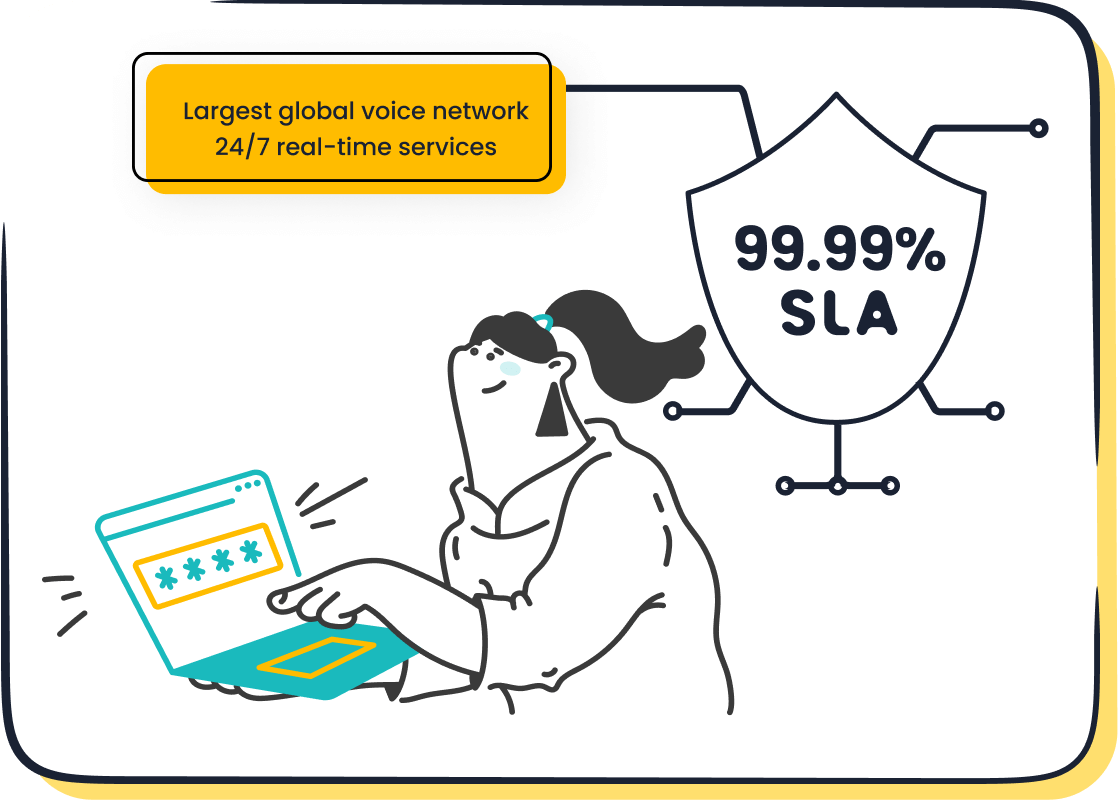
Sobot’s Voice/Call Center offers a stable system with 99.99% uptime, ensuring reliable call forwarding even during peak hours. Its global network coverage also helps maintain high-quality connections, no matter where your customers are located.
Fixing Device-Specific Transfer Errors
Device-specific errors can complicate call transfers. For example, some smartphones may not support advanced call forwarding features. To address these issues:
- Update Your Software: Ensure your device’s operating system and apps are up to date.
- Follow Device-Specific Instructions: Check the user manual or online guides for your device.
- Use a Unified Platform: Tools like Sobot’s Voice/Call Center integrate seamlessly with various devices, reducing compatibility issues.
By leveraging a unified workspace, you can manage calls across multiple devices without worrying about technical glitches.
Leveraging Sobot's Voice/Call Center for Reliable Transfers
Sobot’s Voice/Call Center is designed to make call transfers smooth and efficient. Here’s how it ensures reliability:
| Feature | Description |
|---|---|
| Extensive Phone Number Coverage | Connects customers globally with reliable partners. |
| Effective Task Management | Assigns tasks to the right agents, boosting productivity. |
| Real-Time Call Monitoring | Allows supervisors to monitor calls live and address issues instantly. |
| Intelligent Dialing Strategies | Enhances connection rates with smart dialing methods. |
| Seamless CRM Integration | Syncs with CRM systems for better workflow and data management. |
These features not only improve call transfer reliability but also enhance the overall customer experience. With Sobot, you can handle transfers confidently, knowing your system is built for efficiency and stability.
Tips for Effective Call Transferring
Communicate Clearly with the Caller
Clear communication is the foundation of a successful call transfer. Start by fully understanding the caller’s question or issue. This ensures you forward the call to the right person. Let the caller know you’re transferring their call and explain why. For example, you might say, “I’m transferring you to our billing department, where they can assist you further.” Always ask for permission before proceeding. If the call drops, share a direct number so the caller can reconnect easily. Finally, thank them for their patience—it goes a long way in creating a positive experience.
Verify the Recipient’s Availability Before Transferring
Before you forward business calls, confirm that the recipient is available to take them. This avoids unnecessary delays and frustration. For instance, if you’re transferring a customer to a technical support agent, check their status first. Tools like Sobot’s unified workspace make this easy by displaying real-time agent availability. This step ensures the caller doesn’t end up in voicemail or waiting endlessly.
Use the Right Transfer Type for the Situation
Choosing the correct transfer type can make or break the customer experience. Use warm transfers when the caller’s issue is complex or requires context. For example, if a customer has a detailed complaint, brief the next agent before transferring. Blind transfers work best for straightforward requests, like routing a call to a specific department. Sobot’s intelligent IVR simplifies this process by capturing caller intent and routing them appropriately.
Practice Using Your Device’s Transfer Features
Familiarity with your device’s call forwarding features is crucial. Whether you’re using a smartphone, landline, or desktop app, practice transferring calls to build confidence. For example, on an iPhone, you can tap “Transfer Caller” and select the recipient. On Android devices, the process is similar but varies slightly by model. Regular practice ensures you can forward calls quickly and efficiently, even during busy periods.

Utilize Sobot's Intelligent IVR for Seamless Transfers
Sobot’s intelligent IVR takes the guesswork out of call transfers. It uses conversational technology to understand the caller’s needs and routes them to the right agent. For example, if a customer says, “I need help with my order,” the system forwards the call to the sales team automatically. This reduces wait times and eliminates the need for multiple transfers. With Sobot’s smart call routing, you can deliver a seamless and satisfying experience every time.
Why Call Transfers Are Essential in Customer Service
Enhancing Customer Experience
Call transfers play a huge role in creating a smooth and satisfying customer journey. When done right, they ensure seamless transitions between agents, so customers don’t have to repeat their concerns. Imagine calling for help and being routed to the exact person who can solve your issue—how much better does that feel? Effective call transfers also speed up resolutions, saving you time and frustration.

Location-based routing is another game-changer. It connects customers to representatives in their region, reducing wait times and ensuring timely assistance. For example, Sobot’s intelligent IVR system uses smart call routing to match customers with the most suitable agent. This not only shortens waiting times but also boosts overall satisfaction by delivering personalized support.
Improving Team Collaboration
Call transfers aren’t just about customers—they’re also a teamwork booster. Attended transfers, where agents share context before forwarding a call, improve internal communication. This ensures the next agent knows exactly what’s going on, reducing miscommunication and enhancing service quality.
When your team collaborates effectively, problem-solving becomes faster and smoother. Sharing knowledge during transfers promotes teamwork and even boosts morale. Tools like Sobot’s unified workspace make this process effortless by allowing agents to manage calls and share details in real time.
Reducing Call Handling Time
Reducing call handling time is critical for both efficiency and customer satisfaction. Studies show that 19% of customers experience call transfers, which can lower satisfaction by 12% if not handled well. However, when you streamline the process, metrics like Call Transfer Rate (CTR) and Average Handling Time (AHT) improve significantly.
For instance, after implementing a scorecard system, one company reduced its transfer rate from 13.6% to 8.9%, sustaining this improvement for over a year. Sobot’s Voice/Call Center helps you achieve similar results with features like smart call routing and real-time monitoring, ensuring faster resolutions and happier customers.
Case Study: How Weee! Improved Call Transfers with Sobot
Weee!, America’s largest online Asian supermarket, faced challenges like inflexible IVR systems and language barriers. By adopting Sobot’s Voice/Call Center, they transformed their call transfer process. The flexible IVR system allowed intelligent call routing, ensuring customers reached the right agents without delays. Multilingual support and time zone settings further enhanced their service.
The results? A 20% boost in agent efficiency, a 50% reduction in resolution time, and a stellar 96% customer satisfaction score. This shows how the right tools can revolutionize your call forwarding process and elevate your customer service game.
Mastering call transfer techniques across devices ensures smooth customer interactions. Whether you're using a desktop app or a mobile device, follow simple steps like selecting "Transfer" and briefing the recipient for warm transfers or choosing "Transfer Now" for cold transfers. Always pick the right transfer type to match the situation and troubleshoot issues promptly. Tools like Sobot's Voice/Call Center simplify this process with features like intelligent IVR and smart call routing, making every transfer seamless and efficient. Ready to elevate your customer service? Explore Sobot today!
FAQ
How do I know which type of call transfer to use?
Choose based on the situation. Use warm transfers for complex issues requiring context. Blind transfers work for quick routing. Sobot’s intelligent IVR simplifies this decision-making process.
Tip: Warm transfers improve customer satisfaction by 15% compared to blind transfers. Tools like Sobot’s Voice/Call Center ensure seamless routing for both types.
Can I transfer calls internationally with Sobot’s Voice/Call Center?
Yes! Sobot supports global telephony with access to international numbers. Its 99.99% uptime ensures reliable call transfers across countries, enhancing your global customer service operations.
What should I do if a call transfer fails?
If a transfer fails, inform the caller, provide a direct number, or reconnect them manually. Sobot’s smart call routing minimizes such issues by directing calls accurately.
Note: Regularly update your system and train agents to handle transfer errors effectively. Sobot’s unified workspace also helps manage calls seamlessly.
See Also
Best Voice Calling Automation Tools Analyzed For 2024
Understanding The Efficiency Of Call Center Automation
Comparison Of Leading Interactive Voice Response Solutions

