How to Integrate Call Center CRM Systems

You integrate call center CRM systems by connecting your call platforms with your customer relationship management (CRM) systems. This integration creates a single source of customer data. Your agents get a full view of every customer. They can see past call history and information. This helps them provide a better customer experience. A strong CRM makes each call personal. The Sobot call center uses Sobot AI to build these integrated systems.
This process improves the call experience. It boosts agent productivity. It helps you deliver personalized service with every call.
This integration is a key step for your business. You can elevate every customer call. Let Sobot help you embark on your contact journey.
The Business Case for CRM Integration

Connecting your call center software with a CRM creates powerful business advantages. This integration builds a foundation for a better customer experience and greater operational efficiency. You can transform your support center from a cost center into a value driver.
Unify Data for a 360-Degree Customer View
A CRM integration gives your team a complete picture of every customer. Your agents see past calls, purchase history, and support tickets in one place. This unified view helps you understand customer behavior and needs. For example, Samsung faced challenges with data spread across different systems. Agents often asked customers the same questions. By implementing Sobot's all-in-one solution, they gave agents a full customer history for every call. This simple change helped them avoid repetitive questions and improve the customer experience.
Boost Agent Productivity with Automation
You can boost team productivity with automated tools. Your call center software can automatically log each call in the CRM. This software eliminates manual data entry. It also reduces errors. Your agents can focus on solving complex customer issues instead of administrative tasks. This improved efficiency is clear in Samsung's results. After their CRM integration, they saw a 30% increase in agent efficiency. Your team can handle more calls and provide better support with the right software and tools.
Personalize Every Customer Interaction
You can personalize every call when you have complete customer data. Your agents can greet a customer by name. They can reference past interactions. This makes the customer feel valued. This level of personalization builds loyalty and satisfaction. Samsung achieved a 97% customer satisfaction rate by providing this tailored experience. Your CRM helps you turn standard calls into positive customer interactions.
Note: A unified customer experience starts with unified data. Your CRM and call center software must work together to provide the context your agents need for every call.
Unlock Deeper Insights with Unified Analytics
Integrating call center CRM systems unlocks powerful data analytics. You can track key metrics like call volume, resolution times, and customer satisfaction from a single dashboard. These insights help you spot trends and identify areas for improvement. You can use this data to optimize workflows and improve agent training. A strong integration gives you the tools to make smarter, data-driven decisions for your entire support operation.
A Guide to Integrating Call Centers and CRMs
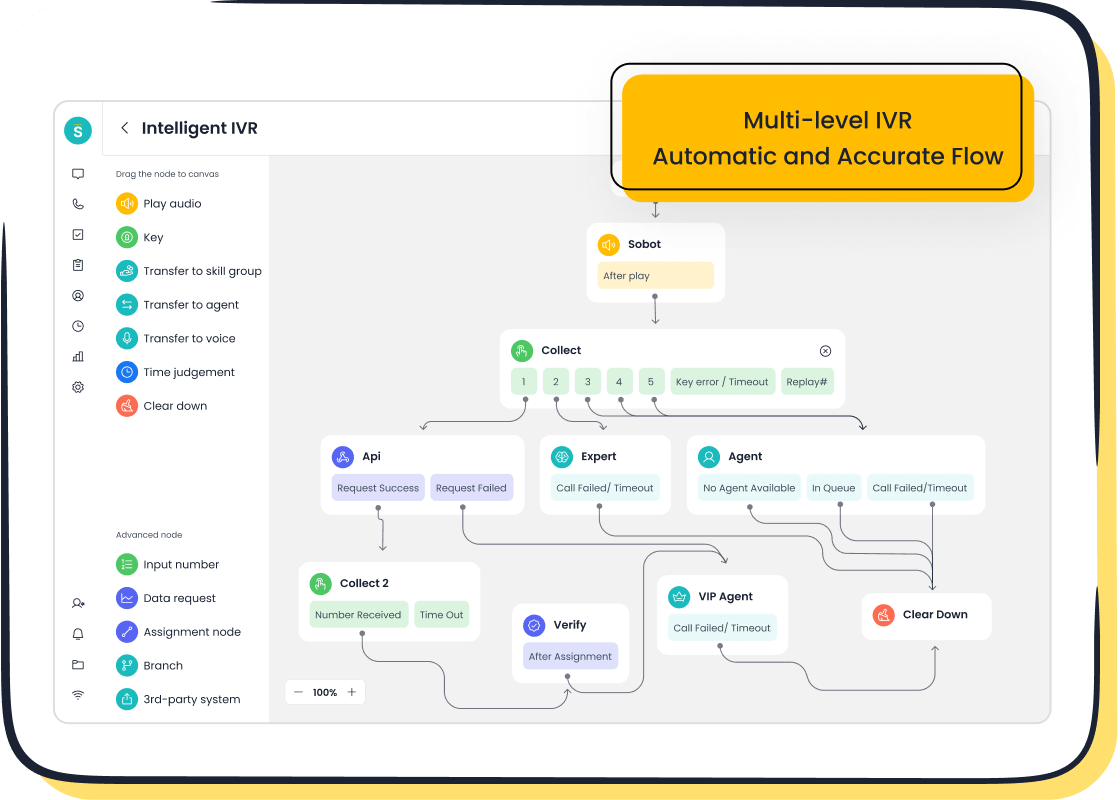
Integrating call centers and CRMs is a structured process. You can follow a clear path to connect your systems successfully. This guide breaks down the project into six manageable steps, from initial planning to a successful launch.
Step 1: Define Your Integration Goals
Before you begin, you must define what success looks like. Clear goals will guide your decisions throughout the integration process. Ask your team what you want to achieve. Do you want to reduce call handling times? Do you hope to increase customer satisfaction? Your goals will help you measure the return on your investment.
You can track your progress using Key Performance Indicators (KPIs). These metrics show if the integration is working.
Tip: Focus on KPIs that connect directly to business outcomes. A successful CRM integration should improve more than just support metrics; it should impact revenue and customer loyalty.
- Customer Lifetime Value (CLV): Measures the total revenue you can expect from a single customer account.
- Customer Acquisition Cost (CAC): Shows how much it costs to acquire a new customer.
- Churn Rate: The percentage of customers who stop using your service over a given period.
- Lead Response Time: How quickly your team responds to a new lead or inquiry.
- Customer Satisfaction Score (CSAT): A direct measure of your customer happiness.
You can also track sales-focused metrics to see the financial impact.
| KPI Name | Role | Purpose |
|---|---|---|
| Net New Revenue | Executive | Track new monthly growth |
| Sales Cycle Length | Manager/Rep | Optimize conversion time |
| Upsell Rate | Manager | Increase customer value |
Setting these benchmarks early helps you prove the value of your new, unified system.
Step 2: Audit Your Existing Call Center Software
Next, you need to evaluate your current tools. An audit of your existing call center software helps you understand its strengths and weaknesses. You need to know what your software can and cannot do before you connect it to a CRM.
During your audit, you should evaluate several key areas:
- Operational Efficiency: Look at your current processes. How are calls routed? How do you manage queues? Identify any bottlenecks in your current workflow.
- Agent Performance Metrics: Analyze data on agent performance. Track metrics like First Call Resolution (FCR) and Average Handling Time (AHT). This data will serve as a baseline to measure improvement.
- Technology and Tools: Review the technology your agents use. Can your current call center software support an integration? Does it have the features you need to meet your goals?
- Customer Experience: Analyze customer feedback from surveys and call recordings. Understand the current customer journey to find areas for improvement.
- Compliance: Ensure your current setup adheres to data privacy regulations like GDPR. Your integration plan must maintain this compliance.
This audit gives you a clear picture of your starting point. It helps you choose the right integration method and plan for a smooth transition.
Step 3: Choose Your Integration Method
You have a few options for connecting your call center software and CRM. The right method depends on your systems, budget, and technical resources.
- Native Integration: Many software providers build integrations for popular platforms. These are often the easiest to set up, sometimes requiring just a few clicks. They are built to work seamlessly together. However, you are limited to the integrations the provider offers.
- Third-Party Integration: You can use tools like Zapier to connect apps that do not have a native integration. These platforms act as a bridge, moving data between your call center software and CRM. They offer flexibility but may add to your monthly software costs.
- Custom API Integration: An Application Programming Interface (API) allows different software systems to communicate. You can build a custom solution if a native or third-party option doesn't meet your needs. This method offers the most power and flexibility but requires significant technical expertise and resources.
Solutions like Sobot's Voice/Call Center are designed for "Integration Made Simple." The software offers seamless native connections with major CRM platforms like Salesforce and e-commerce platforms like Shopify, removing technical barriers and helping you unify your data quickly.
Choosing the right path is key to a successful project. A simple native integration is often the best choice for teams that need a reliable connection without custom development.
Step 4: Map Data Fields and Plan Migration
Once you choose your method, you must plan how data will flow between the two systems. Data mapping involves matching fields from your call center software to the correct fields in your CRM. For example, you will map the "Caller ID" field to the "Phone Number" field in the customer's CRM profile.
A clear plan is essential to avoid common data migration problems:
- Dirty Data: Incomplete or duplicate records in your old system can create bigger problems in the new one. Clean your data before you migrate it.
- Mismatched Data: The old and new systems may organize information differently. This can lead to data not fitting logically into the new CRM.
- Data Loss: Without a proper plan, you risk losing important customer information during the transfer.
Create a detailed map that shows exactly where each piece of information will go. This step ensures that when an agent receives a call, all the right data appears in the right place.
Step 5: Test the Integration Thoroughly
Never go live without extensive testing. A bug in your integration can disrupt your support operations and create a poor customer experience. You should run several types of tests to ensure everything works as expected.
- API Testing: Check the connection between the systems directly. This helps you find data integration issues early.
- Workflow Testing: Validate that your business processes run correctly. For example, test if a call from a VIP customer automatically triggers the right alert in the CRM.
- Performance Testing: Simulate high call volumes to see how the system performs under pressure. This helps you identify bottlenecks before they affect your team.
- Security Testing: Ensure that agents can only access the data they are authorized to see. This is critical for protecting customer information and maintaining compliance.
- User Acceptance Testing (UAT): Have your agents test the system. They can provide valuable feedback on workflows and usability before you launch the software to the entire team.
Thorough testing minimizes risks and ensures a smooth launch for your call center CRM systems.
Step 6: Train Your Team and Go Live
The final step is preparing your team. A powerful integration is only useful if your agents know how to use it. Your training should cover more than just the technical features of the new software.
Focus on these key training modules:
- Technology Proficiency: Teach agents how to navigate the new, unified workspace. They should feel confident managing calls and accessing customer data from a single screen. A platform like Sobot's Unified Workspace consolidates calls, tickets, and customer history, so training should focus on how to use this consolidated view to be more efficient.

- Process Navigation: Walk agents through the new workflows. Show them how a call automatically creates a ticket in the CRM and how to access a customer's interaction history.
- Product and Service Knowledge: With more context on each call, agents can provide better support. Refresh their knowledge of your products so they can use the new data effectively.
When your team is confident and your tests are complete, you are ready to go live. Launch the integration and begin empowering your team with the tools they need to deliver an exceptional experience on every call.
Overcoming Common Integration Challenges
Your integration project may face a few hurdles. You can overcome common challenges with the right plan. This helps you keep your project on track and ensures a successful launch.
Solving Issues When Syncing Call Center Software
When syncing call center software with a CRM, you might encounter data problems. These issues can disrupt your team's workflow. Common sync failures include:
- Authentication Failures: Your API keys may expire or user permissions change, stopping the data sync.
- Incorrect Field Mappings: Customer data might appear in the wrong fields in the CRM.
- Duplicate Records: The same customer profile may appear multiple times after a sync.
You can resolve data conflicts by setting a clear rule, such as "Last-Write-Wins," where the system accepts the most recent update to a record. This keeps your customer information consistent after every call.
Managing a Lack of Technical Expertise
You do not need a large team of developers to connect your call center software and CRM. Many businesses succeed with limited technical expertise. You can empower "power users" on your team who are comfortable with new software. Give them extra training and time to learn the new tools. This approach builds internal knowledge and supports your team. A successful integration depends more on clear goals and good planning than on a big IT department.
Driving User Adoption and Agent Buy-In
Your agents must embrace the new software for the integration to succeed. You can drive adoption by showing them how the new tools make their job easier. Create a clear communication plan that explains the benefits of the new CRM. You can also use AI-powered tools to offer on-demand support, answering questions about a call or a customer record. When agents feel supported, they are more likely to use the new system and improve the customer experience on every call.
Ensuring Data Security and Compliance
Protecting customer data is critical. Your call center software and CRM must follow rules like GDPR and CCPA. You should implement strict security protocols to keep information safe.
Security Tip: Use Role-Based Access Control (RBAC). This ensures agents can only see the information they need for a specific call.
Encrypting data during every call and transfer adds another layer of protection. Strong security builds trust with every customer and keeps your business compliant.
Best Practices for Your Call Center CRM Systems
Following best practices helps you build a successful integration. These tips guide you from planning to long-term success with your call center CRM systems.
Start with a Clear, Phased Strategy
You should not launch everything at once. A phased strategy reduces risk and helps your team adapt. You can roll out the new software in stages.
- Start with core functions. You can begin by migrating your contact data and training the sales team on the new CRM.
- Expand to other teams. Once the system is stable, you can integrate support tickets and onboard your customer support team.
- Introduce advanced features. Finally, you can enable automation and custom reporting tools for leadership. This approach ensures each team gets the features they need most, right when they need them.
Involve Stakeholders from All Teams
Your CRM integration affects more than just the support team. You should involve leaders from sales, marketing, and IT. These department leaders can define what their teams need from the new software. Their input ensures the CRM is balanced and useful for everyone. Getting buy-in from all teams makes the transition smoother and more successful.
Prioritize a Seamless Agent Experience with Sobot
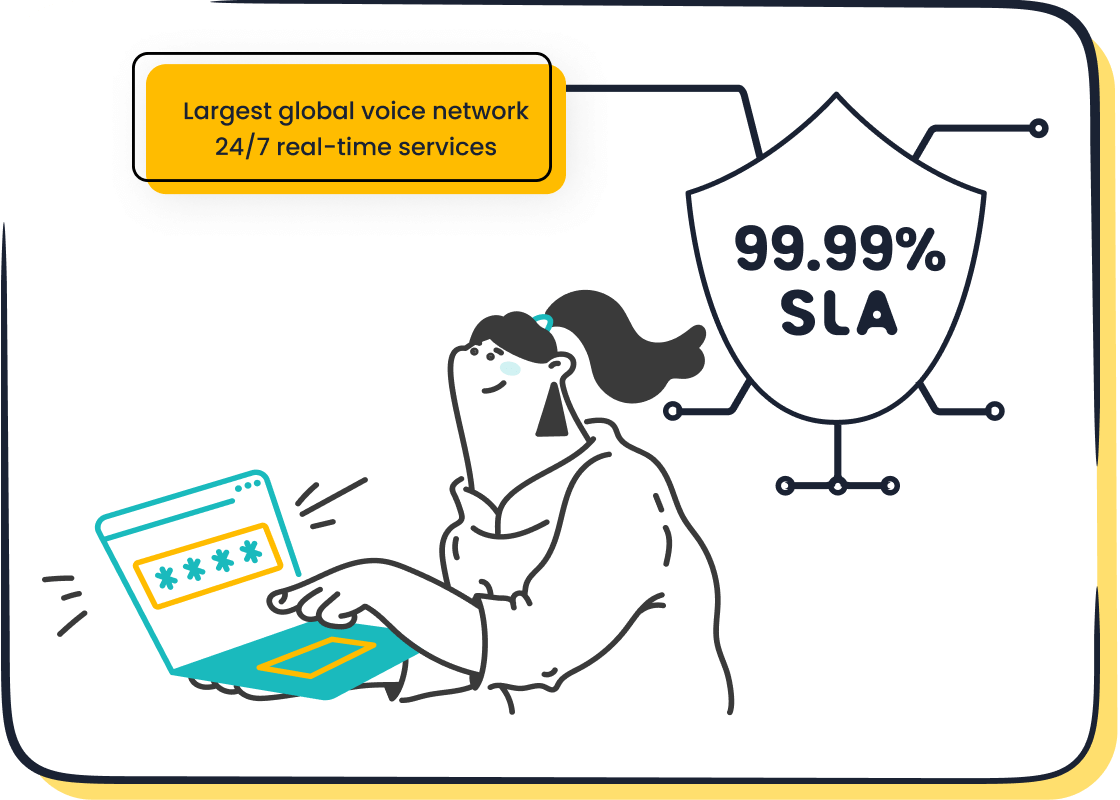
A complicated system can overwhelm your agents. You must prioritize a simple, seamless experience. Sobot's Unified Workspace helps you achieve this. It consolidates calls, tickets, and customer data into a single interface. This setup reduces the mental effort for agents, as they no longer need to switch between different software tools to handle a call. When AI handles repetitive tasks, your team can focus on the customer. A stable call center software is also key. A system with 99.99% uptime, like Sobot's, ensures your team can always provide reliable support and a great customer experience.
Plan for Ongoing System Optimization
Your integration project does not end at launch. You need a plan for ongoing optimization. You should monitor key metrics to measure the success of your new CRM. Track your conversion rate to see how many leads become customers. You can also measure your sales cycle length to see if your team is closing deals faster. This data helps you find areas for improvement. Regular reviews of your call center software and processes will boost efficiency and ensure you get the most from your investment.
You can build successful call center crm systems. You must define your goals, audit your current tools, and choose the right method. Prioritize agent training for your new CRM. A successful crm integration transforms your support center into a strategic asset. Your new integrated systems will improve the customer experience and drive business growth. A powerful CRM helps every customer feel valued.
Ready to unify your customer service? Contact Sobot's experts at marketing@sobot.io or visit sobot.io to learn how our all-in-one solution can streamline your integration.
FAQ
What is the main benefit of integrating call center CRM systems?
You get a complete view of every customer. This unified data helps your agents provide faster, more personalized support. It turns every call into a better customer experience and builds loyalty.
How long does a typical CRM integration take?
The timeline varies. A native integration can take just a few hours. A custom API project might take several weeks. Your goals and chosen integration method will determine the exact timeframe for your project.
Can I integrate my CRM if it's not a major platform?
Yes, you can. You can use third-party tools or a custom API to connect your systems. Solutions like Sobot offer flexible integration options to connect with many different CRMs and business tools.
Do I need a developer to connect my call center and CRM?
Not always. Many call center CRM systems offer native, click-to-connect integrations that do not require coding. For more complex needs, you can use third-party tools or hire a developer for a custom API solution.
See Also
Your Comprehensive Guide to Seamless Omnichannel Call Center Software Solutions
Exploring Essential Features of Leading CRM Call Center Software Platforms
A 10-Step Blueprint for Implementing Omnichannel Contact Center Solutions Effectively
Discovering the Best Free Call Center CRM Software Options for 2024
Understanding How Call Center Automation Drives Operational Efficiency and Productivity

