10 Tips for Handling Customer Inquiry Spikes


An unexpected flood of customer inquiries can feel overwhelming. You need a clear plan for how to handle increasing customer inquiries. This guide provides ten tips for effective management of your customer service. These tips will help you navigate a surge in customer service inquiries.
Here is a quick look at the strategies we will cover:
- Establish an Inquiry Triage System
- Categorize Customer Service Inquiries
- Use Templates for Common Questions
- Deploy a Chatbot for First Response
- Promote Your Self-Service Knowledge Base
- Use an IVR to Manage High Call Volume
- Create a Proactive Communication Plan
- Create a Collaborative Support Workflow
- Forecast Staffing With Historical Data
- Analyze Inquiry Data to Prevent Future Spikes
This approach, supported by tools like Sobot, helps you regain control.
Immediate Triage and Prioritization
When a wave of inquiries hits, your first move determines whether you sink or swim. You need a system to quickly sort through the noise and identify what matters most. This is triage. It helps you bring order to chaos, ensuring your team tackles the most critical issues first.
Tip 1: Establish an Inquiry Triage System
An inquiry triage system is your command center during a spike. It is a defined process for sorting and prioritizing all incoming customer service inquiries. A good system prevents your team from randomly picking tickets. It directs their focus where it is needed most.
To build an effective triage system, you should focus on a few key steps:
- Assess Urgency: Create clear rules to determine how urgent a task is. You can use a point system. Issues with a high business impact or those affecting many customers should get a higher score.
- Set Clear Categories: Define distinct categories for every customer inquiry. Examples include "Technical Outage," "Billing Question," or "Shipping Delay." Each category should have a pre-planned workflow.
- Use Automation: Let technology handle simple tasks. AI chatbots and detailed FAQ pages can resolve common questions automatically. This frees up your agents for complex problems.
- Train Your Team: Your system is only as good as the people using it. Provide thorough training and clear documentation. This reduces errors and improves the efficiency of your customer support team.
- Improve Continuously: Regularly review customer feedback and performance data. Use these insights to refine your categories and improve your overall triage process.
Pro Tip: When using automation, set confidence thresholds. For example, you can program your system to route a customer inquiry to a human agent if the AI's confidence in the correct answer is below 80%. This ensures complex issues get a human touch.
Tip 2: Categorize Customer Service Inquiries
Categorization is the heart of triage. It involves sorting incoming requests into buckets. This allows you to route each customer inquiry to the right person or department. For example, you would not send a billing question to your technical support staff. Proper categorization makes your entire customer service operation more efficient.
A great tool for this is a priority matrix. This matrix helps you evaluate tasks based on their urgency and impact.
- Urgency is about time. How quickly does this issue need a resolution? Service Level Agreements (SLAs) or a critical service outage can make an issue highly urgent.
- Impact is about significance. How much does this issue affect the customer or your business? A website crash has a high impact. A single typo on a webpage has a low impact.
You can map your customer service inquiries into four quadrants:
| High Urgency | Low Urgency | |
|---|---|---|
| High Impact | Do First: These are your top priorities. (e.g., site-wide outage) | Schedule: These are important but not immediate. (e.g., plan a new feature) |
| Low Impact | Delegate or Automate: These need a quick response but are not critical. (e.g., a password reset) | Postpone: These are low-priority tasks. (e.g., minor website text update) |
Common categories often depend on your industry.
- For E-commerce: You will likely see inquiries about shipping delays, product questions, returns, and payment problems.
- For SaaS: You will often handle technical support questions and requests for help understanding product features.
Once you have your categories, you must use tags to route them effectively. Establish a clear tagging system and train your agents to use it consistently. Regularly review your tags to ensure they are still relevant to your business. This keeps your workflow clean and efficient.
Tip 3: Use Templates for Common Questions
During a spike, your team will answer the same questions over and over. Templates, or canned responses, save valuable time. They provide pre-written answers to frequently asked questions. This ensures your responses are fast, consistent, and accurate. Good call handling techniques also involve knowing when to use a script and when to personalize.
However, a template should not sound robotic. You can personalize them using placeholders. These are small pieces of code that automatically insert customer-specific information.
Common placeholders include:
[Customer Name][Order Number][StaffFirstName]
Here is an example of an effective template for an angry customer:
"Hi
[Customer Name], I am so sorry to hear you had this frustrating experience. I can definitely understand why you are upset. To help me resolve this for you quickly, could you please provide your[Order Number]? We will get this sorted out right away."
This template shows empathy, takes ownership, and asks for the information needed to solve the problem. It balances speed with a personal touch, which is key to great customer service. By creating a library of templates for different situations, you empower your team to handle a high volume of customer service inquiries without sacrificing quality.
How to Handle Increasing Customer Inquiries With Technology

Triage and templates give your team a fighting chance, but technology gives you the power to scale. When you face a surge in customer service inquiries, manual efforts alone are not enough. Automation and smart systems are your best allies. They help you respond faster, deflect simple questions, and organize the chaos. Let's explore how to handle increasing customer inquiries by leveraging the right tools.
Tip 4: Deploy a Chatbot for First Response
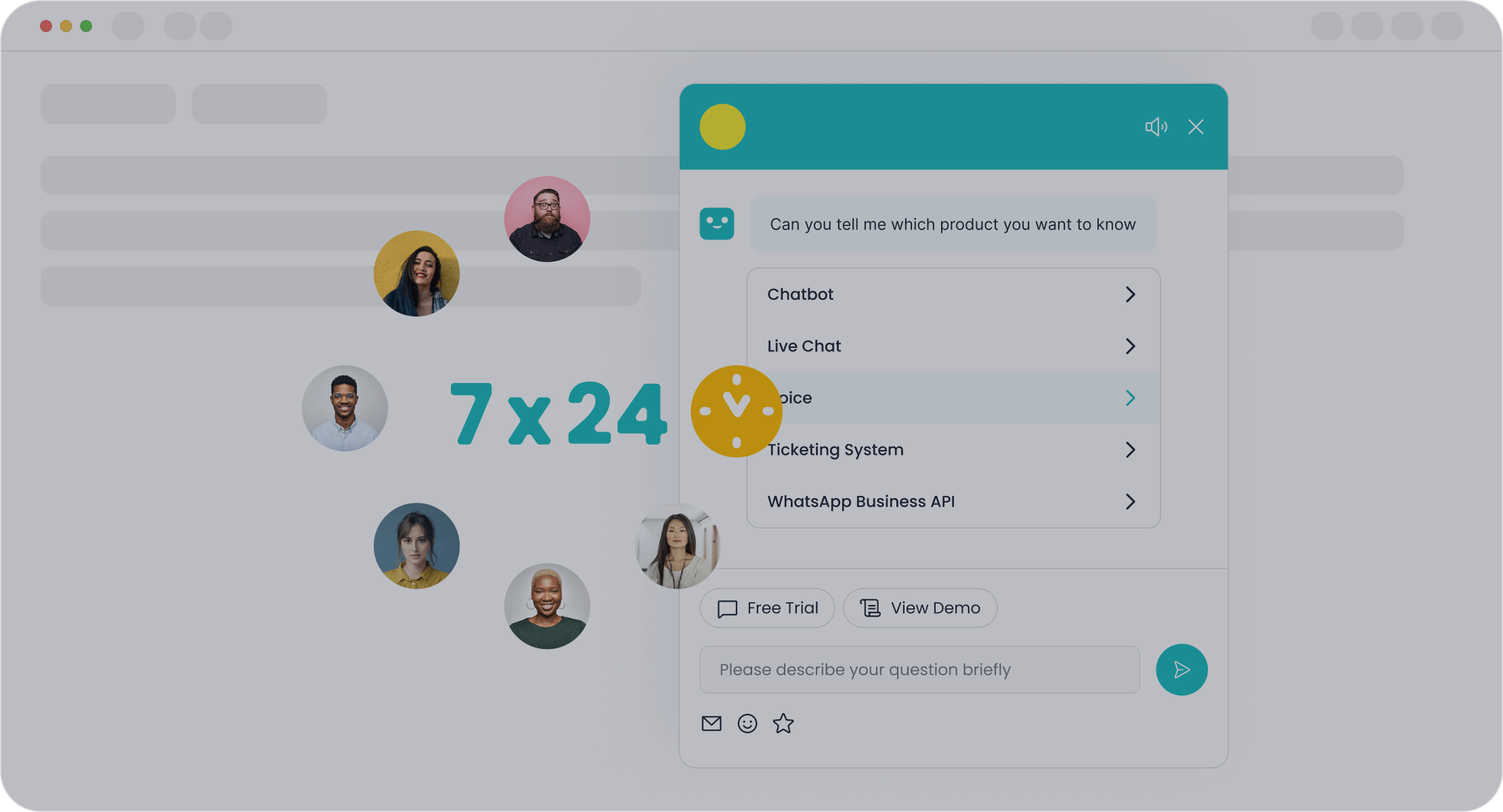
Imagine your team is swamped. A chatbot acts as your first line of defense. It works 24/7, instantly greeting every customer and answering common questions. This frees your human agents to focus on complex issues that require a personal touch. Studies show that support agents using AI tools can handle nearly 14% more inquiries per hour. This boost in efficiency is a game-changer during a spike.
Modern chatbots are powerful and easy to set up. You do not need a team of developers to get started. Key features to look for include:
- No-Code Builders: You can use simple drag-and-drop interfaces to design conversation flows.
- AI-Powered Learning: Smart bots can understand customer intent and learn from your existing support documents, product pages, and past conversations.
- Omnichannel Support: A single chatbot can work across your website, social media, and messaging apps, providing a consistent customer experience.
For example, the Sobot AI Chatbot is designed specifically for this challenge. It provides 24/7 availability to ensure no customer is left waiting. With its no-code setup, you can deploy a powerful bot quickly without any technical expertise. Businesses using Sobot see agent productivity improve by as much as 70% and cut operational costs by up to 50%. This level of automation allows your team to handle a much higher volume of requests without sacrificing service quality.
Tip 5: Promote Your Self-Service Knowledge Base
Many customers prefer to find answers on their own. In fact, research shows that 92% of consumers would use a self-service knowledge base if it were available. A well-organized knowledge base is one of the most effective self-service options. It empowers customers to resolve their own issues, which reduces the number of incoming customer service inquiries.
To build a knowledge base that people actually use, you should follow a few best practices:
- Identify Common Problems: Review your support tickets and chat logs to find the most frequently asked questions. These are the first articles you should write.
- Organize Content Logically: Structure your articles into clear categories and subcategories. For an e-commerce store, categories might include "Shipping & Delivery," "Returns & Exchanges," and "Payment Issues."
- Write Clear, Simple Content: Use plain language and avoid technical jargon. Break down complex steps with numbered lists and use images or videos to make instructions easier to follow.
- Make It Searchable: A powerful search bar is essential. Tag your articles with relevant keywords so users can find what they need quickly.
Creating this content can feel like a big project, but AI can accelerate the process. For instance, Sobot's AI can help you build a comprehensive knowledge base by automatically generating Q&A pairs from existing documents, articles, and even PDFs. This turns a daunting task into a manageable one, helping you launch effective self-service options faster.
Tip 6: Use an IVR to Manage High Call Volume
When a spike hits, your phone lines are often the first to feel the pressure. This leads to long wait times and frustrated customers hanging up. An Interactive Voice Response (IVR) system is a critical tool to manage high call volume. It greets every caller immediately and routes them based on their needs. This simple automation can significantly improve the customer experience during periods of high call volume.
An effective IVR does more than just route calls. It can:
- Offer Self-Service: Allow callers to check an order status or account balance without speaking to an agent.
- Provide Information: Announce known issues, like a website outage, to reduce redundant calls.
- Manage Expectations: Offer a callback option so customers do not have to wait on hold.
Here is an example of a simple and effective IVR script:
"Thank you for calling [Company Name]. To help us direct your call, please choose from the following options. For sales, press 1. For customer support, press 2. For billing questions, press 3. To hear these options again, press 9."
This is where an integrated solution shines. Sobot's Voice Call Center, part of its broader Omnichannel Solution, uses a smart, drag-and-drop IVR to manage high call volume efficiently. It routes callers to the right department or agent, provides self-service options, and ensures your phone support remains organized even under pressure. By unifying your channels, you create a seamless journey for customers, whether they are calling about an issue or seeking help online. This is how to handle increasing customer inquiries without overwhelming your team.
Strategic Planning for Team Resilience

Technology helps you manage the present, but strategic planning prepares you for the future. You can build a resilient customer support team that bends without breaking during a spike. This involves proactive communication, smart collaboration, and data-driven staffing. These strategies are how to handle increasing customer inquiries with confidence.
Tip 7: Create a Proactive Communication Plan
When you know a spike is coming, get ahead of it. A proactive communication plan informs customers about issues before they have to ask. This builds trust and reduces the volume of incoming customer service inquiries. Your plan should use multiple channels to reach customers.
Effective communication channels include:
- Website Banners: A notice at the top of your site.
- IVR Messages: An automated message for those who call during periods of high call volume.
- Email and SMS Alerts: Direct messages to affected customers.
Key Steps for Your Plan:
- Acknowledge Immediately: Alert customers as soon as you know about an issue.
- Provide Regular Updates: Keep people informed about your progress.
- Be Honest: Tell customers what you know, even if the news is not great.
A unified platform like Sobot's Omnichannel Solution ensures your customer support team has the latest information. This allows them to deliver consistent messaging across every communication channel.
Tip 8: Create a Collaborative Support Workflow
During a spike, some customer service inquiries will be too complex for one agent. A collaborative workflow ensures these issues are resolved quickly. It defines clear roles and escalation paths. This prevents tickets from getting lost.
Your workflow should include:
- Internal Notes: Agents can tag colleagues for help directly within a ticket.
- Automated Escalations: Tickets automatically move to a senior agent or another department if they are not solved within a set time.
- Centralized Knowledge: A shared database gives everyone access to the same information for consistent customer service.
This system creates a strong support structure. It empowers your team to work together to solve tough problems, even when dealing with high call volume.
Tip 9: Forecast Staffing With Historical Data
You can often predict future spikes by looking at past data. Analyze historical trends in your customer service inquiries. Look at contact volumes and average handle times from previous sales, holidays, or product launches. This data helps you forecast how many agents you will need for your customer support.
For example, the global smart device brand OPPO faced massive inquiry spikes during shopping festivals. They partnered with Sobot to manage the high call volume. By implementing Sobot's chatbot and ticketing system, OPPO achieved an incredible 83% chatbot resolution rate. This freed up their human agents for more complex issues. The improved customer service led to a 57% increase in their repurchase rate. This shows how technology can help you manage high call volume without hiring more staff.
Post-Spike Analysis and Improvement
The surge has passed. Your team survived. Now is the time for the most important step: learning. Analyzing what happened helps you prevent the next crisis. This turns a stressful event into a valuable opportunity for improvement.
Tip 10: Analyze Inquiry Data to Prevent Future Spikes
Your support data tells a story. You need to read it carefully. Look beyond the total number of tickets. Dig into specific metrics to understand the full picture. This analysis reveals weak spots in your process.
Start by tracking these key performance indicators (KPIs):
- Ticket Backlog: The number of unresolved tickets shows your team's workload and capacity.
- First Contact Resolution (FCR): This measures how many issues you solve in one interaction. A high FCR means happier customers.
- Average Handle Time (AHT): This shows how long it takes an agent to handle an inquiry from start to finish.
- Reopened Ticket Rate: This tells you how often your solutions are not complete, causing customers to contact you again.
These numbers give you clues. The next step is to find the root cause. A simple assumption is often wrong. For example, you might think high call volume is just a staffing issue. A deeper analysis might show it is caused by a confusing feature in your product.
Find the Real "Why" Use a technique called Root Cause Analysis (RCA). When you see a problem, ask "Why?" five times to uncover the true source. This helps you fix the actual issue, not just the symptom. Look at the difference between a quick guess and what RCA often reveals:
| Problem Area | Common Surface-Level Assumption | What RCA Often Reveals |
|---|---|---|
| High Call Volume | We need more agents. | The user interface is confusing. |
| Longer Resolution Times | Agents are inefficient. | The knowledge base is outdated. |
| Repeat Contacts | Customers are not listening. | The first resolution was incomplete. |
By analyzing your data this way, you can make smart changes. You might update your knowledge base, fix a product bug, or improve agent training. This proactive work reduces future customer service inquiries and builds a more resilient support system.
You now have a clear plan for how to handle increasing customer inquiries. You learned to combine immediate triage, smart technology, and strategic planning. This approach improves your customer service and enhances the customer experience. Managing a spike is about reacting well and preparing for the future. Effective handling of high call volume, high call volume, high call volume, high call volume, high call volume, high call volume, high call volume, high call volume, high call volume, and high call volume builds lasting customer loyalty.
Ready to build a resilient support system? Explore Sobot's Omnichannel Solution to transform your customer experience and prepare for any challenge. Visit us at https://www.sobot.io/ to learn more.
FAQ
What is the first thing I should do during an inquiry spike?
You should immediately start sorting your customer inquiries. Use a triage system to prioritize the most urgent and high-impact issues. This brings order to the chaos and helps your team focus on what matters most, ensuring a swift response to each customer inquiry.
How can a chatbot help if I don't have a technical team?
Modern chatbots do not require coding skills. You can use tools like the Sobot AI Chatbot with a simple point-and-click interface. It helps you build automated responses quickly. This provides 24/7 support and frees up your team for complex problems.
How do I prevent future customer inquiry spikes?
You can analyze data from the last spike. Look at why customers contacted you. Finding the root cause of a common customer inquiry helps you fix the actual problem. This might mean updating your website, improving product instructions, or clarifying your policies.
Will using automation make my service feel less personal?
Not if you use it correctly. You can use automation for simple, repetitive questions. This gives your human agents more time to provide personal, detailed support for complex issues. A good strategy balances technology with a human touch to improve the customer experience.
See Also
Achieve Superior Customer Satisfaction: 10 Essential Live Chat Strategies
Selecting the Best Social Media Customer Service Software: 10 Key Tips
Mastering Live Chat Agent Management: An Essential Guide for Success
Unlock Depop Live Chat Success: Fast and Effective Strategies
Maximize Your 24/7 Live Chat Efficiency: Proven Strategies for Improvement

