How Gorgias billing affects your chatbot expenses


Gorgias billing can make your chatbot expenses hard to predict. You often need to estimate your monthly support needs, but gorgias pricing uses a ticket-based model that can lead to surprises. During busy times, like big sales, you might face unexpected overage fees. Many businesses find it difficult to control costs because billing changes with each new ticket. Sobot offers a different approach, helping you manage expenses and boost efficiency.
Gorgias pricing and chatbot costs
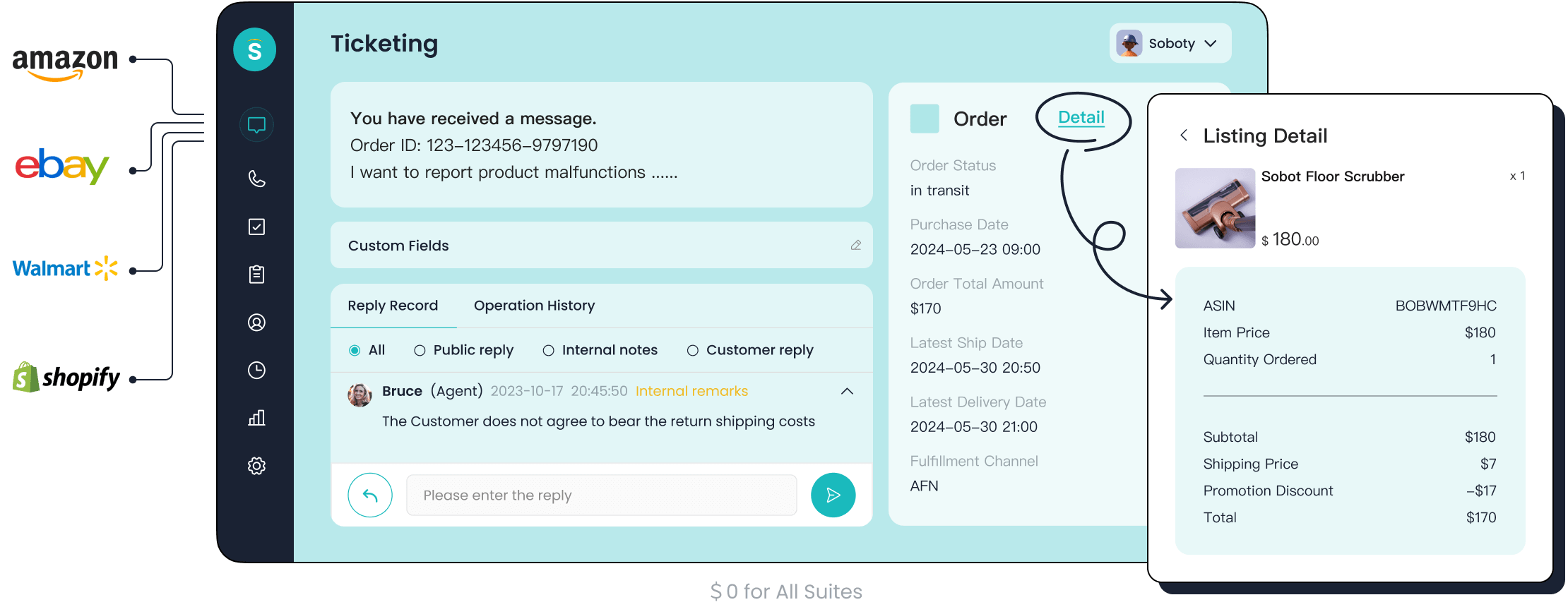
Ticket-based billing explained
You need to understand how Gorgias pricing works before you can manage your chatbot expenses. Gorgias uses a ticket-based billing model. This means you pay for each ticket created in your helpdesk. A ticket is any customer inquiry that comes through email, chat, or social media. If your chatbot sends a message, Gorgias counts it as a billable event. You see charges for tickets whether a human agent, AI Agent, or automation handles the conversation.
Here is a simple table to show how you're billed for different types of interactions:
| Fee | Definition |
|---|---|
| Helpdesk ticket fee | Charged for any ticket with at least one message sent from your Gorgias helpdesk. |
| Automation fee | Charged when AI Agent or automation resolves a ticket without human intervention. |
You pay both a helpdesk ticket fee and an automation fee if the AI Agent resolves the ticket without a human agent. If the AI Agent hands the conversation to a human, you only pay the helpdesk ticket fee. Automation features also trigger fees when they resolve customer inquiries.
Gorgias pricing does not use a flat rate per agent. Instead, you estimate your monthly ticket limits and automation percentage. This structure makes budgeting difficult. You must track usage closely to avoid surprises.
Note: Gorgias's billing model can lead to confusion. You may see double-billing when AI resolves tickets without human handoff. This is not common in other SaaS customer support platforms, which usually charge a single fee per interaction.
How chatbot usage affects your bill
Your chatbot usage directly impacts your Gorgias bill. Every time your chatbot interacts with a customer, it creates a ticket. If your chatbot handles many inquiries, your ticket count rises quickly. Gorgias pricing charges you for each ticket, so high usage means higher expenses.
You also pay usage fees for automation. AI interactions cost between $0.50 and $0.60 per interaction. If your chatbot resolves issues without human help, you pay both the helpdesk ticket fee and the automation fee. This can add up fast, especially during busy periods.
Here are some common challenges you face with Gorgias pricing:
- You must estimate ticket volume and automation percentage to set your budget.
- Usage fees change based on how many tickets your chatbot creates.
- You need to structure investments in automation tools to maximize efficiency and manage costs.
- Gorgias pricing model complicates budgeting because it relies on ticket volume, not agent count.
If your business grows, your chatbot usage increases. You see more tickets and higher usage fees. You must monitor usage to avoid unexpected charges.
Tip: Review your chatbot's activity regularly. Set alerts for ticket spikes. This helps you control expenses and avoid billing surprises.
Overage charges and unpredictability
Gorgias pricing includes monthly ticket limits. If you exceed these limits, you pay overage charges. These fees can make your expenses unpredictable. You may plan for a certain number of tickets, but a sudden spike in chatbot usage can push you over the limit.
For example, imagine your business runs a big promotion. Your chatbot handles hundreds of extra inquiries. Each new ticket adds to your bill. You pay usage fees for every ticket, plus automation fees if your chatbot resolves them. Overage charges apply when you go beyond your monthly ticket limits.
Here is a table comparing Gorgias's billing practices to industry standards:
| Aspect | Gorgias's Billing Practices | Industry Standards |
|---|---|---|
| Pricing Structure | Ticket-based pricing with additional AI fees | Typically flat-rate or tiered pricing |
| Confusion Potential | High due to multiple fees | Lower, clearer pricing models |
| Double-Billing Risk | Yes, when AI resolves without human handoff | No, usually single fee per interaction |
| Impact of Volume Spikes | Can lead to unexpected cost increases | More predictable pricing mechanisms |
You must check the fine print in Gorgias pricing. Look for hidden costs and limitations. Understand contract terms, cancellation fees, and automatic renewals. Set financial limits for customer service software. Decide on a budget that covers both short-term and long-term costs.
Here is a simple list to help you allocate your budget:
- Evaluate your current software. Make sure it meets your needs.
- Set financial limits for customer service tools.
- Determine the level of support you need to avoid unnecessary expenses.
- Check the fine print for hidden costs.
- Understand commitments and penalties in your contract.
Your usage drives your expenses. Gorgias pricing can escalate quickly for growing businesses. You must monitor usage and billing closely to avoid surprises.
Callout: Gorgias pricing is based on usage. AI interaction costs are significant. Integration depth also impacts your overall expenses. You need to track these factors to manage your budget.
If you want predictable costs, you must understand how you're billed. Gorgias pricing relies on ticket volume and automation. Usage fees change with every new ticket. Overage charges make expenses hard to predict. You must stay alert and review your billing model often.
Billable events in Gorgias
Automated interactions and ticket creation
When you use Gorgias, every automated interaction can create a new ticket. If your chatbot answers a customer question, Gorgias counts that as a billable event. This means you pay for each ticket, even if the chatbot handles it without help from a human. You need to watch your chatbot activity because high usage leads to more tickets and higher costs. Many businesses see their expenses rise during busy times, like sales or holidays, because the chatbot creates more tickets. You should check your ticket reports often to avoid surprises.
AI Agent and blended billing
Gorgias ai agent brings automation to your support, but it also changes how you get billed. When the gorgias ai agent resolves a ticket, you pay both a helpdesk ticket fee and an automation fee. If the gorgias ai agent starts a conversation but hands it off to a human, you only pay the helpdesk ticket fee. This blended billing model can make your costs less predictable.
Here is a table comparing Gorgias's blended billing with another provider:
| Feature | Gorgias Enterprise Pricing | eesel AI Pricing |
|---|---|---|
| Model | Custom, based on ticket volume and AI interactions. | Flat monthly fee based on interactions and features. |
| Predictability | Structured for scale. Custom plans help with high-volume planning. | High. Costs are predictable and stable month-to-month. |
| Fees | Transparent per-resolution and tiered options. | All-inclusive plans with no extra fees per resolution. |
| Flexibility | Optimized for enterprise stability with custom contracts. | Offers month-to-month plans for additional flexibility. |
Gorgias uses a custom pricing model tied to the number of tickets and gorgias ai agent interactions. You only pay for successful resolutions, but this can still make budgeting hard.
Human agent handoff costs
Sometimes, the gorgias ai agent cannot solve a problem and must hand the ticket to a human agent. In these cases, you pay the helpdesk ticket fee, but not the automation fee. Even so, your costs can add up if many tickets need human help. You should track how often the gorgias ai agent hands off tickets. This helps you understand where your money goes and how to improve your support process.
Tip: Review your handoff rates. If the gorgias ai agent hands off too many tickets, you may need to update your chatbot scripts or training.
Managing billing and controlling expenses
Keeping your chatbot expenses under control requires a clear plan. You need to monitor your usage, set up alerts, follow best practices, and use the right tools. This approach helps you avoid surprises and keeps your support costs predictable, even as your business grows.
Monitoring usage and setting alerts
You should track your usage closely when you use a helpdesk plan like Gorgias. Every chatbot interaction can create a new ticket. If you do not monitor your usage, you may face unexpected charges at the end of the month.
Start by checking your helpdesk plan dashboard. Most platforms show real-time data on ticket volume and automation activity. You can see how many tickets your chatbot creates each day. This helps you spot trends and prepare for busy periods.
Set up alerts for ticket spikes. Many helpdesk plan dashboards let you create custom notifications. For example, you can get an email when your usage reaches 80% of your monthly limit. This gives you time to adjust your chatbot settings or prepare for possible overage fees.
Tip: Review your usage reports every week. Look for patterns, such as increased activity during sales or holidays. This helps you plan your budget and avoid last-minute surprises.
If you use Gorgias, you should also check your automation reports. These reports show how many tickets your AI Agent resolves and how many get handed off to human agents. By tracking this data, you can see where your money goes and find ways to improve efficiency.
Best practices for reducing costs
You can lower your chatbot expenses without hurting customer experience. Many businesses use a mix of automation and live chat to balance efficiency and personal service. Here are some best practices you can follow:
- Use both chatbots and live chat. Chatbots handle simple questions quickly. Live agents step in for complex issues. This approach keeps customers happy and reduces unnecessary tickets.
- Add self-service options for order management. Let customers check order status or update details on their own. This reduces the number of tickets your chatbot needs to handle.
- Build quick answer flows for common questions. For example, set up automated replies for shipping times or return policies. This speeds up responses and lowers your usage.
- Automate repetitive tickets. Use your helpdesk plan to route simple requests to your chatbot. Agents can then focus on more complex problems.
- Regularly review your chatbot scripts. Update them to handle new types of questions. This reduces the number of tickets that need human help.
You should also train your team to spot trends in customer questions. If you see the same issue come up often, create a new quick answer or self-service option. This keeps your usage steady and prevents cost spikes.
Note: Combining automation with a personal touch improves customer satisfaction. It also helps you control your expenses, especially if you use a ticket-based system like Gorgias.
Tools for tracking chatbot expenses
You need the right tools to track your chatbot expenses. Most helpdesk plan platforms offer built-in analytics. These tools show you how many tickets your chatbot creates, how many get resolved by automation, and how many need human agents.
Here is a table showing common features you should look for in expense tracking tools:
| Feature | Benefit |
|---|---|
| Real-time usage reports | See ticket volume and automation activity |
| Custom alerts | Get notified before reaching usage limits |
| Cost breakdown | Understand where your money goes |
| Integration analytics | Track expenses across all communication channels |
| Exportable data | Download reports for budgeting and review |
You can also use third-party tools to track your expenses. Some businesses use spreadsheets to log daily usage and compare it to their monthly limits. Others use business intelligence software to analyze trends and forecast future costs.
If you use Gorgias, make sure you check both your ticket and automation reports. These reports help you see how your usage changes over time. You can use this data to adjust your chatbot settings and avoid overage fees.
Callout: Tracking your usage is the best way to control your expenses. Set up regular reviews and use alerts to stay ahead of any surprises.
By following these steps, you can manage your chatbot expenses more effectively. You will keep your costs predictable and ensure your helpdesk plan supports your business goals.
Sobot Ticketing System as an alternative
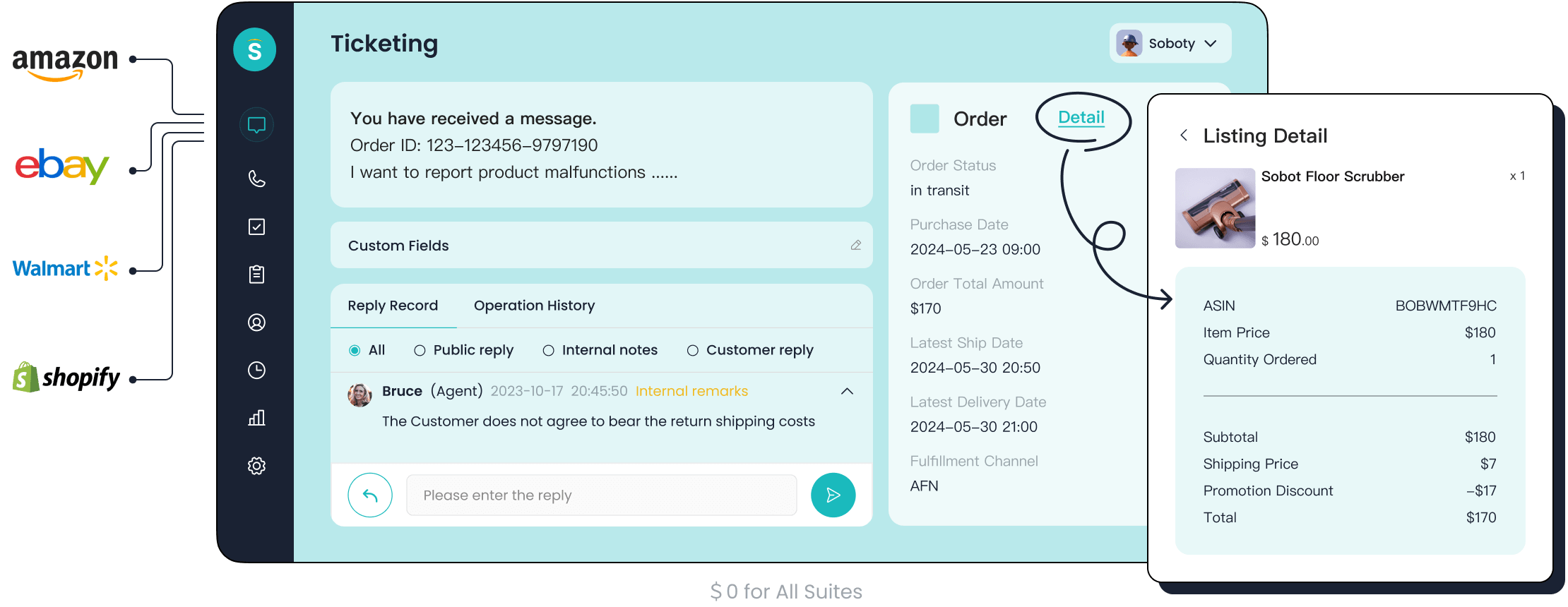
Sobot’s unified platform for customer contact
You want a customer service solution that brings everything together. Sobot gives you a unified platform where you can manage chatbots, AI Agents, live chat, voice calls, voicebots, and ticketing—all in one place. This setup helps you avoid the confusion of switching between tools. You see all your customer messages, tickets, and calls in a single workspace. Sobot’s customer contact center lets you track every interaction, so you never miss a request. Unlike gorgias, which uses a ticket-based model that can lead to unpredictable costs, Sobot’s platform focuses on efficiency and clarity.
Cost efficiency and automation benefits
Sobot helps you save money by using smart automation. The system answers common questions 24/7, so your team can focus on more complex issues. You can see how Sobot’s automation features work in the table below:
| Automation Feature | Benefit |
|---|---|
| Automated Lead Generation | Engages visitors instantly and qualifies leads, freeing up your sales team. |
| 24/7 Customer Support | Answers questions any time, reducing support costs by up to 50%. |
| Proactive Engagement | Spots user struggles and offers help before they ask. |
| Multilingual Support | Communicates in many languages for a global reach. |
Sobot’s AI Agent and Copilot automate routine tasks, cutting agent workload by 60% and reducing resolution times to under a minute. Businesses using Sobot often see up to 50% lower customer service costs and a 234% return on investment.
Sobot for finance and omnichannel support
If you work in finance or other industries, Sobot’s omnichannel support makes a big difference. You can connect with customers on WhatsApp, email, chat, and phone—all from one system. This approach reduces support ticket volume and helps your team respond faster. For example, an e-commerce brand using Sobot’s AI Agent cut ticket volume by 62% in six months. Sobot’s integration with different platforms removes data silos and boosts efficiency. When you compare Sobot to gorgias, you get more predictable costs and a smoother customer experience.
You see how gorgias billing can make chatbot expenses unpredictable. You must track usage closely to avoid surprise costs. Usage spikes often lead to higher bills. You need to review usage reports and set alerts for ticket increases. Sobot’s Ticketing System gives you better control over usage and expenses. You should check your current billing setup. You can choose a solution that fits your business needs and keeps usage predictable.
FAQ
What is Gorgias billing and how does it affect chatbot expenses?
Gorgias billing uses a ticket-based model. You pay for each ticket your chatbot creates. High chatbot activity increases your expenses. You must monitor usage to avoid surprises.
How can you avoid unexpected costs with Gorgias billing?
You set alerts for ticket spikes. You review usage reports weekly. You check your automation activity. This helps you control expenses and prevent overage fees from Gorgias billing.
Does Gorgias billing charge for every chatbot interaction?
Yes. Gorgias billing counts each chatbot interaction as a billable event. You pay for every ticket, even if your chatbot resolves the issue without human help.
Can Sobot help you manage expenses better than Gorgias billing?
Sobot offers a unified platform. You track all customer interactions in one place. Automation reduces ticket volume. You see predictable costs compared to Gorgias billing.
What tools help you track Gorgias billing and chatbot expenses?
You use built-in analytics, custom alerts, and exportable reports. These tools show ticket volume and automation activity. You monitor Gorgias billing closely to keep expenses under control.
See Also
A Comprehensive Look At Live Chat Outsourcing Expenses
Comparative Analysis Of Live Chat Support Pricing
Enhancing The Effectiveness Of Your 24/7 Live Chat
Excelling In Live Chat For Customer Assistance
Strategies For Effectively Overseeing Live Chat Representatives

