Your Guide to Chatbot Knowledge Base Training

Chatbot knowledge base training is a critical, ongoing process for a superior customer experience. This continuous training ensures excellent customer support and boosts customer satisfaction. With 74% of users preferring ai-powered chatbots for simple questions, a great user experience is vital. An effective knowledge base is a cycle of smart strategy and seamless implementation. This guide offers chatbot best practices to improve customer engagement and customer service. You can achieve better customer communication and stronger customer interaction. Use these chatbot best practices to build expertise, enhance communication, and elevate your customer service, customer engagement, and overall customer experience with solutions like Sobot.
Foundational Strategy for Chatbot Knowledge Base Training

An excellent foundational strategy is the bedrock of successful chatbot knowledge base training. Before you upload a single document, you must first define your goals, gather your resources, and structure your data. This initial phase sets the stage for a chatbot that not only answers questions but also enhances customer satisfaction and drives business growth. Following these chatbot best practices ensures you build a powerful tool from the ground up.
Tip 1: Define Your Chatbot's Purpose and Scope
Defining your chatbot's purpose is the most critical first step. A chatbot designed to do everything often accomplishes nothing well. This can lead to a poor user experience and project failure. Instead, you should clearly identify your bot's primary function and its operational boundaries. This focus creates an effective tool that genuinely solves specific customer problems and improves the overall customer experience.
Many businesses struggle with this initial step. Common challenges include:
- Defining Business Objectives: Organizations often find it hard to state clear goals for their chatbot. Without well-defined objectives, the chatbot may take longer to reach its full potential.
- Underestimating AI Project Complexity: The widespread presence of AI can create a misconception that these projects are simple. In reality, they require careful planning and detailed decision-making to succeed.
To avoid these pitfalls, you should create a clear project plan. A focused scope is the foundation for your entire strategy, dictating technology, data needs, and success metrics.
Actionable Steps for Defining Scope:
- Identify the Right Use Case: Pinpoint areas in your organization that would benefit most from automation. This could be external customer support, internal knowledge access, or sales optimization.
- Set Clear Goals and KPIs: Outline project goals and expectations. Define Key Performance Indicators (KPIs) like conversation volume, customer satisfaction rates, or conversion rates to measure success.
- Define Functionality and Limitations: Specify the exact tasks the chatbot will perform, such as answering FAQs or tracking orders. Also, identify what it will not do. This clarity helps manage user expectations.
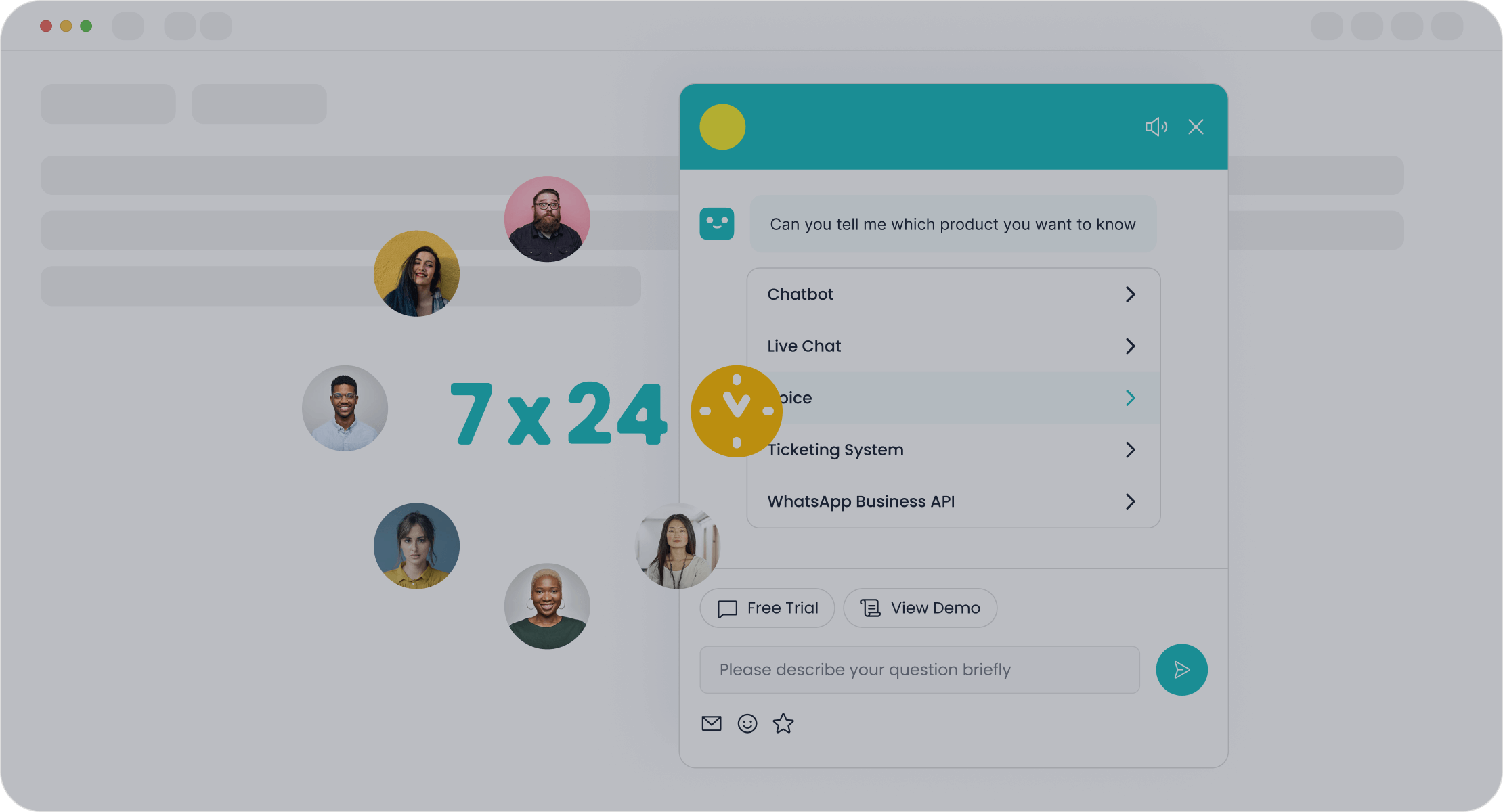
A well-defined chatbot can autonomously solve regular queries, freeing up your human agents for more complex issues. This strategic approach is key to improving agent productivity. For instance, Sobot's AI Chatbot is designed to boost agent productivity by up to 70% by handling routine inquiries, allowing your team to focus on high-value interactions. This enhances both efficiency and the quality of customer service.
Tip 2: Audit Resources to Source Initial Content
Once you have a clear purpose, your next step is to gather the raw materials for your chatbot's expertise. Your existing business documents are a goldmine of information. Auditing these resources is a fundamental part of chatbot knowledge base training. You can build a robust knowledge base by sourcing content from various places.
Start by collecting content from these key areas:
- Frequently Asked Questions (FAQs): Your FAQ page is the perfect starting point. It already contains direct answers to common customer questions.
- Support Tickets and Chat Logs: Analyze past customer support conversations. These records reveal the real questions your customers ask and the language they use.
- Product Documentation: Manuals, guides, and technical specifications provide detailed information about your products and services.
- Website Content and Articles: Your company blog, articles, and web pages contain valuable information that can be repurposed for the chatbot.
Different types of data serve different purposes. While long-form documents like articles and web pages are great for general language understanding, curated question-and-answer (Q&A) pairs provide direct, accurate responses for specific queries. Research shows that generative chatbots trained on vast datasets of long-form documents perform exceptionally well. However, domain-specific Q&A pairs are crucial for building expertise in specialized areas. A balanced approach, using both long-form content and structured Q&A, often yields the best results for a comprehensive user experience. This combination improves customer engagement by providing both detailed explanations and quick answers.
Tip 3: Structure Data for Optimal AI Learning
Your chatbot's performance depends heavily on how you structure its data. Raw, unorganized content is difficult for an AI to understand. Proper data structuring is one of the most important chatbot best practices for ensuring your bot can learn effectively and provide accurate answers. This process involves cleaning, organizing, and formatting your content for optimal AI consumption.
First, you need to clean and standardize your data. This ensures the information your chatbot learns from is high-quality and consistent.
- Remove Duplicates and Irrelevant Information: Eliminate redundant content to prevent conflicting answers. Remove any internal notes or outdated information not meant for customers.
- Correct Errors: Fix typos and grammatical mistakes. Cleaner text leads to better understanding and higher-quality responses.
- Standardize Formats: Convert all your documents into a consistent format, like plain text. Remove unnecessary HTML tags or styling that can confuse the AI.
Next, you must organize the data into a logical structure. This helps the AI understand the relationships between different pieces of information. A key technique is organizing data into intents—the user's goal—and entities, which are the specific details related to that goal. For example, a user's intent might be to "check order status," and the entity would be the "order number."
Another crucial step is "chunking," or breaking down long documents into smaller, focused pieces. This is vital for several reasons:
- Retrieval Accuracy: Smaller, more relevant chunks are easier for the AI to find and use when answering a query.
- Contextual Relevance: Chunking helps the AI focus on the most relevant piece of information instead of getting lost in a long document.
- Model Limitations: AI models have limits on how much text they can process at once. Chunking ensures the data fits within these limits.
By following these chatbot best practices for data structuring, you create a powerful foundation for your chatbot. This meticulous preparation enhances chatbot functionalities, leading to better communication, higher customer satisfaction, and a superior customer experience. It empowers your chatbot to provide reliable 24/7 support, turning it into a true digital expert for your brand.
Implementation and Calibration with Sobot
An excellent strategy and well-structured data set the stage for your chatbot. Now, you must move from planning to action. The implementation and calibration phase is where your chatbot comes to life. This stage involves choosing the right tools, uploading your knowledge, and fine-tuning the initial responses. Getting this part right is crucial for building a chatbot that delivers a great user experience from day one. Following these chatbot best practices will ensure a smooth launch and a powerful start.
Tip 4: Choose a No-Code AI Platform
Building a chatbot no longer requires a team of developers or extensive coding knowledge. The rise of no-code AI platforms has democratized chatbot creation. These platforms empower you to design, build, and deploy powerful chatbots using intuitive visual interfaces. This approach significantly speeds up development and reduces costs, making advanced AI accessible to businesses of all sizes.
Choosing a no-code platform is one of the most effective chatbot best practices for teams without deep technical expertise. Instead of writing complex code, you can use drag-and-drop builders and pre-built templates to create your chatbot's conversational flows. This allows you to focus on the quality of your content and the user experience rather than the technical complexities of development.
Platforms like Sobot offer a point-and-click interface that simplifies the entire process. You can design and deploy workflow automations without writing a single line of code. This accessibility is a game-changer, especially for small to medium-sized businesses or teams with limited resources.
Let's compare the no-code approach to traditional custom coding:
| Benefit | No-Code AI Platforms | Custom Coding |
|---|---|---|
| Implementation Speed | Days to weeks | Months |
| Upfront Cost | Lower (subscription models) | Higher (often exceeding $10,000) |
| Accessibility | Accessible to non-technical users | Requires coding expertise |
| Maintenance | Generally included in subscription | Additional ongoing expenses |
No-code platforms offer an immediate productivity boost and allow you to scale as your business grows. You can quickly release a minimum viable product (MVP) to start gathering user feedback in days, not months. This rapid prototyping gives you a significant competitive edge. With tools like Sobot's no-code chatbot builder, you can leverage pre-built templates to get started quickly, ensuring your chatbot is ready to improve customer support and enhance chatbot functionalities right away.
Tip 5: Execute the Initial Knowledge Base Upload
With your platform selected, it is time to give your chatbot its brain. The initial knowledge base upload is a pivotal moment in chatbot knowledge base training. This is where you feed the AI all the structured content you prepared. Modern platforms make this process incredibly simple, allowing you to build a comprehensive knowledge base from various sources.
You can upload information from multiple file types, transforming your existing documents into a searchable library for your chatbot. Sobot, for example, can generate a knowledge base from a wide array of formats, including:
- Articles and web pages (HTML)
- Documents (PDF, DOCX)
- Spreadsheets (XLSX, CSV)
- Plain text files (TXT)
This flexibility means you can easily repurpose your FAQs, product manuals, and support articles without needing to reformat everything manually. However, for the best results, you should follow some simple guidelines. Ensure your documents are text-based and machine-readable, not scanned images. For tabular data like FAQs in a CSV or Excel file, use a simple two-column structure: 'Question' and 'Answer'. This clean format helps the AI quickly find and deliver accurate responses. Breaking down long documents into smaller, logical sections with clear headings also improves the AI's ability to process information effectively. This attention to detail enhances the overall user experience.
Tip 6: Test and Calibrate Initial Responses
Launching a chatbot without testing is like opening a store without checking your inventory. You must rigorously test and calibrate your chatbot's initial responses to ensure accuracy and reliability. This step is essential for building user trust and delivering a positive customer service experience. The goal is to identify and fix issues before your customers encounter them.
Your testing should blend automated and manual methods. Automated tests can quickly check for basic functional errors, while manual testing is crucial for evaluating the nuances of conversation.
- Response Accuracy: Ask your chatbot a wide range of questions, from common queries to edge cases with unusual phrasing. Does it provide the correct information?
- Conversational Flow: Check if interactions feel natural. Does the bot understand context, handle follow-up questions, and guide users effectively?
- Error Handling: Test how the bot reacts to typos, ambiguous requests, or questions outside its scope. A good chatbot should offer helpful fallback responses instead of just saying "I don't understand."
- Escalation Paths: When the chatbot cannot solve a problem, does it seamlessly transfer the user to a human agent? Poor escalation logic is a common failure point that leads to customer frustration.
During this phase, you will likely uncover common issues like inaccurate information retrieval, where the AI invents facts, or a failure to recognize user intents correctly. These problems often arise from a knowledge base that contains conflicting or outdated information. By identifying these gaps early, you can refine your content and improve your chatbot's expertise.
This continuous cycle of testing and refinement is one of the most important chatbot best practices. It ensures your ai-powered chatbots provide reliable customer support and improve their chatbot functionalities over time. A well-calibrated chatbot not only provides excellent customer service but also enhances the overall user experience, turning a simple tool into a valuable asset for your business.
Continuous Improvement for a Better Customer Experience

Launching your chatbot is just the beginning. The true power of an AI assistant comes from continuous learning and refinement. This ongoing process turns a good chatbot into a great one, ensuring it consistently delivers an excellent customer experience and boosts customer satisfaction. Following these chatbot best practices for improvement will elevate your customer support.
Tip 7: Monitor Queries to Improve Customer Support
You must actively monitor your chatbot's conversations to understand its performance. Analyzing queries helps you identify gaps in knowledge and opportunities for improvement. Key performance metrics give you a clear picture of your chatbot's effectiveness.
- Resolution Rate: The percentage of queries solved without human help.
- Fallback Rate: How often the bot fails to understand a user's request.
- Abandonment Rate: The percentage of users who leave a conversation before it ends.
A high fallback or abandonment rate signals that your knowledge base needs attention. You should regularly review unresolved queries to find common themes. This analysis allows you to create new content that directly addresses customer needs, improving the overall user experience and strengthening your 24/7 support.
Tip 8: Establish a Regular Content Update Cadence
Your chatbot's knowledge must stay current to remain useful. An outdated knowledge base leads to incorrect answers and erodes customer trust. You should establish a regular schedule for content updates. This ensures your chatbot's expertise is always accurate, which is vital for good customer service.
The right update frequency depends on the type of content:
| Content Type | Recommended Frequency |
|---|---|
| Dynamic content (e.g., product info) | Daily to Weekly |
| Static content (e.g., FAQs) | Monthly |
| Frequently changing content | Real-time |
A consistent update cadence is one of the most important chatbot best practices. It maintains the quality of your customer interaction and supports strong customer engagement.
Tip 9: Leverage User Feedback for Refinement
Your users provide the most valuable insights. Implementing simple feedback tools, like thumbs-up or thumbs-down buttons, is a powerful way to measure customer satisfaction. This direct feedback helps you pinpoint inaccurate or unhelpful responses quickly. Analyzing this data improves your chatbot's communication and the overall customer experience.
For example, leading smart device brand OPPO used Sobot to optimize its knowledge base. By analyzing chatbot performance and user feedback, OPPO reduced its knowledge base maintenance by 90% and achieved an impressive 83% chatbot resolution rate. This focus on refinement led to higher customer satisfaction and better customer engagement. Acting on feedback shows users you value their input and are committed to improving their user experience. This builds trust and enhances your customer service.
Optimization and Expansion: Chatbot Best Practices
Your chatbot is now live and helping customers. The final phase of training is about making it smarter over time. Optimization and expansion are ongoing chatbot best practices that turn a functional tool into an indispensable asset. You can use data to guide your strategy, ensuring your chatbot evolves with your customers' needs. This continuous improvement cycle is key to long-term success.
Tip 10: Use Analytics to Guide Knowledge Expansion
Your chatbot analytics dashboard is a treasure map. It shows you exactly where to find opportunities for improvement. You should regularly analyze this data to make informed decisions about expanding your knowledge base. This data-driven approach helps you move beyond guesswork and focus on what your customers truly need. Monitoring chatbot performance metrics is essential for identifying trends and knowledge gaps.
Start by looking for what is missing. Your analytics can reveal the most common questions your chatbot cannot answer. This is valuable information for your content strategy.
- Rate of no-result searches: This shows you how often users search for something and find nothing.
- Top search terms with no results: This list tells you the exact topics you need to add to your knowledge base.
- Top search terms with low engagement: This points to existing content that may be unclear, unhelpful, or hard to find.
By tracking these data points, you can pinpoint specific areas for improvement. For example, if many users ask about "international shipping costs" and get no answer, you know to create a new Q&A pair for that topic. This process directly enhances your chatbot functionalities. Using analytics is one of the most effective chatbot best practices because it allows you to systematically improve the customer experience. You can continuously refine your chatbot, ensuring it becomes more helpful and accurate with every interaction.
Successful chatbot knowledge base training is a continuous cycle. You move from strategy to implementation and then to optimization. This process transforms your chatbot into a powerful asset. Tools like the Sobot AI Chatbot support this entire lifecycle, improving your customer support and communication. Viewing your knowledge base as a dynamic tool drives customer satisfaction and operational efficiency. This focus on constant improvement enhances the user experience, boosts customer engagement, and strengthens customer service. Your efforts in communication will lead to a better customer experience and greater customer satisfaction. You can improve customer engagement and deliver excellent customer support. This commitment to communication ensures high customer satisfaction and a superior user experience, which is key for great customer service. Start your customer service journey.
FAQ
How long does it take to build a chatbot knowledge base?
You can build an initial chatbot knowledge base in just a few days. With a no-code platform like Sobot, you simply upload existing documents like FAQs and PDFs. The platform helps you organize the data quickly, allowing for a fast and efficient setup.
What is the most important step in chatbot training?
Defining your chatbot's purpose is the most critical step. A clear scope helps you gather the right content and set achievable goals. This focus ensures your chatbot effectively solves customer problems and provides a great user experience from the start.
How do I know if my chatbot is successful?
You can measure success by tracking key metrics. Monitor the chatbot's resolution rate, fallback rate, and user feedback scores. High resolution rates and positive feedback show your chatbot is performing well and helping customers effectively.
Can I build a chatbot without coding skills?
Yes, you can. Modern AI platforms like Sobot offer no-code interfaces. You can use point-and-click tools to design, build, and launch your chatbot. This makes creating a powerful chatbot accessible to anyone, regardless of their technical expertise.
See Also
Selecting the Ideal Chatbot Software: A Comprehensive Guide for Your Business
Effortlessly Deploying Website Chatbots: Practical Examples for Quick Integration
Building a Powerful Chatbot for Enhanced Website Performance and Success
Simple Steps to Construct an Effective Chatbot for Your Business Website
Quickly Integrate a Chatbot into Your Website with These Simple Instructions

