Need Free Customer Communication Software?

You can find powerful, free alternatives to paid customer communication software. These tools provide real value for your business. This article explores several great customer service software tools. We will look at HubSpot, Tidio, Freshdesk, Zoho Desk, Tawk.to, Crisp, and Sobot. This guide helps you compare these free customer service software options. You can find the best customer service software for your specific customer communication needs. The goal is to improve your customer communication. A good customer service platform, like the Sobot call center with Sobot AI, offers many tools. You can find the right tools for your customer.
HubSpot: All-in-One Free Platform
Overview & Ideal User
HubSpot offers a comprehensive customer service platform that combines many tools into one place. You can use it to manage marketing, sales, and customer support activities. This makes it an excellent choice for small to medium-sized businesses. If you are looking for cost-effective CRM solutions, HubSpot provides a strong starting point. It helps you centralize customer information without an initial investment. This makes it one of the most popular alternatives for businesses on a budget.
Key Free Features: Chat, Tickets & CRM
The HubSpot free plan gives you access to several powerful tools. You get a shared inbox to manage team communications. This inbox helps your support team collaborate on customer conversations. The free customer service software also includes:
- Live Chat: You can add a chat widget to your website. This allows you to connect with visitors in real time and offer immediate support. The chat tool is essential for modern customer service.
- Basic Ticketing: You can create tickets from any chat or email. This feature helps you track and manage customer issues from start to finish.
- CRM: The free CRM lets you store up to 1,000,000 contact records. You can organize your customer data and view every interaction in one place.
These features provide a solid foundation for any support strategy.
Limitations of the Free Plan
While the free customer service software is generous, you should know its limits. The free plan removes HubSpot branding from the chat widget, but many advanced features are locked.
For example, you cannot access automation, custom reports, or sales sequences. These advanced tools require a paid upgrade.
The user limit can also be a challenge. While you can add unlimited users for basic CRM access, many marketing, sales, and customer service software features restrict you to just two users. This can create problems as your support team grows. The free plan is a great start, but growing businesses often need more advanced capabilities for chat and customer management.
Tidio: Top Choice for E-commerce Chat

Overview & Ideal User
You will find Tidio is an excellent customer service software, especially if you run an e-commerce store. It offers a powerful combination of live chat and chatbot tools designed for easy installation. This makes it one of the best alternatives for online businesses that want to engage visitors quickly. You can easily add Tidio to your website. It integrates smoothly with popular platforms, including:
This focus makes it ideal for store owners who need a simple way to offer live support and capture leads without complex setup.
Key Free Features: Live Chat & Basic Bots
The Tidio free plan provides valuable tools to improve your customer support. You get a customizable live chat widget that enables real-time live chat with website visitors. This feature helps you answer customer questions instantly. The customer service software also includes basic chatbots. You can use these bots to welcome new visitors, offer discounts, or generate leads automatically. These tools give your support team the ability to handle multiple conversations at once. The live chat support helps you build better customer relationships from the first interaction.
Limitations of the Free Plan
While the free plan is a great starting point, you should understand its limits. The chatbot functionality is restricted. Your bots can only engage with 100 unique visitors per month. The free customer service software also has a cap on live conversations.
Your team can handle up to 50 live chat conversations each month. Once you reach this limit, you must wait for it to reset or upgrade your plan.
Additionally, you cannot remove the Tidio branding from the chat widget on the free plan. This can be a drawback for businesses that want a fully branded customer experience. Growing teams may find these chat and support limitations restrictive.
Freshdesk: Leading Free Customer Service Software
Overview & Ideal User
You will find Freshdesk is a powerful customer service software focused on providing a robust ticketing system. It stands out among free alternatives for businesses that want to organize and streamline their customer support processes from day one. This customer service platform is an excellent choice if you need a structured way to manage inquiries. You are the ideal user for this customer service software if your business fits one of these descriptions:
- Startups and Small Businesses: You need cost-cutting solutions without giving up essential customer support features.
- Businesses Needing Structured Customer Service: You want to implement an organized support process without an initial financial investment.
- Businesses Requiring Core Support Functionalities: You need ticket management, self-service options, and basic reporting tools.
Key Features: Ticketing & Self-Service
The Freshdesk free plan gives you excellent tools for ticketing and customer self-service. You can convert emails into support tickets automatically, helping your team track every customer request. A key feature is its integrated knowledge base, which promotes self-service. You can turn your support agents' ticket responses into self-service articles with just a few clicks. This helps you build a helpful self-service portal over time. This customer service software empowers your customers to find answers on their own, which reduces your support team's workload. The self-service tools are a major benefit.
| Feature | Free |
|---|---|
| Email to knowledge base | ✓ |
This self-service capability allows you to create a library of helpful content, making your support more efficient. You can offer 24/7 self-service support without needing a large team. This focus on self-service makes it a great customer service software.
Limitations of the Free Plan
You should be aware of the limitations of the Freshdesk free plan. While it offers strong ticketing and self-service, it restricts access to certain communication channels and advanced tools. The free plan does not include automations, collision detection, or SLA management. These features are important for growing support teams that need to improve efficiency. The biggest limitation involves the available support channels.
The free plan does not include phone support. You also get very basic social media integration for Twitter and Facebook, which may not be enough for active social engagement.
Your customer support is limited to email, the knowledge base, and community forums. If you need to offer support across phone or robust social media channels, you will need to upgrade to a paid plan.
Zoho Desk: Great for Small Support Teams
Overview & Ideal User
You can use Zoho Desk as a powerful customer service software if you have a small support team. It is one of the best alternatives for startups and solo founders. The free plan gives you licenses for up to three agents. This setup is perfect for a small team just starting to organize its customer support efforts. You are the ideal user if you primarily handle customer inquiries through email and want to build a foundation for better service. This platform provides the essential tools to manage customer requests without any cost.
Key Free Features: Email Ticketing
The core of Zoho Desk's free offering is its email ticketing system. This customer service software provides several useful tools to help your support team. You can convert every customer email into a trackable ticket. This ensures no customer request gets lost. The free plan also includes features to help you build a self-service portal.
- Email Ticketing
- Customer Management
- Help Center
- Predefined SLAs
- Private Knowledge Base
- Multi-Language Help Desk
These features allow you to create a private knowledge base for your agents and a public help center for your customers. This focus on self-service helps your customer find answers independently, reducing your team's workload.
Limitations of the Free Plan
You should understand the limitations of the Zoho Desk free plan. The biggest restriction is the agent limit. You can only have three support agents. This customer service software also limits your communication channels. You cannot connect social media accounts or offer live chat support. The plan also lacks advanced automation and the built-in AI assistant, Zia.
This means your team will handle more tasks manually. If your business needs to provide support across multiple channels or automate workflows, you may find these limitations challenging as you grow.
The table below shows some key restrictions of this customer service software.
| Feature | Free Plan |
|---|---|
| Max Agents | 3 |
| Key Channels | Email, Web Form |
| SLA Management | ❌ |
| Built-in AI (Zia) | ❌ |
These limitations make it a starting point, but growing teams will likely need to upgrade for more robust support tools.
Tawk.to: 100% Free Live Chat & Ticketing
Overview & Ideal User
You will find Tawk.to is one of the most generous alternatives available if you need a completely free solution. This customer service software offers a full-featured platform without any cost. It is an excellent choice for businesses of any size, from solo entrepreneurs to large enterprises, that want a high-quality live chat tool. You can set it up in just a few minutes. The platform is designed for non-technical users, so you can add a live chat widget to your website easily. It functions as a comprehensive customer care platform, making it perfect for providing great customer support from day one.
Key Free Features: Unlimited Agents
The key benefit of Tawk.to is its truly unlimited free plan. Unlike many other tools, this customer service software does not place artificial limits on your usage. You get a robust set of features to manage your customer interactions effectively. The live chat support is powerful and comes with a built-in ticketing system and knowledge base. These tools help you organize your support efforts and empower your customer base with self-service options.
Tawk.to's free plan allows for 'unlimited agents, chats, and properties.' The core platform is 'free forever' with 'no cap on agents, chat volume, or the number of sites you connect.'
This means your entire team can use the live chat system to support an unlimited number of customer conversations. All your live chat history is stored permanently, which is a rare feature for free customer service software.
Limitations of the Free Plan
The core Tawk.to customer service software is 100% free, but the company offers optional paid add-ons. The platform's business model relies on these services rather than limiting core features. If you want to remove the "Powered by tawk.to" branding from your live chat widget, you can pay a monthly fee. You also have the option to purchase other advanced tools or services.
- Remove Branding: Starts at $19 per month.
- Video, Voice & Screen Sharing: Starts at $29 per month.
- Hire Live Chat Agents: Starts at $1 per hour.
These paid options allow you to enhance your support capabilities as your needs grow. However, the essential live chat and ticketing tools remain free forever.
Crisp: Simple, Unified Free Inbox
Overview & Ideal User
You can use Crisp if you need a simple and modern customer service software. It provides a unified inbox that brings all your customer conversations into one place. This platform is great for startups and small businesses that want to manage live chat and email without switching between different tools. If your team values a clean interface and straightforward features for customer support, Crisp is an excellent choice. It helps you offer quick live chat support directly from your website.
Key Free Features: Team Inbox & Chat
The free plan for this customer service software centers on its Team Inbox and live chat capabilities. You get a shared inbox that consolidates messages, making it easy for your team to collaborate on customer support. The live chat feature lets you engage with website visitors in real time. These core tools help you provide a responsive customer experience.
- The free plan allows two agents to use the Team Inbox.
- This interface lets your support team communicate with every customer.
This setup is perfect for a small team managing its first customer interactions. The live chat widget is also customizable, allowing you to match it to your brand's look and feel.
Limitations of the Free Plan
You should know the limitations of Crisp's free plan. The most significant restriction is the two-agent limit, which can be a challenge as your support team grows. Many advanced features are also unavailable.
The free plan does not include powerful tools like chatbots, automated replies, or integrations with platforms like Slack or Discord. You also cannot create a knowledge base for customer self-service.
If you need more advanced automation or want to offer more self-service support options, you will need to upgrade. This customer service software is a great starting point for basic live chat, but growing businesses may quickly need more powerful tools for their customer support strategy.
Sobot: Scalable WhatsApp Customer Communication Software
Overview & Ideal User
You will eventually outgrow the limitations of free tools. When that happens, you need a scalable customer communication software built for growth. You can turn to Sobot for this. Sobot is a premium, all-in-one contact center solution and an official Meta Business Solution Provider. This makes it the ideal choice when you need robust WhatsApp communication.
This powerful customer service software is designed for a wide range of businesses. You are the ideal user if your business is ready to scale its customer support and engagement. Sobot serves:
- Startups and small businesses ready for dedicated tools
- Medium-sized and large enterprises
- Businesses in industries like retail, e-commerce, finance, and gaming
Key Features: Official API & Automation
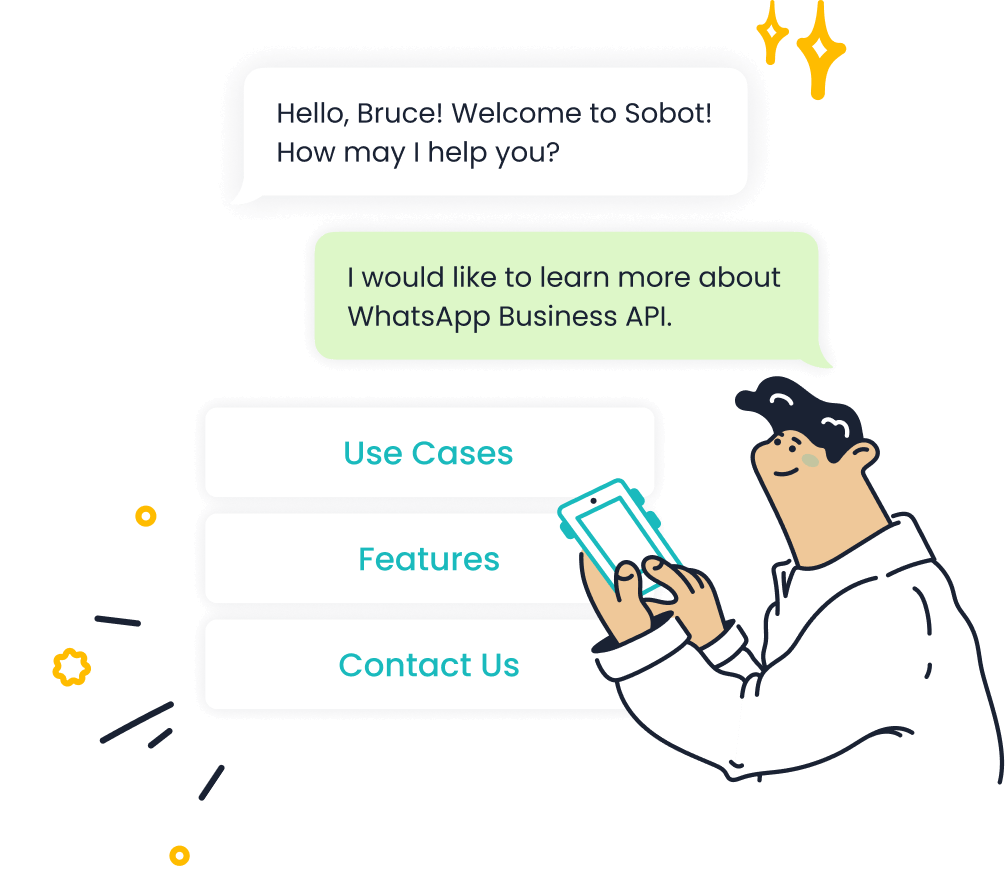
Sobot provides the official WhatsApp Business API. This gives your business a verified green tick account and unlocks powerful communication tools. You can have multiple agents use a single WhatsApp number for customer chat. This feature unifies your team's support efforts. The platform also offers advanced automation to improve your team's efficiency.
With Sobot, you can use AI agents for instant answers, send bulk messages for marketing campaigns, and build automated workflows. This level of automation handles repetitive tasks, so your support team can focus on high-value customer conversations.
These features are essential for scaling your customer communication strategy effectively. The chat automation ensures your customer gets fast and consistent support.
Value for Growing Businesses
Sobot's customer service software delivers significant value by improving key performance metrics. The platform helps you increase customer engagement and boost agent productivity. For example, Sobot’s work with OPPO resulted in an 83% query resolution rate and 94% positive feedback. This shows how effective the tools are for a growing business.
This customer service software provides measurable improvements to your support operations.
| Feature | Reported Impact |
|---|---|
| Omnichannel (WhatsApp, SMS, web) | Unified inbox + WhatsApp Business API |
| Chatbot resolution rate | Up to 83% |
| Agent productivity | Up to 70% boost |
| First response time | Reduced by over 85% |
By investing in a scalable chat and communication platform, you equip your business to handle more customer interactions with greater efficiency and satisfaction.
Comparison: Finding the Best Customer Service Software for You

Choosing the right tool depends on your specific business needs. This comparison will help you find the best customer service software for your situation. You can select a platform that aligns with your goals for customer support and growth.
Best All-in-One Free Tool
You should choose HubSpot if you need a complete, integrated platform. It is the best customer service software for an all-in-one solution. The free plan gives you powerful tools to start.
- Free CRM to manage customer data
- Live chat and basic ticketing
- Support for unlimited users
HubSpot provides a strong foundation for centralizing your customer support. You get a single view of every customer interaction, which is essential for providing great service.
Best for Unlimited Live Chat
You will find Tawk.to is the best customer service software for unlimited live chat. This platform is 100% free and does not limit your core features. It is the perfect choice if your main goal is to offer live support to every website visitor. The free plan includes unlimited agents and unlimited live chat conversations. This allows your entire team to engage with your customer base without worrying about hitting a cap.
Best for Robust Free Ticketing
Freshdesk is the best customer service software if you need a strong, free ticketing system. This customer service software helps you organize customer requests from the start. You can turn emails into tickets and build a self-service knowledge base. This focus on ticketing and self-service empowers your customer to find answers, reducing your team's workload.
Best for Scaling with WhatsApp
When you are ready to grow, Sobot is the best customer service software for scaling with WhatsApp. This customer communication software provides the official WhatsApp Business API. This unlocks powerful features for serious growth.
- Multi-User Access: Your entire team can use one number for customer chat.
- Automation: You can use chatbots to reduce response times and improve efficiency.
- Enhanced Engagement: You can reach your customer on their favorite chat platform.
Using an official provider like Sobot ensures your communications are stable, secure, and professional. This is crucial for building customer trust and loyalty as your business expands.
You do not need a big budget to provide great customer service. The free tools in this guide offer powerful ways to improve your customer communication. As your business grows, your needs will change. Investing in a scalable customer communication software like Sobot for key channels like WhatsApp unlocks greater efficiency and customer engagement.
Upgrading your tools can lead to a 38% higher conversion rate from improved lead quality.
Start with a free tool today. Keep scalable solutions in mind for your future growth to enhance customer communication and engagement.
FAQ
What is the best free tool to start with?
You should choose a tool based on your main need. Tawk.to is great for unlimited live chat. Freshdesk works well for organizing support tickets. HubSpot offers a good all-in-one platform with a free CRM to manage customer communication.
Are these software options really free forever?
Yes, the core features of the free plans are genuinely free. Companies like Tawk.to offer a completely free platform. Others, like HubSpot and Freshdesk, provide a free tier with the option to upgrade for more advanced features as your business grows.
When should I upgrade to a paid tool like Sobot?
You should consider upgrading when your team grows or you need advanced features. If you want to use the official WhatsApp Business API for better customer communication, a scalable solution like Sobot is the right choice for your business.
See Also
Leading Free CRM Solutions for Call Centers This Year
Reviewing the Best Free Chat Tools for Your Business Needs
Discover the Top 10 Chat Software for Businesses in 2024
Essential Free Live Chat Software for Websites in the Current Year

