How the Top Customer Support Knowledge Bases Stack Up

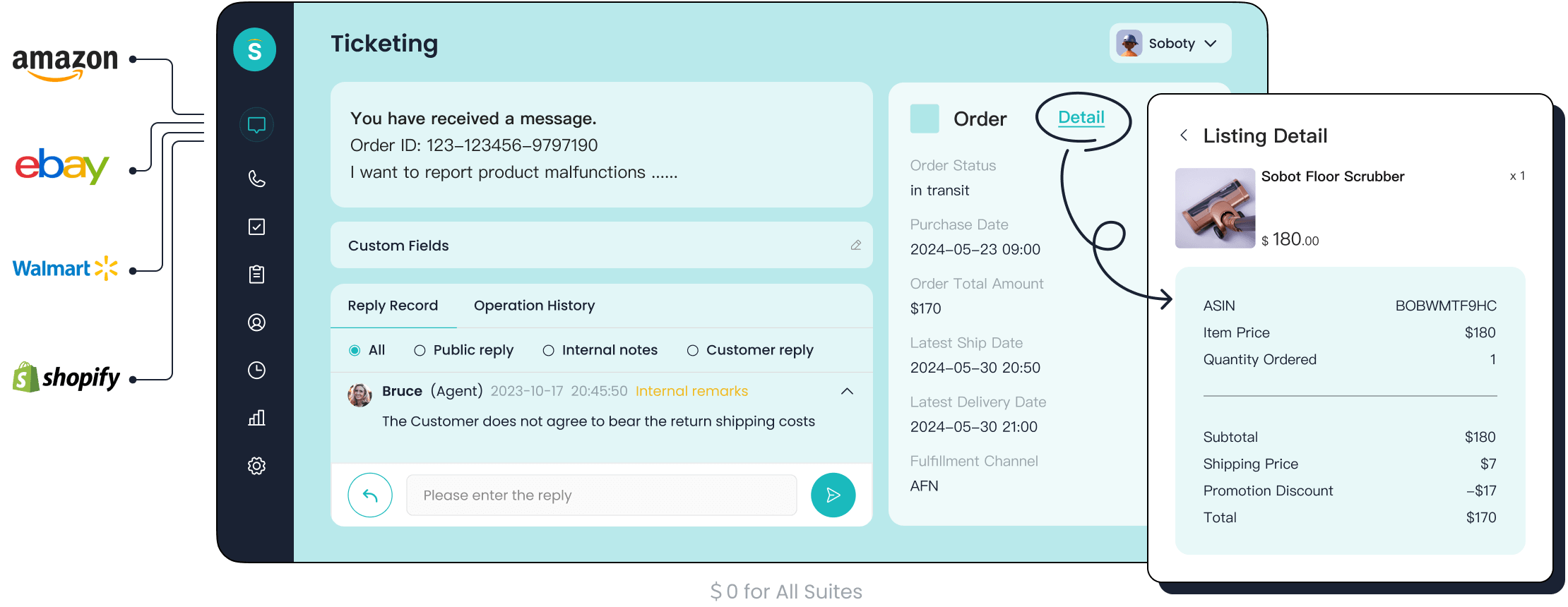
You want the best customer support knowledge base to boost both customer satisfaction and operational efficiency. Top solutions like Sobot, Zendesk, and Freshdesk each offer unique strengths. Over 72% of organizations now use centralized platforms, with small and mid-size businesses leading adoption. The right customer support platform helps you resolve tickets faster, cut costs by up to 25%, and keep customers happy. Below, you will see how Sobot and its competitors compare on key features.
| Impact Area | Result |
|---|---|
| Faster Solution Retrieval | Agents find answers 30% quicker with AI search |
| Customer Self-Service | 60% of tickets resolved without agent intervention |
| Cost Reduction | Support costs drop by up to 25% with automation |
Leading Customer Support Knowledge Base Solutions
Top Solutions Overview
You have many choices when searching for the best knowledge base software. The top knowledge base software options help you build a help center that empowers both your team and your customers. Sobot stands out with its all-in-one customer contact center, which includes chatbot, AI Agent, live chat, call center/voice, voicebot, and a powerful ticketing system. These tools work together to create a seamless help center experience. Sobot’s platform supports omnichannel communication, so you can manage customer support across email, chat, voice, and social media in one place. Learn more about Sobot’s solutions.
Industry analysts in 2024 often recommend solutions like Zendesk Guide, Guru, Help Scout, and Pylon. Zendesk Guide offers deep analytics and multilingual support. Guru provides context-aware knowledge management and verification workflows. Help Scout makes it easy to set up a help center for growing teams. Pylon integrates with Slack and uses AI-powered suggestions. Notion is popular for flexible internal documentation. Gorgias and Hiver also appear in many lists for their strong help center and ticketing features.
Sobot Ticketing System Introduction

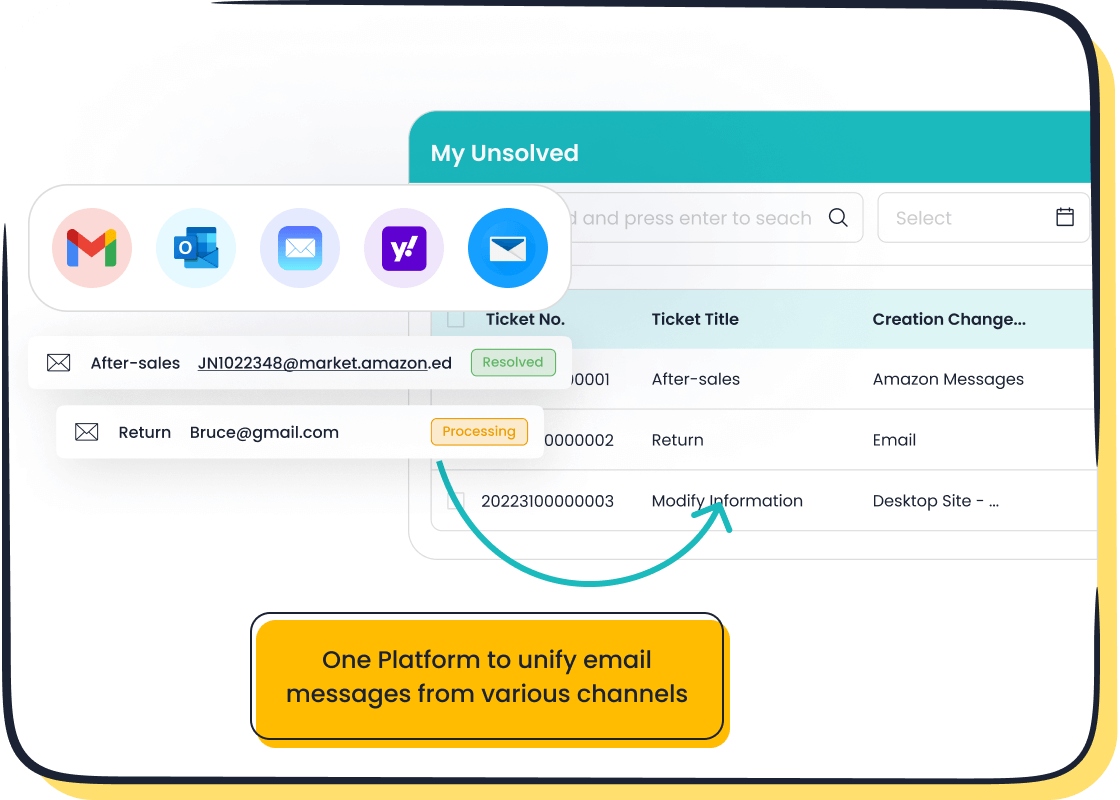
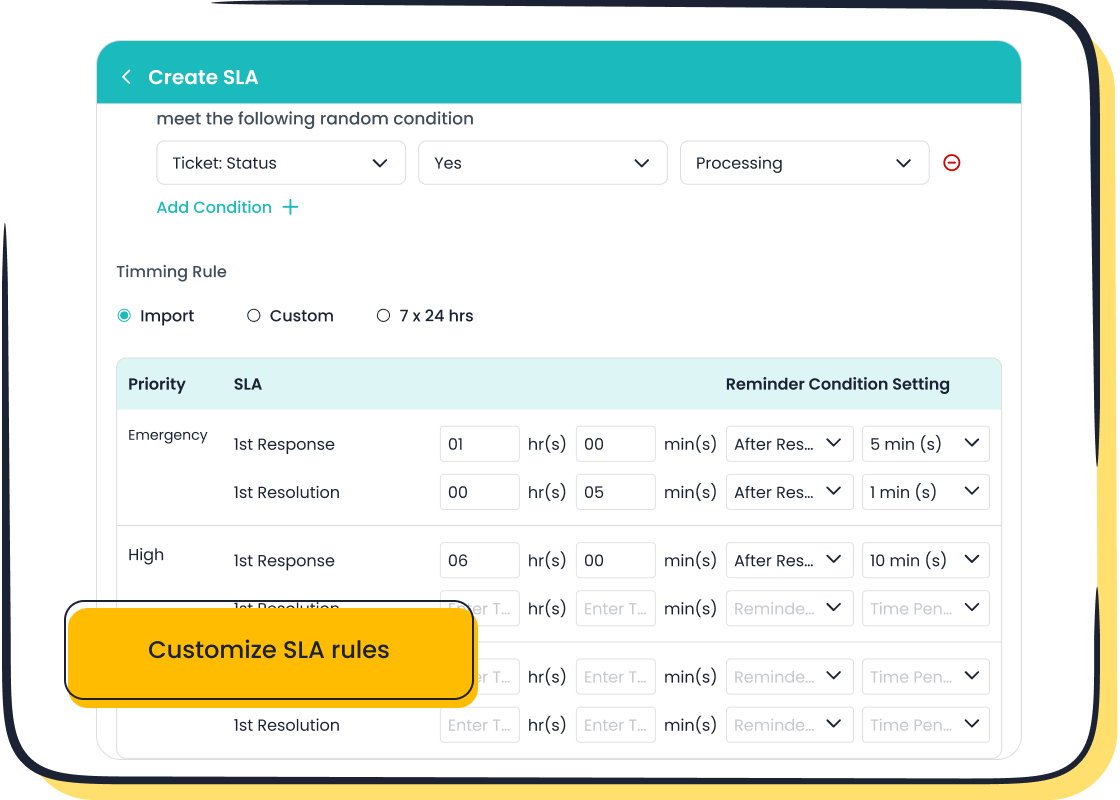
Sobot’s Ticketing System gives you a unified workspace for all customer support tickets. You can handle email, voicemail, and chat from one dashboard. The system uses AI to automate ticket creation, assignment, and response. This reduces manual work and helps you resolve issues faster. You can set SLAs, use canned responses, and merge tickets about the same problem. The platform supports multilingual tickets, so you can serve customers in their preferred language. Explore Sobot’s Ticketing System.
Key Strengths of Each Solution
Each solution brings unique knowledge base features to the table. Sobot’s unified platform and automation boost efficiency and accuracy. Zendesk Guide excels in analytics and integration. Freshdesk offers strong search functionality and easy setup. Help Scout focuses on customer feedback and simple help center creation. Salesforce Knowledge works well for large businesses needing advanced knowledge management. Intercom Articles blend help center content with live chat. Guru delivers knowledge base tools with verification and context. Hiver makes it easy to manage support from your inbox. You should look for solutions that collect customer feedback and make it easy for users to find answers.
Comparison Criteria for Knowledge Bases
When you choose a customer support knowledge base, you need to look at several important areas. These criteria help you find the right help center for your team and customers. The best platforms make it easy to share information, collect customer feedback, and grow with your business.
Features & Functionality
You want a help center with strong knowledge base features. Look for search functionality that helps users find answers fast. Many businesses value tools that let you customize the platform and connect with other systems. Sobot stands out with ai-powered features, automation, and a unified workspace. These tools automate ticket routing, manage SLAs, and provide analytics for better decision-making. Here is a quick overview of what matters most:
| Criteria | Description |
|---|---|
| User Experience | Easy for customers and employees to find and share information. |
| Customization | Ability to tailor the platform and integrate with other tools. |
| Scalability | Grows with your company and customer support needs. |
| Pricing | Ensures value for money, not just the lowest cost. |
Usability & Experience
A good knowledge management system should be simple to use. You want your team to complete tasks quickly and with confidence. Usability metrics like task success rate, time on task, and customer feedback help you measure how well your help center works. Sobot’s interface makes it easy for agents to manage tickets and respond to customers.
Pricing & Value
The pricing model can affect your long-term costs. Some providers charge per agent, while others use flat rates or pay-per-use. For example, Zendesk and Freshdesk use per-agent pricing, while Intercom charges per resolution. You should compare these models to see which offers the best value as your team grows.
Integration & Scalability
Integration matters for businesses using many tools. You want a customer support knowledge base that connects with CRM, telephony, and analytics platforms. Sobot’s omnichannel integration gives you a unified view of customer interactions. This setup streamlines workflows and helps you deliver faster, more personalized service.
Solution Comparison: Sobot and Competitors
When you compare the top knowledge base software, you want to see how each platform helps you build a help center that works for your team and your customers. This section gives you a clear look at Sobot and other leading customer support knowledge base solutions. You will see how each one supports your support team, improves customer feedback, and fits different business needs.
Sobot Ticketing System Capabilities
Sobot gives you a complete customer contact center. You can manage tickets, live chat, chatbot, AI Agent, call center, and voicebot in one place. The Sobot Ticketing System stands out for its unified handling of all channels. You can connect email, voicemail, chat, and even e-commerce platforms like Shopify. The system uses ai-powered features to automate ticket creation, routing, and response. This saves your team time and helps you resolve issues faster.
You can set SLAs, use canned responses, and merge tickets about the same problem. Sobot supports multilingual tickets, so you can serve customers in their preferred language. The platform gives you over 300 reports with thousands of indicators. You can track every part of the customer engagement process, from first contact to ongoing management. Sobot’s pricing model offers a lower price for an integrated solution, so you do not need to buy many separate systems.
Here is a quick table to show how Sobot compares to other solutions:
| Feature | Sobot | Other Solutions |
|---|---|---|
| Omnichannel Integration | Yes | Limited to specific channels |
| AI Capabilities | Five-AI system | Varies by provider |
| Comprehensive Reporting | Over 300 reports with thousands of indicators | Generally fewer reports |
| Customer Engagement Process | Full process from first contact to ongoing management | Often limited to ticketing or specific interactions |
| Pricing | Lower price for integrated solution | Higher costs for multiple systems |
Tip: Sobot’s unified platform means you can handle all customer interactions in one workspace. This makes your support team more efficient and helps you deliver a better customer experience.
The OPPO customer story shows how Sobot can improve your support operations. OPPO used Sobot’s chatbot and ticketing system to handle high volumes of customer questions. The AI handled most simple questions, so human agents could focus on complex issues. OPPO reduced wait times, saved 54% of time on after-sales issues, and saw higher customer satisfaction. The company also improved its knowledge base, cutting maintenance work by 90%.
Zendesk Guide
Zendesk Guide is a popular choice for businesses with complex support needs. You can build a multilingual knowledge base to help customers find answers in their own language. Zendesk uses automation tools to speed up email triage and routing. Intelligent virtual agents give instant answers and collect information for handoff to human agents. You can use API integrations to automate requests and improve the customer experience.
Zendesk tracks key metrics like translation accuracy, ticket resolution times, and customer satisfaction scores. You can monitor these metrics to find areas for improvement. Virtual agents can detect customer location and language preferences, so you can offer personalized support. Automation in Zendesk helps your team work faster and keeps customers happy.
Freshdesk Knowledge Base
Freshdesk gives you a knowledge base that works well with its support suite. You can manage tickets and knowledge articles in one place. The platform is easy for agents to use and offers basic customization options. Freshdesk supports multiple languages, so you can help customers around the world. You can use article versioning and collaboration tools to keep your help center up to date.
Here is a summary of Freshdesk’s strengths:
| Strengths | Weaknesses |
|---|---|
| Seamless integration with Freshworks ecosystem | Limited advanced features |
| Ease of use for support agents | Clunky editor experience |
| Basic customization options | Basic search functionality |
| Multilingual support | Higher costs for premium features |
| Article versioning and collaboration | Not purpose-built for documentation |
Freshdesk is a good choice if you want basic knowledge management and affordable pricing. It may not have advanced structuring tools for complex documentation.
Help Scout Docs
Help Scout Docs helps your customers find answers on their own. You can set up a built-in knowledge base that reduces the number of simple questions your agents need to answer. This boosts agent productivity and lets them focus on more complex issues. Help Scout integrates with Beacon, which suggests relevant articles as customers type their questions. This makes self-service fast and easy.
You can use Help Scout Docs if you have a small or mid-size team and want a user-friendly help center. The platform is quick to set up and easy to manage.
Salesforce Knowledge
Salesforce Knowledge is designed for large businesses that need advanced knowledge management. You can organize articles with data categories, making it easy to find information. Users can rate articles, so you get customer feedback on your content. The platform supports case deflection, which means customers can solve problems on their own before reaching out to support.
Salesforce Knowledge also allows for advanced integration with Apex triggers and classes. This gives you more control over knowledge management tasks.
| Feature | Description |
|---|---|
| Article Rating | Users can rate articles with a thumbs-up or thumbs-down system, allowing for feedback on content. |
| Data Categories | Organizes articles hierarchically, enhancing content management and accessibility. |
| Case Deflection | Exposes knowledge articles to users, reducing the volume of support cases by enabling self-service. |
| Apex Integration | Allows for advanced functionality through Apex triggers and classes for knowledge management tasks. |
Intercom Articles
Intercom Articles helps you provide proactive customer support. You can send outbound messages, product tours, and banners to alert customers about known issues. This lets you address problems before they become widespread. Proactive support reduces the number of inbound conversations and helps your team focus on important tasks.
Intercom’s tools help you engage customers at the right moment. You can improve retention and satisfaction by giving help when it matters most. Intercom works well for in-app chat support and simple use cases.
Guru
Guru is unique among knowledge base tools. Every piece of content in Guru is verified and has an assigned owner. This reduces the risk of outdated information. Guru integrates with tools like Slack and Zendesk, so you can access verified knowledge in your workflow. The platform focuses on content integrity and governance, not just indexing information from many systems.
You can use Guru if you want strong internal knowledge management and need to keep your help center content accurate.
Hiver
Hiver works inside your email platform. You can automate reading emails and updating systems like CRMs and ticketing systems. This reduces manual work and helps your team handle more support requests. Hiver turns unstructured conversations into structured actions, making your workflow more efficient.
You can use Hiver if you want to manage customer support from your inbox and need simple automation.
Pros & Ideal Use Cases
Each customer support knowledge base has strengths for different business needs. Here is a table to help you match solutions to your use case:
| Knowledge Base Solution | Ideal Use Case | Key Features |
|---|---|---|
| Sobot | Unified, omnichannel support | All-in-one platform, automation, multilingual, analytics, low cost |
| Zendesk | Complex support needs | Customization, multilingual, integrations |
| Freshdesk | Basic knowledge management | Affordable, easy to use |
| Help Scout | Small to mid-size teams | User-friendly, quick setup |
| Salesforce Knowledge | Enterprise, advanced needs | Hierarchical content, case deflection, integration |
| Intercom | In-app chat support | Proactive engagement, messaging |
| Guru | Internal knowledge management | Content verification, workflow integration |
| Hiver | Email-based support | Email automation, workflow efficiency |
| Gorgias | E-commerce support | Ticketing, automation, Shopify integration |
Note: Sobot’s all-in-one platform is ideal if you want to unify your help center, automate workflows, and support customers in multiple languages. You can see the impact in OPPO’s story, where Sobot improved efficiency, reduced wait times, and increased customer satisfaction.
You should choose the solution that matches your business size, industry, and support needs. Look for platforms that collect customer feedback, offer strong ai-powered features, and provide a pricing model that fits your budget. The right customer support knowledge base will help you build a help center that grows with your business.
Quick Comparison Table: Customer Support Knowledge Base Features
Feature Summary
When you compare customer support knowledge base solutions, you want to see which features matter most. Recent surveys show that over 80% of users want more self-service options in their help center. You should look for these important features:
- Search functionality that helps users find answers quickly
- Content categorization for easy navigation
- Customer feedback tools to improve articles and service
A strong knowledge base platform also lets you organize information with a clear content structure. This makes it easy for your team and customers to get the help they need.
Pricing Overview
You need to understand the pricing model before you choose a help center. Here is a quick look at how popular solutions compare:
| Solution | Pricing Tier |
|---|---|
| Sobot | Custom plans; affordable for all sizes |
| Help Scout | Free tier; paid from $7 |
| Freshdesk | $15/user/mo |
| Intercom | $29/seat/mo (Essential) |
| LiveAgent | $15/user/mo (Small Business) |
| Groove | $24/user/mo (Standard; 1-mo free trial) |
| AzureDesk | $33–50/user/mo (Plus) |
You can see that Sobot offers flexible plans that fit small, medium, and large businesses. You should always check what features are included in each plan.
Business Suitability
Not every help center fits every business. Here are some good matches:
- Zoho Desk works well for small and growing businesses.
- Document360 is great for technical teams and global companies.
- Help Scout fits small to mid-sized teams that want a simple setup.
- Zendesk Guide helps support-heavy teams connect documentation to service.
- Slab is best for companies that want easy internal documentation.
You should pick a customer support knowledge base that matches your team size, industry, and support needs. Always look for platforms that collect customer feedback and make it easy to update your content structure.
Choosing the Right Customer Support Knowledge Base
Assessing Business Needs
You need to start by understanding what your business requires from a help center. Every company has different needs, so you should look at a few important factors:
- Ease of use: The platform should be simple for both your team and your customers.
- Customization options: You may want to adjust the design or add your branding.
- Search functionality: A strong search tool helps users find answers quickly.
- Integration capabilities: The system should connect with your CRM or other tools.
- Content management: You should be able to create and update articles easily.
- Scalability: The solution must grow with your business.
If you want to offer self-service support, make sure your help center includes a self-service portal. This lets customers solve problems on their own, which saves time for your team.
Matching Solutions to Requirements
You should match the features of each knowledge base to your business goals. The table below shows how different features can help you:
| Feature | Description |
|---|---|
| Contextual Understanding | AI can understand what users need and give better answers. |
| Seamless Search Capability | The system finds the right information fast. |
| Machine Learning | The platform gets smarter as more people use it. |
| Integration | It works well with other business tools. |
| Data Security | Your information stays safe from outside threats. |
| Multi-lingual Support | You can help customers in many languages. |
Sobot stands out because it adapts to many industries. Its omnichannel AI connects all your communication channels. You can use it in retail, finance, healthcare, or education.
"Sobot's AI customer contact solution helps us support customers throughout the purchasing journey, and continues to perform well during peak periods like promotions or holidays. Its flexibility and versatility have impressed us greatly."
Actionable Tips
You can get the most from your help center by following these steps:
- Understand your customers’ needs by asking for customer feedback.
- Train your support team often so they know how to use the internal knowledge base.
- Use customer feedback to improve your help center articles.
- Build a self-service portal with guides and FAQs.
- Track service metrics to see what works and what needs fixing.
Tip: Focus on first-call resolution and keep learning from customer feedback. This will help you build a help center that grows with your business.
You have seen how Sobot and other top solutions help you build a strong help center. Sobot stands out with automation, omnichannel support, and self-learning tools that boost efficiency and customer satisfaction. To choose the right help center, check if it fits your systems, measures key metrics, and offers self-service options. Start by reviewing your support process or try Sobot to see real results.
FAQ
What makes Sobot different from other customer support knowledge bases?
You get a unified platform with Sobot. It combines ticketing, live chat, chatbot, and voice support. Sobot uses AI to automate tasks and supports multiple languages. This helps you serve customers faster and more efficiently.
Can Sobot integrate with my existing tools?
Yes, Sobot connects with popular platforms like Shopify, Salesforce, and email. You can manage all your customer interactions in one place. This integration saves you time and keeps your data organized.
Does Sobot support multilingual customer service?
Sobot supports many languages. You can help customers in their preferred language. This feature makes Sobot a strong choice for global businesses.
How does Sobot improve customer satisfaction?
Sobot uses automation and AI to answer common questions quickly. Your team can focus on complex issues. Sobot’s analytics help you track performance and improve your service.
Is Sobot suitable for small and large businesses?
Sobot offers flexible plans for all business sizes. You can start small and scale up as you grow. Sobot’s features fit both startups and large enterprises.
See Also
Best Customer Service Software Options for 2024
Comparison of Leading Voice of Customer Tools
Effective Strategies for Live Chat Customer Support

