Customer Support Chatbot for Ecommerce: From Planning to Launch

You see customer support chatbot for ecommerce changing the way businesses help shoppers online. Many ecommerce brands now use chatbots to answer questions quickly and reduce wait times. Research shows that 31.4% of ecommerce companies use a customer support chatbot for ecommerce, and support satisfaction scores rise by 24%. Most consumers—87.2%—rate chatbot conversations as neutral or positive. You want to plan and launch your own customer support chatbot for ecommerce. Sobot stands out as a top provider of AI-powered solutions for ecommerce. This guide helps you choose, set up, and improve your customer support chatbot for ecommerce so you can boost satisfaction and efficiency with an e-commerce chatbot.
Setting Goals for Your Ecommerce Chatbot
Defining Customer Support Needs
You want your e-commerce customer support to run smoothly and help shoppers quickly. Start by listing your main needs for customer support automation. Most e-commerce businesses focus on these areas:
- Handling routine inquiries
- Providing instant responses
- Facilitating seamless human escalation for complex issues
- Understanding customer preferences
- Acknowledging the limitations of technology
When you define these needs, you set a clear direction for your ecommerce chatbot. You make sure your customer service chatbots solve real problems and improve the shopping experience. You also help your team focus on what matters most for your e-commerce customer support.
Identifying Key Use Cases
You need to know where ecommerce chatbots can make the biggest impact. Many e-commerce companies see strong results when they use customer service chatbots for these tasks:
| Use Case | Description |
|---|---|
| Virtual Shopping Assistants | Help customers find products and offer personalized recommendations. |
| Order Tracking | Allow customers to track their orders in real-time. |
| Returns Processing | Facilitate the return process for customers. |
| Abandoned Cart Recovery | Engage customers who have left items in their cart to encourage purchases. |
| Promotion of Special Offers | Inform customers about ongoing promotions and discounts. |
Ecommerce chatbots increase efficiency in customer service operations. You resolve customer queries quickly and reduce frustration. You also support marketing and sales efforts while focusing on other business processes. Customer support automation helps you handle large volumes of inquiries without hiring more staff.
Aligning Chatbot Objectives with Business Outcomes
You want your ecommerce chatbot to deliver results that matter for your business. Set clear objectives for your customer service chatbots. Focus on outcomes like increased sales, improved customer service, and reduced support costs. When you align chatbot analytics with business goals, you boost e-commerce customer support performance. Investing in customer support automation improves operational efficiency and customer experience. You create a system that supports your growth and keeps shoppers coming back.
Choosing the Right Customer Support Chatbot for Ecommerce
Comparing Rule-Based and AI Chatbots
You need to understand the difference between rule-based and ai chatbots before choosing a customer support chatbot for ecommerce. Rule-based chatbots follow scripts and answer only predefined questions. They struggle with complex queries and scaling. Ai-powered chatbots use machine learning to understand natural language and adapt to user intent. They provide a consistent experience across channels and scale easily. The table below shows how these two types compare:
| Feature | Rule-Based Chatbots | AI-Powered Chatbots |
|---|---|---|
| Performance | Accurate for simple questions | Handle natural conversation |
| Fail with complex queries | Adapt to user intent | |
| Scalability | Hard to scale, needs more rules | Automated scaling |
| Cost | Low setup, high maintenance | Medium setup, lower long-term maintenance |
Sobot Chatbot Features and Advantages
You want chatbot solutions for e-commerce that solve real problems. Sobot offers a full suite of ai chatbots and customer support tools. The Sobot ai-powered chatbot provides 24/7 availability, sub-second response times, and automated resolution for common inquiries. You can integrate Sobot with platforms like Shopify and WooCommerce. Sobot’s ai chatbots scale during busy sales events and use proactive engagement to recover lost sales. Sobot also offers live chat, ticketing systems, voice call centers, and customer contact centers. These tools work together to unify your support channels and boost efficiency. The table below highlights Sobot’s key features:
| Feature | Benefit |
|---|---|
| 24/7 availability | Supports customers anytime |
| Sub-second response times | Instant support |
| Automated inquiry resolution | Handles tracking and FAQs |
| Seamless integration | Connects with e-commerce platforms |
| Scalable support | Manages high traffic |
| Proactive engagement | Recovers lost sales |
Matching Chatbot Type to E-commerce Needs
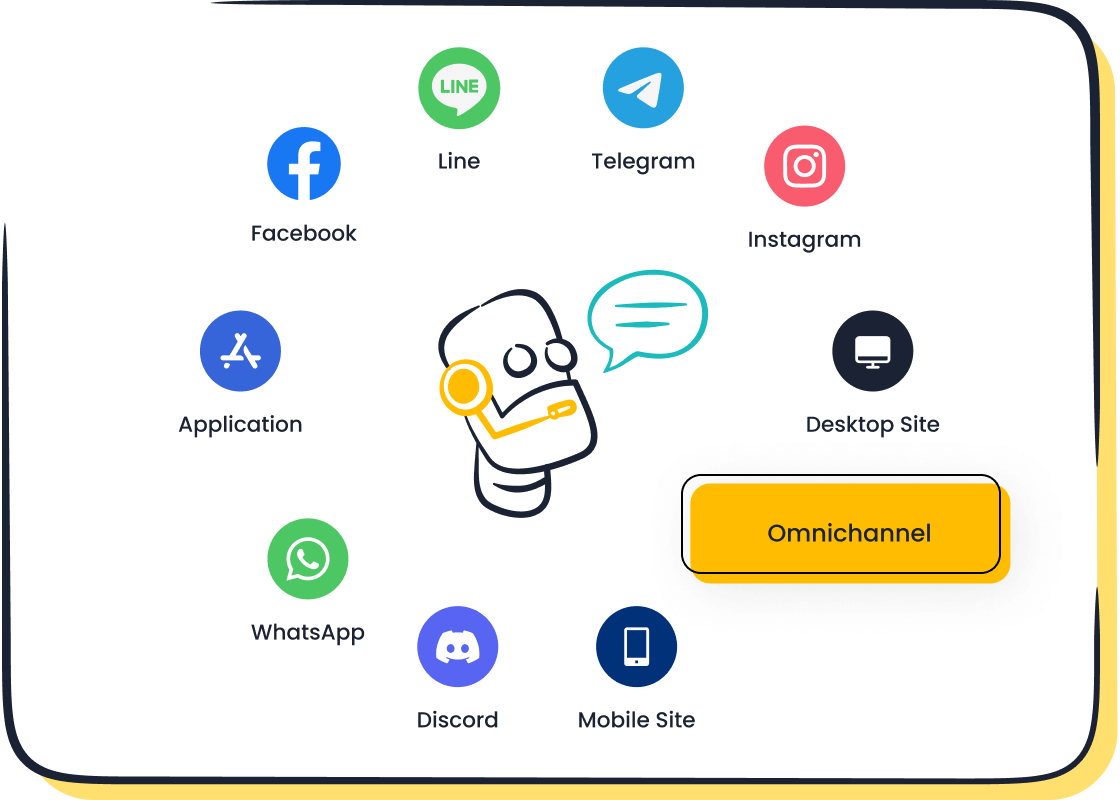
You must match your ai chatbots to your business needs. Look for chatbot solutions for e-commerce that offer omnichannel support, multilingual options, and no-code setup. Omnichannel ai chatbots let customers switch between platforms without losing context. No-code ai chatbots allow you to customize and deploy quickly. Multilingual ai chatbots help you serve global shoppers. You should also check for data security, scalability, and performance metrics. The table below lists important criteria:
| Criteria | Description |
|---|---|
| Data Security and Compliance | Meets standards like GDPR and CCPA |
| Scalability and Customization | Grows with your business and fits your brand |
| Performance Metrics | Tracks accuracy, satisfaction, and sales impact |
Tip: Choose ai-powered chatbot solutions that align with your customer support chatbot for ecommerce goals. This helps you deliver better service and grow your business.
Implementing Chatbots in E-commerce Customer Support
You want to make your customer support faster and smarter. Implementing chatbots in your ecommerce business helps you answer customer questions, assist with order tracking, and provide a virtual shopping assistant. Sobot gives you the tools to build a chatbot that fits your brand and supports your goals. Follow these steps to set up and optimize your ecommerce chatbot for the best results.
Selecting a Platform and Integrating with Sobot
Start by choosing a platform that works well with your ecommerce systems. Sobot’s chatbot platform connects easily with popular ecommerce sites like Shopify, WooCommerce, and Magento. You can link Sobot with your online store, social media, and messaging apps. This lets you answer customer questions across all channels.
Here are the main implementation steps for integrating Sobot with your ecommerce business:
- Set clear goals for your ecommerce chatbot. Decide if you want to automate FAQs, help with product recommendations, or support order tracking.
- Choose Sobot’s AI-powered chatbot for natural language understanding and omnichannel support. Sobot works on WhatsApp, SMS, and web chat.
- Gather customer data, product details, and transaction history. Use this information to train your chatbot and personalize responses.
- Deploy your chatbot on your website, mobile app, and social media. Make sure customers can reach you anywhere.
- Monitor chatbot performance. Track resolution rates, customer satisfaction, and feedback. Use this data to improve your chatbot.
- Adjust your chatbot as your business grows. Sobot supports multilingual chatbots, so you can serve global customers.
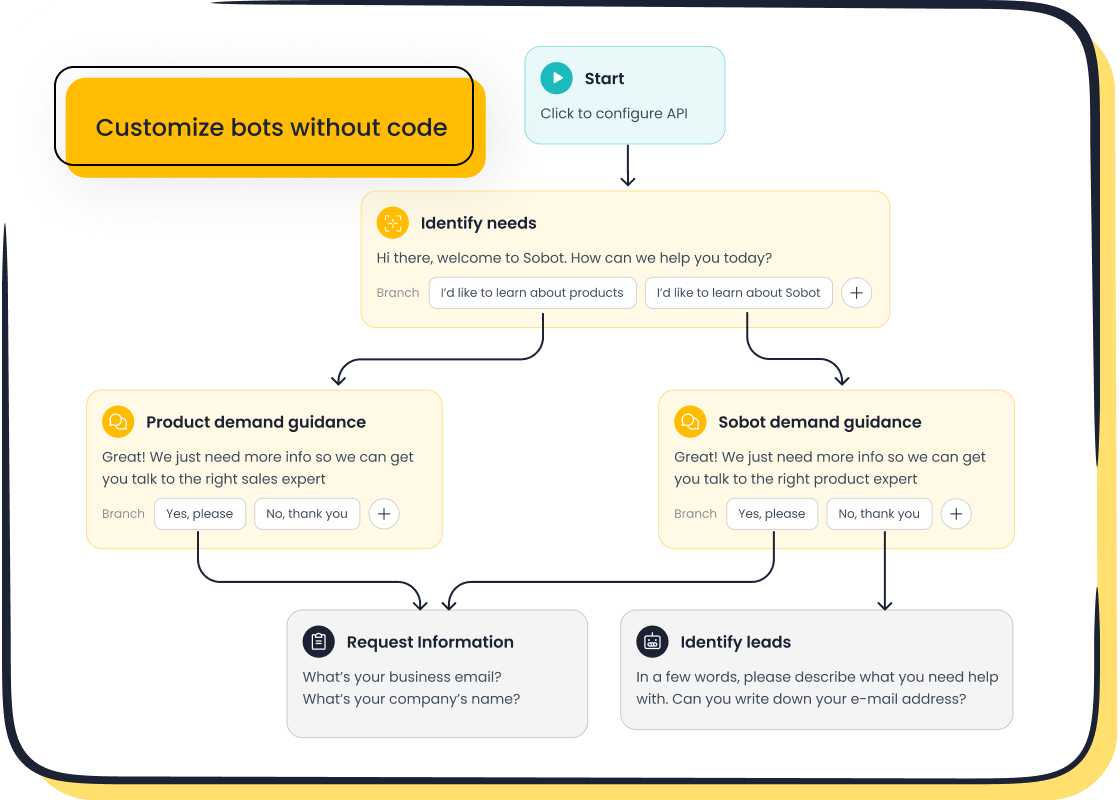
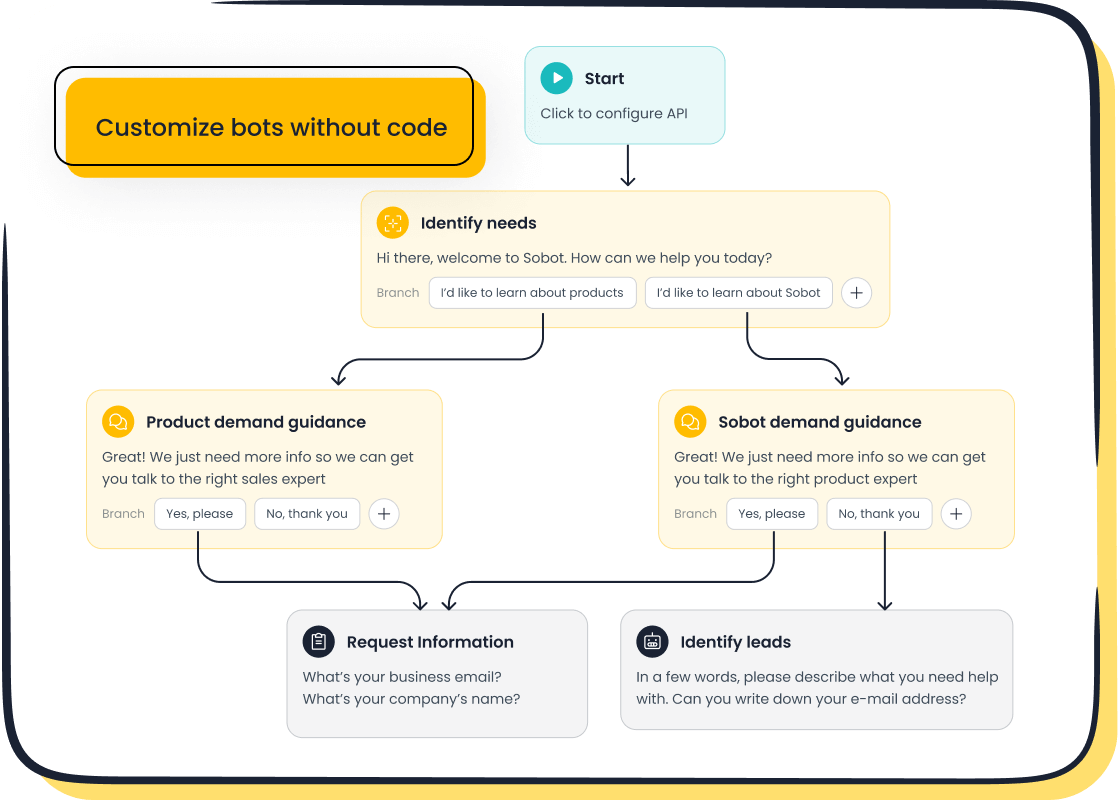
Tip: Sobot’s no-code interface lets you build a chatbot without programming skills. You can drag and drop features to customize your chatbot for ecommerce.
Designing Conversational Flows
You need to design smooth and logical conversational flows for your ecommerce chatbot. Sobot uses natural language processing and machine learning to make conversations easy and helpful. When you build a chatbot, focus on guiding users step by step.
- Use simple questions and answers to help customers find products or track orders.
- Personalize chats by using customer names and past interactions.
- Offer quick replies for common issues, like shipping updates or returns.
- Make sure your chatbot can switch to a human agent for complex problems.
- Support multiple languages and channels to reach more customers.
Sobot’s AI chatbot development tools help you create flows that match your brand voice. You can set up greetings, product suggestions, and order updates. This makes your customer support chatbot for ecommerce friendly and efficient.
Training with Reliable Data Sources
Training your ecommerce chatbot with reliable data is important. Sobot lets you build a chatbot using data from articles, PDFs, spreadsheets, and chat logs. Good training data helps your chatbot answer customer questions accurately.
- Use diverse datasets that include real customer conversations.
- Add product details, FAQs, and transaction records.
- Update your chatbot’s knowledge base often to keep answers fresh.
- Collect feedback from users to improve responses.
When you focus on ai chatbot development, you make your chatbot smarter over time. Sobot’s platform uses machine learning to learn from every chat. This helps your ecommerce chatbot provide better support and faster answers.
Testing and Refining Before Launch
Before you launch your ecommerce chatbot, you need to test and refine it. Sobot offers tools for testing chatbot performance and user experience. You want your chatbot to work well on all devices and channels.
| Testing Method | Description |
|---|---|
| Functional Testing | Check if your chatbot understands questions and gives correct answers. |
| Usability Testing | Make sure chats are easy to follow and users feel satisfied. |
| Performance Testing | Test response times and how your chatbot handles busy periods. |
| Regression Testing | Confirm updates do not break existing features. |
| Security Testing | Protect customer data and block harmful inputs. |
| Compatibility Testing | Test your chatbot on different browsers and devices. |
| A/B Testing | Compare different chat flows to see which works best. |
| Test Automation | Use automated tools to speed up testing and find errors. |
| Monitoring and Analytics | Watch chatbot activity and collect data for improvements. |
| User Feedback | Ask users for feedback and use it to make your chatbot better. |
| Compliance Testing | Make sure your chatbot follows data privacy laws. |
Note: Sobot’s reporting tools help you track chatbot accuracy, customer satisfaction, and sales impact. You can use these insights to optimize your customer support chatbot for ecommerce.
When you finish testing, launch your ecommerce chatbot and keep improving it. Sobot makes it easy to update your chatbot and add new features. You can build a chatbot that grows with your business and keeps customers happy.
Sobot’s ecommerce chatbot solution helps you automate support, boost conversions, and reduce costs. You can answer customer questions, assist with order tracking, and provide a virtual shopping assistant—all with one platform. Learn more about Sobot’s ecommerce solutions at Sobot Retail & Ecommerce and explore chatbot features at Sobot Chatbot.
Launching and Optimizing Your E-commerce Chatbot
Preparing for Launch
You want your ecommerce chatbot to succeed from day one. Careful planning helps you maximize user adoption and retention. Start by choosing a high-volume, repetitive task for your chatbot, such as order tracking or answering FAQs. Set realistic expectations for accuracy and improvement. Use a hybrid approach where automated customer support handles routine questions and human agents manage complex issues. Budget for integration challenges and ongoing optimization. The table below shows key steps for preparing your launch:
| Step | Description |
|---|---|
| Thoughtful Planning | Make sure your chatbot complements human support. |
| Training | Review conversation logs and retrain the bot for better accuracy. |
| Ongoing Optimization | Continuously improve performance to build user trust. |
Tip: Start with clear success metrics and adjust your ecommerce chatbot as you learn from real interactions.
Gathering User Feedback
After launch, you need to gather feedback to improve your ecommerce chatbot. Use surveys and polls to ask users about their experience. Analyze user interactions to find patterns and areas for enhancement. Allow users to give feedback directly in the chat interface for real-time insights. Monitor social media mentions to understand user sentiment. These steps help you engage customers in a friendly way and collect feedback without interrupting their shopping. Your chatbot can capture feedback 24/7 support, making it easy to improve retention and reduce abandoned carts.
Monitoring Performance and Metrics
Tracking performance helps you optimize your ecommerce chatbot and automated customer support. Focus on metrics that show how well your chatbot works. Important metrics include:
| Metric | Description |
|---|---|
| Response Time | Measures how quickly your chatbot answers questions. |
| Resolution Rate | Shows the percentage of issues solved in one interaction. |
| User Interactions | Counts how many times users engage with your chatbot. |
| Customer Satisfaction Ratings | Tracks how happy customers are with chatbot support. |
| Efficiency Metrics | Assesses how well the chatbot resolves issues without humans. |
Monitor first contact resolution rate and volume metrics to understand demand during busy times. Automation metrics show how often your chatbot solves problems independently. Customer satisfaction scores help you see if your chatbot is enhancing customer service and driving better retention.
Continuous Improvement Strategies
You want your ecommerce chatbot to keep getting better. Analyze user interactions to find areas for improvement. Use real-time monitoring and performance dashboards to spot issues quickly. Integrate your chatbot with CRM and marketing tools for smoother data flow. Stay updated with new technologies to keep your chatbot competitive. Invest in ongoing training for your team to manage performance. Celebrate success and use detailed analytics to guide future changes. These strategies help you deliver 24/7 support, achieve faster response times, and boost retention. Your ecommerce chatbot will help you build better retention and improve automated customer support over time.
Sobot Success Story: OPPO’s E-commerce Customer Support Transformation
Challenges Faced by OPPO
You may wonder what problems OPPO faced before using an ecommerce chatbot. OPPO struggled with a high volume of customer inquiries during busy shopping periods. Their team found it hard to resolve issues quickly. The lack of integration made it difficult for chatbots to access order data or recommend products. Customers often received off-brand responses, and OPPO missed out on valuable business insights. Many shoppers did not engage with chatbots because answers felt irrelevant. The table below shows OPPO’s main challenges:
| Challenge | Description |
|---|---|
| Increased support load | Chatbots could not access order data, making issue resolution slow. |
| Missed sales opportunities | Chatbots did not recommend products based on customer history. |
| Inconsistent branding | Responses did not match OPPO’s brand voice. |
| No business insights | Conversations were not recorded for analysis. |
| Low consumer engagement | Only 16% of shoppers used chatbots due to poor interaction quality. |
Sobot Chatbot Implementation
You want to know how OPPO improved their ecommerce customer support. OPPO chose Sobot’s ecommerce chatbot to automate routine inquiries and support their agents. Sobot’s chatbot resolved 83% of customer questions without human help. OPPO integrated the chatbot with their online store and global channels. This allowed customers to get instant answers about orders, returns, and product details. The chatbot used AI to personalize responses and maintain OPPO’s brand voice. OPPO’s team could focus on complex issues while the chatbot handled everyday questions.
- Sobot’s ecommerce chatbot resolved most inquiries automatically.
- OPPO’s support team managed fewer repetitive tasks.
- Customers received faster and more accurate answers.
Results and Impact on Customer Experience
You can see the benefits of using an ecommerce chatbot in OPPO’s results. After launching Sobot’s solution, OPPO achieved an 83% chatbot resolution rate. The company saw a 57% increase in repurchase rates, showing that more customers returned to shop again. User feedback was very positive, with shoppers praising the quick and helpful support. The table below highlights OPPO’s improvements:
| Metric | Result |
|---|---|
| Chatbot resolution rate | 83% |
| Repurchase rate increase | 57% |
| User feedback | Very high |
OPPO’s story shows how an ecommerce chatbot can transform customer support. You can boost efficiency, improve satisfaction, and drive more sales by choosing the right solution. Learn more about Sobot’s ecommerce chatbot at Sobot Chatbot and Sobot Retail & Ecommerce.
Overcoming Common Challenges in E-commerce Chatbot Deployment
Ensuring Data Privacy and Security
You must protect customer data when you deploy a chatbot in ecommerce. Chatbots often handle sensitive information, so you need strong privacy and security measures. Common concerns include managing user consent, preventing data breaches, and integrating with third-party services. You should make sure your chatbot asks for clear consent before collecting data. Use strong encryption to keep information safe. Limit access to customer data by using role-based controls. Keep audit logs to track who accesses or changes information. When you work with outside platforms, set up agreements to protect privacy. Always collect only the data you need. Map data flows and embed privacy principles like data minimization and consent in your chatbot’s design. Prepare for new AI regulations to stay compliant.
Tip: Review your chatbot’s security with experts and conduct regular audits to meet standards like GDPR.
Handling Complex Customer Inquiries
You want your ecommerce chatbot to solve more than simple questions. Design your chatbot to understand customer needs and use advanced natural language processing. Machine learning helps your chatbot learn from past interactions. Track conversation history to personalize answers. Train your chatbot with industry-specific knowledge so it can handle detailed questions. Use multi-modal training to support text, voice, and images. Build error handling into your chatbot so it can guide users when it cannot solve a problem. Regularly review feedback and performance metrics to improve your chatbot’s abilities.
| Design Principle | Description |
|---|---|
| Understanding Customer Needs | Analyze past interactions to find common queries and frustrations. |
| Advanced NLP | Use NLP to understand tone, intent, and ambiguity. |
| Machine Learning | Improve and adapt based on customer interactions. |
| Contextual Understanding | Track history and personalize responses. |
| Domain Expertise | Train with industry knowledge for accurate answers. |
| Multi-Modal Training | Support text, voice, and visual inputs. |
| Robust Error Handling | Recognize limits and provide next steps. |
| Continuous Improvement | Use feedback and metrics to enhance capabilities. |
Maintaining Consistency Across Channels
You need to give customers a seamless experience across all ecommerce channels. Invest in an integrated platform or CRM system to unify interactions. Train your agents to switch between channels and keep a consistent brand voice. Prioritize channels that your customers use most. Track key performance indicators to measure service quality. Develop a unified customer service vision and use a centralized knowledge base for standard answers. Measure feedback across channels to find areas for improvement.
Note: A reliable CRM system helps agents access customer history and deliver personalized support, no matter where the conversation starts.
You can transform your ecommerce business by following these steps: define your chatbot’s role, select the right AI solution, and build your customer support chatbot for ecommerce. Sobot’s solutions help you reduce response times, resolve up to 80% of routine inquiries, and increase customer satisfaction by 34%.
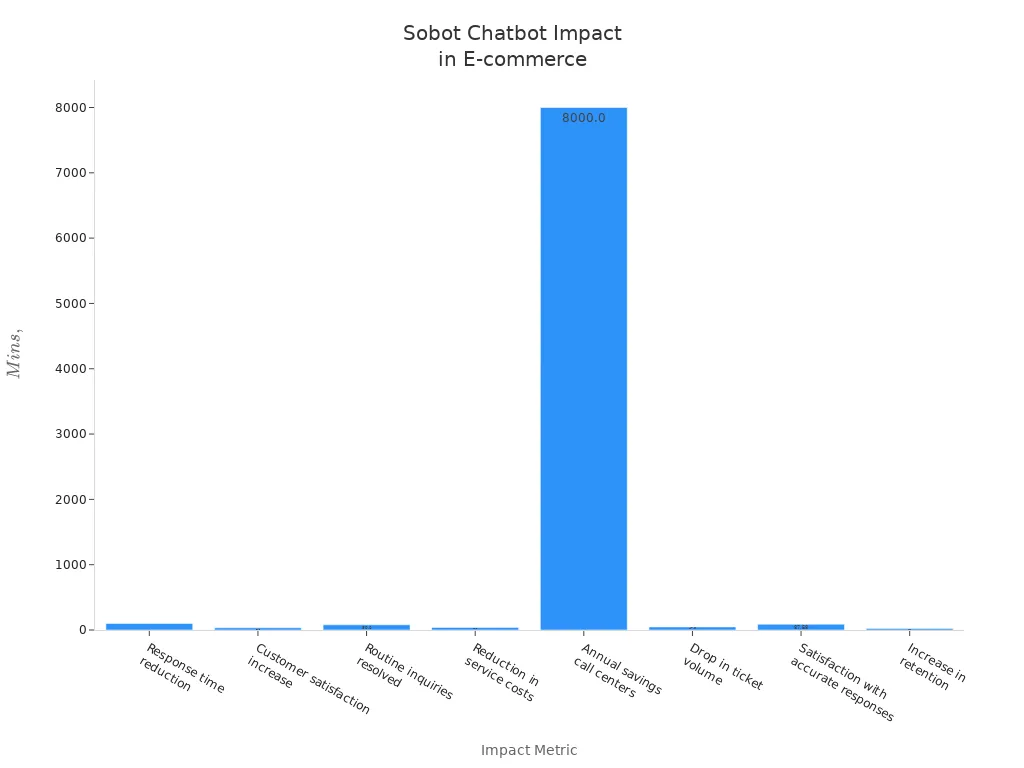
Monitor chatbot performance, track key metrics, and use Sobot’s resources for automated lead generation and multilingual support. Request a demo or chat with Sobot’s team to see how your ecommerce support can improve.
FAQ
How does a customer support chatbot for ecommerce improve response times?
You get instant answers to common questions. The chatbot works 24/7 and handles many requests at once. This reduces wait times for shoppers. Fast responses help you keep customers happy and encourage repeat visits to your ecommerce store.
Can I customize my ecommerce chatbot to match my brand?
You can easily customize your chatbot with Sobot’s no-code tools. Change greetings, colors, and conversation style. This helps your ecommerce chatbot reflect your brand’s personality and values. Customers recognize your brand across all support channels.
What types of questions can an ecommerce chatbot answer?
Your chatbot can answer questions about orders, shipping, returns, and product details. It also helps with payment issues and promotions. You can train your ecommerce chatbot to handle new topics as your business grows.
Is it safe to use a customer support chatbot for ecommerce?
You protect customer data with strong security features. Sobot uses encryption and follows privacy laws. You control who accesses information. Your ecommerce chatbot keeps sensitive details safe and builds trust with shoppers.
How do I measure the success of my ecommerce chatbot?
You track metrics like resolution rate, customer satisfaction, and response time. Sobot provides easy-to-read reports. These show how your ecommerce chatbot helps your business. Use this data to improve support and increase sales.
See Also
Enhancing Sales Through Ecommerce Live Chat Solutions
Increasing Customer Satisfaction With E-commerce Chatbots
Best Live Chat Tools for Ecommerce This Year

