The Definitive Guide to Automation in Customer Service

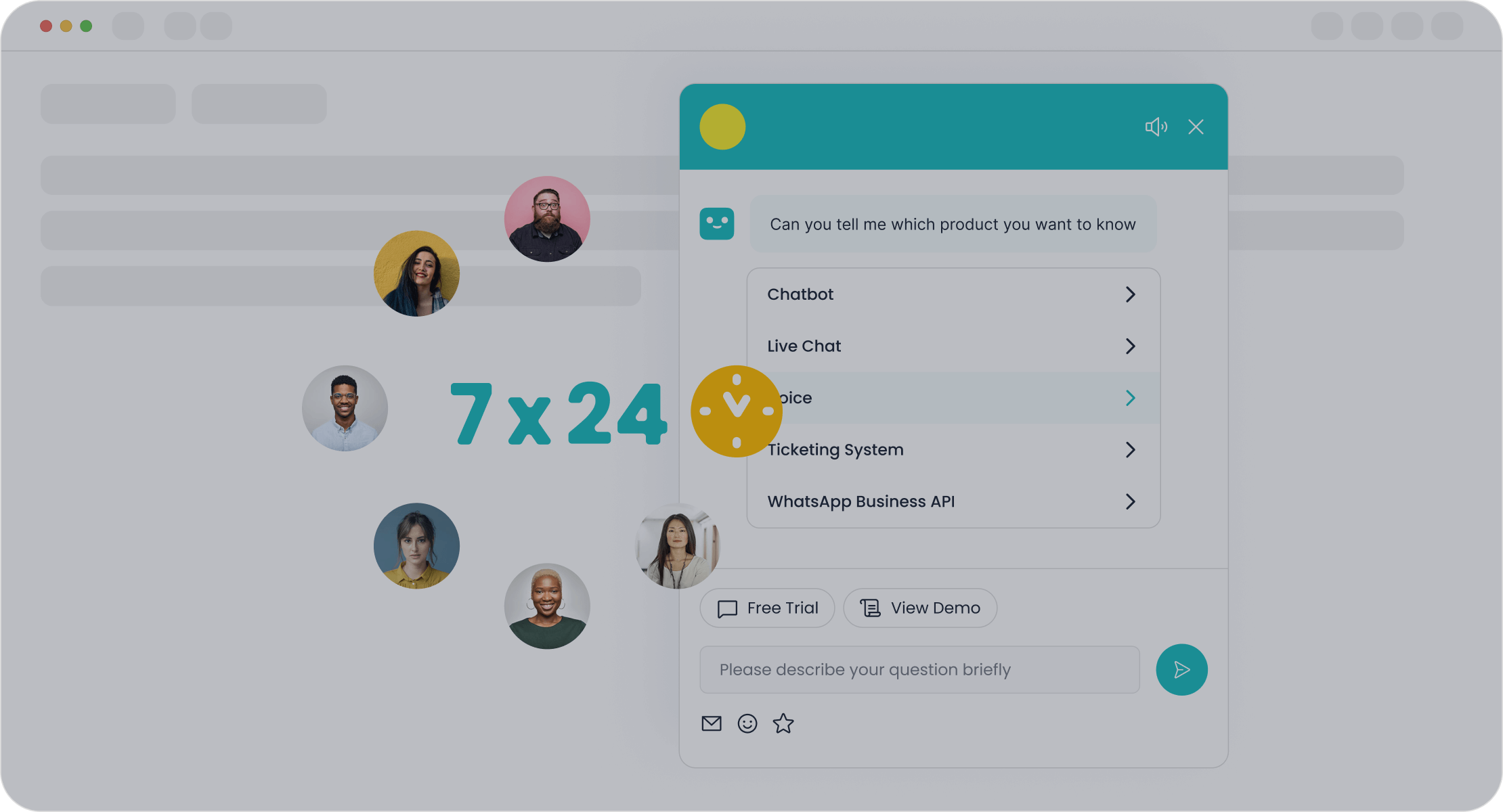
Your customers expect 24/7 support, but scaling your customer support team is expensive, often costing over $139,800 annually. Customer service automation offers a strategic solution. Sobot helps you enhance customer interactions and improve operational efficiency. This guide provides customer service automation ideas to deliver excellent 24/7 customer support.
Are you ready to transform your customer experience while boosting efficiency?
Understanding Customer Service Automation
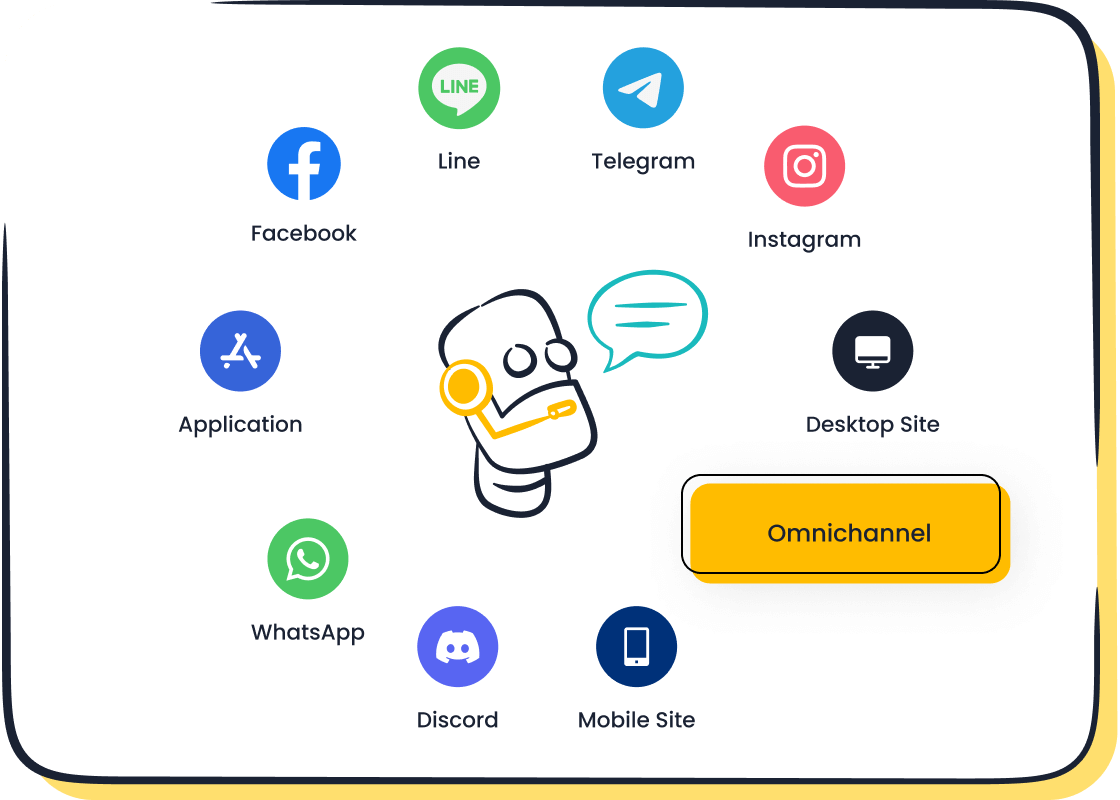
Customer service automation uses technology to handle routine customer support tasks with little to no human help. This business process automation goes beyond simple chatbots. It combines AI, machine learning, and workflows to resolve inquiries on its own. This approach helps your team by handling the 70-80% of questions that are routine.
Defining Automation in a Support Context
Automating customer support involves two main types: rule-based and AI-powered.
- Rule-based systems follow simple, predefined scripts. They are great for basic tasks like checking an order status.
- AI-powered systems use machine learning to understand and adapt. This form of AI in customer service can handle complex, unpredictable questions.
Choosing the right type depends on your needs. Rule-based automation is cost-effective for simple workflows, while AI offers flexibility for a dynamic customer experience.
The Core Benefits: Efficiency, Cost, and Experience
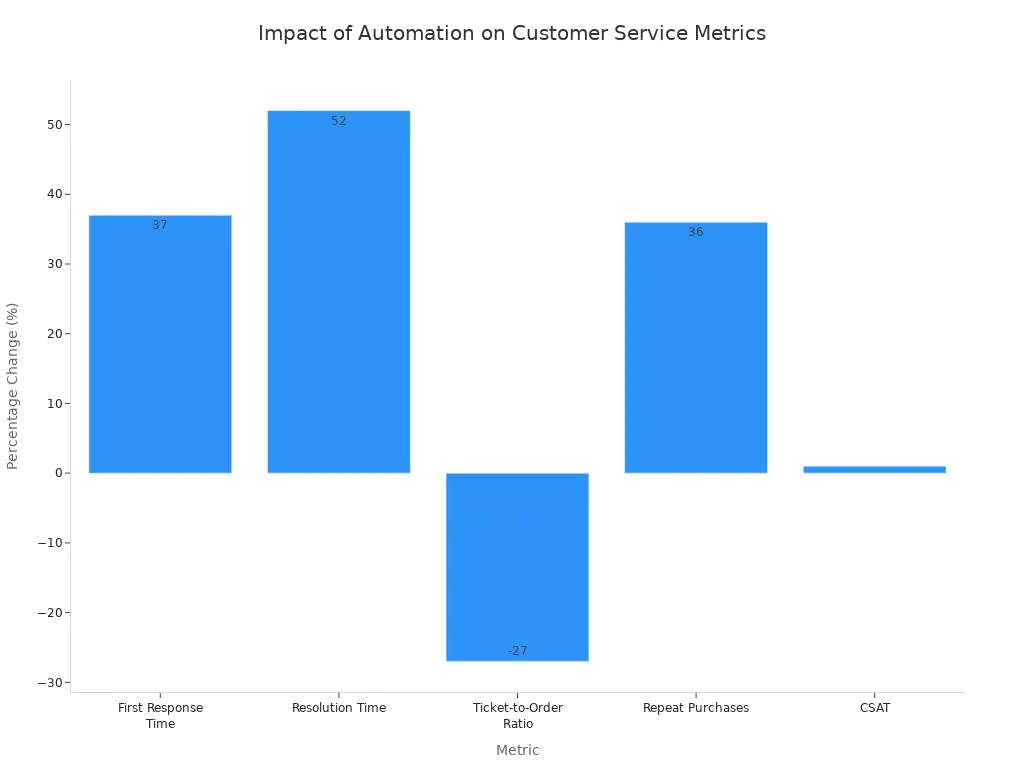
Customer service automation delivers powerful results. It helps you reduce customer service costs and improve team productivity. For example, automating routine tasks can reduce operational costs by up to 30%. This business process automation also enhances the customer experience with 24/7 availability. You can improve response times and give customers instant answers, which boosts customer satisfaction.
Potential Drawbacks and How to Mitigate Them
While powerful, customer care automation has potential pitfalls. Customers can get frustrated if they feel stuck talking to a robot. Automated systems might also sound impersonal or miss chances to upsell.
Tip: You can avoid these issues. Always give customers a clear and easy way to talk to a human agent. You should also offer self-service options like FAQ pages for simple questions. This ensures your automated customer service provides helpful 24/7 support without sacrificing customer satisfaction.
By balancing technology with a human touch, you can successfully implement customer service automation for your customer support needs, providing excellent 24/7 customer support and increasing availability.
A Step-by-Step Guide to Implementing Automation
Implementing automation is a journey, not a destination. A structured approach ensures you build a system that meets your business needs and delights your customers. This guide breaks down the process into five manageable steps, helping you create a successful customer service automation strategy.
Step 1: Define Your Automation Goals and KPIs
Before you start, you need to know what success looks like. Define clear goals for your customer service automation project. Are you trying to reduce costs, improve response times, or free up your agents for more complex tasks? Your goals will guide your entire strategy.
Once you have your goals, establish Key Performance Indicators (KPIs) to measure your progress. These metrics will help you track the effectiveness of your business process automation efforts.
Key KPIs for Automation Success:
- Cost Savings: Track the reduction in operational expenses.
- Return on Investment (ROI): Measure the financial benefits against the cost of your automation tools.
- Process Cycle Time Reduction: Monitor how much faster you can resolve customer issues.
- Error Rate Reduction: Assess the decrease in mistakes made during support interactions.
- Employee Productivity: Evaluate the impact on your team's efficiency and output.
Setting these benchmarks from the start allows you to demonstrate the value of automating customer service and make data-driven decisions for future improvements.
Step 2: Identify How to Automate Customer Service
Next, identify which parts of your customer support process are best suited for automation. Look for repetitive, high-volume tasks that follow predictable patterns. Analyzing your support tickets is a great way to find these opportunities.
You can use AI-powered tools to analyze ticket data, detect common customer intents, and identify recurring questions. Look for patterns in ticket tags and sentiment to understand customer pain points. This analysis helps you prioritize which issues to automate first.
Common inquiries that are ideal for automation include:
- Routine Questions: Order status updates, shipping information, and return policies.
- Product Information: Questions about product features or ingredients.
- Basic Troubleshooting: Step-by-step guidance for common problems.
- Account Management: Help with onboarding, password resets, and account setup.
Many companies have found success by automating these types of queries. For example, retailers like Wolf & Badger automated returns and refunds to reduce agent workload, while bakeries like Birds Bakery automated product availability questions to free up in-store staff.
| Company | Query Type Automated | Benefit |
|---|---|---|
| Cheeky Panda | Shipping Information | Reduced customer wait times, streamlined support workload |
| Wolf & Badger | Returns and Refunds | Reduced workload for customer service, agents focus on unique inquiries |
| Blume | Product Guidance | Consistent, accurate answers, reduced need for live support |
| Perkbox | Onboarding & Account Setup | Support team focuses on detailed requests, improved efficiency |
By focusing on these areas, you can achieve quick wins and deliver immediate value with your business process automation.
Step 3: Choose the Right Automation Tools
With your goals and opportunities defined, it's time to choose the right software. The market is full of options, so focus on tools that align with your specific needs. A comprehensive platform like Sobot offers an all-in-one contact center solution that combines chatbots, a ticketing system, and omnichannel support.
When evaluating tools, consider these essential features:
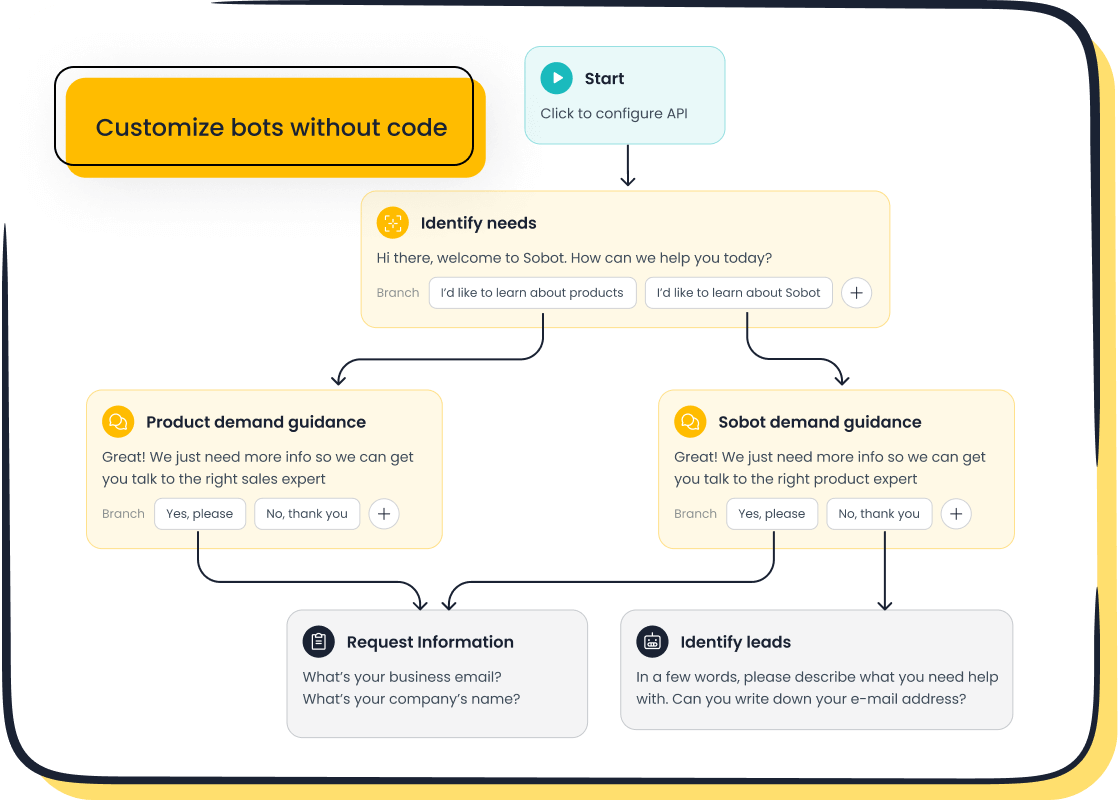
- Ease of Use: Look for a user-friendly interface. For instance, the Sobot AI Chatbot features a no-code, point-and-click builder that lets you design workflows without any technical expertise.
- AI Capabilities: Powerful AI is crucial. Your tool should understand customer intent, learn from past interactions, and provide accurate responses.
- Integration Ecosystem: The software must connect seamlessly with your existing systems, such as your CRM and e-commerce platform. Sobot integrates with tools like Salesforce and Shopify, ensuring all your customer data is unified.
- Customization and Scalability: Your business will grow, and your tools should grow with it. Choose a flexible platform that can adapt to your evolving needs.
- Vendor Support: Reliable support is non-negotiable. Ensure the vendor offers training, technical assistance, and resources to help you succeed.
By carefully vetting your options, you can find a partner that empowers your team and enhances your customer support operations.
Step 4: Design Your Automated Workflows
Now you can start designing your automated conversations and processes. The goal is to create workflows that are intuitive, helpful, and efficient. Whether you're building a chatbot flow or an automated ticketing rule, keep the user experience at the forefront.
Here are some best practices for designing effective automated workflows:
- Use Natural Language: Design conversations that feel human and natural. Use Natural Language Processing (NLP) to help your chatbot understand a wide range of user inputs.
- Personalize the Interaction: Use customer data to tailor the experience. Address users by name and reference their past interactions to provide relevant support.
- Keep It Simple: Avoid asking for too much information at once. Collect data efficiently to prevent user frustration.
- Always Provide an Escape Hatch: Make it easy for customers to connect with a human agent if the automation can't solve their problem. A seamless handoff is key to maintaining customer satisfaction.
- Confirm and Close: Before ending a conversation, confirm that the user's issue has been resolved. Ask for feedback to gather insights for improvement.
A well-designed workflow guides users to a solution quickly, making your customer service automation a valuable asset rather than a frustrating roadblock.
Step 5: Launch, Monitor, and Iterate for Success
The final step is to launch your automation, but the work doesn't stop there. Continuous monitoring and iteration are essential for long-term success. Track your KPIs, gather customer feedback, and analyze performance data to identify areas for improvement.
A real-world example of this iterative process is OPPO, a leading smart device innovator. Facing high inquiry volumes during peak shopping seasons, OPPO partnered with Sobot to implement a powerful customer service automation solution.
Success in Action: How OPPO Transformed Customer Service with Sobot OPPO deployed Sobot's AI chatbot to handle repetitive questions, freeing human agents to focus on complex issues. They didn't just "set it and forget it." OPPO continuously used Sobot's AI data analysis to track over 150 service indicators, allowing them to refine their chatbot's knowledge base and optimize workflows.
The results were remarkable. OPPO achieved:
- An 83% chatbot resolution rate, meaning the bot successfully solved the vast majority of inquiries on its own.
- A 94% positive feedback rate from customers who interacted with the automated system.
- A 57% increase in repurchase rate, demonstrating that a great support experience drives customer loyalty.
OPPO's story shows the incredible ROI of a well-executed strategy. By launching, monitoring, and iterating, you can fine-tune your system to deliver exceptional results and continuously improve your customer experience.
Top Customer Service Automation Ideas and Tools

Having a clear strategy is only half the battle. You need the right tools to bring your vision to life. The best customer service automation software combines multiple functions into a single, unified platform. For example, Sobot’s all-in-one contact center solutions provide a comprehensive toolset, including an AI Chatbot, an automated ticketing system, and omnichannel support to streamline your operations.
Here are four powerful customer service automation ideas you can implement to transform your customer support.
Deploy AI-Powered Chatbots Like Sobot
One of the most effective customer service automation ideas is to deploy AI-powered chatbots. These are not the simple, rule-based bots of the past. Modern AI chatbots use intelligent query understanding to hold natural conversations and provide instant, 24/7 support.
The Sobot AI Chatbot is a perfect example of customer support AI in action. It empowers you to:
- Improve Productivity: By handling routine questions, the chatbot improves agent productivity by 70%, letting your team focus on complex issues.
- Cut Costs: You can cut expenses by up to 50% by using chatbots to triage queries around the clock without needing more staff.
- Build with Ease: You can design and launch your own automated customer service chat using a no-code, point-and-click interface.
AI chatbots deliver autonomous problem resolution for common inquiries, which significantly enhances the customer experience. According to Sobot's AI Customer Service Trends 2025, 95% of decision-makers report that AI reduces costs and saves time. This technology is a cornerstone of modern customer service automation.
Many industries have seen great success with AI chatbots.
| Industry/Company | Chatbot Purpose | Key Success/Impact |
|---|---|---|
| Recruitment (L'Oréal) | Applicant Engagement | Engaged 92% of applicants with a nearly 100% satisfaction rate. |
| E-commerce (Lego) | Product Stylist | Drove 25% of all social media sales with a 31% lower cost-per-conversion. |
| Telecommunications (T-Mobile) | Digital Assistance | Answers over 1,500 questions and provides seamless handoffs to human agents. |
Implement an Automated Ticketing System
Another one of the best customer service automation ideas is using automated ticket systems. When customers contact you from email, social media, or chat, your team can quickly become overwhelmed. An automated ticketing system organizes all incoming requests into one unified dashboard.
A platform like Sobot helps you automate workflows and manage Service Level Agreements (SLAs) with ease. This type of customer care automation brings powerful benefits:
- Smart Routing: The system automatically assigns tickets to the right agent or team based on skill, availability, or workload. This ensures faster ticket triage and routing.
- Automated Prioritization: You can set rules to prioritize tickets. For example, you can flag issues from VIP customers or escalate urgent problems affecting many users.
- Instant Responses: Automated ticket systems can send immediate confirmation emails to let customers know you received their request. This simple step improves customer satisfaction.
During busy periods like a product launch, these systems scale to handle the surge in tickets. They distribute work evenly and provide autonomous problem resolution for low-priority tasks, ensuring your team maintains high-quality support without getting overloaded. This is a key part of any effective customer service automation strategy.
Build a Self-Service Knowledge Base
Empowering customers to find their own answers is one of the smartest customer service automation ideas. A well-organized, self-service knowledge base gives customers 24/7 access to articles, guides, and FAQs. This automated self-service option deflects a huge number of common questions from your support team.
Building a self-service portal delivers a massive return on investment. It not only improves the customer experience but also reduces your operational costs.
| Statistic | Value |
|---|---|
| Cost of live support vs. self-service | 80 to 100 times more expensive |
| Reduction in new agent training time | Over 50% |
| Reduction in ticket escalations | Around 40% |
A knowledge base acts as the brain for your other customer service automation tools. Your AI chatbots can pull answers directly from these articles to provide accurate, consistent information. This ensures your customer support AI is always equipped with the latest knowledge, making it a vital component for intelligent query understanding.
Use Proactive Customer Outreach
The final of our customer service automation ideas shifts your support from reactive to proactive. Instead of waiting for customers to report problems, you can use automation to reach out to them first. This approach shows customers you care and helps you solve issues before they escalate.
You can use customer service automation software to:
- Analyze Customer Sentiment: AI-driven tools can track customer emotions in chats or emails. If a customer seems frustrated, the system can automatically trigger an alert for an agent to step in.
- Send Automated Notifications: Keep customers informed about their order status, shipping updates, or account activity. You can also send personalized messages, like a setup guide for a new product they just purchased.
- Enable Omnichannel Communication: To make outreach effective, you need to connect with customers on their preferred channels.
Tip: As an official WhatsApp Business Solution Provider (BSP), Sobot allows you to integrate WhatsApp directly into your customer service automation strategy. This means you can send proactive updates, offer support, and engage customers on one of the world's most popular messaging apps, all from a single platform.
By using these proactive strategies, you can build stronger customer relationships and turn your customer support from a cost center into a value driver.
Best Practices for a Hybrid Approach
The best customer service automation strategy is a hybrid one. It blends the efficiency of technology with the empathy of your human team. This balance ensures you solve problems quickly while building strong customer relationships. Your goal is to let bots handle routine tasks so your agents can manage complex issues.
Balancing Automated Customer Service and Human Support
You should design your automated and human workflows together. Think of your AI chatbot as a partner for your customer support team, not a replacement. This partnership allows you to offer 24/7 help for simple questions. It also frees up your agents to provide expert help when customers need it most. This approach improves your overall customer experience.
Designing a Seamless Handoff to Agents
A poor handoff from a bot to a person can frustrate customers. You must make this transition smooth. Always give the customer a clear option to speak with a human agent.
When a handoff occurs, your system should automatically share the full conversation history. This saves the customer from repeating themselves. It also helps your agent understand the issue immediately. You can also manage wait times by showing customers their place in the queue.
Training Your Team to Work with Sobot's Tools
Your customer support team needs training to use new tools effectively. When you choose a platform, look for one with a high "Ease of Use." This leads to faster onboarding and better agent adoption. Sobot's tools are designed to be user-friendly, helping your team learn quickly. Proper training ensures your agents understand the chatbot's abilities and can take over conversations without asking duplicate questions.
Maintaining Brand Voice in Automated Messages
Your brand's voice should be consistent everywhere, including in your customer service automation. You can program your chatbot to use the same tone and language as your human agents. This makes the automated customer service feel more personal. Even companies in regulated fields like insurance and finance successfully maintain their brand voice in thousands of AI conversations. This proves you can scale your outreach while staying true to your brand.
You have learned how customer service automation transforms your support operations. It boosts efficiency and creates a better customer experience. Brands like OPPO use Sobot to achieve an 83% chatbot resolution rate and a 94% positive feedback rate. This proves the power of a smart customer service automation strategy. Are you ready to see similar results?
Embark on Your Contact Journey today. Explore the Sobot Chatbot to start building your solution.
FAQ
What is the main goal of automating customer support?
The primary goal is to improve efficiency. Automation handles simple, repetitive questions. This frees your human agents to solve more complex customer problems. It helps you provide faster service and reduce operational costs.
Will automation replace my human customer support team?
No, automation enhances your team, it does not replace it. Chatbots and automated systems manage routine tasks. This allows your agents to focus on high-value interactions that require empathy and expertise, improving the overall quality of your customer support.
How long does it take to set up automation?
The setup time varies. With no-code tools like the Sobot Chatbot, you can launch basic automation in just a few days. The point-and-click interface makes it easy to design workflows without technical skills, helping you see results quickly.
Can automation really provide 24/7 customer support?
Yes, it can. Automated tools like chatbots work around the clock. They provide instant answers to common questions at any time of day. This ensures your customers get help when they need it, offering reliable 24/7 support.
See Also
Optimizing Call Center Operations: The Power of Automation Explained
Unlocking Peak Performance: AI Customer Service Software Enhances Efficiency
Discovering the Premier Customer Service Software Solutions for 2024
Your Comprehensive Guide to Omnichannel Call Center Software Solutions
Transforming Customer Support: The AI Agent Revolution Is Here

