Customer journey map vs experience map for contact centers

You may wonder about the difference between a customer journey map and an experience map for contact centers. A customer journey map focuses on specific steps and touchpoints during customer interactions, while an experience map looks at the broader customer journey and experience across all channels. Mapping helps you boost performance and satisfaction. In fact, 94% of customers make repeat purchases after positive service, and 90% of professionals see improved KPIs.
| Statistic | Value |
|---|---|
| Customers likely to make repeat purchases after positive service | 94% |
| Customer experience professionals reporting improved KPIs | 90% |
Sobot leads in innovation and customer-centric solutions, making it easy for you to deliver better service. As you read, think about your own goals for your contact center.
What Is a Customer Journey Map?

A customer journey map gives you a visual way to understand how customers interact with your contact center. You can see each step a customer takes, from the first call or chat to the final resolution. This map helps you focus on instant, channel-specific interactions, such as phone calls, live chats, or chatbot conversations. By mapping these steps, you can spot where customers feel satisfied or frustrated and make changes to improve their experience.
Key Features for Contact Centers
When you create a customer journey map for your contact center, you focus on several important elements:
- Visual representation of customer interactions
- Identification of touchpoints, such as calls, chats, or emails
- Understanding customer emotions at each stage
- Recognition of critical moments that influence satisfaction
- Emphasis on data-driven decision-making
- Focus on continuous improvement in service delivery
You want to deliver consistent service across all touchpoints. Customers expect their issues to be resolved during the first contact. The table below shows how journey maps help you meet these expectations:
| Insight | Description |
|---|---|
| Consistent Service | Customers expect uniform service across all touchpoints. |
| First Contact Resolution | Customers desire their issues to be resolved during the initial interaction. |
Journey maps also help you build empathy with your customers and identify pain points. This allows you to target improvements where they matter most.

Sobot Voice/Call Center Applications
Sobot Voice/Call Center gives you powerful tools to support customer journey mapping. You can use features like:
| Feature | Description |
|---|---|
| Personalized Communication | Routes customers to suitable sales for 1:1 consultations based on their needs. |
| Automated Booking Management | Utilizes booking slots effectively to minimize missed appointments and automates lead handling. |
| Precise Targeting | Enhances customer loyalty with timely updates and targeted offers. |
| AI & Automation | Instantly addresses complex inquiries and builds workflows to support customers at scale. |
| Omnichannel Services | Centralizes all support channels and customer conversations in one platform. |
| Proactive Marketing | Engages customers before they need assistance, improving conversion rates through automation. |
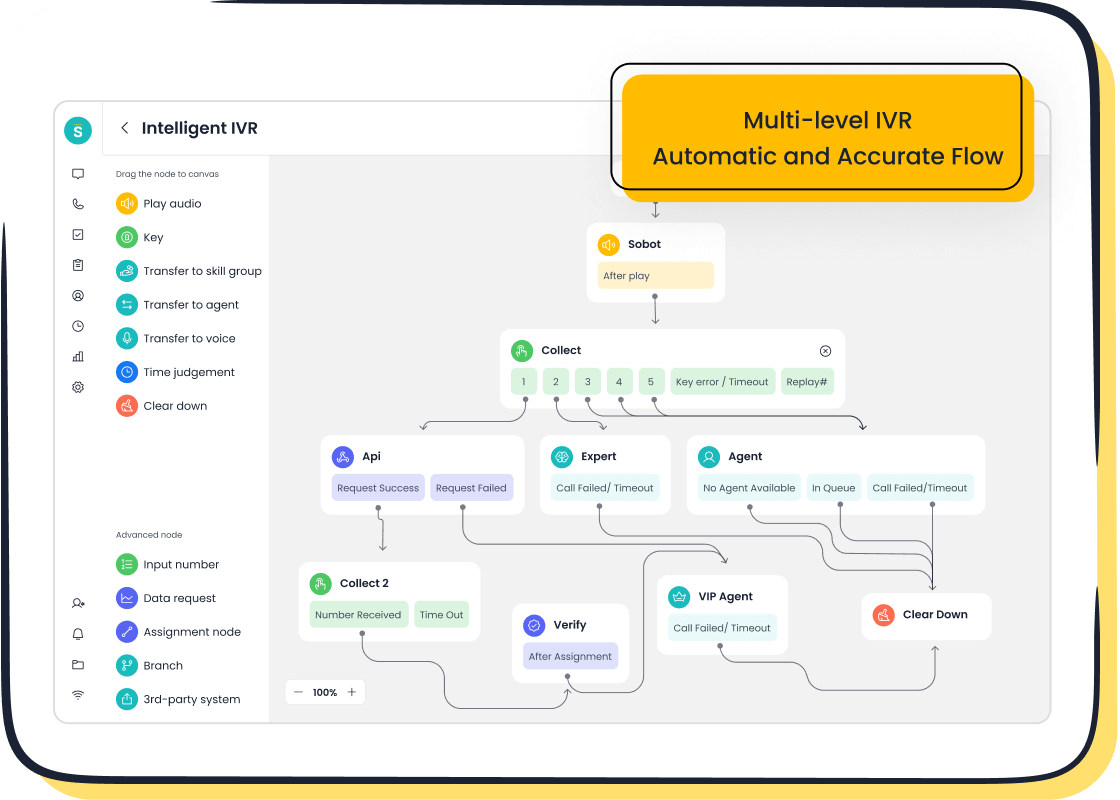
You also benefit from a unified dashboard that brings all conversations together. Call tracking lets you follow each customer’s journey across different channels. Intelligent IVR and real-time call monitoring help you route calls smartly and ensure quality service. These features make it easier for you to understand the customer journey and experience, so you can keep improving your contact center.
What Is an Experience Map?

Broader Customer Experience in Contact Centers
An experience map gives you a complete picture of how customers interact with your business. It shows every step, from the first contact to the final outcome. Unlike a simple flowchart, an experience map includes what customers feel, think, and face at each stage. You can use this tool to see the full customer journey and experience, not just one channel or touchpoint.
Experience maps help you look at the big picture. You can spot patterns and trends in customer behavior. This lets you find both good and bad parts of the process. When you use an experience map, you see how customers move across channels like phone, chat, email, and social media. You can also find areas where things break down or where customers get frustrated.
Experience maps give you a holistic view of the end-to-end customer journey, uncovering cross-channel issues and helping you improve your service from the customer's point of view.
You can use experience maps to make better decisions. They help you work with your team to fix problems and improve service. Regular updates to your maps keep you ready for changes in technology and customer needs.
Sobot Omnichannel Solution Overview
Sobot Omnichannel Solution lets you manage all customer interactions in one place. You can connect chat, email, social, and voice channels. This means you do not have to switch between different systems. Your team can see the full history of each customer, which helps them give better and faster service.
| Feature | Sobot Omnichannel Solution | Single-Channel Solutions |
|---|---|---|
| Integration of Channels | Yes | No |
| Seamless Transitions | Yes | Limited |
| Consistent Interactions | Yes | Fragmented |
| Visibility for Agents | High | Low |
| Operational Efficiency | High | Variable |
With Sobot, you get real-time dashboards and smart routing. Automation helps your team handle tasks quickly. You can track performance and customer satisfaction across all channels. This approach makes it easier to improve the customer journey and experience, leading to higher satisfaction and better results for your contact center.
Customer Journey and Experience: Key Differences
Structure and Focus
You need to understand the structure and focus of both customer journey maps and experience maps to choose the right tool for your contact center. Customer journey maps break down each step a customer takes when they interact with your team. These maps show detailed actions, such as making a phone call, chatting with an agent, or sending an email. You can use them to see where customers face problems or delays. This helps you improve specific processes and touchpoints.
Experience maps give you a wider view. They show the full customer journey and experience, including emotions, thoughts, and pain points across all channels. You can use experience maps to see how customers feel at every stage, not just what they do. This approach helps you design better strategies for your whole contact center, not just one part.
The evolution of mapping in contact centers has moved from simple documentation to advanced experience design. Today, you can use customer journey maps for detailed analysis and experience maps for a holistic view of satisfaction and loyalty.
Here is a side-by-side comparison to help you see the differences:
| Aspect | Customer Journey Maps | Experience Maps |
|---|---|---|
| Purpose | Focus on the steps a customer takes | Focus on the overall experience and emotions |
| Detail Level | More detailed in specific interactions | Broader view of customer experience |
| Usage | Used for process improvement | Used for strategic planning and design |
| Scope and Focus | Goal-oriented, specific to interactions | Holistic view of all interactions |
| Emotional Engagement | Practical aspects of interactions | Deep emotional insights across touchpoints |
| Practical Applications | Refines specific aspects of the journey | Guides cross-departmental improvement |
Tip: Use customer journey maps when you want to fix or improve a single process. Use experience maps when you want to understand the big picture and create long-term strategies.
You can see that customer journey and experience mapping both play important roles. Journey maps help you solve immediate problems. Experience maps help you build a better contact center for the future.
Use Cases in Sobot Solutions
You can match each mapping approach to the right Sobot solution. If you want to focus on detailed steps and touchpoints, Sobot Voice/Call Center gives you the tools you need. You can track calls, monitor agent performance, and analyze each customer interaction. This helps you improve first-contact resolution and reduce wait times.
If you want to understand the full customer journey and experience, Sobot Omnichannel Solution is your best choice. You can manage all channels—voice, chat, email, and social media—in one place. This lets you see how customers move between channels and how their feelings change over time. You can use real-time dashboards and analytics to spot trends and make strategic changes.
Here are some examples of how you can use Sobot solutions for each mapping approach:
-
Customer Journey Map Use Case:
You want to improve how quickly your team answers calls. You use Sobot Voice/Call Center to map the steps from when a customer dials in to when their issue is solved. You find that adding smart routing and AI-powered voicebots reduces wait times and boosts satisfaction. -
Experience Map Use Case:
You want to see how customers feel about your service across all channels. You use Sobot Omnichannel Solution to track interactions from chat to email to phone. You notice that customers get frustrated when they have to repeat information. You use this insight to unify customer data and train agents to pick up conversations where they left off.
You can use both mapping approaches together for the best results. Start with a customer journey map to fix urgent problems. Then, use an experience map to guide your long-term strategy and improve the overall customer journey and experience.
Note: Understanding customer journeys is crucial for contact centers. Customers expect seamless experiences across all channels. Effective mapping leads to higher satisfaction and loyalty.
Sobot helps you choose the right mapping tool for your goals. Use Sobot Voice/Call Center for detailed journey mapping. Use Sobot Omnichannel Solution for a complete view of the customer journey and experience.
Practical Examples with Sobot
Journey Map Example: Voice/Call Center
Imagine you manage a contact center for a logistics company like J&T Express. You want to improve how quickly your team solves customer issues. You start by creating a customer journey map for your voice and call center. You track each step, from when a customer calls about a delivery to when the agent confirms the solution. You notice that customers often repeat information and wait too long for answers.
You use Sobot Voice/Call Center to map these steps. The unified workspace lets your agents see all customer details in one place. Intelligent IVR routes calls to the right agent. Real-time monitoring helps you spot delays. You fix the root causes, not just the symptoms. You train agents to use customer data and automate routine questions with AI-powered voicebots.
After mapping and making changes, you see big improvements:
| Metric | Improvement |
|---|---|
| Retention Rates | 23% higher |
| Customer Satisfaction (CSAT) | 20% increase |
| Churn Rate | 30% reduction |
| Resolution Speed | Faster resolutions |
You also notice that mapping the full customer journey and experience helps you predict dissatisfaction before it affects your scores. You build trust with your customers and solve problems faster.
Experience Map Example: Omnichannel Solution
Now, you want to see how customers feel across all channels, not just phone calls. You use Sobot Omnichannel Solution to create an experience map. You track interactions from chat, email, social media, and voice. You find that customers want personalized service and quick answers, no matter how they contact you.
You integrate all channels into one platform. Your agents see the full history of each customer. You monitor satisfaction metrics and resolve issues quickly. You personalize experiences and make sure customers never have to repeat themselves.
- Integration of channels boosts satisfaction.
- Personalized service improves scores.
- Monitoring metrics helps you spot problems early.
- Fast resolutions keep customers happy.
By mapping the customer journey and experience, you create a seamless process. You see higher satisfaction and loyalty. Your team works more efficiently, and your customers notice the difference.
Choosing the Right Map for Your Contact Center
Assessing Goals and Challenges
You need to start by understanding your contact center’s goals and the challenges you face. Ask yourself what you want to improve. Do you want to reduce wait times, boost customer satisfaction, or make your team more efficient? Analyzing your current operations helps you see where you stand. Review call recordings, shadow agents, and gather feedback from both customers and staff. This gives you a clear picture of your strengths and weaknesses.
| Best Practice | Description |
|---|---|
| Analyze current operations | Review calls, shadow agents, and collect feedback from all stakeholders. |
| Develop a roadmap | Plan improvements based on your findings. |
| Invest in technology | Use contact center software to track key metrics. |
| Make data-driven decisions | Focus on metrics like first contact resolution (FCR) and CSAT. |
| Optimize processes | Regularly review and refine IVR flows. |
| Focus on employee engagement | Involve agents to gather insights and improve service. |
You should also use customer satisfaction metrics to measure your progress. Actively seek feedback and adjust your strategies as needed. Sobot provides tools and resources, such as AI-powered journey mapping and voice of customer research, to help you assess and improve your contact center.
When to Use Each Map
Choosing between a customer journey map and an experience map depends on your needs. Use a customer journey map when you want to understand specific interactions and fix pain points. This approach helps you optimize each stage of customer engagement and ensures a smoother process. If you want a broader view, use an experience map. This map shows the overall context, including emotions and trends across all channels.
| Aspect | Customer Journey Map | Experience Map |
|---|---|---|
| Purpose | Improve service at specific touchpoints | Visualize overall experience |
| Focus | Detailed interactions and pain points | Broader context and emotions |
| Usage Timing | Best for detailed analysis | Ideal for strategic planning |
| Continuous Improvement | Needs regular updates | Useful for initial assessments |
Not all experiences have the same impact. Focus on those that align with your business goals. Sobot’s journey visualization software and cross-functional collaboration tools make it easier to choose and implement the right map for your needs.
Combining Both Approaches
You can combine both maps for the best results. Start with a customer journey map to identify barriers and optimize each step. Then, use an experience map to see the bigger picture and spot trends. This combination helps you understand and empathize with your customers, identify unmet needs, and deliver a personalized experience.
| Advantage | Description |
|---|---|
| Better Understand and Empathize | Anticipate communication gaps and friction points. |
| Identify Unmet Needs | Spot gaps and introduce new touchpoints. |
| Pinpoint Blockers | Find areas where customers struggle and act quickly. |
| Deliver a Personalized Experience | Use real-time data for tailored engagement. |
| Avoid Sending the Wrong Messages | Coordinate communications to prevent confusion. |
| Enhance Satisfaction and Loyalty | Improve omnichannel flows and agent service to reduce churn. |
Sobot supports you at every step. You get access to AI-powered mapping, journey visualization, and voice of customer research. These resources help you create a seamless customer journey and experience, making your contact center more effective and customer-focused.
You now know the main differences in the customer journey map vs experience map for contact centers. Journey maps help you see each step and fix pain points. Experience maps show the bigger picture, including emotions and trends. Both tools help you improve customer satisfaction and make your contact center more efficient. Outstanding customer experience sets you apart. Choose the map that fits your goals, or use both for the best results. Explore Sobot’s solutions to start mapping and create better experiences for your customers.
FAQ
What is the main difference between a customer journey map and an experience map for contact centers?
You use a customer journey map to track each step a customer takes with your contact center. An experience map shows the full journey and emotions across all channels. Both help you improve service, but they focus on different details.
Why should I use both mapping tools in my contact center?
You get the best results when you use both. A customer journey map vs experience map for contact centers lets you fix specific problems and see the big picture. This approach helps you boost satisfaction and efficiency.
How often should I update my customer journey map vs experience map for contact centers?
You should review and update your maps every few months. Customer needs and technology change quickly. Regular updates help you keep your contact center effective and your service high.
Can Sobot help me create a customer journey map vs experience map for contact centers?
Yes! Sobot provides tools for both mapping types. You can use Sobot Voice/Call Center for journey maps and Sobot Omnichannel Solution for experience maps. These tools make mapping easy and help you reach your goals.
What results can I expect from using a customer journey map vs experience map for contact centers?
You can expect higher customer satisfaction, faster resolutions, and better agent performance. Many companies see improved Net Promoter Scores (NPS) and lower costs after using these maps in their contact centers.
See Also
Best Cloud-Based Contact Center Services Reviewed for 2024
Leading Contact Center Solutions Evaluated for 2024
Best Customer Feedback Software Analyzed and Compared
Ten Essential Steps for Omnichannel Contact Center Setup
AI-Powered Customer Service Agents Transform Support Experience

