CRM vs Help Desk for High-Volume Support

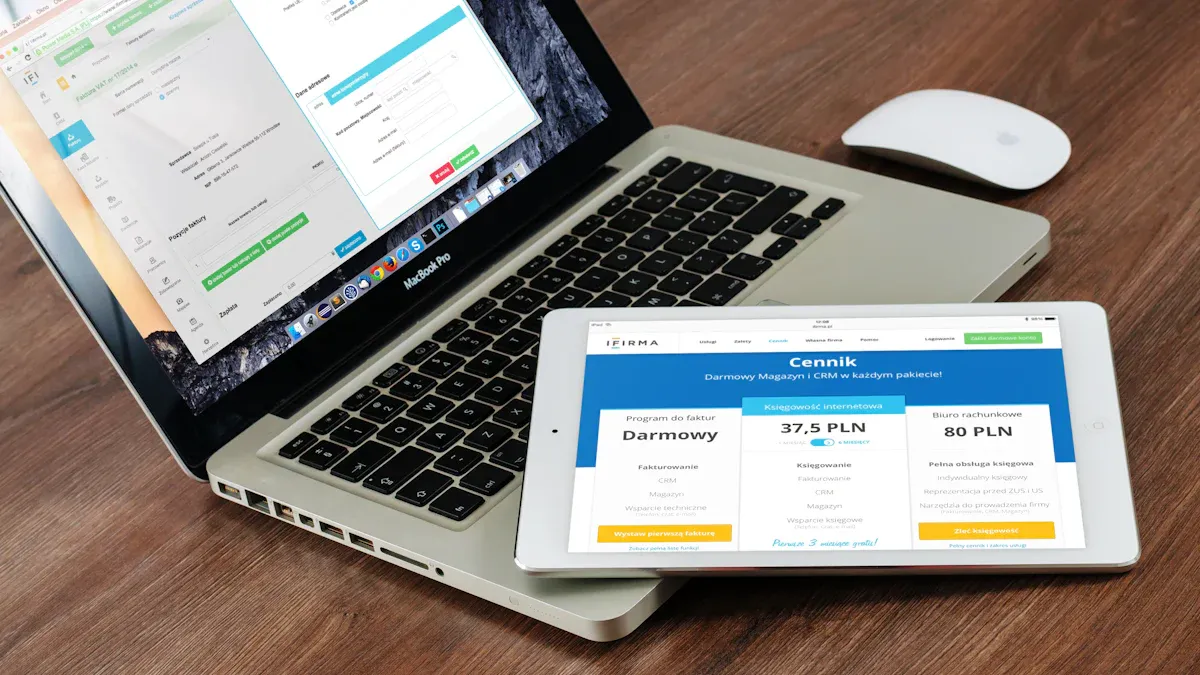
You need the right tool to manage customer inquiries when your business grows. A dedicated helpdesk is built to handle high volumes of customer inquiries efficiently. A CRM, or customer relationship management system, focuses on the bigger picture with your customers. The choice between a helpdesk and a CRM is crucial for your customer support. A good help desk tool excels at resolving daily inquiries quickly. As an expert in contact solutions, Sobot understands this challenge. This guide clarifies when to use a helpdesk versus a CRM for your team.
Why a Helpdesk is Built to Handle High Volumes of Customer Inquiries

A helpdesk is specifically engineered to manage and resolve a large number of customer inquiries and issues with speed and precision. Unlike a CRM that focuses on the entire customer lifecycle, a helpdesk provides the specialized helpdesk functionalities your team needs for daily support. When you handle high volumes of customer inquiries, efficiency is everything. A dedicated helpdesk system delivers this through a structured, issue-focused approach.
Centralized Ticketing for Organized Support
A helpdesk organizes chaos. It consolidates all customer interactions from channels like email, chat, and voicemail into a single, unified workspace. With a help desk ticketing system like Sobot's, you no longer need to jump between different platforms. This centralization creates a clear record for all tickets.
Your agents can see the entire history of customer inquiries, which stops them from asking customers to repeat information. This simple change makes your customer support much faster and more effective.
Automation Rules for Efficient Routing
When you face high volumes of issues, manual sorting is not an option. A helpdesk uses automation to route tickets intelligently. You can set up rules to assign tickets based on specific keywords, the channel they came from, or priority level. For example, an email containing the word "refund" can automatically go to your billing department. Sobot’s AI-powered helpdesk system takes this further, ensuring new tickets are assigned to the best available agent, which dramatically speeds up response times.
Omnichannel Unification for a Single View
Customers expect a consistent experience no matter how they contact you; in fact, 90% of customers anticipate this consistency across all channels. A helpdesk makes this possible by unifying all interactions into a single customer profile. This gives your agents valuable context. They can see past conversations and tickets, allowing them to provide seamless customer service. This unified view is a core difference from a standard CRM, as the helpdesk is built around resolving active inquiries.
Performance Analytics for Key Support Metrics
You cannot improve what you do not measure. A helpdesk provides the data you need to monitor your team's performance. A quality help desk tool tracks critical metrics, including:
- First Response Time (FRT): How quickly your team first replies to customers.
- Average Resolution Time (ART): The average time it takes to completely solve tickets.
Tracking these numbers helps you manage workloads and meet your Service Level Agreements (SLAs). The robust analytics in a help desk ticketing system give you the insights to refine your customer service operations and maintain high customer satisfaction. This is a key advantage of a helpdesk over a CRM for support teams.
The Role of a CRM in Customer Support
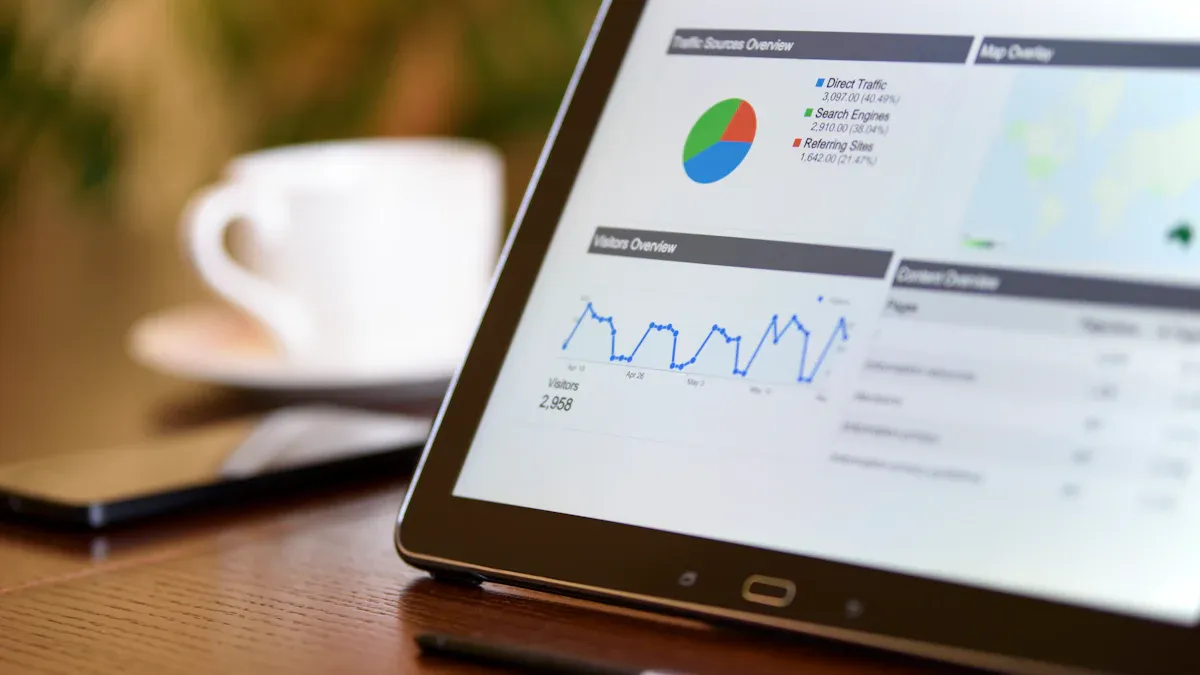
While a helpdesk focuses on resolving issues, a customer relationship management (CRM) system plays a different but equally important role. A customer relationship management system is designed to manage and analyze customer interactions throughout the entire customer lifecycle. Your business uses a CRM to improve relationships with customers, which helps with customer retention and sales growth. It serves as a central hub for all data related to your customers.
The 360-Degree View of the Customer Journey
A customer relationship management system gives you a complete picture of your customers. This is often called a 360-degree view. The CRM gathers information from every touchpoint to build a detailed profile. This allows you to deliver excellent customer service.
- It tracks purchase history and website activity.
- It logs all previous customer interactions and communications.
- It notes personal preferences and behaviors.
With this unified view, your teams can personalize all customer interactions. You can anticipate customer needs and offer tailored solutions. This deep understanding is the core strength of a customer relationship management system. It helps you move beyond simple customer support and build a stronger connection with your customers.
Nurturing Long-Term Customer Relationships
A CRM is a powerful tool for nurturing long-term relationships. You can use the data in your customer relationship management system to create personalized experiences. This makes customers feel valued and understood. A CRM helps you track key performance indicators to see if your strategies are working. This focus on the long game improves customer satisfaction and loyalty. The goal of a CRM is not just to close a ticket but to build a lasting bond that encourages repeat business. These positive interactions are key to growth.
Limitations for High-Volume, Reactive Support
A CRM has clear limitations for high-volume customer support. A customer relationship management system is not built for the fast, reactive environment of a busy helpdesk. Many CRM systems update customer data in batches. This means information can be hours old, which is a major problem during peak times. When your team needs real-time information to solve urgent issues, a CRM can fall short. Its core design is for relationship management, not rapid issue resolution like a helpdesk. For teams handling many tickets daily, a CRM lacks the specialized ticketing and automation features of a dedicated helpdesk, which can slow down your customer service and hurt the customer support experience.
Head-to-Head: Help Desk Software vs. CRM Software
Choosing between help desk software and CRM software can feel confusing. Both tools manage customer interactions, but they serve very different primary purposes. A helpdesk is your command center for solving problems quickly. A CRM is your library for understanding your customers' entire history with your brand. Understanding this core difference is the first step in deciding which tool is right for your high-volume support team. Let's compare them directly to see how they stack up.
Primary Goal: Issue Resolution vs. Relationship Nurturing
The most significant difference between a helpdesk and a CRM is their main goal. A helpdesk is built for speed and efficiency in problem-solving. A customer relationship management system is designed to build and maintain long-term relationships with customers.
This table breaks down the fundamental difference in their primary objectives:
| Software Type | Primary Goal |
|---|---|
| Help Desk Software | Improve customer service by accelerating problem-solving and serving more people at once. |
| CRM Software | Organize and centralize all customer information in one easily accessible place for managing customer relationships and providing context for good service. |
Your helpdesk team's success is measured by how fast they can resolve an issue. The goal is to close tickets and leave customers satisfied with the solution. In contrast, a customer relationship management system helps your sales and marketing teams understand the full journey of your customers. The goal of a CRM is to use that deep knowledge to foster loyalty and drive future sales.
Core Functionality: Ticketing vs. Pipeline Management
The different goals of a helpdesk and a CRM lead to very different features. Help desk software is all about managing incoming support requests, while CRM software focuses on managing the sales pipeline and customer data.
A customer relationship management system typically includes these core functions:
- Lead and Contact Management: It stores and organizes information about your customers, from potential leads to loyal buyers.
- Sales Pipeline Management: You can track every stage of the sales process, from the first contact to the final sale.
- Workflow Automation: A CRM automates tasks like sending follow-up emails or updating customer records after a call.
- Reporting and Analytics: It generates reports on sales performance and customer behavior to guide your business strategy.
A helpdesk, on the other hand, is built around a ticketing system. This is the key differentiator in the crm vs ticketing system debate. The core functionality of help desk software is designed for reactive support at scale.
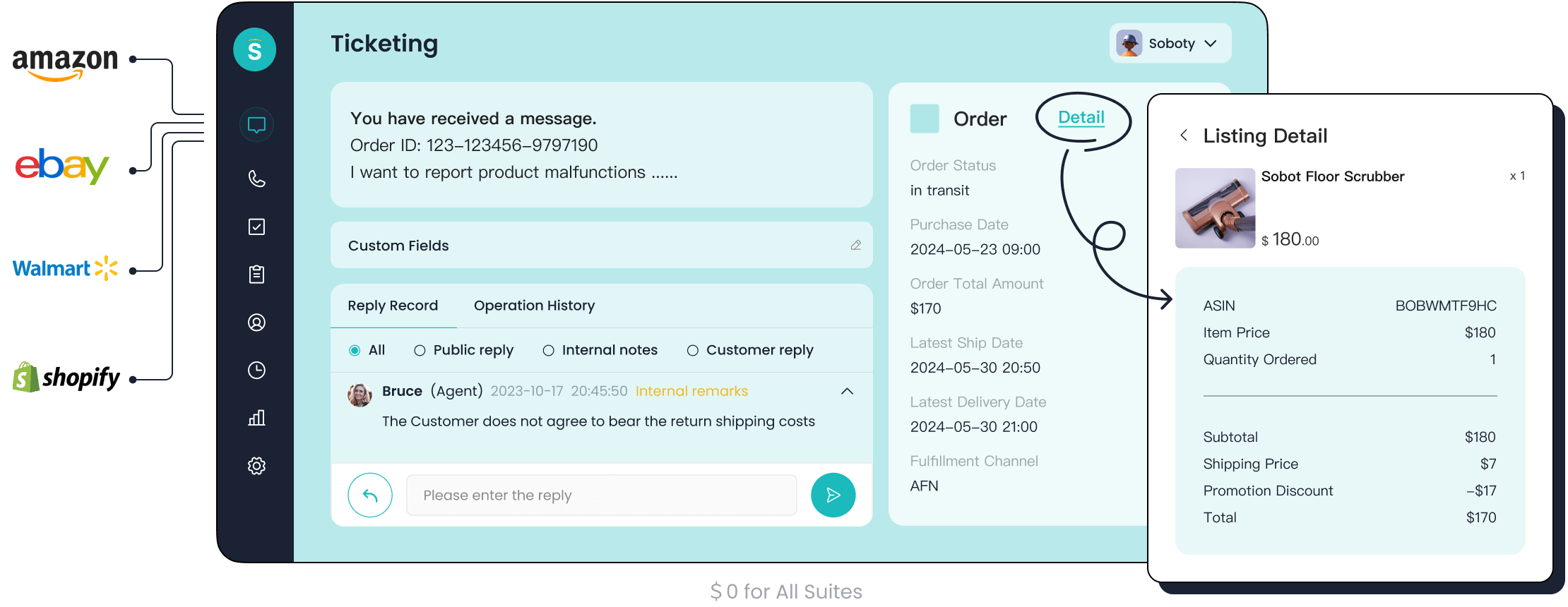
For example: Sobot's Ticketing System unifies all your support channels, automates ticket routing to the right agents, and helps you manage SLAs. These are specialized features you won't find in a standard CRM.
Here is a direct comparison of the core functionality in the crm vs ticketing system matchup:
| Feature | Ticketing System (Helpdesk) | Sales Pipeline Management (CRM) |
|---|---|---|
| Purpose & Focus | Support-focused; resolves customer issues quickly. | Relationship-focused; manages customer interactions across the lifecycle. |
| Primary Goal | Quickly resolve customer inquiries and problems. | Track and nurture long-term customer relationships. |
| Data Priority | Support ticket history and issue tracking. | Customer life-cycle and sales pipeline. |
While a CRM software can log customer interactions, it lacks the robust tools of a helpdesk to manage a high volume of active support tickets efficiently. A customer relationship management system is not designed for the rapid back-and-forth of technical support or issue resolution.
Key Metrics: Response Time vs. Customer Lifetime Value
You measure the success of a helpdesk and a CRM using completely different metrics. This reflects their different purposes. For a helpdesk, success is all about speed and efficiency. For a CRM, success is about long-term value and profitability.
With help desk software, you focus on metrics that measure your support team's performance. Key metrics include:
- First Response Time (FRT): How quickly an agent responds to a new ticket.
- Average Handle Time (AHT): The average time an agent spends on a single case. The industry standard is around 6 minutes.
These metrics are critical for high-volume teams. Slow response times lead to frustrated customers. Here are some industry benchmarks for good response times:
| Channel | Good | Better | Best |
|---|---|---|---|
| ≤ 12 hours | ≤ 4 hours | ≤ 1 hour | |
| Live Chat | ≤ 1 hour | ≤ 5 minutes | ≤ 1 minute |
| Social Media | ≤ 2 hours | ≤ 1 hour | ≤ 15 min |
In contrast, CRM software focuses on metrics that measure the health of your customer relationships. The most important metric for a customer relationship management system is Customer Lifetime Value (CLV). CLV predicts the total revenue your business can expect from a single customer account.
You calculate CLV by looking at past purchase data and predicting future buying behavior. For a subscription business, a simple formula is:
Customer Lifetime Value = Average Revenue Per User (ARPU) ÷ Churn Rate
For example, if your company has an ARPU of $70 and a churn rate of 5% (0.05), your CLV would be $1,400 ($70 ÷ 0.05). This metric helps you understand which customers are most valuable, allowing you to invest your resources in nurturing those relationships. A customer relationship management system is the ideal tool for tracking these long-term value metrics, while a helpdesk excels at tracking the real-time efficiency of your support interactions. The choice between help desk software and CRM software depends on which of these metrics is more critical for your team's immediate goals.
The Final Verdict: A Decision Guide for Your Business
You have seen how a helpdesk and a customer relationship management system serve different functions. Now you must make a choice. The right software depends entirely on your team's primary goals and daily workload. This guide will help you decide which tool is the best fit for your business. So, which one should you choose?
Choose a Help Desk for High-Volume Daily Support
You should choose a helpdesk if your team's main job is to solve a large number of customer problems every day. A helpdesk is purpose-built to handle high volumes of customer inquiries with speed and organization. Your team needs a system that prioritizes rapid resolution. When your primary goal is efficiency in customer support, a helpdesk is the clear winner.
Many growing companies face the challenge of rising ticket volumes. A dedicated helpdesk provides the structure needed to manage this growth without sacrificing service quality.
| Company | Challenge with High-Volume Support | Help Desk Outcome |
|---|---|---|
| Eurail | A surge of thousands of weekly requests strained a large team. | Automated workflows led to 80% customer satisfaction and 95% faster responses. |
| Grove Collaborative | Unpredictable chat spikes and inconsistent triage slowed agents down. | Chatbots and automation reduced live chat volume by over 80%. |
| Brastel | Agents took up to 33 minutes to resolve a single ticket. | A new helpdesk decreased resolution time from 23 to 15 minutes. |
A modern helpdesk makes these results possible because it includes specialized features. When you need to handle high volumes of customer inquiries, look for a help desk tool with these capabilities:
- Omnichannel Inbox: This unifies all messages from email, chat, and social media into one place. Your agents can respond faster without switching between platforms.
- Automated Ticket Routing: The helpdesk automatically sends tickets to the right agent or department. This balances the workload and lets agents focus on solving problems.
- AI-Powered Features: Artificial intelligence can summarize long tickets, suggest smart replies, and even handle common questions 24/7, freeing up your team for complex issues.
- Analytics and Reporting: A helpdesk gives you real-time data on response times and resolution rates. You can track performance and find areas to improve your customer support.
If your business measures success by how quickly you can solve problems, you need a helpdesk.
Choose a CRM for Sales-Focused, Low-Volume Inquiries
You should choose a CRM if your primary focus is on building long-term customer relationships and driving sales. A customer relationship management system is the right choice when your support inquiries are low in volume and less urgent. A CRM excels at giving your team a complete history of every customer. This context is vital for personalization and nurturing leads.
A customer relationship management system is not designed for rapid, reactive support. Its strength lies in tracking the entire customer journey, from the first marketing touchpoint to repeat purchases. If your team spends more time understanding customer behavior and identifying sales opportunities than putting out fires, a CRM is the better fit. For businesses where each customer interaction is a chance to build loyalty and increase lifetime value, the deep data in a CRM is more valuable than the ticketing features of a helpdesk. So, which one should you choose? A CRM is ideal for a proactive, relationship-focused strategy.
Integrate Both with Sobot's Omnichannel Solution
Why choose one when you can have the power of both? The ultimate solution for many businesses is to integrate a powerful helpdesk with a comprehensive customer relationship management system. This approach gives you the best of both worlds: the issue-resolution speed of a helpdesk and the deep customer insights of a CRM. A help desk with crm integration creates a seamless flow of information between your support and sales teams.
Sobot’s Omnichannel Solution makes this integration a reality. It connects our powerful helpdesk functionalities, like the AI-powered Ticketing System, with your existing customer relationship management platform. This unified system empowers your teams to deliver exceptional service.
The success of global tech leader OPPO shows the power of this integrated approach. The company faced immense pressure from rising inquiries during peak shopping seasons.
By implementing Sobot's chatbot and ticketing system, OPPO achieved an 83% chatbot resolution rate. This human-machine cooperation also led to a 57% increase in their repurchase rate.
How did they do it?
- Efficient Support (Helpdesk): Sobot's AI chatbot acted as the first line of defense, instantly answering common questions. This is a core helpdesk function that filters the noise.
- Deep Context (CRM): Sobot's platform integrated with OPPO's business systems, including their customer relationship management data. When a human agent was needed, they had the full conversation history and customer profile right in front of them.
- Smarter Sales: This deep context allowed agents and the chatbot to make personalized suggestions, turning support interactions into revenue opportunities and boosting the repurchase rate.
This example proves that you do not have to settle. Integrating a helpdesk and a CRM allows you to solve problems efficiently while building stronger, more profitable customer relationships. When you ask, "which one should you choose?", the best answer is often "both, working together."
You need a dedicated helpdesk system for high-volume support. A helpdesk system like Sobot's Ticketing System provides the speed and efficiency required. However, the most powerful setup integrates your helpdesk system with a CRM. This combination allows you to solve problems quickly while gaining deep customer insights. A quality helpdesk system helps you focus on what your company does best. The best helpdesk system also gives you the data to know what your customers want most.
"Know what your customers want most and what your company does best. Focus on where those two meet." — Kevin Stirtz
Embark on Your Contact Journey. Explore Sobot's all-in-one contact center solutions to build your ideal support structure.
FAQ
What is the main difference in the Help Desk vs. CRM debate?
A helpdesk focuses on solving customer problems quickly. It uses a ticketing system for issue resolution. A CRM focuses on managing the entire customer relationship. It tracks sales and customer history to build long-term value. Your choice depends on your primary business goal.
Can I use a CRM as a helpdesk?
You can use a CRM for low-volume support. However, it lacks the specialized tools for high-volume inquiries. A dedicated helpdesk offers features like automated ticket routing and SLA management. These tools are essential for fast, organized support that a CRM cannot provide.
When does my business need both a helpdesk and a CRM?
You need both when you want to provide fast support and build deep customer relationships. Integrating them creates the most powerful system. For example, Sobot's Omnichannel Solution connects our Ticketing System with your CRM, giving your team the best of both worlds.
How does a helpdesk improve customer satisfaction?
A helpdesk improves satisfaction by providing fast and organized responses.
- It reduces wait times with automated routing.
- It gives agents a full view of the issue.
- It ensures no customer request gets lost. This efficiency leads to happier, more loyal customers.
See Also
Achieve Excellence in Customer Service Through Expert Live Chat Management
Elevate Your SaaS Customer Assistance Using Strategic Live Chat Solutions
Artificial Intelligence Agents Are Transforming the Future of Customer Support
Become a Live Chat Expert for Superior Retail Customer Engagement
Essential Capabilities of Leading CRM Software for Call Center Operations

