Tips for Choosing Customer Service Automation Software

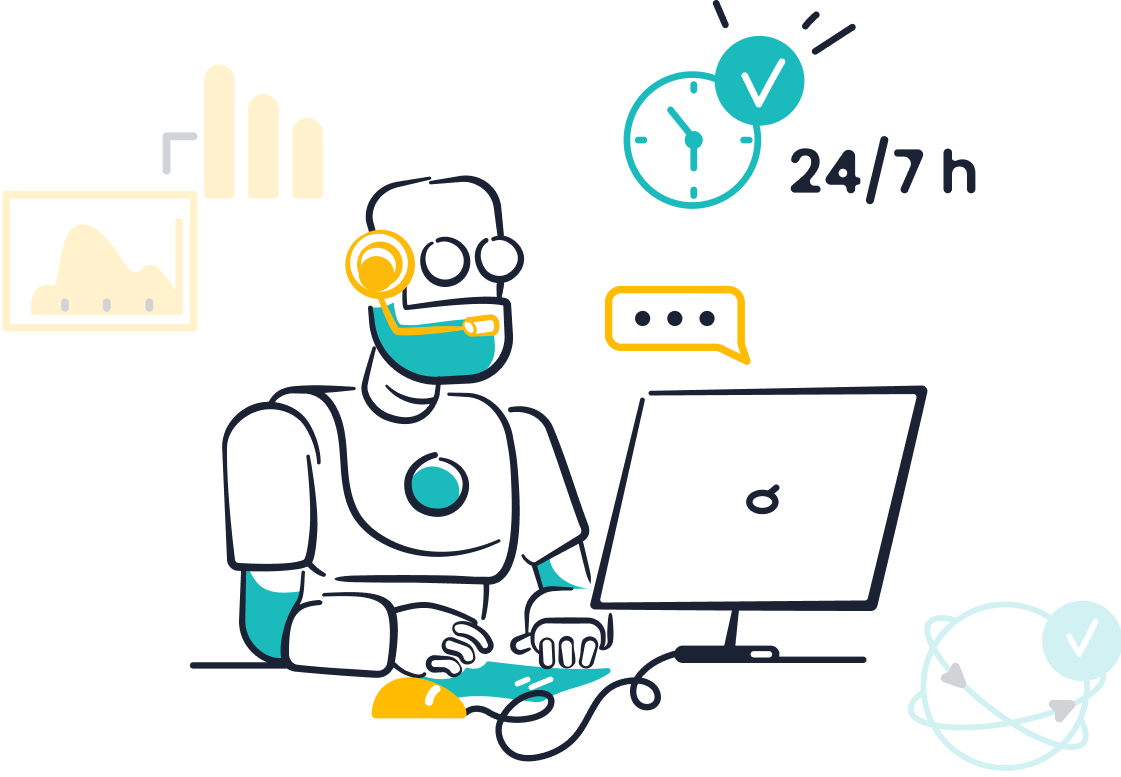
In today’s fast-paced world, customer service automation software plays a vital role in helping businesses meet growing demands. It empowers your team to handle more tasks with fewer resources, ensuring operational efficiency. Tools like automated customer service solutions provide 24/7 support, reducing response times and enhancing the customer experience. For example, automation can cut costs by up to 40%, allowing businesses to scale without increasing labor expenses.
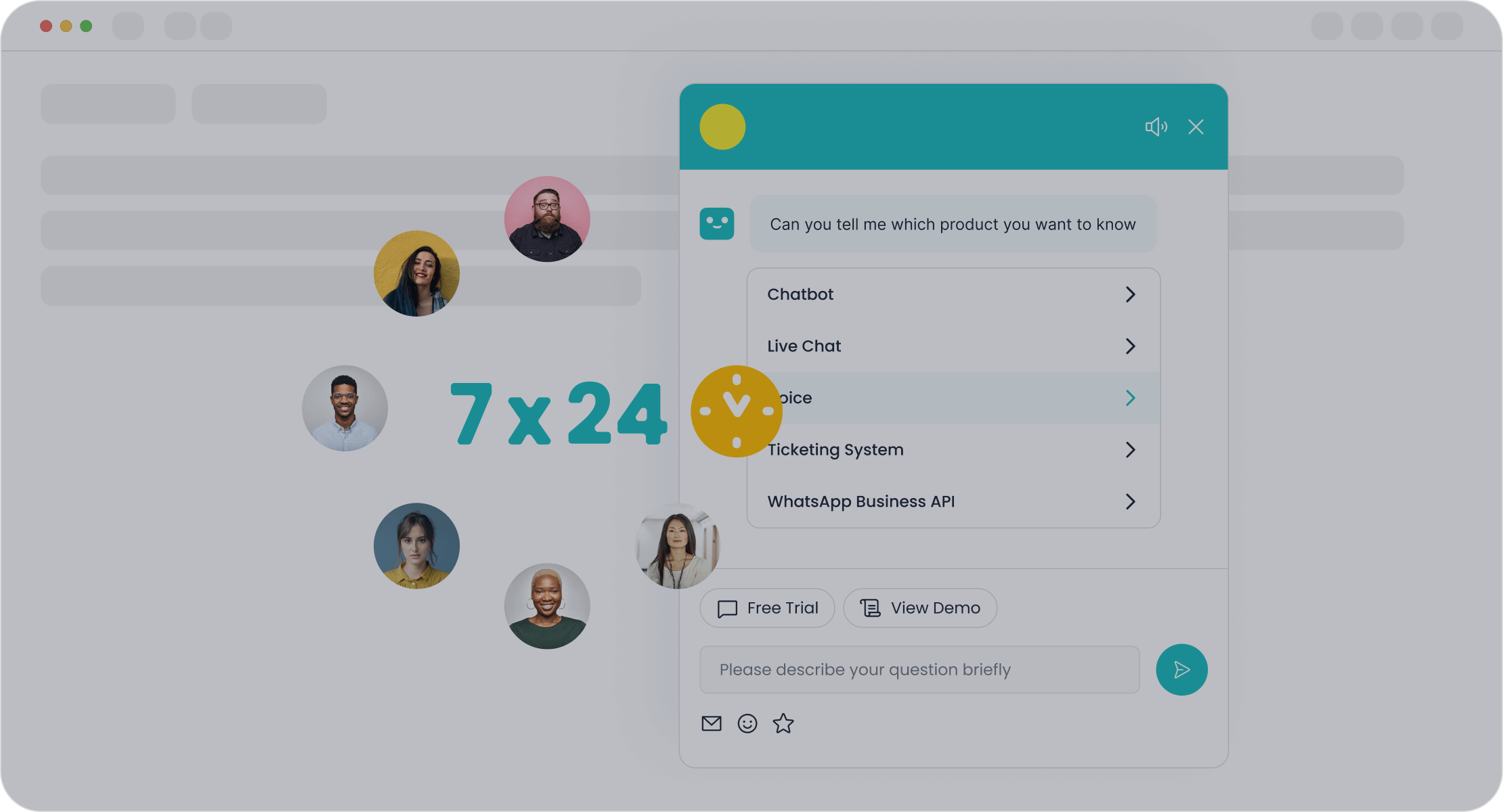
Sobot, a leader in customer service automation software, offers innovative solutions like its AI-powered Chatbot. This tool not only handles routine inquiries but also boosts productivity by 70%. With Sobot, you can transform customer support into a seamless, efficient process that meets modern expectations.
Key Features of Customer Service Automation Software
AI and Machine Learning Capabilities
Enhancing Efficiency with Chatbots
AI-powered chatbots are a cornerstone of customer service automation tools. These bots handle a high volume of inquiries simultaneously, providing instant responses to common questions. Features like natural language understanding (NLU) ensure accurate comprehension of complex queries, while context awareness maintains conversational flow. For example, Sobot’s AI Chatbot operates 24/7, autonomously resolving routine issues and boosting productivity by 70%. Its multilingual support allows you to engage customers in their preferred language, enhancing the customer experience. By integrating with large language models (LLMs), these chatbots continuously learn and improve, ensuring adaptability to evolving customer needs.
Leveraging Predictive Insights for Better Service
Predictive analytics transforms customer service software into a proactive tool. By analyzing historical data, it forecasts customer behavior and identifies potential issues before they arise. This allows you to tailor support strategies and allocate resources effectively. For instance, businesses can reduce wait times during peak hours by anticipating demand. Predictive insights also enable personalized experiences, fostering customer loyalty. As seen in platforms like Netflix, such analytics significantly enhance satisfaction by aligning services with user preferences.
Integration with Existing Systems
CRM and Help Desk Compatibility
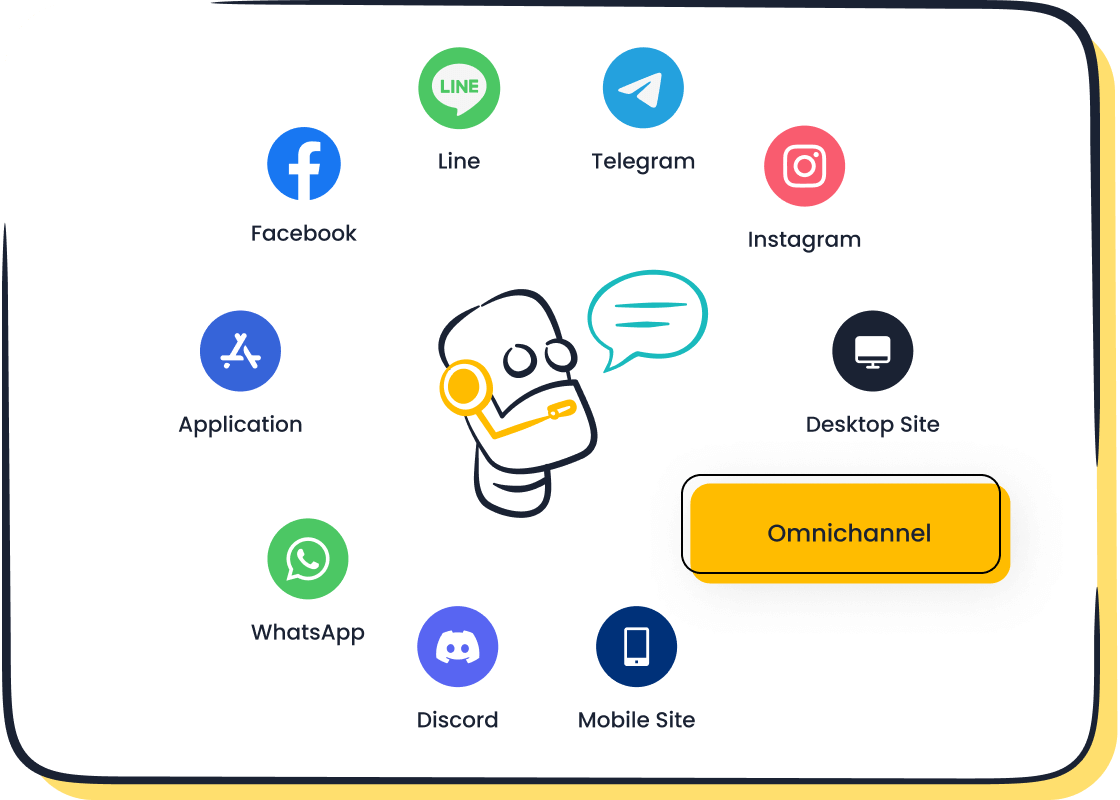
Customer service automation tools must integrate seamlessly with your existing CRM and help desk systems. This integration improves efficiency by centralizing customer data, enabling quicker responses and reducing agent workload. For example, Sobot’s solutions unify communication channels and business systems, ensuring agents have instant access to customer information. This leads to happier customers and significant cost reductions.
Omni-Channel Support for Seamless Interactions
Modern customer service software supports interactions across multiple channels, including email, social media, and messaging apps. Omni-channel support ensures customers receive consistent service, regardless of their preferred platform. Sobot’s AI Chatbot excels in this area, offering unified communication across WhatsApp, SMS, and more. This feature streamlines operations and enhances the overall customer experience.
Scalability and Customization
Adapting to Business Growth
Scalability is essential for customer service automation tools. As your business grows, the software should handle increasing interaction volumes without requiring additional staff. Cloud-based solutions like Sobot’s offer flexibility, allowing you to scale operations efficiently. This prevents costly migrations and ensures long-term value.
Tailoring Features to Industry Needs
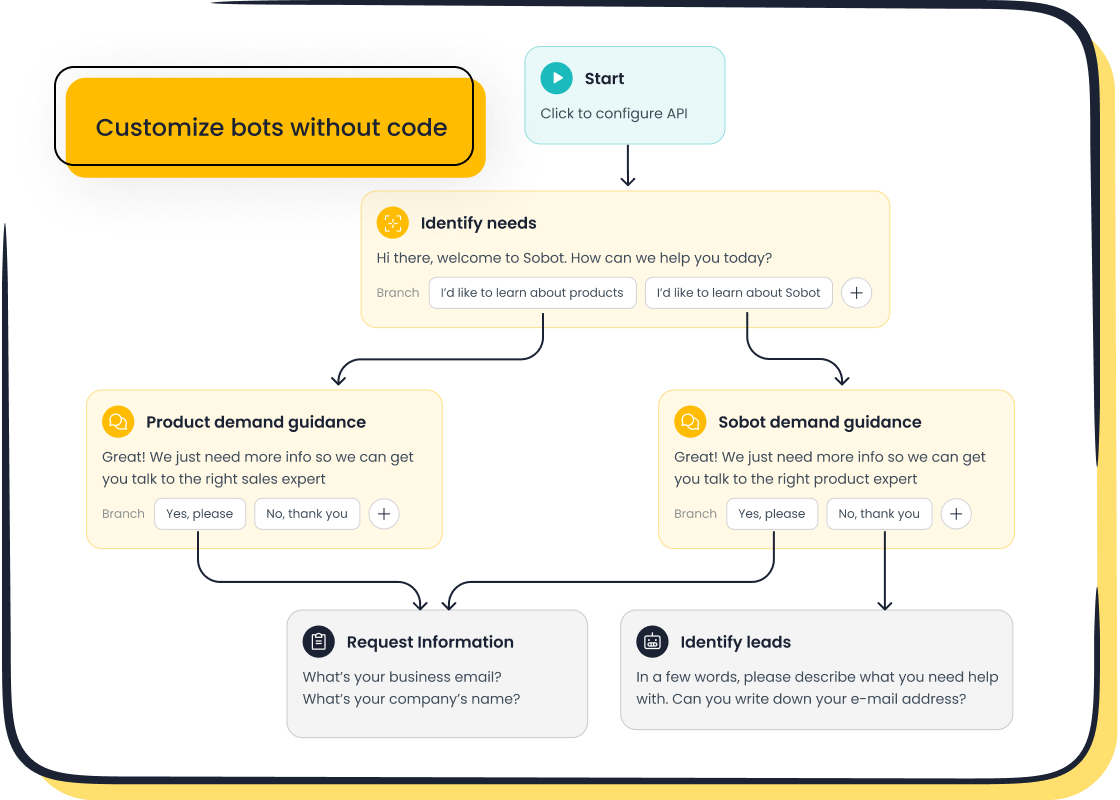
Customization ensures customer service software aligns with your specific industry requirements. Sobot’s AI Chatbot, for instance, allows you to design workflows without coding, making it adaptable to various sectors like retail, finance, and gaming. Tailored features improve efficiency and help you meet unique customer expectations.
Data Security and Compliance
Ensuring Data Privacy with Encryption
Protecting customer data is a top priority when choosing customer service automation software. You must ensure the software includes robust security features like encryption, which safeguards sensitive information during transmission and storage. Encryption converts data into unreadable formats, making it inaccessible to unauthorized users. This feature is critical in preventing data breaches and maintaining customer trust.
Sobot’s solutions prioritize data privacy by implementing advanced encryption protocols. For example, its AI Chatbot secures interactions across platforms like WhatsApp and SMS, ensuring customer information remains confidential. Additionally, user authentication features add another layer of protection, verifying access only for authorized personnel. By choosing software with these capabilities, you can confidently handle customer interactions without compromising security.
Meeting Industry Standards and Regulations
Compliance with industry standards is essential for customer service automation software. You need tools that align with regulations like GDPR or HIPAA to avoid legal risks and protect customer data. These standards enforce strict guidelines on data collection, storage, and usage, ensuring businesses operate ethically and transparently.
Sobot’s automation tools meet the security and compliance requirements of various industries, from finance to healthcare. For instance, its solutions adhere to GDPR guidelines, making them suitable for businesses handling sensitive European customer data. By integrating compliance-ready software, you can focus on delivering exceptional service while meeting regulatory demands.
💡 Tip: Always verify that your chosen software complies with the specific regulations of your industry or client base. This ensures long-term reliability and customer trust.
Steps to Choose the Right Automation Tools
Assessing Business Needs and Goals
Identifying Pain Points in Current Workflows
Start by analyzing your current customer service workflows. Identify areas where delays or inefficiencies occur. For example, repetitive inquiries or long response times often indicate tasks that automated customer service tools can handle. Evaluate the time and cost required to implement automation. Consider technical aspects like system compatibility and the training time needed for your team. By focusing on high-volume, simple tasks, you can maximize the impact of automation.
💡 Tip: Align your team early in the process to ensure everyone understands the goals and benefits of automation.
Defining Key Objectives for Automation
Define clear objectives for your customer service automation. Common goals include automating responses to FAQs, triaging tickets to prioritize support requests, and assisting agents with relevant information for faster resolutions. These objectives not only save time but also improve customer satisfaction. For instance, quick response times and consistent support across channels enhance trust and loyalty.
Evaluating User-Friendliness
Testing the Interface and Navigation
Ease of usage is critical when selecting customer service software. Test the interface to ensure it’s intuitive and user-friendly. Look for features like drag-and-drop functionality and customizable workflows. A well-designed interface reduces the learning curve for your team and boosts efficiency. For example, Sobot’s AI Chatbot offers a point-and-click setup, making it easy to deploy without coding expertise.
Gathering Feedback from Team Members
Involve your team in the decision-making process. Use surveys, interviews, or feedback widgets to gather their input on software usability. Beta testing programs can also provide valuable insights into potential issues. This collaborative approach ensures the software meets your team’s needs and improves adoption rates.
Exploring Trial Options and Demos
Setting Up a Trial Period
Before committing to a solution, trial and verify its capabilities. Trials allow you to experience the product firsthand, building trust and confidence in its effectiveness. For example, you can test Sobot’s AI Chatbot to see how it handles customer interactions across multiple channels.
Measuring Performance and ROI
During the trial, measure the software’s performance using metrics like customer satisfaction (CSAT) and ROI. Use the formula ROI = [(revenue – expenses) ÷ expenses] x 100 to evaluate financial benefits. Monitor customer retention rates and churn to assess the software’s impact on loyalty. These insights help you choose the right automation tools that deliver long-term value.
Comparing Pricing and Long-Term Value
Understanding Subscription Models
When evaluating customer service automation software, understanding subscription models is essential. Most providers offer tiered pricing plans based on features, user limits, or usage volume. You should assess these plans carefully to ensure they align with your business needs.
Key factors to consider include:
- Customer needs and segmentation: Determine whether the plan supports your target audience and operational scale.
- Competitive landscape: Compare pricing with similar tools to ensure you're getting value for money.
- Product differentiation: Look for unique features that justify the cost, such as Sobot’s AI Chatbot’s multilingual support and 24/7 availability.
- Data-driven insights: Analyze historical data to predict future usage and select a plan that accommodates growth.
For example, Sobot offers flexible subscription models tailored to businesses of all sizes. Its plans include features like omnichannel support and no-coding-required setup, ensuring you only pay for what you need. This flexibility helps you manage costs effectively while scaling operations.
Calculating Cost-Effectiveness Over Time
To evaluate the long-term value of automation software, you need to consider more than just the upfront cost. Assess the time and financial investment required for implementation, including system compatibility and training needs. For instance, Sobot’s intuitive interface reduces onboarding time, saving resources in the long run.
Scalability is another critical factor. As your business grows, the software should adapt without requiring costly upgrades. Sobot’s cloud-based solutions ensure seamless scalability, making them a cost-effective choice for expanding businesses.
Additionally, identify high-volume, repetitive tasks in your current workflows that can be automated. Automating these tasks not only reduces labor costs but also improves efficiency. For example, Sobot’s AI Chatbot can handle routine inquiries autonomously, cutting expenses by up to 50%.
By focusing on these aspects, you can ensure the software delivers consistent value over time, enhancing both customer satisfaction and operational efficiency.
💡 Tip: Always calculate the potential return on investment (ROI) by comparing the software’s cost with the savings and benefits it provides. This approach ensures you make an informed decision that supports your long-term goals.
Common Mistakes When Choosing Customer Service Software
Overlooking Data Security
Ignoring Encryption Standards
Data security is a critical factor when selecting customer service software. Ignoring encryption standards can expose sensitive customer information to breaches. Encryption ensures that data remains unreadable to unauthorized users during transmission and storage. For example, Sobot’s AI Chatbot uses advanced encryption protocols to secure interactions across platforms like WhatsApp and SMS. This protects customer data and builds trust.
To avoid this mistake, verify that the software includes robust encryption features. Businesses handling European customer data should also ensure compliance with GDPR by hosting data within the EU. The table below highlights key data security considerations:
| Data Security Considerations | Description |
|---|---|
| EU-hosted data | Ensure the software is hosted within the EU to comply with GDPR. |
| Sub-processors and SCCs | Obtain a full list of sub-processors and understand standard contractual clauses for data processing. |
| Data security certification | Look for certifications like ISO27001 to ensure robust data security practices. |
| GDPR governance policies | Verify the presence of data protection policies aligned with GDPR requirements. |
Failing to Verify Vendor Compliance
Many businesses fail to confirm whether their chosen software complies with industry regulations. This oversight can lead to legal risks and penalties. Always check for certifications like ISO27001 and ensure the vendor adheres to relevant standards, such as GDPR or HIPAA. Sobot’s customer service software meets these requirements, making it a reliable choice for businesses in regulated industries.
Neglecting Omni-Channel Support
Missing Integration with Social Media Platforms
Social media integration is essential for modern customer service. Without it, you risk slower response times and missed opportunities for engagement. Real-time communication on platforms like Facebook and Twitter allows you to address customer inquiries instantly, improving satisfaction. For example, a retail business using Facebook’s automated response feature can handle FAQs efficiently, freeing agents for complex issues.
Neglecting this feature can harm customer retention. Companies offering consistent service across channels retain 89% of their customers, while those that don’t may see retention drop to 33%.
Overlooking Mobile and Email Support
Mobile and email remain vital channels for customer service. Ignoring these can frustrate customers who prefer these platforms. Sobot’s customer service software ensures seamless support across mobile, email, and other channels, enhancing the overall experience. Omni-channel support not only improves satisfaction but also streamlines operations for your team.
Focusing Solely on Cost
Sacrificing Quality for Lower Prices
Choosing software based solely on cost often leads to poor functionality and usability. Essential features like automation and omnichannel support may be missing, reducing the software’s effectiveness. For example, Sobot’s AI Chatbot offers multilingual support and 24/7 availability, features that enhance customer service and justify the investment.
Ignoring Hidden Costs and Scalability
Hidden costs can significantly impact your budget. These include inefficient manual operations, employee attrition, and poor resource planning. Automation addresses these issues by centralizing operations and optimizing scheduling. Sobot’s scalable solutions adapt to your business growth, ensuring long-term value. Always evaluate the total cost of ownership, including implementation and training expenses, to avoid surprises.
💡 Tip: Focus on long-term value rather than just upfront costs. This ensures your software supports both current and future needs.
Skipping Team Involvement
Not Consulting Customer Service Teams
Your customer service team plays a critical role in the success of automation tools. Ignoring their input during the selection and implementation process can lead to inefficiencies and resistance to change. Team involvement ensures confidence in using customer service automation software. It also boosts productivity by preparing agents to handle escalations or system errors effectively.
When you consult your team, you gain valuable insights into the challenges they face daily. For example, they can identify repetitive tasks that automation tools like Sobot’s AI Chatbot can handle. This chatbot resolves routine queries autonomously, freeing agents to focus on complex issues. By involving your team, you create a sense of ownership, which increases adoption rates and improves overall performance.
💡 Tip: Schedule regular meetings with your customer service team to gather feedback and align on automation goals. This collaboration ensures the software meets both business and team needs.
Overlooking Training and Onboarding Needs
Proper training is essential for your team to maximize the benefits of customer service automation software. Without it, agents may struggle to use the tools effectively, leading to poor customer experiences. Training ensures your team knows how to manage automated tools, address escalated tickets, and respond when automation fails.
For example, Sobot’s AI Chatbot offers a user-friendly interface that requires no coding knowledge. However, training your team on its features, such as multilingual support and omnichannel integration, ensures they can leverage its full potential. Aligning team members on responsibilities, like managing escalations or reporting system errors, further enhances productivity.
Best Practice: Conduct hands-on training sessions and provide access to resources like user guides or video tutorials. This approach builds confidence and ensures your team feels prepared to use the software effectively.
By prioritizing team involvement and training, you set the foundation for a successful implementation of customer service automation tools. This strategy not only improves efficiency but also enhances customer satisfaction, driving long-term success for your business.
Implementation Tips for Customer Service Automation
Preparing Your Team for Automation
Conducting Comprehensive Training
Training your team is essential for a smooth transition to automation. Start by offering customized sessions tailored to specific roles or departments. For instance, customer service agents may need training on handling escalations when automation tools like Sobot’s AI Chatbot take over routine queries. Provide easy-to-access resources such as tutorials, FAQs, and user manuals to support ongoing learning. Recognize employees who adapt quickly and assist others, fostering a positive attitude toward change. Regular check-ins with your team can help address concerns and ensure everyone feels confident using the new tools.
Assigning Clear Roles and Responsibilities
Automation works best when everyone knows their role. Assign responsibilities for managing automated systems, monitoring performance, and addressing escalations. For example, designate a team member to oversee Sobot’s chatbot operations and ensure it aligns with customer needs. Clear roles reduce confusion and improve efficiency. Additionally, identify change champions within your organization who can advocate for automation and support their peers during the transition.
Gradual Rollout Strategy
Testing Automation in Phases
A phased rollout minimizes risks and ensures a smoother implementation. Begin by testing automation tools in specific areas, such as handling FAQs or triaging tickets. For example, you can deploy Sobot’s AI Chatbot to manage repetitive inquiries before expanding its use to other functions. This approach allows you to identify potential issues and make adjustments before full-scale implementation. Testing in phases also helps your team adapt gradually, reducing resistance to change.
Gathering Feedback for Continuous Improvement
Feedback is crucial for optimizing automation tools. Collect input from both customers and employees to identify areas for improvement. Use surveys, interviews, or feedback widgets to gather insights. For instance, if customers report delays in chatbot responses, you can fine-tune the system to enhance speed. Regular feedback ensures your automated customer service tools remain effective and aligned with user expectations.
Regular Audits and Updates
Monitoring Performance Metrics
Tracking performance metrics helps you measure the success of your automation initiative. Focus on metrics that align with your business objectives, such as customer satisfaction scores or resolution times. For example, Sobot’s AI Chatbot can improve productivity by 70%, a metric you can monitor to evaluate its impact. Establish baseline values and track progress over time to identify trends and areas for improvement. Simplicity in metrics ensures they are easy to implement and understand.
Updating Software to Meet Evolving Needs
Automation tools require regular updates to stay effective. As your business grows, you may need to add new features or integrate additional channels. For instance, Sobot’s chatbot offers omnichannel support, which you can expand to include emerging platforms like WhatsApp or SMS. Regular updates ensure your software adapts to changing customer expectations and industry trends. This proactive approach keeps your automated customer service tools relevant and efficient.
Leveraging Sobot’s Expertise
Customizing Sobot’s Chatbot for Your Business
Sobot’s AI Chatbot offers unmatched customization options to fit your business needs. You can design workflows using its intuitive point-and-click interface. This feature eliminates the need for coding knowledge, making it accessible for teams of all skill levels. For example, you can create automated responses for FAQs or set up proactive messaging to engage customers during peak hours.
The chatbot adapts to your industry requirements. Whether you operate in retail, finance, or gaming, Sobot’s AI Chatbot provides tailored solutions. Its multilingual support ensures you can communicate with customers in their preferred language. This feature is especially valuable for businesses with a global audience. Additionally, the chatbot integrates seamlessly with platforms like WhatsApp and SMS, enabling omnichannel support.
By customizing Sobot’s Chatbot, you can improve efficiency and reduce costs. Businesses using Sobot have reported a 70% boost in productivity and up to 50% savings on agent expenses. These results demonstrate how tailored automation can transform customer service operations.
Accessing Sobot’s Support and Resources
Sobot provides extensive support to help you maximize the benefits of its customer service automation tools. You gain access to a dedicated team of experts who guide you through every step, from setup to optimization. This ensures a smooth implementation process.
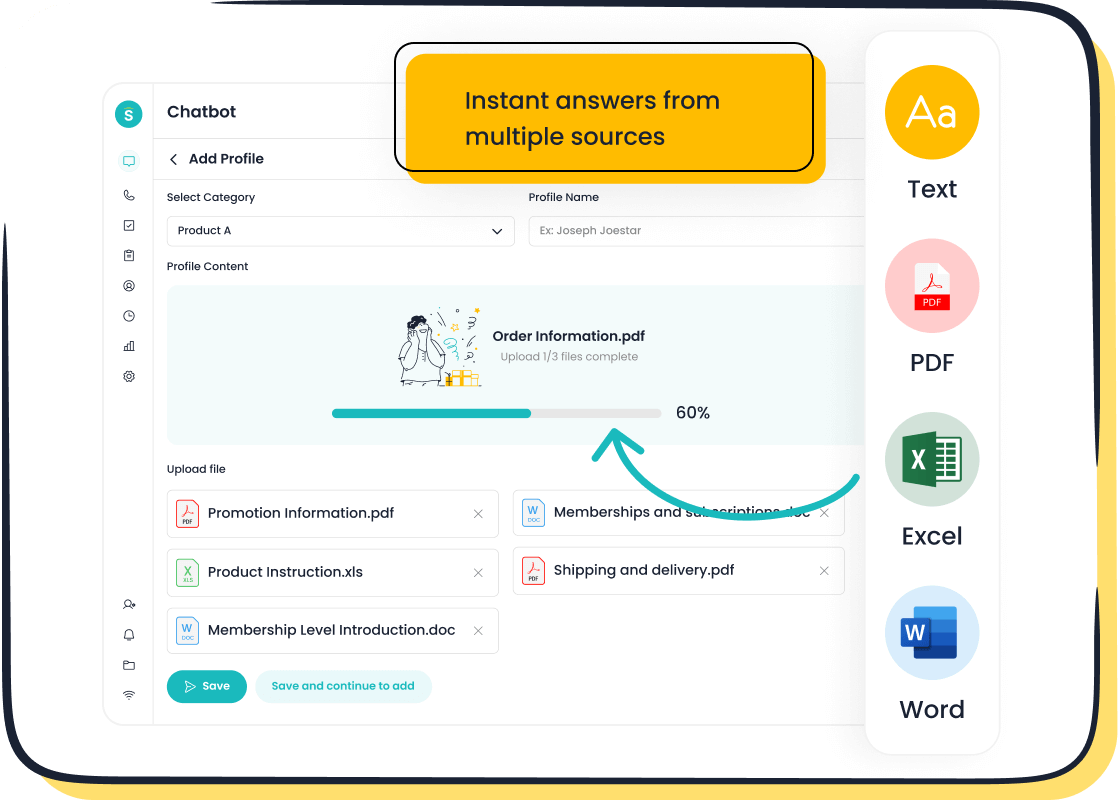
Sobot also offers a rich library of resources, including tutorials, FAQs, and case studies. These materials help you understand how to use features like the AI Chatbot’s knowledge base or reporting tools. For instance, OPPO, a global smartphone brand, used Sobot’s resources to achieve an 83% chatbot resolution rate and a 57% increase in repurchase rates.
You can also rely on Sobot’s ongoing support for updates and troubleshooting. This ensures your automation tools remain effective as your business grows. By leveraging these resources, you can enhance customer satisfaction and operational efficiency.
Choosing the right customer service automation software is essential for delivering better customer service and improving operational efficiency. The ideal customer service automation tool should align with your business goals and enhance the customer experience. By automating repetitive tasks, you can increase customer satisfaction and free your team to focus on complex issues.
Sobot offers one of the best customer service software solutions, designed to meet diverse industry needs. Its AI-powered Chatbot improves customer support by handling inquiries 24/7, cutting costs, and boosting productivity. With Sobot, you can transform your customer service into a seamless, scalable system that adapts to your growth. Explore Sobot’s solutions to elevate your customer service today.
Pro Tip: Visit Sobot’s website to learn how their tools can help you achieve your customer service goals.
FAQ
What is customer service automation software?
Customer service automation software uses tools like AI and machine learning to handle repetitive tasks. It improves efficiency by automating responses to FAQs, triaging tickets, and assisting agents. For example, Sobot’s AI Chatbot operates 24/7, resolving routine queries and saving up to 50% on agent costs.
How does Sobot’s AI Chatbot improve customer service?
Sobot’s AI Chatbot enhances customer service by providing instant, multilingual responses. It handles routine inquiries autonomously, boosting productivity by 70%. Its omnichannel support ensures seamless communication across platforms like WhatsApp and SMS, improving customer satisfaction and reducing operational costs.
Is customer service automation software secure?
Yes, most tools prioritize data security. Sobot’s solutions use advanced encryption protocols to protect sensitive information. They also comply with regulations like GDPR, ensuring your customer data remains safe and your business avoids legal risks.
Can automation software integrate with existing systems?
Yes, integration is a key feature. Sobot’s customer service automation software connects seamlessly with CRM and help desk systems. This integration centralizes customer data, enabling faster responses and reducing agent workload.
How do I choose the right customer service automation software?
Start by identifying your business needs. Look for features like scalability, omnichannel support, and data security. Sobot offers customizable solutions tailored to industries like retail and finance. Its AI-powered tools ensure long-term value by adapting to your growth.
See Also
Top 10 Strategies for Selecting Social Media Support Tools
Enhancing Productivity with AI-Driven Customer Service Solutions
Essential Tips for Selecting the Ideal Chatbot Platform
Navigating the Best AI Solutions for Call Centers
Comprehensive Overview of Omnichannel Solutions for Call Centers

