Ecommerce Chatbot Guide for Beginners 2026

You run an online store. Repetitive questions fill your inbox, and sales disappear after you log off. Modern ecommerce chatbots offer a powerful solution. An ecommerce chatbot can automate your customer support. This improves the overall customer experience. A great chatbot for ecommerce website, like Sobot, handles these tasks for you.
What if you could use an ecommerce chatbot to boost sales, even while you sleep?
Why Use Ecommerce Chatbots?
You might wonder if ecommerce chatbots are worth the effort. The answer is a clear yes. They offer powerful benefits that directly impact your store's growth and efficiency. An ecommerce chatbot is more than a tool; it is a strategic asset for your business. Let's explore the key advantages.
Boost Sales and Conversions
An ecommerce chatbot can turn browsers into buyers. It engages visitors proactively and guides them toward a purchase. This leads to increased sales.
Pro Tip: Modern solutions like Sobot can boost conversions by 20%. An ai-powered chatbot achieves this with smart self-service and real-time assistance, helping you capture sales you might otherwise lose.
Deliver 24/7 Customer Support
Your customers shop at all hours. You cannot always be available to answer questions. Ecommerce chatbots provide constant customer support. This 24/7 availability means no customer is left waiting. They can get answers about products or shipping anytime, which builds trust and loyalty. This is a significant upgrade over traditional live chat support hours.
Reduce Operational Costs
Hiring a large customer service team is expensive. A chatbot for ecommerce website automates repetitive tasks. This frees up your human agents to handle complex issues. This efficiency boost saves you money.
- Productivity: A well-designed ecommerce chatbot can improve your team's productivity by 70%.
- Savings: You can save up to 50% on agent costs by letting a bot handle common questions.
Enhance Customer Experience
A great customer experience keeps people coming back. Long wait times and unanswered questions create frustration. An ecommerce chatbot provides instant, accurate answers. This immediate help leads to improved customer satisfaction. When you deliver fast and reliable customer service, you create a positive brand image and a better customer experience.
Key Ecommerce Chatbot Functions
Modern ecommerce chatbots do more than just talk. They perform specific tasks that drive sales and improve your customer service. Understanding these functions helps you see the true value of an ecommerce chatbot for your store.
Answering FAQs Instantly
Your customers have questions. An ecommerce chatbot provides immediate answers to common queries. This instant customer support frees you from answering the same questions over and over. Your bot can handle topics like:
- Return policies
- Payment options
- Product materials
Tracking Orders and Shipping
Customers frequently ask, "Where is my order?" An ecommerce chatbot can connect to your systems to provide real-time order status and shipping updates. This transparency builds trust and improves the overall customer experience.
Providing Product Recommendations
An ai-powered chatbot can act as a personal shopper. It asks customers about their needs and preferences. Then, it offers personalized recommendations. This guidance helps shoppers discover new items. Using personalized recommendations can lead to higher average order values and happier customers who find exactly what they want. The bot delivers personalized recommendations based on user input.
Recovering Abandoned Carts
Shoppers often leave items in their carts without checking out. An ecommerce chatbot can proactively re-engage these visitors. It can send a reminder or offer a small discount to encourage them to complete the purchase.
A well-configured bot can help you achieve a cart recovery rate of 15-25%. This feature directly turns potential losses into sales. You can provide personalized recommendations to entice them back.
Capturing Customer Leads
Not every visitor is ready to buy immediately. A chatbot for ecommerce website can capture their information for future marketing. It asks smart, strategic questions to gather contact details and understand their needs. This automated process helps you build a valuable list of qualified leads without any manual effort, providing personalized recommendations for follow-up.
How to Launch Your First Chatbot
Launching your first chatbot might seem complex, but modern tools make it straightforward. You can create a powerful assistant for your store by following a few key steps. This process helps you build an effective tool that meets your business needs.
Step 1: Choose a Chatbot for Ecommerce Website
Your first step is selecting the right platform. You need a tool that is powerful yet easy for beginners to use. Look for a no-code solution that allows you to build and manage your bot without writing any code.
Platforms like Sobot offer a simple point-and-click interface. This design means you can create sophisticated conversation flows visually. You do not need a technical background to get started.
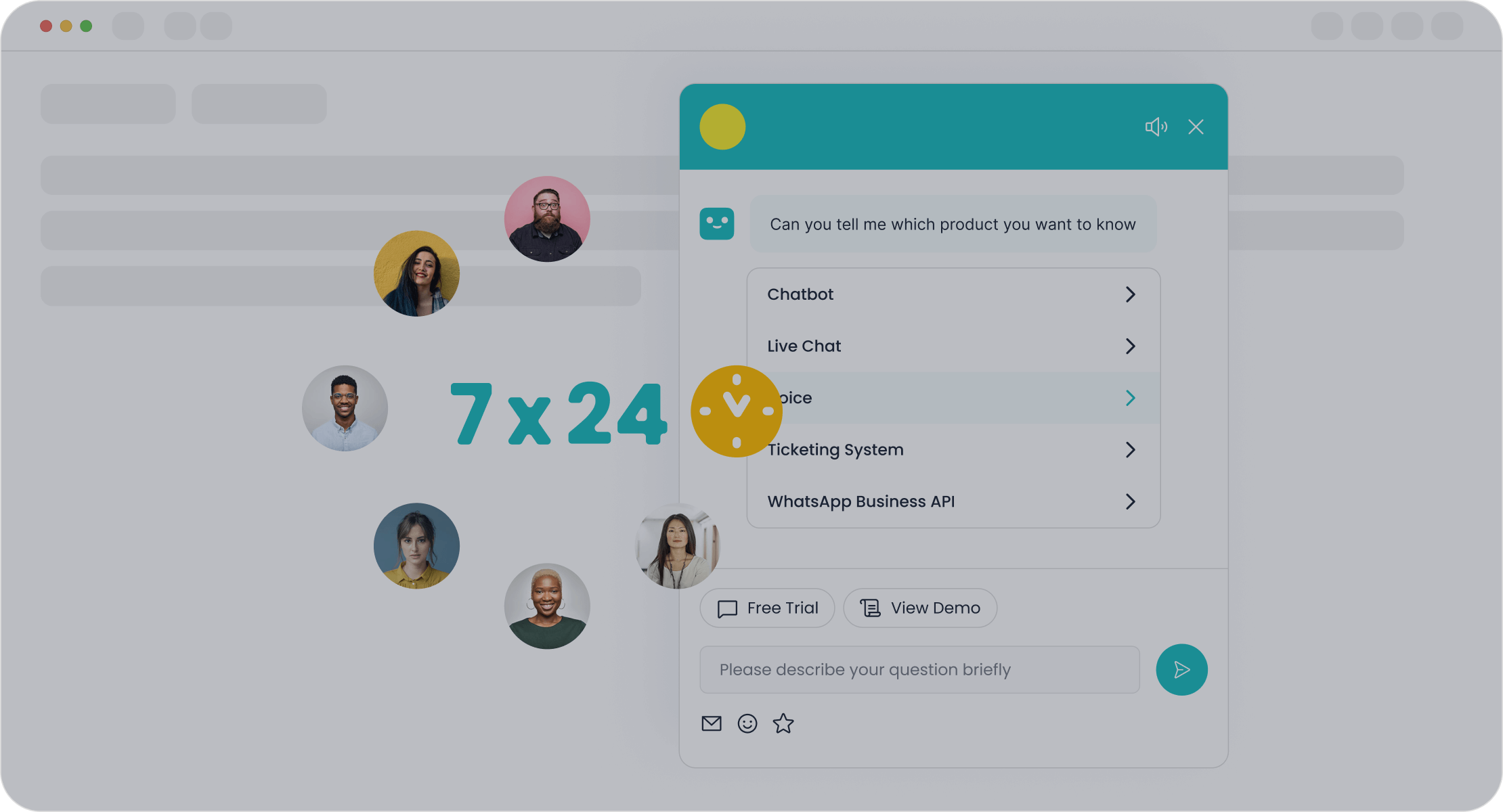
When comparing options, consider what a comprehensive platform provides. A great solution is more than just a chatbot. For example, Sobot is an all-in-one contact center that includes an AI Agent, live chat, a voice call center, and a ticketing system. This integration ensures all your customer interactions work together seamlessly.
Look for these key features when making your choice:
- AI/NLP Capabilities: The bot should understand customer questions naturally.
- Customization: You need the ability to tailor product recommendations and conversation flows.
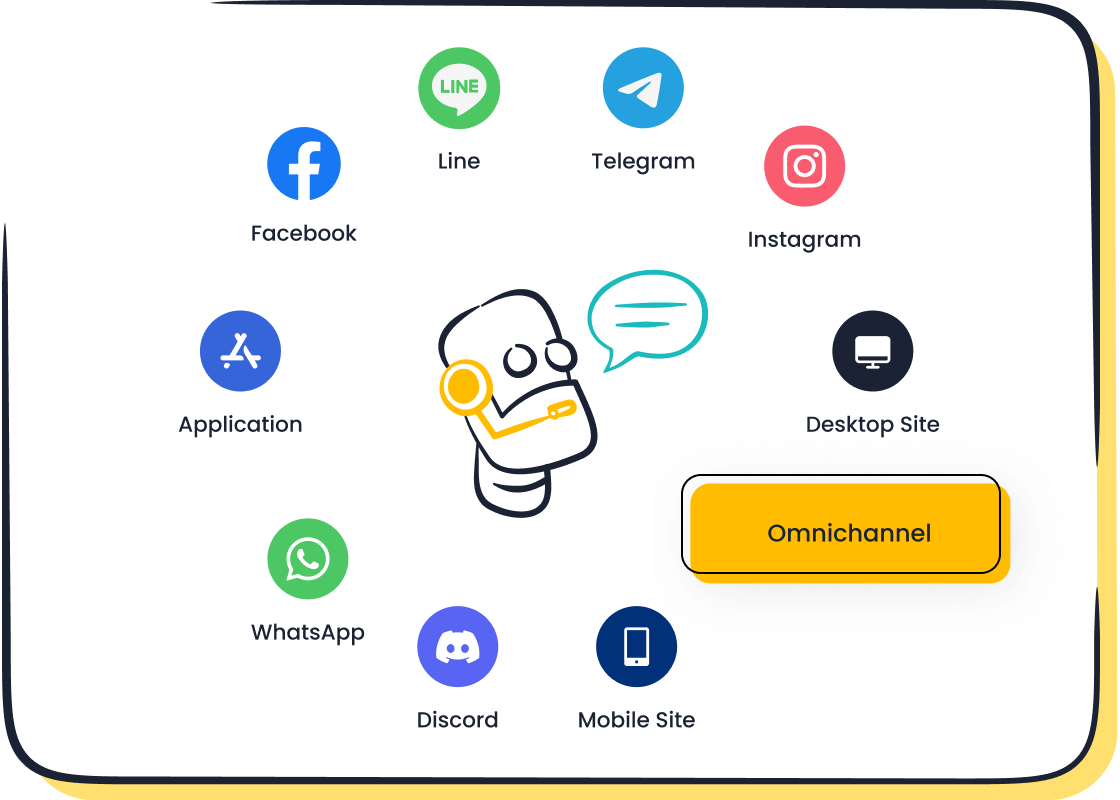
- Multichannel Reach: Your bot should work on your website, mobile app, and social media channels like WhatsApp.
- Analytics & Reporting: You must be able to track performance and see how the bot impacts sales.
- Integrations: The platform should connect easily with your ecommerce store and other tools you use.
Step 2: Define Your Primary Goal
Before you start building, you must decide what you want your chatbot to achieve. A clear goal guides the entire design process. Your primary goal will shape the bot's personality, conversations, and functions.
Defining your main objective helps you prioritize what the bot needs to do first. For example:
- For providing product information, you should design the bot to break down details into multiple, easy-to-read messages. This avoids overwhelming customers with a wall of text.
- For diagnosing customer issues, a question-and-answer style works best. The bot can ask a series of questions to identify the problem effectively.
- For reducing cart abandonment, your goal is to re-engage shoppers. The bot's design should focus on sending timely reminders or offering incentives.
A focused goal makes your ecommerce chatbot more effective and ensures it delivers real value to your business and customers.
Step 3: Design Your Conversation Flow
Now you can map out the conversations your chatbot will have. A conversation flow is a blueprint for how the bot interacts with users. Start with a simple welcome message and then create different paths based on common customer questions or actions.
Think about the main tasks you identified in Step 2. If your goal is to answer FAQs, design flows that quickly provide information on returns, shipping, or payments. If you want to generate leads, create a path that asks for a user's name and email.
Real-World Example: The smart device company OPPO used Sobot to manage high volumes of customer questions. They designed conversation flows to handle repetitive queries automatically. This strategy freed up their human agents to focus on complex problems. As a result, OPPO achieved an 83% chatbot resolution rate, showing how a well-designed flow can dramatically improve efficiency.
Keep your conversations simple and direct. Use buttons and quick replies to make it easy for customers to navigate the chat.
Step 4: Integrate and Test Your Bot
The final step is to connect the chatbot to your website and test it thoroughly. Integration should be simple with a no-code platform. Usually, this involves adding a small piece of code to your site.
Once integrated, you must test every possible conversation path. Pretend you are a customer and ask different questions.
- Can the bot answer your FAQs correctly?
- Does it provide accurate order tracking information?
- Are the product recommendations relevant?
Testing helps you find and fix any errors before your customers do. Check for typos, broken conversation paths, or incorrect information. A smooth, error-free experience builds trust and ensures your chatbot makes a great first impression. After launching, continue to monitor its performance and make improvements based on real customer interactions.
Measuring Chatbot Success
After you launch your ecommerce chatbot, you need to know if it is working well. Measuring its success helps you understand its impact on your business. You can make smart changes to improve its performance over time. This ensures you get the most value from your investment.
Tracking Key Performance Indicators (KPIs)
You should track specific numbers to see how your bot performs. These Key Performance Indicators (KPIs) give you a clear picture of its effectiveness. A good platform provides a dashboard to monitor these metrics easily.
Key metrics to watch include:
- Resolution Rate: How often the bot solves a problem without needing a human agent.
- Deflection Rate: The percentage of questions the bot handles on its own.
- Cart Recovery Rate: How many abandoned carts the bot successfully recovers.
- Average Order Value (AOV): If the bot's recommendations increase the average sale amount.
Monitoring Conversion Rate
Your bot should help you make more sales. You need to monitor its conversion rate. This metric shows you how many chat interactions lead to a completed purchase. A rising conversion rate means your bot is effectively guiding shoppers. This is a direct measure of its impact on your revenue and a key part of your customer service strategy.
Analyzing Customer Satisfaction
Happy customers are repeat customers. You must analyze how people feel about your bot. One great way to do this is with post-chat surveys. You can ask for feedback immediately after a conversation ends.
Use simple questions, like a 5-point scale, to measure satisfaction. This helps you quickly gauge the quality of the customer experience and leads to improved customer satisfaction. Analyzing this feedback helps you find areas for improvement, which results in improved customer satisfaction over the long term.
Reviewing Chat Interaction Volume
You should also review how many people use your chatbot. A high volume of interactions shows that customers find it useful. Look at the number of chats during different times of the day or week. This data can reveal peak shopping hours. You can use this information to adjust your bot's proactive messages or promotional offers.
Ecommerce chatbots transform your business. You can increase sales, improve customer support, and win back your time. An effective ecommerce chatbot handles tasks automatically. Starting is simple with modern tools. A no-code chatbot for ecommerce website like Sobot lets you build powerful automations without any technical skills. You can create a better experience for your customers today.
Ready to grow your store? Embark on Your Contact Journey and explore the Sobot Chatbot to see how easy it is to get started.
FAQ
Do I need coding skills to build an ecommerce chatbot?
You do not need coding skills. Modern platforms like Sobot offer a point-and-click interface. This design lets you build your ecommerce chatbot visually. The process is simple and fast for any store owner.
How does an ecommerce chatbot reduce costs?
An ecommerce chatbot operates 24/7 to handle common questions. This automation reduces the need for extra staff. You can save up to 50% on agent costs while improving your team's overall efficiency.
Can a chatbot talk to customers in different languages?
Yes, many modern ecommerce chatbot solutions are multilingual. For example, the Sobot Chatbot can interact with your customers in their preferred language. This feature helps you provide a better experience for a global audience.
What is the main goal of using an ecommerce chatbot?
The primary goal is to improve efficiency and boost sales. An ecommerce chatbot automates customer support, answers questions instantly, and guides shoppers. This helps you create a better customer journey and grow your business.

