How to Implement Business Process Automation in 2025

Digital transformation continues to dominate business priorities in 2025, reshaping industries with innovative solutions. Business process automation plays a pivotal role in this evolution, streamlining operations and enhancing customer interactions. For customer service and call centers, automation ensures faster resolutions and improved satisfaction. Metrics like First Call Resolution (FCR) and Net Promoter Score (NPS) highlight its measurable impact. Tools like Sobot’s AI Chatbot provide 24/7 support, reducing costs and boosting efficiency. With over 50% of organizations adopting process intelligence tools, automation has become essential for staying competitive in a rapidly evolving market.
Understanding Business Process Automation in 2025
What Is Business Process Automation?
Definition and key concepts
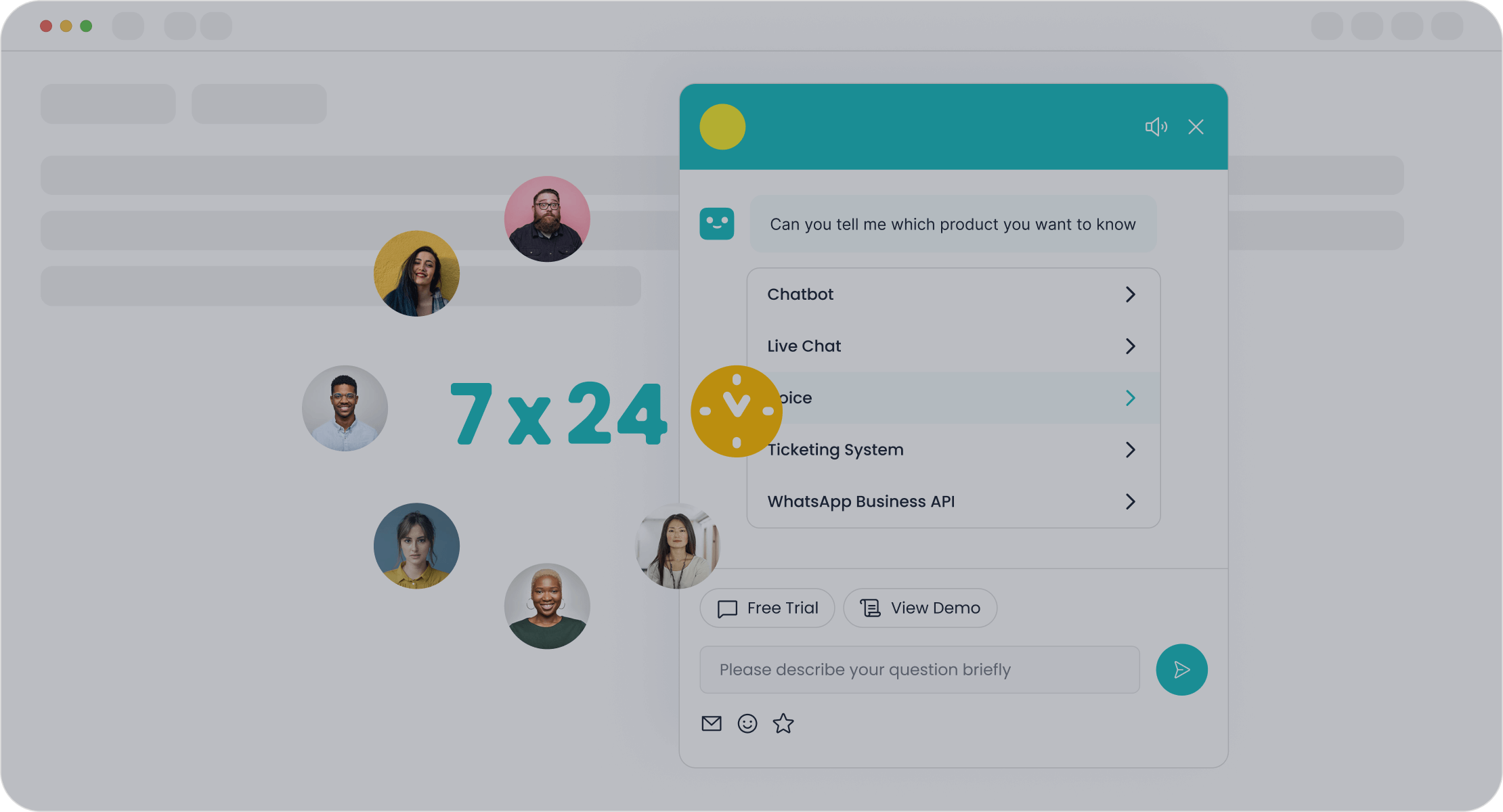
Business process automation refers to the use of technology to execute recurring tasks or processes in a business where manual effort can be replaced. It focuses on improving efficiency, reducing errors, and freeing up human resources for more strategic activities. In 2025, automation has evolved to include advanced tools like AI and machine learning, enabling businesses to streamline operations across departments. For example, Sobot’s AI Chatbot automates customer interactions, providing 24/7 support and reducing the need for additional agents. This approach not only saves time but also ensures consistent service quality.
Examples of automation in customer service and call centers

Automation has transformed customer service and call centers. Chatbots handle repetitive queries, while ticketing systems streamline issue resolution. For instance, OPPO, a global smartphone leader, implemented Sobot’s chatbot to manage high volumes of customer inquiries during peak shopping periods. This resulted in an 83% resolution rate and a 94% positive feedback score. Such examples highlight how automation enhances both efficiency and customer satisfaction.
Benefits of Business Process Automation
Enhanced efficiency and productivity
Automation accelerates task completion and minimizes human error. According to recent trends, robotic process automation (RPA) can process tasks several times faster than humans. Tools like Sobot’s AI Chatbot improve productivity by 70%, allowing employees to focus on high-value activities. Additionally, automation operates 24/7, ensuring uninterrupted workflows.
Cost reduction and resource optimization
By automating repetitive tasks, businesses can significantly cut costs. For example, Sobot’s chatbot reduces the need for additional agents, saving up to 50% in operational expenses. Industries like mining and aerospace have also adopted automation to optimize resources and reduce waste, safeguarding profitability in competitive markets.
Improved customer experience and satisfaction
Automation ensures faster response times and personalized interactions. AI-powered tools like Sobot’s Chatbot use multilingual capabilities and real-time intent recognition to address customer needs effectively. This not only boosts satisfaction but also drives higher conversion rates, as seen in OPPO’s 57% increase in repurchase rates after adopting automation.
Key Trends in Business Process Automation (2025):
Key Trend Evidence Market Growth The Digital Process Automation market has grown at 21% annually since 2019. AI Integration 56% of businesses now use AI tools to enhance operations. Focus Areas 31% of organizations prioritize workflow automation for operational excellence.
Identifying Processes for Effective Business Process Automation
Criteria for Selecting Processes
Repetitive and time-consuming tasks
When choosing processes for automation, focus on tasks that consume significant manual effort. These include activities requiring hours of repetitive work each month or those involving multiple steps and data sources. For example, processes like data entry or updating customer records often meet these criteria. Automating such workflows reduces human error and frees up your team for strategic initiatives. Additionally, tasks prone to errors or requiring audit trails are ideal candidates for automation, as they benefit from improved accuracy and compliance.
High-volume customer interactions
High-frequency customer interactions, such as responding to inquiries or routing tickets, are perfect for automation. These processes often involve repetitive workflows that can overwhelm your team during peak periods. For instance, Sobot’s AI Chatbot efficiently handles high volumes of customer queries, offering real-time responses and reducing agent workload. By automating these interactions, you can enhance response times and improve customer satisfaction.
Examples of Automatable Processes
Customer support ticketing systems
Automating ticketing systems streamlines help desk operations. It categorizes and prioritizes tickets, ensuring quicker responses to urgent issues. For instance, Sobot’s ticketing system automates workflows, allowing your team to focus on delivering quality service. This approach not only reduces manual labor costs but also improves overall efficiency. According to recent data, automation in ticketing systems enhances response times and boosts customer satisfaction significantly.
Call center workflows and Sobot Chatbot integration
Call centers often face bottlenecks due to high call volumes and complex workflows. Integrating tools like Sobot’s AI Chatbot into your call center operations can resolve these challenges. The chatbot automates routine inquiries, enabling agents to focus on complex issues. For example, OPPO achieved an 83% chatbot resolution rate by automating its call center workflows. This integration improves efficiency and ensures seamless customer experiences.
Data entry and reporting tasks
Manual data entry and reporting are time-consuming and error-prone. Automating these tasks eliminates bottlenecks and ensures data accuracy. For example, robotic process automation (RPA) can handle large datasets, reducing processing time and improving transparency. By automating reporting workflows, you can generate real-time insights, enabling better decision-making and resource allocation.
Steps to Implement an Effective Business Process Automation Strategy
Setting Clear Goals and Objectives

Aligning automation goals with business outcomes
To create an effective business process automation strategy, you must align your automation goals with your broader business objectives. Start by developing a clear vision that connects automation initiatives to measurable outcomes. For example, if your goal is to improve customer satisfaction, you can aim to reduce response times by 30% using tools like Sobot’s AI Chatbot. Building a cross-functional team ensures diverse perspectives, while prioritizing training helps your team adapt to new workflows. Standardizing processes and metrics also provides a consistent framework for planning and execution.
Defining success metrics
Success metrics help you evaluate the impact of your automation initiatives. Common metrics include ROI, which measures financial benefits relative to costs, and adoption rates, which track how effectively your team uses automation tools. Continuous improvement metrics, such as monitoring system performance, ensure your workflows remain efficient. For instance, tracking the resolution rate of automated customer service platforms like Sobot’s Chatbot can highlight areas for optimization.
Mapping and Analyzing Current Processes
Identifying inefficiencies and bottlenecks
Before automating, analyze your current workflows to identify inefficiencies. Look for delays, outdated information, or frequent errors. Visualizing workflows with tools like Lucidchart or ProcessMaker can help pinpoint bottlenecks. For example, if your customer service team struggles with high ticket volumes, automation can streamline ticket routing and resolution.
Documenting workflows for automation
Documenting workflows ensures a smooth transition to automation. Start by mapping each step, including inputs, outputs, and decision points. Tools like Gitmind or Canva can simplify this process. By documenting workflows, you create a clear blueprint for automation, reducing errors during implementation. For example, Sobot’s ticketing system automates workflow management, ensuring seamless operations and improved efficiency.
Selecting the Right Tools and Technologies
Evaluating automation platforms for customer service
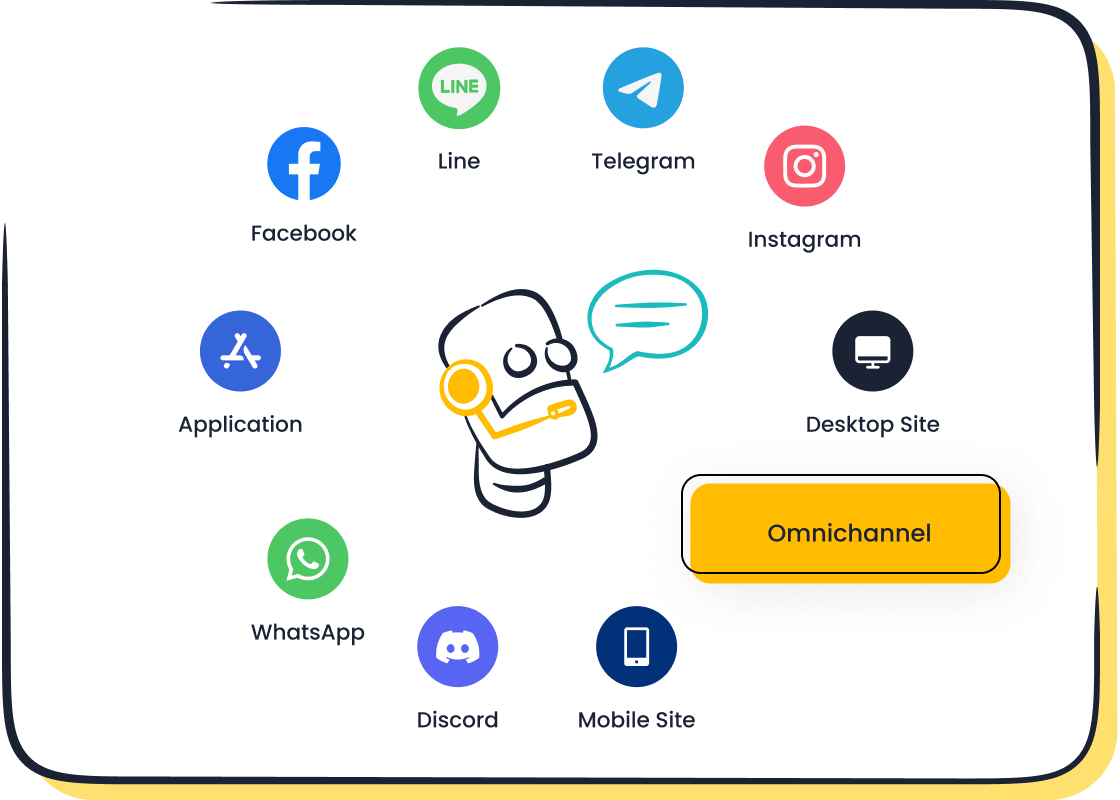
Choosing the right platform is critical for successful automation. Evaluate tools based on scalability, integration capabilities, and ease of use. For instance, Sobot’s AI Chatbot offers omnichannel support and requires no coding, making it user-friendly and adaptable. Analytics and reporting features also play a key role in tracking performance and optimizing workflows.
Considering scalability and integration capabilities
Scalability ensures your automation tools grow with your business. Integration capabilities allow seamless compatibility with existing systems. For example, Sobot’s solutions integrate with global communication channels, enabling unified workflows. Customization options further enhance the platform’s ability to meet your specific needs, ensuring long-term success.
Testing and Deployment
Running pilot programs
Pilot programs are essential for testing your automation solutions before full-scale deployment. They allow you to identify bottlenecks and refine workflows in a controlled environment. Start by selecting a small, manageable process to automate. For example, you could test Sobot’s AI Chatbot on a specific customer service channel to evaluate its performance. Use this phase to measure outcomes like response times and resolution rates. Pilot programs also help you assess how well the platform integrates with your existing systems. By running these tests, you can optimise resources and free up time for your team to focus on strategic initiatives.
Gathering feedback and refining processes
Feedback is crucial for improving automation results. Implement mechanisms to collect data and user input during the pilot phase. Effective strategies include:
- Defining clear objectives for feedback loops to align with your goals.
- Using automated tools to gather performance metrics.
- Encouraging open communication for constructive feedback.
- Integrating feedback into workflows for immediate improvements.
For example, Sobot’s solutions provide analytics that help you fine-tune deployment scripts and enhance customer satisfaction. Regularly refining your processes ensures your automation-first approach remains effective and adaptable.
Training and Change Management
Educating employees on new tools
Training is vital for a successful business automation approach. Tailor sessions to match different skill levels and provide hands-on practice with the platform. For instance, Sobot’s AI Chatbot features a no-coding-required interface, making it easier for employees to learn. Ongoing support, such as FAQs or live assistance, can enhance employee engagement levels and ensure smooth adoption. A well-trained team can increase productivity and operational efficiency, driving better outcomes for your business.
| Training Method | Description |
|---|---|
| Tailor training sessions | Customize sessions to address different skill levels. |
| Provide hands-on practice | Allow team members to work directly with the tools. |
| Offer ongoing support | Maintain an open line for questions and provide resources. |
Encouraging adoption and addressing resistance
Resistance to change is common during automation initiatives. Address concerns by communicating the benefits of automation, such as improved customer satisfaction and retention rates. Highlight how tools like Sobot’s Chatbot can reduce workloads and enhance workflows. Gradual implementation and gamification strategies, like rewarding employees for achieving milestones, can also ease the transition. A dedicated change management team can oversee the journey, ensuring a seamless shift to automated operations.
Best Practices for Scalability and Adaptability in Automation
Designing Automated Workflows for Flexibility
Ensuring compatibility with future technologies
When designing automated workflows, you must prioritize compatibility with emerging technologies. The convergence of IoT, AI, and machine learning has become essential for creating adaptable systems. These technologies enable your workflows to learn from real-time data and adjust to changing conditions. For example, integrating AI-powered platforms like Sobot’s Chatbot ensures your automation solutions remain effective as customer expectations evolve. Regular updates and system maintenance also help you leverage advancements, keeping your operations efficient and responsive.
Building modular and customizable workflows
Modular and customizable workflows allow you to adapt quickly to new business needs. By breaking down processes into smaller, independent components, you can modify or replace specific parts without disrupting the entire system. Examples include project management tools for planning and monitoring, HR workflows for onboarding, and retail systems for inventory management. Platforms like Sobot’s solutions offer flexibility, enabling you to tailor workflows to your unique requirements. This approach ensures scalability and long-term success for your automation initiatives.
Monitoring and Updating Automation Systems
Regular performance reviews
Monitoring your automation systems ensures they deliver the expected benefits. Use data analytics to identify inefficiencies and optimize processes. For instance, tracking metrics like productivity, cycle time, and customer satisfaction can reveal areas for improvement. Platforms like Sobot’s Chatbot provide detailed analytics, helping you refine workflows and maintain high performance. Regular reviews also ensure compliance with industry standards, enhancing the reliability of your operations.
Adapting to changing customer needs and industry trends
Automation systems must evolve to meet shifting customer demands and market trends. Implement feedback loops to gather insights from users and adjust workflows accordingly. For example, if customer inquiries increase during peak seasons, you can scale up your chatbot’s capabilities to handle the volume. Human oversight remains crucial for addressing complex issues and ensuring a seamless customer experience. By staying proactive, you can keep your automation solutions aligned with your business goals.
Overcoming Challenges in Business Process Automation
Addressing Resistance to Change
Communicating the benefits of automation
Resistance to automation often stems from fear of job loss or uncertainty about new technologies. You can overcome this by highlighting its benefits to employees. For example:
- Upskilling opportunities: Employees gain technical expertise by learning to manage automated workflows.
- Role evolution: Workers transition from repetitive tasks to supervising systems, fostering ownership.
- Boosting productivity: Automation frees employees to focus on innovation, driving business growth.
- Work-life balance: Automated scheduling reduces workloads, improving employee satisfaction.
Streamlined communication also plays a key role. Tools like Sobot’s AI Chatbot integrate workflows, enabling transparent task management. This approach ensures employees feel valued and engaged, reducing resistance.
Involving employees in the implementation process
Involving your team in automation initiatives builds trust and acceptance. Start by seeking their input on bottlenecks in current workflows. Use their insights to design solutions that address real challenges. Provide hands-on training to familiarize them with tools like Sobot’s Chatbot, which features a user-friendly interface. Recognizing their contributions fosters a sense of ownership, ensuring smoother transitions.
Avoiding Over-Automation
Balancing automation with human interaction
Over-automation can frustrate customers, especially when they cannot reach a human agent. To avoid this, maintain a hybrid model. Use chatbots for routine inquiries and escalate complex issues to human agents. For instance, Sobot’s Chatbot handles FAQs while allowing seamless handoffs to agents for personalized support. This balance ensures efficiency without compromising empathy.
Maintaining a personal touch in customer service
Automation should enhance, not replace, human interaction. Pre-written messages triggered by automation can maintain a human-like tone. Focus on automating specific tasks, such as ticket routing, to keep agents involved in meaningful interactions. This approach ensures customers feel valued, fostering loyalty and satisfaction.
Ensuring Data Security and Compliance
Protecting customer data in automated systems
Data security is critical in automated workflows. Follow these best practices:
- Audit your data to identify sensitive information.
- Define clear policies aligned with governance standards.
- Use real-time monitoring to detect and secure data.
- Automate access controls to restrict unauthorized use.
- Test systems in sandbox environments before deployment.
Sobot’s solutions integrate seamlessly with existing tools, ensuring robust security measures without disrupting workflows.
Meeting industry regulations and standards
Compliance with regulations like GDPR or HIPAA is essential. Regularly update your systems to meet evolving standards. Automation tools should include features for tracking and reporting compliance metrics. For example, Sobot’s Chatbot provides detailed analytics, helping you monitor adherence to industry requirements. This ensures trust and reliability in your automated processes.
Implementing business process automation in 2025 requires a clear strategy. Start by setting measurable goals, analyzing workflows, and selecting the right tools. Testing and training ensure smooth adoption, while scalability and adaptability keep your systems future-ready. Addressing challenges like resistance to change and over-automation strengthens your approach.
Sobot’s AI Chatbot offers a proven solution for customer service automation. It improves efficiency by 70% and reduces costs by up to 50%. With features like 24/7 support and multilingual capabilities, it enhances customer satisfaction. Explore Sobot’s solutions to transform your business processes. Learn more at Sobot Chatbot.
Tip: Automation is not just a tool; it’s a strategy for growth. Start your journey today!
FAQ
What is business process automation, and why is it important in 2025?
Business process automation uses technology to perform repetitive tasks, reducing manual effort. In 2025, it’s vital for improving efficiency, cutting costs, and enhancing customer satisfaction. For example, Sobot’s AI Chatbot automates customer interactions, saving up to 50% on agent costs while boosting productivity by 70%.
How do you choose the right processes for automation?
Focus on repetitive, high-volume tasks that consume time and resources. For instance, automating customer support ticketing systems or call center workflows with tools like Sobot’s Chatbot ensures faster resolutions and better resource allocation. This approach improves efficiency and reduces operational costs.
What are the benefits of using Sobot’s AI Chatbot for automation?
Sobot’s AI Chatbot offers 24/7 multilingual support, improving customer satisfaction. It reduces costs by triaging queries autonomously, saving up to 50% on agent expenses. Additionally, it boosts productivity by 70% and increases conversions by 20% through smart self-service and proactive messaging.
How can automation improve customer service in call centers?
Automation streamlines workflows, reduces wait times, and enhances service quality. For example, OPPO achieved an 83% chatbot resolution rate using Sobot’s solutions. This allowed human agents to focus on complex issues, improving customer satisfaction and operational efficiency.
Is automation scalable for growing businesses?
Yes, automation tools like Sobot’s Chatbot are scalable and integrate seamlessly with existing systems. They adapt to your business needs, ensuring long-term success. Modular workflows and regular updates keep your automation solutions aligned with industry trends and customer expectations.
Tip: Start small with automation, then scale as your business grows. Tools like Sobot’s AI Chatbot make the transition seamless.
See Also
Understanding The Efficiency Of Call Center Automation
A Guide To Implementing Omnichannel Contact Center Strategies
Best Cloud Contact Center Solutions To Consider In 2024
Comprehensive Reviews Of Contact Center Solutions For 2024
Enhancing Efficiency With AI-Driven Customer Service Software

