Build Your First Ecommerce Business Chatbot

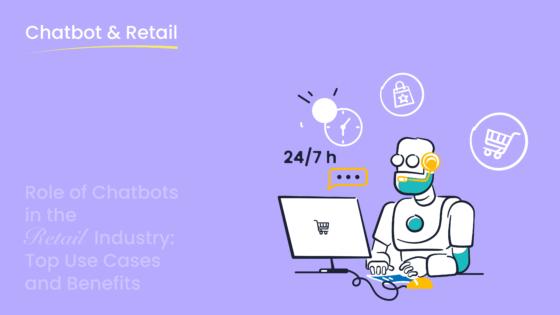
You want to build a powerful ecommerce business chatbot without writing any code. You can build a chatbot easily. Platforms like Sobot make this process simple. A good chatbot enhances the chatbot user experience and drives sales 24/7. Your new chatbot will provide an amazing customer experience. This guide is your first step. It helps you build a chatbot that works for your business. Let this chatbot guide you on a new contact journey.
Step 1: Choose Your No-Code Platform
Your journey to build a chatbot starts here. You need to choose the right platform for your needs. A no-code platform lets you create a powerful chatbot without any programming skills. This choice is the foundation for your entire project.
Key Features for an Ecommerce Chatbot
Before you select a tool, you should know what features to look for. A great ecommerce business chatbot needs specific capabilities to succeed.
- Visual Flow Builder: You need an interface that lets you design conversations visually. This makes it easy to map out customer interactions with drag-and-drop tools.
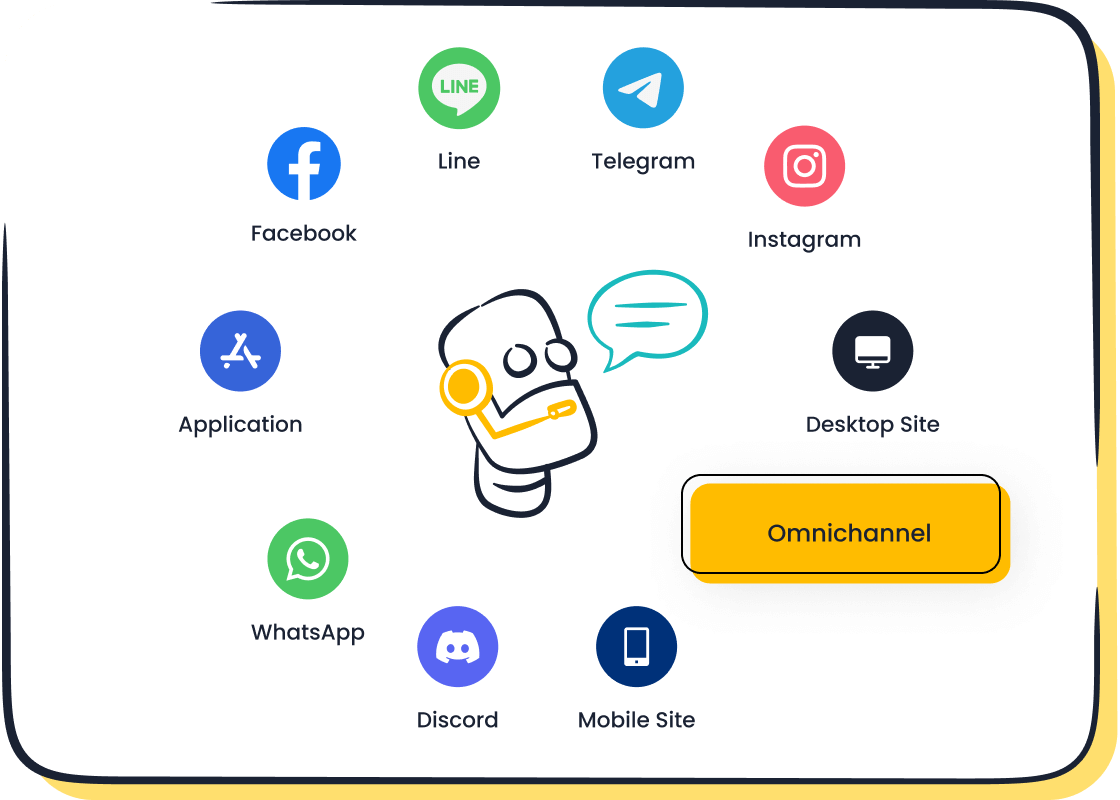
- Omnichannel Support: Your customers use many channels like WhatsApp, SMS, and your website. Your chatbot should work seamlessly across all of them.
- Ecommerce Integrations: The platform must connect with your store. This helps the chatbot access order information and product details from services like Shopify or Amazon.
Why Sobot is a Top Choice
Sobot provides a beginner-friendly framework to build a chatbot that delivers results. Its point-and-click interface means you can design and launch your chatbot without writing a single line of code. This makes the entire process simple and fast.
Sobot is designed to help you ensure smooth integration with the tools you already use. It connects directly with major ecommerce platforms, giving your chatbot the power to handle tasks like order tracking instantly.
What makes Sobot truly stand out is that it’s more than just a chatbot tool. It is part of a complete customer contact center solution. As your business grows, you can expand your capabilities with Sobot’s other products, including:
- AI-powered Live Chat
- Voice Call Center
- Ticketing System
This ecosystem ensures your chatbot works in harmony with your human agents, creating a unified and scalable customer service experience. The Sobot chatbot is an excellent starting point for your new contact journey.
Step 2: Define Your Chatbot's Goals
Before you build a chatbot, you must know what you want it to achieve. A clear plan is your roadmap to success. You need to define your chatbot’s objective first. Do you want to answer questions faster? Do you hope to increase sales? Setting specific goals helps you measure your chatbot's performance later. A well-planned chatbot provides a better customer experience.
Identify Essential Ecommerce Tasks
Your ecommerce business chatbot can handle many tasks. You should focus on the most important ones first. A good chatbot helps customers and your team. Think about what your customers ask for most often.
Here are some essential tasks for your chatbot:
- Answer Frequently Asked Questions (FAQs): Your chatbot can instantly answer common questions about shipping, returns, and product details.
- Track Orders: Customers love to check their order status. A chatbot can provide real-time updates 24/7.
- Recommend Products: Your chatbot can suggest products based on a customer's interests, boosting sales.
- Capture Leads: The chatbot can collect contact information from potential customers.
Map the Customer Journey
Understanding your goals helps you build a chatbot that truly works. Look at the luxury brand Michael Kors. They wanted to improve customer service and boost customer engagement. Their goals were clear: reduce response times and increase satisfaction.
Michael Kors used Sobot to create a chatbot that met these goals. The results were amazing. They achieved a 95% customer satisfaction rate and saw a 20% increase in conversions. Their chatbot became a key part of their success.
This example shows the power of a good strategy. Michael Kors knew what they wanted their chatbot to do. This clarity allowed them to design a chatbot that delivered real value. You can achieve similar results when you build a chatbot with a clear purpose.
Step 3: Create a Bot Conversation Flow
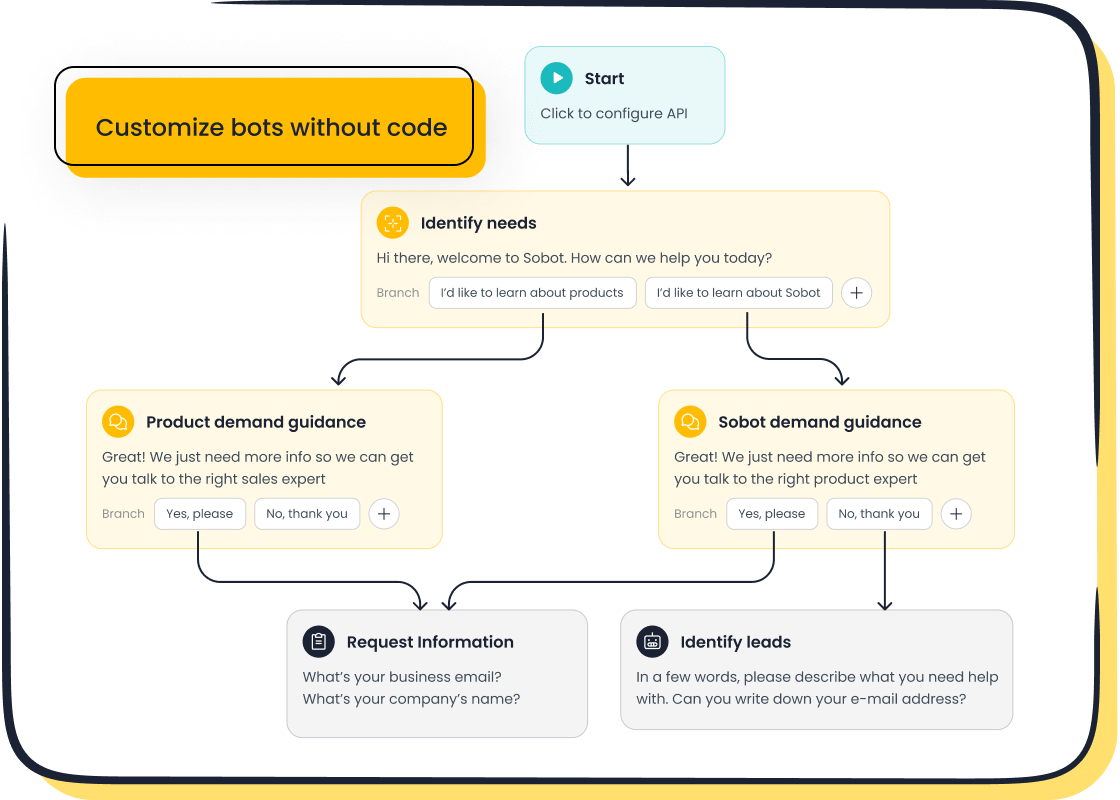
Now you will design the conversations your chatbot will have with customers. This is where your chatbot comes to life. You can design conversational flows easily with the right tools. The Sobot Chatbot builder uses a point-and-click interface. This makes it simple to create a bot without any coding. Your goal is to build a chatbot that guides users to the answers they need. Good conversation design makes your chatbot helpful and user-friendly.
Craft a Welcome Message
Your chatbot’s welcome message is its first impression. It should be friendly, clear, and helpful. This message sets the tone for the entire interaction. It should tell customers exactly what the chatbot can do for them. A great welcome message invites users to engage.
Start by greeting the customer. Then, provide a few options to get the conversation started. You can use buttons to make it easy for users to choose.
Example Welcome Message: "Hello! 👋 Welcome to [Your Brand]. I'm your virtual assistant. I can help you with:
- Track Your Order
- Answer Questions
- Browse Products How can I help you today?"
This simple introduction immediately shows the value of your chatbot. It guides the user toward the most common tasks. This clarity improves the customer experience from the very first click.
Build Automated FAQ Responses
Customers ask the same questions over and over. You can save your team time by automating the answers. A chatbot is the perfect tool for this job. It can provide instant, accurate answers 24/7. This frees up your support agents to handle more complex issues.
To do this, you need to build a knowledge base. This is a library of information your chatbot uses to find answers. With Sobot, you don't have to type everything out manually. You can create your knowledge base from existing documents.
- Upload your existing FAQ pages.
- Use product manuals in PDF format.
- Add articles from your help center.
The chatbot uses this information to understand and answer customer questions. This process uses intent recognition to match a user's query to the correct answer in your knowledge base. This makes it fast and easy to set up your chatbot with powerful FAQ capabilities.
How to Set Up Your Chatbot for Order Tracking
"Where is my order?" is one of the most common questions in ecommerce. Answering it quickly is essential for customer satisfaction. You can set up your chatbot to provide real-time order status updates. This is a key feature for any ecommerce business chatbot.
To enable order tracking, you need to connect your chatbot to your ecommerce platform, like Shopify or Amazon. Sobot’s pre-built integrations make this step straightforward. Once connected, the chatbot can access order data securely.
Here is how the flow typically works:
- The customer clicks the "Track Order" button.
- The chatbot asks for their order number and email address.
- The chatbot looks up the information in your system.
- It instantly provides the latest shipping status and tracking details.
This automated process gives customers the information they want without making them wait. It is a simple way to create a bot that adds real value to your store. When you build a chatbot with these essential flows, you create a better experience for everyone.
Step 4: Test Your AI Chatbot for Flaws
You have designed your chatbot's conversations. Now it is time to test your AI chatbot for any problems. Testing is a vital step. It ensures your chatbot provides a smooth and helpful experience for your customers. This process helps you find and fix issues before your chatbot goes live. A well-tested chatbot is a successful chatbot.
Use the Built-in Preview Feature
Most no-code platforms, including Sobot, offer a built-in preview tool. This feature is your first line of defense to test your AI chatbot. It lets you interact with your chatbot just like a customer would. You can see exactly how it responds and behaves. This immediate feedback is essential to train your chatbot effectively.
Using a preview feature helps you:
- Find and fix conversation flow problems early.
- Check how the chatbot handles different user questions.
- See visual feedback on your chatbot's replies instantly.
- Improve the overall quality of the user interaction.
Take this opportunity to test and refine interactions. Go through each conversational path you created. Make sure the buttons work, the answers are correct, and the flow feels natural. This is how you begin to tune your chatbot for success.
Get Feedback from Real Users
After you test your AI chatbot yourself, you should let others try it. Getting feedback from real people is priceless. They will interact with your chatbot in ways you might not have expected. This helps you uncover hidden flaws and opportunities for improvement. You can ask a few team members or a small group of trusted customers to use the chatbot.
Ask them to complete specific tasks, like tracking an order or asking about your return policy. Their feedback will help you master your ai chatbot’s performance. You should prioritize user accessibility to ensure everyone can use your chatbot easily. Listen to their suggestions to tune your chatbot and improve its logic. This step is key to master your ai chatbot’s performance and build a tool that people love to use. You need to train your chatbot with real-world input.
Step 5: Deploy and Announce Your Chatbot
You are now ready for the final and most exciting step: launching your chatbot. This is where your hard work pays off. You will make your new support tool available to customers. A successful launch involves two key actions. First, you need to install the chatbot on your website. Second, you must tell your customers about it.
Install the Chatbot Widget on Your Site
Your chatbot lives on your website through a chat widget. Platforms like Sobot make this process very simple. You will first create and configure your chat widget within the platform's dashboard. This is where you can customize your chat widget to match your brand’s colors and style. A consistent look helps build trust with your users.
After you customize your chat widget, you are ready to publish your chatbot. You can install chatbot using the chat widget by adding a small piece of code to your website. Most platforms provide clear instructions for this. This simple action makes the chatbot appear for your visitors. Now, you can officially publish your chatbot.
To ensure a smooth launch, you should select the right deployment channels. Your chatbot can work on your website, but you can also integrate it with messenger apps. This helps you reach a wider audience.
Inform Customers About Your New Support
Your chatbot is live, but your work is not done. You need to let your customers know about this new, convenient way to get help. A great chatbot is only useful if people use it. Announcing your new chatbot helps drive adoption and shows your commitment to customer service.
Here are a few ways to announce your new chatbot:
- Website Banner: Add a banner to your homepage that introduces the chatbot.
- Email Newsletter: Send an email to your subscribers explaining how the chatbot can help them.
- Social Media Posts: Create posts that highlight the chatbot’s key features, like 24/7 order tracking.
When you publish your chatbot, you create a new contact point for your customers. You should continuously monitor its performance to make improvements. This ensures your chatbot provides excellent service. The final step is to publish your chatbot and watch it help your business grow. You can install chatbot using the chat widget to get started. You will create and configure your chat widget to begin the process.
You now have the five steps to build your first ecommerce business chatbot. You can create a powerful chatbot with a tool like Sobot. This chatbot will improve your customer experience. Your new chatbot cuts costs and boosts conversions by over 20%. The chatbot also improves customer satisfaction. This chatbot is a valuable asset. Your chatbot works 24/7. Let this chatbot help your business grow.
Ready to build your chatbot? 🚀 Visit the Sobot website today to request a demo or start your free trial.
FAQ
How much coding do I need to know?
You need zero coding skills. Platforms like Sobot use a point-and-click interface. You can design and build your chatbot using simple visual tools. This makes the process easy for everyone.
Can the chatbot work on WhatsApp?
Yes, it can. A good chatbot platform offers omnichannel support. This means your chatbot can interact with customers on your website, WhatsApp, SMS, and other channels for a seamless experience.
How long does it take to build a chatbot?
You can build a basic chatbot in just a few hours. Using pre-built templates and a visual builder speeds up the process. You can launch a simple version quickly and improve it over time.
What if a customer has a complex problem?
The chatbot can transfer complex issues to a human agent. It works with your support team to solve difficult problems. This ensures customers always get the help they need.
See Also
Effortlessly Build a Website Chatbot: Your Simple Step-by-Step Guide
Elevating E-commerce: Chatbots Significantly Enhance Customer Satisfaction Levels
Simple Steps to Implement Effective Website Chatbot Examples Today
Best Live Chat Solutions for E-commerce Businesses in the Year 2024
Discover the Top 10 Advantages of Integrating a Website Chatbot

