Best Way to Collect Customer Feedback for Contact Centers

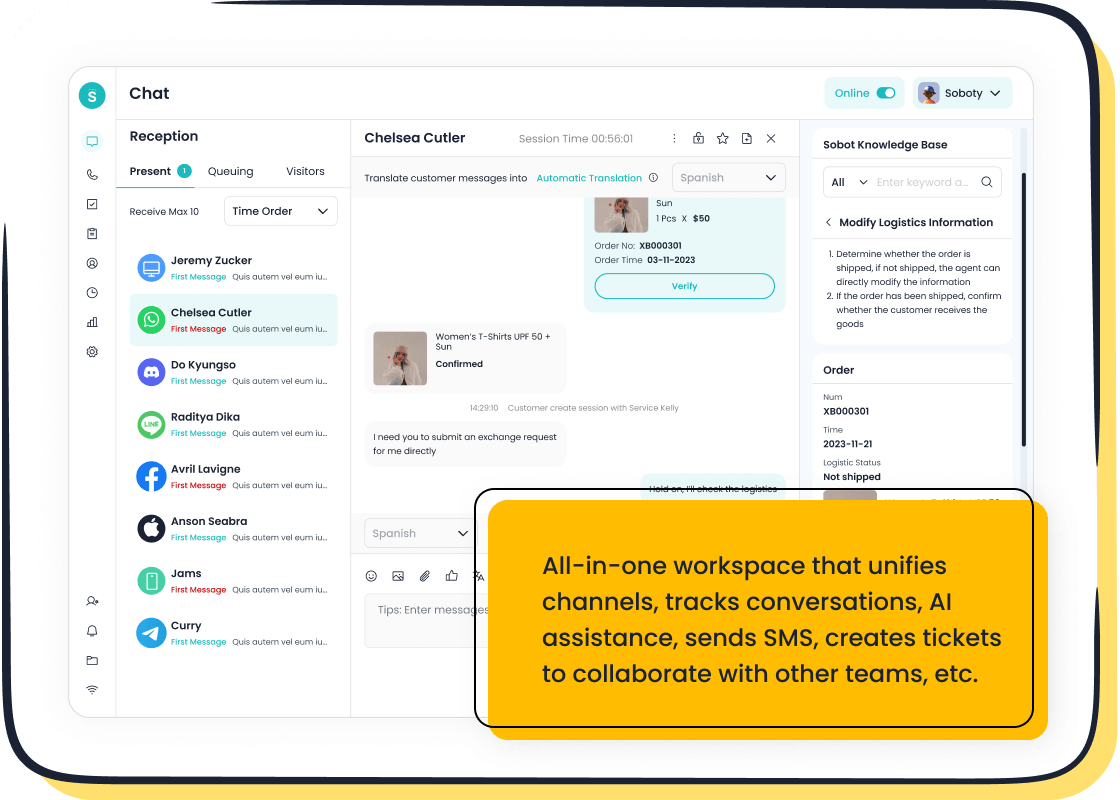
You want the best way to collect customer feedback in your contact center. In 2026, you get the most value when you use real-time post-interaction surveys, omnichannel tools like Sobot Live Chat, and ongoing AI analysis. With this approach, you capture feedback while emotions run high, reducing recall bias that hurts traditional feedback methods. Real-time analytics help you spot issues fast, so you can act before problems grow. You avoid the low response rates that happen with annual surveys. When you gather customer feedback across every channel, you connect each customer feedback loop to business results. Sobot unifies your channels and uses AI to turn every bit of feedback into actionable insights. Samsung saw a 97% customer satisfaction rate and a 30% boost in agent efficiency after collecting actionable feedback with Sobot. If you want to improve your product feedback and keep your customers happy, this is the best way to collect customer feedback.
Why Customer Feedback Matters
Improving Agent Performance
You want your agents to perform at their best. Collecting customer feedback gives you a clear view of how agents handle each interaction. When you use surveys after every call or chat, you see which methods work and which need improvement. Research shows that a 1% boost in First Contact Resolution leads to a 1% rise in customer satisfaction. It also increases employee satisfaction by up to 5%. You can use this feedback to train agents, reward top performers, and fix weak spots. Here’s a quick look at the main metrics:
| Metric | Description |
|---|---|
| First Contact Resolution | Shows how often agents solve issues on the first try. |
| Customer Satisfaction (CSAT) | Measures how happy customers are with the service. |
| Average Handle Time (AHT) | Tracks how quickly agents resolve issues. |
Boosting Satisfaction
Customer satisfaction drives your business forward. Collecting customer feedback helps you spot pain points and fix them fast. When you listen to feedback, you show customers you care. You can use surveys to ask about their experience and find out what matters most. Analyzing feedback lets you improve your feedback strategy and create better experiences. You see higher satisfaction scores when you act on what customers say. Focusing on customer satisfaction at every touchpoint sets you up for success.
- Customer feedback highlights areas for improvement.
- Responding to feedback increases satisfaction.
- Using feedback strategy helps you build trust.
Driving Efficiency
Operational efficiency matters in every contact center. Collecting customer feedback helps you streamline processes and reduce costs. You can use feedback to validate your methods and craft actionable plans. Acting on feedback improves loyalty and lowers churn. Sobot’s mission centers on customer-centricity and efficiency, so you get tools that make feedback collection easy. When you gather feedback, you see gains in metrics like Net Promoter Score, Customer Lifetime Value, and Cost-to-Serve.
| Best Practice | Impact on Operations |
|---|---|
| Gathering feedback through surveys | Reveals customer needs and expectations |
| Acting on feedback | Builds loyalty and trust among customers |
You can measure ROI by comparing financial gains to support costs. Collecting customer feedback helps you make smarter decisions and keeps your contact center running smoothly.
Best Way to Collect Customer Feedback in 2026

You want to know the best way to collect customer feedback in your contact center. In 2026, you have more options than ever. Let’s break down the top methods that help you get the most out of every customer interaction.
Real-Time Surveys (IVR, SMS, Email)
Surveys work best when you send them right after a customer finishes talking to your team. You can use IVR (Interactive Voice Response), SMS, or email to reach customers quickly. Each method has its own strengths.
- Conversational IVR surveys can boost response rates by up to 30% compared to old-school IVR systems.
- IVR surveys often reach response rates as high as 35%. That’s much better than most online surveys sent by email.
- IVR surveys use a standard script, so you get consistent data and avoid interviewer bias.
- Email surveys are popular for post-call customer satisfaction. They’re easy to send and customers can answer them when they have time.
- SMS surveys reach people on their phones, making it easy for them to reply right away.
- Conversational IVR lets you talk to customers in a natural way during outbound calls.
- Email surveys let customers fill out answers online, so they’re accessible for everyone.
You can also use post-purchase surveys to ask customers about their buying experience. These surveys help you spot problems and fix them fast. When you collect customer feedback in real time, you catch issues while they’re fresh in the customer’s mind.
Sobot’s Voice Call Center makes it easy to set up IVR, SMS, and email surveys. You can automate survey delivery and track responses in one place. This helps you see trends and act on feedback right away. Learn more about Sobot’s Voice Call Center features here.

Omnichannel Tools with Sobot Live Chat
Customers want to talk to you on their favorite channel. Some like to chat on your website, others use WhatsApp, Facebook, or Instagram. Sobot Live Chat brings all these channels together in one workspace. You never miss a message, and you can collect customer feedback from every touchpoint.
Sobot Live Chat supports:
- Website chat
- Mobile app chat
- Social media platforms like WhatsApp, Facebook, Instagram, Telegram, and Discord
You can send post-purchase surveys or satisfaction surveys right after a chat ends. This helps you measure how happy customers are with your service. Sobot Live Chat uses AI to segment customers and personalize surveys. You get higher response rates and better data.
With Sobot, you can:
- Keep all conversations in one place
- Use AI-powered tools to boost agent efficiency
- Track over 150 service indicators with built-in analytics
- Customize survey widgets to match your brand
Samsung used Sobot’s all-in-one contact center to unify its channels. The result? A 97% customer satisfaction rate and a 30% jump in agent efficiency. You can read more about Samsung’s story here.
Monitoring Social Media & Reviews
People talk about your brand on social media and leave reviews online. If you want to collect customer feedback at scale, you need to watch these channels closely. Social media monitoring tools help you track what customers say about your service, products, and support.
Here’s a quick look at why monitoring social media and reviews matters:
| Evidence | Explanation |
|---|---|
| Monitoring social media and online reviews provides actionable insights into customer feedback. | This allows businesses to improve their services and customer experience. |
| Constantly monitoring reviews helps businesses understand consumer sentiment. | It ensures that companies have a pulse on what customers are saying about their brand. |
| Responding to online reviews shows that a brand values customer feedback. | This engagement can enhance customer loyalty and trust. |
| Negative reviews can be opportunities for improvement. | They allow businesses to demonstrate their commitment to customer satisfaction by addressing concerns constructively. |
| Social media monitoring collects unsolicited feedback at scale. | This feedback can guide improvements in products, services, and overall customer experience. |
| Social platforms provide a wealth of information for customer experience management. | They can alert businesses to emerging issues and gaps in the market. |
You can use Sobot’s omnichannel platform to track and respond to feedback from social media and review sites. This helps you spot trends, fix problems, and show customers you care. When you reply to reviews, you build trust and loyalty.
Post-purchase surveys are great, but don’t forget the value of unsolicited feedback from social media. Sometimes, the most honest feedback comes from a tweet or a review. You can use this information to improve your products and services.
AI Analysis of Conversations
You collect a lot of customer feedback every day. How do you make sense of it all? This is where AI steps in. Generative AI can analyze conversations, surveys, and reviews in real time. It finds patterns, predicts customer needs, and helps you act fast.
Here’s how generative AI helps you:
- It automates tasks and gives you real-time insights, making the customer experience better.
- AI looks at customer data and past interactions to predict what customers want next.
- It uses advanced machine learning and natural language processing to understand conversations.
- AI lets you deliver personalized, proactive, and predictive experiences.
- You get a deeper understanding of customer intent and sentiment, so you can have more meaningful interactions.
- Your contact center can move from just reacting to problems to engaging customers before issues grow.
- You can anticipate needs and offer solutions right away.
Sobot’s AI Solution brings all your feedback together. It analyzes chat, email, voice, and social media conversations. You get unified reports and actionable insights. This helps you improve your service and keep customers happy. Sobot’s AI also keeps your data safe and private, so you can focus on what matters most—your customers. Check out Sobot’s AI Solution here.
Tip: Use AI to spot trends in customer feedback before they become big problems. This helps you stay ahead of the competition.
When you combine real-time surveys, omnichannel tools like Sobot Live Chat, social media monitoring, and AI analysis, you create a powerful system to collect customer feedback. You see the full picture and can act quickly to improve your contact center.
Choosing Feedback Collection Methods
Matching Methods to Touchpoints
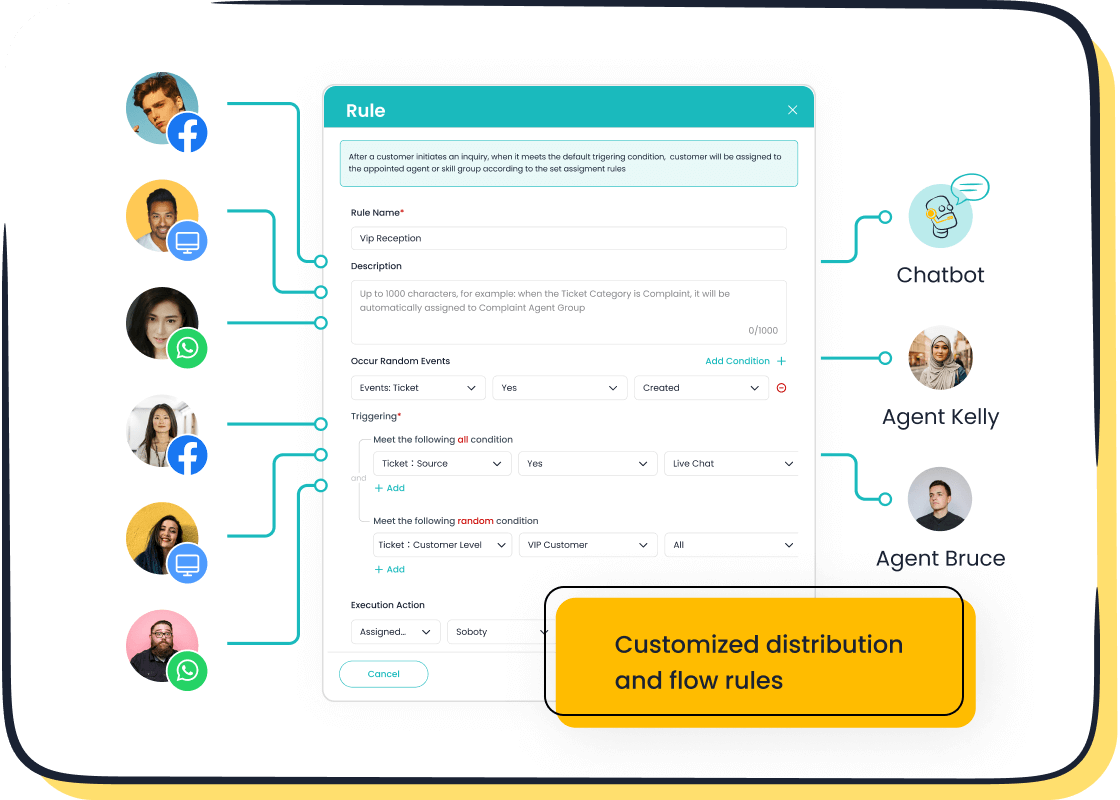
You want to collect customer feedback at the right moment. Timing matters. Ask for feedback right after a purchase or a support interaction. You reach more customers when you use multiple channels. Email surveys, social media polls, and self-service portals help you connect with different audiences. You can act on feedback and follow up with customers to show you value their input. Sobot’s unified workspace lets you manage feedback from every channel in one place. You never miss a chance to improve the customer experience.
- Send surveys after purchases or support chats.
- Use email, social media, and self-service portals for feedback.
- Follow up with customers to show their feedback leads to action.
Balancing Quantitative & Qualitative Data
You need both numbers and stories to understand customer feedback. Quantitative data gives you scores and ratings. Qualitative data comes from interviews, focus groups, and open-ended survey questions. You can use interviews to dig deeper into customer experience. Product reviews and customer feedback from surveys help you spot trends. Combine both types to get a full picture.
| Best Practices for Balancing Data Types | Description |
|---|---|
| Define Objectives and KPIs | Set clear goals for feedback collection. |
| Collect Data from Multiple Sources | Use phone, email, surveys, and interviews. |
| Utilize Data Analysis Tools | Visualize and combine quantitative and qualitative feedback. |
| Share Insights with Stakeholders | Communicate findings to improve customer experience. |
You can design surveys that align with qualitative metrics. Analyze both data types together to find patterns. Interviews and product reviews help you understand what customers really think.
Considering Customer Preferences
You want to choose feedback collection methods that fit your customers. Some people like virtual workshops to share their thoughts. Others respond to social media polls or in-product surveys. You can use interviews to get detailed feedback. Product reviews on your website or app give you honest opinions. Customers want to share feedback in ways that feel natural to them.
- Organize virtual workshops for customer feedback.
- Use social media polls to gather opinions.
- Integrate surveys within apps for post-purchase feedback.
- Collect product reviews to improve customer experience.
When you match feedback collection methods to touchpoints and preferences, you get better data. Sobot’s unified workspace helps you manage all feedback, from interviews to product reviews, in one place. You improve the customer experience and make smarter decisions.
Best Practices for Collecting Customer Feedback
You want to get the most out of customer feedback. Using the right practices helps you boost response rates and improve data quality. Let’s look at the best ways to make your customer feedback surveys work for you.
Keep Surveys Short
Short surveys get more responses. You can limit pulse surveys to just one or two questions for quick feedback. If you need more detail, keep surveys between five and seven questions. Progress bars in longer surveys help customers finish. Don’t ask for information you already have. This keeps customer feedback surveys easy and fast.
- Keep surveys as short as possible.
- Only include questions you need.
- Use progress bars for longer surveys.
Ensure Privacy & Security
Customers share feedback when they trust you. You need strong data protection practices. Sobot’s built-in privacy features keep customer feedback safe. Be clear about how you use data. Show customers you value their privacy. When you offer value in exchange for personal information, you build trust. Customers feel secure and give honest feedback.
- Use transparent data practices.
- Protect customer information.
- Build trust with secure feedback methods.
Encourage Honest Responses
You want real opinions, not just polite answers. Ask smart, open-ended questions. Keep language clear and simple. Avoid biased wording. Offer incentives for participation. After you collect feedback, report findings back to customers. This shows you value their input. Sobot’s analytics help you spot patterns and act on feedback.
- Ask relevant questions.
- Make surveys easy to understand.
- Provide incentives for honest feedback.
- Share results with customers.
Time Requests Well
Timing matters. Send surveys right after a call or chat. Customers remember the interaction and give better feedback. Immediate requests lead to higher response rates. Sobot’s tools let you automate survey timing so you never miss the right moment.
Tip: Send customer feedback surveys while the experience is fresh. You get more accurate feedback and higher participation.
Using these practices, you collect better customer feedback and improve your contact center. Sobot’s analytics and privacy tools make feedback collection easy and secure.
Acting on Customer Feedback
You collect customer feedback every day. Now, you need to turn that feedback into real improvements. Let’s walk through how you can analyze customer feedback, make changes, and close the loop with your customers.
Analyze & Categorize Data
You start by sorting through all the feedback you receive. Sobot’s AI insights and reporting tools help you organize responses from surveys, chats, and calls. You can use different methods to analyze customer feedback and spot trends. Here’s a quick table showing how you can break down the data:
| Method | Description |
|---|---|
| Performance analytics | Checks agent productivity and service efficiency. |
| Speech and sentiment analysis | Uses AI to understand customer emotions and intentions. |
| Predictive analytics | Looks at past feedback to forecast future trends and behaviors. |
| Omnichannel analytics | Tracks customer journeys across all channels for a complete view. |
| Customer self-service analytics | Monitors how customers use self-service tools to find gaps and improve support. |
You can use these tools to find out what customers like, what frustrates them, and where you need to improve.
Implement Improvements
Once you know what needs fixing, you can take action. You might change your training, update your scripts, or add new features. Sobot’s AI insights show you which areas need attention. Many companies have seen big results by acting on customer feedback:
- Zappos built a customer-focused culture and saw strong financial performance.
- Ritz-Carlton empowers employees to enhance customer experiences, leading to high-quality service.
- Delta Airlines invested in a multichannel strategy and improved customer satisfaction.
You can use feedback to guide your decisions and make your contact center better every day.
Close the Loop with Customers
You want customers to know their feedback matters. Closing the loop means you respond, make changes, and keep customers in the know. Here are some best practices:
- Timely responses: Aim to reply within 24-48 hours to boost retention.
- Personalized communication: Use the customer’s name and mention their feedback for a warm touch.
- Continuous engagement: Make feedback follow-up a routine so customers keep sharing their thoughts.
Sobot’s tools help you automate responses and track follow-ups. When you close the loop, you build trust and encourage more customer feedback.
You can analyze customer feedback, act on it, and show customers you care. This cycle keeps your contact center strong and your customers happy.
You can build a stronger contact center when you collect customer feedback continuously. Omnichannel integration lets you gather feedback from every channel, so you see the full picture. AI-powered analysis helps you turn feedback into real improvements fast. Sobot makes feedback collection simple and efficient. You get valuable customer feedback, reduce response times, and boost satisfaction. If you want to upgrade your feedback system, Sobot gives you the tools to make every customer feedback count.
- Continuous feedback collection supports real-time learning and improvement.
- Omnichannel solutions provide consistent, positive experiences.
- AI analysis delivers faster action and higher satisfaction.
| Benefit | Description |
|---|---|
| Greater accuracy and coverage | AI reviews every customer feedback, so you miss nothing. |
| Cost efficiency and ROI | You see up to 8× ROI when you use AI for feedback. |
| Improved customer satisfaction | Companies report a 20% increase in satisfaction scores. |
Ready to take your feedback system to the next level? Sobot helps you turn customer feedback into results.
FAQ
What is the best way to collect customer feedback in a contact center?
You get the best results when you use real-time surveys, omnichannel tools, and AI analysis. This approach helps you gather feedback right after each interaction. You see what works and what needs to change. You can improve your service quickly.
How often should I ask for customer feedback?
You should collect feedback after every important customer interaction. Don’t wait for yearly surveys. Frequent feedback helps you spot problems early. You can fix issues before they grow. Customers feel heard when you ask for their opinions often.
Why is customer feedback important for my team?
Customer feedback shows you what your team does well and where they can improve. It helps you train agents and reward good work. When you listen to feedback, you build trust with your customers. Your team gets better, and customers stay happy.
How can I encourage customers to give honest feedback?
Make your surveys short and easy to answer. Ask clear questions. Let customers know their feedback matters. Offer small rewards if you can. When you show that you act on feedback, people feel more willing to share their true thoughts.
Can I use feedback from social media and reviews?
Yes! Social media and online reviews give you honest customer feedback. You can learn a lot from what people say online. Use this feedback to spot trends and fix problems. Responding to feedback on these channels also builds trust.
See Also
Essential Strategies for Effective Call Center Quality Management
10 Strategies to Enhance Live Chat Customer Experience
Comparison of Leading Voice of Customer Software Solutions
Enhancing Call Center Efficiency Through Effective Monitoring

