How to Set Up a Customer Service Knowledge Base for Chatbots


You can set up a customer service knowledge base for chatbots by focusing on clear goals and easy access for your users. Sobot leads in customer service automation with a user-friendly interface. You do not need coding skills to build a powerful knowledge base. This tool works 24/7, answers common questions, and supports users in many languages. A well-structured knowledge base improves chatbot response speed and accuracy. Users find answers faster, which boosts satisfaction. For best practices for creating a customer service knowledge base, you should keep answers simple and organized so your knowledge base helps both your team and your customers.
Define Knowledge Base Purpose and Scope
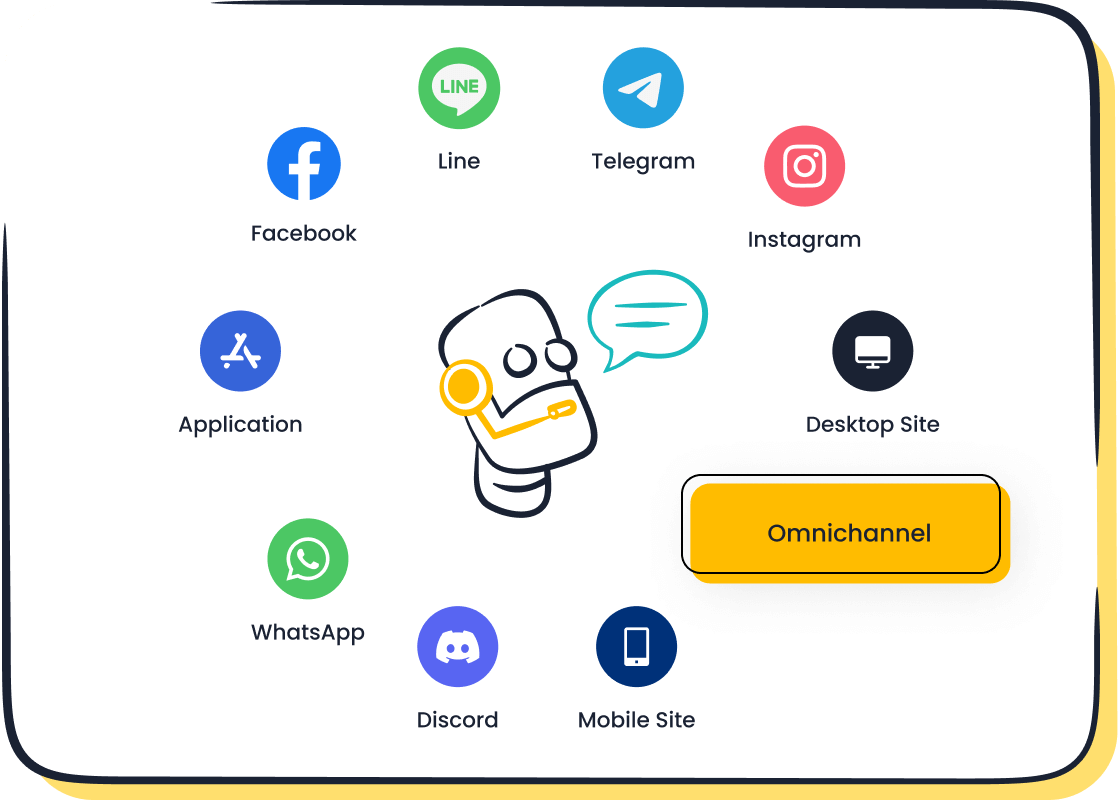
A clear purpose and scope set the foundation for your customer service knowledge base for chatbots. You need to know what you want your knowledge base to achieve before you start building. Sobot’s chatbot, AI Agent, and customer contact center help you clarify these objectives. These tools guide you in shaping your knowledge management project so you can deliver the right answers to your users.
Identify Customer Service Goals
You should start by identifying your main goals for the knowledge base. Many businesses use a knowledge base to improve customer experience, increase sales, and understand customer needs. Here is a simple table to help you see common objectives:
| Objective | Description |
|---|---|
| Identifying customer needs | Understanding what customers require from service |
| Improving customer experience | Enhancing the overall interaction with customers |
| Increasing sales | Boosting revenue through better service |
You can set short- and long-term goals that match your business strategy. Regular updates keep your knowledge base relevant and accurate. Sobot’s knowledge base system supports these updates with easy tools for knowledge management.
Determine Chatbot Use Cases
Think about how your customer service knowledge base for chatbots will help your users. You might want your chatbot to answer FAQs, guide users through troubleshooting, or help with order tracking. Sobot’s AI Agent and chatbot let you automate these tasks. OPPO used Sobot to handle common questions and saw an 83% resolution rate. This led to a 57% increase in repurchase rates. You can read more about OPPO’s success here.
Set Content Boundaries
You need to decide what information belongs in your customer service knowledge base for chatbots. Set clear boundaries so your knowledge base stays focused. Only include content that helps users solve problems or learn about your products. Sobot’s customer contact center and knowledge management tools make it easy to organize and update your content. This keeps your knowledge base simple and effective for both your team and your users.
A well-defined purpose and scope help you build a strong customer service knowledge base for chatbots. This is the first step in a successful knowledge management strategy.
Step-by-Step Guide to Gathering and Organizing Content

Building a strong customer service knowledge base for chatbots starts with a clear process. You want your chatbot to give fast, accurate answers. Sobot makes this easy with tools like the AI Chatbot, ticketing system, and live chat. This step-by-step guide will help you collect, review, and organize your content so your users always get the help they need.
Audit Existing Support Materials
Start by looking at what you already have. Many businesses collect support materials over time, but not all of it stays useful. You need to check your current resources to make sure your customer service knowledge base for chatbots is accurate and complete. Here is a simple way to audit your materials:
- Review all current documents, guides, and FAQs. Check for accuracy and spot any missing information.
- Walk through the customer journey. Try to see things from your users’ point of view. This helps you find gaps in your support.
- Ask for input from different teams. Product, engineering, and support teams can give you valuable insights.
- Analyze data from your Sobot AI Chatbot or live chat. Look for questions that come up often or areas where users get stuck.
Tip: Sobot’s ticketing system lets you track common issues and requests. Use this data to find topics that need better coverage in your knowledge base.
Collect FAQs and Common Issues
After your audit, gather the most important questions and problems your users face. These will form the core of your customer service knowledge base for chatbots. You want your chatbot to answer these quickly and clearly. Here are some examples of valuable FAQs and issues to include:
| Question | Answer |
|---|---|
| What is the salesforce version I am using currently in? | Its Enterprise Edition or you could find the version details here |
| What are various status an Approval Flow goes in its life cycle? | An approval request could have various status in its life cycle as Not Submitted, On-Hold, Approved, Rejected, Notified, Submitted, Assigned, Re-assigned, Approval Required, Pending Approval, Approved, Rejected, Cancelled. |
| How can I quickly create a quote from MAX? | Sure, I can create one for you. Shall we do it now? {And direct to relevant conversations} |
| Hey, I am new here. Do you have any reference to understand Various Company Policies? | We could collaborate with companies and get some reference like videos or links which could be used to answer such question. |
You should also think about the benefits of adding FAQs to your knowledge base:
- Users feel more comfortable with your chatbot.
- You can scale your knowledge base by adding new questions as they come up.
- Good categorization makes it easy to update and maintain your content.
Sobot’s AI Chatbot uses these FAQs to give instant answers. This saves time for both your team and your users. OPPO, for example, used Sobot to automate answers to common questions. This helped them reach an 83% chatbot resolution rate and a 94% positive feedback rate.
Structure Content for Sobot Chatbot
Now you need to organize your content for the best results. Sobot’s platform supports easy content creation and management. You want your customer service knowledge base for chatbots to be clear, consistent, and accessible. Here are some steps to follow:
- Group similar topics together. Create categories like “Account Help,” “Order Tracking,” or “Technical Support.”
- Use templates for your answers. This keeps your voice consistent and makes content creation faster.
- Write in clear, simple language. This helps all users, including those who are not native speakers or have cognitive challenges.
- Make sure your content is easy to read. Use legible fonts and strong color contrast for users with visual impairments.
- Test your knowledge base with real users. Sobot’s live chat lets you gather feedback and see where users need more help.
Note: Consistent voice and accessible design make your customer service knowledge base for chatbots more effective. You help everyone find answers, no matter their background or ability.
Sobot’s unified workspace brings all your content together. You can update articles, add new FAQs, and manage tickets in one place. This makes content creation simple and keeps your knowledge base up to date. You can also use Sobot’s analytics to see which topics get the most questions. This helps you improve your knowledge base over time.
By following this step-by-step guide, you set up a customer service knowledge base for chatbots that works for your business and your users. Sobot’s tools make the process smooth, from content creation to ongoing updates.
Choose Sobot-Compatible Platform and Tools
Selecting the right platform for your customer service knowledge base is a key step. You want a solution that works smoothly with Sobot’s chatbot, live chat, call center, and voicebot. Sobot’s omnichannel platform brings all your customer touchpoints together, making it easy to manage your knowledge base software and deliver fast answers to users.
Evaluate Integration Features
When you choose a platform, look for strong integration features. Your knowledge base software should connect with tools your business already uses. Sobot supports integration with many systems, such as:
- CRM systems like Salesforce, HubSpot, and Zoho CRM
- E-commerce platforms including Shopify and Magento
- Communication tools such as Microsoft Teams and Slack
- Analytics platforms like Google Analytics
These integrations help your knowledge base software pull in data and give users the right answers. Sobot’s platform lets you manage all these connections from one dashboard, so your team saves time and avoids switching between tools.
Assess Scalability and Security
Your platform must grow with your business. Sobot’s knowledge base software uses smart batching and modular architecture to handle many queries at once. This means your chatbot can help thousands of users without slowing down. Large companies, like banks and retailers, trust Sobot’s platform because it manages high volumes and keeps data secure. Sobot also uses memory systems to recall past interactions, giving users a better experience.
Select User-Friendly Solutions
You want knowledge base software that is easy to set up and use. Sobot’s platform does not require coding. You can build your customer service knowledge base for chatbots with simple drag-and-drop tools. The platform supports multiple channels, so users can reach you by chat, voice, or email. Sobot’s dashboard makes it easy to update articles, track performance, and keep your knowledge base current.
Tip: Sobot’s omnichannel platform automates up to 70% of routine queries, so your team can focus on complex issues.
Choosing the right platform ensures your knowledge base software works for both your team and your users. Sobot’s tools make setup simple and support your business as it grows.
Organize Knowledge Base for Chatbot Process
You need a clear process for organizing a knowledge base that supports your chatbot. Sobot’s unified workspace helps you manage content across channels and teams. This process makes your customer service knowledge base for chatbots easy to use and update.
Create Clear Categories
Start by grouping your knowledge base content into clear categories. You can use sections like “Account Help,” “Order Tracking,” or “Technical Support.” Sobot’s unified workspace lets you create these categories and share them with your team. This process helps users find answers quickly. OPPO used Sobot to organize their knowledge base, which reduced maintenance efforts by 90%. You can see how categories make the process simple for both agents and users.
- Categories help users search for answers.
- Teams stay aligned with organized content.
- Maintenance becomes easier with clear sections.
Use Standard Templates
Templates keep your knowledge base consistent. Sobot’s platform offers standard templates for FAQs, troubleshooting guides, and product information. You can use these templates to speed up the process of adding new content. Templates also help your team write in a clear voice, making the customer service knowledge base for chatbots easy for users to understand.
Tip: Templates save time and reduce errors when updating your knowledge base.
| Template Type | Purpose |
|---|---|
| FAQ | Quick answers to common questions |
| Troubleshooting Guide | Step-by-step help for issues |
| Product Info | Details about products |
Optimize Navigation and Search
Good navigation and search tools make your knowledge base more effective. Sobot’s customer contact center and ticketing system let you organize articles and track common issues. You can use search bars, filters, and tags to help users find what they need. The process of optimizing navigation ensures users get fast answers from your customer service knowledge base for chatbots.
- Search bars help users locate information.
- Filters and tags organize the process.
- Analytics show which topics need improvement.
Sobot’s AI handles multilingual queries and technical questions, making the process smooth for global users. You can rely on Sobot’s tools to keep your knowledge base organized and efficient.
Best Practices for Creating a Customer Service Knowledge Base
You can improve your customer service knowledge base for chatbots by following best practices for creating a customer service knowledge base. These best practices help you deliver clear answers, build trust, and support users across different channels. Sobot recommends these steps to boost user experience and make your knowledge base more effective.
Write Concise, Structured Answers
You should keep answers short and easy to read. Break information into small sections with subheadings. Use bulleted lists to highlight key points. This structure helps users find answers quickly and improves user experience. Update your knowledge base often to keep information current. Prepare fallback responses for questions your chatbot cannot answer. Start with core topics and test how well your knowledge base works before adding more content.
- Use short paragraphs and lists.
- Add subheadings for each topic.
- Review and update content regularly.
Maintain Consistent Voice
A consistent voice makes your customer service knowledge base for chatbots feel reliable. Use the same tone and words in every article. This approach builds trust and reduces confusion. When users see the same style in every answer, they feel more comfortable and satisfied. A clear voice also creates a strong brand personality, which makes the user experience more engaging.
- Use the same tone in all answers.
- Choose simple words that match your brand.
- Avoid jargon or complex language.
Ensure Accessibility and Multilingual Support
You should make your knowledge base easy for everyone to use. Focus on the main languages your users speak. Sobot’s chatbot and AI Agent support real-time translation and handle many languages. Create guidelines for your team to respect different cultures and styles. Use AI-powered tools to manage many queries in different languages. Track how well your knowledge base works for each language to improve user experience.
Tip: Sobot’s multilingual chatbot helps you serve global users without hiring extra staff.
By following these best practices for creating a customer service knowledge base, you improve chatbot readability and support customer self-service. These best practices in designing your knowledge base lead to better user experience and higher satisfaction.
Review and Update Process
You need a strong review and update process to keep your customer service knowledge base for chatbots accurate and helpful. Sobot gives you tools that automate many steps, so you can focus on what matters most—helping your users. You will see better results when you schedule regular audits, gather user feedback, and assign clear ownership for training and content updates.
Schedule Regular Audits
You should check your customer service knowledge base for chatbots often. For dynamic topics like news or product details, update your training and content daily or weekly. For static topics, monthly checks work well. This keeps your knowledge base fresh and reliable. Sobot’s system lets you set up automatic audits and align your content scrapers with your update schedule. If you publish new information every day, set your scraper to run each night. This way, your chatbot always gives users the latest answers.
Sobot’s automated features include proactive maintenance, weekly data-driven updates, and monthly benchmarking. These tools help you spot gaps and improve your training without extra effort.
Gather Feedback from Chatbot Interactions
User feedback is key for improving your customer service knowledge base for chatbots. You can collect feedback in several ways:
| Method | Description |
|---|---|
| Live chat and chatbots | Gather feedback during real-time interactions with users. |
| Surveys and Polls | Ask users about their experience with your chatbot using quick surveys. |
| Direct Feedback Channels | Let users share their thoughts right in the chat window for instant input. |
Sobot tracks user feedback after every chat. You can use this data to adjust your training and make your knowledge base more effective. Continuous refinement means you always learn from users and improve your chatbot’s answers.
Assign Content Ownership
Assigning ownership helps your team stay organized. Choose team members to manage training, review user feedback, and handle content updates for your customer service knowledge base for chatbots. Clear roles mean nothing gets missed. Sobot’s unified workspace makes it easy to see who is responsible for each part of your knowledge base.
OPPO saw great results with Sobot. Their team reduced maintenance work by 90%. They also reached an 83% chatbot resolution rate and a 57% boost in repurchase rates. When you use Sobot’s tools, you can achieve similar success with your customer service knowledge base for chatbots.
Tip: Assigning clear ownership and using Sobot’s automated tools will keep your knowledge base accurate and your users happy.
Monitor and Optimize with Sobot Chatbot

You need to monitor and optimize your customer service knowledge base for chatbots to keep it effective. Sobot gives you powerful reporting and analytics tools that help you track how well your knowledge base performs. These tools show you what works and what needs improvement. You can use this data to make your chatbot smarter and your support more helpful.
Track Performance Metrics
Sobot’s dashboard lets you see key metrics for your customer service knowledge base for chatbots. You can check how many questions your chatbot answers, how fast it responds, and how often it solves problems without help from a human agent. These numbers help you understand if your knowledge base meets your goals. Sobot’s analytics also show which articles get the most views and which topics users search for most often. This helps you spot gaps in your knowledge base and add new content where needed.
Analyze Customer Satisfaction
You can measure how happy users are with your customer service knowledge base for chatbots by looking at several important metrics. Sobot makes it easy to collect this data and see trends over time.
| Metric Type | Description |
|---|---|
| Customer Satisfaction Score (CSAT) | Measures user satisfaction through direct surveys after interactions, typically on a 1-5 scale. |
| Net Promoter Score (NPS) | Assesses likelihood of users recommending the chatbot, calculated on a 0-10 scale. |
| Sentiment Analysis | Analyzes emotional tone of user messages to gauge satisfaction before and after interactions. |
| First Contact Resolution (FCR) | Measures percentage of issues resolved by the chatbot without escalation to human agents. |
| Average Response Time | Evaluates how quickly the chatbot replies to user messages, impacting user satisfaction. |
- Satisfaction surveys at the end of each chat give you direct feedback.
- Qualitative feedback helps you learn what users like or dislike about your knowledge base.
Iterate Based on Data
You should use the insights from Sobot’s analytics to improve your customer service knowledge base for chatbots. Update your articles when you see new trends or common questions. Add new topics if users search for answers that do not exist yet. Sobot’s AI Agent and chatbot help you test changes quickly and see results in real time. This feedback loop keeps your knowledge base fresh and useful. You can read more about Sobot’s analytics and reporting features on the official website.
Tip: Regular monitoring and updates help your customer service knowledge base for chatbots deliver better answers and boost user satisfaction.
You can build an effective knowledge base for chatbots by following these steps:
- Audit and organize your knowledge sources.
- Design your data ingestion pipeline.
- Implement intelligent chunking and retrieval.
- Design the conversation experience for users.
- Create feedback loops for improvement.
Sobot streamlines your knowledge base setup with automation, omnichannel support, and seamless integration. The platform helps your team handle more cases while users get fast, accurate answers. You gain lower labor costs, higher efficiency, and a better experience for users.
| Benefit Description | Value |
|---|---|
| Labor Cost Reduction | 50% lower labor costs |
| Efficiency Improvement | 200% higher efficiency |
| Increase in Sales | 150%+ more sales |
| Enhanced Customer Experience | Personalized support |
Choose Sobot to make your knowledge base efficient, scalable, and focused on your users.
FAQ
How do I start building a customer service knowledge base for chatbots?
You begin by collecting common questions and answers. Use Sobot’s tools to organize your information. Make sure your knowledge base covers topics that help users solve problems quickly.
Can Sobot’s chatbot handle multiple languages in the knowledge base?
Yes, Sobot’s chatbot supports many languages. You can create content for your knowledge base in different languages. This helps users from around the world find answers easily.
What types of content should I include in my customer service knowledge base for chatbots?
Add FAQs, troubleshooting guides, and product details. Include step-by-step instructions. Make sure your knowledge base gives clear answers that help users solve their issues.
How often should I update my customer service knowledge base for chatbots?
You should review your knowledge base regularly. Update it when you launch new products or see new questions from users. Sobot’s platform makes updates simple and fast.
What tools does Sobot offer to manage a customer service knowledge base for chatbots?
Sobot provides a chatbot, AI Agent, live chat, ticketing system, and a customer contact center. These tools help you organize, update, and monitor your knowledge base for better support.
See Also
Steps to Build an Effective Chatbot for Your Site
Simple Ways to Use Chatbot Examples on Your Website
Enhancing Customer Satisfaction with E-commerce Chatbots

