Strategies for Automating Customer Follow-up Processes

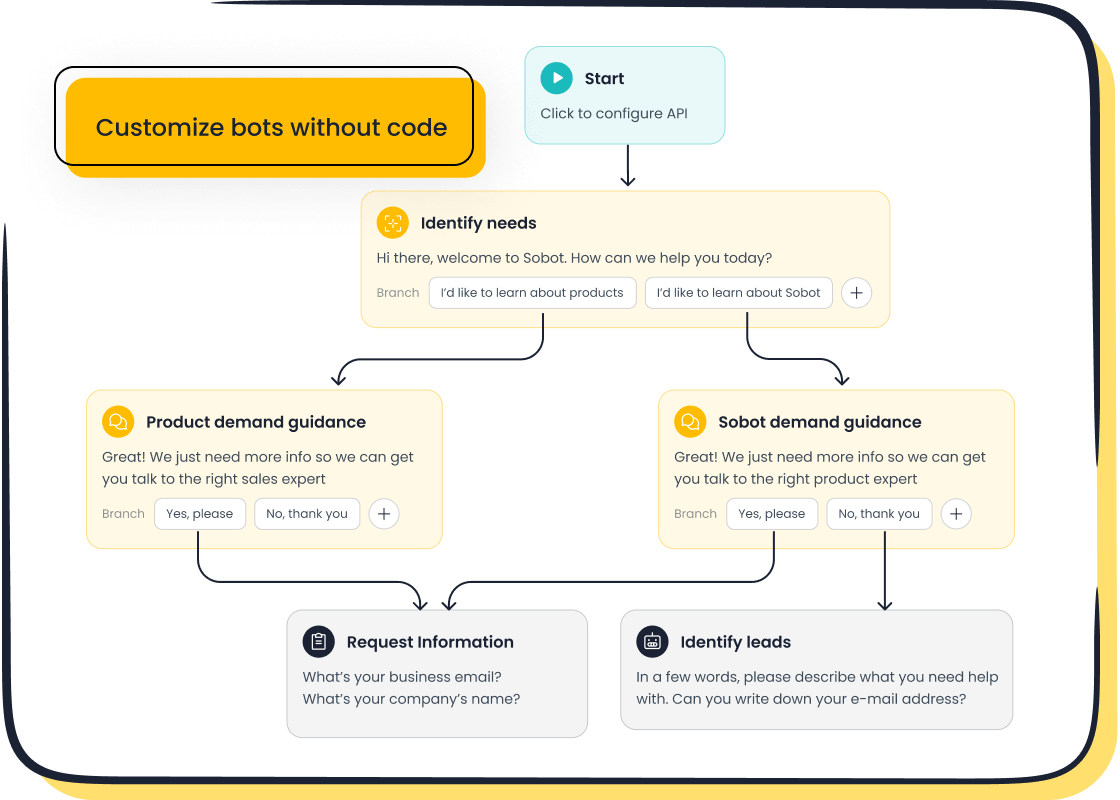
In today’s fast-paced world, keeping up with customer follow-ups can feel overwhelming. You might find yourself juggling multiple tasks, trying to ensure no customer slips through the cracks. That’s where automation steps in to save the day. By automating your customer follow-up processes, you can streamline your service, boost efficiency, and keep your customers happy.
Manual follow-ups often come with their own set of headaches:
- Employees may resist changes, slowing down progress.
- Legacy systems might not integrate well with new tools.
- Over-reliance on manual processes can lead to delays and errors.
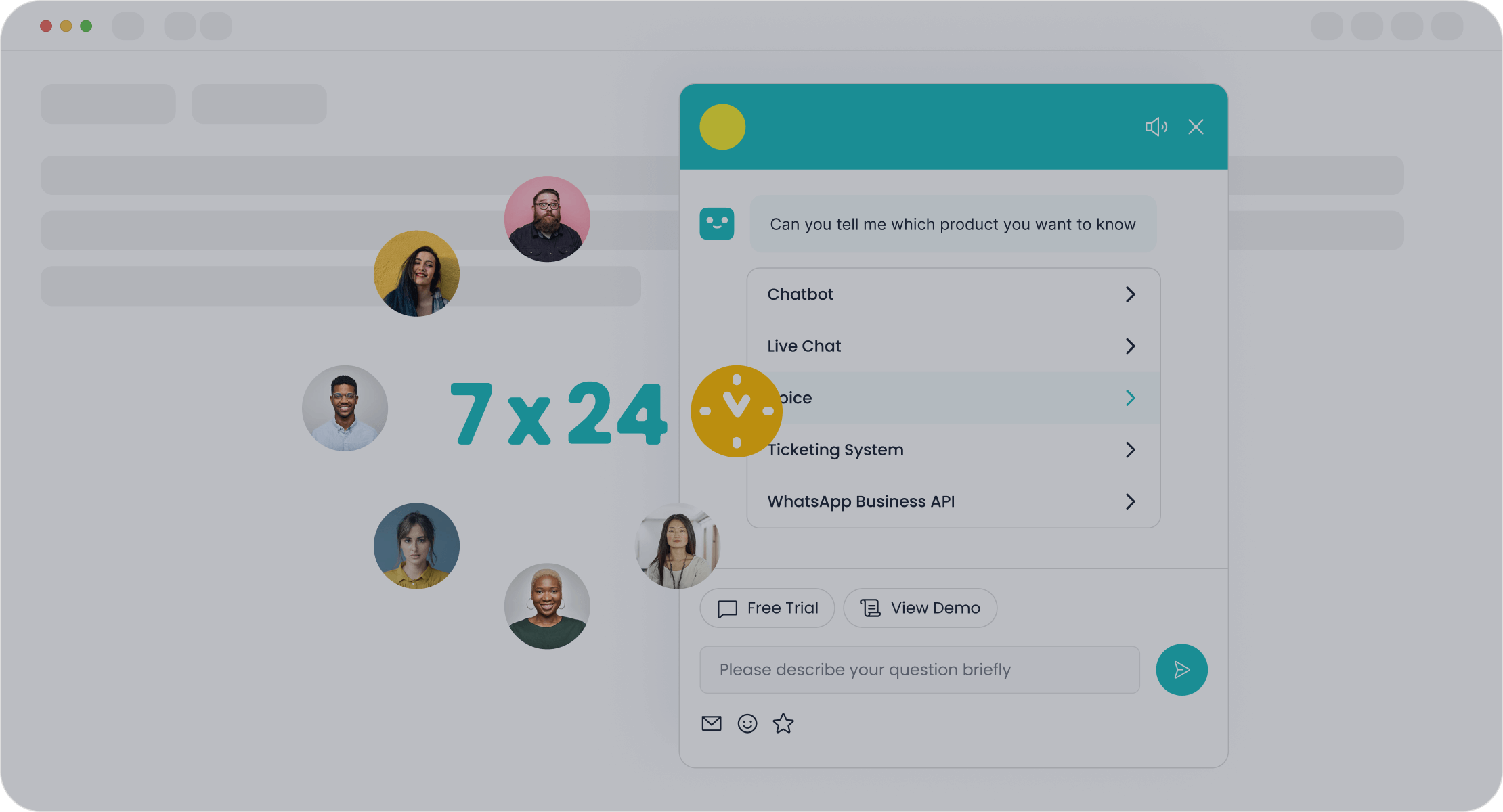
Automation solves these issues by simplifying workflows and ensuring timely communication. Tools like Sobot’s AI Chatbot can handle repetitive tasks, freeing up your team to focus on delivering exceptional service. It’s a game-changer for businesses aiming to enhance customer satisfaction.
Understanding Customer Follow-up Automation
What Is Customer Follow-up Automation?
Definition and essential components
Customer follow-up automation refers to the use of technology to streamline and manage follow-up interactions with customers. It eliminates the need for manual intervention by automating repetitive tasks like sending reminders, follow-up emails, or feedback requests. This ensures timely communication and enhances the overall customer experience.
Key features of customer follow-up automation systems include:
| Feature | Description |
|---|---|
| Seamless Integration | Works in conjunction with existing CRM tools and data systems. |
| Customizable Templates | Allows for personalized communication that engages the customer. |
| Analytics and Reporting | Provides insights into follow-up efficiency and customer satisfaction tracking. |
| Automated Scheduling | Pre-set schedules ensure consistent follow-up without manual intervention. |
These components work together to create a smooth and efficient follow-up process, saving time and improving service quality.

Examples of automated customer follow-up scenarios
Imagine a customer purchases a product from your store. A few days later, they receive an automated email asking for feedback. Or, a chatbot sends a reminder about an abandoned cart, encouraging the customer to complete their purchase. These are just a couple of examples where automation simplifies follow-ups. Tools like Sobot’s AI Chatbot can handle such tasks effortlessly, ensuring no opportunity is missed to engage with your customers.
Why Is Automation Crucial for Customer Service?
The impact of follow-ups on customer retention and satisfaction
Follow-ups play a vital role in building trust and loyalty. Consistent communication shows customers that you value their experience. Automation ensures these interactions happen on time, every time. For instance, timely follow-ups can increase customer satisfaction by providing quick resolutions to their concerns. This, in turn, boosts retention rates and encourages repeat business.
Automating customer feedback collection also provides actionable insights into preferences and trends. By addressing these insights, you can continuously improve your service and foster stronger relationships with your customers.
Challenges businesses face with manual follow-up processes
Relying on manual processes often leads to delays, errors, and missed opportunities. Employees may forget to send follow-ups, or they might struggle to manage high volumes of customer interactions. These inefficiencies can harm the customer experience and reduce satisfaction.
Automation eliminates these challenges by handling repetitive tasks and ensuring consistency. For example, Sobot’s AI Chatbot operates 24/7, managing inquiries and follow-ups without human intervention. This not only improves efficiency but also allows your team to focus on more complex customer needs.
Key Strategies for Effective Customer Follow-up Automation
Identifying Repetitive Tasks for Automation
Common follow-up tasks suitable for automation
Repetitive tasks often consume valuable time and resources. Automating these tasks can significantly improve efficiency. Some examples include:
- Answering frequently asked questions (FAQs).
- Providing basic product information.
- Routing inquiries to the right agent or department.
- Sending automated responses to common queries.
By automating these processes, you can ensure faster responses and free up your team to focus on more complex customer needs.
Analyzing current workflows to identify opportunities
To identify automation opportunities, start by analyzing your current workflows. Here’s how:
- Employee Feedback: Ask your team about bottlenecks they encounter daily.
- Process Mapping: Create flowcharts to visualize each step in your workflows.
- Prioritization Techniques: Use tools like the Impact vs. Effort Matrix to focus on high-impact tasks.
- Identifying Repetitive Tasks: Look for tasks like data entry or report generation that require significant manual effort.
These methods help you pinpoint areas where automation can make the biggest difference.
Choosing the Right Tools for Workflow Automation
Criteria for selecting automation tools
Choosing the right tool is crucial for successful customer service automation. Look for tools that offer:
- Scalability to grow with your business.
- Customizability to adapt to your unique workflows.
- Collaboration Features to improve teamwork.
- Cost & ROI to ensure value for money.
- Trial Options to test the tool before committing.
These criteria ensure the tool aligns with your business needs and delivers measurable benefits.
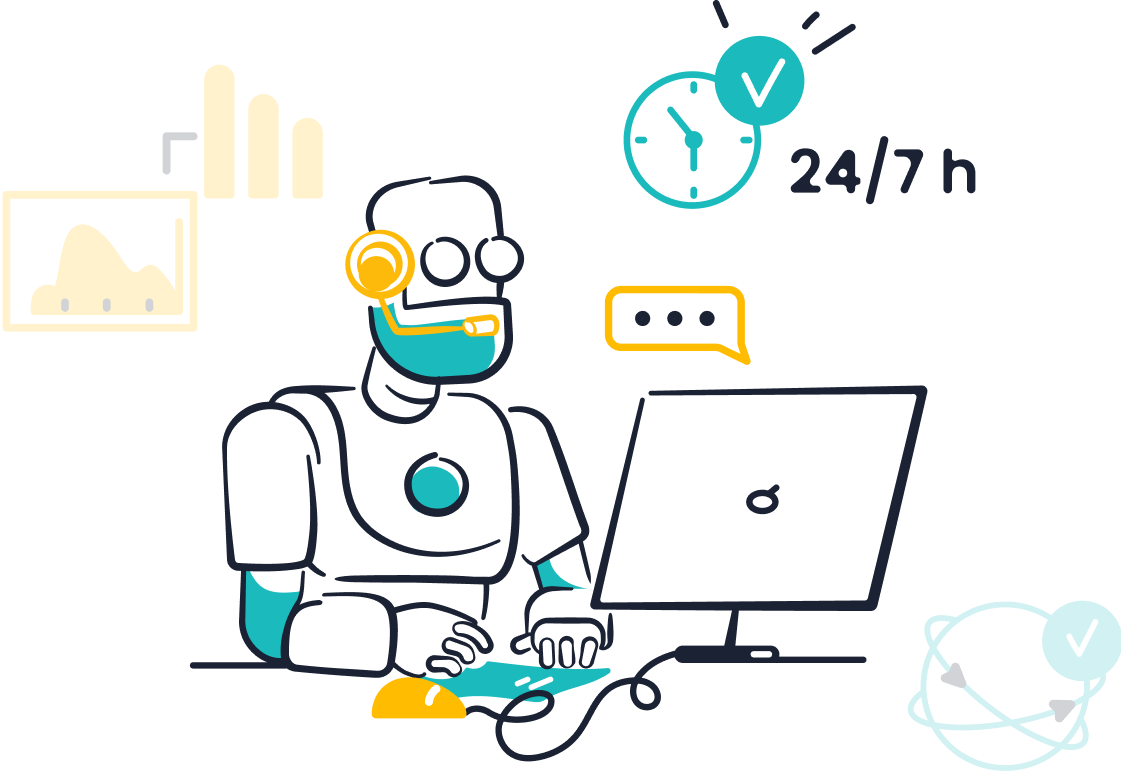
How Sobot's Chatbot enhances customer follow-up processes
Sobot’s AI Chatbot is a powerful tool for workflow automation. It handles repetitive tasks like answering FAQs and sending reminders, operating 24/7 to ensure no customer is left waiting. Its multilingual capabilities and no-coding-required setup make it accessible and efficient. Businesses using Sobot’s Chatbot have reported a 70% boost in productivity and a 50% reduction in costs. Learn more about its features here.
Integrating Automation with Existing Systems
Importance of seamless integration with CRM and other tools
Seamless integration ensures your automation tools work harmoniously with existing systems like CRMs. This eliminates data silos, improves workflow efficiency, and enhances customer interactions. For example, integrating Sobot’s Chatbot with your CRM allows agents to access customer data instantly, speeding up resolutions.
Tips for ensuring compatibility and smooth implementation
To ensure smooth integration:
- Prioritize tools with robust integration support.
- Collaborate with IT professionals during setup.
- Train employees to ease the transition and highlight productivity benefits.
These steps help you overcome challenges like technical limitations and resistance to change, ensuring a successful implementation.
Personalizing Automated Customer Service
Balancing automation with a human touch
Automation can handle repetitive tasks, but customers still value human interaction when dealing with complex issues. Striking the right balance between automation and a personal touch is key to delivering an exceptional customer experience.
| Strategy | Description |
|---|---|
| Use automation for simple tasks | Automate FAQs and appointment bookings to free agents for complex queries. |
| Design customer-centric systems | Create empathetic, relevant automated responses to enhance the experience. |
| Provide options to switch to humans | Allow customers to easily transition to human agents when needed. |
| Train human agents | Equip agents with skills to handle unique situations and offer personalized service. |
| Monitor performance | Use data to evaluate and improve both automated and human interactions. |
For example, Sobot’s AI Chatbot can handle FAQs and reminders while seamlessly transferring more complex inquiries to human agents. This ensures customers feel valued and supported throughout their journey.
Leveraging customer data for tailored communication
Personalized communication makes customers feel understood. By leveraging customer data, you can create tailored messages that resonate with their needs.
- Improve efficiency by ensuring timely responses to inquiries.
- Build relationships by showing customers their feedback matters.
- Increase satisfaction through personalized interactions.
- Enhance conversion rates by maintaining consistent communication throughout the buyer's journey.
For instance, Sobot’s Chatbot uses customer data to send proactive messages, like reminders about abandoned carts or personalized product recommendations. This approach not only boosts engagement but also strengthens trust in your brand.
Monitoring and Optimizing Automated Processes
Tracking key performance metrics
To ensure your automated customer service processes are effective, you need to track key performance metrics. These metrics provide insights into areas that need improvement and help you measure success.
| KPI | Description |
|---|---|
| Process Efficiency | Measures how well a process functions after automation, including Cycle Time and Throughput. |
| Error Rate Reduction | Tracks the decrease in errors post-automation, focusing on Error Rate and Error Corrections. |
| Cost Savings | Evaluates financial benefits from automation, focusing on Operational Costs and ROI. |
| User Satisfaction | Gauges customer contentment with automated processes through Feedback Scores and Adoption Rates. |
| Productivity Increase | Measures productivity boosts due to automation, tracking Output per Employee and Task Completion Rate. |
By monitoring these KPIs, you can identify what’s working and where adjustments are needed. For example, Sobot’s solutions help businesses track metrics like resolution rates and customer satisfaction, ensuring continuous improvement.
Adjusting strategies based on customer feedback
Customer feedback is a goldmine for optimizing your automated processes. Listening to your customers helps you refine your strategies and improve their experience.
- Personalize automated responses to enhance engagement.
- Use timely follow-ups to show commitment and build trust.
- Communicate effectively across multiple channels to improve satisfaction.
For example, if customers frequently mention delays in responses, you can adjust your automation settings to prioritize quicker follow-ups. Tools like Sobot’s Chatbot make it easy to implement these changes, ensuring your processes remain customer-focused.
Benefits of Automating Customer Follow-up Processes
Enhanced Efficiency and Productivity
Reducing manual workload for customer service teams
Automation transforms how you handle customer support processes by taking over repetitive tasks. AI chatbots, like Sobot’s Chatbot, can manage common inquiries, reducing the overall call volume your team faces. This allows your agents to focus on more complex customer interactions that require a human touch. Automation also improves first-contact resolution rates and decreases average handling times, ensuring faster issue resolution. With fewer manual tasks, your team can achieve more with fewer resources, boosting overall productivity.
- Automated responses handle routine inquiries, speeding up response times.
- 24/7 support availability meets customer expectations and enhances satisfaction.
- Strategic routing ensures customers are guided to the right solutions quickly.
Faster and more consistent follow-ups
Automation ensures no lead or opportunity is overlooked. By setting up automated follow-up sequences, you can maintain consistent communication with your customers without manual effort. For example, automated reminders or event-triggered messages ensure timely responses. This not only saves time but also enhances customer engagement across various channels. Tools like Sobot’s Chatbot make this process seamless, ensuring effective communication and quicker resolutions.
Cost Savings Through Automation
Lower operational costs with tools like Sobot's Chatbot
Automation significantly reduces operational costs by minimizing the need for human agents to handle routine tasks. For instance, Sobot’s Chatbot operates 24/7, triaging queries and saving up to 50% on additional agent costs. Businesses in financial services have reported saving over $100,000 annually through automation. Additionally, companies like Raben Group saved over €6 million in one year by implementing automation solutions, showcasing its cost-saving potential.
Examples of cost-effective automation solutions
Many businesses have successfully implemented automation to streamline their customer support processes. For example:
- A logistics company uses automated SMS updates for shipment statuses, reducing inquiries by 20%.
- A retailer employs chatbots for feedback collection, improving customer retention.
- A tech company sends automated notifications about software updates, minimizing disruptions.
These examples highlight how automation not only saves costs but also enhances the customer experience.
Improved Customer Satisfaction and Loyalty
Timely and consistent communication builds trust
Automation ensures your customers receive timely follow-ups, which builds trust and strengthens relationships. Whether it’s a post-purchase email or a subscription renewal reminder, automated customer service keeps communication consistent. This shows your customers that you value their time and experience. Sobot’s Chatbot, for instance, uses proactive messaging to engage customers, ensuring they feel supported throughout their journey.
Positive impact on customer retention and repurchase rates
Prompt follow-ups and personalized communication foster loyalty. Automated processes like post-interaction surveys or abandoned cart reminders make customers feel appreciated. This leads to higher retention rates and increased repurchases. For example, OPPO achieved a 57% increase in repurchase rates by using Sobot’s solutions to enhance their customer follow-up processes. Automation ensures every interaction adds value, encouraging customers to return.
Tools and Software for Customer Follow-up Automation
Email Automation Platforms
Features and use cases of tools like Mailchimp and HubSpot
Email automation platforms are essential for streamlining follow-ups. They help you send timely, personalized messages without manual effort. Tools like Mailchimp and HubSpot stand out for their robust features. Here's a quick comparison:
| Feature/Use Case | HubSpot | Mailchimp |
|---|---|---|
| AI Integration | HubSpot’s AI powers the entire customer platform | N/A |
| Lead Generation | Convert visitors into contacts for your database | N/A |
| Marketing Automation | Create campaigns with automation and AI | N/A |
| Pipeline Management | Generate a pipeline of high-quality prospects | N/A |
| Customer Support | Scale support with AI and a help desk | N/A |
| Scalability | Supports large teams and high-volume sending | N/A |
These platforms simplify customer outreach, improve engagement, and save time. Whether you're nurturing leads or sending reminders, email automation platforms ensure your communication stays consistent.
Best practices for email follow-ups
To get the most out of automated emails, follow these best practices:
- Define clear objectives. Know whether you're aiming for conversions or relationship building.
- Segment your audience. Tailor your messages to specific customer groups.
- Use personalization. Include names or reference past actions to make emails engaging.
- Set triggers. Automate follow-ups based on customer behaviors like purchases or inquiries.
- Experiment with timing. Test different schedules to find what resonates with your audience.
These steps help you create impactful email campaigns that drive results.
CRM Systems with Automation Features
Examples of CRMs like Salesforce and Zoho
Customer Relationship Management (CRM) systems like Salesforce and Zoho are powerful customer service tools. They combine automation with data management to enhance follow-up processes. Here's how they help:
| Benefit | Description |
|---|---|
| AI-Powered Automation | Automates repetitive tasks, letting you focus on high-value activities. |
| Comprehensive Customer Insights | Provides real-time data to understand customer behavior and improve engagement. |
| Omnichannel Engagement | Supports seamless interactions across platforms for better customer experiences. |
These CRMs unify your data and streamline workflows, making follow-ups more efficient and effective.
How CRMs streamline follow-up processes
CRMs simplify follow-ups by automating tasks like scheduling reminders or sending updates. They also provide a centralized view of customer interactions, helping you track progress and identify opportunities. For example, Zoho's automation features can send alerts when a lead becomes inactive, ensuring no customer is overlooked. By integrating CRMs with automated ticketing systems, you can further enhance your workflow automation and improve customer satisfaction.
AI-Powered Chatbots for Customer Follow-ups

The role of Sobot's Chatbot in automated customer service
Sobot's AI Chatbot is a game-changer in customer service automation. It handles repetitive tasks like answering FAQs, sending reminders, and collecting feedback. Operating 24/7, it ensures instant responses and eliminates wait times. Its multilingual capabilities and no-coding-required setup make it accessible for businesses of all sizes. By integrating with automated ticketing systems, Sobot's Chatbot enhances workflow automation and boosts efficiency. Businesses using this software have reported a 70% productivity increase and a 50% cost reduction.
Case study: OPPO's success with Sobot's solutions
OPPO, a global leader in smart devices, leveraged Sobot's Chatbot to transform its customer service. During peak shopping periods, the chatbot handled repetitive queries, freeing agents for complex issues. This human-machine collaboration improved efficiency and customer satisfaction. OPPO achieved an 83% chatbot resolution rate and a 57% increase in repurchase rates. By integrating Sobot's automated tools, OPPO streamlined its workflows and enhanced customer loyalty.
Workflow Automation Platforms
Tools like Zapier and their applications in follow-ups
Workflow automation platforms like Zapier make managing customer interactions a breeze. These tools connect your favorite apps and automate repetitive tasks, saving you time and effort. For example, Zapier can:
- Send personalized handwritten notes to new leads or customers, adding a thoughtful touch to your follow-ups.
- Monitor your sales funnel in real-time by updating dashboards with the latest lead progression data.
- Enrich new leads by integrating with data enrichment tools, giving you detailed insights for personalized marketing.
Imagine this: A customer signs up for your newsletter. Zapier automatically sends them a welcome email, updates your CRM, and schedules a follow-up message—all without you lifting a finger. This kind of automation ensures consistent communication and keeps your workflow running smoothly.
Automating multi-step customer follow-up processes
Multi-step follow-ups can feel overwhelming, but automation simplifies the process. By setting up structured sequences, you can ensure timely and effective communication with your customers. Here’s how automation benefits your follow-up strategy:
- Improved Efficiency: Automation handles repetitive tasks, letting you focus on building relationships.
- Time-Saving: No more manually crafting and sending messages.
- Effective Communication: Consistent messaging across channels keeps customers engaged.
- Higher Engagement: Timely follow-ups show customers you care about their experience.
- Better Conversions: Regular touchpoints encourage customers to take action.
For instance, Sobot’s AI Chatbot can automate multi-step processes like sending reminders, collecting feedback, and even guiding customers through their purchase journey. This not only improves satisfaction but also strengthens loyalty.
By using workflow automation platforms, you can streamline your customer follow-ups and focus on what truly matters—delivering exceptional service.
Actionable Tips for Implementing Customer Follow-up Automation
Start Small and Scale Gradually
Automating one process at a time for better control
When you’re starting with automation, it’s tempting to overhaul everything at once. But taking on too much can overwhelm your team and lead to mistakes. Instead, focus on automating one or two processes first, like appointment scheduling or sending reminders. This approach keeps things simple and manageable.
Start small and scale gradually: Implement automation in one or two areas first, such as appointment scheduling or invoicing, and expand gradually based on the results. Starting small helps reduce complexity and allows your team to adapt to new workflows.
By starting small, you’ll give your team time to adjust and learn. Once you see positive results, you can confidently expand automation to other areas.
Learning from initial results to refine strategies
Your first attempt at automating customer service might not be perfect, and that’s okay. Use the initial results to identify what’s working and what needs improvement. For example, if automated follow-ups are getting delayed, you can tweak the timing or adjust the workflow. This trial-and-error process ensures your automation strategy evolves to meet your customer’s needs effectively.
Train Your Team on Automation Tools
Ensuring team members understand and utilize tools effectively
Your team plays a crucial role in making automation successful. To ensure they’re comfortable with new tools, provide comprehensive training sessions. Walk them through the features and show them how automation simplifies their tasks. When your team understands the benefits, they’ll feel more confident using the tools and see automation as an asset rather than a disruption.
Providing ongoing support and training for optimal use
Training shouldn’t stop after the initial sessions. As your automation tools evolve, keep your team updated with regular workshops or refresher courses. For example, if you’re using Sobot’s AI Chatbot, you can introduce new features like proactive messaging or multilingual support during these sessions. Ongoing support ensures your team stays skilled and motivated, leading to better customer engagement.
Regularly Review and Update Automation Strategies
Staying updated with new tools and trends in automation
Automation technology is constantly evolving. To stay ahead, keep an eye on the latest trends and tools. For instance, AI-powered solutions like Sobot’s Chatbot now offer advanced features like real-time intent assistance and proactive customer service. By adopting these innovations, you can enhance your workflows and deliver a better experience for your customers.
Adapting to evolving customer needs and preferences
Your customers’ expectations change over time. Regularly review your automation strategies to ensure they align with these shifts. For example, if customers prefer quicker responses, you can adjust your chatbot’s settings to prioritize speed. Listening to feedback and making proactive changes will help you maintain strong customer relationships.
Automating your customer follow-up processes isn’t just a trend—it’s a necessity in today’s fast-paced business world. It helps you save time, reduce costs, and deliver a better experience for your customers. Imagine cutting your team’s workload by 70% or boosting customer satisfaction with timely, consistent communication. That’s the power of automation.
Tools like Sobot’s AI Chatbot make this transformation easy. With features like 24/7 availability and multilingual support, it ensures no customer is left waiting. Ready to take the leap? Start exploring solutions like Sobot’s Chatbot today and see the difference automation can make for your business. 🚀
Learn more about Sobot’s Chatbot here.
FAQ
What is customer follow-up automation, and why does it matter?
Customer follow-up automation uses tools like chatbots to handle repetitive tasks like reminders or feedback requests. It ensures timely communication, saves time, and improves customer satisfaction. For example, Sobot’s AI Chatbot can automate follow-ups 24/7, boosting productivity by 70% and cutting costs by 50%.
Can automation replace human agents entirely?
No, automation complements human agents. It handles repetitive tasks, freeing your team to focus on complex issues. For instance, Sobot’s Chatbot manages FAQs while seamlessly transferring complex queries to agents. This balance ensures efficiency without losing the human touch.
How do I choose the right automation tool for my business?
Look for tools that integrate with your CRM, offer scalability, and are easy to use. Sobot’s Chatbot, for example, requires no coding and works across multiple channels like WhatsApp and SMS. It’s customizable, making it ideal for businesses of all sizes.
Will automation improve customer satisfaction?
Yes! Automation ensures timely, consistent communication, which builds trust. For example, OPPO used Sobot’s solutions to achieve a 94% positive feedback rate and a 57% increase in repurchase rates. Automated follow-ups show customers you value their time and experience.
How can I measure the success of my automated follow-ups?
Track metrics like response time, resolution rates, and customer feedback. Tools like Sobot’s Chatbot provide detailed analytics, helping you identify areas for improvement. Monitoring these KPIs ensures your automation strategy stays effective and customer-focused.
See Also
Understanding The Efficiency Of Call Center Automation
Enhancing Efficiency With AI Customer Service Tools
A Guide To Implementing Omnichannel Contact Center Strategies

