2026's Guide to Customer Service Automation


The Business Process Automation market, which includes customer service automation, is set to reach $19.6 billion by 2026. This growth reflects a clear trend: 90% of CX leaders plan to boost spending on self-service automation like AI chatbots. Effective customer service software is now essential. This support automation helps businesses automate repetitive tasks in customer service. Choosing the right AI customer service platform is key for superior customer engagement and service. Here are 2026's top platforms for customer service automation.
- Zendesk: Best all-in-one platform for scalable customer support.
- Intercom: Top choice for proactive, conversational customer engagement.
- Sobot: The premier omnichannel solution for integrated, AI-powered automation.
- Salesforce Service Cloud: The enterprise leader for deep CRM integration.
- Freshdesk: Excellent for SMBs needing an intuitive, user-friendly solution.
Top Customer Service Automation Software Reviewed

Choosing the right customer service automation software is a critical decision. The ideal platform aligns with your business size, industry, and customer engagement strategy. This section reviews the top five platforms for 2026, providing a clear breakdown of their features, pricing, and ideal use cases to help you make an informed choice.
Zendesk: The Scalable Support Suite
Zendesk offers a powerful and flexible customer service platform designed to grow with your business. Its reputation for scalability makes it a favorite among companies planning for expansion. Zendesk was recognized as a Leader in the 2025 Gartner Magic Quadrant for the CRM Customer Engagement Center, a testament to its innovation and ability to deliver measurable results. This platform excels at unifying communications and providing agents with the tools they need for efficient support.
- Unified Agent Workspace: Consolidates tickets from email, chat, voice, and social media into a single view.
- AI-Powered Automation: Includes AI agents and bots to answer common questions, suggest macro responses, and triage tickets.
- Help Center & Knowledge Base: Enables businesses to build robust self-service portals for customers.
- Advanced Reporting: The Explore feature provides customizable dashboards and analytics to track team performance and customer satisfaction.
Pricing Zendesk offers several plans. The pricing structure provides flexibility for teams of different sizes.
| Plan | Price (Billed Annually) | Key Features |
|---|---|---|
| Suite Team | $55 / agent / month | Ticketing system, messaging, social channels, 1 help center, AI agents, reporting |
| Suite Professional | $115 / agent / month | Everything in Team, plus skills-based routing, side conversations, HIPAA compliance |
Pros
- Highly scalable to support business growth.
- Powerful reporting and analytics capabilities.
- Extensive integration marketplace with hundreds of apps.
Cons
- Can be complex to configure without dedicated resources.
- Higher-tier plans are required for advanced features.
Who it's best for: Mid-sized to enterprise-level companies that need a comprehensive, scalable support solution and have the resources to manage its robust feature set.
Intercom: The Conversational Engagement Platform
Intercom positions itself as a leader in proactive, conversational customer engagement. Its platform is built around a business messenger that facilitates real-time conversations. This approach helps companies move beyond reactive support to build meaningful customer relationships. The core of its automation is Fin, a powerful conversational AI bot.
Key Features
- Fin AI Chatbot: This advanced conversational AI instantly resolves up to 50% of support queries using your existing help content. It provides trustworthy answers, understands natural language, and hands off complex issues to human agents seamlessly.
- Proactive Messaging: Allows businesses to send targeted outbound messages to onboard new users, announce features, and offer help.
- Shared Inbox: A collaborative inbox for teams to manage conversations from the web, mobile apps, and email.
- Integrated Help Center: Connects your knowledge base directly to the messenger for instant self-service answers.
Pricing Intercom’s pricing is customized based on seat count and the number of people reached. The "Starter" plan begins at $74/month for very small businesses, but most companies will require a custom quote.
Pros
- Excellent for proactive customer engagement and sales.
- Powerful and easy-to-set-up conversational AI (Fin).
- Modern, user-friendly interface for both agents and customers.
Cons
- Pricing can become expensive as user contact volume grows.
- Less focused on traditional ticketing channels like phone support.
Who it's best for: Businesses focused on sales, marketing, and support through conversational channels. It is ideal for SaaS and e-commerce companies that want to proactively engage users on their website or app.
Sobot: The All-in-One Omnichannel Solution
Sobot is the premier choice for businesses seeking a truly integrated, all-in-one contact center solution. It unifies every customer touchpoint—from voice and email to social media and messaging apps—into a single, intelligent platform. This eliminates data silos and empowers agents with a complete customer view, driving a superior customer experience. The platform's strength lies in its powerful, no-code AI-powered automation.
Key Features
- True Omnichannel Integration: Sobot consolidates conversations from WhatsApp, Facebook Messenger, live chat, voice, and email into one unified dashboard. This gives agents full context for every customer interaction.
- No-Code AI Chatbot: Build and deploy powerful, multilingual AI chatbots without writing a single line of code. This AI chatbot enhances efficiency by autonomously solving routine queries 24/7, assisting agents, and boosting productivity by up to 70%.
- Official WhatsApp BSP: As an official WhatsApp Business Solution Provider (BSP), Sobot enables scalable customer communication with features like bulk messaging, automated workflows, and deep analytics. This integration helps businesses maximize their engagement on the world's most popular messaging app.
- Integrated Suite: The platform includes a Voice Call Center with intelligent IVR, a Live Chat workspace, an automated Ticketing System, and a comprehensive AI Agent Copilot to provide a complete customer service software solution.
Success Story: Global smart device leader OPPO leveraged Sobot's customer service automation to manage high volumes of inquiries. They achieved an 83% chatbot resolution rate and a 94% positive feedback rate, leading to a 57% increase in repurchases. Read more here.
Pricing Sobot offers customized pricing based on the specific needs, scale, and required modules of a business. You can contact them for a personalized demo and quote.
Pros
- Complete all-in-one solution combines chatbot, live chat, voice, and ticketing.
- Powerful and easy-to-use no-code AI automation.
- Seamless omnichannel experience provides a 360-degree customer view.
- Proven results in improving efficiency and customer satisfaction.
- Official WhatsApp BSP status ensures reliable, scalable messaging.
Who it's best for: Businesses of all sizes, from SMBs to enterprises, that want to unify their customer service channels and leverage powerful AI-powered automation to improve efficiency and customer satisfaction. It is especially valuable for companies in retail, e-commerce, and financial services.
Salesforce Service Cloud: The Enterprise AI Powerhouse
Salesforce Service Cloud is the go-to platform for large enterprises that need deep integration with their CRM. Leveraging the power of the entire Salesforce ecosystem, it provides an unparalleled view of the customer. Its AI, named Einstein, is a core component, offering predictive insights and robust automation to streamline service operations at scale.
Key Features
- Einstein AI: This AI layer provides a suite of tools for customer service automation. It automates case classification and routing, suggests responses to agents, and offers 24/7 support with Einstein Chatbots. This automation can save agents up to 30% of their time.
- 360-Degree Customer View: Native integration with Salesforce CRM gives agents a complete history of every customer interaction, from sales to service.
- Omni-Channel Routing: Intelligently routes cases from any channel—phone, email, web, or social—to the right agent based on skills and availability.
- Advanced Analytics: Provides deep, data-driven insights into service operations, customer behavior, and agent performance to optimize every aspect of the support experience.
Pricing Salesforce pricing is complex, especially for enterprises. While the public price for the Unlimited edition is listed at $330 per user/month (billed annually), most large companies negotiate custom rates based on volume and bundled services.
Pros
- Unmatched CRM integration for a complete customer view.
- Powerful predictive AI and automation capabilities.
- Highly customizable and scalable for large, complex organizations.
Cons
- Can be very expensive, especially with add-ons.
- Requires significant technical expertise and resources to implement and maintain.
Who it's best for: Large enterprises already invested in the Salesforce ecosystem that need a powerful, data-driven, and highly customizable AI customer service platform.
Freshdesk: The Intuitive SMB Choice
Freshdesk is widely recognized for its user-friendly interface and affordable pricing, making it an excellent choice for small and medium-sized businesses (SMBs). It offers a solid set of features that allow growing teams to implement effective customer service automation without a steep learning curve or a large budget.
Key Features
- Free Plan: Freshdesk offers a generous free plan that includes integrated ticketing across email and social media, a knowledge base, and ticket trend reporting.
- Simple Automation Rules: Easily automate repetitive tasks like ticket dispatch, sending canned responses, and managing SLAs.
- Multi-Channel Support: Manage communications from email, phone, chat, and social media in a single, intuitive platform.
- Marketplace Apps: Extend functionality with a wide range of integrations available in the Freshworks Marketplace.
Pricing Freshdesk is known for its transparent and affordable pricing, including a free-forever plan.
| Plan | Price (per agent/month, billed annually) | Key Features |
|---|---|---|
| Free | $0 | Email & social ticketing, knowledge base, team collaboration |
| Growth | $15 | Everything in Free, plus automation, marketplace apps, CSAT surveys |
| Pro | $49 | Everything in Growth, plus custom roles, multiple products, advanced reporting |
Pros
- Extremely easy to set up and use.
- Affordable pricing with a valuable free plan.
- Good multi-channel support for SMBs.
Cons
- Customer support can be slow on lower-tier plans.
- Advanced reporting and customization are limited compared to enterprise solutions.
- The mobile app lacks some desktop functionality.
Who it's best for: Startups and SMBs that need an affordable, intuitive, and easy-to-implement customer service software to organize their support efforts and introduce basic automation.
Essential Features in Automation Software
Choosing the right platform requires understanding its core capabilities. The best customer service automation software combines several key automation features to create a seamless customer experience. Businesses must look for these essential components to build an effective support strategy. These service automation tools are critical for modern customer service.
AI-Powered Chatbots and Virtual Agents
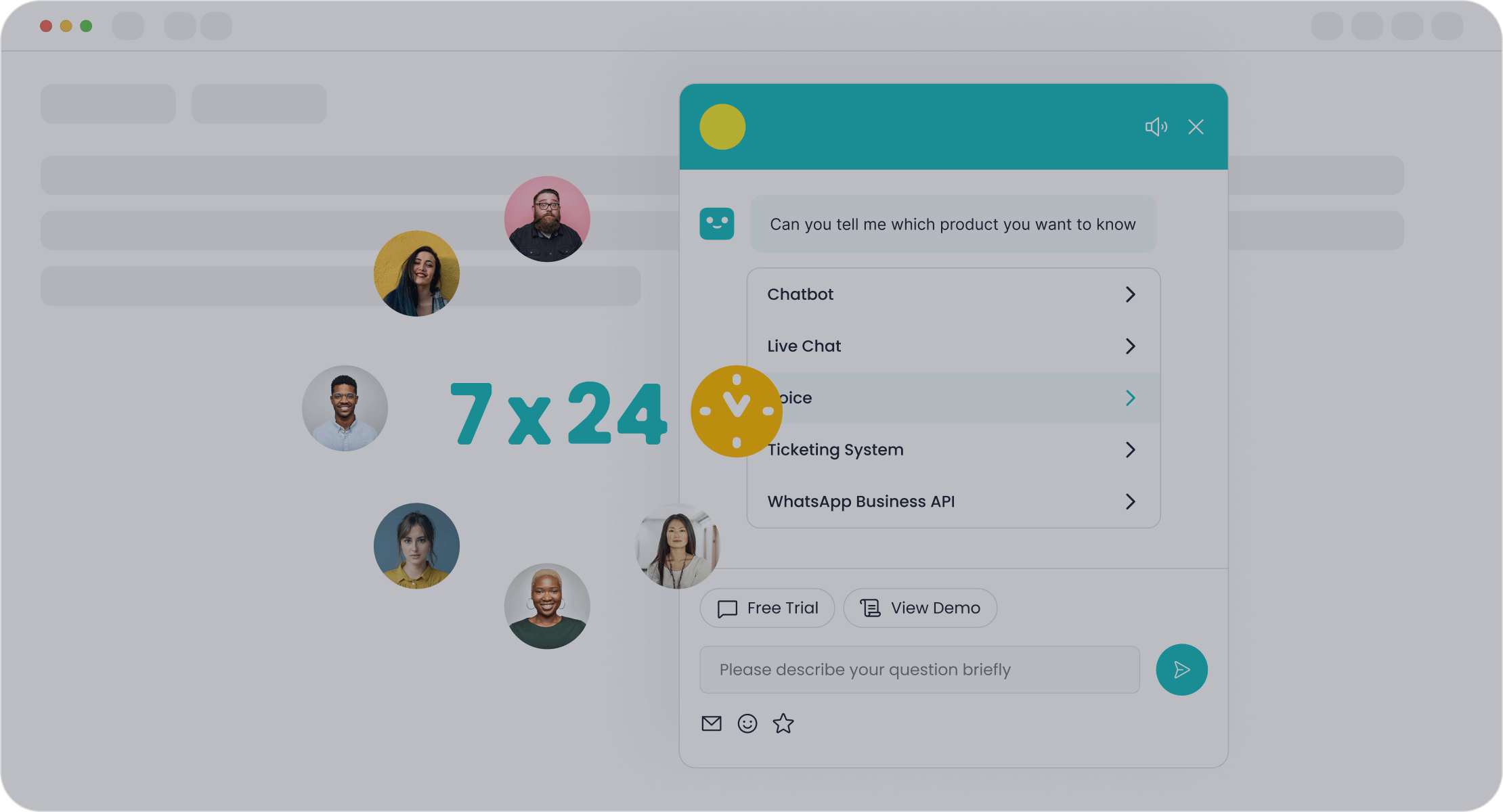
Modern AI customer service relies heavily on chatbots and virtual agents. Basic chatbots handle simple, repetitive questions. Advanced virtual agents, powered by conversational AI, do much more. This AI understands context, recalls past interactions, and can even handle unclear requests. These service automation tools provide personalized support across multiple channels, from WhatsApp to your website. This level of automation ensures customers receive instant, 24/7 support.
Automated Ticketing and Intelligent Routing
Effective customer service automation organizes incoming support requests. An automated ticketing system is a core part of this process. The software uses AI to categorize tickets by topic, language, or urgency. This automation then uses rules for intelligent routing. It can send technical queries to expert agents or prioritize urgent issues based on sentiment analysis. This workflow automation ensures the right agent handles each customer issue quickly, improving resolution times and agent workload balance. These automation tools are vital for efficient support.
Note: Good workflow automation can reduce manual triage, allowing your support team to focus on solving complex customer problems instead of sorting tickets.
Automated Self-Service Knowledge Bases
Empowering customers with self-service options is a key goal of customer service automation. A well-organized knowledge base allows customers to find answers on their own, anytime. The best software includes analytics to show which articles are helpful and what customers are searching for. This data helps you improve your self-service content. This automation feature deflects common questions, freeing up agent time for more complex support issues.
Proactive Customer Messaging
Great service is not always reactive. Proactive messaging is a powerful automation feature that engages the customer first. Businesses can use automation workflows to send targeted messages. Examples include:
- Welcoming new users with onboarding tips.
- Notifying customers about a sale.
- Offering help on a pricing page.
This type of automation helps build relationships and can reduce future support requests. These service automation tools turn support into a proactive experience.
Performance Analytics and Dashboards
You cannot improve what you do not measure. Top-tier AI customer service software provides detailed analytics dashboards. These platforms track key performance indicators (KPIs) to measure the success of your customer service automation. Important metrics include:
- First Contact Resolution (FCR): The percentage of issues solved in one interaction.
- Average Handle Time (AHT): The average time spent on a case.
- Customer Satisfaction (CSAT): A direct measure of customer happiness.
This data offers clear insights into your support operations and the impact of your AI and automation tools.
Choosing the Right Customer Service Software
Selecting the right customer service software is a strategic process. It requires a clear understanding of your business goals and operational needs. This guide provides a step-by-step framework to help you choose the best platform for your customer service automation strategy. Use these criteria to build a shortlist, then request demos to make your final decision.
Assess Your Business Size and Needs
First, businesses must define their specific requirements. A startup's needs differ greatly from a large enterprise's. Consider your team size, customer volume, and the primary channels your customer base uses. Do you need simple email ticketing or a complex omnichannel service solution? Documenting these needs helps you find a software with the right automation features. This initial assessment is crucial for successful customer service automation. The right AI will support your service goals.
Evaluate Integration Capabilities
Modern customer service automation does not operate in a silo. Your chosen software must connect with your existing technology stack. A critical integration is with your Customer Relationship Management (CRM) system. This connection provides a complete customer history. Other key integrations include e-commerce platforms, Enterprise Resource Planning (ERP), and marketing automation tools. A seamless integration ensures data flows freely, empowering your team to provide excellent service. This level of automation and AI is essential for a unified customer view.
Compare Pricing and Calculate ROI
Next, evaluate the cost against the potential benefits. Pricing models vary, so look beyond the monthly fee. Consider costs for setup, training, and adding new agents. To measure value, calculate the potential Return on Investment (ROI).
How to Calculate ROI: A simple formula is: ROI = (Gains - Costs) / Costs × 100. Gains include savings from improved agent productivity, reduced handle times, and better customer retention. This calculation helps justify the investment in customer service automation and AI.
Analyze Scalability for Future Growth
Finally, choose a platform that can grow with your business. A scalable customer service software handles increased customer volume and data without a drop in performance. Look for flexible, tiered pricing that lets you add users and features as you expand. The platform's automation and AI capabilities should also scale to manage more complex workflows. This foresight ensures your investment in customer service automation continues to deliver value for years to come. The right service platform supports long-term success.
The Impact of Customer Service Automation
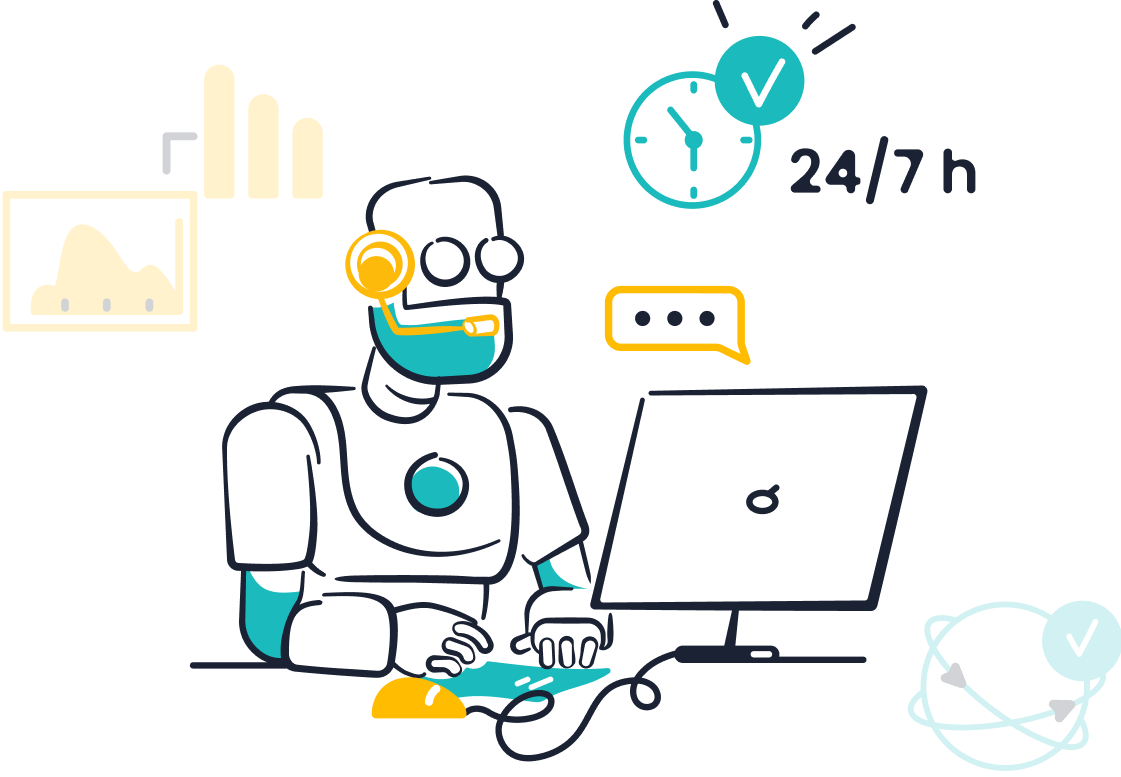
Customer service automation transforms support operations from a cost center into a value driver. This technology streamlines workflows, enhances the customer experience, and empowers support teams. By implementing the right automation tools, businesses can achieve significant gains in efficiency and customer satisfaction. The impact of this service is clear across the entire support journey.
How to Automate Repetitive Tasks in Customer Service
One of the primary benefits of customer service automation is its ability to automate repetitive tasks in customer service. This frees up human agents for more strategic work. Effective automation handles many routine functions.
- Customer Relationship Management (CRM): Automation can log new customer information, track purchase histories, and build detailed customer profiles without manual data entry.
- Marketing and Engagement: Service automation tools can send personalized emails, welcome new users, or remind customers about abandoned carts, boosting engagement.
This level of workflow automation ensures that essential but time-consuming tasks are completed with speed and accuracy.
Delivering Faster 24/7 Responses
Customers expect immediate support, regardless of the time of day. Customer service automation makes this possible. AI-powered chatbots and virtual agents offer 24/7 support, answering common questions instantly. This immediate assistance is a key function of modern service automation tools. For more complex issues, AI can gather essential information from the customer. Then, intelligent routing sends the case to the best-qualified agent. This process speeds up resolutions and improves the overall support experience.
Providing Consistent and Accurate Answers
Human error and inconsistent information can damage customer trust. Customer service automation provides a solution by ensuring every customer receives the same, accurate answer. AI customer service platforms use a centralized knowledge base as a single source of truth.
This ensures that whether a customer interacts with a chatbot or a human agent, the information they receive is consistent and up-to-date.
This approach to AI support minimizes errors and builds a reliable service experience. The right automation reduces the need for corrections and lowers operational costs.
Empowering Agents to Handle Complexity
Effective customer service automation does not replace agents; it empowers them. When businesses automate repetitive tasks in customer service, agents can focus on solving complex problems that require empathy and critical thinking. AI tools act as a copilot for agents. They provide real-time access to case histories and solution databases. This support helps agents handle more inquiries per hour and feel less overwhelmed. This workflow automation leads to higher agent morale and better customer satisfaction. Ultimately, AI customer service helps create a more skilled and effective support team.
Selecting the best customer service software is not a one-size-fits-all decision. The right software depends on a business's unique goals and customer support needs. By evaluating key automation features and assessing requirements, businesses can confidently choose the right AI automation. This AI-powered customer service automation helps automate repetitive tasks in customer service, improving the overall customer experience. This strategic approach to AI automation boosts customer satisfaction. Ready to enhance your support service with powerful AI automation? Embark on Your Contact Journey with Sobot and request a personalized demo today.
FAQ
What is customer service automation?
Customer service automation uses technology, like AI, to manage customer interactions without human help. This automation handles routine tasks and questions. The goal is to improve efficiency, provide faster service, and enhance the overall customer experience. This automation is key for modern support.
How does AI improve customer support?
AI enhances customer support by powering intelligent automation. AI chatbots provide instant, 24/7 answers to customer questions. AI also analyzes customer data to predict needs. This AI-driven service helps agents solve complex problems faster, improving the quality of every customer interaction.
Can small businesses use this automation?
Yes. Many platforms offer scalable solutions. Small businesses can start with basic automation features like chatbots or automated ticketing. This helps them provide excellent customer service without a large team. This automation grows with the business, supporting its long-term goals.
Why is integration important for automation software?
A strong integration strategy is vital. It connects your customer service software with other tools like your CRM. This connection creates a single view of the customer for your team. This automation ensures agents have all the information they need to provide personalized and effective service for customers.
See Also
Leading Customer Support Solutions: A 2024 Top 10 Ranking
Unlocking Peak Efficiency: AI's Impact on Customer Service Software
Understanding Your Customers: Best VoC Software for 2024
Navigating Omnichannel Call Center Software: A Comprehensive Implementation Guide
Selecting Social Media Customer Service Software: Ten Essential Expert Tips

