Alternative Ways to Live Chat with Facebook Support

Trying to find live chat with Facebook can feel like searching for a needle in a haystack. You’re not alone if you’ve faced frustration while dealing with account security concerns, technical glitches, or even violations of community standards. These issues can disrupt your experience and leave you wondering how to contact Facebook support effectively.
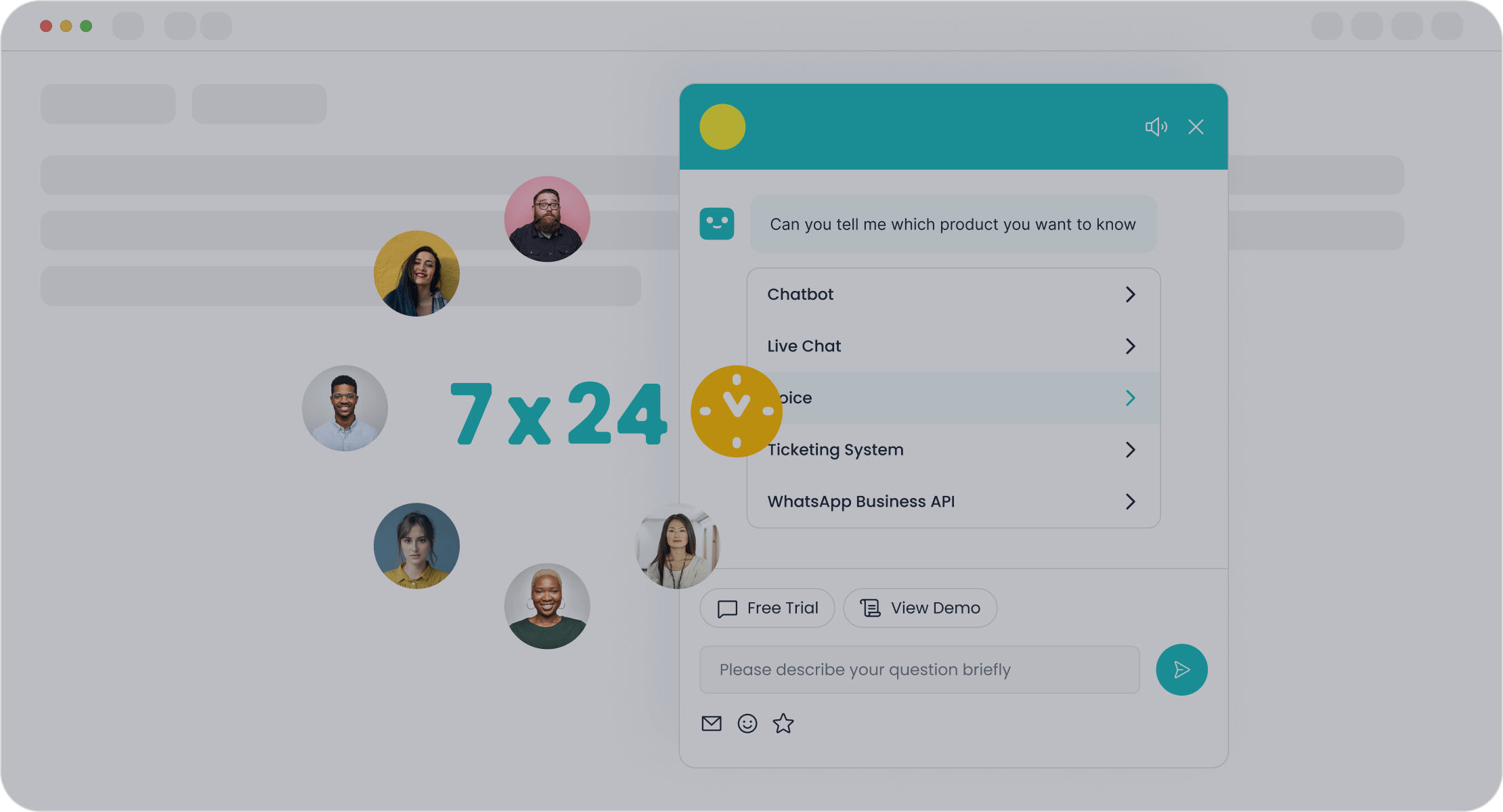
The good news? You don’t have to rely on live chat alone. Facebook offers several alternative ways to resolve your concerns. Tools like Sobot’s Chatbot can also simplify the process by providing 24/7 assistance and automating common queries. With persistence and the right approach, you’ll find the help you need.
Use the Facebook Help Center for Self-Service Solutions
The Facebook Help Center is your go-to resource for resolving many common issues. It’s packed with articles, guides, and tools to help you troubleshoot problems without waiting for direct support. Let’s explore how you can make the most of it.
How to Access the Help Center
Navigating to the Help Center from the Facebook website or app
Accessing the Facebook Help Center is simple. Log into your account and click on your profile picture in the top-right corner. From the drop-down menu, select "Help & Support" and then choose "Help Center." This will take you to a page filled with resources tailored to your needs. If you’re using the app, the process is similar—just look for the "Help & Support" option in the menu.
Searching for solutions using keywords
Once you’re in the Help Center, use the search bar at the top of the page. Enter specific keywords related to your issue, like "account recovery" or "privacy settings." You’ll see a list of articles and FAQs that match your query. Browsing through popular topics can also uncover helpful solutions.
Common Issues Resolved in the Help Center
Account recovery and login issues
Struggling to log in? The Help Center offers step-by-step guides for recovering your account, resetting passwords, and troubleshooting login errors. It’s a lifesaver when you’re locked out.
Privacy and security settings
Worried about your privacy? The Help Center explains how to adjust your settings, secure your account, and manage who sees your posts. It’s a great way to take control of your online presence.
Tips for Using the Help Center Effectively
Using the "Report a Problem" feature
If you can’t find a solution, use the "Report a Problem" feature. It lets you send feedback directly to Facebook about technical issues or bugs. This tool ensures your concerns reach the right team.
Bookmarking helpful articles for future reference
Found an article that solved your problem? Bookmark it! This way, you’ll have quick access if the issue arises again. It’s a small step that saves time later.

The Facebook Help Center is a powerful tool, but it’s often underutilized. Features like multilingual support and mobile accessibility make it even more user-friendly. For businesses, integrating tools like Sobot’s Chatbot can complement the Help Center by automating responses to common queries, saving time and improving efficiency.
How to Contact Facebook Support Through the Business Help Center
If you manage a business on Facebook, the Business Help Center is your best friend for resolving issues. It’s packed with tools and resources tailored to help businesses thrive on the platform. Let’s dive into what it offers and how you can use it effectively.
What is the Business Help Center?
Overview of tools and resources for businesses
The Business Help Center is a dedicated space for businesses to find guidance on managing ads, pages, and accounts. Whether you’re troubleshooting ad performance or need help with billing, this platform has you covered. It’s designed to simplify your experience and ensure your business runs smoothly on Facebook.
Eligibility for business-specific support
To access this support, you need a verified business account. If you’re running ads or managing a business page, you’re eligible to use the Business Help Center. This ensures that only genuine businesses benefit from these specialized resources.
How to Use the Business Help Center
Logging in with a business account
Start by logging into your Facebook account. Click on your profile picture in the top-right corner and select "Help & Support" from the menu. From there, choose "Help Center." This will redirect you to the main page, where you can search for solutions or explore business-specific options.
Submitting a support request for ads or billing issues
If you can’t find what you’re looking for, submitting a support request is straightforward. Use the search bar to locate the relevant topic or navigate to the "Contact Support" section. Provide details about your issue, whether it’s related to ad performance or billing discrepancies. This ensures your query reaches the right team for a quicker resolution.
Benefits of the Business Help Center
Faster response times for verified business accounts
Verified business accounts enjoy priority support. This means faster response times, especially for urgent issues like ad delivery problems or account restrictions. It’s a huge advantage when time-sensitive campaigns are at stake.
Dedicated resources for ad performance and account management

The Business Help Center offers specialized tools to monitor and optimize ad performance. You’ll also find resources to manage your account effectively, ensuring you get the most out of your Facebook presence. For businesses looking to streamline customer interactions, tools like Sobot’s Chatbot can complement these resources. By automating common queries, Sobot’s Chatbot saves time and boosts efficiency, letting you focus on growing your business.
The Business Help Center is a game-changer for businesses on Facebook. It’s not just about solving problems—it’s about empowering you to succeed. Whether you’re managing ads or tackling billing issues, this platform has everything you need to stay ahead.
Utilize Facebook Customer Support Emails for Specific Concerns
Sometimes, your issue might need more than a quick fix. That’s where Facebook customer support emails come in handy. Whether you’re dealing with a complex problem or a sensitive matter, email support offers a way to explain your concerns in detail and get the right help.
When to Use Email Support
Issues that require detailed explanations
If your problem involves multiple steps or needs a thorough explanation, email is the way to go. For example, if you’re disputing a billing error or reporting a technical glitch, you can use email to provide all the necessary details, including screenshots or documents. This ensures the support team has everything they need to assist you effectively.
Cases involving legal or policy violations
Legal matters, like intellectual property disputes or privacy violations, often require formal communication. Facebook provides specific email addresses for these cases, such as ip@fb.com for intellectual property issues or datarequests@fb.com for data-related inquiries. Using email ensures your concerns are documented and directed to the appropriate team.
How to Find the Right Email Address
Checking the Help Center for official email contacts
The Facebook Help Center is your first stop for finding official email addresses. It lists verified contacts for various issues, ensuring you reach the right department. Here’s a quick reference table for some common email addresses:
| Email Address | Purpose |
|---|---|
| support@fb.com | General support |
| appeals@fb.com | Appeals against blocked content |
| abuse@fb.com | Reporting content violating guidelines |
| datarequests@fb.com | Inquiring about personal data |
| ip@fb.com | Intellectual property-related queries |
| phish@fb.com | Reporting phishing content |
Avoiding scams and unofficial email addresses
Be cautious when contacting Facebook. Scammers often impersonate Facebook support. Stick to email addresses ending in @facebook.com or @fb.com. Avoid sharing sensitive information unless you’re sure the email is legitimate. Verifying the address through the Help Center can save you from potential fraud.
Tips for Writing Effective Support Emails
Including all relevant details and screenshots
When writing your email, include everything the support team might need. Mention your account details (without sharing passwords), describe the issue clearly, and attach screenshots or documents if applicable. For example, if you’re reporting phishing content, include the suspicious link or message.
Using a professional and concise tone
Keep your email polite and to the point. A professional tone increases the chances of a quicker response. Avoid long-winded explanations. Instead, organize your email with bullet points or short paragraphs to make it easier to read.

Email support can be a powerful tool for resolving specific concerns. For businesses, tools like Sobot’s Chatbot can complement email communication by automating responses to common queries, freeing up time for more complex issues. With the right approach, you’ll get the help you need without unnecessary delays.
Explore Additional Help Options for Facebook Customer Support
Sometimes, you need to go beyond the usual methods to resolve your Facebook issues. Whether you're locked out of your account or facing technical glitches, these additional options can help you get the support you need.
Submitting Forms for Login or Hacked Account Issues
How to find and fill out the appropriate forms
If you’re dealing with login problems or suspect your account has been hacked, Facebook provides specific forms to address these issues. Here are some of the most useful ones:
- Recover a hacked account: facebook.com/hacked
- Disabled personal accounts: Contact Form
- Disabled advertising accounts: Contact Form
- Lost access to your Facebook Page: Contact Form
- Missing content after reactivating your account: Contact Form
Each form is straightforward. Provide accurate details like your email address, account name, and a brief description of the issue. This ensures Facebook customer support can assist you quickly.
What information to include for faster resolution
When filling out these forms, include as much detail as possible. For example, if your account was hacked, mention when you noticed unusual activity and any changes made to your profile. Attach screenshots if available. The more specific you are, the faster Facebook can resolve your issue.
Using the "Report a Problem" Feature
Steps to report technical issues directly to Facebook
If you encounter a bug or technical issue, the "Report a Problem" feature is a quick way to contact Facebook support. Follow these steps:
- Log in to your account.
- Click your profile icon in the top-right corner.
- Select "Help & Support" and then "Report a Problem."
- Choose "Something went wrong."
- Include your activity log in the report.
- Select a category and describe the issue. Attach screenshots or videos if needed.
This feature ensures your report reaches the right team, increasing the chances of a quick fix.
Tracking the status of your report
After submitting your report, Facebook may not provide immediate updates. However, you can check your email for responses or revisit the Help Center for updates. Patience is key here, as some issues take time to resolve.
Leveraging Sobot's Chatbot for Facebook-Related Queries
How Sobot's Chatbot streamlines customer support
If you’re managing a business or frequently interact with Facebook, Sobot’s Chatbot can be a game-changer. It automates responses to common queries, saving you time and effort. For example, if customers ask about login issues or ad performance, the chatbot provides instant answers using its AI-powered knowledge base. It works 24/7, so you’re never left waiting.
Benefits of integrating Sobot's Chatbot for managing Facebook-related issues
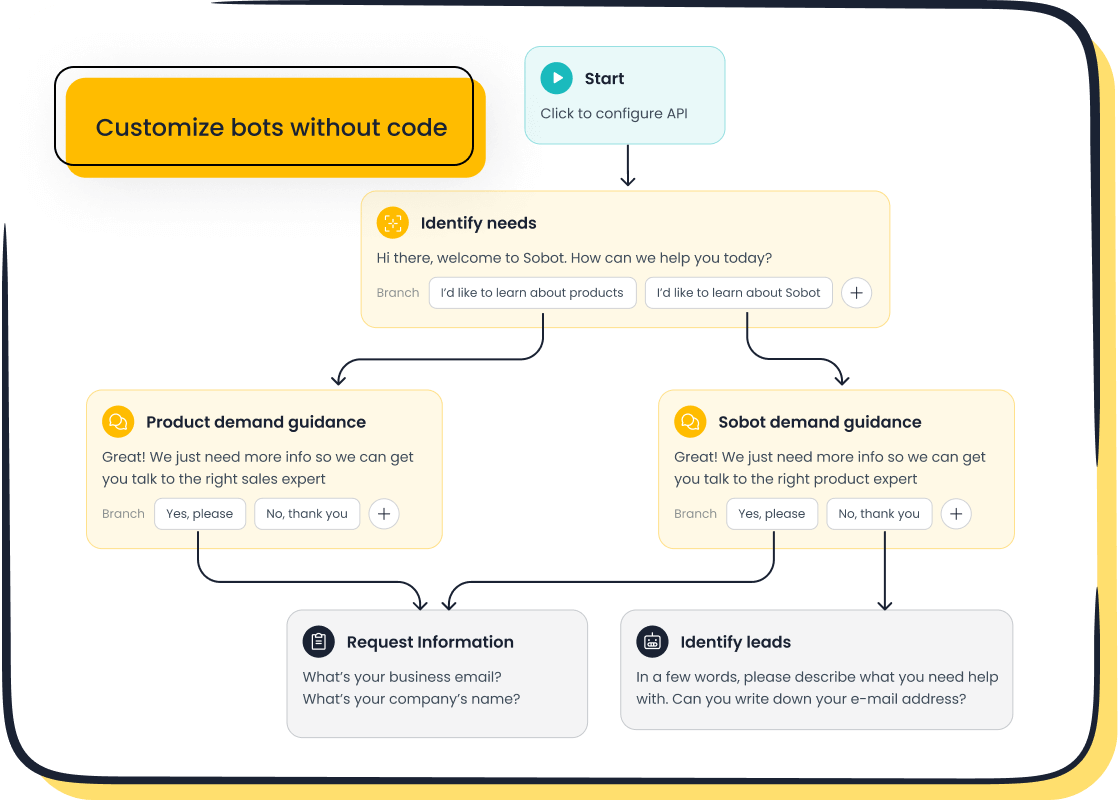
Sobot’s Chatbot doesn’t just answer questions—it improves efficiency. It reduces service costs by handling repetitive tasks and boosts productivity by 70%. Plus, it’s multilingual, making it perfect for businesses with diverse audiences. By integrating this tool, you can focus on more complex issues while the chatbot handles the rest. Learn more about Sobot’s Chatbot here.
Use Public Channels to Contact Facebook Support
Sometimes, reaching out publicly can grab attention faster. Platforms like Twitter and Facebook groups offer alternative ways to get the support you need. Let’s explore how you can use these channels effectively.
Reaching Out to Facebook on Twitter
How to tag @Facebook or @Meta for assistance
Twitter is a great place to get noticed by Facebook’s team. Start by tagging @Facebook or @Meta in your tweet. Include a brief description of your issue and any relevant hashtags, like #FacebookSupport. For example, you could tweet, “@Facebook I’m unable to access my account after a recent update. Can you help? #FacebookSupport.” This approach increases the chances of your tweet being seen and addressed.
Tips for crafting a clear and polite tweet
Keep your tweet short and to the point. Mention the problem clearly without adding unnecessary details. Use a polite tone to encourage a positive response. Avoid sharing sensitive information like your email or account details. Instead, wait for Facebook to respond and guide you on the next steps.
Engaging with Facebook Community Groups
Finding official or verified Facebook support groups
Facebook groups can be a goldmine for advice. Search for official or verified groups related to Facebook support. Look for groups with active moderators and a large number of members. These groups often have pinned posts or FAQs that address common issues.
Sharing your issue and seeking advice from other users
Once you join a group, describe your problem clearly. For example, if you’re locked out of your account, explain what happened and what steps you’ve already tried. Other members might share solutions that worked for them. Here’s why community groups are valuable:
| Advantage | Description |
|---|---|
| Community Establishment | Facebook groups help you to establish a community of like-minded people. |
| Relationship Building | Engaging with customers directly builds invaluable loyalty and trust. |
| Mutual Learning | Facebook groups are one of the best sources of learning, with interactive members ready to help. |
| Timely Customer Service | Regular monitoring of the group allows for quick responses to questions, enhancing support. |
| Increased Organic Reach | Groups ensure maximum outreach and engagement for events related to the group's niche. |
When to Use Public Channels
Escalating urgent or unresolved issues
Public channels work best for urgent or unresolved problems. If you’ve tried other methods without success, a public post or tweet can escalate the issue. Companies often prioritize public complaints to maintain their reputation.
Avoiding sharing sensitive information publicly
While public channels are helpful, they come with risks. Avoid sharing personal details like your email or phone number. Hackers and scammers can exploit this information. Remember, Facebook and group members can see everything you post. Once shared, sensitive data remains accessible and could be misused.
Using public channels can be a powerful way to get Facebook’s attention. Whether you’re tweeting @Facebook or engaging in community groups, these methods offer unique opportunities to resolve your concerns. For businesses, tools like Sobot’s Chatbot can complement these efforts by automating responses to common queries, freeing up time for more complex issues.
Finding effective ways to resolve your issues without live chat with Facebook might seem overwhelming, but you’ve got plenty of options. From exploring the Help Center and submitting forms to using email support and public channels, each method offers unique benefits. For businesses, tools like Sobot’s Chatbot can simplify customer interactions by automating responses and saving time. Remember, persistence pays off. Whether you’re reporting a problem or waiting for a response, staying patient and methodical ensures you’ll get the help you need.
Pro Tip: Combine multiple methods, like using the Help Center while engaging with Facebook’s community, to maximize your chances of a quick resolution.
FAQ
What should you do if Facebook doesn’t respond to your support request?
If Facebook doesn’t reply, try alternative methods like submitting forms, using public channels, or exploring the Help Center. For businesses, Sobot’s Chatbot can handle common queries, saving time while you wait for a response. Persistence often leads to resolution.
Can Sobot’s Chatbot help with Facebook-related issues?
Absolutely! Sobot’s Chatbot automates responses to frequent Facebook queries, like login problems or ad performance concerns. It works 24/7, supports multiple languages, and improves efficiency by 70%. Learn more about its features here.
How can you avoid scams when contacting Facebook support?
Stick to official channels like the Help Center or verified email addresses ending in @facebook.com. Avoid sharing sensitive details publicly. Tools like Sobot’s Chatbot can also reduce the need for direct contact, minimizing exposure to scams.
Is there a way to speed up responses from Facebook support?
Verified business accounts often get faster replies. Use the Business Help Center for priority support. For personal accounts, submitting detailed forms or using Sobot’s Chatbot for quick answers can save time while waiting for Facebook’s response.
Why is Sobot’s Chatbot a good choice for businesses managing Facebook issues?
Sobot’s Chatbot simplifies customer interactions by automating repetitive tasks. It reduces service costs by 50% and boosts conversions by 20%. Its multilingual support and 24/7 availability make it ideal for businesses with diverse audiences. Explore its benefits here.
See Also
Effortlessly Reach Out to a Live Chat Agent
Navigating Depop's Live Chat for Fast Assistance
A Guide to Effectively Utilize Shopify Live Chat

