AI Ticket Response Tools to Use in 2026

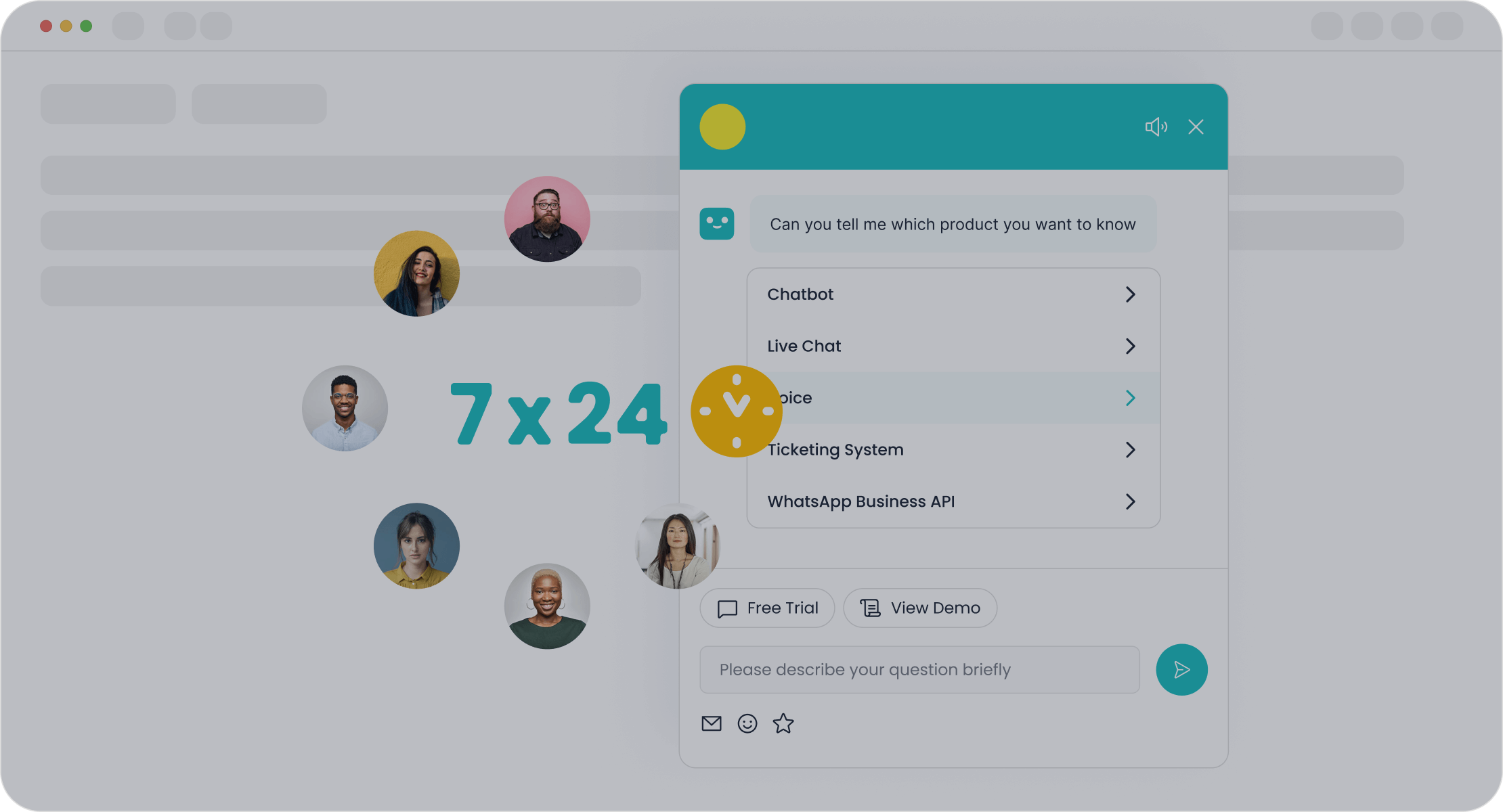
Your goal is to identify the best AI tools for customer service to boost efficiency and customer satisfaction by 2026. The right AI investment is critical; Gartner projects that conversational AI will reduce contact center labor costs by $80 billion that year. This guide provides a curated list of premier ai customer support ticket response tools, a framework for choosing the right solution, and a clear implementation plan to improve your support response.
Top AI Solutions Reviewed:
- Sobot
- Zendesk AI
- Freshdesk (Freddy AI)
- Intercom Fin
What Are AI Ticket Response Tools?
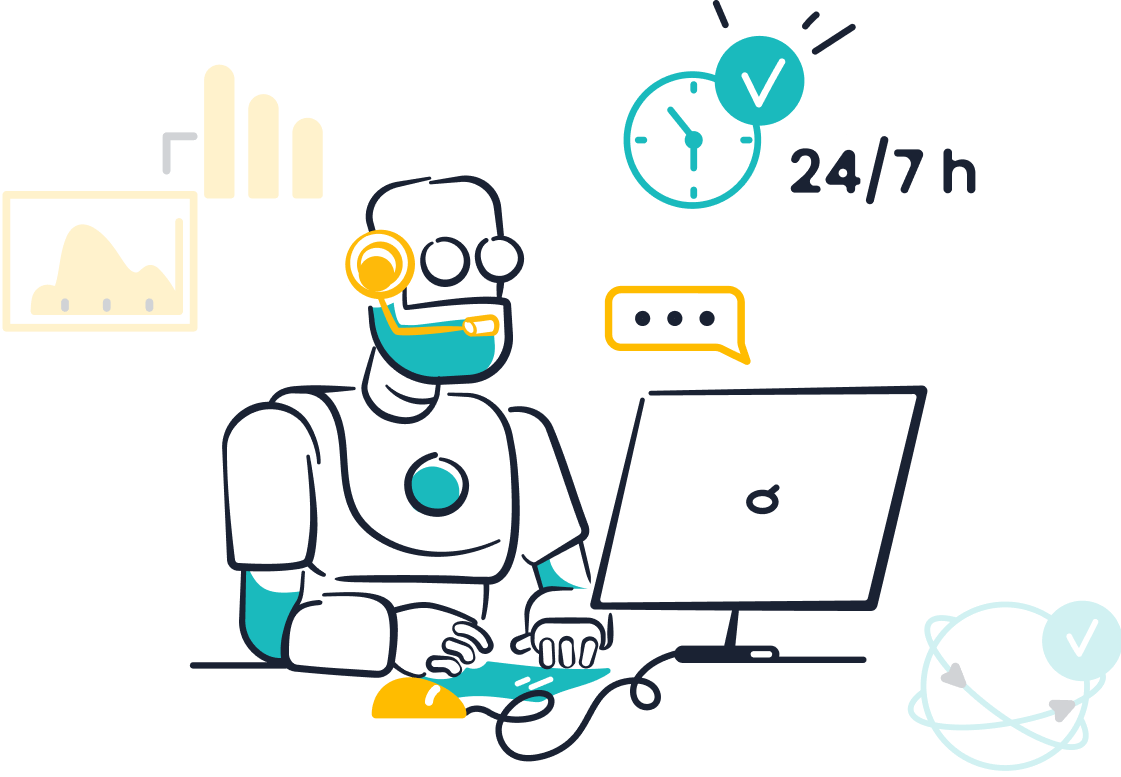
AI ticket response tools are advanced software platforms that use artificial intelligence to manage and automate customer support inquiries. They are designed to streamline the entire ticketing lifecycle, from initial contact to final resolution.
A Practical Definition
At their core, ai ticketing systems analyze incoming support requests from various channels like email, chat, or social media. The AI categorizes the ticket, understands its intent, and determines the best course of action. For common questions, the AI can provide an instant, automated response. For more complex issues, it intelligently routes the ticket to the appropriate human agent, complete with context and suggested replies. This creates a seamless workflow that accelerates resolution times. These ai customer support automation platforms are essential for modern support teams.
Key Benefits Beyond Cost Reduction
While cost savings are a major driver, the true value of ai-powered customer support tools lies in empowering agents and enhancing the customer experience. By automating repetitive tasks, AI frees up support agents to focus on high-impact, complex problem-solving. This shift reduces burnout and boosts job satisfaction. The impact on agent productivity is significant:
| Metric | Improvement |
|---|---|
| Reduction in average handling time | 25% |
| Improvement in first-contact resolution | 15% |
| Increase in case volume handled per agent | 30% |
This focus on higher-value work leads to better support outcomes and improved customer satisfaction. Optimized support workflows mean happier agents and happier customers.
The Future of AI Customer Support
The future of customer support is inseparable from AI. The ai customer service software market is projected to reach $47.8 billion by 2030, signaling a massive industry shift. AI is already delivering powerful results across sectors:
- E-commerce: AI-powered ticket automation helps manage high volumes of order inquiries, leading to higher sales conversions and improved CX scores.
- B2B SaaS: AI ticketing systems resolve a high percentage of tickets automatically, enabling faster response times and allowing support teams to scale efficiently.
Looking ahead, ai for customer service will become even more sophisticated. McKinsey reports that AI in customer operations can reduce support costs by up to 40% while increasing customer satisfaction by 20%. The future of ai-driven customer support is not about replacing humans but augmenting them, creating a powerful partnership that elevates the quality of every customer interaction and delivers a superior CX.
Top AI Customer Support Ticket Response Tools in 2026
Choosing the right AI customer support ticket response tools is a strategic decision that will define your CX for years to come. The market is filled with powerful options, but they are not one-size-fits-all. This review breaks down the top contenders for 2026, helping you match their strengths to your unique business needs.
Sobot Chatbot
Sobot positions itself as a comprehensive, all-in-one contact center solution. It integrates its powerful AI chatbot and ticketing system with live chat and voice capabilities. This creates a unified platform for omnichannel customer engagement. The platform is designed for efficiency, promising a 70% improvement in agent productivity and up to 50% in cost savings.
Real-World Impact: Leading smart device innovator OPPO leveraged Sobot to manage high inquiry volumes. They achieved an 83% chatbot resolution rate and saw a 57% increase in customer repurchase rates, proving the platform's effectiveness in a high-stakes environment.
Key AI Features
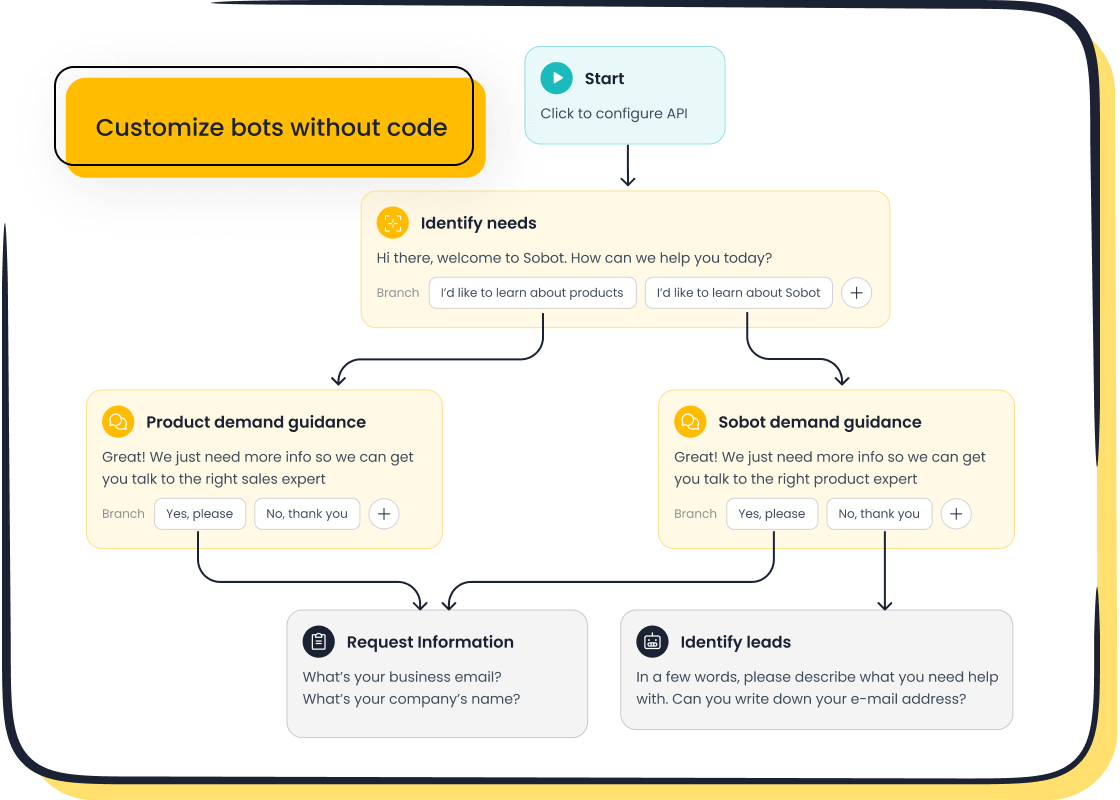
Sobot's AI functions like a top-tier agent, capable of instantly addressing complex inquiries. It builds AI workflows with a no-code, point-and-click interface, making advanced automation accessible to non-technical users. Its "Five-AI system" provides a robust foundation:
- Omnichannel AI: Delivers consistent support across every customer touchpoint.
- Scenario-based AI: Offers specialized workflows for industries like e-commerce.
- Multi-faceted AI: Combines an AI Agent for autonomy, an AI Copilot for agent assistance, and AI Insight for analytics.
- Generative AI: Utilizes multiple Large Language Models (LLMs) for advanced conversational capabilities.
- Secure AI: Ensures all interactions are private and compliant.
This AI-powered approach allows support operations to scale without increasing staff, freeing human teams for critical tasks.
Best For
Sobot is an ideal choice for businesses seeking a unified and scalable customer support solution. It excels for:
- Growing E-commerce Businesses: Companies needing integrated communication across multiple sales platforms.
- Global Enterprises: Organizations requiring multilingual support and a local presence in different regions.
- Customer-Centric Organizations: Businesses that prioritize a seamless CX and can leverage Sobot's omnichannel visibility and AI efficiency.
Pricing
Sobot uses a flexible SaaS subscription model based on a per-agent, per-month fee. This makes it adaptable for teams of different sizes.
| Plan | Monthly Price | Conversation Limit |
|---|---|---|
| Basic | $49 | 1,000 |
| Pro | $149 | 10,000 |
| Enterprise | Custom Quote | N/A |
A free plan with limited features is also available, allowing teams to test the platform. Custom enterprise pricing is available via a direct quote.
Zendesk AI
Zendesk is a major player in the customer support software space. Its AI add-on enhances its already powerful ticketing platform. Zendesk AI focuses on augmenting agent workflows and automating ticket management from within its ecosystem. The platform uses machine learning to predict issues and understand customer sentiment.
Key AI Features
Zendesk's AI capabilities are designed to make support teams smarter and faster. The AI offers intelligent triage to automatically categorize and route incoming tickets based on intent, sentiment, and language. This ensures every ticket lands with the right agent. Key features include:
- Generative AI Tools: An AI copilot helps agents draft replies, summarize long tickets, and expand notes into full help center articles.
- Intelligent Triage: Automates the sorting and routing of tickets, eliminating manual work.
- Advanced Bots: A no-code builder allows for the creation of sophisticated conversational AI flows that can handle complex tasks like processing a refund.
- Knowledge Connectors: Integrates with external knowledge sources like Google Drive and SharePoint, giving the AI and agents access to more information without data migration.
Best For
Zendesk AI is best suited for established support teams already using the Zendesk Suite. It is ideal for businesses that need:
- Sophisticated automation and deep customization for their ticketing workflows.
- Advanced analytics to understand support trends and customer behavior.
- Tools to streamline agent tasks and improve internal efficiency.
Pricing
Zendesk AI is available as an add-on to its core support plans. The cost is $50 per agent per month. This unlocks the full suite of AI features, including intelligent triage, generative AI tools for agents, and advanced bot-building capabilities.
Freshdesk (Freddy AI)
Freshdesk's AI offering, Freddy, is a suite of AI tools designed to work within the Freshdesk customer support platform. Freddy is broken down into three main components: Freddy Copilot (agent assistance), Freddy AI Agent (automation), and Freddy Insights (analytics). This structure allows teams to adopt AI incrementally.
Key AI Features
Freddy AI provides a range of features aimed at boosting agent productivity and automating customer interactions. The Freddy AI Copilot acts as an assistant for human agents, offering a reply suggester, summary generator, and a writing assistant to refine tone. Other key features of this ai customer service software include:
- AI Agents: Autonomous bots that can be built with a no-code editor to handle customer queries 24/7 across chat, email, and social media.
- Auto Triage: Automatically categorizes and prioritizes tickets to streamline workflows.
- Proactive Insights: An analytics module that detects trends and flags potential issues before they escalate.
- Email AI Agent: A specific feature for Freddy Self-Service that automatically deflects incoming email tickets by providing instant answers.
Best For
Freddy AI is a strong choice for teams already invested in the Freshdesk ecosystem. It is particularly effective for:
- Teams focused on KPIs like cost per resolution and ticket deflection.
- CX operations that want to add light automation and agent-side productivity tools.
- Businesses that prefer a per-seat budget for agent assistance and a session-based model for automation.
Pricing
Freddy AI's pricing is modular. The features are available as add-ons to Freshdesk's core plans, giving businesses flexibility.
| Plan Name | Freddy AI Copilot | Freddy AI Agent Sessions |
|---|---|---|
| Pro + AI Plan | Included | 500 free sessions |
| Pro Plan | Add-on ($29/agent/mo) | Add-on (First 500 free, then $100/1,000 sessions) |
| Enterprise Plan | Add-on ($29/agent/mo) | Add-on ($100/1,000 sessions) |
This model allows teams to pay for the AI capabilities they use, but costs can vary based on automation volume.
Intercom Fin AI Agent
Intercom's Fin is a breakthrough conversational AI agent. Unlike traditional chatbots that follow rigid scripts, Fin uses large language models (like GPT-4) to hold natural, human-like conversations. It is designed to resolve customer issues by drawing answers directly from your existing help content, making setup fast and intuitive.
Key AI Features
Fin's primary strength is its ability to understand and respond to complex questions accurately. It doesn't just look for keywords; it processes the meaning behind a customer's query. This allows it to provide comprehensive answers, even combining information from multiple sources. Its core functionalities are:
- Content-Based Answers: Pulls information directly from your knowledge base, public articles, and internal documents.
- Natural Conversation: Automatically detects the customer's language and responds in a style that matches your brand's voice.
- Smart Handoffs: Recognizes when an issue is too complex or sensitive and seamlessly transfers the conversation to a human agent with full context.
- Complex Query Handling: Manages multi-part questions and follow-up clarifications without losing track of the conversation.
Best For
Fin is one of the most versatile ai customer service tools, effective across numerous industries. Its simple setup and powerful conversational AI make it ideal for:
- E-commerce and SaaS: Businesses with high volumes of repetitive questions about products, features, or policies.
- Any Business with a Knowledge Base: Companies that have already invested in creating help articles and want to leverage that content for automation.
- Teams Focused on Resolution: Organizations that want an AI that can truly solve customer problems, not just deflect them.
Pricing
Intercom Fin uses a simple, resolution-based pricing model: $0.99 per resolution. A "resolution" is counted only when Fin successfully answers a customer's question without needing to hand it off to a human agent. There are no setup fees or platform charges, making the cost directly tied to the value Fin provides. This model applies whether you use Fin within Intercom or integrate it with other ai ticketing systems like Zendesk.
At-a-Glance: Comparing Top Tools
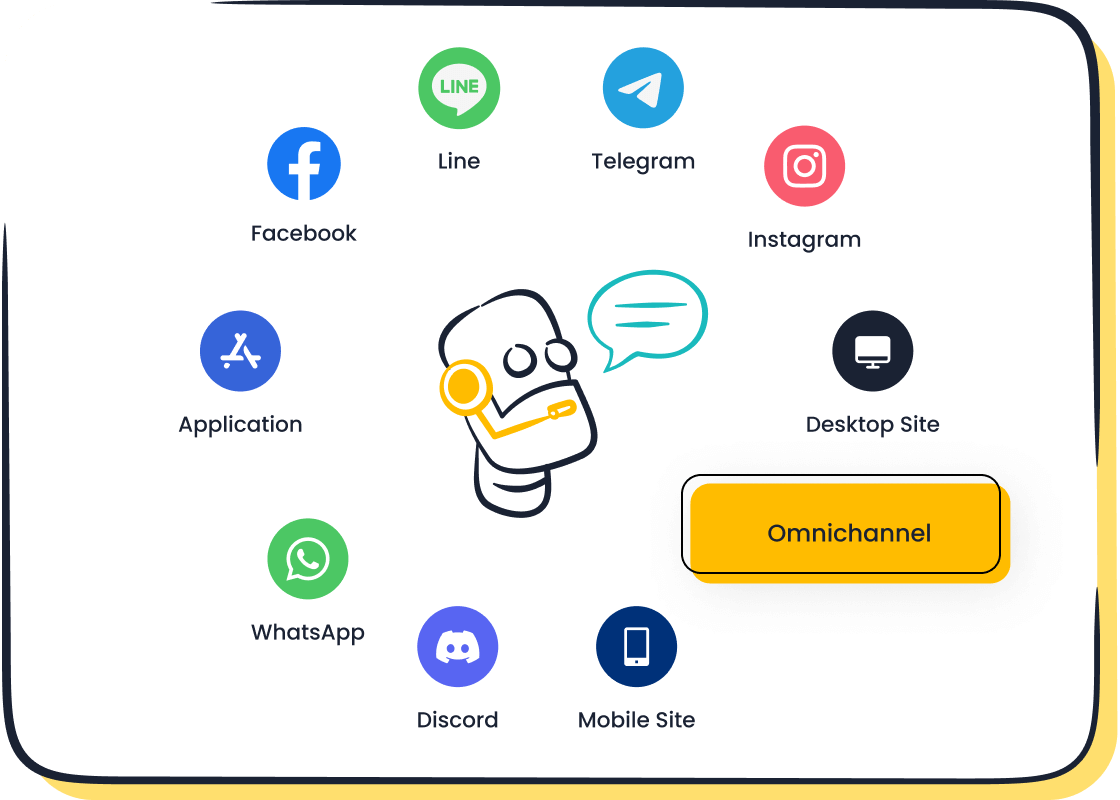
Choosing the right tool requires a direct comparison of features, scalability, and cost. Each of the premier ai ticketing systems offers a distinct approach to improving customer support and the overall CX. This section breaks down their core differences to guide your decision.
Comparing AI Ticketing Systems Features
The true power of modern ai ticketing systems lies in their specific AI capabilities. While some platforms focus on agent assistance, others prioritize full automation. The future of support depends on matching these features to your team's needs for ticketing management.
Feature Focus of Top AI Tools
Tool Primary AI Strength Key Differentiator Sobot All-in-one omnichannel automation A unified platform with a no-code AI builder for holistic customer journey management. Zendesk AI Agent augmentation and workflow triage Deep integration within its own ecosystem to make existing agent workflows smarter. Freshdesk (Freddy AI) Modular AI for agent and customer Flexible add-ons for agent assistance (Copilot) and customer-facing automation (AI Agent). Intercom Fin Conversational resolution Uses LLMs to provide natural, accurate answers directly from existing knowledge base content.
Integration and Scalability
Your AI ticketing solution must grow with your business and connect to your existing tech stack.
- Integration: Platforms like Zendesk and Freshdesk offer extensive pre-built integration marketplaces. Sobot provides a robust API, ideal for creating deep, custom connections to your core business systems. This ensures your customer data flows seamlessly.
- Scalability: AI-native platforms are built to handle increasing customer ticket volumes without disruption. For mid-market companies, tools like Zendesk and Intercom provide the necessary automation to manage growth. Enterprise organizations often require the advanced security and customization found in platforms designed for high-scale ticketing operations.
Total Cost of Ownership
The sticker price is only part of the story. Total cost includes implementation, training, and ongoing subscription fees. The pricing models for ai ticketing systems vary significantly, impacting your budget and CX strategy.
- Per-Agent Models: Sobot, Zendesk, and Freshdesk primarily use a per-agent pricing structure. This model is predictable but can become costly as your support team grows.
- Usage-Based Models: Intercom Fin offers a resolution-based price. You pay only when the ai successfully resolves a customer issue. This directly ties cost to value, preventing you from paying for an underutilized ticketing tool.
Choosing the Right AI Ticket Response Tool
Selecting the ideal AI solution is a critical step. Choosing the right ai ticketing system requires a structured approach. This framework ensures your investment aligns with your business objectives and empowers your support team.
Step 1: Define Your Business Goals
Before evaluating any ai customer service software, you must define what success looks like. Clear goals guide your selection process. They help you measure the return on your AI investment. Key objectives for implementing ai for customer service often include:
- Faster Response Times: AI can instantly route ticketing requests to reduce delays.
- Improved Agent Productivity: Automating routine tasks can increase agent efficiency by up to 30%.
- Reduced Customer Churn: AI sentiment analysis identifies at-risk customers for proactive support.
- Enhanced CX: Providing 24/7 support capabilities leads to a better customer experience.
Step 2: Map Features to Support Team Needs
Connect your goals to specific AI features. Your support team has unique workflows and pain points. The right AI tool should solve their real-world challenges. Create a checklist to map features to your team's ticketing needs. Consider if the AI platform offers multi-model access or collaboration-friendly tools. A powerful AI should simplify complex ticketing processes, not complicate them. This ensures the technology serves your agents and improves the customer support they provide.
Step 3: Assess Tech Stack Integration
Your new AI tool must work with your existing systems. Poor integration creates data silos and frustrates your team. Many organizations struggle with this challenge.
“Our information and assets are strewn across so many databases. We never know where to find the resources we have and need... It seems like AI could help us find it, but I don't know how.”
This common problem highlights a critical need. Assess whether ai ticketing systems can connect with your CRM, e-commerce platform, and other essential software. Smooth integration is the top factor businesses value in an AI vendor.
Step 4: Run a Pilot Program
Never commit to a full rollout without testing. A pilot program lets you evaluate an AI tool in a controlled environment. Start with a high-impact, low-risk use case. For example, automate responses for a specific type of customer inquiry. Define clear success metrics for the pilot, such as resolution time or customer satisfaction scores. Involve your human support agents in the process. Their feedback is essential for a successful AI implementation and a better overall CX.
A Step-by-Step Implementation Guide
Implementing an AI solution is a strategic project, not just a software installation. This practical guide is for support managers ready to transition their teams to an AI-enhanced model. Following these steps ensures your AI investment delivers a powerful return and elevates your customer support.
Phase 1: Goal Setting and Planning
Clear goals are the foundation of a successful AI implementation. Define what success looks like for your team before you begin. This involves setting specific, measurable KPIs. A pilot program is an excellent way to test your AI strategy on a small scale.
Tip: Focus on a human-machine collaborative model. The goal is to empower agents, not replace them. This approach, similar to the successful OPPO case study, uses AI to handle repetitive ticketing tasks, freeing human support for complex customer issues.
| Category | Key Performance Indicator (KPI) |
|---|---|
| Operational Efficiency | Automation Levels & Error Rates |
| Customer Satisfaction | Response Times & Customer Retention |
| Revenue Growth | New Leads Generated & Upsell Rates |
Phase 2: Technical Setup and Integration
Your AI tool must communicate seamlessly with your existing tech stack, especially your CRM. Proper integration prevents data silos and creates a unified workflow.
- Assess and Map: Identify integration points between your AI ticketing tool and CRM. Map the data flow to ensure a smooth exchange of customer information.
- Configure: Set up the AI platform to align with your business rules. Choose a solution with native integrations or a robust API for custom connections.
- Test: Run rigorous tests to validate the AI integration's functionality and security before a full rollout.
Phase 3: Training Agents for AI-Assisted Customer Support
Prepare your team for the new AI-driven customer support environment. Training should cover both the AI technology and its practical application in daily support workflows. Effective training includes AI fundamentals and hands-on projects. This helps agents understand how the AI makes decisions and how to work with it to improve the customer experience and overall CX. This training is crucial for your team's adoption of the new AI system.
Phase 4: Go-Live, Monitoring, and Optimization
Launching your AI is just the beginning. Continuous monitoring is essential for long-term success and a better CX. Use dashboards to track AI performance in real time. Combine quantitative data, like ticketing resolution rates, with qualitative customer feedback. This complete picture allows you to refine AI models and optimize support processes. This ongoing optimization ensures your AI continues to meet customer needs and business goals.
Adopting the right ai customer support ticket response tools by 2026 is a strategic imperative. The future of customer support depends on AI. Your choice of ai ticketing systems or ai customer service software should match your goals. Some businesses need full automation. Others need AI to augment agent support for a better customer response. The future of your CX relies on making the right AI investment. These ai customer service tools will define your customer interactions.
The journey to AI-powered customer support begins now. Explore solutions like Sobot. Use the framework in this guide to start your evaluation today.
FAQ
How does an AI tool improve customer response time?
An ai system instantly analyzes and categorizes each customer ticket. It provides automated answers for common questions. This process eliminates manual sorting. It ensures every customer receives a fast and accurate initial response, significantly improving the customer experience.
Can AI completely replace my human customer support team?
No, the goal of ai is augmentation, not replacement. AI handles repetitive tasks, freeing human agents to solve complex customer problems. This human-machine collaboration creates a more efficient and effective support system for every customer.
Key Takeaway: A successful strategy combines the efficiency of AI with the empathy and critical thinking of your human customer support agents.
What is the first step to implement an AI ticketing system?
The first step is defining your business goals. You must identify what you want to achieve. This could be faster customer response times or higher agent productivity. Clear goals will guide your selection and implementation of the right ai tool.
How do I choose the best AI tool for my business?
Evaluate tools based on your specific needs. Consider factors like your business size, existing tech stack, and primary customer support channels. Run a pilot program to test how the ai performs in your environment before making a final decision.
See Also
Evaluating Leading Contact Center Platforms: A Comprehensive 2024 Review
The 10 Best Live Chat Support Software Solutions for 2024
Unveiling The Top 10 AI Tools For Enterprise Contact Centers
Elevate Your SaaS Customer Support Using Effective Live Chat Strategies
An In-Depth Look At AI-Powered Enterprise Call Center Solutions

