Your AI Chatbot E-commerce Solution Setup Guide

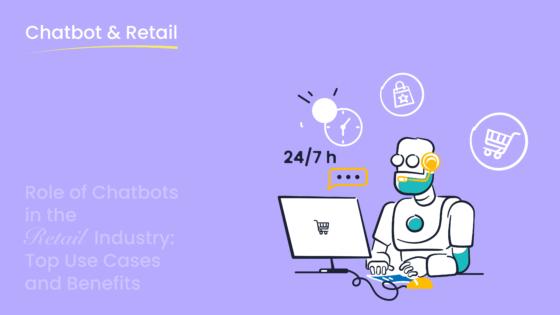
If you're aiming for higher sales and improved customer satisfaction for your e-commerce business, an AI chatbot is your solution. Adding AI to your website provides 24/7 customer support, helping you boost engagement. This guide demystifies the integration process for an ai chatbot ecommerce enterprise solution. You can achieve a successful integration with a platform like Sobot. This step-by-step guide shows you how to unlock the benefits of AI chatbots for your customers.
Did you know? Businesses using a chatbot for customer support can reduce costs by up to 30%. With 31% of online retailers already using this AI technology, a quality integration is key.
Step 1: A Step-by-Step Guide to AI Chatbot Integration Strategy
A successful ai chatbot integration begins with a clear plan. This step-by-step guide to ai chatbot integration will help you build a strong foundation. Creating effective chatbot strategies ensures your ai tool delivers real value from day one.
Define Your Core Business Goals
First, you need to define what you want to achieve. Your goals will shape your chatbot's design and function. A clear objective makes measuring success much easier. Common goals for an ai chatbot ecommerce enterprise solution include:
- Reducing support ticket volume
- Improving conversion rates and recovering abandoned carts
- Qualifying more leads
- Re-engaging customers through messaging apps
Setting these goals helps you focus your efforts. An effective integration aligns the chatbot directly with your business needs.
Identify High-Volume Queries to Automate
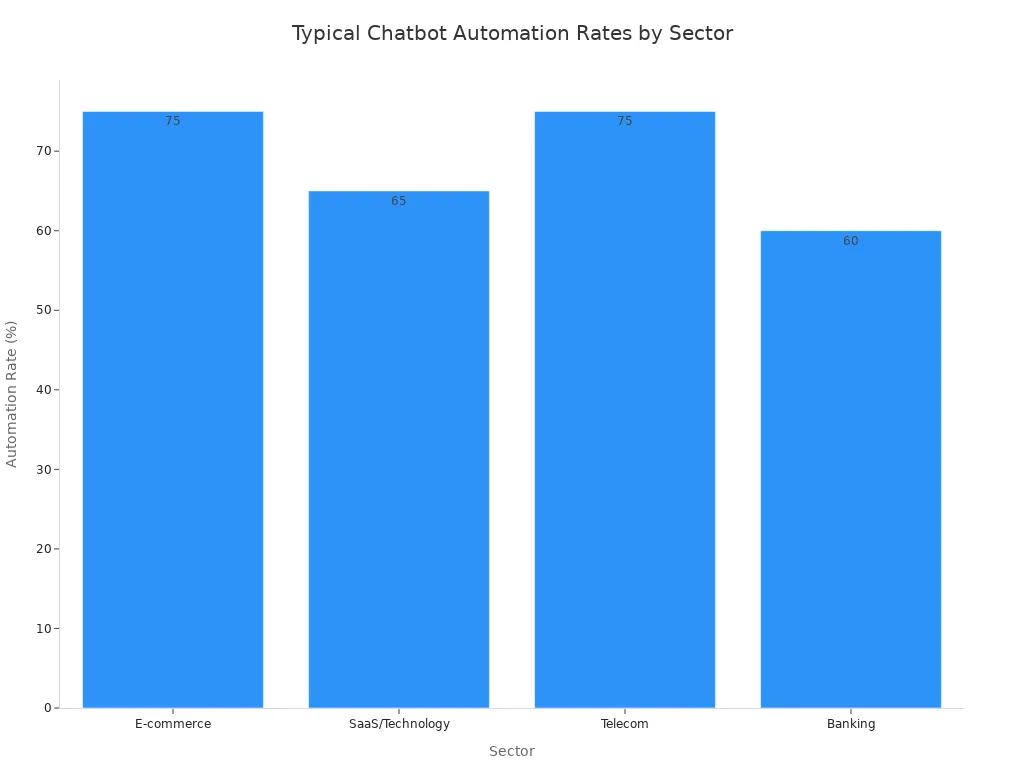
Next, find the repetitive questions your team answers most often. Automating these frees up your human agents for more complex issues. An advanced ai chatbot can handle 70-90% of inquiries. For ecommerce, this rate is typically high.
Tip: Look through your support logs for common questions. These often include:
- How can I track my order?
- What is the return policy?
- How long does shipping take?
- Is this item in stock?
Map Key Customer Journey Touchpoints
Finally, map your customer's path from discovery to purchase. A chatbot can enhance every stage. This customer-centric approach makes the shopping experience smoother. The key ecommerce journey stages are:
- Awareness: The chatbot greets visitors and offers help.
- Consideration: It answers product questions and provides recommendations.
- Purchase: It guides users through checkout, reducing cart abandonment.
- Retention: The ai can send order updates and gather feedback.
A well-planned ai chatbot integration at these touchpoints turns visitors into loyal customers and generates more leads. This strategic integration is crucial for success.
Step 2: Choose Your AI Chatbot Ecommerce Enterprise Solution
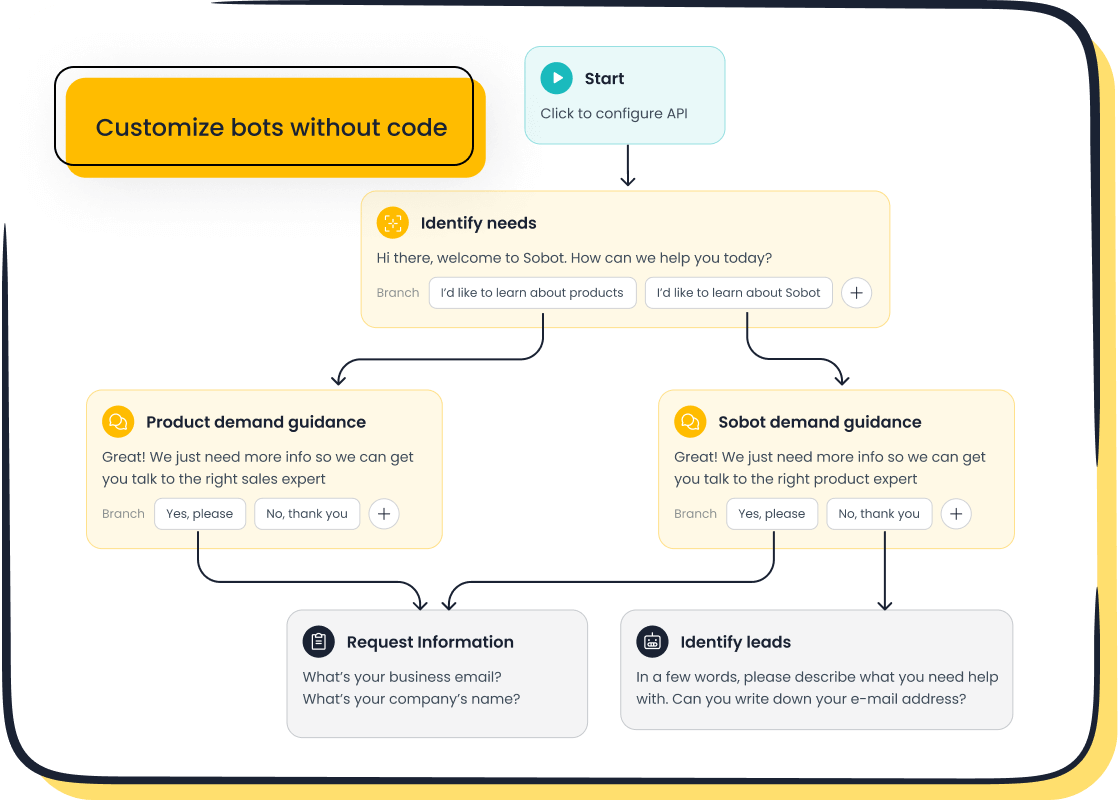
After you create your strategy, you must select the right technology. The market offers many options for an ai chatbot ecommerce enterprise solution. Your choice will impact the ease of setup and long-term success.
No-Code vs. Low-Code Platforms
You can choose between no-code and low-code platforms. No-code solutions are perfect if you have no programming experience. They allow your business team to build and manage the chatbot. For example, Sobot offers a point-and-click interface. This feature lets you design a powerful chatbot without writing any code. These platforms offer great benefits for ecommerce:
- You can deploy a chatbot quickly, often in less than a day.
- They reduce costs by automating common questions.
- They help you provide 24/7 support to answer questions anytime.
Key Criteria for Chatbot Platform Integration
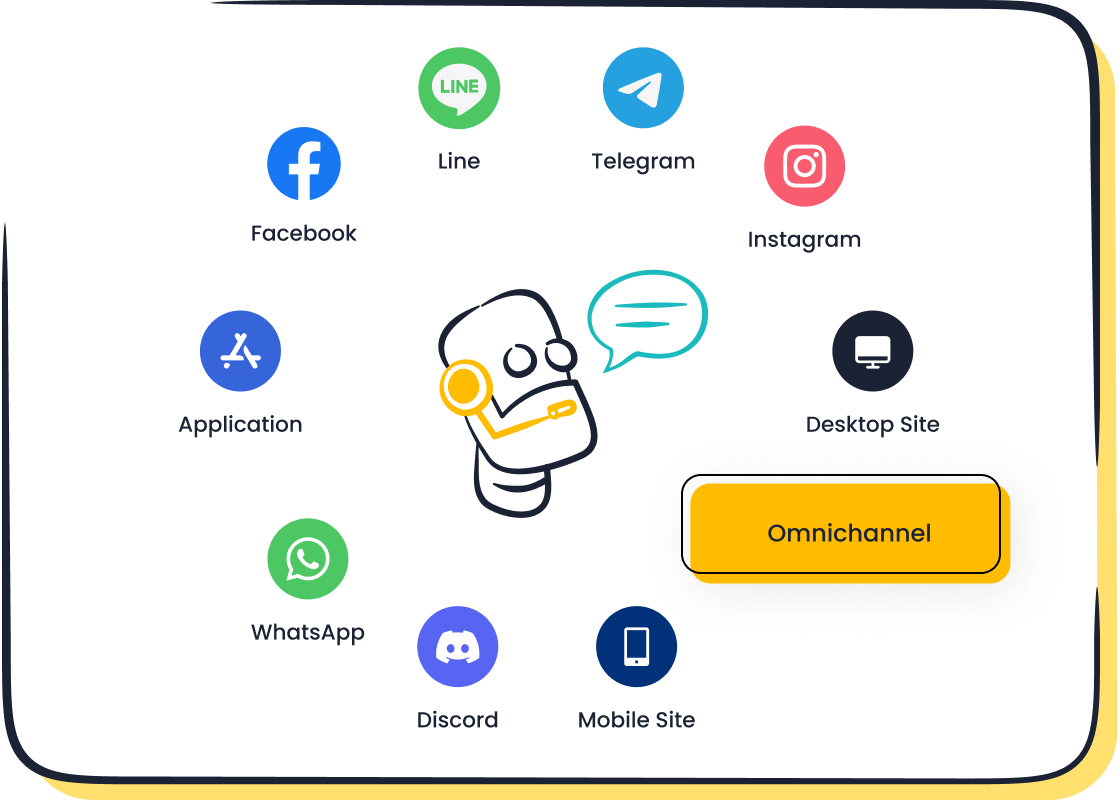
Your ai chatbot integration needs a platform with the right features. Look for a solution that supports an omnichannel experience. This means the chatbot works across your website, WhatsApp, SMS, and other channels. A quality platform ensures a consistent customer experience everywhere. An integrated chatbot system should also offer high stability. For instance, Sobot guarantees 99.99% system stability, so your ai chatbot is always online. A seamless integration with your existing tools is also vital for a smooth human handoff.
Compare Pricing, Scalability, and Support
Finally, you should evaluate pricing, scalability, and support. Some platforms charge a monthly subscription, while others use a pay-per-conversation model. Find a plan that fits your budget and traffic. Your chatbot must also scale with your business. A scalable ai tool handles more conversations as you grow without a huge cost increase.
Note: Look for a provider with a strong reputation. Leading brands like Michael Kors and Philips trust Sobot for their ai chatbot integration. This shows the platform is reliable and delivers results for a global ecommerce business.
Choosing the right platform is a critical step. A powerful and user-friendly ai chatbot ecommerce enterprise solution sets you up for a successful integration.
Step 3: Design Your Chatbot’s Conversations
With your platform selected, you can now design the chatbot's interactions. This step is crucial for creating a positive user experience. A well-designed conversation makes your ai tool helpful and engaging.
Align Chatbot Tone with Your Brand Voice
Your chatbot should sound like your brand. A consistent tone builds trust and makes interactions feel natural. If your brand is playful, your chatbot can use emojis and a friendly tone. If your brand is formal, the chatbot should be more professional. This personalization helps customers connect with your business. Research shows that human-like qualities in conversational chatbots are fundamental for building trust.
The ability to endow a chatbot with human-like features has been demonstrated to be beneficial in making the user consider the chatbot a viable source of information. When customers perceive chatbots as empathetic and friendly, their trust grows.
A responsive and interactive ai chatbot also improves user trust. Fast and friendly replies make the technology feel more genuine.
Script Core Conversation Flows
Next, you need to script the main conversations. Start with the high-volume queries you identified in Step 1. Create clear, step-by-step flows for tasks like:
- Tracking an order
- Answering return policy questions
- Checking product availability
Each flow should guide the user to a solution quickly. Use simple language and clear buttons to make the process easy. Keep the conversation focused to prevent confusion.
Plan for a Seamless Human Handoff
Your chatbot will not be able to answer every question. You must plan for a smooth transfer to a human agent. About 20-30% of interactions typically need escalation. A bad handoff experience can frustrate customers. To ensure a seamless transition, you should:
- Set clear triggers: Automatically transfer the conversation when the chatbot fails multiple times or detects frustration.
- Preserve chat history: Give the human agent the full context so the user does not have to repeat information.
- Route to the right agent: Send the customer to the correct department, like billing or technical support, from the start.
- Offer alternatives offline: If agents are unavailable, let the chatbot create a support ticket or schedule a callback.
Step 4: The AI Chatbot Integration Process
You have a strategy, a platform, and a conversational design. Now it is time for the final step: the ai chatbot integration. This phase brings your ai chatbot to life on your ecommerce site. A successful ai chatbot integration transforms your planning into real business results.
Technical Setup on Your E-commerce Site
The technical part of the integration is often simpler than you might think. Most modern platforms, especially no-code solutions, make this process easy. You do not need a background in coding. The typical steps to embed the chatbot on your website are:
- Get the installation code from your chatbot platform's dashboard.
- Copy the provided JavaScript code snippet.
- Paste the code into your ecommerce site's settings, usually in the footer section.
This simple integration ensures the chatbot appears on every page. After you embed the chatbot on your website, you can move to the next phase.
Test with Real-World Scenarios
Before you launch the chatbot to all your customers, you need to test and optimize performance. Run the ai through real-world scenarios to find any issues. For example, you can ask it specific product questions like, "Do you have summer dresses in blue?" The chatbot should provide accurate and relevant answers.
Tip: Use beta testing to gather feedback from a small group of users. This helps you find and fix problems before a full launch. Analyze performance metrics to see if the chatbot is meeting its goals.
Launch, Monitor, and Optimize Your Chatbot
After thorough testing, you are ready to launch. However, the integration work does not stop here. You must monitor your chatbot's performance to ensure its success. The luxury brand Michael Kors provides a great example. After its ai chatbot integration with Sobot, the company saw amazing results:
- An 83% reduction in response time
- A 95% customer satisfaction rate
- A 20% increase in conversion and sales
These results come from continuous improvement. You should track key metrics like resolution rate, human handoff rate, and customer satisfaction (CSAT). Use your platform's analytics to identify where the chatbot struggles. This data helps you test and optimize performance, making your ai chatbot ecommerce enterprise solution an even more powerful tool over time.
You now have a clear path for your ai chatbot integration. This guide covered strategy, selection, design, and the final integration. Your chatbot is a dynamic asset, not a one-time setup. Continuous optimization of your ai chatbot integration helps you achieve hyper-personalization and build loyalty. This successful integration makes your chatbot a powerful tool.
Ready to gain a competitive edge? Embark on your contact journey with a solution like Sobot to transform your customer experience.
FAQ
How can a chatbot increase my ecommerce sales?
A chatbot boosts sales by providing instant support to shoppers. It offers product recommendations and guides users to checkout. This proactive engagement reduces cart abandonment. Your chatbot can also generate leads, which helps increase overall revenue.
Will a chatbot improve customer satisfaction?
Yes. Your chatbot offers 24/7 support, so customers get answers anytime. Quick resolutions to common problems create a positive experience. This immediate help significantly improves customer satisfaction and builds trust in your ecommerce brand.
Can a chatbot help me get more leads?
Absolutely. A chatbot is an excellent tool to generate leads. It can qualify visitors by asking targeted questions. This process helps you gather valuable contact information from potential customers, adding high-quality leads to your sales funnel.
How does a chatbot offer personalization?
Your chatbot uses customer data to create a unique experience. It can greet returning visitors by name and suggest products based on their browsing history. This level of personalization makes the shopping journey feel more tailored and improves customer engagement.
See Also
Elevate E-commerce Customer Satisfaction With Smart Chatbot Solutions
Simple Steps To Integrate A Chatbot Onto Your Website
Selecting The Optimal Chatbot Software: A Comprehensive Guide
Effortlessly Implement Website Chatbot Examples For Enhanced Engagement

