10 Tips for Self-Service Knowledge Base Management

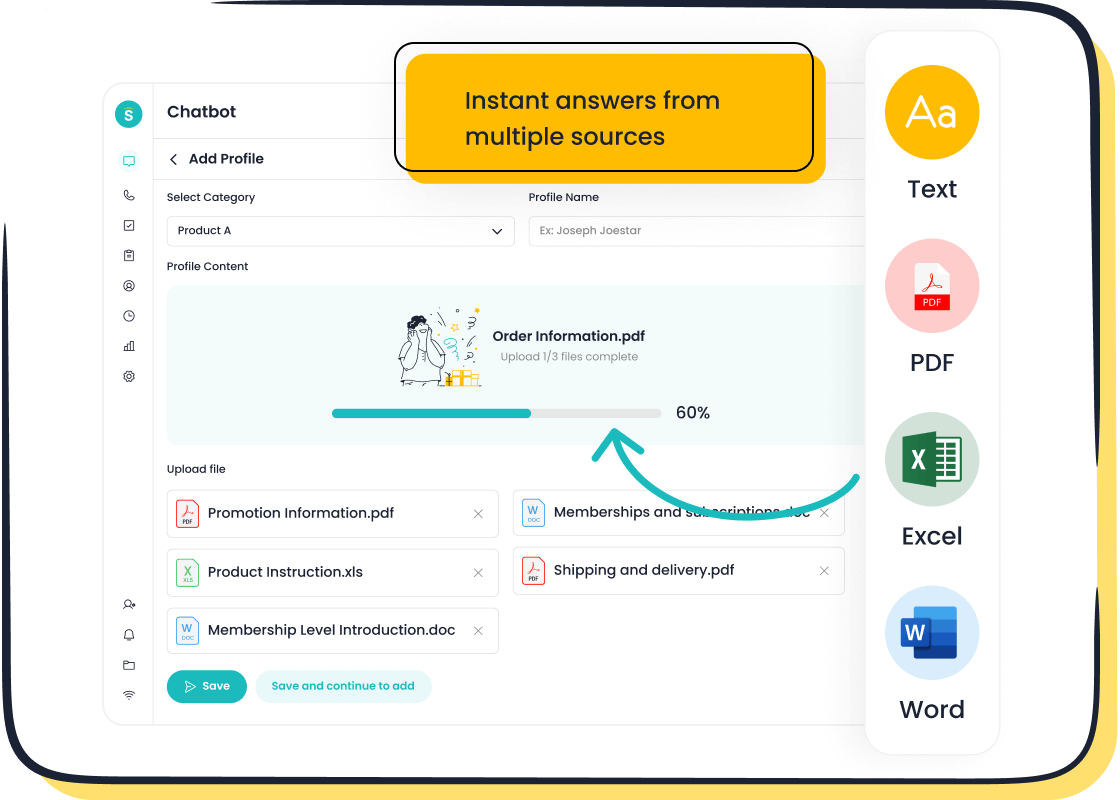
In today’s fast-paced world, customers expect quick access to information without waiting for live support. A self-service knowledge base, like the one offered by Sobot, empowers them to find answers independently, improving customer support efficiency. Did you know that 60% of customers prefer self-service channels for simple tasks? This shift not only enhances the self-serve experience but also reduces costs. For instance, self-service interactions cost just pennies compared to $7 or more for live support.
By adopting self-service management with Sobot, you can streamline operations and boost customer satisfaction. Following self-service best practices ensures your knowledge base remains effective and scalable. Ready to optimize your self-service portal? Let’s dive in!
Organize and Categorize Your Knowledge Base
A well-organized knowledge base is the backbone of an effective self-service model. It ensures customers can quickly find the information they need, improving their overall experience. Let’s explore how you can create intuitive navigation and structure your knowledge base for maximum efficiency.
Create Intuitive Categories
Use clear and logical labels for navigation.
Think of your knowledge base as a library. Without clear labels, finding the right book would be a nightmare. The same applies to your self-service knowledge base. Use straightforward and descriptive labels that resonate with your customers. For example, instead of vague terms like "Support," opt for specific ones like "Troubleshooting" or "FAQs." This approach makes navigation intuitive and reduces frustration.
Group related topics for better accessibility.
Grouping related topics together simplifies the search process. For instance, if you’re managing a comprehensive knowledge base for a tech company, you could create categories like "Device Setup," "Software Updates," and "Warranty Information." This logical taxonomy ensures customers can access relevant information without digging through unrelated content. Tools like Sobot’s AI-powered chatbot can even automate categorization, saving you time and effort.
Develop a Content Hierarchy
Prioritize frequently searched topics.
Not all knowledge base articles are created equal. Some topics, like "How to Reset Password," are searched more often than others. Use search analytics to identify these high-demand topics and place them at the top of your categories. Including customer-friendly keywords in titles and content also boosts visibility. For example, tagging an article with terms like "password reset" ensures it appears in search results, enhancing accessibility.
Use subcategories for detailed information.
Subcategories help break down complex topics into digestible chunks. For example, under "Device Setup," you could add subcategories like "Initial Setup," "Wi-Fi Configuration," and "Troubleshooting Setup Issues." This structure not only improves intuitive navigation but also makes updates easier. A well-structured hierarchy, like the one Sobot helped OPPO implement, can significantly enhance customer satisfaction and streamline self-service channels.
By following these best practices, you can transform your knowledge base into a powerful self-service tool that meets customer needs efficiently.
Optimize Search Functionality for Customer Self-Service
An intuitive search function is the heart of any self-service knowledge base. When customers can quickly find what they need, their experience improves, and your support team gets fewer repetitive queries. Let’s explore how you can enhance search functionality to make your self-service model more effective.
Implement Advanced Search Features
Use filters, autocomplete, and AI-powered suggestions.
Customers often abandon self-service support when they can’t locate answers easily. Adding advanced features like filters, autocomplete, and AI-powered suggestions can change that. Filters allow users to narrow down results by categories like "Product Type" or "Issue Type." Autocomplete speeds up searches by predicting what customers are typing, while AI suggestions guide them to the most relevant articles. For example, Sobot’s chatbot uses AI to refine search results, ensuring customers find accurate answers faster. These features make your knowledge base easy to use and improve customer self-service efficiency.
Ensure search results are accurate and relevant.
Accuracy is key to a successful self-service knowledge base. Irrelevant results frustrate customers and drive them to contact live support. Regularly review your search algorithms to ensure they prioritize the most helpful articles. Tools like Sobot’s analytics can help you analyze search patterns and refine results. By doing this, you’ll create a seamless self-service experience that keeps customers coming back.
Use Keywords Effectively
Incorporate user-friendly language in articles.
Your customers don’t always use technical terms when searching for help. Use words and phrases they’re familiar with to make finding information easier. For instance, instead of "Authentication Error," use "Login Issue." Include these keywords naturally in your content, especially in titles and headings. This approach ensures your articles align with how customers search, improving the overall self-service experience.
Regularly update keywords based on analytics.
Customer search behavior evolves over time. Use your knowledge base analytics to track popular search terms and update your keywords accordingly. Place keywords prominently in your articles and include synonyms to cover a broader range of searches. For example, if "password reset" is a common query, ensure it appears in multiple relevant articles. This data-driven strategy keeps your self-service knowledge base relevant and effective.
By optimizing search functionality, you’ll empower customers to find answers independently, reducing their reliance on live support. With tools like Sobot’s AI-powered chatbot, you can take your self-service management to the next level, creating a truly intuitive search function that enhances customer satisfaction.
Ensure Mobile Accessibility in Self-Service Management
In today’s mobile-first world, customers expect seamless access to your self-service knowledge base on their smartphones and tablets. If your platform isn’t mobile-friendly, you risk frustrating users and losing their trust. Let’s explore how you can ensure your knowledge base is optimized for mobile accessibility.
Use Responsive Design
Adapt the knowledge base to various screen sizes.
Your self-service knowledge base should look great and function smoothly on any device. Responsive design ensures that content automatically adjusts to fit different screen sizes, whether it’s a smartphone, tablet, or desktop. Key elements of responsive design include:
- Fluid Grid Systems: These allow layouts to resize proportionally.
- Fluid Image Use: Images scale without losing quality.
- Media Queries: These adapt styles based on the device’s screen size.
For example, Sobot’s knowledge base solutions incorporate responsive design, ensuring customers can easily access information on the go. This flexibility improves user experience and keeps your audience engaged.
Test usability across multiple devices.
Don’t assume your knowledge base works perfectly on all devices—test it! Use real devices or emulators to check how your platform performs on different screen sizes and operating systems. Look for issues like broken layouts, unreadable text, or buttons that are too small to tap. Regular testing ensures your self-service platform remains accessible and user-friendly.
Optimize for Mobile Search
Simplify navigation for mobile users.
Mobile users often search for quick answers. Simplify navigation by using a clean interface with large, tappable buttons and a prominent search bar. Features like “Did you mean?” suggestions and intuitive filters help users find relevant articles faster. Sobot’s AI-powered chatbot enhances this experience by guiding users to the right content, reducing frustration and improving satisfaction.
Minimize loading times for better performance.
Slow-loading pages can drive customers away. Optimize your knowledge base by compressing images, reducing unnecessary scripts, and using fast hosting services. A speedy platform ensures users can access answers quickly, enhancing their overall self-service experience. Studies show that faster load times lead to higher customer retention, making this a critical step for mobile optimization.
By prioritizing mobile accessibility, you’ll create a self-service knowledge base that meets the needs of today’s on-the-go customers. Whether they’re troubleshooting a product or looking for quick answers, a mobile-friendly platform ensures they can access the information they need anytime, anywhere.
Leverage AI and Automation with Sobot Chatbot
Use Chatbots for Instant Support
Integrate Sobot Chatbot to guide users to relevant articles.
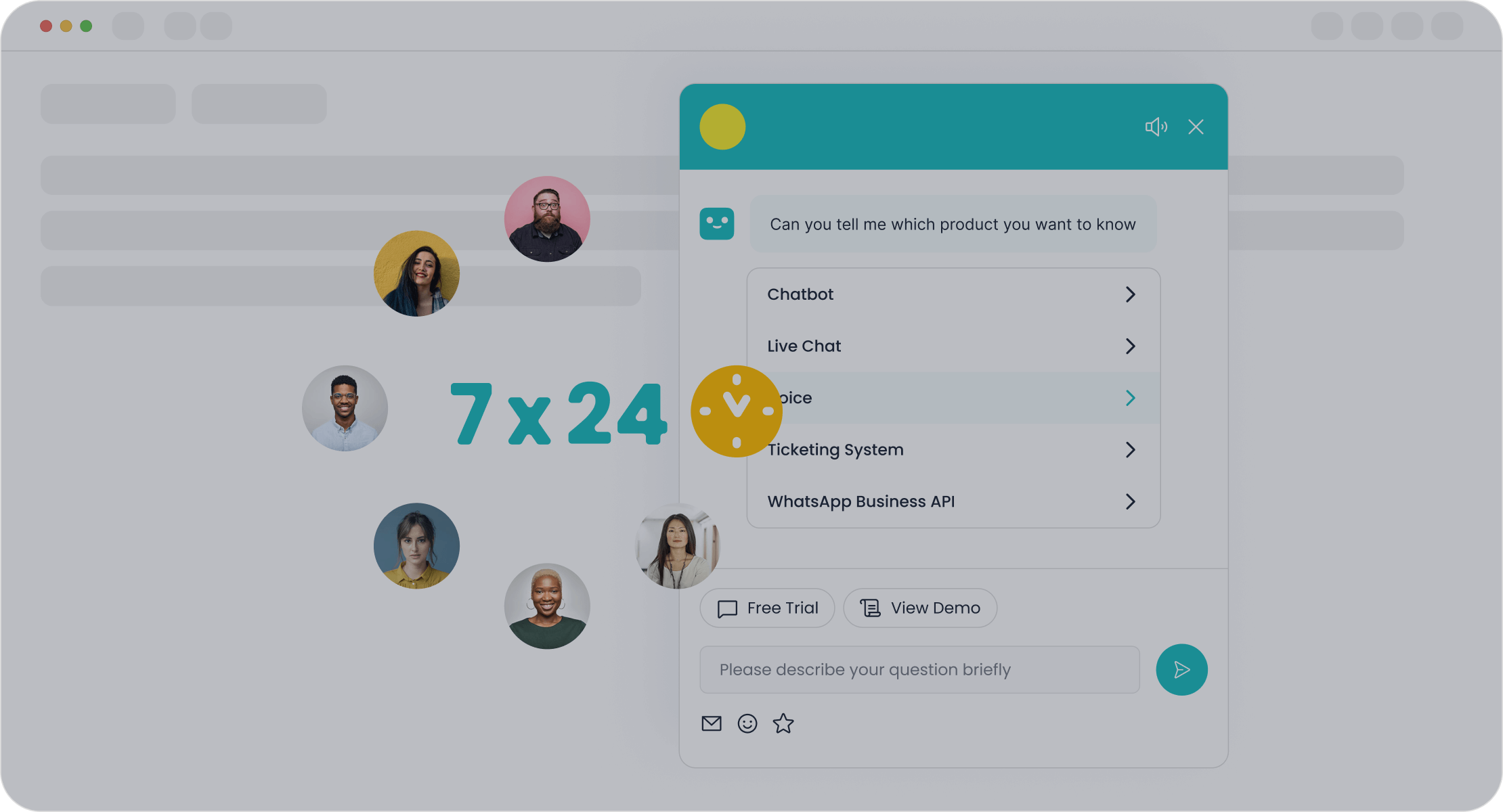
Chatbots have revolutionized customer self-service by providing instant, round-the-clock support. With Sobot Chatbot, you can guide users to the right self-service resources effortlessly. The chatbot uses AI to understand customer queries and direct them to the most relevant articles in your self-service knowledge base. This not only saves time but also ensures customers get accurate answers without delay.
For example, OPPO implemented Sobot Chatbot to handle repetitive queries during peak shopping seasons. The result? An impressive 83% resolution rate and a 94% positive feedback score. By integrating Sobot Chatbot, you can achieve similar results, enhancing customer satisfaction and streamlining your self-service portal.
Automate responses to common queries for efficiency.
Repetitive questions like "How do I reset my password?" can overwhelm your support team. Automating these responses with Sobot Chatbot frees up your agents to focus on complex issues. The chatbot operates 24/7, supports multiple languages, and delivers conversational responses that feel human. According to the Customer Experience Trends Report 2024, 44% of agents said AI bots improved their efficiency. This makes chatbots an essential self-service tool for modern businesses.
Implement AI-Powered Search
Use AI to refine search accuracy and relevance.
AI-powered search takes customer self-service to the next level. Unlike traditional keyword-based searches, AI systems understand the intent behind queries. Sobot Chatbot uses Natural Language Processing (NLP) to interpret everyday language, ensuring customers find relevant results quickly. For instance, if a customer searches for "fix Wi-Fi," the system identifies related articles like "Wi-Fi Troubleshooting" or "Router Setup."
Machine Learning (ML) algorithms further enhance accuracy by learning from user interactions. Over time, the system adapts to language nuances, providing increasingly precise results. This makes your self-service portal more reliable and user-friendly.
Analyze user behavior to improve search algorithms.
Understanding how customers interact with your self-service support is key to improvement. AI tools like Sobot Chatbot analyze user behavior, such as frequently searched terms and abandoned queries. These insights help refine search algorithms and identify gaps in your self-service knowledge base. By addressing these gaps, you can continuously enhance the customer experience and keep your self-service tools effective.
Pro Tip: Combine AI-powered search with chatbots to create a seamless self-service experience. This integration ensures customers find answers faster, reducing their reliance on live support.
Keep Your Knowledge Base Updated
Keeping your self-service knowledge base up-to-date is crucial for maintaining its effectiveness. Outdated or irrelevant content can frustrate customers and reduce trust in your self-service support. By following best practices for regular audits and establishing a review schedule, you can ensure your knowledge base stays accurate and helpful.
Conduct Regular Content Audits
Identify and remove outdated or irrelevant content.
Think of your knowledge base as a living document. Over time, some articles may become outdated or irrelevant due to product updates or changes in customer needs. Regularly reviewing your knowledge base articles helps you spot and remove content that no longer serves its purpose. For example, if an article references an old feature that’s been replaced, it’s time to update or delete it. Use analytics tools, like those offered by Sobot, to identify underperforming articles and prioritize them for review. This ensures your self-service platform remains reliable and relevant.
Update articles with the latest information.
Customers rely on your self-service support for accurate answers. Make sure your articles reflect the latest product features, policies, or industry standards. For instance, if you’ve launched a new version of your software, update the related articles to include new instructions or screenshots. A systematic approach, such as defining audit objectives and assembling a team, can streamline this process. By keeping your content fresh, you’ll improve customer satisfaction and reduce the need for live support.
Establish a Review Schedule
Assign responsibility for content updates.
Consistency is key to effective knowledge management. Assign specific team members to oversee updates for different sections of your knowledge base. This ensures accountability and prevents gaps in content. For example, one person could handle technical articles, while another focuses on FAQs. Tools like Sobot’s ticketing system can help track update requests and assign tasks efficiently. A clear division of responsibilities keeps your self-service knowledge base running smoothly.
Use customer feedback to identify gaps.
Your customers are your best resource for spotting missing or unclear content. Encourage them to leave feedback on articles or submit suggestions. Regularly review this input to identify common issues or unanswered questions. For example, if multiple users comment that an article is confusing, it’s a sign it needs improvement. Incorporating feedback into your review schedule ensures your self-service support evolves with customer needs, making it more effective over time.
Pro Tip: Schedule audits and reviews quarterly or biannually to keep your knowledge base in top shape. This proactive approach saves time and ensures your self-service platform remains a trusted resource.
Design for User Engagement in Self-Service Knowledge Base
Use Visual and Interactive Elements
Incorporate images, videos, and infographics.
Visual and interactive elements can transform your self-service knowledge base into an engaging and user-friendly resource. Adding videos, infographics, and images makes complex topics easier to understand. For example, a short explainer video can guide customers through a product setup process more effectively than a lengthy article. Similarly, interactive infographics can simplify troubleshooting steps, allowing users to follow along visually.
Multimedia content not only grabs attention but also improves retention. Studies show that people remember 80% of what they see and do, compared to just 20% of what they read. By incorporating these elements, you’ll create a knowledge base that keeps users engaged and helps them find answers faster. Tools like Sobot’s chatbot can even recommend multimedia content based on customer queries, personalizing the experience further.
Break up text with headings and bullet points.
Nobody likes reading a wall of text. Breaking up content with clear headings and bullet points makes it easier to scan and digest. For instance:
- Use headings to organize sections logically.
- Add bullet points for step-by-step instructions or key takeaways.
- Highlight important details with bold or italicized text sparingly.
This approach improves readability and ensures customers can quickly locate the information they need. A well-structured self-service knowledge base not only saves time but also enhances the overall user experience.
Write in a User-Friendly Tone
Avoid technical jargon and use clear language.
Your knowledge base should feel approachable, not intimidating. Avoid using technical terms or acronyms that might confuse customers. Instead, opt for simple, everyday language. For example, replace "authentication error" with "login issue." This makes your content accessible to a wider audience, including those who may not be tech-savvy.
A friendly tone also reflects your brand’s personality. It shows customers that you care about making their experience as smooth as possible. Sobot’s knowledge base solutions emphasize clarity and simplicity, ensuring users can find answers without frustration.
Focus on concise and actionable content.
When customers visit your self-service knowledge base, they’re looking for quick solutions. Keep your content concise and to the point. Use short sentences and actionable steps to guide users. For example, instead of saying, "You might want to consider resetting your router," say, "Reset your router by holding the power button for 10 seconds."
Actionable content empowers customers to solve problems independently, reducing their reliance on live support. This not only improves customer satisfaction but also lowers operational costs for your business.
Pro Tip: Combine a user-friendly tone with visual elements to create a self-service experience that’s both engaging and effective.
Incorporate Feedback Mechanisms
Add Feedback Options to Articles
Allow users to rate articles and provide comments.
Feedback options are a game-changer for your self-service knowledge base. By letting users rate articles or leave comments, you create a dynamic, user-centric environment. This approach empowers customers to share their experiences and voice their opinions. For instance, a simple thumbs-up or thumbs-down system can reveal whether an article meets user expectations. Comments provide even deeper insights, helping you understand what works and what doesn’t.
Take Sobot’s knowledge base solutions as an example. They allow customers to engage with content through ratings and suggestions, fostering continuous improvement. This interaction not only enhances the quality of your self-service support but also builds trust with your audience.
Use feedback forms to gather suggestions.
Feedback forms are another effective way to collect user input. These forms can ask targeted questions like, “Was this article helpful?” or “What could we improve?” This method encourages customers to provide actionable suggestions. Over time, these insights help you identify areas where content may be unclear, outdated, or in need of expansion.
For example, if multiple users suggest adding a troubleshooting video to an article, you’ll know exactly how to enhance it. Regularly tracking this feedback ensures your self-service knowledge base evolves to meet customer needs.
Use Feedback to Improve Content
Address common issues raised by users.
Negative feedback isn’t a setback—it’s an opportunity. When customers point out issues, they’re showing you exactly where improvements are needed. For example, if users frequently comment that an article is confusing, it’s a clear sign to rewrite or simplify it. Addressing these concerns not only improves the article but also boosts customer satisfaction.
Sobot’s AI-powered tools can help you analyze feedback trends, making it easier to identify recurring issues. By acting on this data, you’ll create a self-service platform that truly serves its purpose.
Regularly review feedback for actionable insights.
Feedback is only valuable if you act on it. Regularly review user input to uncover actionable insights. For instance, if customers often search for a topic that isn’t covered, it’s time to create a new article. Similarly, feedback can highlight outdated content that needs updating.
Communicating these changes to your audience is equally important. Letting customers know their feedback has been implemented shows you value their input. This transparency strengthens trust and encourages further engagement with your self-service support.
Pro Tip: Combine feedback mechanisms with analytics tools like Sobot’s to gain a deeper understanding of customer behavior. This integration ensures your self-service knowledge base remains relevant and effective.
Measure and Analyze Knowledge Base Performance
Tracking and analyzing the performance of your self-service knowledge base is essential for ensuring it meets customer needs. By monitoring key metrics and leveraging analytics tools, you can identify areas for improvement and keep your platform effective.
Track Key Metrics
Monitor article views, search success rates, and bounce rates.
Metrics give you a clear picture of how well your self-service platform is performing. Start by tracking page visits to see how many customers are using your knowledge base. High traffic indicates good visibility, but you’ll also want to monitor bounce rates. A high bounce rate means users leave without finding what they need, signaling potential issues with content or navigation.
Search success rates are another critical metric. If customers frequently fail to find answers, it’s time to revisit your knowledge base articles. For example, Sobot’s analytics tools can help you identify failed searches and optimize your content accordingly. These insights ensure your self-service knowledge base remains a reliable resource.
Analyze time spent on pages to gauge engagement.
Time spent on a page tells you how engaging and helpful your content is. If users spend only a few seconds on an article, it might lack depth or clarity. On the other hand, longer engagement times suggest customers are finding value. For instance, if an article on "Wi-Fi Troubleshooting" consistently holds attention, it’s likely solving a common issue effectively. Use this data to replicate successful formats across other topics.
Use Analytics Tools
Leverage tools like Sobot's analytics features.
Analytics tools simplify knowledge management by providing actionable insights. Sobot’s analytics features allow you to track metrics like top-visited articles, failed searches, and user engagement frequency. For example, if you notice a spike in visits to a troubleshooting guide, it might indicate a recurring issue. Addressing these trends helps you stay proactive and improve customer satisfaction.
Identify trends and areas for improvement.
Data doesn’t just show what’s working—it highlights what isn’t. Failed searches, for instance, reveal gaps in your self-service content. If customers frequently search for "refund policy" but leave without finding answers, it’s a sign to create or update that article. Sobot’s tools can also track feedback volume and quality, helping you refine your knowledge base. By acting on these insights, you’ll create a more effective self-service platform.
Pro Tip: Regularly review your analytics to ensure your knowledge base evolves with customer needs. This keeps your self-service tools relevant and impactful.
Promote Visibility of Your Self-Service Knowledge Base
Creating a robust self-service portal is only half the battle. To truly maximize its potential, you need to make it visible and accessible to your customers. By integrating it seamlessly into your website and sharing its content across multiple self-service channels, you can ensure customers find the answers they need when they need them.
Integrate with Your Website and Channels
Add links to the knowledge base on key pages.
Your website is the first place customers look for help. Adding links to your self-service knowledge base on high-traffic pages like the homepage, product pages, or support sections ensures easy access. For example, a "Help Center" link in your website’s navigation bar can guide users directly to your self-service resources. You can also embed links within FAQs or troubleshooting sections to direct customers to more detailed articles. This simple step improves visibility and encourages customers to explore your self-service portal.
Use call-to-action buttons to guide users.
Call-to-action (CTA) buttons are a great way to grab attention and guide customers to your self-service resources. Use phrases like "Find Answers Now" or "Visit Our Knowledge Base" to make the purpose clear. Place these buttons strategically on your website, such as at the end of product descriptions or within email signatures. A well-placed CTA not only improves navigation but also boosts engagement with your self-service portal.
Share Knowledge Base Content
Promote articles through email campaigns and social media.
Sharing your self-service knowledge base content on platforms like email and social media can significantly increase its visibility. For instance, you can include links to popular articles in your newsletters or create social media posts highlighting new or updated content. This approach drives traffic to your self-service portal and improves customer self-service engagement. Optimizing these articles for search engines also enhances their discoverability, helping you reach a broader audience.
Use support channels to share relevant links.
Your support channels, such as live chat or ticketing systems, are perfect for promoting your self-service resources. When customers reach out with common questions, your agents or chatbots can share direct links to relevant articles. This not only resolves issues faster but also encourages customers to use your self-service portal in the future. For example, Sobot’s AI-powered chatbot excels at guiding users to the right content, making the transition from live support to self-service seamless.
By promoting your self-service knowledge base effectively, you’ll empower customers to find answers independently, improving satisfaction and reducing support costs.
Integrate Self-Service with Human Support
Provide Escalation Options
Include links to contact support for unresolved issues.
Even the best self-service knowledge base can’t solve every problem. Some issues require a human touch. That’s why it’s crucial to provide clear links for customers to escalate their concerns. Whether it’s a “Contact Us” button or a direct link to email support, these options show customers you’re committed to helping them. For example, Sobot’s solutions allow seamless integration of escalation pathways, ensuring customers can easily connect with a live agent when needed.
Offering alternatives for customers to escalate requests when needed is essential. Providing clear pathways for customers to escalate issues when necessary demonstrates your commitment to customer satisfaction. You will build trust and loyalty by making it easy for customers to connect with a human agent when needed.
Offer live chat or ticket submission for complex queries.
Some problems are too intricate for self-service tools. Live chat and ticketing systems bridge the gap between self-service and human support. They let customers explain their issues in detail and receive personalized assistance. Sobot’s AI-powered chatbot can even triage queries, directing simpler ones to the knowledge base while escalating complex ones to agents. This approach ensures efficiency while maintaining a high level of customer satisfaction.
Train Support Teams
Ensure agents are familiar with the knowledge base.
Your support agents should know your self-service knowledge base inside and out. When agents understand the resources available to customers, they can guide users more effectively. For instance, if a customer struggles to find an article, the agent can quickly share the link or explain the steps. This familiarity also helps agents resolve escalated issues faster, improving the overall customer experience.
Use the knowledge base as a training resource.
Your self-service knowledge base isn’t just for customers—it’s a valuable tool for training your team. Use it to educate agents on common customer queries and solutions. This ensures consistency in responses and reduces onboarding time for new hires.
- Educate support agents about the self-service resources available to customers.
- Provide effective communication and problem-solving training to assist customers who require human intervention.
- Foster collaboration between support agents and self-service content creators to share knowledge and enhance overall support quality.
By integrating self-service with human support, you create a seamless experience that meets customer needs at every level.
Implementing self-service best practices is essential for creating a seamless support experience. A well-managed self-service knowledge base empowers your customers to find solutions independently, reducing repetitive inquiries and improving satisfaction. Did you know that 81% of users prefer self-service options, yet only 15% are satisfied with current offerings? This highlights the need for continuous optimization.
The benefits are clear:
- Increased customer satisfaction through faster resolutions.
- Reduced support costs, as self-service interactions are significantly cheaper.
- Improved scalability, with tools like Sobot’s chatbot providing 24/7 assistance.
By following these tips, you can streamline self-service management, reduce costs, and enhance customer loyalty. Take the time to evaluate your knowledge base and make it a powerful tool for your business.
FAQ
What is a self-service knowledge base?
A self-service knowledge base is a centralized online resource where customers can find answers to common questions. It includes articles, FAQs, and guides. Tools like Sobot’s AI-powered chatbot enhance these platforms by directing users to the right content, improving efficiency and customer satisfaction.
How often should I update my knowledge base?
You should review and update your knowledge base quarterly or biannually. Regular updates ensure accuracy and relevance. For example, OPPO reduced maintenance efforts by 90% with Sobot’s AI tools, keeping their content fresh and helpful for customers.
Can AI improve my self-service knowledge base?
Absolutely! AI tools like Sobot’s chatbot refine search accuracy, automate responses, and analyze user behavior. This makes your knowledge base smarter over time, helping customers find answers faster while reducing your support team’s workload.
Why is mobile accessibility important for self-service?
Most users access self-service platforms on mobile devices. A mobile-friendly knowledge base ensures they can find answers anytime, anywhere. Sobot’s responsive design solutions adapt to all screen sizes, enhancing the user experience and boosting engagement.
How does feedback improve a knowledge base?
Feedback highlights gaps and areas for improvement. For instance, if users rate an article poorly, it signals a need for updates. Sobot’s tools help you collect and analyze feedback, ensuring your knowledge base evolves to meet customer needs effectively.
See Also
Essential Advice for Selecting Social Media Support Tools
Strategies for Efficient Management of Live Chat Teams
Overview of Quality Management Systems in Call Centers

