Introduction
Providing exceptional customer support today requires more than just managing tickets. Teams need context-rich conversations, automation, AI-driven workflows, and seamless multi-channel engagement.
Kustomer is positioned as an AI-powered customer service CRM that unifies conversations and customer data under one platform. In contrast, Sobot focuses on agility, ease of use, and flexible omnichannel support tailored for broader business sizes.
In this article, we’ll dive deeply into Kustomer’s core product features, real user feedback on limitations, and finally present a concise view of Sobot as an alternative, helping you decide which platform might be right for your business.
What Is Kustomer?
Originally founded as an innovative CRM solution, Kustomer continues to evolve with investments in AI workflows, automation, and omnichannel capabilities, targeting mid-market to enterprise teams.
Key Features of Kustomer
Kustomer’s product portfolio centers around these core capabilities:
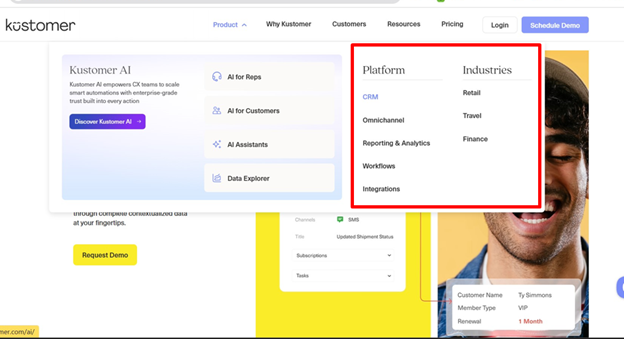
Unified Customer Timeline (CRM)
Agents see a complete, contextual customer record that consolidates interaction history, orders, preferences, and support data — making personalized responses faster and more accurate.
Omnichannel Support
Kustomer natively supports communication across:
- Chat and live messaging
- SMS
- Voice (with call handling features)
- Social media platforms (e.g., Instagram, Facebook, WhatsApp)
All conversations merge into a single view, eliminating fragmented inboxes.
AI-Powered Automation & Agents
Kustomer uses machine learning and NLP to:
- Automatically triage and categorize incoming interactions
- Suggest replies
- Predict best actions
- Route conversations based on rules and intent
Customers can deploy AI agents for both customers and support reps to accelerate workflows.
Custom Workflows & Automation Tools
Use visual builders to create complex automations such as SLA policies, routing logic, macro actions, and escalation rules — reducing manual tasks and improving consistency.
Reporting & Analytics
Kustomer offers reporting dashboards and analytics to track operational performance, team productivity, and customer outcomes. Real-time insights aim to improve support strategies over time.
Integrations & APIs
Robust APIs and integration support connect Kustomer with other platforms such as ecommerce tools, external CRMs, billing systems, and analytics tools — enhancing context and operational reach.
Security & Compliance
The platform enforces enterprise-grade security, including role-based permissions and compliance with major standards (e.g., GDPR). Enterprise customers can also set enhanced authentication and data retention policies.
Pricing Structure
Kustomer follows a seat-based pricing model with plans designed for different team sizes and CX maturity levels.
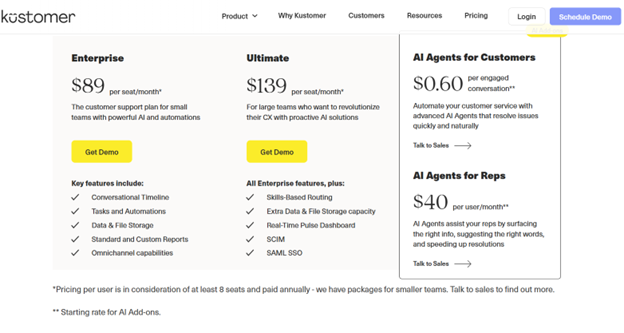
- The Enterprise plan starts at $89 per seat/month and is built for small to mid-sized support teams, offering core capabilities such as a conversational timeline, tasks and automations, omnichannel support, data and file storage, and both standard and custom reports.
- For larger organizations, the Ultimate plan costs $139 per seat/month and includes all Enterprise features plus advanced tools like skills-based routing, increased data capacity, real-time pulse dashboards, and enterprise-grade security with SCIM and SAML SSO.
- Kustomer also offers AI add-ons, including AI Agents for Customers at $0.60 per engaged conversation and AI Agents for Reps at $40 per user/month, which are priced separately and tailored to automation needs.
Pros of Kustomer
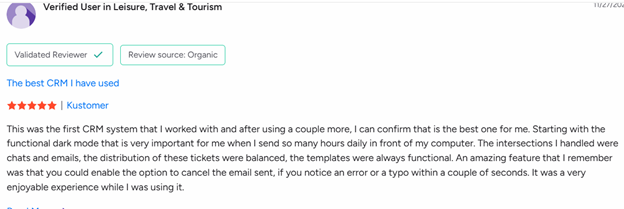
Here’s what many teams like about Kustomer, according to real user reviews:
Purpose-Built Customer Service CRM
Kustomer is designed specifically for customer support, not adapted from a sales CRM. This focus allows support teams to manage conversations, customer data, and service workflows in a way that aligns naturally with real support operations.
Unified Customer Timeline
One of Kustomer’s strongest advantages is its conversational timeline, which brings together every customer interaction across channels. Agents can quickly understand context, history, and previous resolutions without switching tools.
True Omnichannel Support
Kustomer enables teams to handle email, live chat, voice, SMS, and social messaging within a single platform. This ensures consistent customer experiences across channels while maintaining conversation continuity.
Actionable Analytics & Insights
The platform offers meaningful operational insights that help teams monitor performance, identify trends, and optimize workflows. These analytics support data-driven decision-making without relying solely on external tools.
Built for Scale and Enterprise Operations
Designed for high-volume environments, Kustomer supports large teams and complex support structures, making it suitable for organizations with growing or enterprise-level customer service demands.
Limitations & Cons of Kustomer (with Real User Insights)
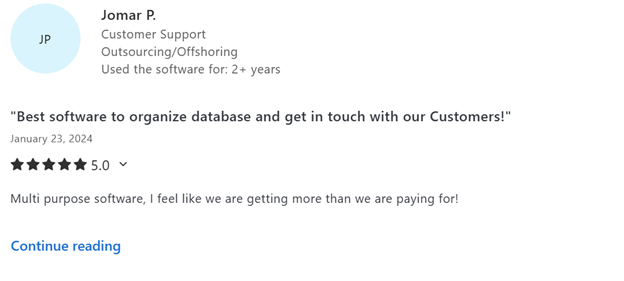
Despite its strengths, users frequently mention several limitations or challenges — especially around complexity, performance, and customization.
AI Capabilities Not Meeting Expectations
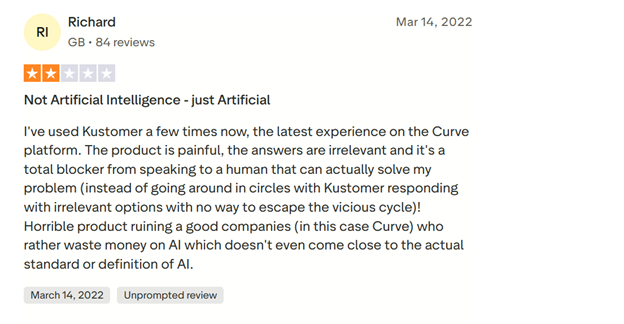
Despite Kustomer’s emphasis on AI-powered automation and agents, some users feel the actual intelligence delivered falls short of expectations. In review platforms like Trustpilot, several real user comments describe Kustomer’s AI as “not artificial intelligence — just artificial”, highlighting experiences where its AI responses felt irrelevant or circular, frustrating users and blocking efficient access to human support.
Voice Capabilities Rely on Third-Party Infrastructure
While Kustomer offers voice support through Kustomer Voice, the feature is built on Twilio’s infrastructure rather than being fully self-developed. Compared with its other functions like live chat and chatbot, Kustomer Voice is limited from being optimized deeply due to its reliance on the third-party provider.
Although voice interactions are also supported, the overall voice experience may feel less tightly integrated. Kustomer Voice falls behind dedicated voice-first platforms in some advanced contact-center features such as sophisticated call routing logic, deep telephony customization, and enterprise-grade voice optimization.
Therefore, for businesses with high call volumes or complex voice support needs, Kustomer’s voice may be less robust compared to its online service capabilities.
Ticket Management Limitations
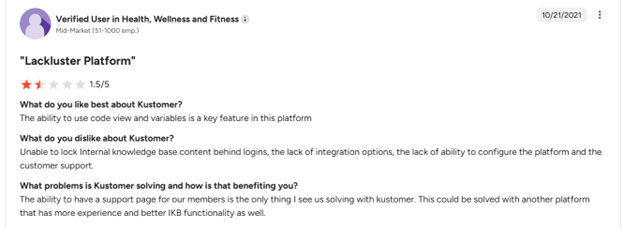
Users also mention frustrations around ticket handling, including limited deletion options and occasional challenges organizing or restructuring tickets efficiently.
Learning Curve & Usability Challenges
Many users mention that getting started with Kustomer isn’t always straightforward. If you’re not already familiar with complex CRM platforms, the interface can feel confusing at first, often requiring extended onboarding and internal training before teams feel fully comfortable.
Feature Overload for New Users
Kustomer’s rich feature set is powerful, but it can also feel overwhelming. Several users say that simple, everyday tasks take longer in the beginning because there’s so much happening within the interface. Until agents fully understand how everything fits together, productivity can dip.
Customization & Workflow Friction
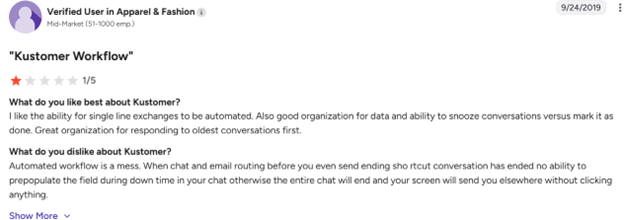
While Kustomer is flexible, some users point out limitations when it comes to fine-tuning workflows. Tasks like splitting complex tickets, adjusting specific automation rules, or managing certain social media interactions don’t always feel as intuitive or customizable as expected.
Integration & System Gaps
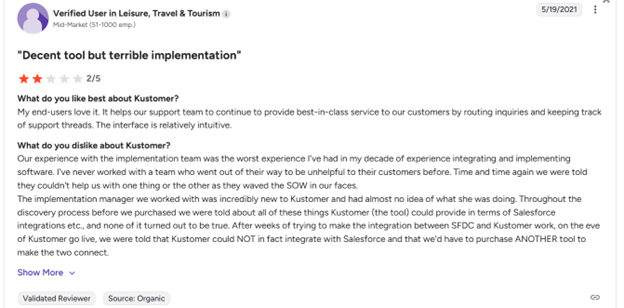
Although Kustomer supports many integrations, users note that some third-party tools don’t connect as seamlessly as they’d like. In a few cases, integrations require additional configuration or don’t go as deep as teams need for smooth daily operations.
Interface Density & Performance Concerns
The unified customer view is helpful for context, but some users feel it can look cluttered, especially during high-volume periods. This can occasionally slow down navigation or make it harder to focus on what matters most.
Sobot: A Smarter, AI-Driven Alternative
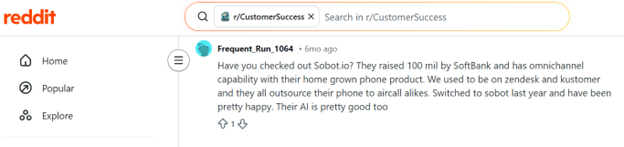
While Kustomer focuses on enterprise-grade customization, many teams look for alternatives that prioritize ease of use, faster onboarding, and practical AI that delivers results out of the box. This is where Sobot stands out.
Sobot is an AI-powered omnichannel customer engagement platform designed to help businesses scale support efficiently without heavy technical configuration. Its interface is intuitive, allowing teams to get started quickly while still supporting complex support scenarios.
Strong AI Capabilities Built for Real Conversations
Sobot places a strong emphasis on applied AI, not just automation labels. Its AI capabilities include:
- Intelligent chatbots that understand user intent and resolve common issues autonomously
- AI-assisted agent tools that suggest replies, surface relevant knowledge, and reduce handling time
- Seamless AI-to-human handoff, ensuring customers can easily reach a live agent when needed
Unlike AI experiences that feel rigid or blocking, Sobot’s AI is designed to support both customers and agents, improving resolution speed without compromising experience.
Flexible Omnichannel Support
Sobot supports web chat, email, social messaging, voice, WhatsApp, and more — all unified in a single workspace. Combined with no-code automation, this makes Sobot especially appealing to teams that want powerful AI-driven support without long setup cycles.
Overall, Sobot is a compelling option for businesses seeking practical, human-centric AI, faster deployment, and scalable omnichannel engagement.
Conclusion & Recommendations
Kustomer is a powerful, AI-native customer service CRM with strong capabilities for omnichannel engagement, automation, and contextual support. However, its complex setup, performance nuances, reporting limitations, and higher pricing show up in real user feedback — especially for smaller teams or those without technical resources.
Sobot, in contrast, positions itself as a more accessible, easier-to-deploy alternative, with strong omnichannel support and straightforward automation that may be better suited for teams focused on quick time-to-value.