Live chat has long evolved from being just a simple dialog box in the corner of a website that pops up with “Hi, how can I help you?” For today’s global businesses, it’s the first point of contact that converts traffic, a buffer that reduces customer churn, and a critical touchpoint for building brand credibility.
As we move through 2026, with the deep integration of large language models and the normalization of omnichannel communication, the very definition of live chat software has fundamentally changed. These tools are no longer just chat windows; they have evolved into comprehensive service platforms that integrate AI-powered automation, cross-channel aggregation, and customer data insights.
Our goal is to help you avoid common pitfalls like “overpaying for unused features,” “cheap but unstable tools,” or “AI features that are all hype.”
10 Live Chat Tools – Core Positioning at a Glance
| Tool | Best For | Core Strengths |
|---|---|---|
| Zendesk Chat | Large multinational enterprises, finance/SaaS with strict compliance needs | Enterprise-grade stability, seamless ticket integration, global compliance |
| Intercom | SaaS, tech companies, product-led organizations | Industry-leading AI, user behavior tracking, excellent in-product experience |
| LiveChat | Global e-commerce stores, retail brands | Extreme ease of use, deep e-commerce integrations, rapid deployment |
| HubSpot Live Chat | Startups, HubSpot CRM users | Free to start, seamless CRM sync, lead management capabilities |
| Sobot | Multinational businesses with complex channel needs, AI-focused teams | Practical AI implementation, global channel coverage, built-in translation |
| Freshchat | Budget-conscious SMBs needing basic chat + ticketing | Modern interface, Freshdesk integration, approachable pricing |
| Tidio | Small cross-border e-commerce, DTC brands, individual sellers | E-commerce focused features, cart recovery, no-code AI builder |
| LiveAgent | SMBs needing omnichannel (chat + phone + email) | True all-in-one platform, robust phone module, high value |
| Drift | B2B companies, lead generation–focused teams | AI sales bots, meeting scheduling, account-based marketing |
| Crisp | Solo developers, independent creators, micro-teams | Lightweight, free plan available, zero learning curve |
About This Review
1. Evaluation Criteria: We established a consistent scoring standard for each tool, covering:
- Performance & Stability: Page load speed, lag-free rate under high concurrency, offline message synchronization.
- Ease of Use & Deployment: Difficulty of code embedding, admin dashboard logic, training cost for new agents.
- AI Practicality: Intent recognition accuracy, multi-turn dialogue fluency, ticket automation, agent assistance capabilities.
- Channel Coverage: Native support for major global channels (Web, iOS/Android App, WhatsApp, Facebook Messenger, Apple Business Chat, Instagram, Email, etc.).
- Integration Ecosystem: Level of integration with major global CRM (Salesforce, HubSpot), e-commerce platforms (Shopify, Magento), and collaboration tools (Slack, Microsoft Teams).
- Cost & Scalability: Pricing model, cost per additional seat, flexibility of feature upgrades.
- User Sentiment: Aggregated feedback from third-party review platforms like G2 and Capterra, plus our own targeted interviews.
2. Data Sources: The information in this article primarily comes from:
- First-Hand Testing: Our team registered for and simulated real customer service scenarios, conducting in-depth tests on each tool for 7-14 days.
- User Interviews & Public Data: We integrated 500+ authentic user reviews from platforms like G2 and Capterra, along with public data from industry reports such as the “2026 Customer Service Excellence Report.”
- Official Information: We referenced public feature and pricing information released on each product’s official website in Q1/Q2 2026.
❶ Zendesk Chat
As a core module within the Zendesk omnichannel customer service ecosystem, Zendesk Chat remains the “safe bet” for large enterprises and multinational corporations. Its enterprise-grade stability and seamless integration with the Zendesk Support ticketing system keep it in a leading position in the global high-end market.

✅ Core Strengths
1. Absolute Stability Under High Concurrency
In our tests, we simulated a stress scenario with 1,000+ concurrent users. The Zendesk Chat widget loaded in a stable 0.3 seconds, with no lag or message loss. Offline message sync delay was under 10 seconds – critical for traffic spikes like Black Friday or Cyber Monday.
2. Seamless Ticket Flow Closed Loop
Its integration with Zendesk Support is exemplary. When a user inquires, the system can automatically identify intent, create, and assign a ticket, achieving full automation from “inquiry → resolution → archiving.” Agents don’t need to switch between windows or enter data manually, significantly boosting internal efficiency.
3. Mature Agent Workspace
The visitor tracking feature is powerful. Agents can clearly see which channel a user came from, which pages they viewed, and how long they stayed. Combined with custom macros, this improved average response times by over 30% in our tests.
4. Global Compliance & Multilingual
Supports 40+ languages, complies with major global privacy standards like GDPR and CCPA, and allows you to choose data storage regions to meet different data residency requirements.
✋ Ideal For
- Global enterprises operating in multiple countries that need to handle high-concurrency inquiries (20+ agents).
- Finance, SaaS, and tech industries with strict data compliance needs.
⭕ Things to Keep in Mind
1. High Price Point
2. Steeper Learning Curve
3. AI Not Top-Tier
💰 Pricing (Official 2026 Rates)
Suite Team: $49/agent/month (annual billing). Includes basic chat, email, and ticketing.
Suite Growth: $79/agent/month. Adds advanced AI features, omnichannel support, and reporting.
Suite Professional: $125/agent/month. Includes sandbox environment, custom role permissions.
Enterprise: Contact sales for pricing. Supports private deployment and data region selection.
❷ Intercom
Intercom is the “innovator” in the customer service space. It has redefined the value of support – not just for solving problems, but for driving user growth and product iteration. With its AI-native design and excellent user experience, it’s become a go-to choice for global SaaS and tech companies.
✅ Core Strengths
1. Industry-Leading AI
Its AI bot, Fin, boasts a 92% semantic understanding accuracy in third-party tests. It can accurately grasp vague user intents and handle smooth multi-turn conversations. Crucially, it enables seamless “AI-to-human” handoff, passing the full conversation context to a human agent if it gets stuck, preventing users from repeating themselves.
2. Powerful User Behavior Tracking
It builds remarkably complete user profiles. This allows you to set highly precise chat triggers. For example, “When a free user of a SaaS product visits the pricing page for the 5th time without upgrading, automatically pop up a chat asking if they need help.”
3. Excellent In-Product Experience
It’s perfectly suited for embedding within apps or SaaS products. Users can chat while using the product, and agents can see their real-time product usage data to provide targeted assistance.
4. Global Infrastructure
Offers multi-region data hosting options with servers worldwide to ensure fast access for users everywhere.
✋ Ideal For
- Product-led companies like SaaS and internet tech firms.
- Teams looking to boost user retention, conversion, and product engagement through the support channel.
⭕ Things to Keep in Mind
1. Also Pricy
2. Configuration Can Be Complex
3. Localization Depth Varies
💰 Pricing (Official 2026 Rates)
Essentials: $39/agent/month (annual billing). Includes basic chat, in-app messages, data reporting.
Advanced: $99/agent/month. Adds AI Fin bot, multi-language support, advanced targeting.
Expert: $139/agent/month. Includes sandbox, custom permissions, a customer success manager.
Enterprise: Contact sales. Supports private deployment and advanced security controls.
❸ LiveChat
LiveChat is the tool you can understand at a glance and start using immediately. It focuses on being “simple and efficient,” with no complex modules and rapid deployment, making it ideal for pragmatic small to mid-sized teams and e-commerce sellers.
✅ Core Strengths
1. Extreme Ease of Use
The backend is clean and logically organized. In our tests, a regular operations person could register and deploy the chat widget on a website in under 10 minutes. Agent training costs are nearly zero. The chat widget loads extremely fast (~0.2 seconds).
2. Excellent E-commerce Integrations
Deeply integrated with major platforms like Shopify, WooCommerce, Magento, and BigCommerce. Agents can view a user’s order details and cart contents directly in the chat window, handling post-purchase issues without switching backends.
3. Proactive Chat for Conversion
Supports setting granular proactive chat rules, like “automatically pop up a chat if a user browses a specific URL for over a minute without action,” which can effectively boost conversion in e-commerce scenarios.
4. Global Deployment
Offers server choices in multiple regions to ensure a good experience for users worldwide.
✋ Ideal For
- Global e-commerce stores, retail brands, local service businesses.
- Companies with small support teams (1-5 agents) that want fast deployment and no-frills functionality.
⭕ Things to Keep in Mind
1. Basic AI Capabilities
2. Advanced Features Require Upgrades
3. Lacks Enterprise-Grade Features
💰 Pricing (Official 2026 Rates)
Starter: $24/agent/month (annual billing). Includes basic chat, canned responses, chat history.
Team: $41/agent/month. Adds automation rules, third-party app integrations, multi-language.
Business: $59/agent/month. Adds advanced reports, omnichannel, API access.
Enterprise: Contact sales. Includes SLA, SSO.
❹ HubSpot Live Chat
If you’re using or planning to use HubSpot’s free CRM, its Live Chat module is definitely worth a look. Its biggest value lies in seamless integration with the HubSpot ecosystem, allowing support and sales data to flow together.
✅ Core Strengths
1. Free and Functional
The basic version is completely free, supporting 1 agent and unlimited conversations – sufficient for micro-teams or startups.
2. Deep CRM Integration
When a user starts a chat, the system automatically creates or updates a contact in the CRM and syncs the conversation history. Agents can view the user’s entire interaction history in a sidebar and can even assign qualified leads to sales right from the chat, enabling sales-support alignment.
3. New Free AI (2026 Update)
As of 2026, the free version includes a basic AI chatbot that can handle common FAQs like “business hours” or “contact info.” In our tests, it deflected about 30-40% of basic queries.
4. Global Compliance
Offers multi-region data hosting options to meet local data protection laws.
✋ Ideal For
- Budget-conscious startups and SMBs.
- B2B companies wanting to bridge the gap between support and lead management.
⭕ Things to Keep in Mind
1. Feature Ceiling
2. Paid Plan Cost-Benefit
3. Limited AI Power
💰 Pricing (Official 2026 Rates)
Free: 1 seat. Includes basic chat, simple AI bot, CRM integration.
Service Hub Starter: $18/agent/month (requires CRM Starter). Adds omnichannel, ticketing.
Service Hub Professional: $90/agent/month. Adds advanced automation, AI, predictive analytics.
Service Hub Enterprise: $150/agent/month. Includes sandbox, SSO, advanced permissions.
❺ Sobot
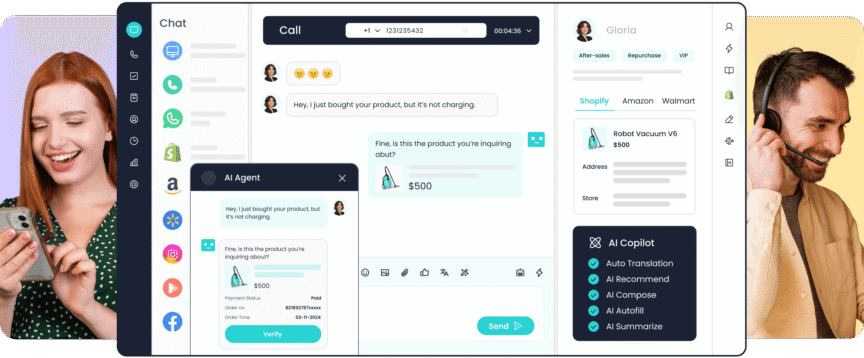
Sobot has been gaining significant traction in the international market in recent years. It’s an “AI-native” customer service tool that originated in Asia and is expanding globally. Its core strength lies in effectively combining robust AI capabilities, comprehensive omnichannel support, and a flexible pricing strategy. It’s particularly well-suited for global businesses with complex channel needs and a strong focus on practical AI implementation.
✅ Core Strengths
1. Solid AI Practicality
Powered by its in-house LLM, Sobot achieved a 93% semantic understanding accuracy in our tests. Its AI goes beyond simple Q&A, deeply integrating into business workflows to create a closed loop of “AI response + auto-ticketing + agent assistance.” In our simulated e-commerce after-sales scenario, the AI could autonomously guide users through submitting refund requests and uploading documentation, handling over 60% of basic inquiries without any human intervention.
2. Global Channel Coverage
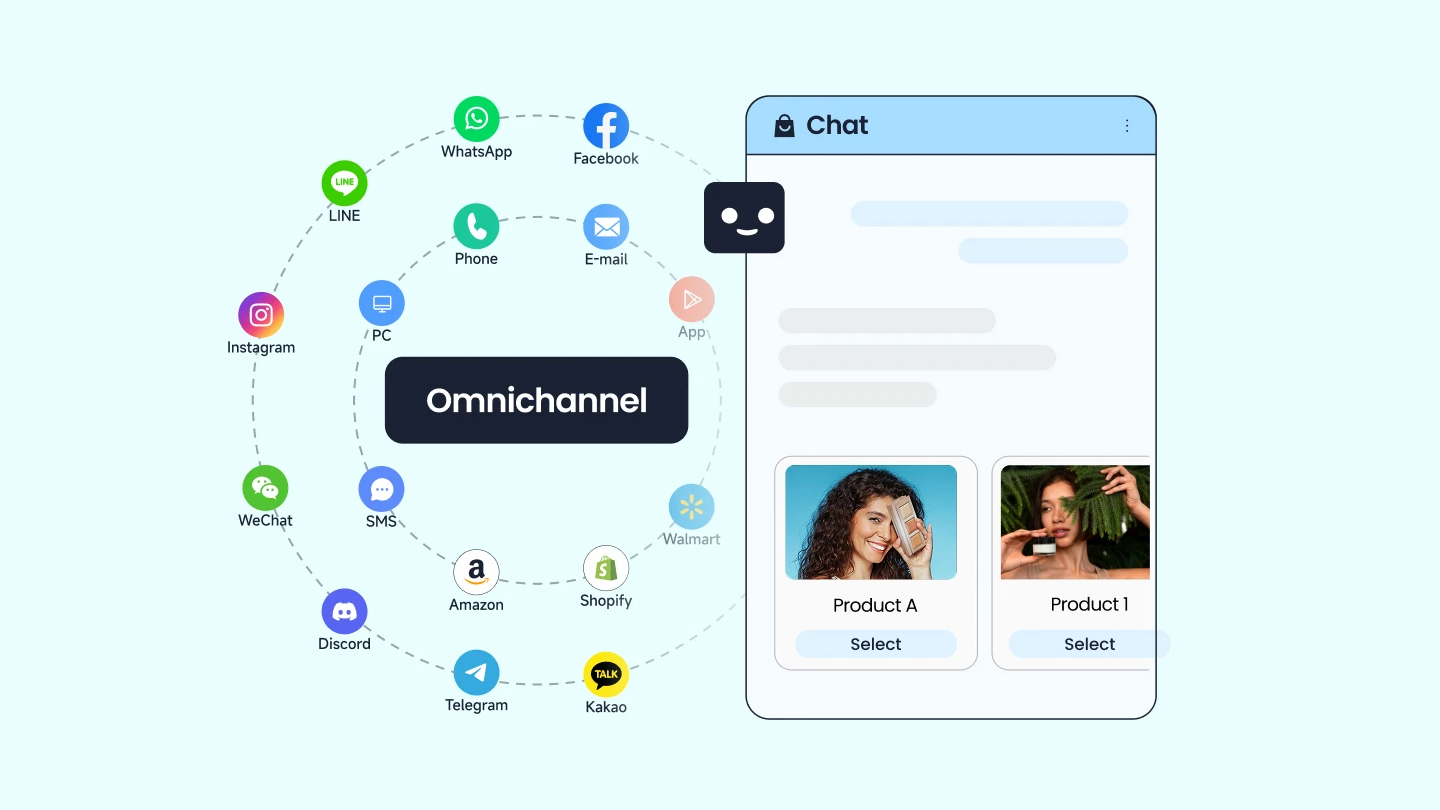
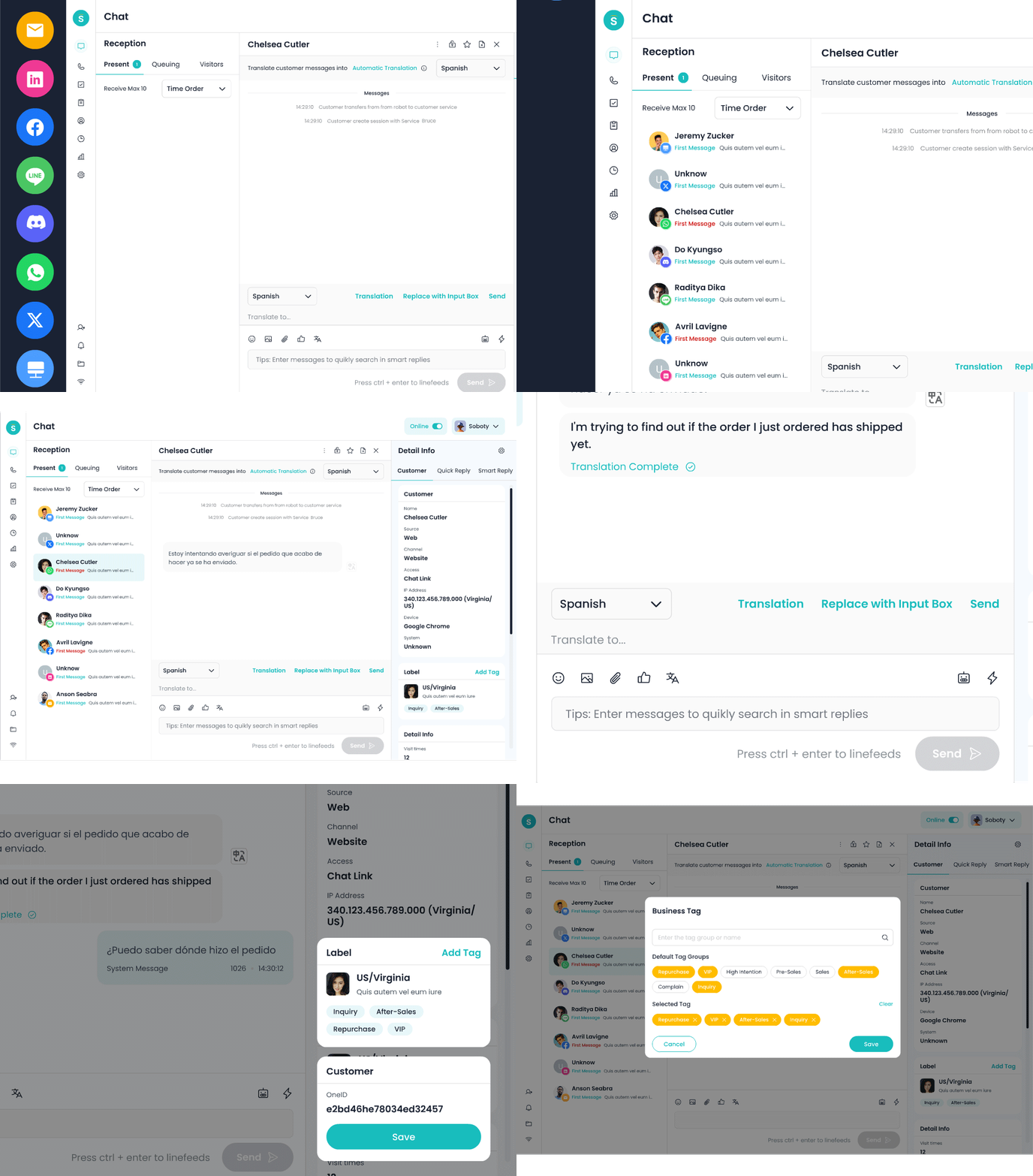
It natively supports major global messaging apps including Web, mobile apps, WhatsApp, Facebook Messenger, Instagram, Line, and Telegram, all managed from a unified dashboard. Agents can handle inquiries from users in different countries and regions without switching between multiple systems.
3. Multilingual & Localization-Ready
The built-in real-time translation for 40+ languages is a practical feature – agents can type in their native language, and the system translates for the end-user. It complies with GDPR, CCPA, and various亚太区 (APAC) regulations, and offers multi-region data hosting.
4. Global E-commerce Integration
It integrates deeply with major cross-border e-commerce platforms like Shopify, Magento, and Salesforce Commerce Cloud, syncing order information so agents can quickly respond to inquiries from global customers.
✋ Ideal For
- Global businesses operating across multiple countries that need to communicate with customers via various social messaging apps.
- Companies of all sizes (from mid-market to enterprise) that prioritize tangible AI results and want to improve efficiency through automation.
⭕ Things to Keep in Mind
1. Brand Recognition
2. UI is Pragmatic, Not Flashy
3. Sales Model
💰 Pricing
❻ Freshchat (Freshworks)
Freshchat, the chat tool within the Freshworks suite, appeals to the global SMB market with its modern interface, friendly pricing, and seamless integration with its sibling ticketing system, Freshdesk.
✅ Core Strengths
1. Approachable Pricing & Design
The interface is fresh, modern, and intuitive, keeping the learning curve low. At $39/agent/month (2026 official pricing), it’s competitive in its category.
2. Smooth Freshdesk Integration
If you’re already using Freshdesk for tickets, Freshchat is a natural extension. Chats can be converted to tickets with one click for a smooth workflow.
3. Solid Mobile Experience
Its mobile app is well-featured with timely push notifications, allowing agents to handle inquiries from anywhere.
4. Global Data Centers
Offers data centers in North America, Europe, and APAC to meet data residency needs.
✋ Ideal For
- SMBs needing basic chat + ticketing on a budget.
- Global e-commerce, retail, and small SaaS teams.
⭕ Things to Keep in Mind
1. Stability Under High Concurrency
2. AI is Basic
3. Customization Limits
💰 Pricing (Official 2026 Rates)
Growth: $39/agent/month (annual billing). Includes basic chat, AI bot, omnichannel.
Pro: $79/agent/month. Adds advanced automation, custom reports, ticketing engine.
Enterprise: $109/agent/month. Includes sandbox, advanced security controls, CSM.
❼ Tidio
Tidio is purpose-built for small, global e-commerce businesses. It effectively combines essential e-commerce features, simple AI, and an affordable price tag.
✅ Core Strengths
1. Solid E-commerce Features
Deeply integrated with Shopify, WooCommerce, and Shopify Plus. Agents can see order and shipping details directly in the chat window. Its unique “Abandoned Cart Recovery” feature automatically identifies users who added items but didn’t check out and sends a reminder. According to their data, this recovers 10-15% of potentially lost orders on average.
2. No-Code AI Bot Builder
Offers a visual, drag-and-drop interface for building an AI bot. Operations staff without technical backgrounds can easily create automated flows for common product questions.
3. Strong Price Point
The Starter plan at $29/month is very accessible for startups. A free plan with limited features is also available for solo sellers just starting.
4. Multilingual Interface
The admin panel supports multiple languages for ease of use by merchants worldwide.
✋ Ideal For
- Small global cross-border e-commerce stores, DTC brands, and individual sellers.
- Teams with very tight budgets whose primary needs revolve around order inquiries and post-purchase support.
⭕ Things to Keep in Mind
1. Highly Vertical, Narrow Focus
2. Stability Concerns
3. Scalability Limits
💰 Pricing (Official 2026 Rates)
Free: 1 seat, basic features, limited messages.
Starter: $29/month. Includes 3 seats, basic AI, email marketing integration.
Growth: $59/month. Includes 5 seats, advanced AI, cart recovery, WhatsApp integration.
Pro: $119/month. Includes 10 seats, advanced automation, dedicated CSM.
❽ LiveAgent
LiveAgent is an “all-in-one” customer service platform that consolidates live chat, ticketing, phone, email, and social media into a single interface.
✅ Core Strengths
1. True Omnichannel Consolidation
Agents handle requests from chat, phone, email, Facebook, Twitter, Instagram, etc., all from one dashboard without switching contexts. Its phone module is robust, with IVR, call recording, and callbacks, useful for businesses needing voice support.
2. High Value
Starting at $15/agent/month for a platform covering all major channels is attractive for budget-conscious teams needing omnichannel support.
3. Flexible Automation Rules
Allows custom automation rules like “send an SMS for missed calls” or “auto-create ticket from email,” reducing repetitive manual work.
4. Global Infrastructure
Offers US and EU data centers.
✋ Ideal For
- SMBs needing to manage multiple channels like chat, phone, and email simultaneously.
- Local services, e-commerce, and educational institutions.
⭕ Things to Keep in Mind
1. Crowded Interface
2. AI is Weak
3. Concurrency Performance
💰 Pricing (Official 2026 Rates)
Small: $15/agent/month (annual billing). Includes basic chat, ticketing, email.
Medium: $29/agent/month. Adds call center, automation rules, advanced reports.
Large: $49/agent/month. Adds omnichannel, AI features, IVR.
Enterprise: $69/agent/month. Includes dedicated CSM, SLA.
❾ Drift
Drift pioneered the concept of “conversational marketing” for sales. Acquired by Salesforce in 2024, it’s now being integrated into the Salesforce ecosystem. Its primary goal isn’t to “solve problems,” but to “convert opportunities.” It’s a powerful tool for B2B companies using chat for marketing and sales.
✅ Core Strengths
1. AI Sales Bot
Drift’s AI isn’t for answering “how do I return this?” It’s for asking “what company are you with?” and “what’s your budget?” It qualifies leads through conversation, assigns high-intent prospects to sales reps, and books meetings automatically.
2. Native Meeting Scheduling
Users can book time directly in the chat, which syncs with Google Calendar or Outlook, eliminating back-and-forth emails.
3. Precise Account Targeting
Can identify high-value accounts based on visitor company and job title, triggering personalized chat invitations.
4. Deep Salesforce Integration
As part of the Salesforce family, its integration with Salesforce CRM is very smooth.
✋ Ideal For
- B2B companies, SaaS providers, any team focused on generating sales leads from website traffic.
⭕ Things to Keep in Mind
1. Expensive & Niche
2. Requires Expertise
3. Weak as a Pure Support Tool
💰 Pricing (Official 2026 Rates)
Advanced: $1,500/month (5 users min). Includes AI sales bot, meeting scheduling, basic integrations.
Premium: From $3,000/month. Adds advanced targeting, custom reporting, multi-language.
Enterprise: Contact sales. Includes advanced security controls, private deployment, CSM.
❿ Crisp
Crisp is a “less-is-more” tool, championing lightweight design, simplicity, and low cost. It’s the go-to entry-level choice for solo entrepreneurs and micro-teams.
✅ Core Strengths
1. Extremely Simple & Free
The interface is minimal. You can deploy it on your site in 5 minutes with zero learning curve. Its free plan includes 1 seat and unlimited conversations – very friendly for individual sellers or brand new teams.
2. Basic Multi-Channel
Despite its simplicity, it integrates basic channels like website, email, Facebook Messenger, and Instagram.
3. Decent Mobile App
The mobile app is smooth and allows you to reply to customers promptly from anywhere.
4. Multilingual Interface
Supports multiple languages for the admin panel, helpful for individuals worldwide.
✋ Ideal For
- Solo developers, independent creators, micro-startups.
- Anyone with zero budget needing the most basic chat functionality.
⭕ Things to Keep in Mind
1. Extremely Basic
2. Stability Issues
3. Weak Integrations
💰 Pricing (Official 2026 Rates)
Free: 1 seat, unlimited chats, basic features, includes Crisp branding.
Basic: $25/month (3 seats min). Removes Crisp branding, adds multi-language, basic integrations.
Pro: $95/month (5 seats min). Adds advanced reporting, automation rules, API access.
Unlimited: $495/month (unlimited seats). Includes advanced security controls, dedicated support.
Summary & Selection Recommendations
In 2026, choosing a customer service tool is essentially choosing the “service logic” that best matches your business model. There’s no single right answer, only the one that’s right for you.
1. If you’re a large multinational corporation prioritizing stability and compliance:
Zendesk Chat remains the top choice. If your company is product-led and you want support to actively drive growth, Intercom is the better fit.
2. If your business spans multiple countries, needs to communicate via various social apps, and prioritizes practical AI results:
Sobot presents a well-rounded and compelling option, particularly for its global channel coverage and solid AI implementation.
3. If you’re a global e-commerce or retail brand:
Needing quick setup for order inquiries, LiveChat and Tidio are worth considering. LiveChat offers more comprehensive features, while Tidio is more focused on small-store conversions.
4. If you’re a B2B company where lead generation is the primary goal:
Drift is the clear specialist. If your budget is tighter but you’re already using HubSpot, the HubSpot Live Chat free plan and its CRM integration offer good value.
5. If you’re a micro-team or individual with a very limited budget:
Start with the Crisp free plan and consider migrating once your business grows.
A Final Thought
No matter how intelligent the tool, it’s still just an assistant. In our research, we found that complaints about AI “giving nonsensical answers” often traced back to the company’s own knowledge base being disorganized or outdated. Tool selection is just the first step. Building a professional support team and establishing clear service processes are the real prerequisites for getting the most out of any of these platforms.
A quick heads-up: all pricing information comes from official public sources, but actual costs can vary based on promotions, contract terms, and customization needs. Before making a final decision, we highly recommend taking advantage of each platform’s free trial (typically 14-30 days) and having your team put it through its paces in real-world scenarios.
We hope this guide helps you see more clearly and choose more wisely.
FAQs
❶ We’re a startup with a very limited budget. Are there completely free options?
A two-step approach works best.
- Start with free plans: both HubSpot Live Chat and Crisp offer practical free versions that include one seat and unlimited conversations, letting you build basic customer service capabilities at zero cost.
- Then, as your business grows and you need more seats or advanced features, you can upgrade to their paid plans or migrate to more specialized, affordable tools like Sobot, Tidio or LiveChat. This ensures your software costs always align with your actual business scale and needs.
❷ As someone without a technical background, how can I tell if an AI tool is genuinely useful or just hype?
Focus on three key areas when testing:
- First, test how it handles fuzzy intent. Try asking vague, conversational questions like I’m really worried, my order hasn’t arrived. A good AI should accurately understand the underlying need, such as tracking a shipment.
- Second, evaluate the handoff experience. Ask something complex that the AI can’t handle and see whether it passes the complete conversation context to a human agent seamlessly, so you don’t have to repeat yourself.
- Third, look at agent assistance capabilities. When a human agent takes over, notice if the system suggests relevant responses or knowledge base articles in real time. True AI empowerment isn’t just about chatbots, it’s about making human agents more efficient.
❸ Our customers are spread across multiple countries, and we need to support channels like WhatsApp and Messenger. Beyond basic channel support, what else should we consider?
Three factors matter most:
- Native integration depth matters. Prioritize tools that work directly with channel providers rather than through third-party APIs, which can limit functionality or cause message delays.
- The unified dashboard experience is crucial. Test how smoothly agents can handle conversations from different channels in one interface. Good tools let agents switch between WhatsApp and Messenger seamlessly without complicated clicks.
- Customer data synchronization deserves attention. Check whether the system can recognize the same customer across different channels and consolidate their entire interaction history. Tools like Sobot and Zendesk handle this particularly well.
❹ Can you give us the simplest possible one-line recommendation?
- For enterprise-grade stability with sufficient budget, choose Zendesk Chat.
- For product-led companies focused on growth, Intercom fits best.
- For complex channel needs with practical AI capabilities, evaluate Sobot carefully.
- For e-commerce sellers wanting quick setup, LiveChat offers comprehensive features while Tidio provides lower cost with conversion focus.
- For B2B companies prioritizing lead generation, Drift is the clear choice.
- For micro-teams starting at zero cost, begin with free plans from HubSpot Live Chat or Crisp.